Bureau - Authoritative Tourism Landing Page Template
Bureau is a single-column municipal tourism landing page built around institutional authority. An illustrated SVG city map anchors the header with animated civic stats, while a Vision and Mission layout guides visitors through strategic pillars and flagship event cards. The primary call to action drives event registration, with a secondary calendar subscribe path keeping lower-intent visitors engaged.
by Rocket studio
Quick summary
Bureau is a civic-grade tourism landing page template for municipal offices. It opens with an animated infographic map displaying verified city stats, then scrolls through a Vision and Mission layout, three strategic pillars, flagship event cards, and a registration form. The design carries an Institutional Authority aesthetic built on a document cream and civic slate palette.
Who this template is for
Bureau is built for organizations that need to project official credibility while managing real public engagement. It fits municipal and civic contexts where multiple visitor types arrive with different intentions.
- Event coordinators scouting venues and regional conference opportunities
- Travel bloggers and press contacts seeking credentials or official city information
- Residents looking for the verified city calendar before committing their weekends
What problem this template solves
Most city tourism pages feel either too corporate or too bureaucratic. They fail to pull a casual browser toward an actual commitment. Bureau solves the gap between civic authority and active visitor participation.
- Visitors leave without registering because no clear action is prompted at the right moment
- Cultural programs, heritage sites, and festivals are scattered across separate pages with no unified entry point
- Press and residents have no obvious separate paths, causing friction for both groups
What you get with this template
Bureau delivers a fully structured single-column landing page flow. Every section is purpose-built, from the animated header down to the footer strip.
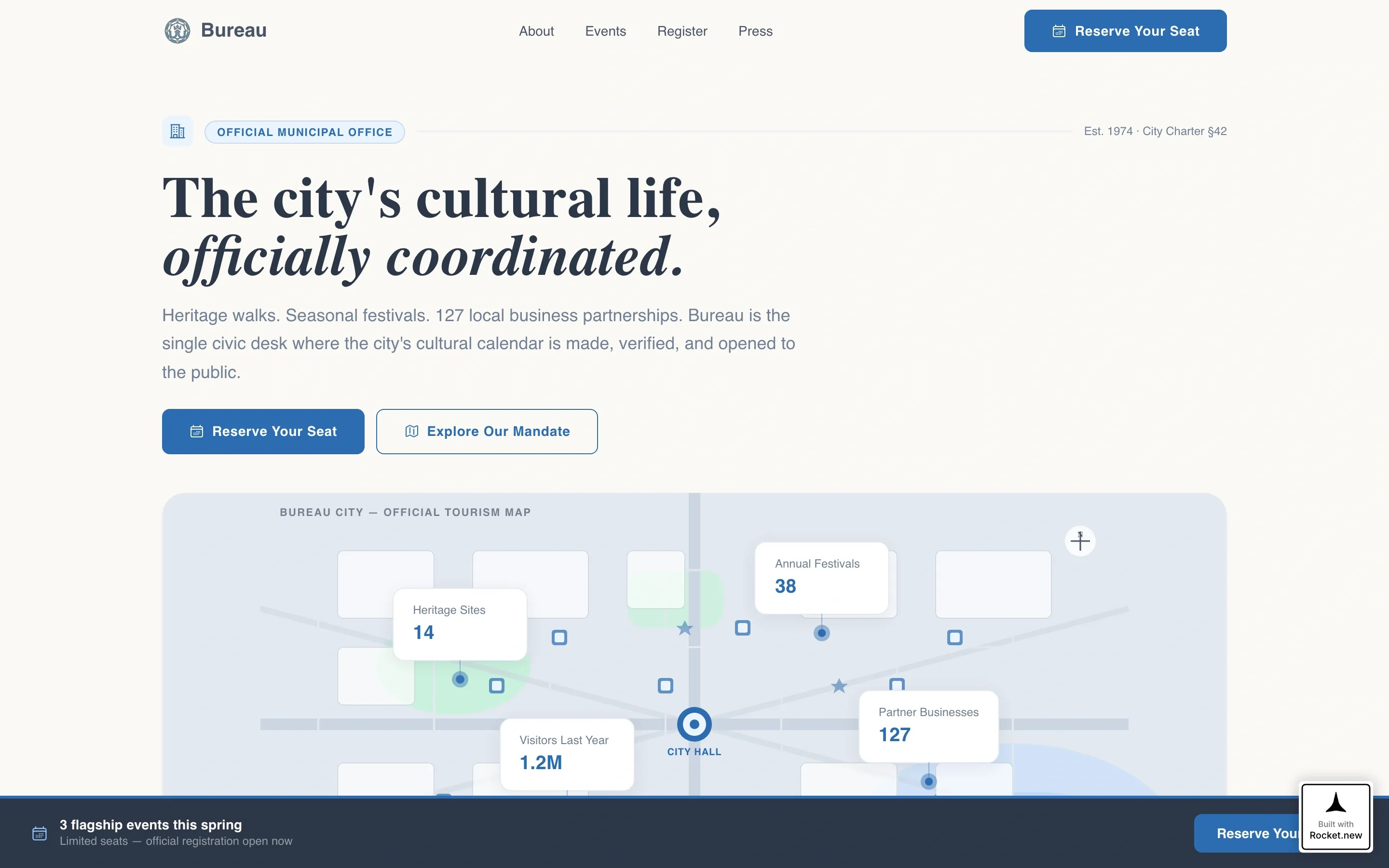
- An illustrated SVG city map with animated counters pinned to geographic locations
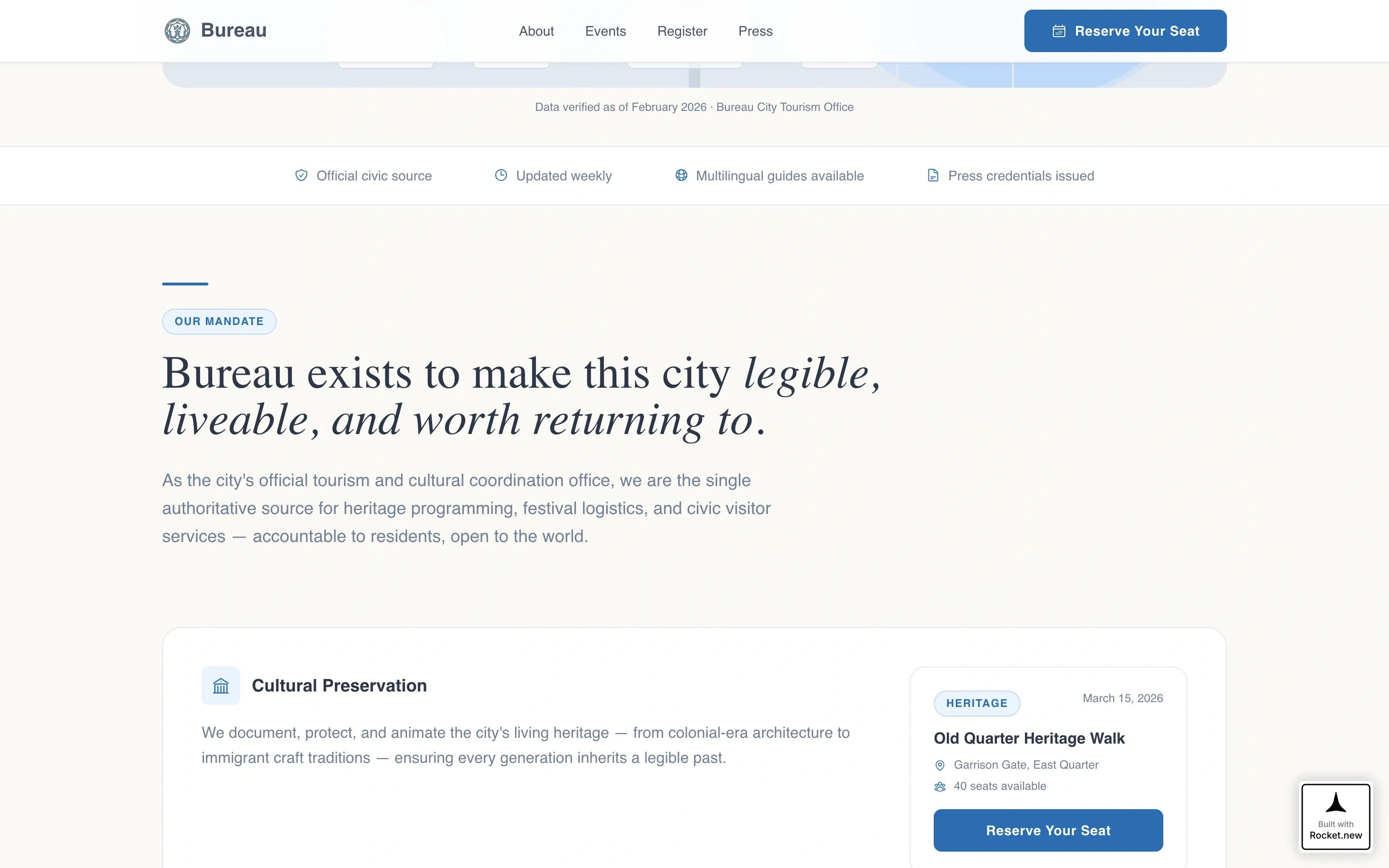
- A Vision and Mission section with three strategic pillars and one flagship event card per pillar
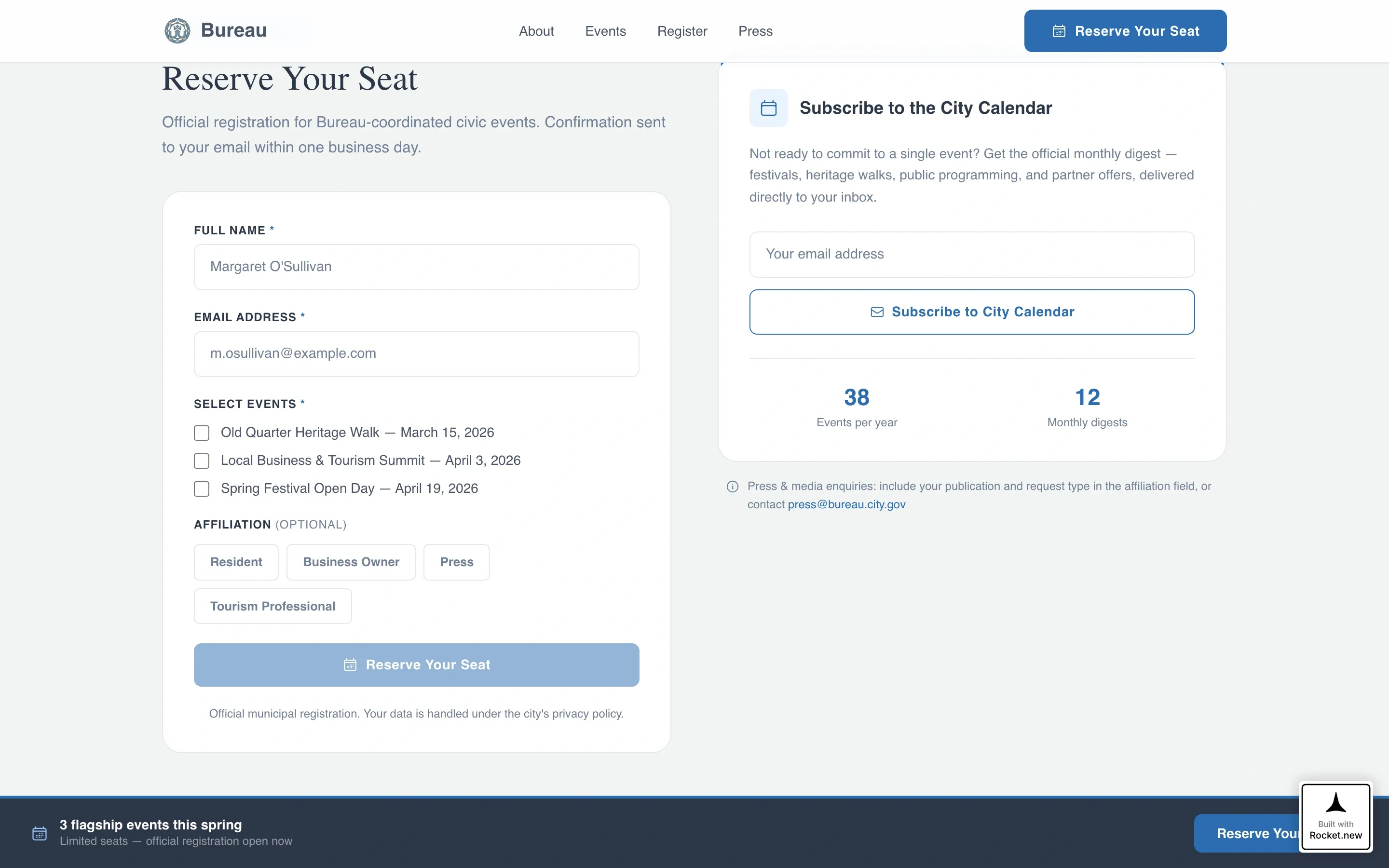
- A registration form with multi-checkbox event selection, affiliation tab selector, and a calendar subscribe secondary path
Feature list
Bureau's features are drawn directly from its civic brief and interaction design. Each one serves a specific visitor type or conversion goal.
Animated Infographic Hero Map
The header renders a stylized illustrated SVG map of the city in the Cloud Canvas palette. Animated counters tick upward on scroll, displaying 14 heritage sites, 38 annual festivals, 127 partnered local businesses, and 1.2 million visitors last year. Each data point is pinned to its location on the map.
Vision and Mission Section Layout
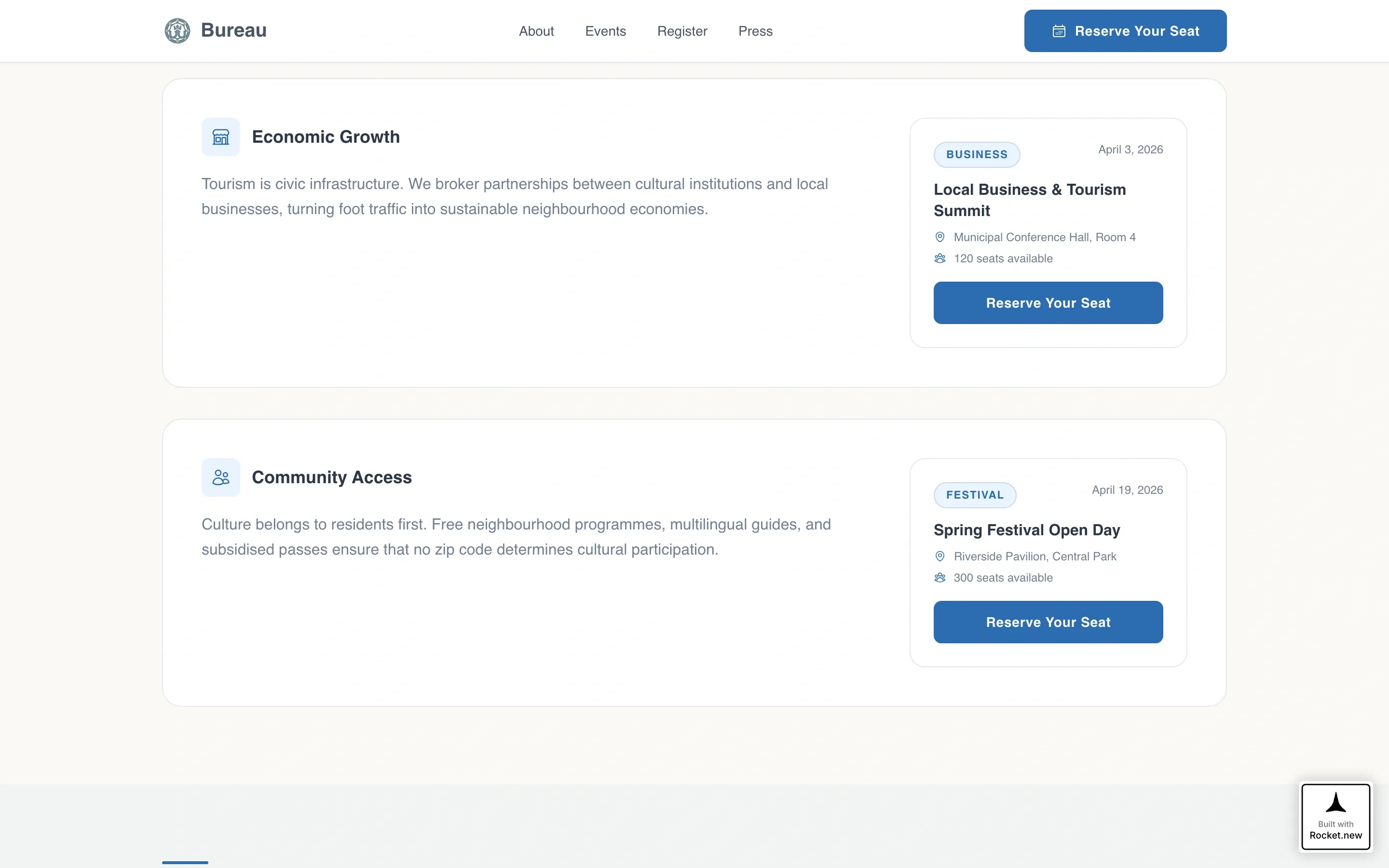
A single declarative civic mandate opens this section and immediately establishes the office's purpose. Three strategic pillars follow: Cultural Preservation, Economic Growth, and Community Access. Each pillar connects directly to one upcoming flagship event with a date, venue, and chair count.
Flagship Event Cards with Registration Call to Action
Three event cards appear in sequence, one per strategic pillar. Each card includes a specific date, venue name, and available seat count. A "Reserve Your Seat" call to action button appears beneath each card and triggers the registration form.
Multi-Path Registration Form
The registration section collects full name, email, event selection via checkbox (supporting multiple selections), and an optional affiliation field. Affiliation options are presented as tab-style selectors: resident, business owner, press, and tourism professional. A secondary "Subscribe to the City Calendar" path sits alongside the form for lower-intent visitors.
Persistent Bottom Registration Bar
A sticky bottom bar activates once the visitor scrolls past the first strategic pillar. It keeps the "Reserve Your Seat" call to action visible throughout the rest of the scroll journey. This ensures the primary conversion path is never out of reach.
Press and Partners Credibility Strip
A dedicated section below the registration form provides a press credentials path and a partner logos grid. This section serves travel bloggers and press contacts directly, while reinforcing the office's network of 127 local business partnerships.
Page sections overview
| Section | Purpose |
|---|---|
| Hero Infographic Map | Establish civic credibility through animated, location-pinned city stats |
| Vision and Mission | Declare the office mandate and introduce three strategic pillars |
| Flagship Event Cards | Present three specific events with dates, venues, and seat counts |
| Registration Form | Capture event sign-ups with multi-checkbox and affiliation selector |
| Calendar Subscribe Path | Retain lower-intent visitors with a lightweight email capture |
| Press and Partners Strip | Serve press credential requests and display local business partners |
| Page Footer | Close with minimal horizontal flow on a cream background |
Design & branding system
The visual identity follows an Institutional Authority theme. The palette is called Cloud Canvas and is built to feel like official letterhead held up to diffused window light.
- Civic slate (#4A5568) anchors all body text; document cream (#FAF9F6) dominates the background; soft overcast gray (#E2E8F0) provides surface layering
- Municipal blue (#2B6CB0) appears sparingly on buttons, badges, and active states so every instance carries the visual weight of a stamped seal
- Typography uses DM Sans for headings and Crimson Text for display quotes and the mission statement, reinforcing the bond paper warmth of the overall aesthetic
Mobile & speed optimization
Bureau is designed desktop-first but built with strong mobile support. Residents frequently check the city calendar on mobile before committing their weekends, so the single-column flow adapts cleanly to smaller screens.
- The SVG map header avoids raster images entirely, keeping the hero section lightweight across all connection speeds
- Pin pulse animations and counter tick-up effects use scroll-triggered interactions suited to both desktop and mobile viewports
- The sticky bottom registration bar and multi-checkbox form remain functional and accessible on touch devices
How this template helps you convert
Bureau is engineered around a specific conversion sequence. Each section either builds trust or lowers the barrier to the next action.
- The animated infographic hero leads with verified civic numbers, establishing credibility before asking for anything. Visitors arrive as observers and leave as informed participants.
- Each flagship event card narrows the scope from broad civic vision to a specific date, venue, and seat count. The "Reserve Your Seat" button appears immediately after, capturing interest at peak engagement.
- The secondary calendar subscribe path keeps the funnel open for visitors not ready to commit to a single event, turning passive browsing into a sustained connection with the city's programming calendar.
Other information about this template
Bureau is built inside a single-column flow structure, making it straightforward to customize content without restructuring the layout. It is well suited to civic offices that update their event roster seasonally.
- The template uses Server Components for static content sections and Client Components for interactive elements like counters and the registration form
- The footer follows a horizontal flow pattern on a cream background, keeping the close of the page consistent with the letterhead aesthetic throughout
- Animation intensity is set to medium: counter tick-up on scroll, pin pulse on the SVG map, and sticky bar activation are all included as built-in interaction layers
- The affiliation field in the registration form is optional, reducing friction for residents while still capturing useful segmentation data from press and tourism professionals
- Date formatting throughout the template follows United States standard MM/DD/YYYY convention
Theme
Institutional Authority
Creative direction
Vision & Mission
Color system
Cloud Canvas
Style
Single Column Flow
Direction
Event Registration
Page Sections
Animated SVG Infographic Hero
Vision and Mission Pillar Layout
Flagship Event Cards
Multi-path Registration Form
Persistent Sticky Bottom Bar
Press and Partners Credibility Strip
Related questions
Who is the Bureau template designed for?
Does the registration form support multiple event selections?
What is the secondary 'Subscribe to the City Calendar' option?
Can the template be adapted for a single event instead of multiple events?
What visual style does the Bureau template use?



