Expert Specialty Construction Appointment Booking Website Template
Buzzer is a single-column landing page template built for intercom and buzzer system installation companies. It uses a before/after reveal structure to show the transformation from aging analog panels to clean digital systems. The layout guides property managers, facility directors, and condo boards toward booking a free site survey with clear calls to action throughout the page.
by Rocket studio
Quick summary
Buzzer is a precision-built landing page template for intercom and buzzer system installation businesses. The design centers on a before/after reveal flow that makes the case for replacing old analog panels with modern digital systems. Every section moves the visitor closer to booking a free site survey, with two conversion paths built in from the start.
Who this template is for
This template is designed for specialty contractors who replace outdated intercom and buzzer systems in residential and commercial properties. If your clients are tired of jammed buttons and missed deliveries, this page speaks directly to their frustration.
- Property managers overseeing aging multifamily apartment buildings
- Office park facility directors dealing with tenant complaints about missed access and deliveries
- Condo board presidents ready to replace a lobby panel that has not worked reliably in years
What problem this template solves
Old intercom panels create real operational problems. Crackling audio, jammed buttons, missing tenant labels, and security blind spots all add up to a building that fails its occupants at the front door. Most installation companies struggle to communicate the full cost of inaction to decision-makers who have not budgeted for an upgrade yet.
- Visitors cannot see the difference between analog and digital systems without a side-by-side comparison
- Board members and facility directors need a cost estimate before they can approve a site visit
- Prospects often delay action because the problem feels cosmetic rather than urgent
What you get with this template
This template delivers a fully structured single-column landing page flow ready for an intercom installation business. Every section is laid out to build trust, show proof, and collect a booking or estimate request.
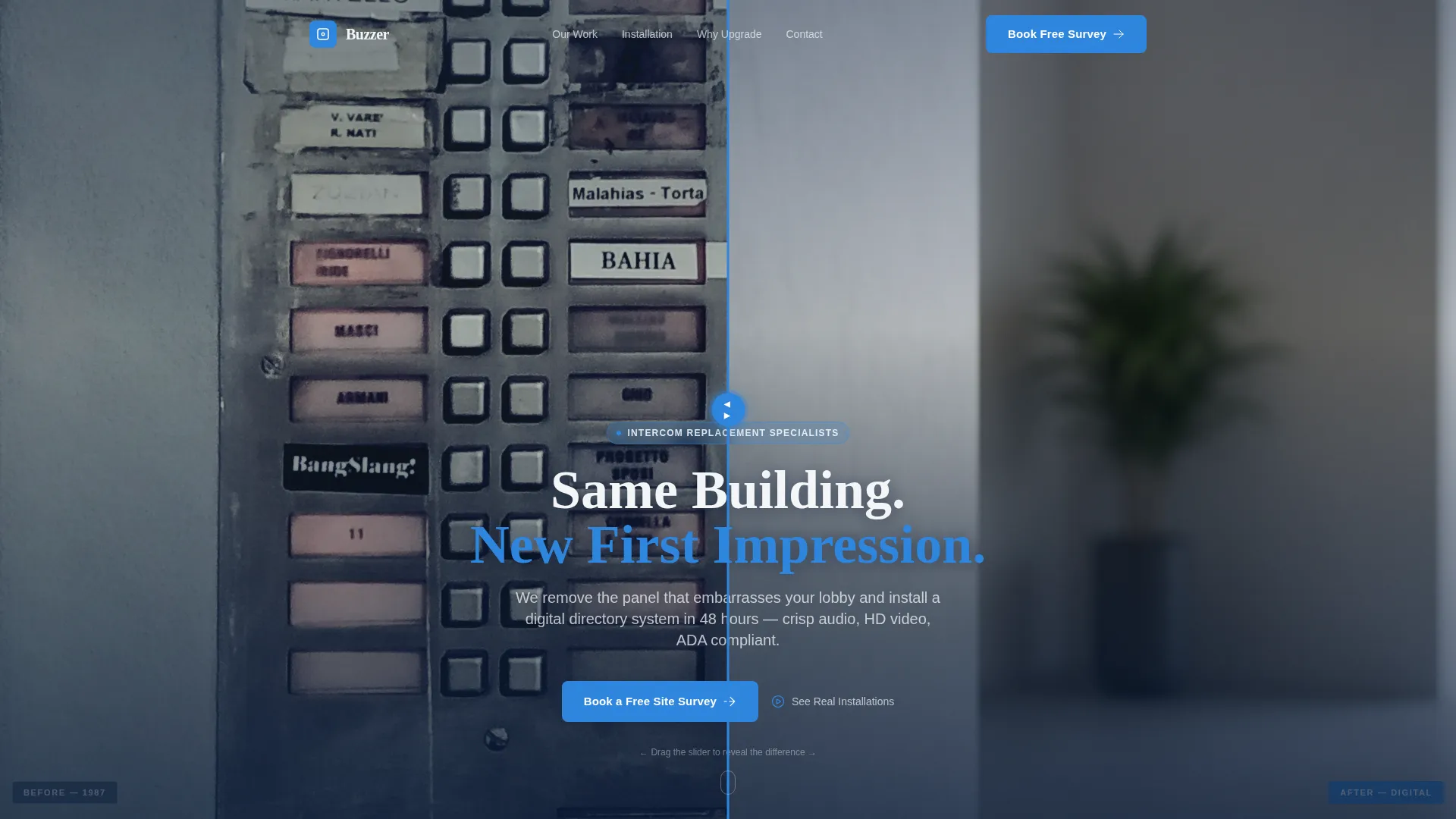
- A drag-slider before/after header image comparing a 1987-era analog panel to a modern digital directory installation
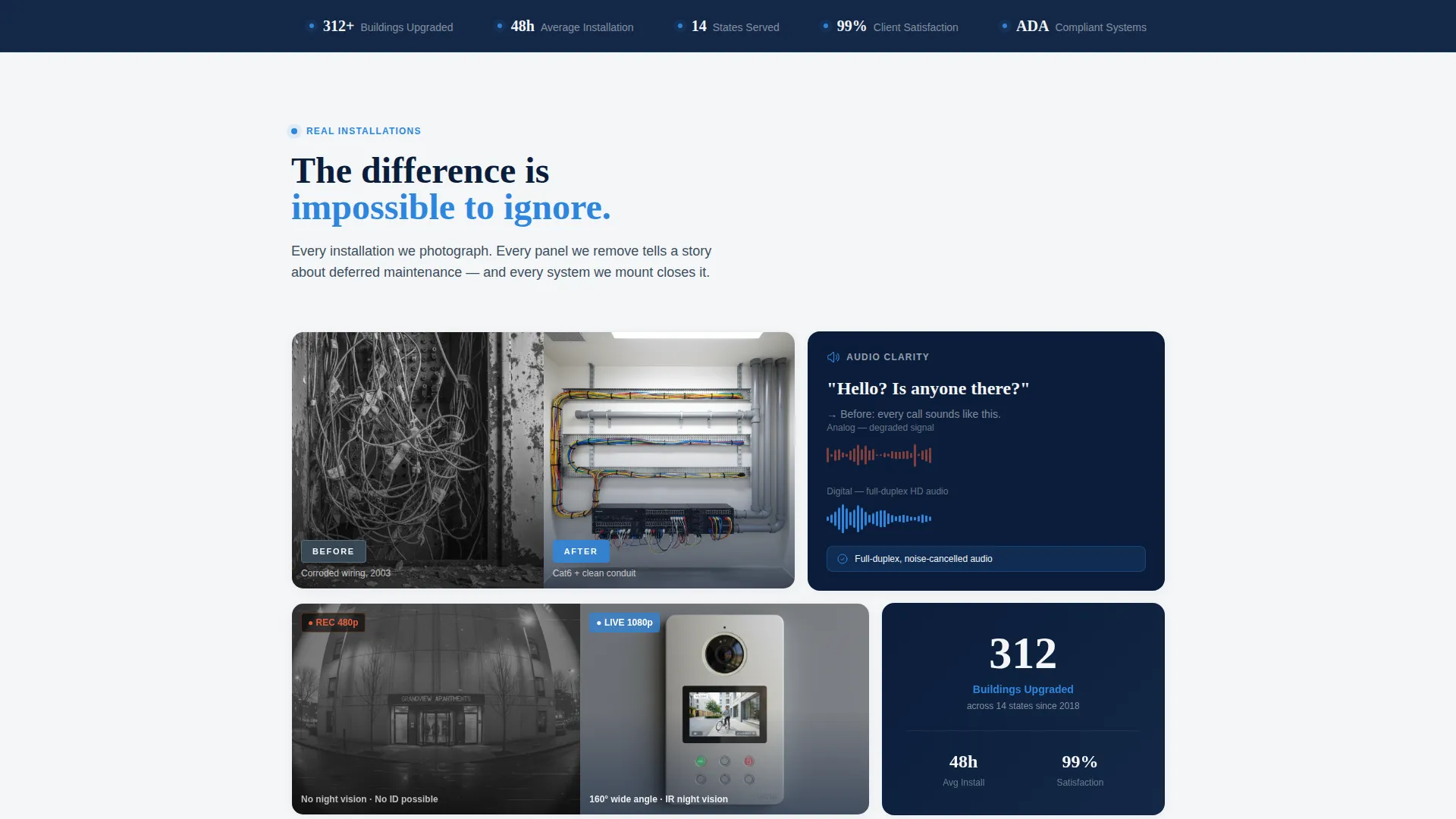
- A photo gallery section showing corroded wiring, fuzzy audio waveforms, and grainy camera stills beside their digital counterparts
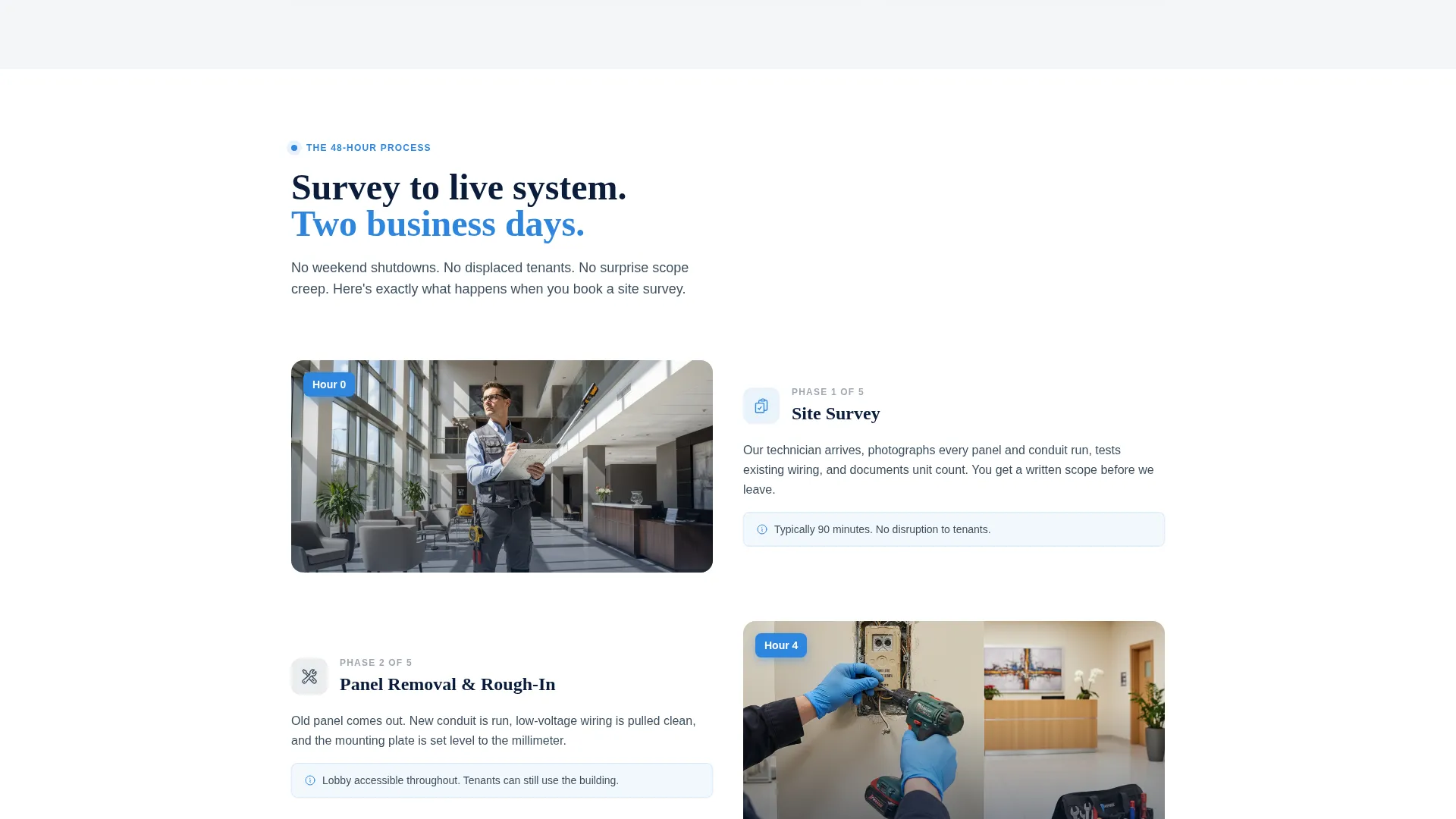
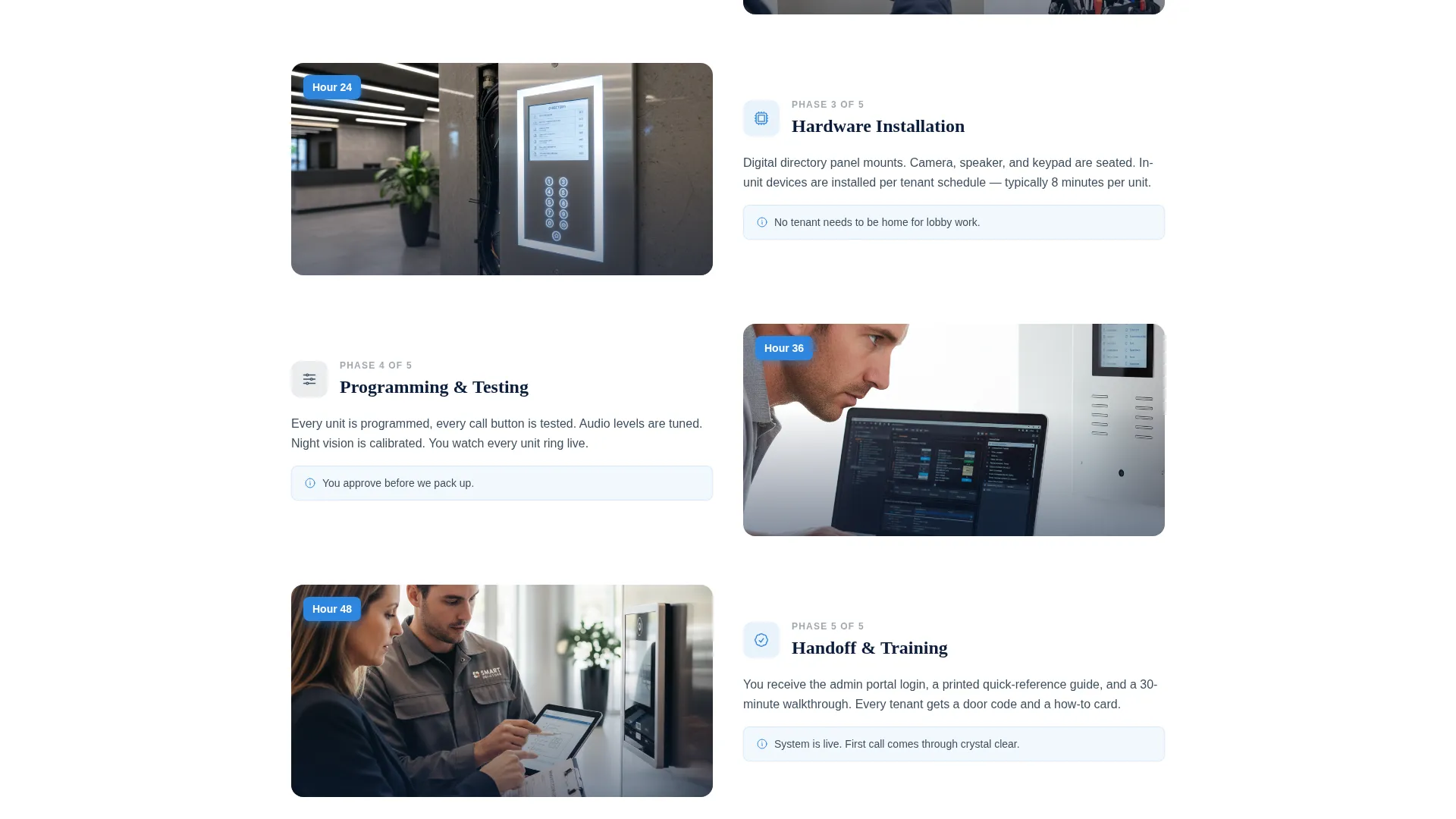
- A 48-hour installation timeline illustrated with on-site photography, moving from survey to final programming
- Two conversion forms: a primary booking form for site surveys and a lighter secondary form for budgetary estimates
- A sticky mobile bottom bar repeating the primary call to action
Feature list
This template is built around a specific visual and functional system. Each feature below reflects what the brief describes as a core part of the page.
Drag-Slider Before/After Header
The header opens with a split image of the same lobby entrance wall. A subtle drag slider lets the visitor sweep between the aged analog panel and the installed digital directory. The contrast is immediate and does the selling before a single word is read.
Installation Photo Gallery
A scrollable gallery section pairs real proof side by side. Corroded wiring sits next to neat low-voltage conduit runs. Fuzzy analog audio waveforms appear beside clean digital signal readouts. Grainy analog camera captures compare directly to sharp HD video stills.
48-Hour Installation Timeline
A visual timeline walks the visitor through a typical job from first survey to final system programming. Each phase is illustrated with on-site photography. This turns an abstract service into a clear, time-bounded process a decision-maker can present to a board.
Dual Conversion Form Paths
The primary form collects building type, unit count, system age via a slider, and a preferred survey date. A secondary lighter form asks only for unit count and zip code to generate a budgetary estimate. Both paths serve different decision stages without competing with each other.
Sticky Mobile Call-to-Action Bar
On mobile, the "Book a Free Site Survey" call to action persists as a fixed bottom bar. Visitors never have to scroll back up to take action. This keeps the primary conversion path accessible at every point in the scroll journey.
Stakes Escalation Section
The page methodically surfaces the real consequences of an outdated system: missed packages, access security vulnerabilities, and ADA compliance gaps left unaddressed. Each issue is framed as resolved by the installation, raising the cost of inaction panel by panel.
Page sections overview
| Section | Purpose |
|---|---|
| Before/After Header | Drag-slider hero comparing old and new lobby intercom panels |
| Primary call to action Block | First "Book a Free Site Survey" prompt beneath the header |
| Installation Photo Gallery | Visual proof pairing analog failures with digital results |
| 48-Hour Timeline | Step-by-step installation process with on-site photography |
| Post-Timeline call to action | Second booking call to action after the timeline section |
| Stakes Escalation | Missed packages, security gaps, and compliance issues addressed |
| Primary Booking Form | Full survey scheduling form with building type and date picker |
| Budgetary Estimate Form | Lightweight secondary form for board-level cost exploration |
| Sticky Mobile Bar | Fixed bottom call to action persistent on mobile screens |
Design & branding system
The visual identity follows a Corporate Precision theme built around a Navy Authority color system. Every color choice reinforces the feeling of a freshly installed, professionally wired access panel in a renovated lobby.
- Command-center navy (#0B1D3A) anchors backgrounds and authority-level text
- Brushed-panel gunmetal (#3D4F5F) provides mid-tone structural depth across dividers and cards
- Signal white (#F4F6F8) keeps content areas clean and readable against dark sections
- Indicator-light blue (#2E86DE) activates buttons, progress bars, and interactive hover states to guide the eye toward action
Mobile & speed optimization
The template is structured with a single-column flow that adapts naturally to smaller screens. The most important conversion element, the site survey call to action, stays visible on mobile without requiring any extra scrolling.
- Single-column layout collapses cleanly without horizontal overflow or layout breaks
- Sticky bottom bar keeps the primary booking action within thumb reach throughout the entire page
- The drag-slider and gallery sections are sized for touch interaction on mobile devices
How this template helps you convert
The page earns clicks by building proof before asking for commitment. Every scroll layer adds a reason to act before the forms appear.
- The before/after header creates instant recognition. Visitors who manage aging buildings see their own lobby in the left panel. That emotional identification opens them to the rest of the page.
- The gallery and timeline shift the visitor from emotional recognition to operational confidence. They see what a clean installation looks like and understand the 48-hour process. By the time they reach the booking form, the decision feels low-risk.
- Two form paths remove a common drop-off point. Board members who cannot commit to a site visit yet can still request a budgetary estimate and stay in the funnel.
Other information about this template
This template sits within the Construction and Home category under the Specialty Construction subcategory, purpose-built for the intercom and buzzer system installation niche. It is designed as a single-page booking and scheduling landing page, not a multi-page website.
- The Corporate Precision theme and Navy Authority palette are matched to the professional, technical nature of low-voltage installation work
- The before/after creative direction is intentional: it works because the transformation is visual, immediate, and verifiable
- The template targets three distinct decision-maker profiles within a single page without requiring separate landing pages for each audience
- The dual-form approach acknowledges the real procurement path in multifamily and commercial property management, where budget approval often precedes scheduling
Theme
Corporate Precision
Creative direction
Before/After Reveal
Color system
Navy Authority
Style
Single Column Flow
Direction
Booking/Scheduling
Page Sections
Drag-slider Before/after Header
Installation Photo Gallery
Hour Installation Timeline
Dual Conversion Form Paths
Sticky Mobile Call-to-action Bar
Stakes Escalation Section
Related questions
Who is this landing page template designed for?
What are the two conversion paths included on this page?
Does the template include the before/after drag slider in the header?
Where does the primary call to action appear on this page?
Can this template serve both residential and commercial property clients?



