Log Cabin Inspection Landing Page Template
Cabininspect is a modular card-grid landing page built for log cabin inspection professionals. It combines an immersive photo mosaic header, a five-system interactive explorer, and a real-time cabin health quiz to guide rural homebuyers, insurance adjusters, and seasonal property owners from curiosity to booked inspection, all within a single, authority-driven page.
by Rocket studio
Quick summary
Cabininspect is a single-page template designed for log cabin inspection services. It opens with a documentary-style nine-image mosaic header, moves visitors through a clickable cabin system explorer, and closes with a five-question health-score quiz that earns email submissions by delivering real expert insight at every step.
Who this template is for
This template is built for inspection professionals who serve the rural property market. If your clients are making high-stakes decisions about timber structures, this page speaks their language before you say a word.
- Log cabin inspection specialists serving rural homebuyers at closing
- Insurance adjusters who need structural sign-off documentation before policy renewal
- Second-home and seasonal cabin owners concerned about what happens between visits
What problem this template solves
Cabin inspection is an expertise-heavy service that is hard to sell in a paragraph. Prospective clients often do not know what questions to ask or what damage to look for. The result is hesitation, price-shopping, and choosing the cheapest option rather than the most qualified one.
- Visitors arrive with vague worry but no framework for understanding risk
- Generic inspection pages fail to demonstrate the specific knowledge timber structures demand
- Without a trust-building mechanism, high-intent visitors leave without converting
What you get with this template
You get a fully structured, conversion-focused landing page that guides every visitor type from awareness to action. The layout is modular, meaning each section functions as a self-contained block you can adapt to your service area and inspection scope.
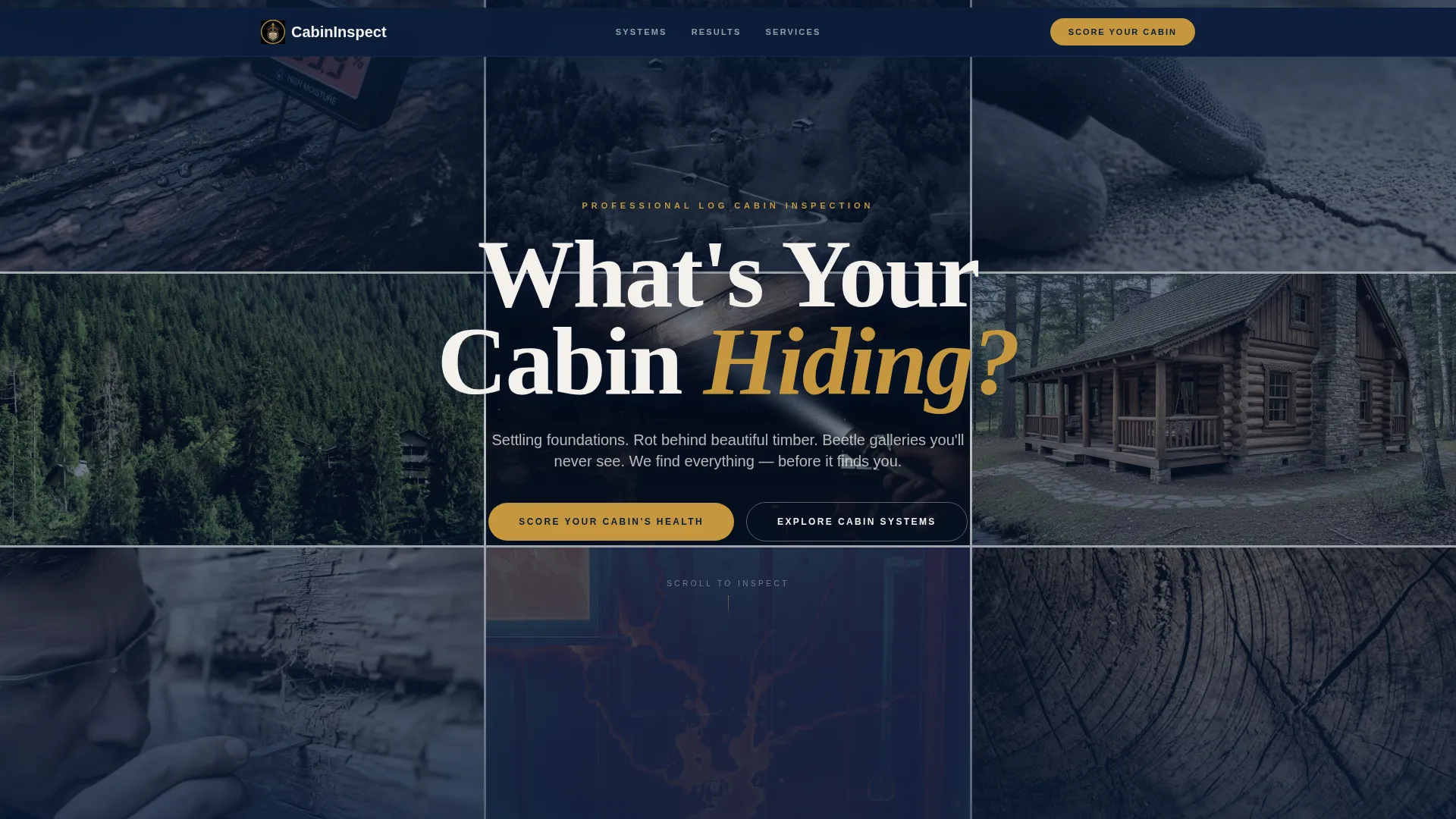
- A photo grid mosaic header with a floating brass-accented headline
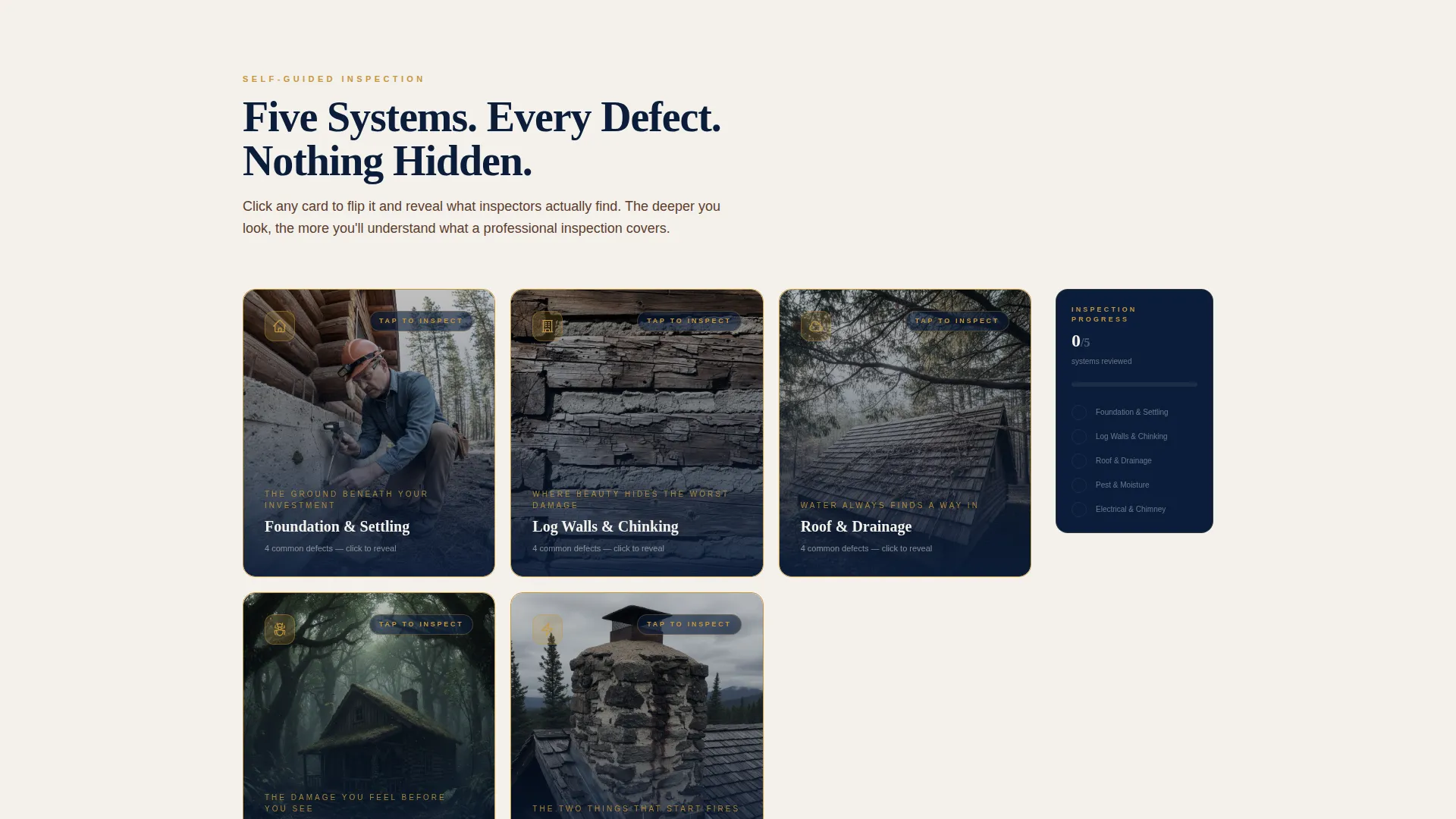
- A five-card interactive explorer covering every major cabin system with flip-card defect reveals
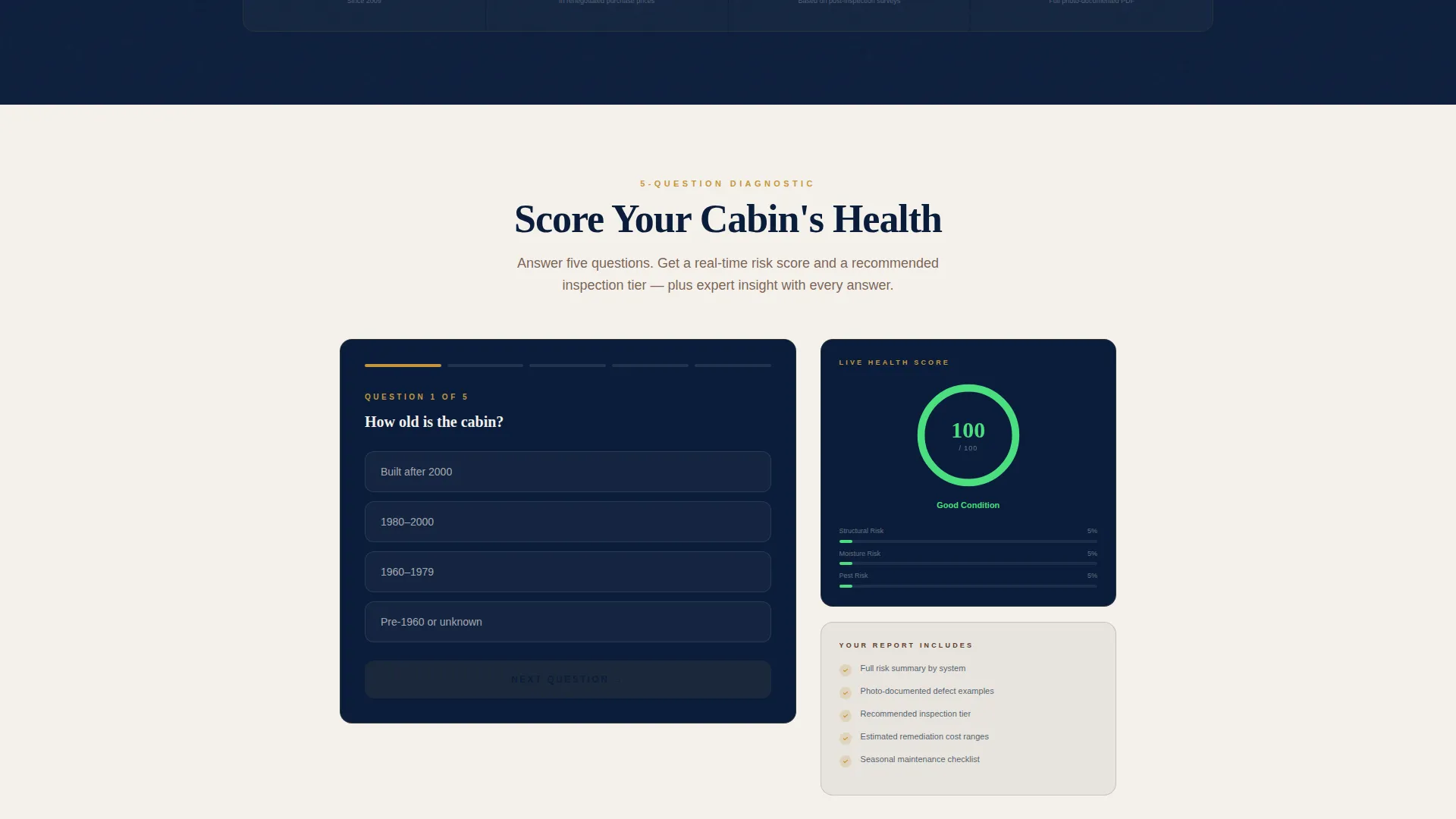
- A real-time five-question quiz that scores cabin health and collects email plus property zip code
Feature list
This template is built around three interlocking components that work together to inform, engage, and convert.
Photo Grid Mosaic Header
Nine tightly cropped inspection-moment images fill the viewport in a structured mosaic layout. Each image is desaturated just enough to feel documentary rather than promotional. The headline "What's Your Cabin Hiding?" floats across the grid in brass-accented type, setting an authoritative tone from the first second on the page.
Modular Flip-Card Explorer
Five cards represent the core cabin systems: Foundation and Settling, Log Walls and Chinking, Roof and Drainage, Pest and Moisture, and Electrical and Chimney. Clicking any card flips it to reveal common defects, real inspection photos, and a severity rating. The layout is grid-based and fully modular, allowing reordering or expansion to match your service scope.
Persistent Sidebar Progress Tracker
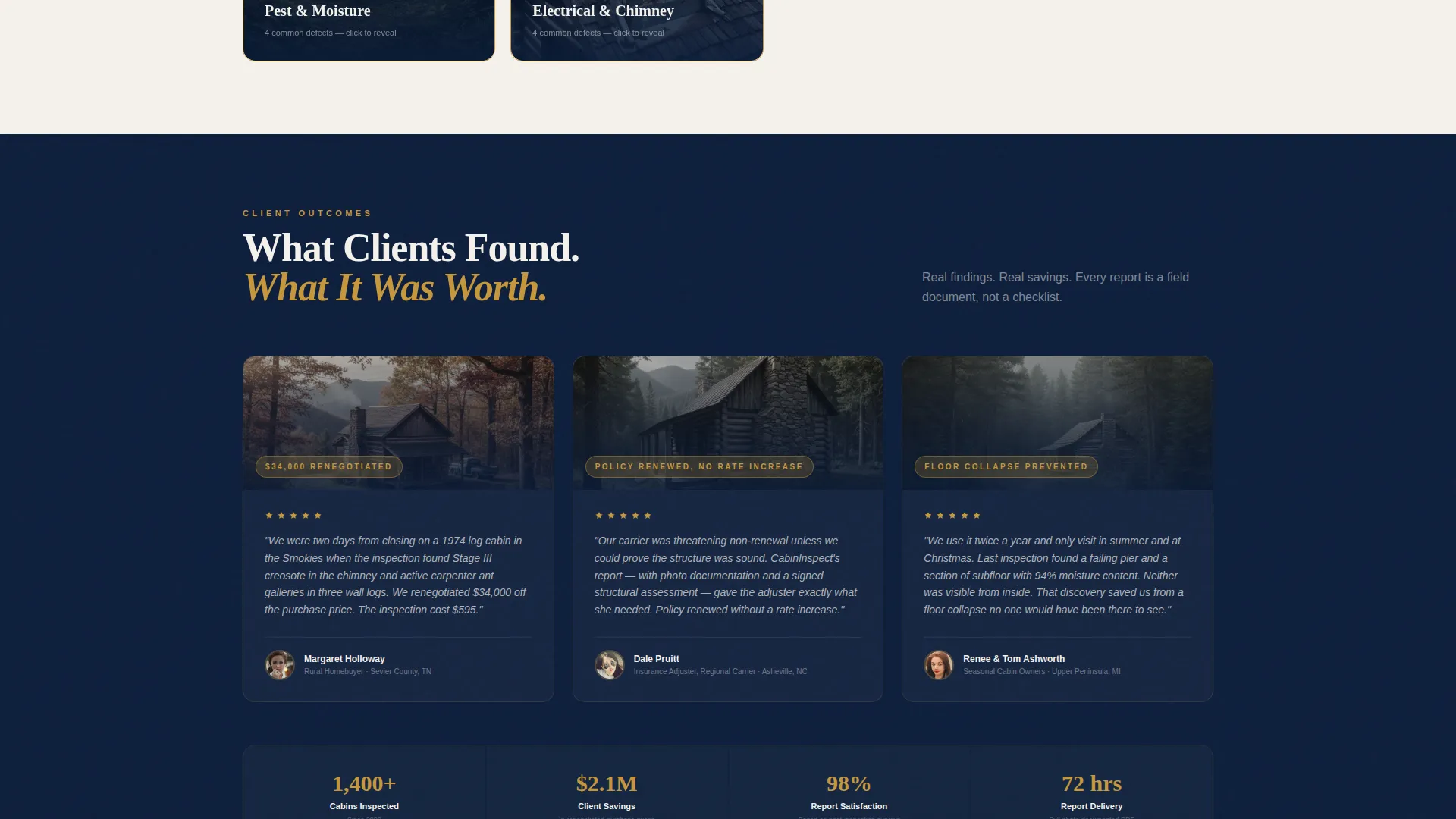
As visitors explore the flip cards, a sidebar tracker fills in to show which systems have been reviewed. This creates a natural sense of momentum and surfaces quiet concern about unchecked systems. It functions as a soft conversion pressure that keeps visitors engaged deeper into the page.
Real-Time Cabin Health Quiz
A five-question diagnostic assesses cabin age, last inspection date, visible chinking gaps, moisture signs, and whether the property is primary or seasonal. Each answer dynamically adjusts a visible cabin health score. Every selected option triggers a one-line expert insight, so visitors receive tangible value before they reach the email capture form.
Email and Zip Code Lead Capture
At quiz completion, visitors enter their email address and property zip code to receive a full risk summary as a downloadable PDF and a recommended inspection tier. The form is positioned after the visitor has already invested attention and received useful feedback, making submission feel like a natural next step rather than a cold ask.
Navy Authority Color System
The visual identity uses a four-tone palette: deep command navy, weathered log umber, parchment white, and polished brass. Brass is applied to buttons, progress indicators, and interactive card borders. The result is a page that feels like a leather-bound field report, precise, credible, and unhurried.
Page sections overview
| Section | Purpose |
|---|---|
| Photo Grid Mosaic | Opens with nine documentary inspection images and the primary headline |
| Cabin System Explorer | Five flip cards covering each major structural and mechanical system |
| Sidebar Progress Tracker | Persistent sidebar that fills as visitors review each system card |
| Health Quiz Module | Five-question diagnostic with real-time score and per-answer expert insight |
| Email Lead Capture | Post-quiz form collecting email and zip code for PDF risk summary delivery |
Design & branding system
The template uses an Executive Suite theme with a Navy Authority color palette. Every design choice reinforces the authority of a seasoned inspection professional rather than a generic service provider.
- Deep command navy (#0B1D3A), weathered log umber (#5C3D2E), parchment white (#F4F1EC), and polished brass (#C5973E) form the full palette
- Brass is reserved for buttons, progress fills, and interactive card borders to direct attention without visual noise
- Images are desaturated to a documentary tone, keeping the page feeling like a field report rather than a sales brochure
Mobile & speed optimization
The modular card-grid layout is designed to restack cleanly on smaller screens. Each section is a self-contained block, which makes the mobile experience feel as intentional as the desktop view.
- The nine-image mosaic header adapts to a condensed grid on mobile without losing its documentary impact
- Flip cards in the explorer section retain their interaction pattern on touch devices
- The sidebar progress tracker repositions below the card grid on narrow viewports to preserve usability
How this template helps you convert
The page is structured so every section builds on the previous one, steadily increasing visitor investment before the conversion ask arrives.
- The mosaic header creates immediate emotional resonance by showing the hidden realities of cabin ownership, making visitors feel seen before a single word of body copy is read.
- The flip-card explorer turns passive scrolling into active exploration, and the sidebar tracker gives visitors a visible record of their engagement, making them feel they have something to lose by leaving.
- The quiz delivers expert insight with every answer, so by the time visitors reach the email form they already trust the professional behind the page and understand exactly what they will receive in return.
Other information about this template
This template is a strong fit for inspection businesses looking to differentiate in a market where most competitors rely on plain-text service lists and generic contact forms. The card-grid format is flexible enough to accommodate different service scopes and regional market contexts.
- The quiz-to-PDF funnel supports multiple inspection tiers, making the template useful for businesses that offer entry-level walkthroughs as well as full structural assessments
- The template style is single-page and section-led, suited to focused campaign traffic or direct referrals from real estate agents and insurance brokers
- The visual system is distinct enough to stand apart from standard home inspection templates while remaining professional and credible in a high-trust service category
Theme
Atelier Studio
Creative direction
Calculator/Tool First
Color system
Dark Emerald
Style
Split Screen (50/50)
Direction
Direct Sales
Page Sections
Photo Grid Mosaic Header
Modular Flip-card Explorer
Persistent Sidebar Progress Tracker
Real-time Cabin Health Quiz
Email and Zip Code Lead Capture
Navy Authority Color System
Related questions
Who is this landing page template designed for?
Can I customize the five cabin system cards to match my specific services?
How does the cabin health quiz work?
Does the template include the inspection photos shown in the header?
Is this template suitable for a general home inspector, or only cabin specialists?



