Kids Drums Competition Landing Page Template
Cadence is a modular card grid landing page template built for a kids drumming competition and league. It combines animated vector visuals, interactive flip cards, and a three-step registration modal to guide parents, music teachers, and homeschool co-ops from first impression to confident sign-up. The design feels like a warm music classroom, playful, structured, and ready to earn trust before asking for anything.
by Rocket studio
Quick summary
Cadence is a single-page event registration template for a structured kids drumming league. It uses a modular card grid layout, animated SVG visuals, and interactive flip cards to help parents, teachers, and co-ops explore age divisions, scoring, and regional schedules before registering. The design is educational, warm, and built for families on mobile devices.
Who this template is for
This template is built for anyone organizing or promoting a youth drumming competition. It speaks clearly to the people who show up to these events and need to feel informed before they commit a Saturday morning.
- Parents of drumming kids ages 4 through 13 who want to understand divisions, scoring, and logistics
- Music studio teachers entering multiple students and needing a batch registration path
- Homeschool co-ops looking for structured performance milestones that motivate real practice
What problem this template solves
Running a kids competition without a clear, trustworthy page means families second-guess every detail. They wonder if it is organized, fair, and worth the drive. This template removes that doubt by letting visitors explore every piece of information before they ever see a form.
- Parents cannot register confidently when age brackets, scoring rules, and event dates are buried or unclear
- Teachers waste time registering students one by one without a studio group path
- A generic event page does not signal the care and structure that families expect from a children's program
What you get with this template
You get a fully designed, highly interactive single-page layout that builds trust through exploration. Every section earns the next click rather than demanding it.
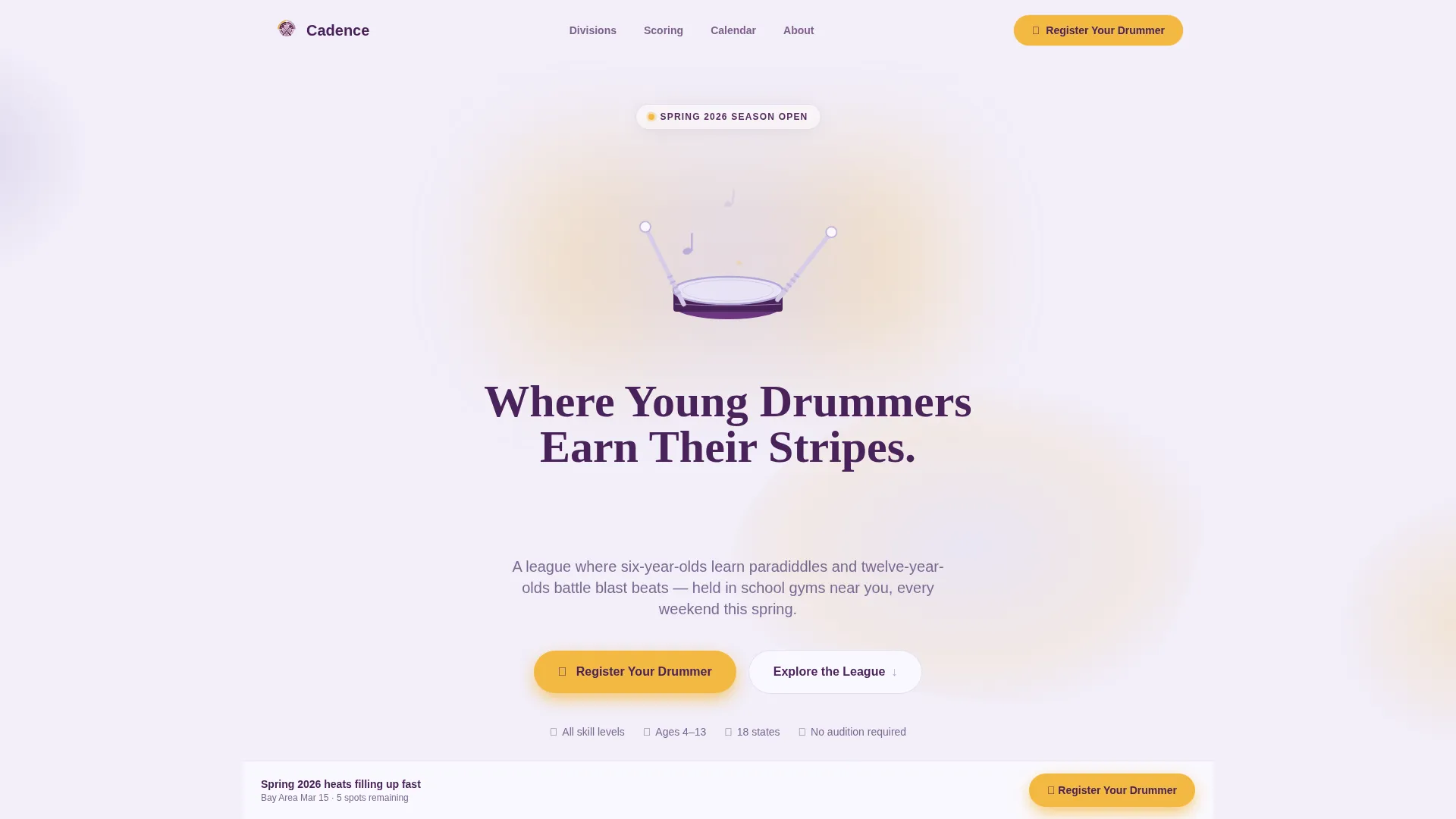
- An animated SVG hero with looping drumstick animation, floating musical notes, and a typewriter headline
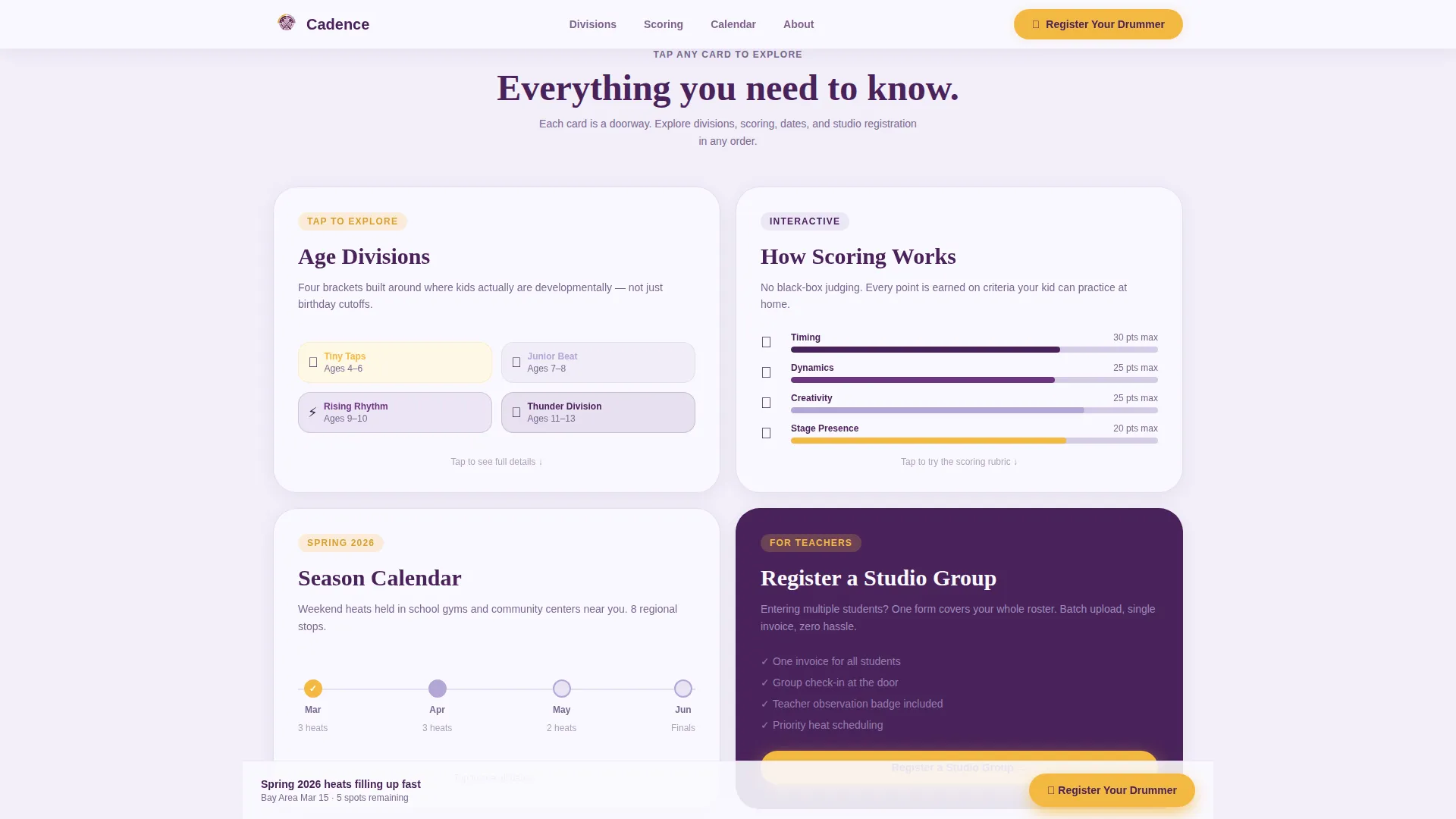
- A modular flip card grid covering age divisions, scoring rubric, season calendar, and studio group registration
- A three-step modal registration form with a visual calendar for heat date selection and a batch upload field for studio teachers
Feature list
This template packs a high level of interactivity and visual design into a single focused layout. Each feature below is present in the template as described in the source brief.
Animated SVG Hero Section
The header features a looping Lottie-style vector animation of drumsticks tapping a snare drum. Each hit sends colorful concentric rings outward. Musical notes in lavender and marigold float upward and dissolve. Beneath the animation, the headline types itself in sync with the beat.
Interactive Flip Card Grid
Each card in the modular grid is tappable. Tap "Age Divisions" and the card flips to reveal brackets from Tiny Taps (ages 4 to 6) through Thunder Division (ages 11 to 13). Tap "How Scoring Works" and an animated rubric appears with draggable sliders for timing, dynamics, creativity, and stage presence.
Season Calendar Card
One card in the grid unfolds a regional timeline when tapped. Parents can scan upcoming heat dates by region, helping them plan around school and family schedules before committing to register.
Three-Step Registration Modal
The primary call to action opens a modal form with three clean steps: drummer's first name and age, parent or teacher contact details, and preferred regional heat date chosen from a visual calendar. The flow is short, clear, and low-pressure.
Studio Group Registration Path
A dedicated card expands into a batch upload field for music teachers entering multiple students at once. This path keeps studio rosters organized and removes the friction of individual registrations for each child.
Sticky Footer Call to Action
After the third card row, a sticky footer button labeled "Register Your Drummer" stays visible as parents scroll. It appears in marigold on deep plum, matching the primary button style throughout the page.
Page sections overview
| Section | Purpose |
|---|---|
| Animated Hero | Introduce the league with looping drumstick SVG and typewriter headline |
| Primary Call to Action | Prompt immediate registration below the hero |
| Interactive Card Grid | Let visitors explore divisions, scoring, calendar, and studio group options |
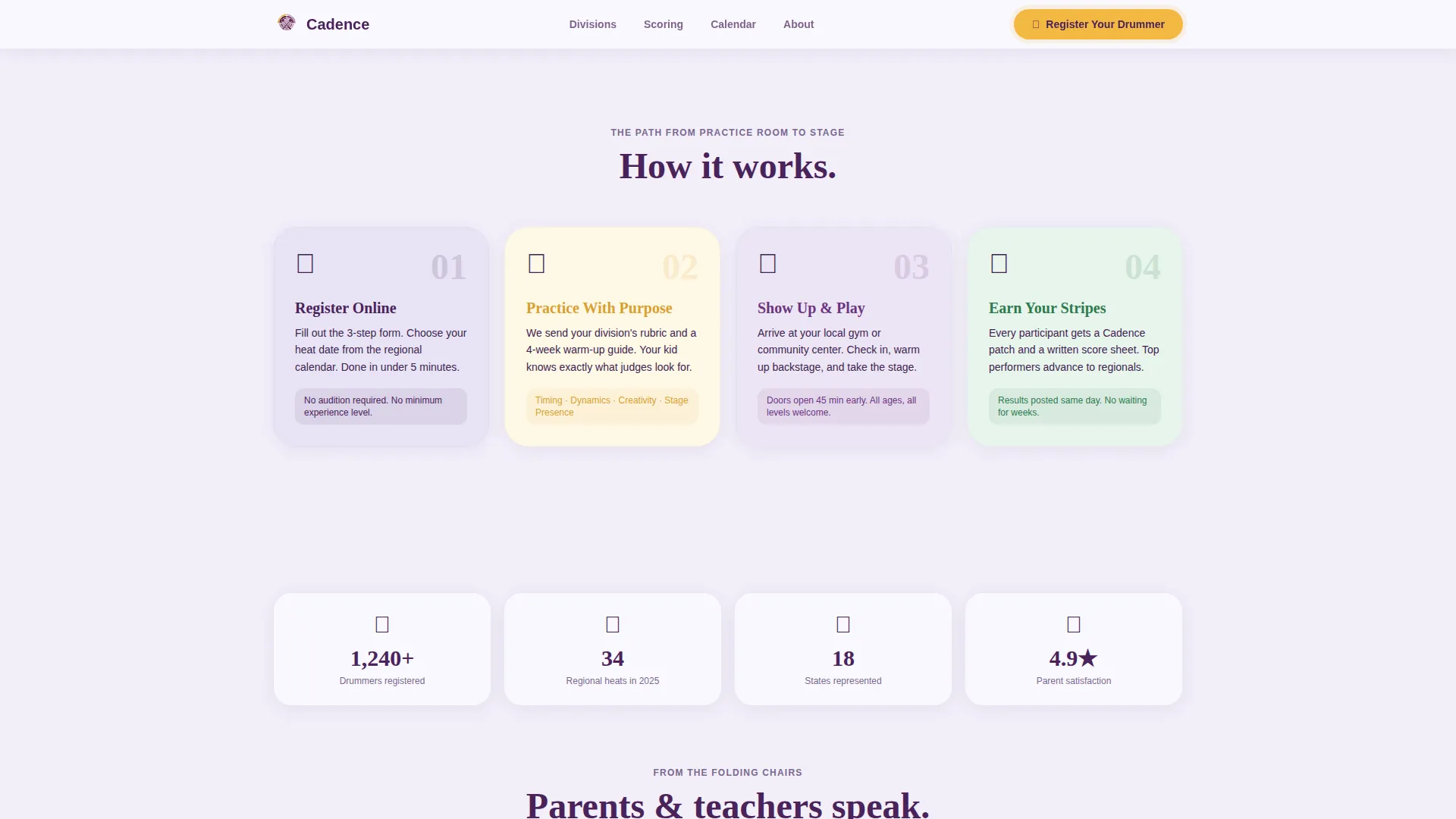
| How It Works | Show the three-step registration path in a horizontal bento layout |
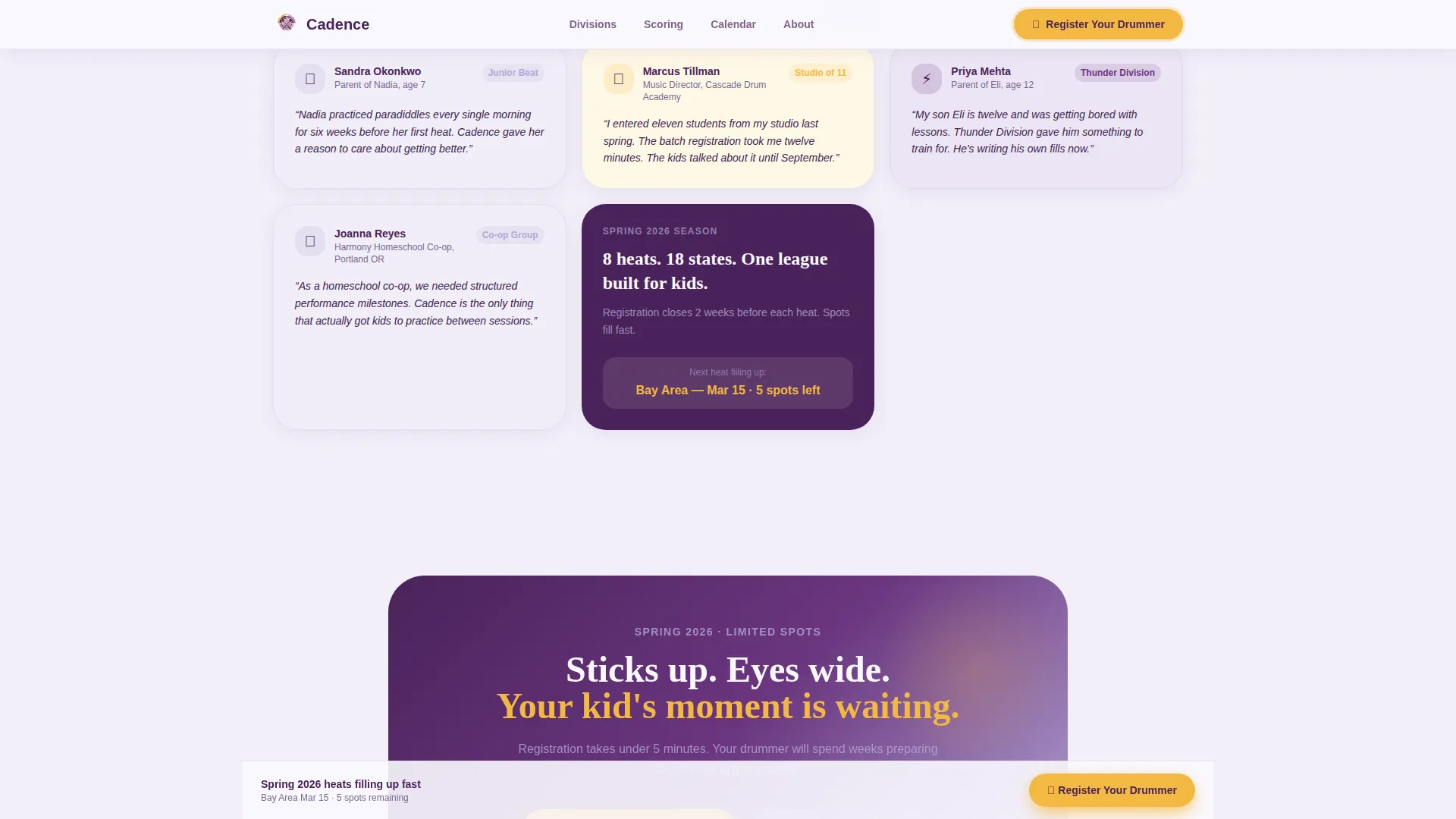
| Social Proof | Build confidence with parent testimonials and teacher quotes |
| Sticky Footer Button | Keep registration reachable throughout the scroll journey |
| Page Footer | Provide a clean single-row linear footer with essential links |
Design & branding system
The visual identity follows an Educational Guide theme. It feels like a music classroom after the teacher has pinned up hand-drawn rhythm charts: gentle for young eyes, structured enough for a scanning parent.
- Color palette: soft orchid (#B4A7D6) as the primary surface, deep plum (#4A235A) for headlines and navigation, chalk white (#FAF8FF) for card backgrounds, and bright marigold (#F4B942) for buttons and badges
- Typography: Fraunces for headlines (playful serif) and DM Sans for body text, creating a warm and readable contrast
- All visuals use soft geometric vector shapes with no photography or stock imagery, keeping the style approachable without feeling juvenile
Mobile & speed optimization
This template is built mobile-first. Parents are most likely viewing it on a phone at a recital or practice session, so the layout and interactions prioritize small screens.
- The card grid reflows cleanly on mobile so parents can explore in any order without losing context
- CSS animations are preferred over heavy JavaScript libraries, and Intersection Observer is used for scroll-triggered reveals to keep performance efficient
- The sticky footer call to action stays accessible on all screen sizes, making registration reachable without scrolling back to the top
How this template helps you convert
Every design decision in this template is pointed toward a single outcome: a parent or teacher who feels informed, trusts the league, and clicks "Register Your Drummer" with confidence.
- The interactive card grid lets visitors explore every detail of fairness and structure before the registration form ever appears, reducing hesitation and building trust organically
- The marigold call-to-action button appears twice, directly below the hero and as a sticky footer, so the next step is always visible without being pushy
- The three-step modal keeps the registration process short and clear, while the studio group path removes the main friction point for teachers entering multiple students
Other information about this template
This template is part of a broader Kids and Family category designed for youth performing arts and competitive league contexts. A few additional details worth knowing before you use it.
- The page uses a Pattern 1 linear single-row footer for a clean, uncluttered close
- Social proof blocks include parent testimonial slots with child names and ages, teacher quote slots with studio names, and space for league-wide metrics such as participant counts, cities, and seasons
- The horizontal bento layout in the "How It Works" section is designed as a visual three-step path, not a numbered timeline, keeping the feel light and exploratory
- The template is localized for the United States market with English copy, USD currency formatting, and MM/DD/YYYY date formatting throughout
Theme
Educational Guide
Creative direction
Interactive Explorer
Color system
Lavender Dream
Style
Card Grid (Modular)
Direction
Event Registration
Page Sections
Animated SVG Hero with Typewriter Headline
Interactive Flip Card Grid
Draggable Scoring Rubric Sliders
Three-step Registration Modal
Studio Group Batch Registration
Sticky Footer Registration Button
Related questions
Who is this template designed for?
Can music teachers register multiple students at once?
What age divisions does the template display?
Does the template include a way to show scoring criteria?
Is this template suitable for mobile users?



