Editorial Music Teacher Landing Page Template
Cadence is a single-page editorial landing page built for music teachers who want to attract students through genuine storytelling. It uses a zigzag instructor layout, high-contrast black-and-white photography, and a sky-blue accent palette to present each teacher like a magazine feature. Visitors browse real profiles, read pull-quotes, and book a trial lesson with a single confident click.
by Rocket studio
Quick summary
Cadence is an editorial-style music teacher landing page template. It introduces each instructor through alternating photo-and-text panels that read like a printed magazine feature. The Slate and Sky color system, serif typography, and sky-blue accent details give the page a calm, credible presence. Visitors arrive, meet the teachers, and click through to book a trial lesson.
Who this template is for
This template is built for independent music teachers and small teaching studios that want to stand out from generic directory listings. It suits anyone offering in-person or private lessons across instruments and experience levels.
- Solo music teachers wanting a professional booking page that reflects their personality
- Small studios managing several instructors who each need a visible, individual profile
- Gigging musicians or session players offering specialized coaching before auditions or recordings
What problem this template solves
Most music teacher pages look like plain contact forms or low-effort directory entries. They fail to communicate what makes a teacher worth trusting. Prospective students and parents arrive, find nothing that earns confidence, and leave.
- Parents researching weekend lessons need reassurance before booking, not just a phone number
- Adult beginners feel self-conscious starting late and need warmth and credibility before they commit
- Teachers with real credentials and stories have no clean format to present them
What you get with this template
Cadence gives you a fully structured single-page layout designed to introduce teachers with editorial depth. Every section is pre-built and purposefully ordered to guide the visitor from curiosity to a confident booking click.
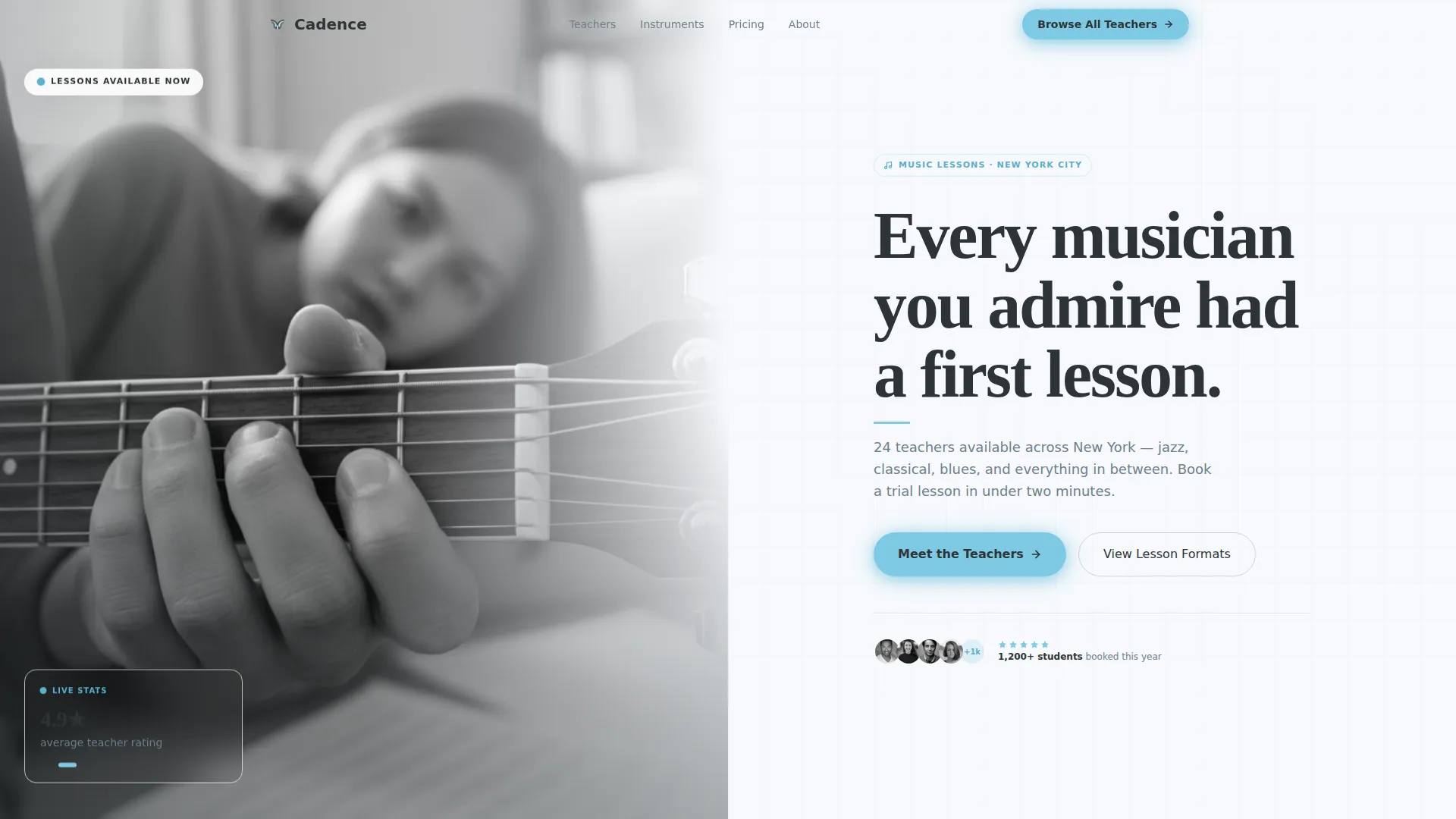
- A half-page header with a high-contrast photograph and bold serif headline
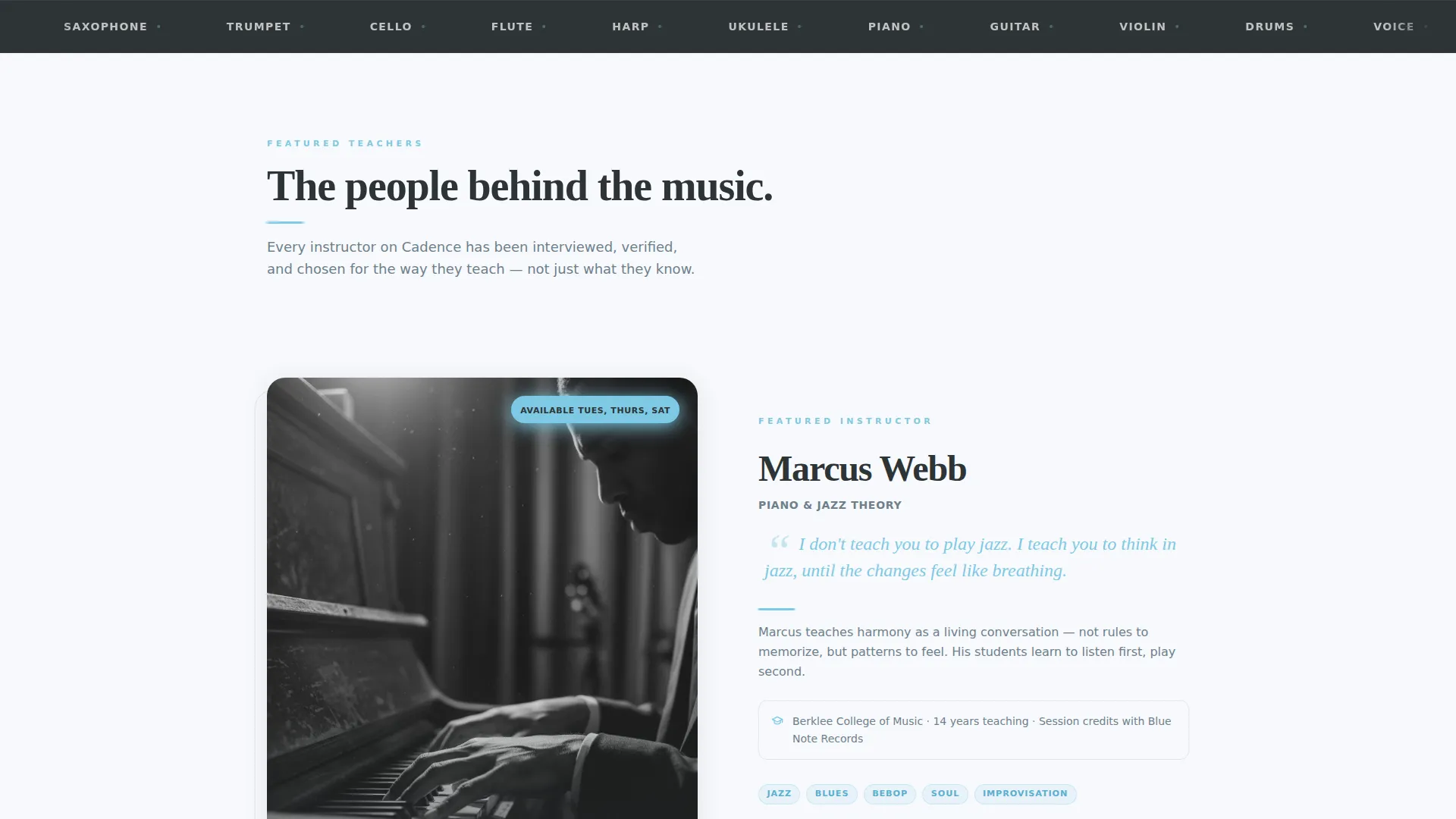
- Alternating zigzag instructor panels, each with a pull-quote, teaching philosophy, credential line, and style thumbnails
- A persistent header call-to-action and individual per-teacher booking buttons routed to that instructor's scheduling page
Feature list
This template covers every major content block a music teacher booking page needs. Each feature is designed to support one clear purpose: giving visitors enough trust and context to click through.
Half-Page Photo and Text Header
The header splits the viewport in half. The left side holds a tightly cropped, shallow-depth-of-field black-and-white photo of a teacher's hands on a fretboard. The right side carries a large serif headline, a sky-blue accent rule, and a single-line subhead naming the city and teacher count.
Zigzag Instructor Panels
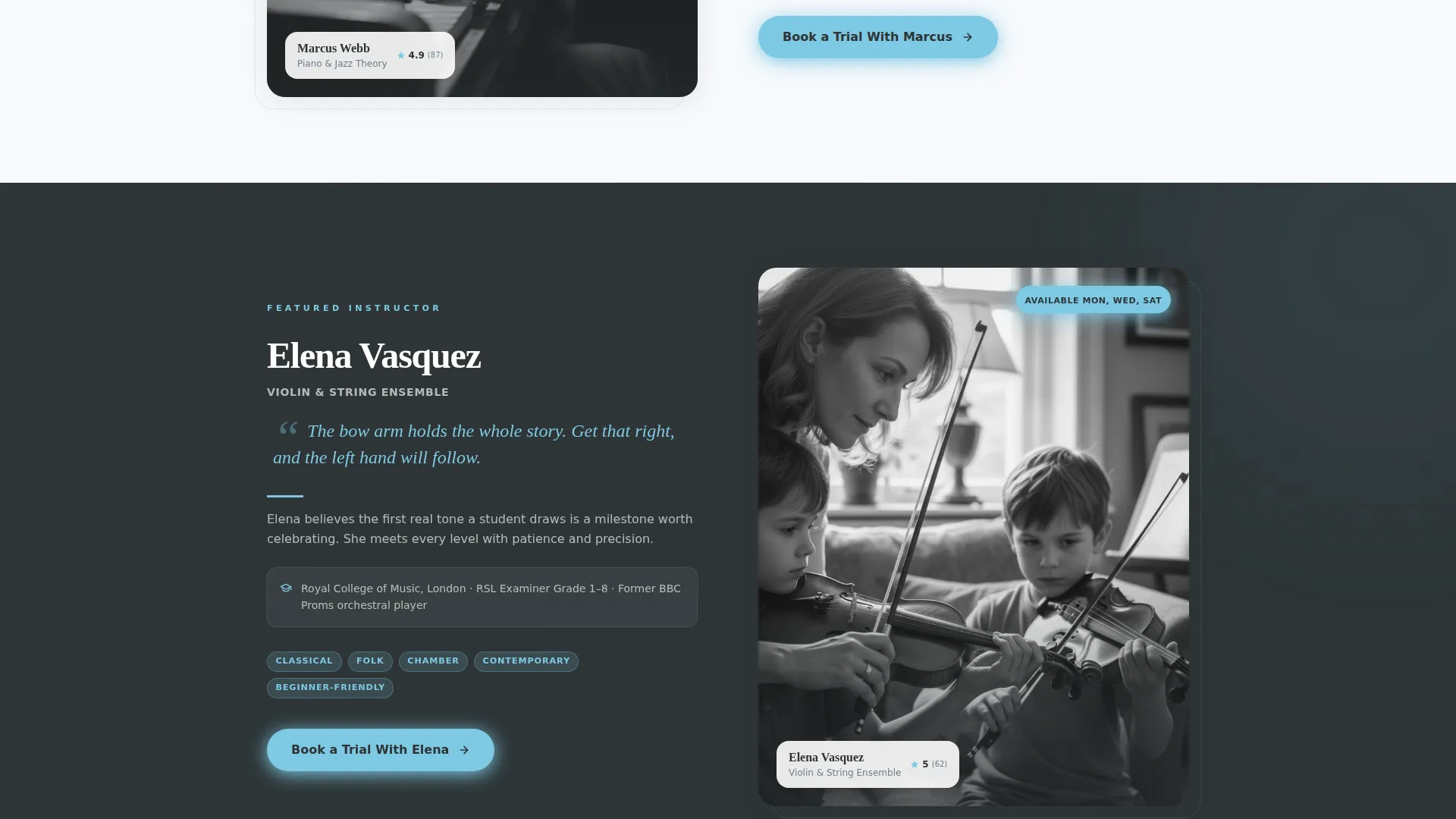
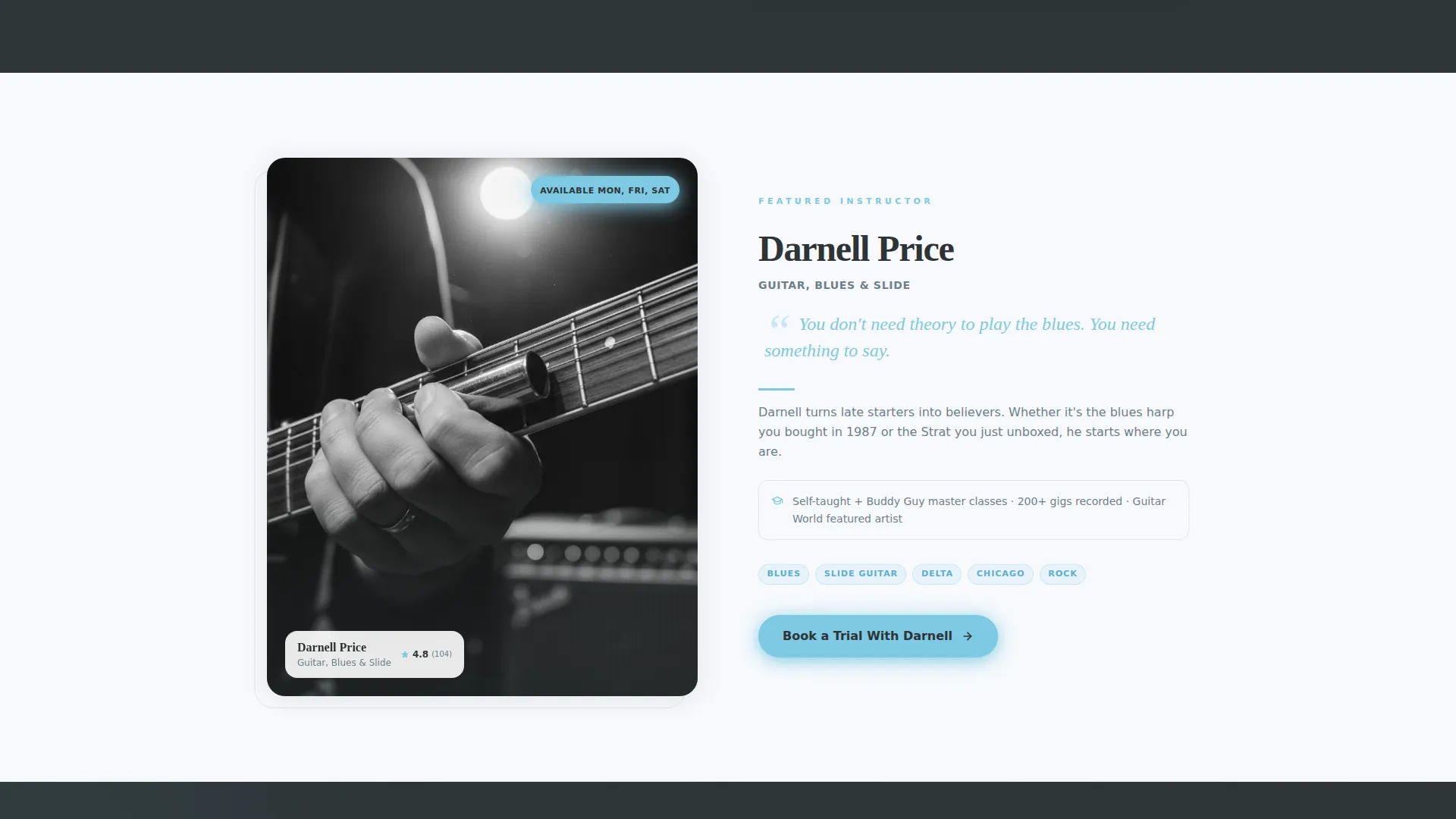
Each instructor gets a full alternating section: photograph on one side, editorial profile on the other, switching left and right with every panel. Early sections are spacious and biographical. Later sections tighten to accelerate the reading rhythm.
Pull-Quote and Credential Display
Every instructor profile includes a sky-blue italic pull-quote, a two-sentence teaching philosophy, a formal credential line such as Berklee or RSL examiner credits, and a thumbnail grid of the styles they teach.
Per-Teacher Booking Buttons
Each instructor panel contains a sky-blue button reading "Book a Trial With [First Name]." The button routes directly to that instructor's scheduling page with their name pre-selected, removing friction from the booking path.
Social Proof and Student Progress Section
A dedicated section near the bottom pairs verified student reviews with audio clips from actual lesson recordings. A student-progress timeline shows tangible outcomes rather than generic testimonials.
Comparison Grid for Lesson Formats
A structured grid lets visitors compare the available lesson formats side by side. It sits between the biographical panels and the social proof section, giving analytical visitors a clear overview before they decide.
Page sections overview
| Section | Purpose |
|---|---|
| Header: Photo and Text | Introduce the studio with a bold visual and headline |
| Instructor Panel One | Feature first teacher with biography and booking button |
| Instructor Panel Two | Feature second teacher with alternate photo side |
| Instructor Panel Three | Continue zigzag rhythm with third teacher profile |
| Lesson Format Grid | Compare available lesson formats side by side |
| Social Proof Section | Show verified reviews and lesson audio clips |
| Student Progress Timeline | Demonstrate real learning outcomes over time |
| Persistent Header call to action | Keep "Browse All Teachers" visible throughout scroll |
Design & branding system
The Slate and Sky color system gives Cadence the feel of a matte-finish music journal. Deep charcoal slate is used for primary text and section dividers, while warm mid-gray handles secondary copy. Backgrounds alternate between cloud white and slate across each zigzag section, giving every instructor panel its own visual spread.
- Sky blue accent on buttons, pull-quotes, and hover states creates a consistent, deliberate visual thread
- Serif headlines set at a confident scale reinforce the editorial magazine quality throughout the page
- Full-bleed black-and-white portraits with a single splash of sky-blue ink maintain visual discipline without feeling cold
Mobile & speed optimization
The template is structured for clean presentation across screen sizes. The alternating layout collapses sensibly on narrower viewports without losing the editorial feel. Typography scales down gracefully so headlines and pull-quotes remain readable on small screens.
- Zigzag panels reflow to single-column stacks on mobile, preserving the photo-then-text reading order
- Buttons remain large and accessible on touch screens throughout the scroll
- Alternating slate and cloud-white backgrounds continue to distinguish instructor sections even in a stacked mobile layout
How this template helps you convert
Cadence is built around a single conversion goal: a confident, informed click to a scheduling page. Every design decision serves that goal without relying on a contact form or a pressured call-to-action.
- Editorial depth earns trust before asking for action. Magazine-quality portraits, specific credentials, and pull-quotes give visitors enough context to feel comfortable booking a real person rather than a faceless listing.
- Per-teacher booking buttons remove the decision friction at exactly the right moment. Once a visitor connects with a profile, "Book a Trial With [First Name]" is right there, routing them directly to that instructor's schedule.
- The persistent "Browse All Teachers" header call to action serves visitors who want to compare before committing, keeping the path to conversion open at every scroll position.
Other information about this template
Cadence is part of the Editorial Magazine template family and works particularly well for music teacher booking pages that need to communicate personality alongside professional credentials. The template is designed for single-page use and does not include multi-page navigation.
- The page is structured for a music teacher booking page context, covering instruments from piano and violin to harmonica and guitar
- The zigzag alternating layout is deliberately paced: biographical depth early, social proof and comparison content later, to match how real visitors read
- No contact form is included by design; the conversion model depends entirely on click-through to an external or linked scheduling tool
- The template ships with placeholder editorial copy and image containers sized for high-contrast black-and-white photography
- It is well suited for independent teachers, conservatory-trained instructors, and session musicians offering structured private coaching
Theme
Editorial Magazine
Creative direction
Expert Panel
Color system
Slate & Sky
Style
Zigzag/Alternating
Direction
Click-Through
Page Sections
Half-page Editorial Header
Zigzag Instructor Panel Layout
Pull-quote and Credential Block
Per-teacher Booking Buttons
Social Proof and Audio Clip Section
Lesson Format Comparison Grid
Related questions
Does this template include a contact form?
Can I use this template if I only have one or two teachers to feature?
Is this template suitable for a single-instrument teaching studio?
How does the per-teacher booking button work?
Can I change the color palette to match my existing brand?



