Revenue & Tax Authority Directory Website Template
The Ledger corporate precision tax division landing page template is a modular card-grid layout built for corporate tax advisory teams. It guides CFOs, Tax Directors, and in-house counsel from regulatory awareness to briefing download through quantified risk cards, a persistent call-to-action bar, and a lightweight three-field modal form. Clinical typography and an Arctic White palette project absolute authority.
by Rocket studio
Quick summary
This template delivers a single-page, card-grid experience designed for a corporate tax division. It opens with a stark centered headline, moves through thematic regulatory clusters, and closes every section with a clear download trigger. The ledger template communicates precision through restraint, letting financial data and named regulations do the persuasion work.
Who this template is for
A high-converting landing page for a corporate precision tax division requires a professional design and a compelling, benefit-driven headline. This template was built for exactly that audience and that goal. It suits finance and legal professionals who need to earn trust before asking for a form submission.
- CFOs and Tax Directors managing quarterly filings and effective rate pressure
- In-house counsel navigating cross-border transfer pricing and state nexus exposure
- Private equity-backed portfolio company finance teams tracking liabilities and expenses
What problem this template solves
Designing a corporate precision tax landing page must address the complex compliance and strategic needs of large-scale enterprises. Most advisory websites overwhelm visitors with dense copy and cluttered layouts. This template solves that by leading with silence and specificity: named regulations, quantified dollar exposure, and a clear record of what the division has published.
- Visitors leave competing sites before they reach the call to action because the value is buried
- Finance teams cannot quickly determine whether an advisory firm understands their specific tax risk profile
- Generic layouts fail to signal the technical depth that CFOs and accountants require before they share their corporate email
What you get with this template
The template includes a fully structured, section-led landing page with modular card clusters and a persistent conversion bar. Every component follows the following details set out in the brief: stark typography, cobalt accent-only interaction, and zero decorative ornamentation. The result is a page where every element earns its place.
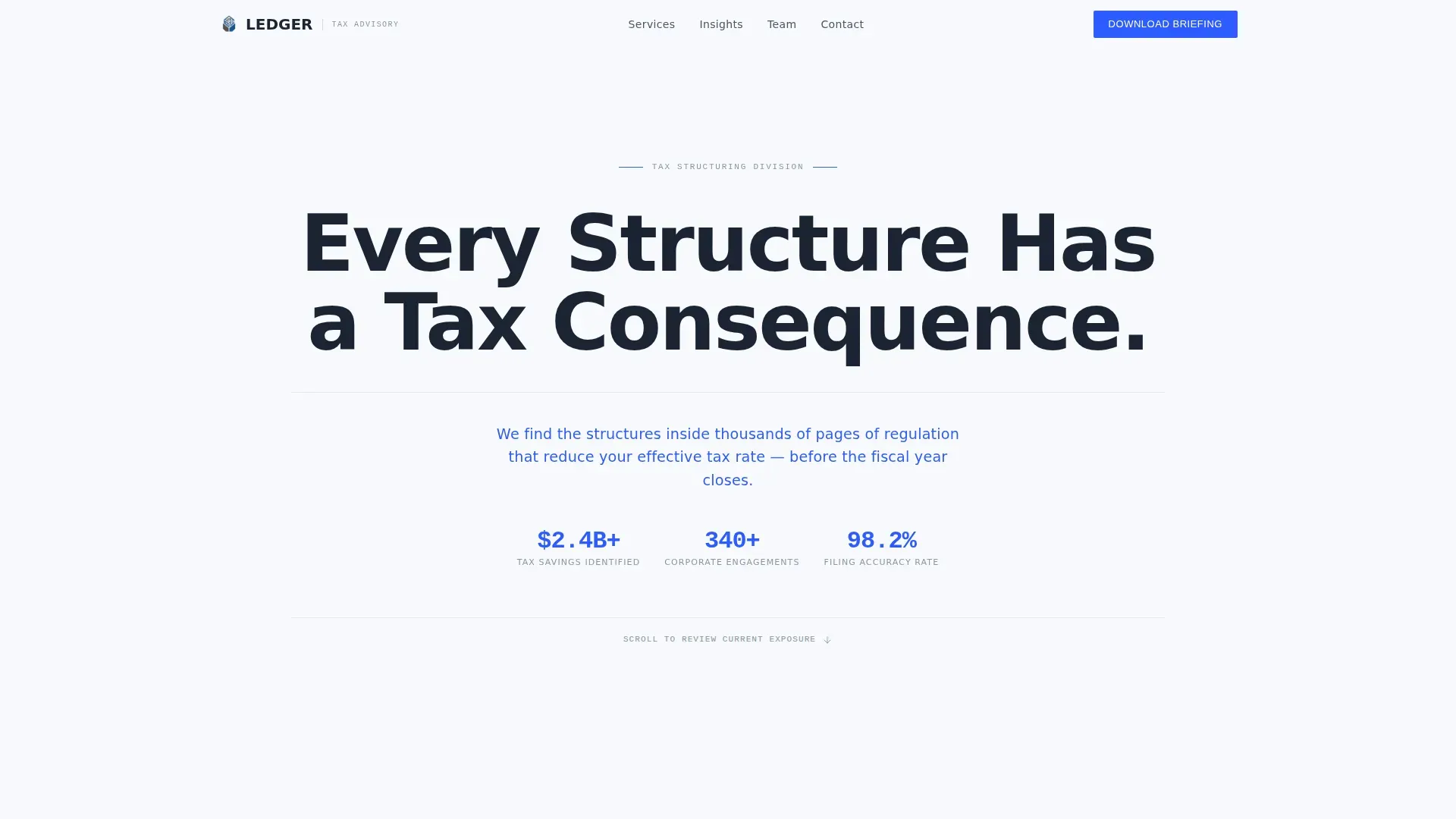
- Hero section with a giant centered headline, cobalt positioning subline, and a horizontal rule
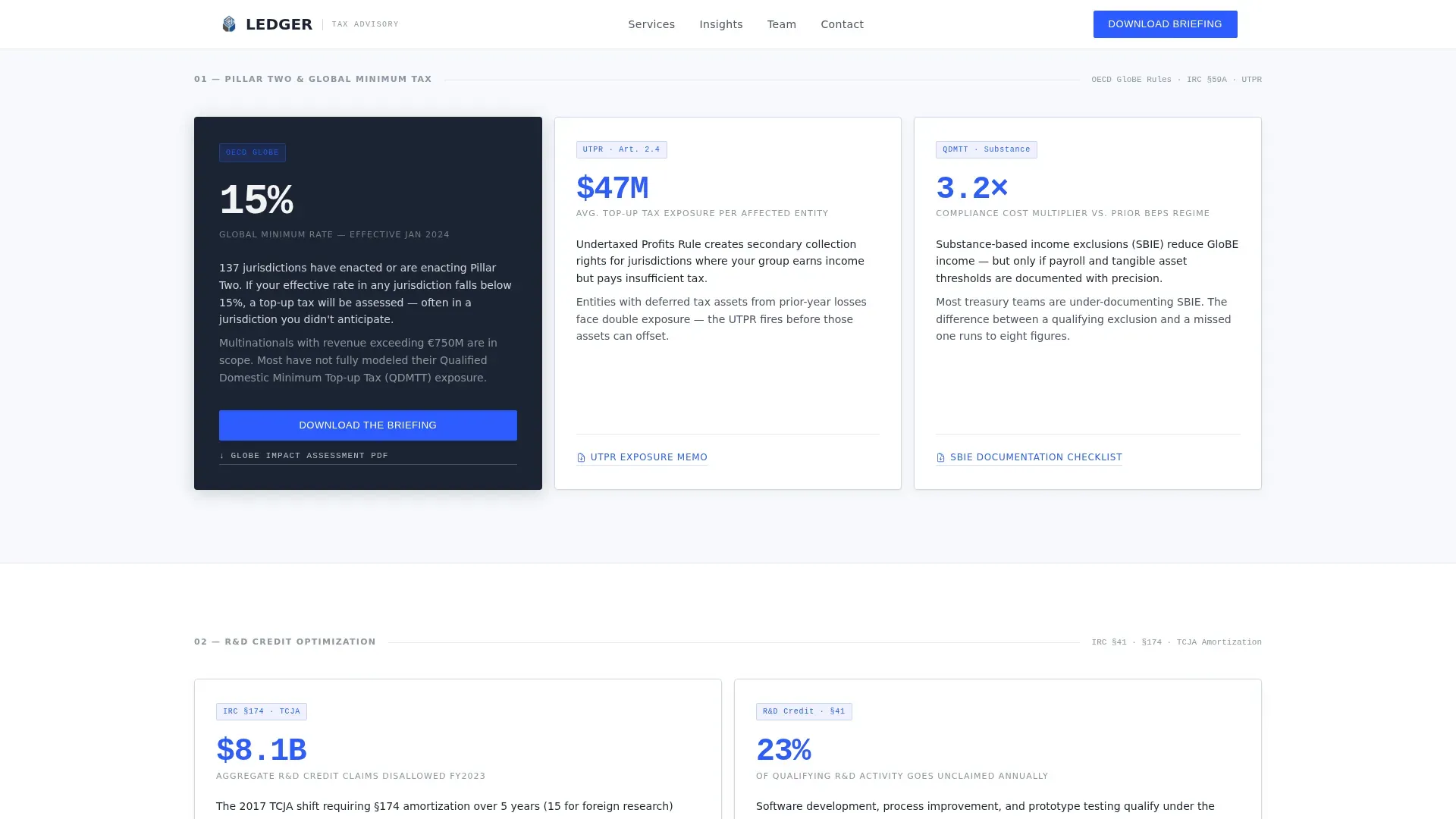
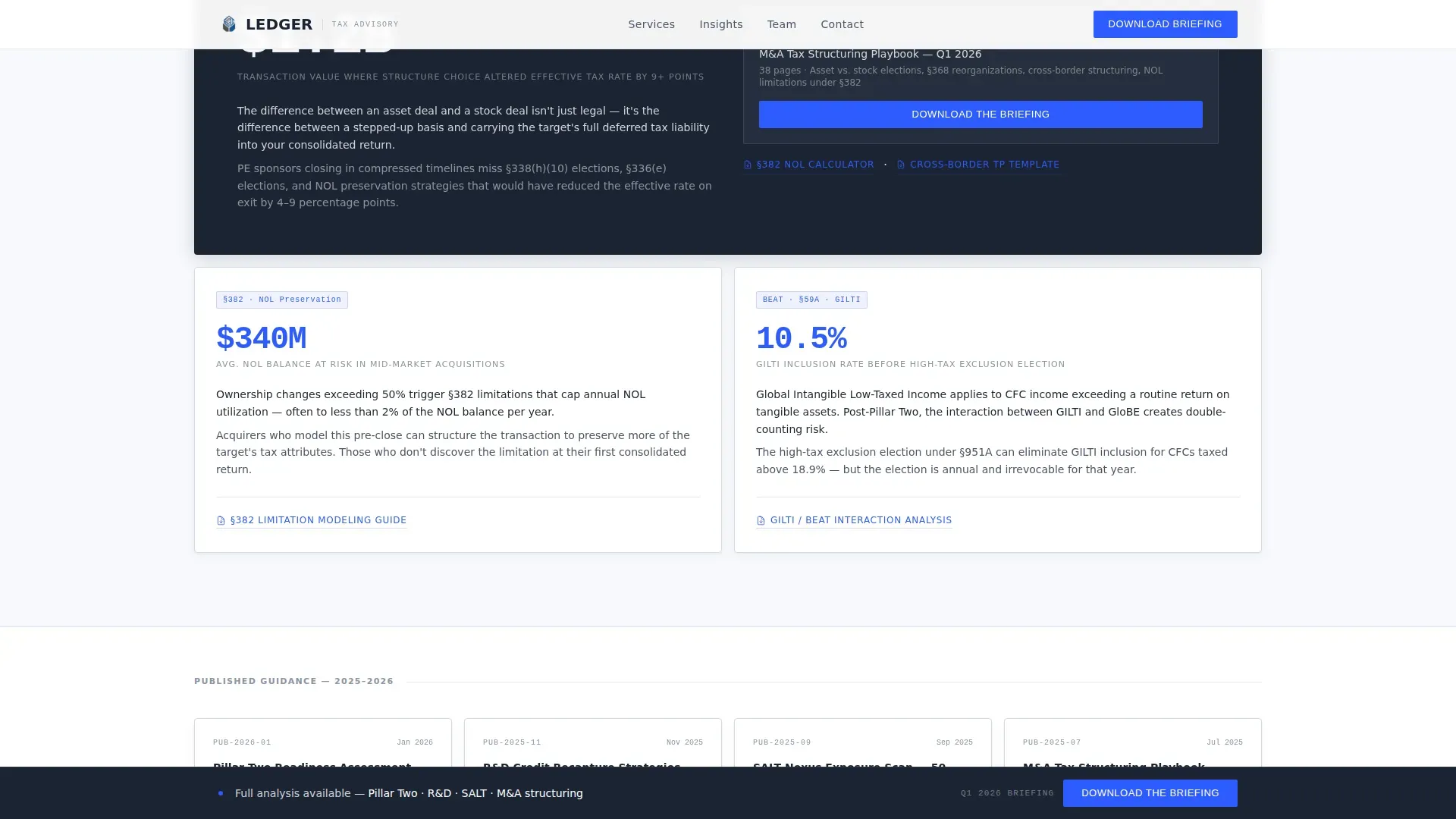
- Four thematic card clusters covering Pillar Two and Global Minimum Tax, Research and Development Credit Optimization, State and Local Nexus Exposure, and Mergers and Acquisitions Tax Structuring
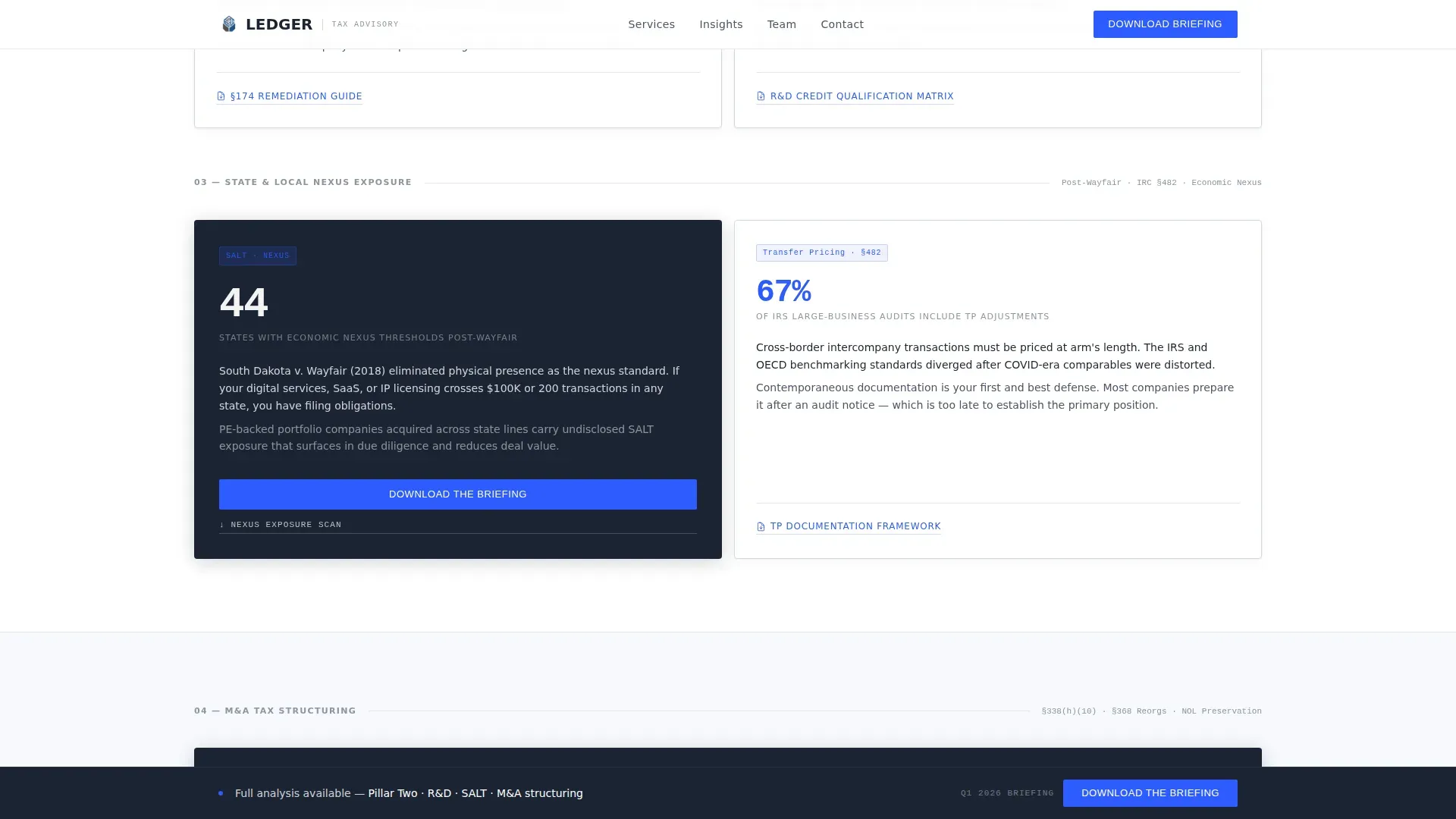
- A persistent bottom bar that appears after the second scroll fold plus a three-field download modal
Feature list
The ledger template is built around a small set of high-impact components. Each one serves a specific role in moving a visitor from awareness to conversion.
Giant Headline Hero Section
The hero carries a single oversized charcoal headline with wide tracking across a glacial white viewport. No image, no motion, no illustration. A cold cobalt subline delivers the division's positioning statement, and a thin horizontal rule draws the eye into the card content below. The emptiness of this section is itself a signal of control.
Thematic Regulatory Card Grid
Cards are grouped into four clusters, each representing a distinct tax risk area. Every card carries a bold stat or dollar figure, a two-line cause statement, and a resource link. The layout uses a mix of three-card bento clusters and asymmetric two-plus-one arrangements to create visual rhythm as the visitor scrolls. This structure helps visitors quickly identify the exposure area most relevant to their business.
Persistent Bottom Bar with Download Trigger
After the second scroll fold, a persistent bottom bar appears and stays visible throughout the rest of the page. It carries the primary call to action, "Download the Briefing," using a cobalt button that draws the eye on every card cluster. This ensures the conversion path is never more than one click away regardless of where a visitor is reading.
Lightweight Three-Field Modal Form
Clicking any primary call-to-action button opens a modal asking for corporate email, company name, and role. Role options include CFO, Tax Director, General Counsel, and Other. There is no phone number field and no unnecessary friction. A "Subscribe to Tax Alerts" toggle is embedded inside the same modal as a secondary conversion path.
Staggered Scroll-Reveal Animation
Cards fade in with a staggered reveal as the visitor scrolls. The animation is medium-weight with no parallax, keeping the page feeling deliberate rather than flashy. This pacing reinforces the brand tone: restraint is the identity.
Linear Single-Row Footer
The footer follows a clean single-row pattern. It carries only the essential links and identifiers, keeping the visual weight at the bottom of the page minimal so the call to action remains the final memory.
Page sections overview
| Section | Purpose |
|---|---|
| Hero Headline Area | Establish authority through typographic restraint and cobalt positioning |
| Pillar Two Cluster | Quantify global minimum tax exposure with bold stats across three cards |
| R&D and SALT Cards | Highlight credit optimization and state nexus risk in asymmetric layout |
| M&A Structuring Block | Present deal-related tax structuring with anchor card and modal trigger |
| Persistent Bottom Bar | Keep primary download call to action visible after second scroll fold |
| Download Modal Form | Capture corporate email, company name, and role in three fields |
| Single-Row Footer | Close page with minimal links and no visual noise |
Design & branding system
The visual identity runs on an Arctic White color system. Charcoal authority carries all body text and headings, with typographic weight doing the work that ornamentation never could. Cold cobalt appears only on interactive elements, making every blue item feel like a decision point for the visitor.
- Palette: glacial white (#F7F9FC) dominates ninety percent of the surface; pale frost (#E3E8EF) for card borders; charcoal authority (#1B2433) for all text; cold cobalt (#2E5BFF) reserved for buttons, linked figures, and hover states
- Typography: DM Sans for headlines and body copy; JetBrains Mono for financial figures and stats, giving every number a data-display authority
- Layout: clean, ample white space prevents overwhelming visitors; zero decorative elements; alignment is the only ornamentation
Mobile & speed optimization
The template is desktop-first, built for CFOs reading on large monitors. It is also responsive to tablet viewports so finance teams can review the page away from their desk. The hero uses no images, and server components handle static content to keep the page lean and fast.
- No hero image means the first viewport loads immediately, reducing time to first meaningful content
- Staggered card animations use fade-in only, avoiding heavy JavaScript that would slow render on any device
- The single-row footer and minimal asset count keep overall page weight low for consistent load performance
How this template helps you convert
The conversion strategy moves visitors through three emotional states: awareness, anxiety, and relief. The page earns each click by giving the first layer of insight for free, then gating the full analysis behind a three-field form.
- Early card clusters establish the regulatory landscape using named rules and visible stats, so visitors understand the stakes before any ask is made
- Middle cards quantify the financial risk in specific dollar terms, raising urgency and making the briefing download feel necessary rather than optional
- The persistent bottom bar and anchor card call-to-action ensure the download prompt is always visible, and the lightweight modal removes friction at the moment of conversion
Other information about this template
A general ledger is the central record of all financial transactions within a business. The general ledger organizes debits and credits across different accounts to generate accurate financial statements. Using a general ledger template helps track debit and credit transactions effectively and gives accountants a reliable source of truth for all entries.
A general ledger template is a master sheet of all of a business's accounting. It organizes transactions into assets, liabilities, equity, revenue, and expenses. The balance of an accounting ledger template reflects the difference of your credits from debits. A well-organized general ledger reduces costly errors and gives finance teams an accurate record of every transaction.
This ledger corporate precision tax division landing page template draws on the same structural logic. The card-grid layout functions like a well-maintained general ledger account: every item has a description, a date, a category, and a clear purpose. Teams can determine at a glance where exposure lives and what the financial data says.
- A general ledger template should include details such as transaction date, description, and amounts; this template applies the same discipline to its card content
- Using a general ledger template saves time by providing a ready-made structure; this page template does the same for advisory teams building their web presence
- Modern general ledger templates include automatic balance calculations to reduce manual errors; this page template uses built-in layout logic so nothing needs to be rebuilt from scratch
- Small businesses and large enterprises alike benefit from consistent categorization; this template uses thematic clusters to apply that same discipline to regulatory content
- The general ledger must always balance between debit and credit amounts; the page template balances visual weight between white space and content density in the same spirit
- You can use Excel or Google Sheets alongside an accounting software system for your general ledger; this template is independent of any specific accounting software and works as a standalone page
- Prepare trial balances regularly to verify your accounting is error-free; test different elements of this landing page, such as headlines and call-to-action button colors, to optimize results the same way
- Small businesses can also adapt the card-grid structure for simpler tax service pages, scaling down the number of clusters while keeping the core ledger template logic intact
Theme
Corporate Precision
Creative direction
Movement & Cause
Color system
Arctic White
Style
Card Grid (Modular)
Direction
Content/Resource
Page Sections
Giant Centered Hero Headline
Thematic Regulatory Card Grid
Persistent Bottom Bar Call to Action
Lightweight Three-field Modal
Staggered Scroll-reveal Animation
Single-row Linear Footer
Related questions
Who is this landing page template designed for?
How does the download modal work?
Can small businesses use this template?
What makes this template different from a generic advisory page?
Does this template support tablet and mobile viewports?



