Precision Calibration Service Landing Page Template
Calibrate is a precision calibration landing page template built for quality-focused labs and service providers. It uses a zigzag case study layout to walk visitors through real calibration scenarios, from drifting thermocouples to aerospace dimensional work. The design is bold and industrial, with a terracotta-and-charcoal palette, and every section drives toward a single quote-request action.
by Rocket studio
Quick summary
Calibrate is a single-page template designed for professional calibration service providers. It opens with a full-bleed overhead photo of a calibration bench, then unfolds a series of alternating case study sections that prove expertise through real numbers, real tolerances, and real audit outcomes. Every design and copy decision pushes the visitor toward requesting a calibration quote.
Who this template is for
This template speaks directly to calibration labs and metrology service businesses that need to earn technical trust before a visitor will fill out a form. It is built for teams who serve demanding regulated industries and want their landing page to reflect that same standard of precision.
- Quality lab managers and metrologists marketing instrument calibration services to industrial clients
- Field service and logistics teams offering pickup, rush turnaround, or on-site calibration programs
- Calibration businesses targeting regulated buyers in aerospace, pharmaceutical, food safety, or energy sectors
What problem this template solves
Most calibration service pages look generic. They list services without context, skip the proof, and give quality managers no reason to trust them over a competitor. A procurement engineer evaluating vendors for an upcoming audit needs evidence, not brochure copy.
- Buyers in regulated industries need to see specific outcomes before committing to a new service provider
- Generic layouts fail to communicate the difference between a routine calibration shop and an expert metrology lab
- Without strong calls to action placed at the right moments, high-intent visitors leave without requesting a quote
What you get with this template
This template gives you a fully structured, single-page layout built around the Case Study Narrative creative direction. Each section tells a real-world calibration story in a left-right alternating format, escalating from routine jobs to high-stakes technical saves.
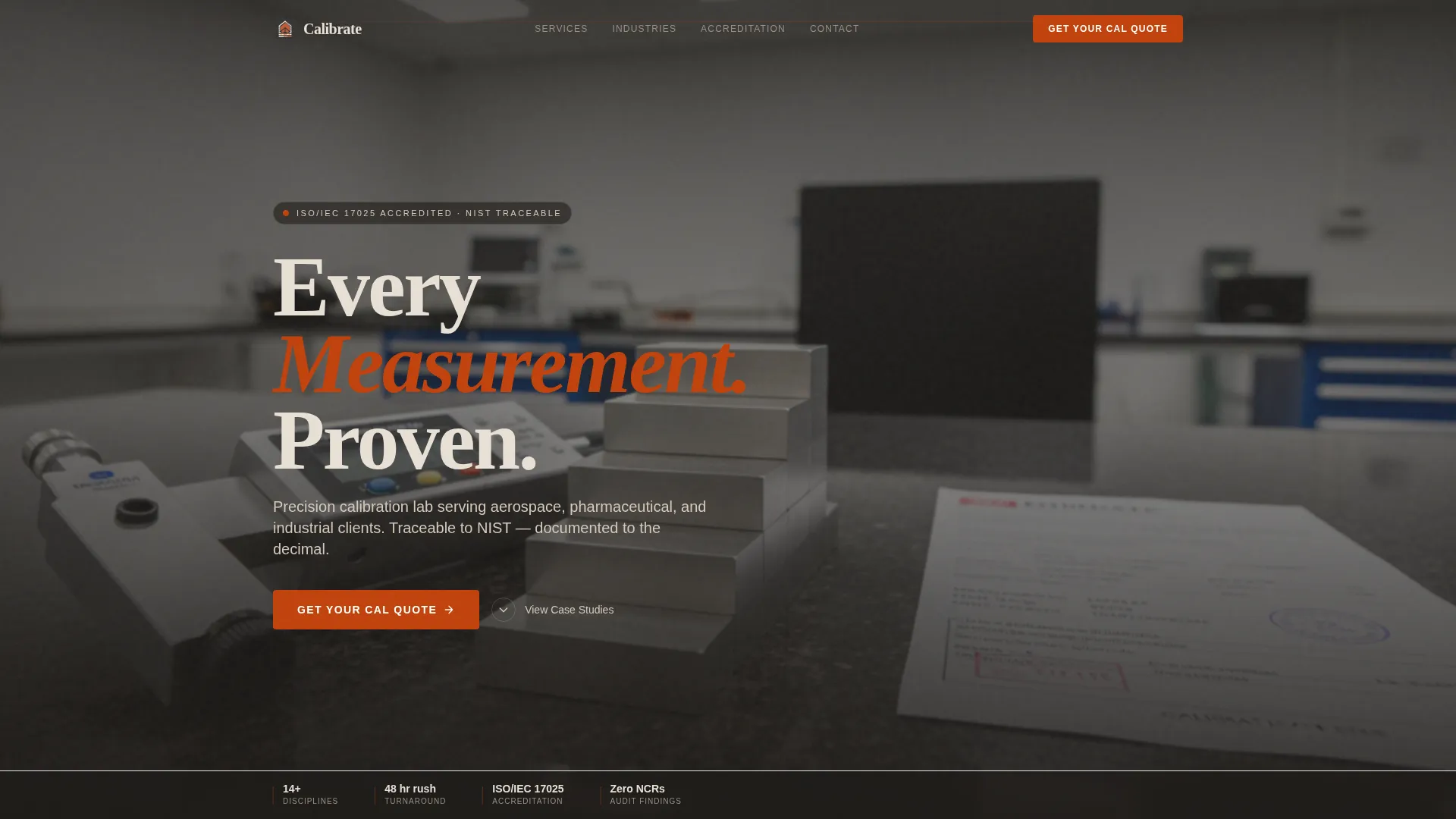
- A full-bleed header with a calibration bench photograph, a bold fade-in headline, and a primary quote-request button
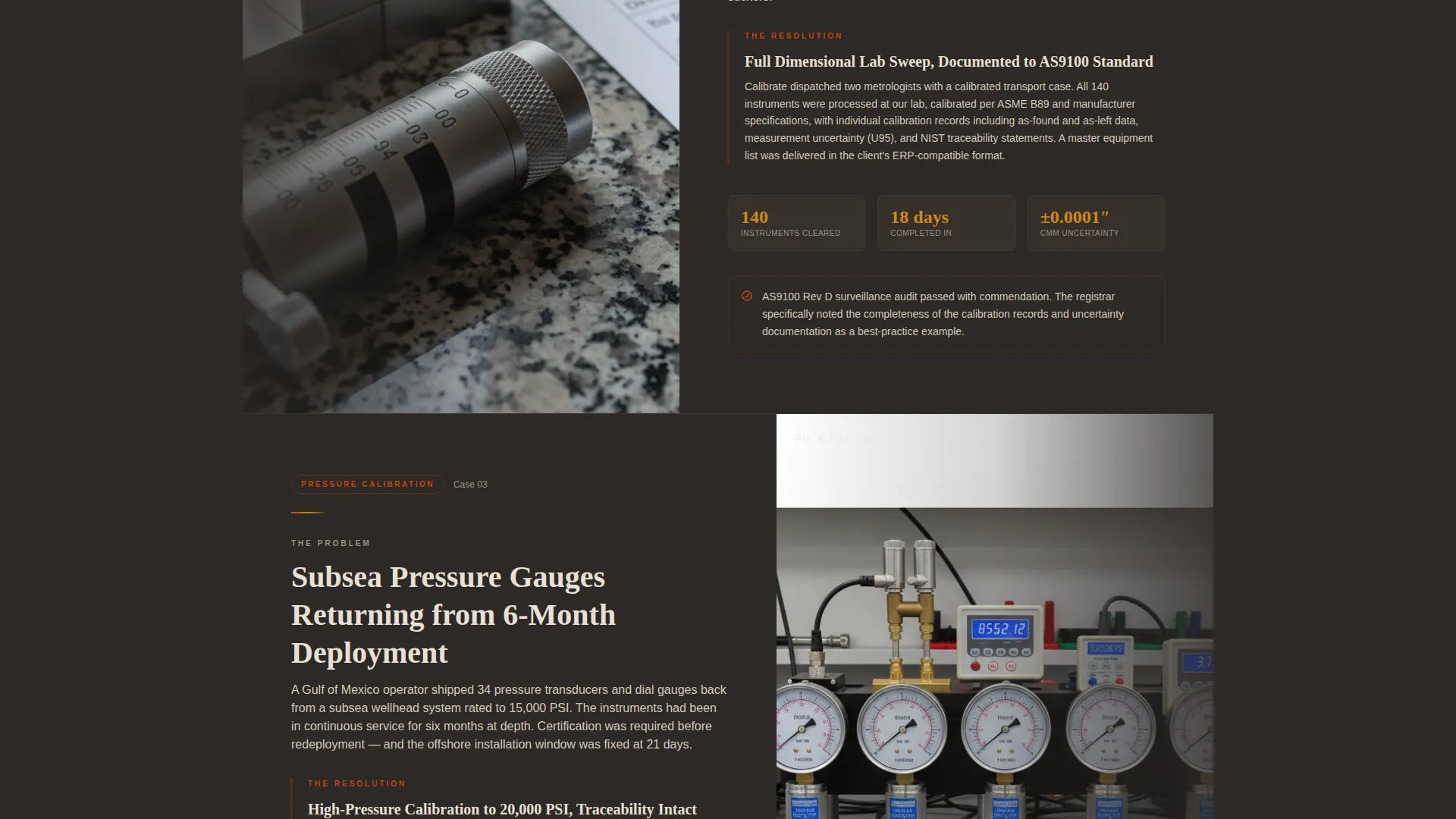
- Alternating zigzag case study sections with problem panels on one side and resolution panels on the other
- Repeating terracotta call-to-action buttons with rotating supporting text covering accreditation, turnaround time, and pickup availability
Feature list
This template is built around a tight set of intentional features. Each one earns its place by serving the quote-conversion goal.
Full-Bleed Calibration Bench Header
The header fills the viewport with an overhead photograph of a granite surface plate, gauge blocks, an open micrometer, and a stamped calibration certificate. A razor-thin depth of field pulls focus to the engraved graduations. The headline "Every Measurement. Proven." fades in over the dark surface, setting an immediate tone of technical authority.
Zigzag Case Study Layout
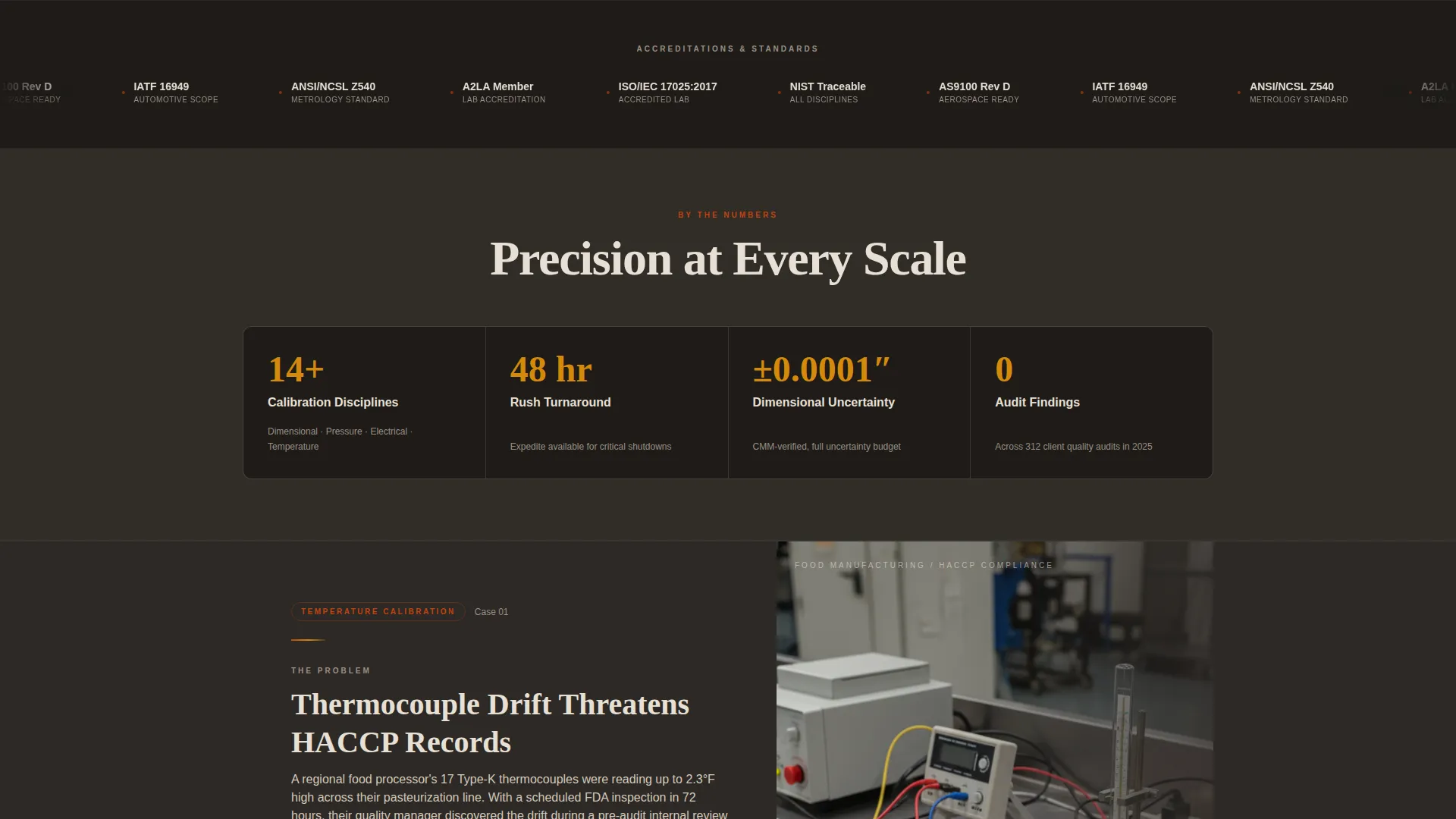
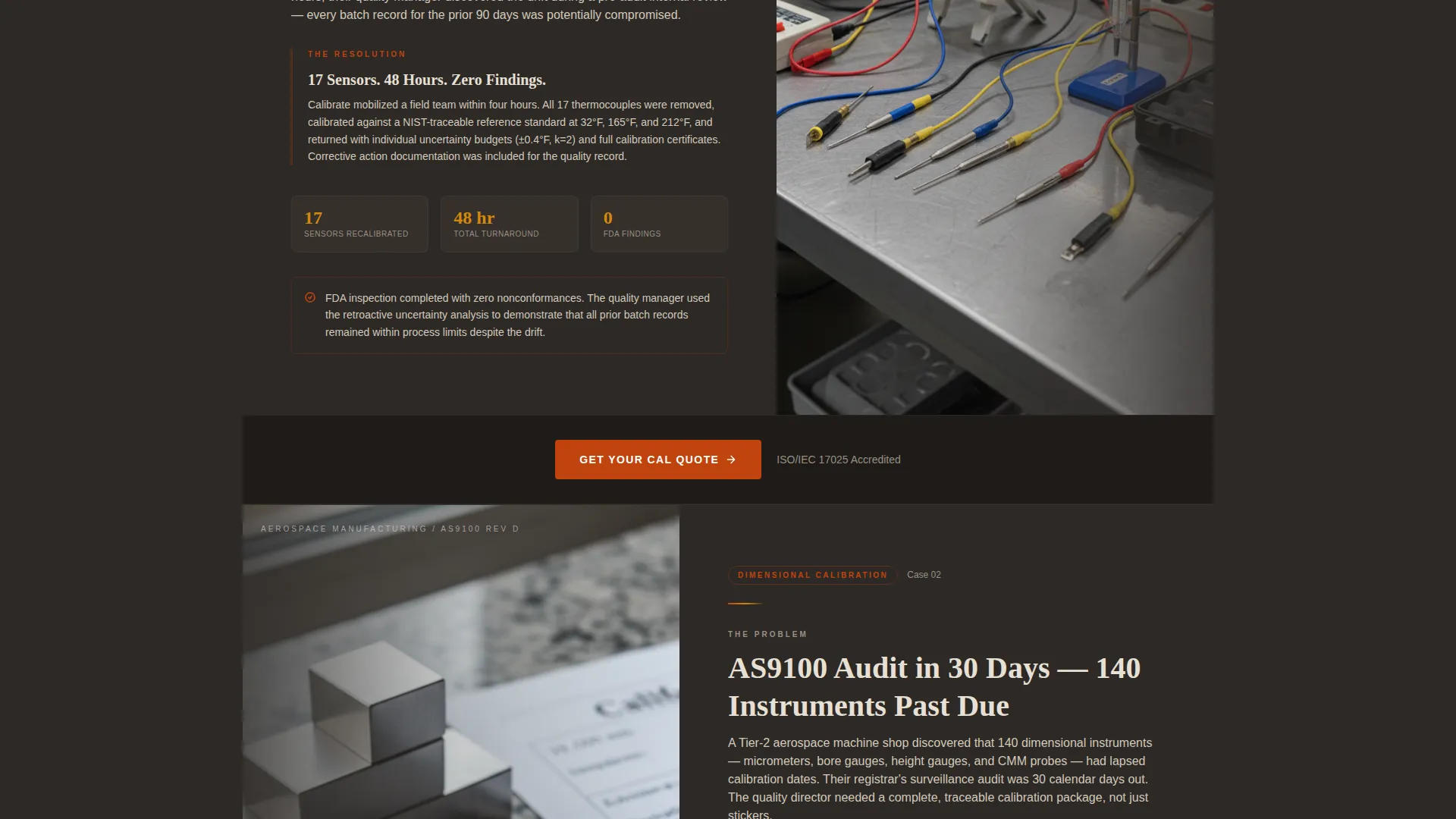
Each section pairs a problem panel with a resolution panel in a left-right alternating format. The stories escalate in stakes as the visitor scrolls, moving from food safety thermocouple drift to aerospace dimensional work, subsea pressure calibration, and defense electrical metrology. This structure builds an evidence wall that makes expertise feel undeniable before the visitor reaches the final call to action.
Pulsing Scroll-Triggered Call-to-Action Buttons
The primary "Get Your Cal Quote" button appears in the header and repeats after every second case study. Each button pulses once when it enters the viewport on scroll. Supporting text beneath each button rotates context, displaying messages about accreditation status, rush availability, and free pickup to address common objections at the exact moment they arise.
Data Command Visual Theme
The template uses a Fire and Earth color system built around volcanic charcoal as the primary background, kiln-fired terracotta for accent lines and buttons, instrument-dial bone for content panels, and molten amber for hover states and data highlights. The palette gives the page a forge-floor quality, where every bright element demands attention the way a warning lamp does on a gauge face.
Specific-Detail Copy Framework
Every case study section is structured to include real numbers: sensor counts, temperature drift values, turnaround times in hours, and audit outcome statements. This specificity framework prevents the page from defaulting to vague service claims and keeps the technical buyer engaged with evidence rather than promises.
Rotating Contextual call to action Support Text
Below each call-to-action button, a line of supporting text rotates through three messages: accreditation reference, rush turnaround availability, and free pickup offer. This mechanism addresses different buyer priorities without cluttering the layout, keeping each section visually clean while still covering multiple objections.
Page sections overview
| Section | Purpose |
|---|---|
| Full-bleed header | Opens with bench photo and primary headline with first quote call to action |
| Food safety case | Shows thermocouple drift problem and 48-hour recalibration resolution |
| First repeat call to action | Reinforces quote action after second case study with rotating support text |
| Aerospace case | Demonstrates high-precision dimensional calibration for regulated manufacturing |
| Subsea pressure case | Shows capability for demanding field-instrument and pressure calibration work |
| Defense metrology case | Builds final evidence layer with electrical metrology for a defense contractor |
| Second repeat call to action | Repeats quote button with fresh contextual support line before closing section |
| Full-width call to action bar | Final conversion bar making the quote request feel like the obvious next step |
Design & branding system
The template uses the Data Command theme expressed through a Fire and Earth color system. Every color choice references the physical world of a calibration lab, where surfaces are dark, instruments are precise, and any bright element carries meaning.
- Volcanic charcoal (#2D2926) as the primary background, instrument-dial bone (#E8E0D5) for content panels, and kiln-fired terracotta (#C1440E) for accent lines and call-to-action buttons
- Molten amber (#D4890B) applied to hover states and data highlights, ensuring interactive elements feel as deliberate as a needle settling on zero
- Typography and layout follow the Data Command theme, keeping information dense but ordered, with hard overhead light references carried through image direction and panel contrast
Mobile & speed optimization
The zigzag layout is designed to reflow cleanly from a two-column desktop format into a stacked single-column mobile view. Each case study panel maintains its problem-then-resolution narrative order when stacked vertically, so the evidence wall holds together on smaller screens.
- Case study panels stack in logical reading order on mobile, preserving the problem-to-resolution story flow
- Pulsing call to action buttons and rotating support text function consistently across screen sizes, keeping conversion touchpoints accessible on every device
How this template helps you convert
The template is structured as a click-through landing page with one goal: move the visitor to a detailed quote-request page. Every design and copy decision serves that outcome.
- The header call to action appears before any scrolling is required, capturing high-intent visitors immediately, while the fade-in headline and bench photograph establish credibility within the first second of the visit.
- Repeating terracotta buttons placed after every second case study keep the quote action visible throughout the scroll journey without feeling aggressive, and the rotating support text handles common objections at each placement point.
- The final full-width call to action bar closes the page after the evidence wall is complete, so by the time a quality manager or procurement engineer reaches it, clicking feels like the logical conclusion of what they have just read.
Other information about this template
This template is part of the Manufacturing and Industrial category under the Quality and Testing Lab subcategory, specifically built for the calibration service niche. It is a strong fit for labs seeking to position their metrology capabilities online for the first time or to replace an outdated service page.
- The template is suitable for ISO/IEC 17025 accredited labs that want their landing page to reflect the same rigor their certificates represent
- The Case Study Narrative creative direction makes it adaptable for any calibration discipline, including dimensional, pressure, temperature, electrical, and torque metrology
- The intersection match between the Data Command theme, Fire and Earth color system, zigzag template style, and click-through landing page direction was confirmed at a high relevance score for this niche
Theme
Data Command
Creative direction
Case Study Narrative
Color system
Fire & Earth
Style
Zigzag/Alternating
Direction
Click-Through
Page Sections
Full-bleed Calibration Bench Header
Zigzag Case Study Layout
Scroll-triggered Pulsing Call to Action Buttons
Data Command Color Theme
Specific-detail Copy Framework
Rotating Contextual Support Text
Related questions
Can I adapt the case study sections to match my own calibration work?
Does this template link to a quote form or include one inline?
Is this template suitable for a lab that serves more than one industry?
How many call-to-action placements are built into this template?
Can a smaller calibration business use this template effectively?



