Precision Metrology Lab Landing Page Template
Calibrate is a split-screen landing page template built for calibration and metrology laboratories. It leads with precision data, accreditation evidence, and turnaround benchmarks to convert quality managers, aerospace engineers, and defense contractors. The Forest Trust color system and stats-first layout make technical credibility visible before a single line of copy is read.
by Rocket studio
Quick summary
Calibrate is a single-page, split-screen (50/50) landing page template designed for calibration and metrology labs. It opens with a behind-the-scenes header image, leads every scroll transition with a bold data point, and funnels all traffic toward one primary call-to-action. The result is a page that earns technical trust fast and converts qualified buyers efficiently.
Who this template is for
This template is built for precision measurement labs that serve demanding industrial clients. If your work involves traceable calibration and your buyers need proof before they pick up the phone, this template was made for you.
- Quality managers at aerospace machine shops preparing for AS9100 audits
- Pharmaceutical and defense industry engineers who require documented uncertainty ratios and traceable standards
- Calibration lab owners and marketing leads who need a high-credibility, conversion-focused landing page
What problem this template solves
Technical buyers in metrology do not convert on vague marketing language. They need to see accreditation scope, accuracy rates, and turnaround data before they will engage. Most generic templates bury that evidence or omit it entirely.
- Visitors leave before trusting the lab because credibility signals appear too late or too small
- Quality managers need to verify scope of accreditation before involving procurement, and most templates offer no clear path for that
- The gap between a lab's proven capability and what a landing page communicates costs real quote requests
What you get with this template
You get a fully structured, stats-first landing page that turns documented lab performance into visible proof. Every section is designed to present a number before an explanation, so trust builds incrementally with each scroll.
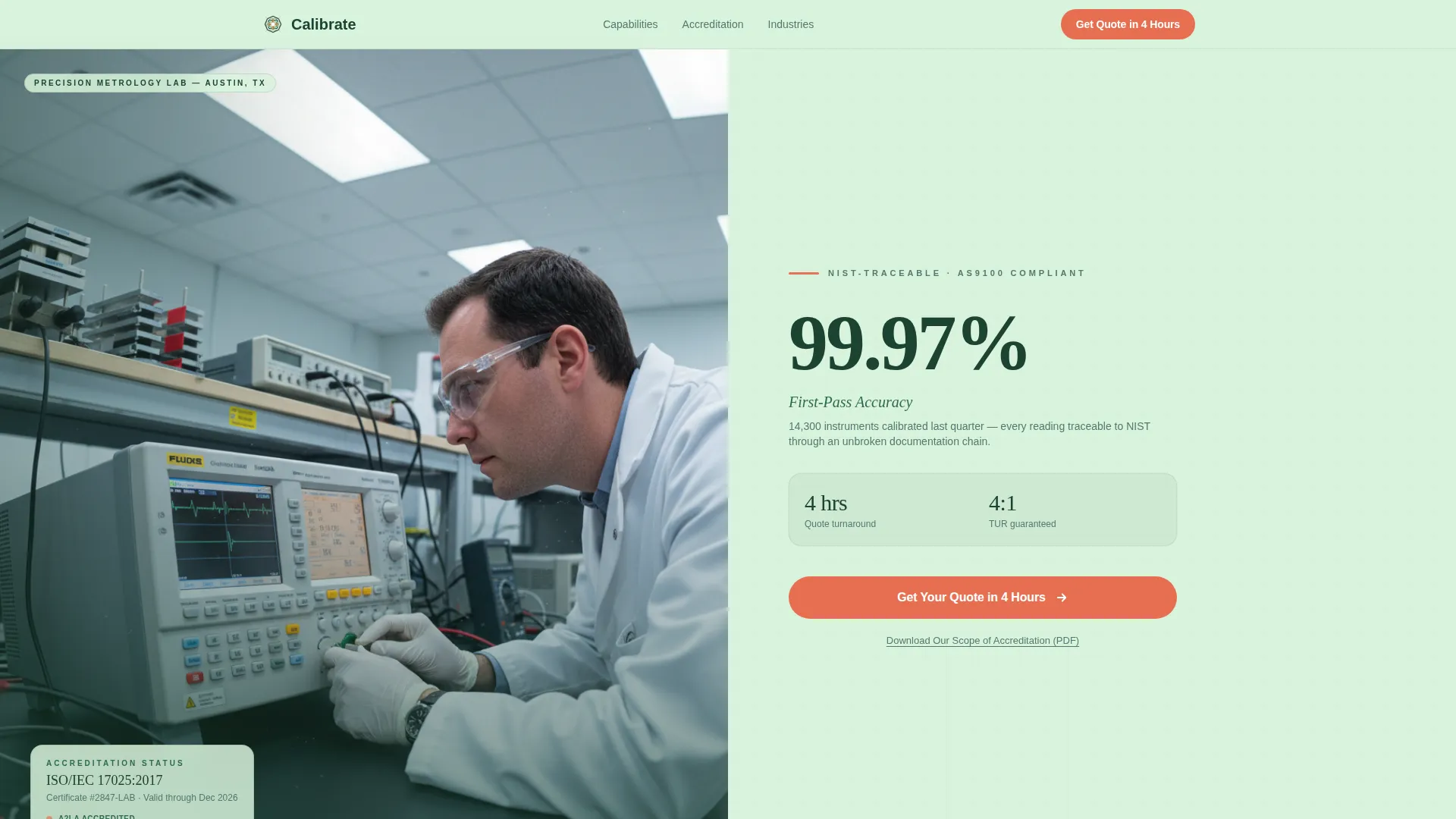
- A split-screen hero with a behind-the-scenes lab photo on the left and an oversized accuracy stat with a primary call-to-action on the right
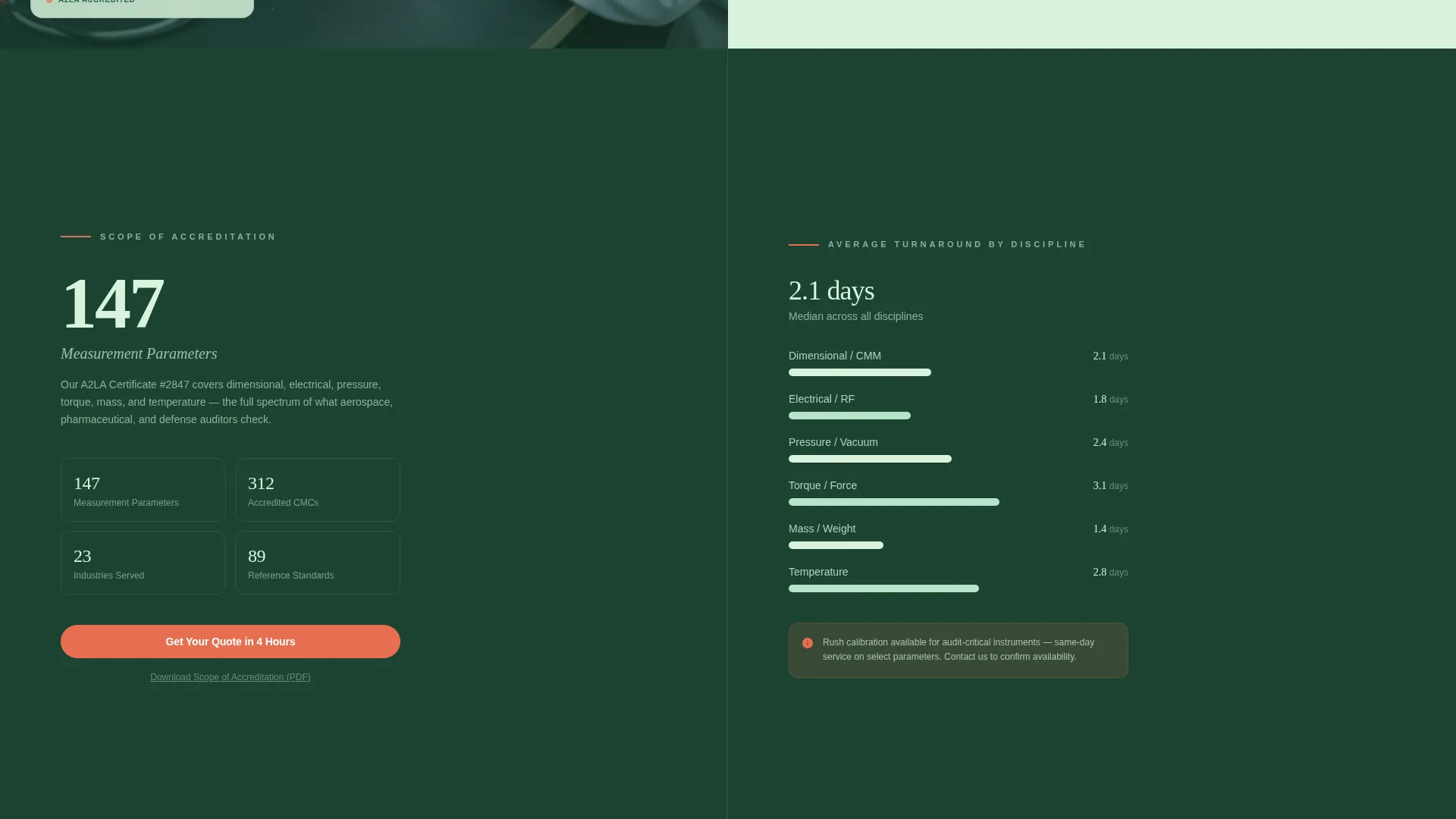
- Data-led content blocks covering accreditation scope, turnaround time benchmarks, instrument processing counters, certificate carousels, and capability parameter ranges
- A click-through funnel architecture with one repeating primary call-to-action button and a secondary scope-of-accreditation download link in each section
Feature list
This section describes the core functional components included in the Calibrate template, each grounded in the source brief.
Split-Screen Hero with Live Stat Panel
The header divides the viewport into two equal halves. The left side holds a behind-the-scenes photograph of a technician adjusting a multi-product calibrator, with reference standard racks soft-focused in the background. The right side displays a single oversized accuracy stat, a one-line subhead, and the primary surveyor-orange call-to-action button.
Stats-First Section Architecture
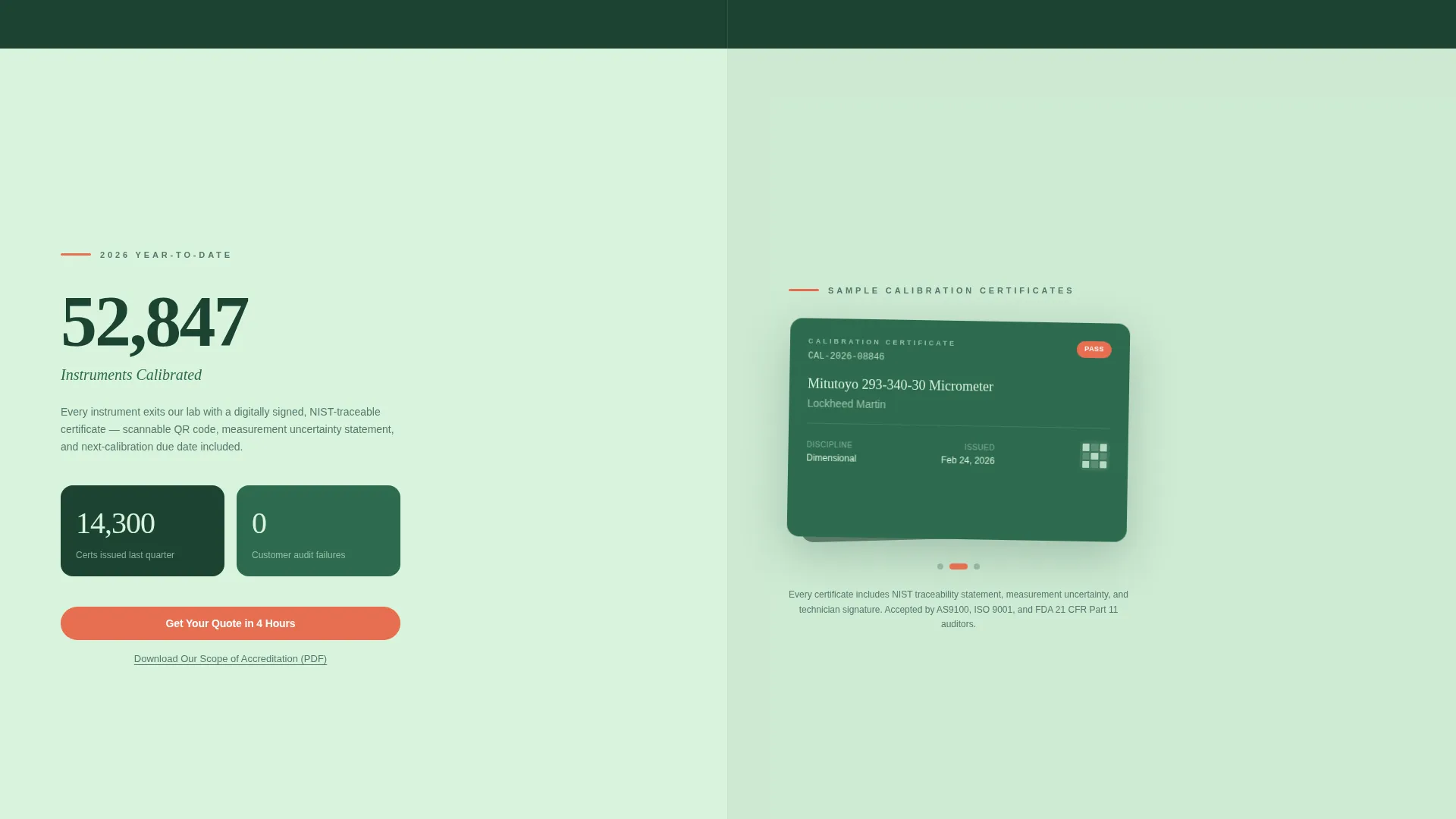
Every scroll transition leads with a large data point before any supporting copy appears. This layout pattern covers accreditation scope count, turnaround time benchmarks by discipline, a running instrument counter for the current year, and capability parameter ranges with measurement uncertainties.
Certificate Carousel Component
A rotating carousel displays watermarked, stamped, and scannable calibration certificates. This component gives quality managers and procurement teams a visual proof point of documented traceability without requiring them to request documentation first.
Click-Through Funnel with Repeating call to action
The entire page is architected as a click-through funnel. A surveyor-orange button reading "Get Your Quote in 4 Hours" appears consistently across sections. A secondary text link beneath each call-to-action lets engineers download the scope of accreditation as a PDF before involving procurement.
Capability Parameters Block
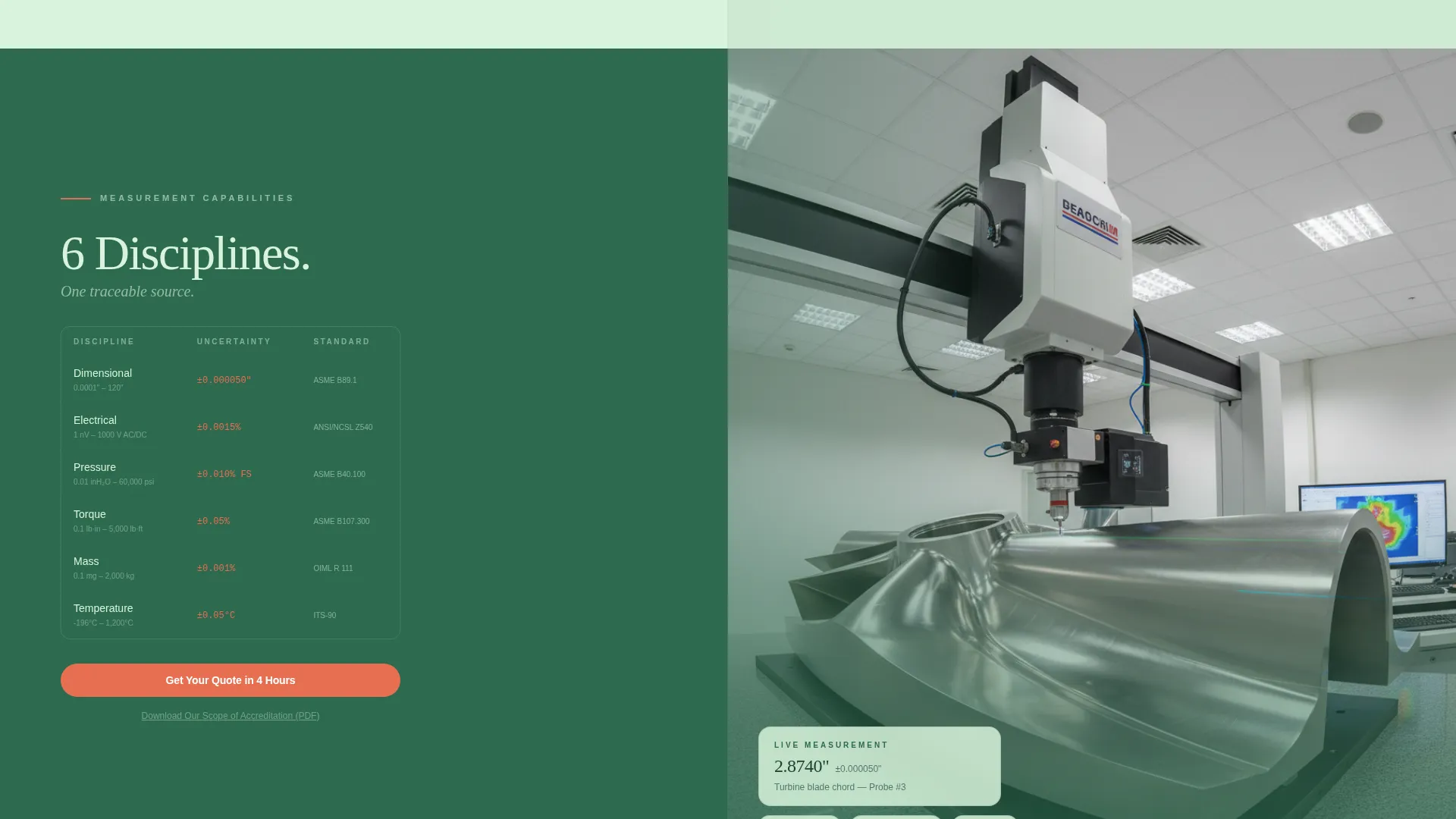
A dedicated split section presents parameter ranges and measurement uncertainties on the left side. A looping video of a coordinate measuring machine probing a turbine blade plays on the right. This pairing communicates both breadth of service and operational reality at a glance.
Quote-Request Page Structure
The template includes a dedicated quote-request page layout with an asset-type selector covering dimensional, electrical, pressure, torque, mass, and temperature categories, a quantity input field, and a required-by date field.
Page sections overview
| Section | Purpose |
|---|---|
| Split-Screen Hero | Lead with accuracy stat and primary call-to-action |
| Accreditation Scope Split | Show ISO/IEC 17025 scope count alongside turnaround chart |
| Instrument Counter Split | Display real-time processed count with certificate carousel |
| Capabilities Split | Present parameter ranges next to coordinate measuring video |
| Quote Request Page | Capture asset type, quantity, and required-by date |
| Footer with call to action | Reinforce primary call-to-action and scope download link |
Design & branding system
The template uses a Forest Trust color system built around four distinct roles. Deep evergreen dominates headers and section backgrounds. Fog green carries body copy panels and form fields. Bark green separates content blocks. Surveyor orange appears only on calls-to-action and data callouts where the reader's eye must land next.
- Color roles: old-growth evergreen (#1B4332) for headers, lichen bark (#2D6A4F) for dividers, morning fog (#D8F3DC) for copy panels, surveyor orange (#E76F51) for all calls-to-action
- Typography: oversized numerals in deep evergreen type for stat panels; supporting body copy sized for readability at distance and on screen
- Visual tone: Corporate Precision theme, institutional authority grounded in natural-world references, cool and weighty rather than sterile or corporate-generic
Mobile & speed optimization
The 50/50 split-screen layout is designed with responsive stacking in mind. On smaller screens, each split panel collapses into a single-column flow so data and imagery remain readable without horizontal scrolling.
- Split panels stack vertically on mobile, preserving the stats-first reading order on every device
- Oversized stat typography scales proportionally so key numbers remain legible at smaller viewport widths
- The certificate carousel and looping capability video are contained components that resize within their section boundaries
How this template helps you convert
The page is built as a click-through funnel where credibility compounds with each section. By the time a quality manager reaches the footer, they have already seen accuracy rates, turnaround benchmarks, and accreditation evidence.
- The stats-first layout eliminates hesitation by proving competence before asking for any action, making the eventual click feel like a logical next step rather than a risk
- The secondary scope-of-accreditation download link in each section gives engineers a documented verification path, removing the procurement bottleneck that delays many quote requests
- Every section repeats the same single call-to-action, reducing decision fatigue and keeping the conversion path unambiguous from hero to footer
Other information about this template
This template is specifically positioned for calibration and metrology service providers operating within regulated industries. The design and content architecture reflect the expectations of technical buyers who evaluate vendors on documentation density and measurable performance.
- The template theme is Corporate Precision, paired with the Forest Trust color system for an authoritative yet grounded visual identity
- The creative direction is Stats-First Impact, meaning data volume and visual weight of numbers are treated as the primary persuasion mechanism
- The header concept is Behind-the-Scenes, using real lab environment photography to signal operational credibility rather than stock imagery
- The landing page direction is Click-Through, with all sections reinforcing a single conversion goal rather than distributing attention across multiple offers
- The asset-type selector on the quote-request page covers six calibration disciplines: dimensional, electrical, pressure, torque, mass, and temperature
Theme
Corporate Precision
Creative direction
Stats-First Impact
Color system
Forest Trust
Style
Split Screen (50/50)
Direction
Click-Through
Page Sections
Split-screen Hero with Stat Panel
Stats-first Section Architecture
Rotating Certificate Carousel
Repeating Click-through Funnel Call to Action
Capability Parameters and Video Block
Quote-request Page Layout
Related questions
What kind of lab is this template designed for?
Can I update the accuracy stats and instrument counts to reflect my lab's real data?
Does the template include the quote-request page layout?
How does the scope-of-accreditation download link work?
Is this template suitable for a lab marketing its ISO/IEC 17025 accreditation?



