Callout — Dependable Appliance Repair Landing Page Template
A single-column landing page built for Houston appliance repair businesses that need to earn trust fast. The template leads with a credential-heavy header, flows through four real-repair case study sections, and drives action with a persistent amber call-to-action button. It is designed for same-day service providers who compete on speed, proof, and availability.
by Rocket studio
Quick summary
This landing page template is built for a Houston-based appliance repair service that wins jobs through proof, not polish. It opens with a badge-stacked header, moves through four appliance-specific case study sections, and closes visitors toward booking with a fixed mobile call-to-action. The design is clinical, steel-toned, and built for high-stakes service decisions.
Who this template is for
This template is made for small, experienced appliance repair operations that rely on reputation and speed to win local business. If you show up same-day, carry your parts, and have the reviews to prove it, this layout gives that story the right stage.
- Independent or two-person appliance repair businesses serving Houston homeowners
- Property managers and landlords handling multi-unit appliance work orders
- Restaurant operators and commercial clients who cannot afford refrigeration downtime
What problem this template solves
Most appliance repair pages look generic. A nervous homeowner standing in front of a warm refrigerator at 7 AM needs to feel confident within seconds of landing on your page. This template solves the trust gap between a search click and a scheduled repair.
- Visitors arrive stressed and skeptical; the credential header addresses doubt immediately
- Generic service pages bury proof; this layout surfaces reviews and real repair outcomes at every scroll stop
- After-hours callers need a direct phone option; the tap-to-call button serves those visitors without forcing a form
What you get with this template
The template delivers a complete single-column flow designed around the decision moment of an appliance emergency. Every section earns its place by moving the visitor one step closer to booking.
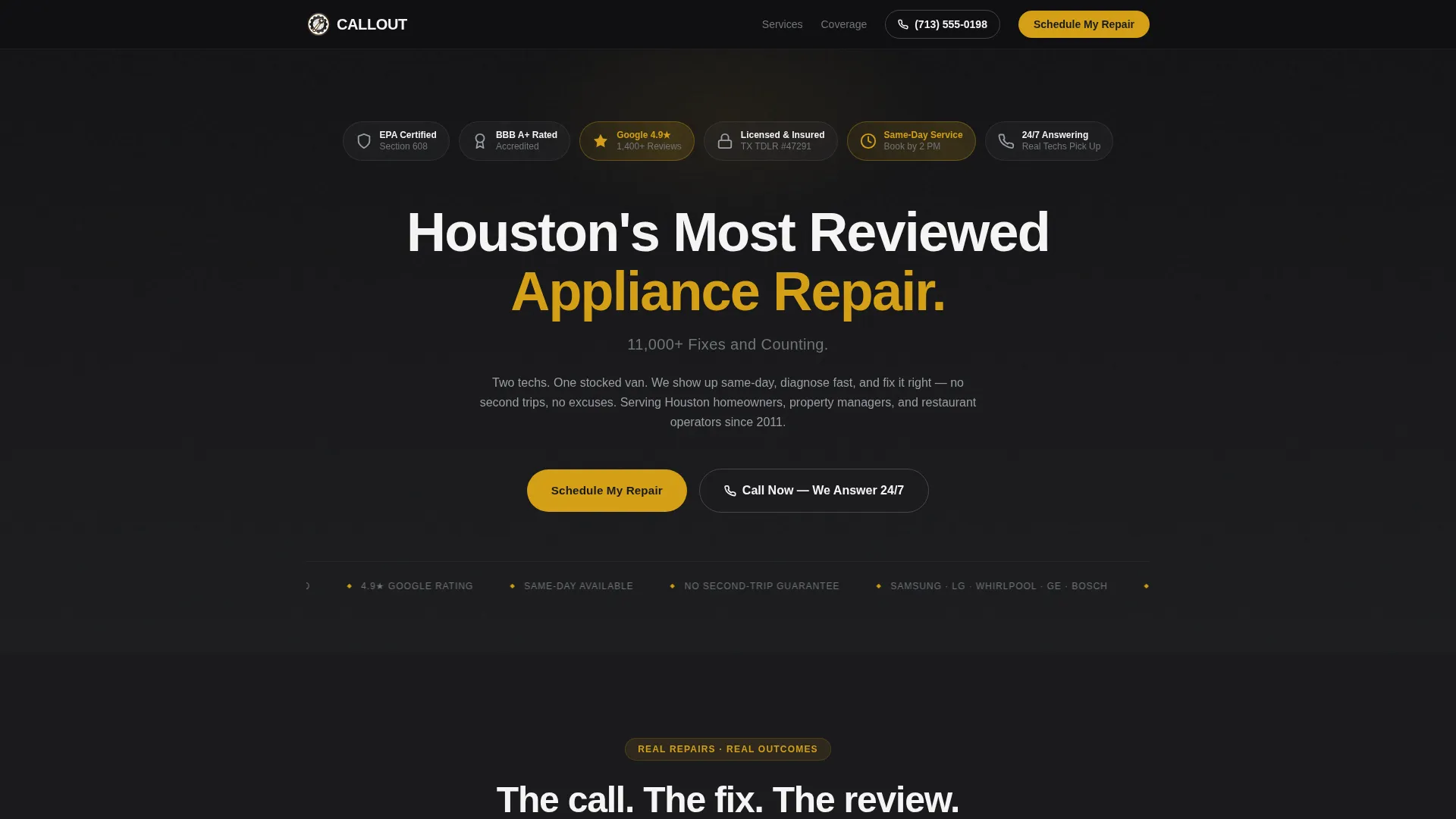
- A forge-black header packed with trust badges, certification marks, and a five-star Google rating display
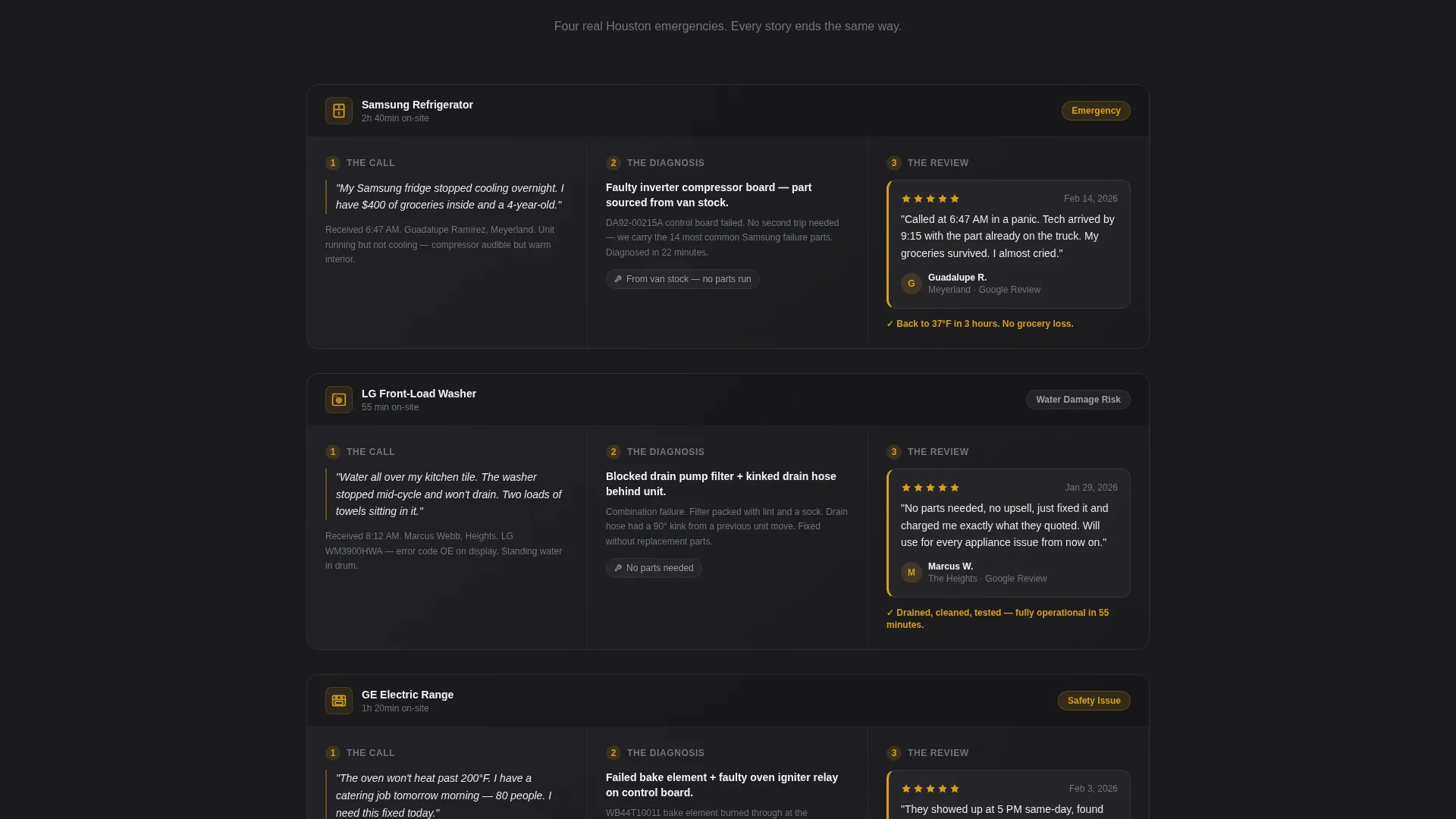
- Four scrollable case study sections, each covering a different appliance and following a three-beat story format
- A diagnostic amber "Schedule My Repair" button that sticks to the bottom of the viewport on mobile
Feature list
This template is built around a small set of high-impact components. Each one is chosen for the specific pressure points in an appliance repair service decision.
Award Badge Header Strip
A tight horizontal row of trust credentials sits above the main headline on a forge-black background. It includes EPA certification, BBB A+ rating, Google 4.9-star display, licensed and insured seals, and a same-day service guarantee badge. No hero image is used; the credentials function as the visual anchor.
Case Study Narrative Sections
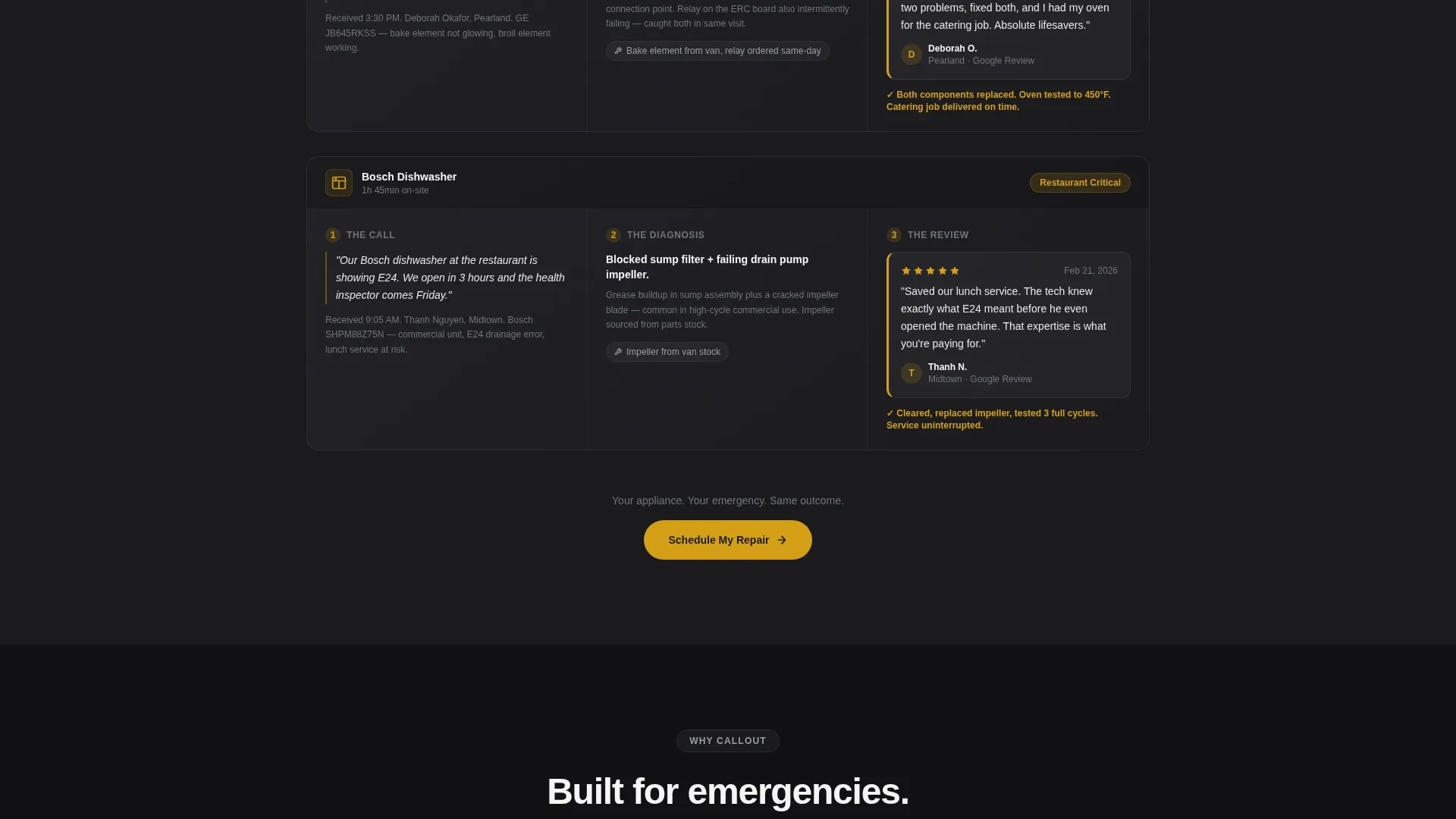
Four scroll sections each tell a complete repair story in three beats: the panicked call, the on-site diagnosis, and the timestamped five-star review resolution. Each section covers a different appliance so every visitor type sees their own situation reflected. Stakes escalate from inconvenience to commercial emergency as the page progresses.
Persistent Mobile Call-to-Action
The primary "Schedule My Repair" button is rendered in diagnostic amber and fixed to the bottom of the viewport on mobile devices. It links directly to a scheduling page with time-slot selection, reducing the steps between intent and booking.
Tap-to-Call Secondary Button
A brushed steel "Call Now" button is present alongside the primary call-to-action for visitors who will not fill out a form. It is designed for after-hours callers and handles the portion of Houston appliance emergencies that happen outside standard business hours.
Monochrome Steel Visual System
The color palette uses forge-black, brushed appliance steel, clean enamel white, and diagnostic amber as the only accent color. The system creates a clinical, trustworthy aesthetic that matches the feel of professional-grade appliance work.
Page sections overview
| Section | Purpose |
|---|---|
| Trust Badge Header | Establishes credentials and five-star rating before the headline |
| Main Headline Block | Delivers the primary value statement with review count |
| Refrigerator Case Study | Shows fridge repair story with diagnosis and review |
| Primary call to action Block | Places "Schedule My Repair" button after first case study |
| Washer Case Study | Reflects washer emergency for relevant visitor segment |
| Oven Case Study | Covers oven repair narrative with escalating stakes |
| Dishwasher Case Study | Closes case study sequence with flooding scenario |
| Tap-to-Call Section | Provides 24/7 phone option for after-hours visitors |
Design & branding system
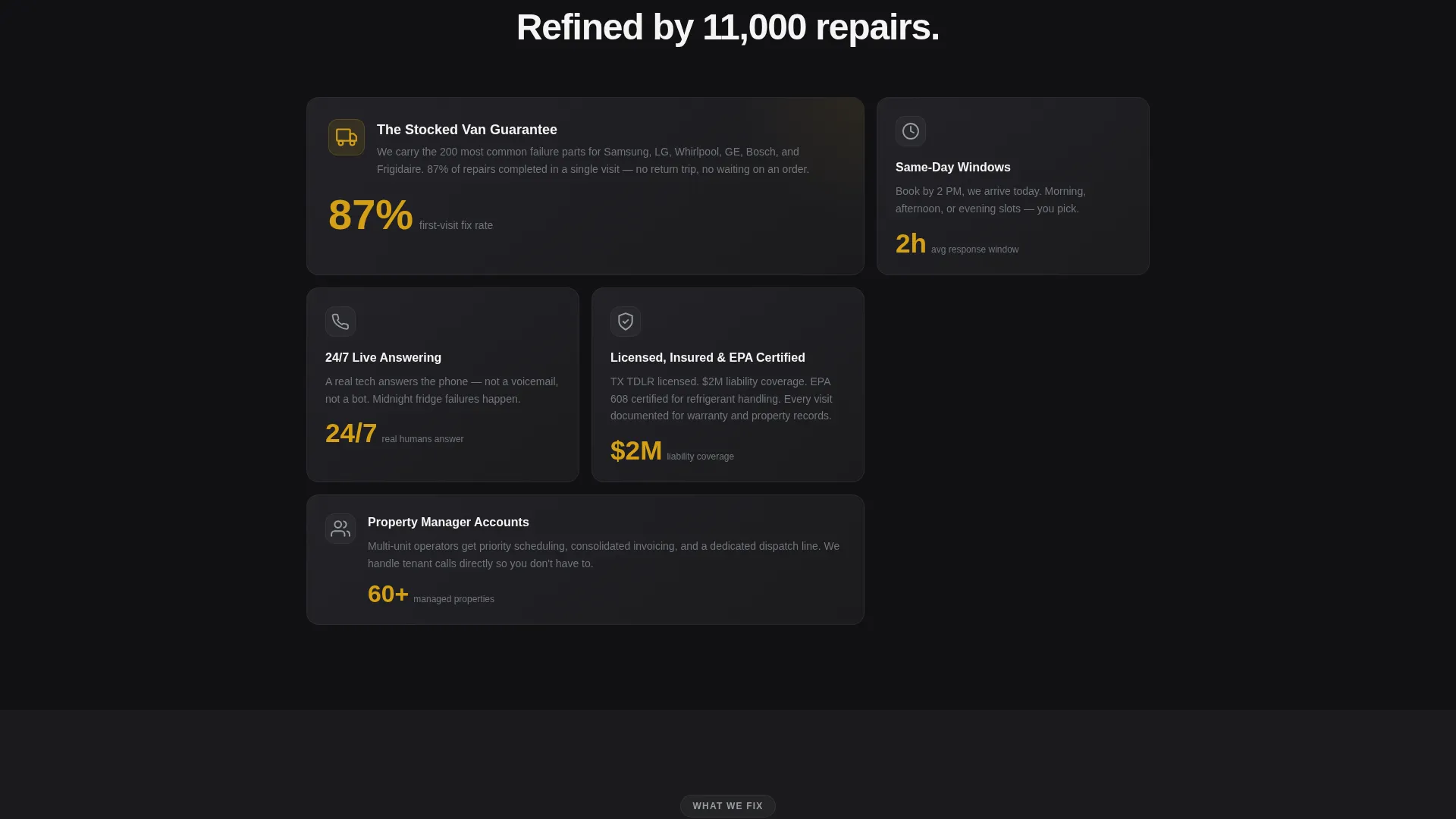
The visual identity follows a Legal Shield theme expressed through a Monochrome Steel palette. The result feels like the interior of a commercial-grade appliance: stainless, ordered, and clinical. Warmth enters only through the amber accent used on badges, stars, and action buttons.
- Forge-black (#1B1B1E) for backgrounds, brushed appliance steel (#71757B) for secondary elements, and clean enamel white (#F4F4F5) for body text
- Diagnostic amber (#D4A017) used exclusively for badges, star ratings, and call-to-action buttons to draw the eye toward action
- Heavy white headline typography against forge-black creates immediate visual hierarchy without relying on imagery
Mobile & speed optimization
The template is built with mobile behavior as a primary concern, not an afterthought. Appliance emergencies happen at inconvenient hours, often from a phone in a kitchen or utility room.
- The "Schedule My Repair" button is fixed to the bottom of the mobile viewport so it is always one tap away
- The tap-to-call button is prominently placed for visitors who need immediate phone access
- The single-column flow eliminates layout complexity, keeping the scroll path clean on small screens
How this template helps you convert
Every design and content decision in this template is aimed at reducing hesitation and shortening the path from landing to booking.
- The credential header answers the first question every nervous visitor has: "Can I trust these people?" It does this before a single word of copy is read.
- The case study format mirrors the visitor's own emergency in specific detail, making the service feel familiar and reliable rather than abstract.
- The dual call-to-action system captures both form-willing and phone-preferring visitors, so no after-hours lead is left without an action path.
Other information about this template
This template is part of a broader set of professional services layouts built for high-trust, time-sensitive local service categories. It is particularly well-suited for businesses where the customer's problem is urgent and the decision window is short.
- The template style is Single Column Flow, which keeps the visitor on a linear path without navigation distractions
- The creative direction is Case Study Narrative, a format that builds credibility through specificity rather than generic claims
- The header concept is Award Badges, which is proven in high-stakes service contexts where credentials reduce purchase anxiety before copy does
Theme
Legal Shield
Creative direction
Case Study Narrative
Color system
Monochrome Steel
Style
Single Column Flow
Direction
Click-Through
Page Sections
Award Badge Credential Header
Four Appliance Case Study Sections
Fixed Mobile Call-to-action Button
Tap-to-call Secondary Action
Monochrome Steel Color System
Related questions
Can I change the badge content in the header?
Does the page include a built-in scheduling form?
Can I edit the case study stories for my own repairs?
Is the tap-to-call button functional out of the box?
Can this template work for a commercial appliance repair business?



