Callout - Elite Appliance Landing Page Template
The Callout - Elite Appliance landing page template is built for Los Angeles appliance repair companies serving luxury properties. It uses a sidebar companion layout with a transparent process structure, walking property managers and hospitality directors through every phase of a service partnership. The design system pairs deep aubergine with muted gold accents for a Class-A professional impression.
by Rocket studio
Quick summary
This single-page sidebar companion template helps a premium Los Angeles appliance repair business win long-term property management contracts. It guides visitors through a five-phase service protocol, anchored by a sticky sidebar that updates as they scroll. The visual identity is Executive Suite in tone and the primary call to action is "Schedule a Portfolio Review."
Who this template is for
This template is built for appliance repair businesses that serve commercial and residential property portfolios in Los Angeles. It speaks directly to decision-makers who manage multiple buildings and need a single, reliable vendor relationship.
- Property management companies overseeing large multi-unit residential buildings
- Hospitality directors at boutique hotels managing commercial kitchen appliances
- HOA boards and facilities managers in gated or luxury residential communities
What problem this template solves
Most appliance repair websites are built for one-off consumer jobs. They do not communicate the operational depth, response time guarantees, or vendor reliability that property managers actually require before signing a contract.
- No clear process overview for how a service partnership actually works end-to-end
- No structured way to capture B2B leads who need internal approval before committing to a call
- No page layout that mirrors the professional, protocol-driven language property managers trust
What you get with this template
You get a fully structured sidebar companion landing page designed for B2B appliance repair partnerships in Los Angeles. Every section is built around a specific phase of the service relationship, from onboarding through contract renewal.
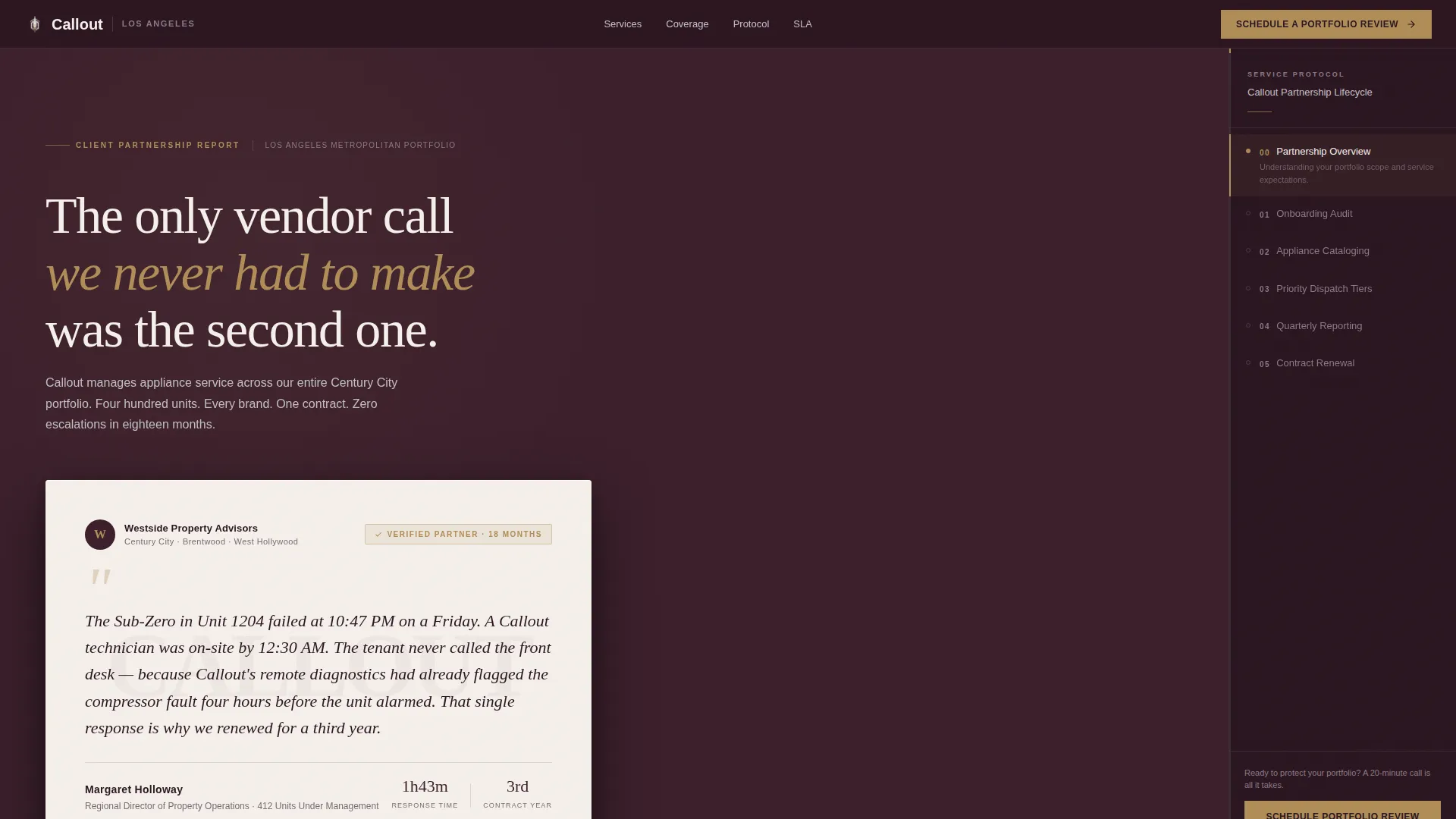
- A sticky sidebar that acts as a live service protocol navigator, updating as the visitor scrolls
- A testimonial header card styled as a formal recommendation letter with a verified badge
- Two conversion paths: a primary scheduling form and a secondary gated PDF download
Feature list
This template includes purpose-built components designed around how property managers evaluate and select service vendors.
Sticky Sidebar Service Navigator
The sidebar stays visible as the visitor scrolls and updates its displayed content to reflect the current phase of the partnership lifecycle. It covers onboarding audit, unit-by-unit appliance cataloging, priority dispatch tiers, quarterly reporting, and contract renewal in sequence.
Testimonial Header Card
The header section features a single oversized testimonial card floated against the aubergine background. It is typeset like a formal letter, with a serif headline, a faintly watermarked property company logo, and a verified badge in muted gold. No stock photography is used.
Transparent Process Sections
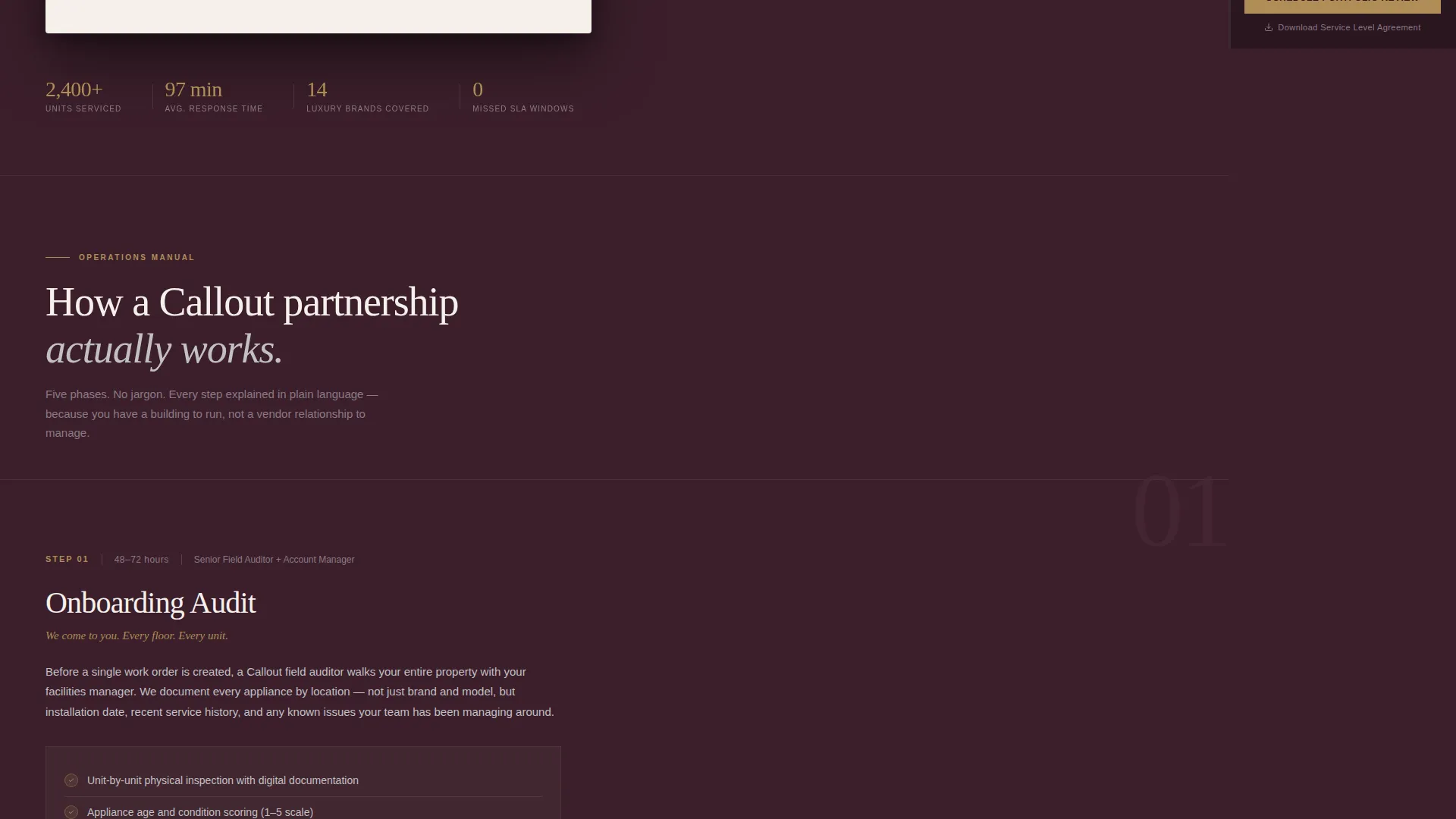
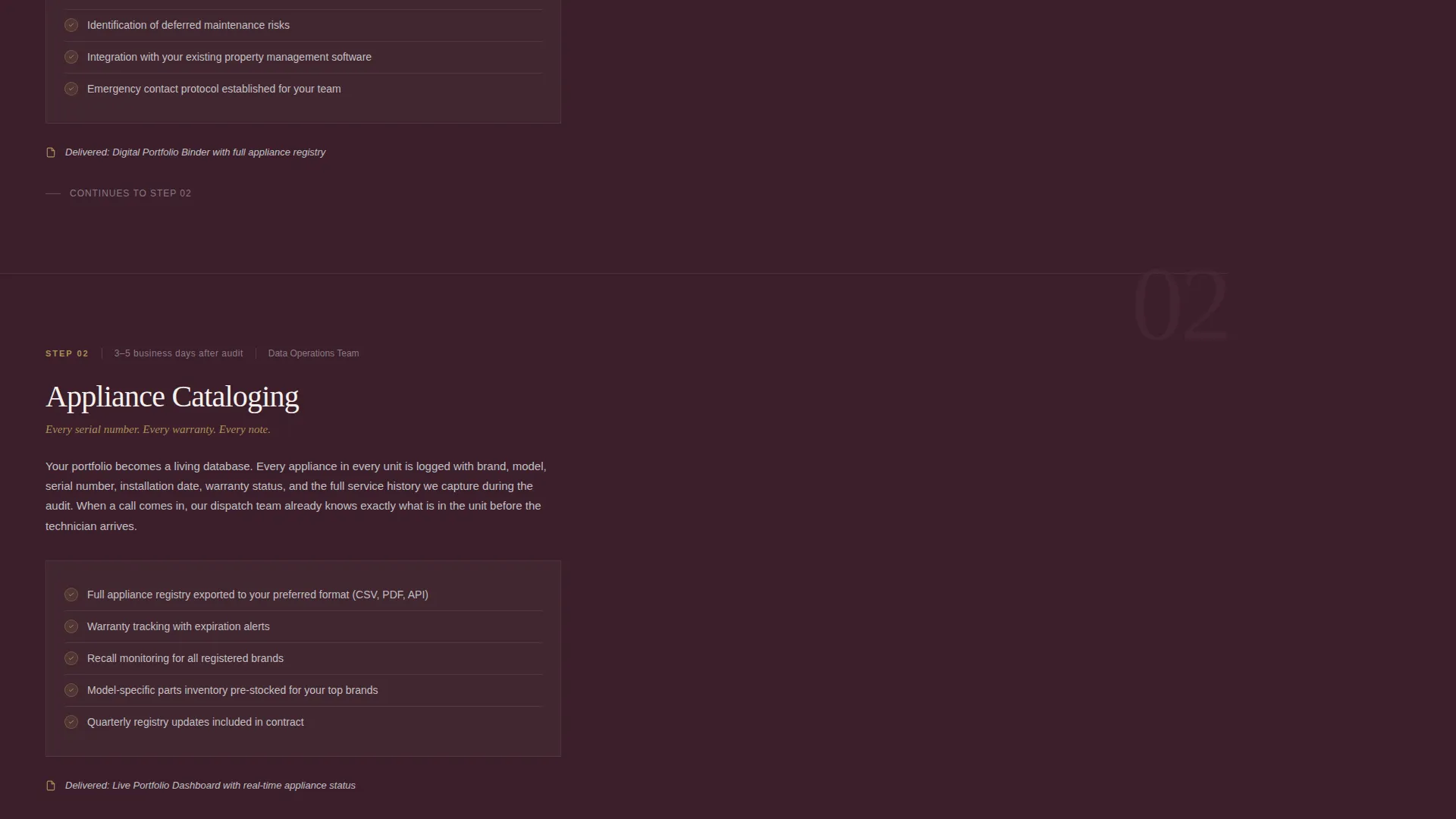
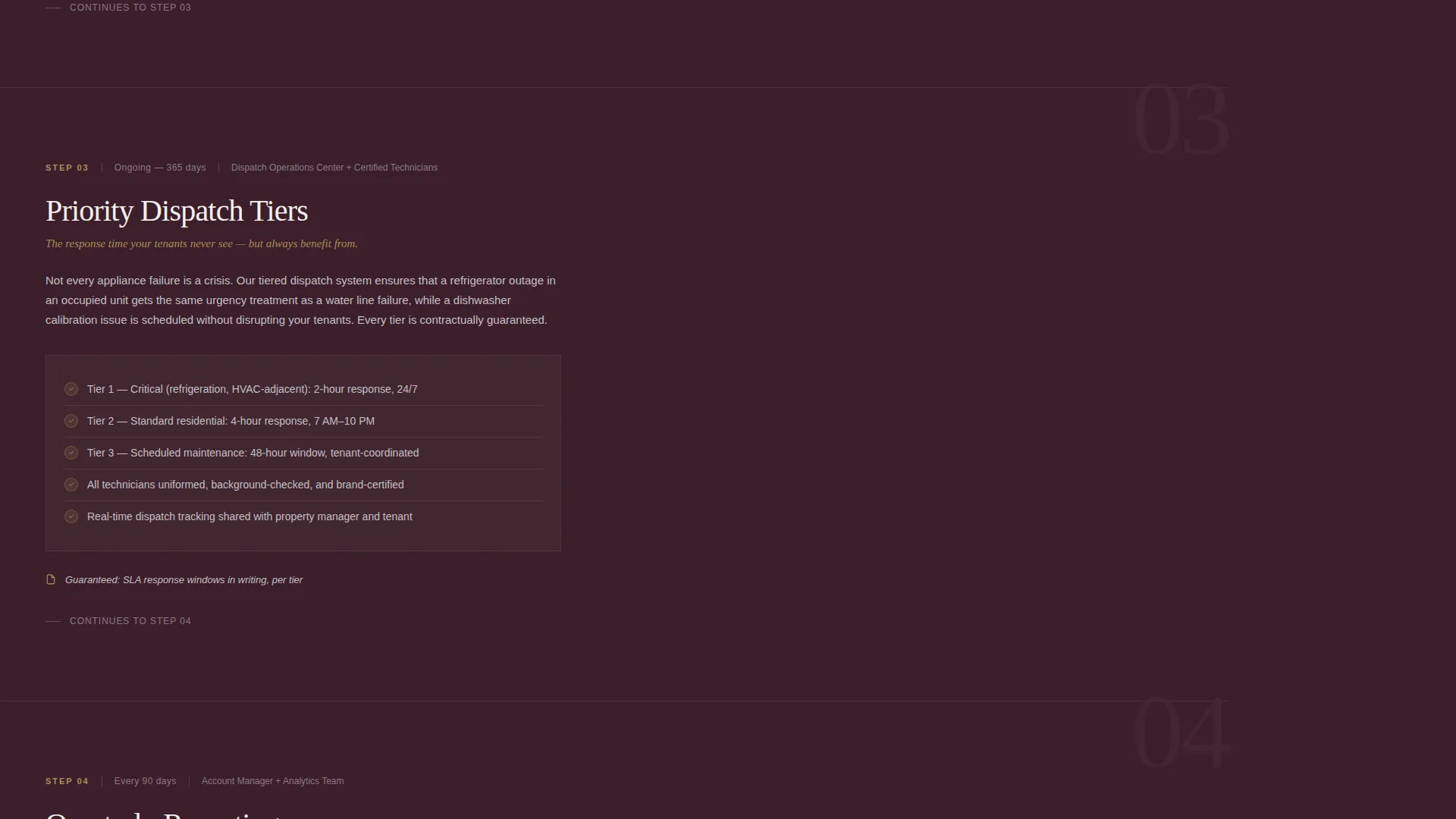
Each main content section opens with a step number and a plain-language explanation covering what happens, who performs the task, and how long it takes. The structure is modeled on an operations manual, answering the questions a facilities director would ask at each stage.
Dual Conversion Path Design
The primary call to action, "Schedule a Portfolio Review," appears in the sidebar footer and at the close of each process section. A secondary path offers a downloadable service level agreement as a gated PDF, requiring only a business email address.
B2B Lead Capture Form
The portfolio review form collects four specific fields: property company name, total units managed, number of Los Angeles properties, and preferred contact window. This captures the context needed for a meaningful first conversation.
Executive Suite Color System
The Plum Executive palette uses deep aubergine as the primary background, brushed platinum for sidebar panels, warm ivory for content wells, and muted gold reserved exclusively for calls to action, status indicators, and trust badges.
Page sections overview
| Section | Purpose |
|---|---|
| Testimonial Header Card | Opens with a named, verified quote from a regional property director to establish immediate credibility |
| Onboarding Audit Step | Explains the initial portfolio assessment process, timeline, and who is responsible |
| Appliance Cataloging Step | Details how each unit's appliances are inventoried and logged for future dispatch |
| Priority Dispatch Tiers | Describes response time tiers and how urgency levels are assigned per property type |
| Quarterly Reporting Step | Shows what performance data is reviewed and how it is shared with the client |
| Contract Renewal Section | Outlines the renewal process and positions it as a natural next step in the partnership |
| Sticky Sidebar Panel | Persists throughout scrolling as a live protocol navigator with call to action in the footer |
| Portfolio Review Form | Captures B2B lead details including property count, unit volume, and contact preferences |
| SLA Download Gate | Offers the service level agreement PDF in exchange for a business email address |
Design & branding system
The Plum Executive color system creates a formal, high-trust visual environment that feels consistent with the lobbies and management offices of the properties being served.
- Deep aubergine (#3B1F2B) as the primary background, brushed platinum (#C2C0C4) for sidebar surfaces, and warm ivory (#F5F0EB) for content wells
- Muted gold (#B08D57) used exclusively for calls to action, trust badges, and status indicators to maintain visual hierarchy
- Serif typography for the testimonial header card reinforces the formal letter aesthetic throughout the design
Mobile & speed optimization
The sidebar companion layout is designed to remain functional and readable across screen sizes. On smaller screens, the sticky sidebar adapts so the process navigation does not obscure the main content.
- The sidebar panel collapses or repositions on mobile to preserve content well readability
- Section-by-section scroll behavior keeps the page structured and easy to navigate on any device
How this template helps you convert
The page is structured to move a property manager from first impression to qualified lead through two deliberate paths.
- The transparent process layout removes uncertainty about what a service partnership looks like, reducing friction before a facilities director commits to a conversation.
- The dual conversion path design captures leads at different stages of readiness, whether they are ready to book a portfolio review or still gathering materials for internal approval.
Other information about this template
This template is part of the Executive Suite theme collection and pairs with the Plum Executive color system built for professional services niches. It is categorized under Los Angeles Local Services and is specifically matched to the Los Angeles appliance repair market.
- The Sidebar Companion template style is well-suited to service businesses that need to communicate multi-step processes without overwhelming a single scrolling page
- The Partnership and B2B landing page direction makes this template a strong fit for vendors targeting property management firms, hospitality groups, and HOA boards
- The Transparent Process creative direction is the structural foundation of the page, ensuring each section answers the practical questions decision-makers ask before entering a vendor contract
Theme
Executive Suite
Creative direction
Transparent Process
Color system
Plum Executive
Style
Sidebar Companion
Direction
Partnership/B2B
Page Sections
Sticky Sidebar Service Navigator
Testimonial Header Card
Transparent Process Section Layout
Dual Conversion Path Design
B2B Lead Capture Form
Plum Executive Color System
Related questions
Who is this landing page template designed for?
What are the two conversion paths included in this template?
What does the sticky sidebar actually do?
Can I customize the testimonial header card with my own client quote?
What fields does the portfolio review form collect?



