Trusted Appliancerepair | Free Website Template | Rocket
A premium landing page template built for Dubai-based appliance repair services. It opens with an authority-first badge header, flows through a zigzag editorial layout, and closes with a booking modal and WhatsApp fallback path. The design feels like a luxury magazine spread, airy, confident, and built to earn the click before asking for it.
by Rocket studio
Quick summary
This is a single-page booking template for same-day appliance repair services in Dubai. It pairs an editorial magazine aesthetic with a conversion-focused structure. The layout alternates service photography with credibility signals, builds trust through certification badges and verified reviews, and leads every visitor toward a clean booking modal or a WhatsApp contact path.
Who this template is for
This template is designed for appliance repair businesses that serve a discerning, time-pressed Dubai clientele. It works especially well for operators who already hold brand authorizations or certifications and want their online presence to reflect that standing.
- Same-day appliance repair companies operating across Dubai residential and commercial areas
- Independent technicians or small teams serving expat families, landlords, and hospitality clients
- Repair businesses with verified credentials who need a page that communicates authority instantly
What problem this template solves
Most appliance repair pages look generic, stock photos, cluttered layouts, and no clear reason to trust the provider. In a market like Dubai, where clients expect premium service and act fast when an appliance fails, that gap costs bookings.
- Visitors arrive during a stressful moment and need immediate trust signals before they will commit
- Generic pages bury certifications and reviews instead of leading with them
- Mobile users want a fast path to booking or messaging, not a wall of text to scroll through
What you get with this template
You get a fully structured landing page ready to carry your brand identity and booking flow. Every section has a defined role, from the authority header to the modal form at the end.
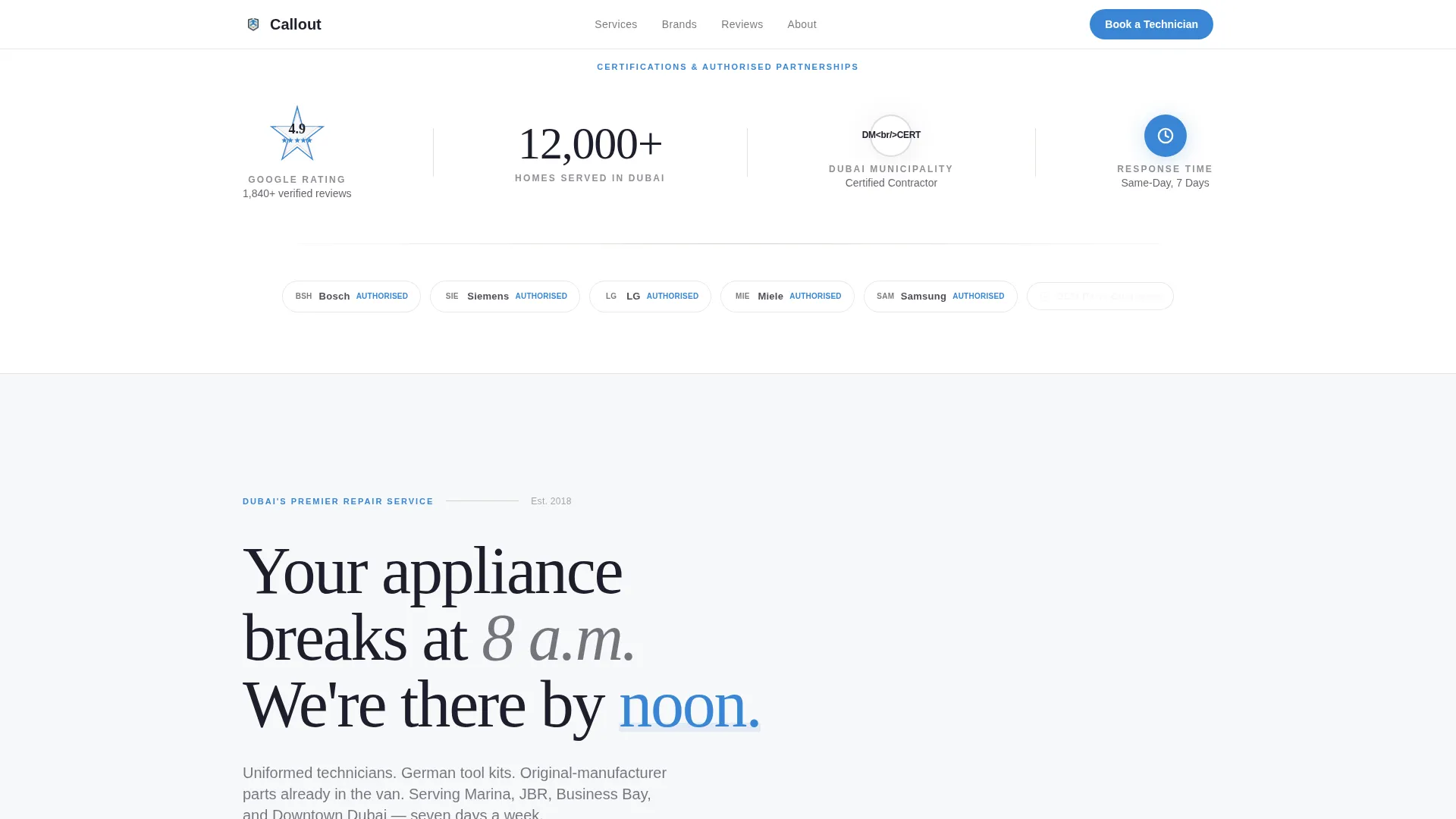
- An Award Badges header band displaying certification seals, partner logos, a star-rating rosette, and a homes-served counter
- A zigzag editorial body with alternating photography and brand logo clusters, plus pull-quote review callouts between sections
- A modal booking form with appliance type, brand, date, time slot, and Dubai area selector, plus a WhatsApp secondary path
Feature list
This template is built around six deliberate design and conversion decisions. Each one serves the same goal: make the visitor feel confident enough to book.
Award Badges Authority Header
The header is a full-width horizontal band on soft cloud white. It displays Dubai Municipality certification seals, brand-authorized partner logos, an aggregate star-rating rosette, and a homes-served masthead counter. No hero image competes for attention. Authority lands in the first scroll-free view.
Zigzag Editorial Layout
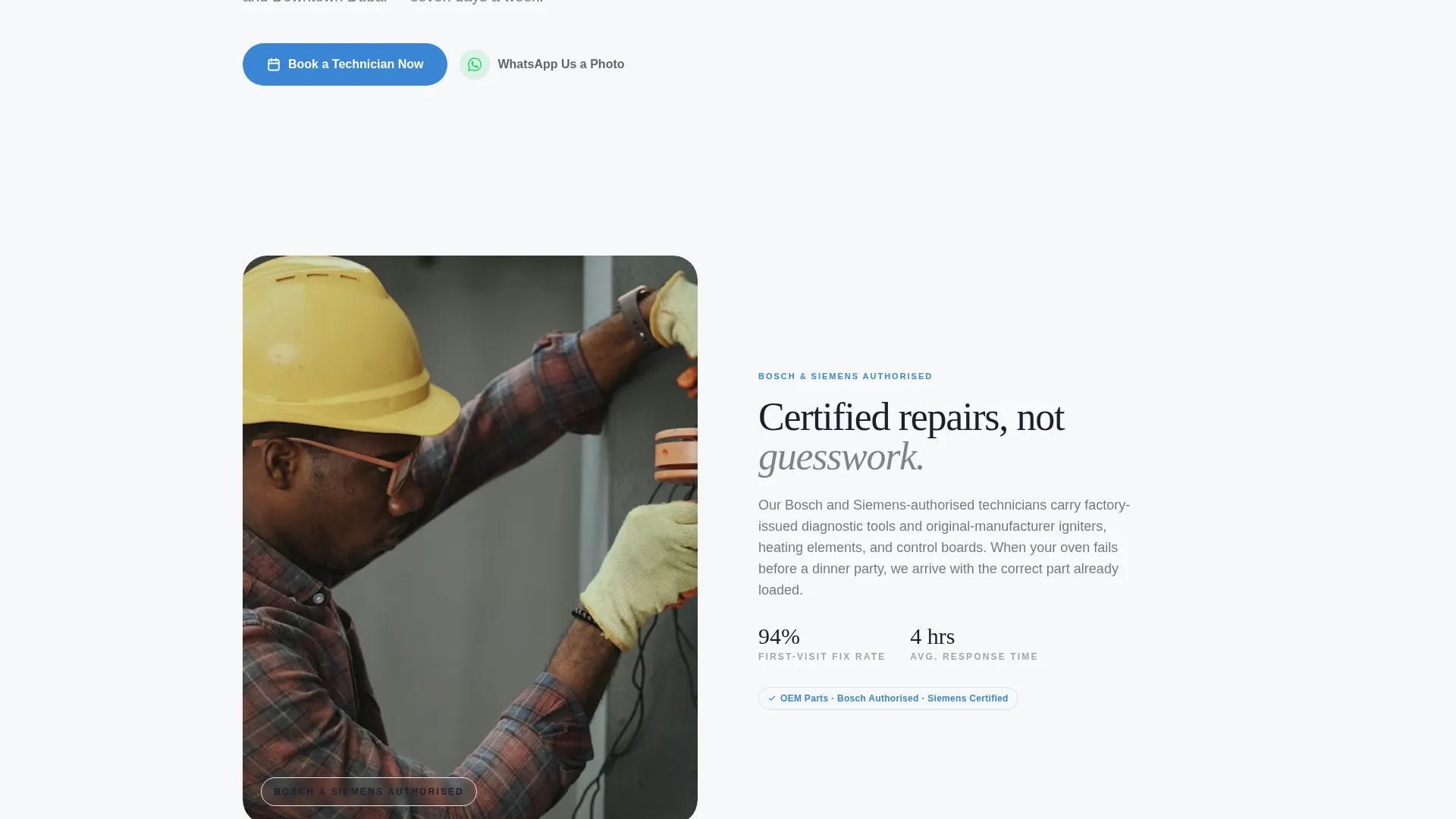
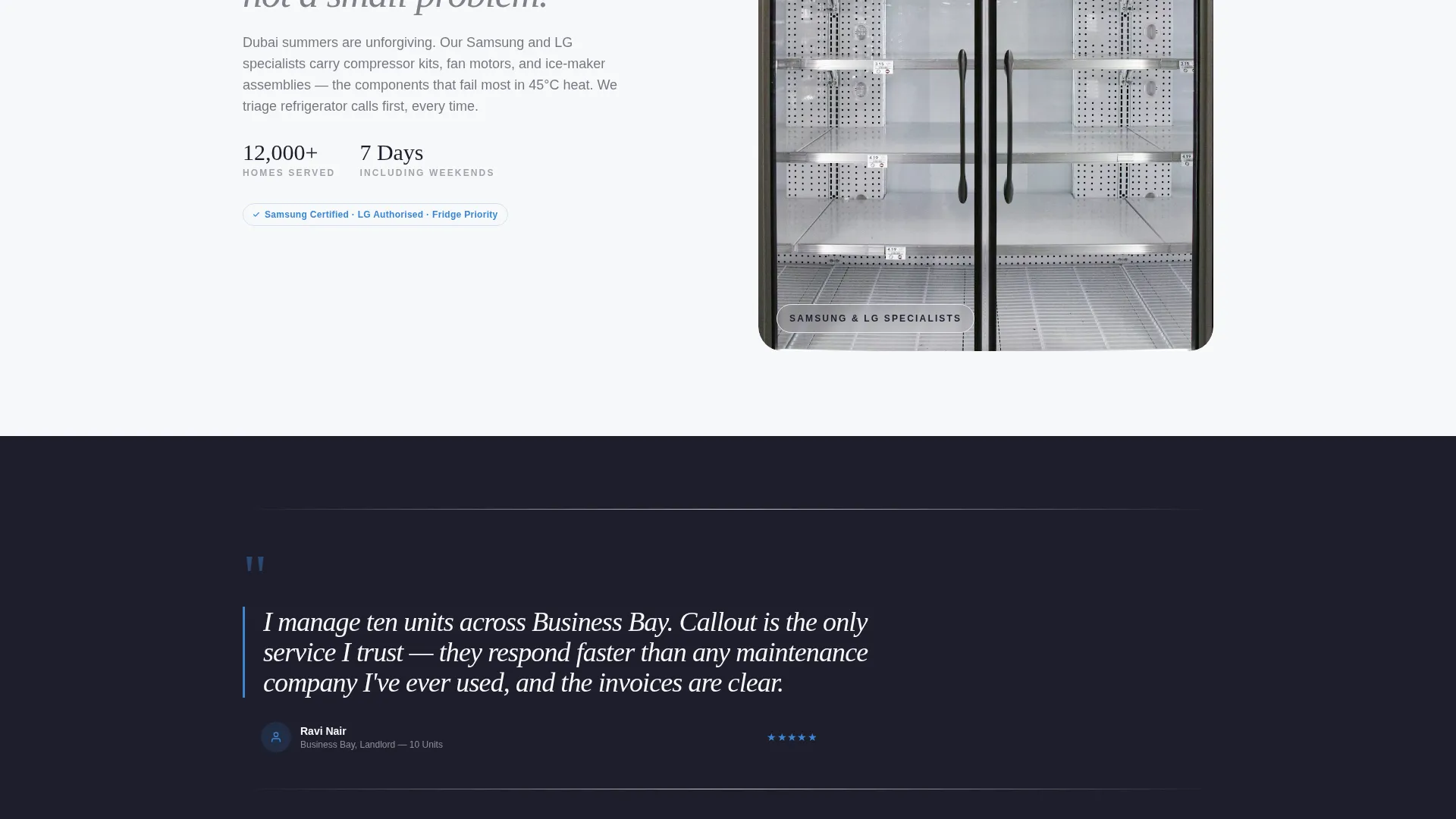
Sections alternate left and right across the page. Each pairing places a brand logo cluster on one side and editorial-style service photography on the other. The rhythm mirrors a magazine spread and keeps the visitor reading without fatigue.
Pull-Quote Review Callouts
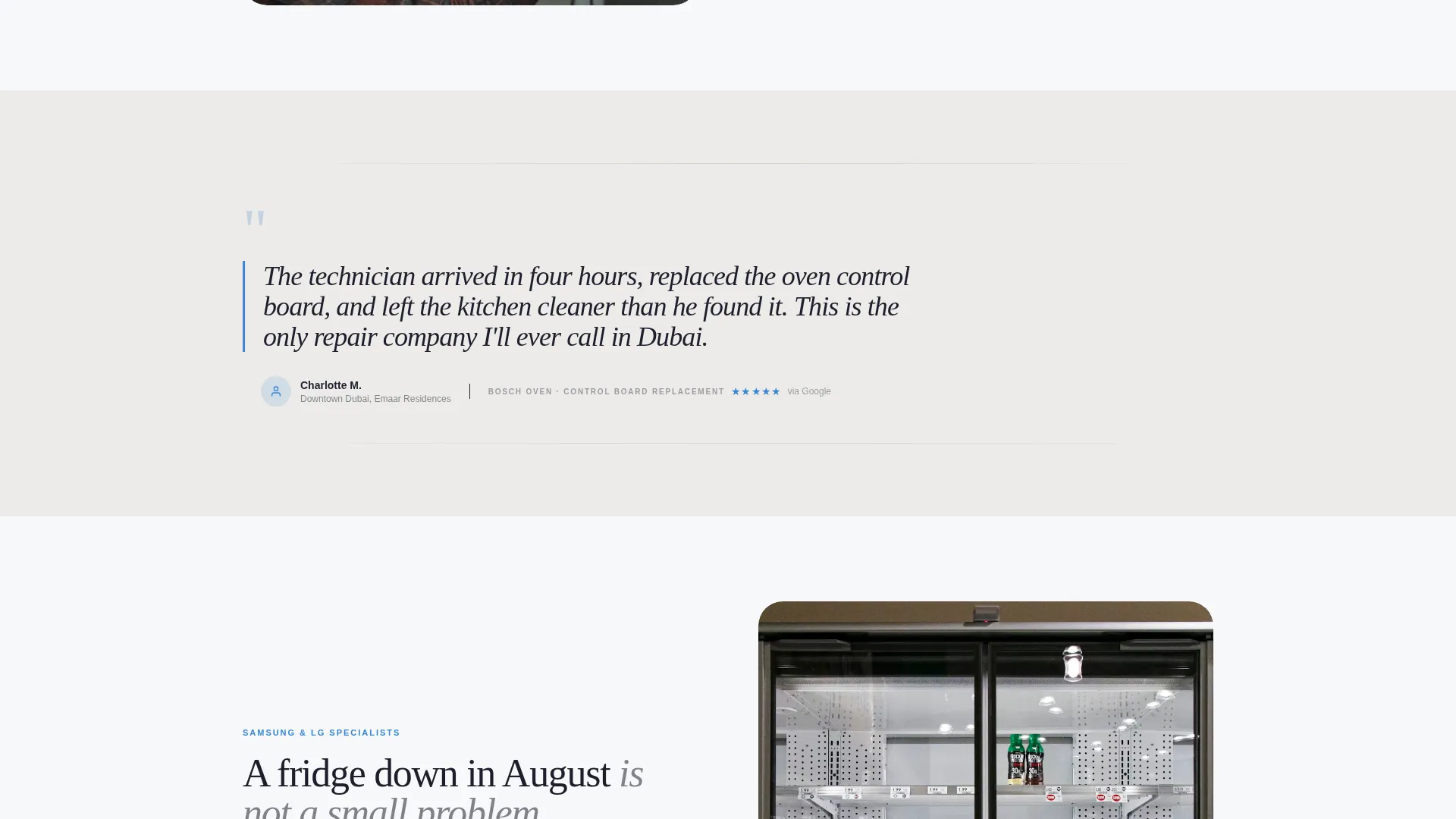
Verified Google review excerpts appear between zigzag sections as oversized italic serif callouts. They are styled with a service-blue border and generous white space, reading like feature quotes in a print editorial rather than a standard testimonial row.
Modal Booking Form
The primary call to action opens a clean modal overlay. The form includes a dropdown with appliance type icons, a brand name field, a preferred date picker, a morning or afternoon time-slot selector, and a Dubai area chooser. It is focused, fast, and free of unnecessary fields.
WhatsApp Secondary Path
Below the modal form sits a secondary contact option labeled "WhatsApp Us a Photo." This path gives fault-photo senders a direct route without forcing them through the booking form. It reduces friction for visitors who are not yet ready to commit to a time slot.
Floating Mobile Booking Bar
On mobile, the primary call-to-action button is pinned as a floating bottom bar. It stays visible as the visitor scrolls, ensuring the booking entry point is never more than one tap away regardless of where they are on the page.
Page sections overview
| Section | Purpose |
|---|---|
| Award Badges Header | Opens with certifications, partner logos, star rating, and homes-served stat |
| Brand Logo Cluster | Displays authorized brand partnerships alongside service photography |
| Editorial Service Photography | Shows technicians at work in real Dubai residential settings |
| Pull-Quote Callouts | Surfaces verified review excerpts as styled serif editorial quotes |
| Booking Modal Form | Collects appliance type, brand, date, slot, and area from the visitor |
| WhatsApp Contact Path | Offers a photo-based fault-report alternative beneath the booking form |
| Floating Mobile Bar | Keeps the primary booking button pinned at the bottom on mobile screens |
Design & branding system
The template uses a Cloud Canvas color system that feels like a matte-finish architecture coffee table book. Heavy ink sits on airy pages, and negative space does as much work as any graphic element.
- Core palette: soft cumulus white (#F7F8FA), desert-haze warm gray (#D5CEC5), and deep editorial charcoal (#1E1E2C)
- Accent color service-blue (#3A86D4) is used exclusively for buttons, badges, pull-quote borders, and key interactive elements
- Typography follows an editorial magazine theme with generous kerning, oversized italic serif pull quotes, and masthead-style stat treatments
Mobile & speed optimization
The mobile experience is designed around the reality that most emergency repair searches happen on a phone. The layout adapts without losing its editorial character.
- The floating bottom bar keeps the "Book a Technician Now" call to action persistently visible during scroll
- The booking modal is built as a clean overlay, keeping the visitor on the same page rather than navigating away
- Section stacking on smaller screens preserves the zigzag credibility flow in a readable single-column format
How this template helps you convert
The page is structured so that trust accumulates before any ask is made. By the time a visitor sees the booking form, they have already processed multiple layers of credibility.
- The badge header front-loads authority in the first viewport, so the visitor knows who they are dealing with before reading a single line of body copy
- The zigzag editorial sections and pull-quote review callouts build a cumulative proof narrative that mirrors reading a feature article, making the booking decision feel like a natural conclusion
- The dual conversion path, modal form plus WhatsApp option, captures both decisive bookers and visitors who need one more moment of reassurance before committing
Other information about this template
This template is part of the Editorial Magazine theme family within the Cloud Canvas color system. It is built specifically for the Dubai appliance repair niche and the wider Dubai local services category under professional services.
- The template style is Zigzag/Alternating, suited to any service business that needs to pair visual proof with brand credentials in a high-trust vertical
- The landing page direction is Booking and Scheduling, meaning every structural decision serves the goal of getting a confirmed appointment or a direct message
- The creative direction is Logo Wall Authority, where brand partnership logos and certification seals drive scroll and establish context before narrative copy takes over
- This template is well suited to appliance repair operators who service premium Dubai neighborhoods including Marina, JBR, Downtown, and Business Bay
Theme
Editorial Magazine
Creative direction
Logo Wall Authority
Color system
Cloud Canvas
Style
Zigzag/Alternating
Direction
Booking/Scheduling
Page Sections
Award Badges Authority Header
Zigzag Editorial Layout
Pull-quote Review Callouts
Modal Booking Form
Whatsapp Secondary Contact Path
Floating Mobile Booking Bar
Related questions
Can I adapt this template for a different service type?
Does the booking form support different appliance categories?
How does the WhatsApp path work within the template?
Is the floating booking bar only visible on mobile?
Can the star-rating rosette and homes-served counter be updated?



