Summer Camp Estimate Landing Page Template
Campfire is a single-column landing page template built for summer camps that need to earn family trust before asking for a booking. It pairs editorial magazine design with a transparent, FAQ-driven pricing flow. Award badge accreditation visuals, a sticky estimate call to action, and a visual session calendar make this template ideal for camps ready to answer every money question upfront.
by Rocket studio
Quick summary
Campfire is a single-column summer camp landing page template designed around radical pricing transparency. It opens with hand-illustrated merit badge accreditation visuals, moves through bold editorial pull-quote FAQs covering real parent money questions, and closes with a low-friction estimate request form. The design feels like a well-loved camp brochure, warm, unhurried, and honest.
Who this template is for
This template is built for independent summer camps and lakeside program operators who need to convert cautious families into confident bookings. It works especially well when the camp's biggest sales tool is transparency rather than flash.
- Camp directors and admissions staff who want to reduce back-and-forth pricing inquiries
- Marketing teams at established camps with strong accreditation stories to tell
- Smaller camp operators who rely on trust-first communication to compete with larger brands
What problem this template solves
Most camp landing pages bury pricing behind a contact form, forcing families to make a leap of faith before getting basic answers. That hesitation costs bookings. This template flips the approach by putting honest numbers, policy details, and session specifics front and center.
- Parents scrolling during a lunch break need answers fast, not another inquiry form
- Grandparents and non-custodial parents need extra reassurance before committing to a gift experience
- Camps lose families not because of price, but because unanswered questions create doubt
What you get with this template
You get a fully structured, single-column landing page flow built around five core content zones. Every zone is designed to move a hesitant visitor one step closer to requesting an estimate.
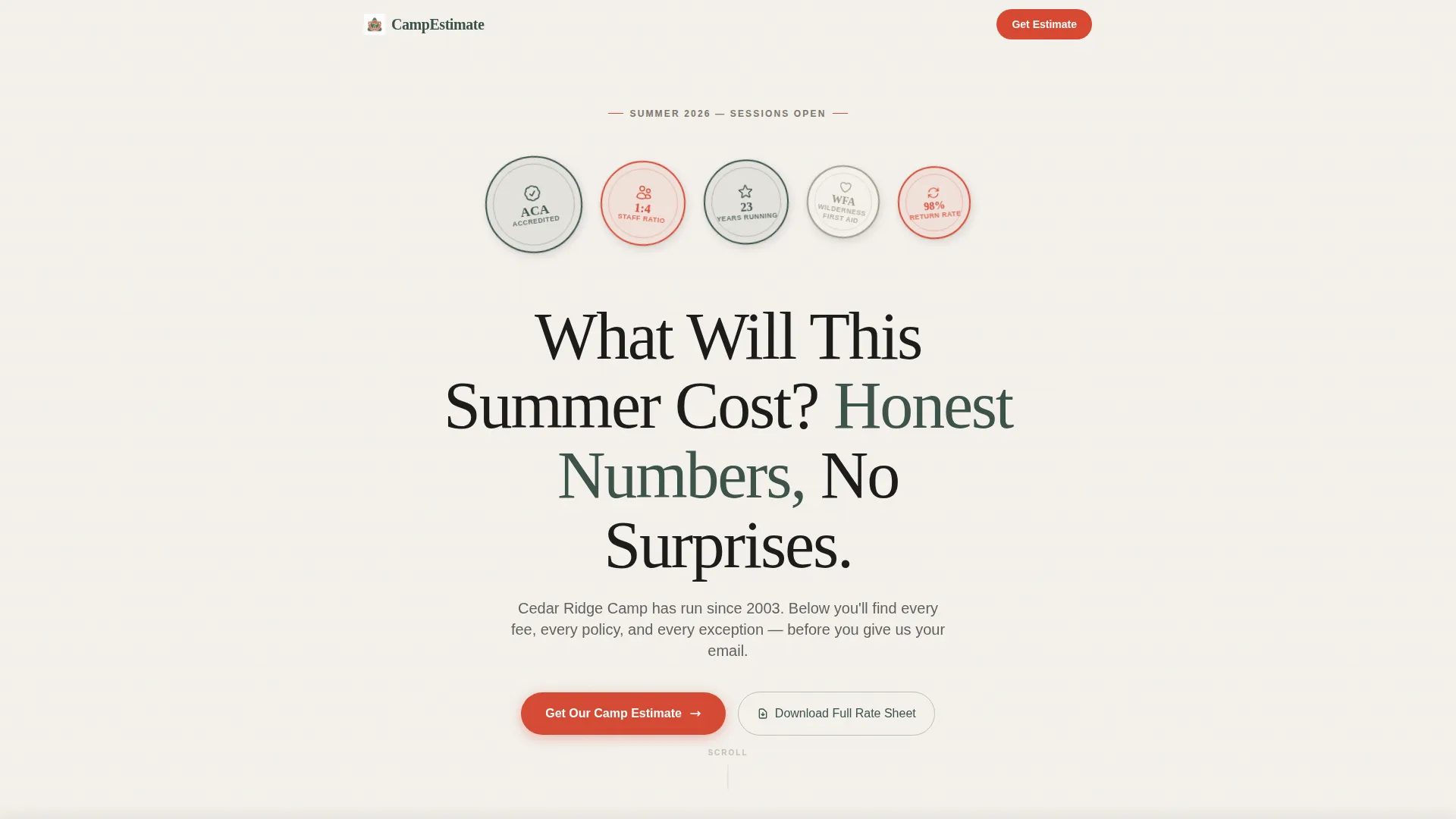
- An award badge header cluster with accreditation seals, staff-to-camper ratios, and years-running details
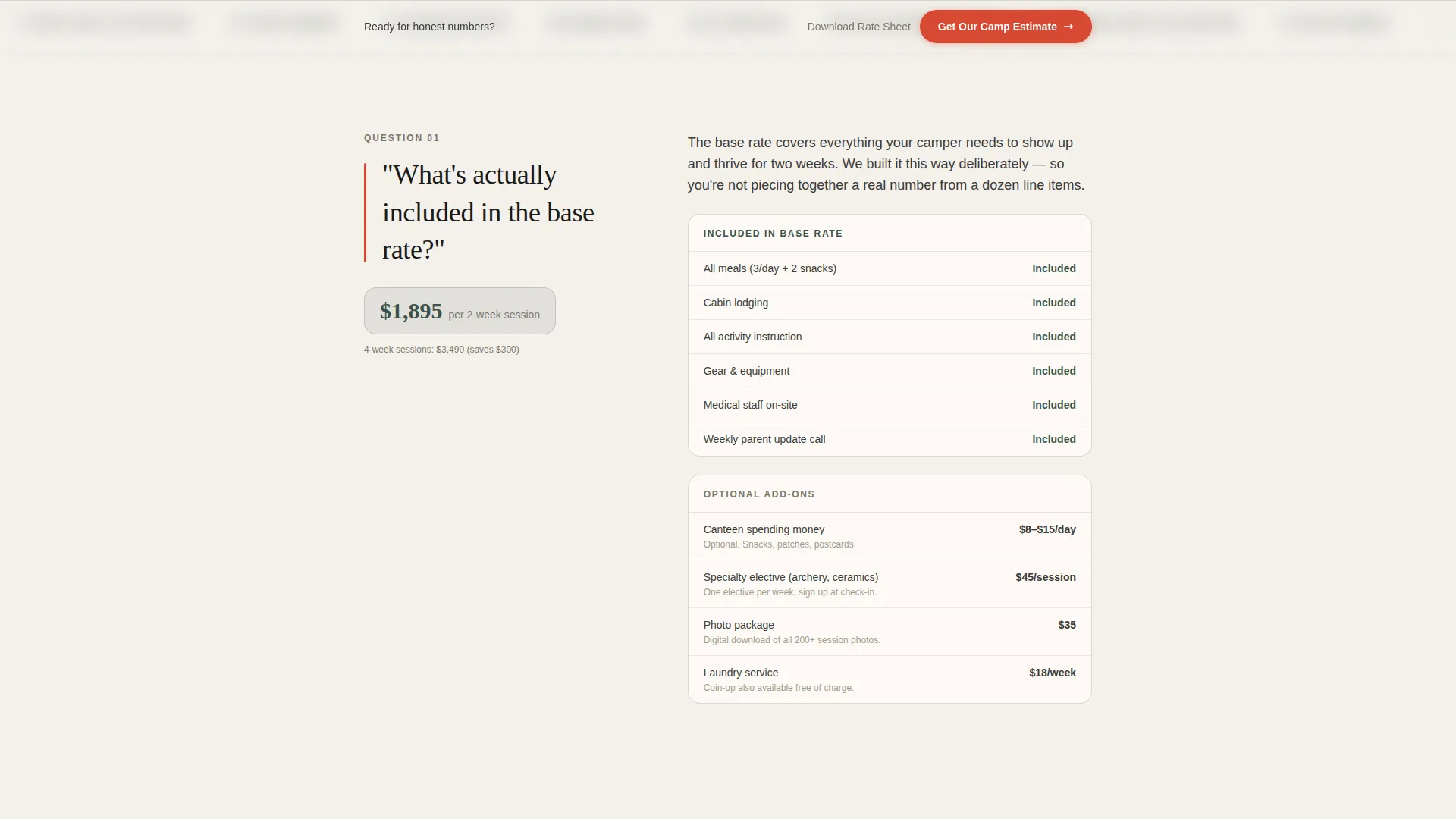
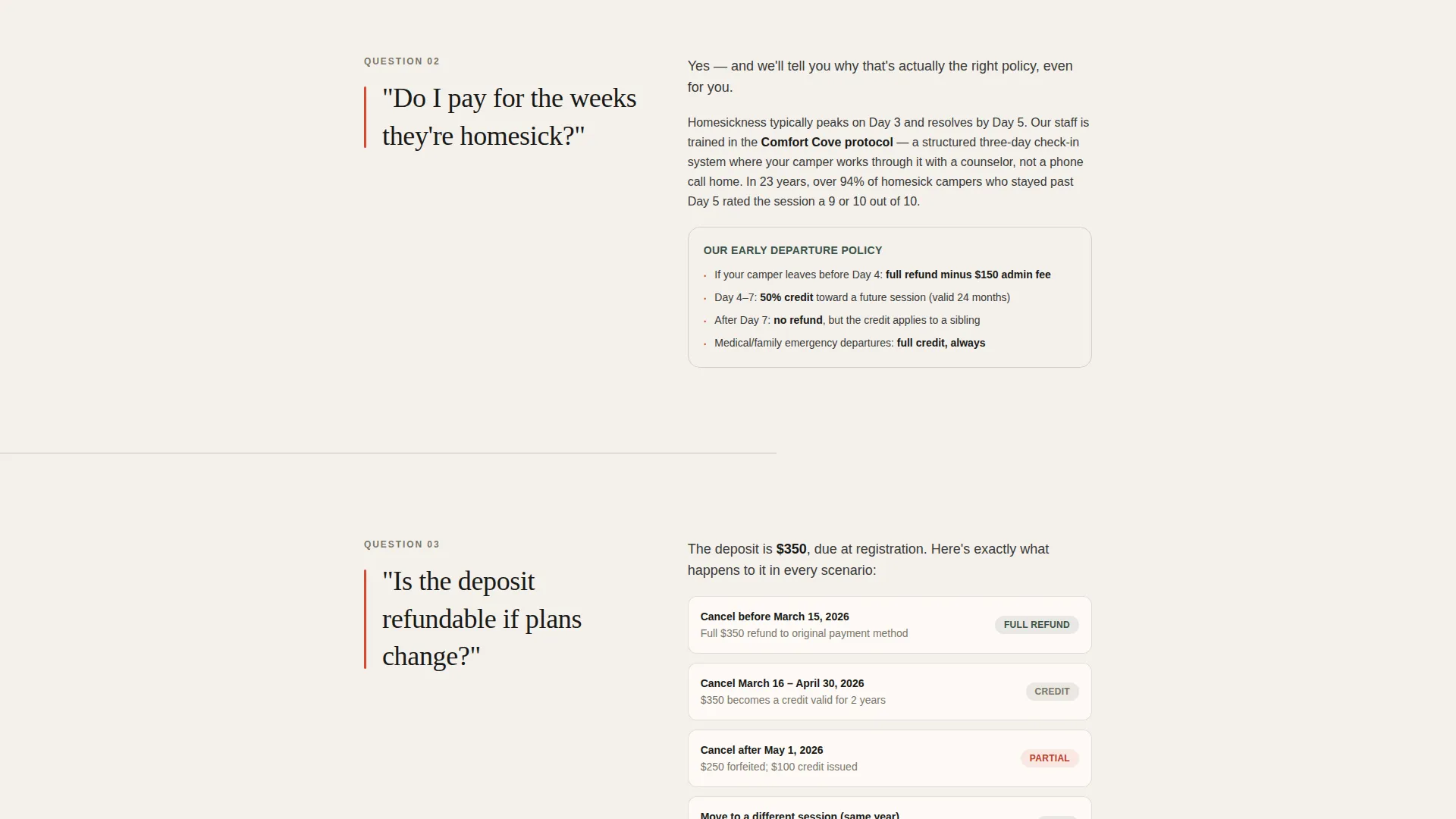
- A scrollable FAQ editorial section with pull-quote parent questions, detailed policy answers, and specific dollar figures
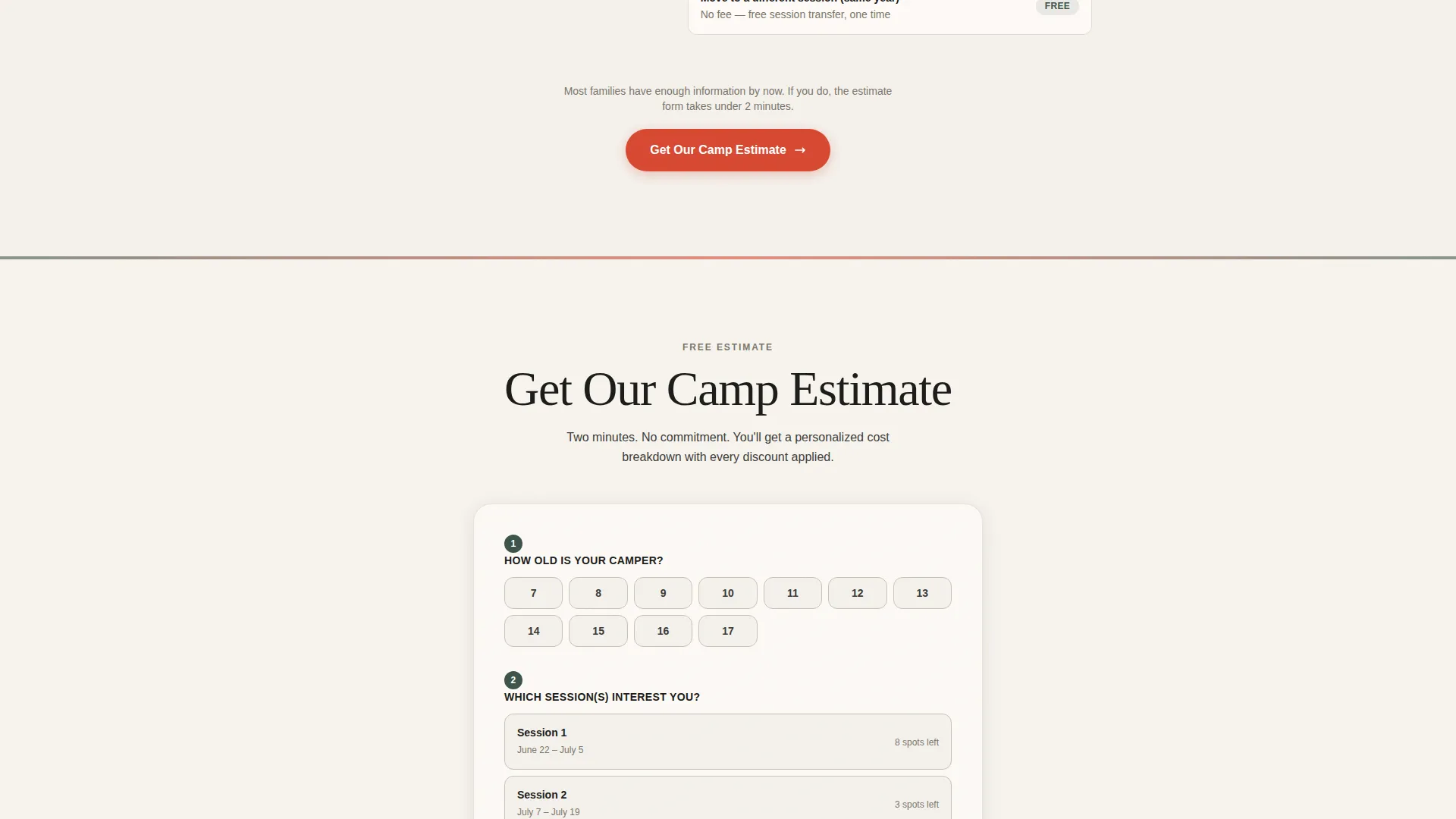
- A primary estimate request form with camper age input, visual session calendar picker, sibling count field, and parent email capture, plus a secondary PDF rate sheet download path
Feature list
This template includes purposefully chosen components that support a transparent, conversion-focused summer camp landing page.
Award Badge Accreditation Header
A cluster of hand-illustrated merit-style badges and accreditation seals opens the page. They display program credentials such as accreditation status, staff-to-camper ratios, and years in operation. Each badge is rendered slightly tilted, as if sewn onto a Scout sash, so the trust signals land before the visitor reads a single word.
FAQ-Driven Editorial Scroll
Each scroll section presents a real parent question as a bold pull-quote rendered in large editorial type. The question is followed by a calm, detailed answer with specific dollar figures, date ranges, and policy information. The sequence moves from general pricing through sibling discounts, payment plans, and session waitlist policies.
Visual Session Calendar Picker
The estimate form includes a visual calendar interface for selecting preferred session weeks. This removes ambiguity from the scheduling step and helps families plan around school calendars, family vacations, and sibling logistics without needing to call the camp office.
Sticky Estimate call to action Bar
A sticky bottom bar keeps the primary call to action visible throughout the entire scroll. The bar displays the "Get Our Camp Estimate" prompt persistently so the visitor never has to scroll back up to convert when they are ready.
Secondary PDF Rate Sheet Path
A second conversion path offers families the option to download the full rate sheet as a PDF. This serves visitors who want to review pricing offline, share it with a co-parent, or present it to a grandparent before committing to the estimate form.
Lanyard Red Button System
All primary interactive elements use a consistent lanyard red accent color reserved exclusively for buttons and pull-quote highlights. This creates clear visual hierarchy so the visitor always knows where the next action is without visual clutter.
Page sections overview
| Section | Purpose |
|---|---|
| Award Badge Header | Open with instant accreditation trust signals |
| Editorial Headline | Set transparent pricing tone immediately |
| FAQ Pull-Quote 1 | Answer general base-rate pricing questions |
| Estimate call to action Block | First placement of the primary conversion form |
| FAQ Pull-Quote 2 | Address sibling discounts and multi-week rates |
| FAQ Pull-Quote 3 | Cover deposit refund and cancellation policies |
| Estimate call to action Repeat | Reinforce booking action mid-scroll |
| FAQ Pull-Quote 4 | Explain payment plan options and deadlines |
| FAQ Pull-Quote 5 | Handle session waitlist and fill-up scenarios |
| Rate Sheet Download | Offer secondary PDF path for offline review |
| Sticky Bottom Bar | Persistent estimate call to action across full page scroll |
Design & branding system
The visual identity follows an Editorial Magazine theme built on a Cloud Canvas color palette. The overall feel is a matte-finish photo essay from a parenting magazine left open on a kitchen counter, warm, unhurried, and credible without being corporate.
- Color palette includes soft overcast white (#F4F1EC), pine-shadow green (#3B5249), worn dock gray (#A09B8C), and lanyard red (#D64933) used exclusively for buttons and pull-quote accents
- Typography uses large serif headline type for editorial pull-quotes and clean body text for policy answers, creating a clear visual rhythm between question and answer
- No stock photography of children; the hand-illustrated badge cluster carries all visual identity work, keeping the page brand-safe and production-ready
Mobile & speed optimization
The single-column layout is designed to perform cleanly on a phone screen, which is where most camp-researching parents will first encounter the page. The linear scroll flow removes the need for complex grid breakpoints or nested layout logic.
- The sticky bottom call to action bar adapts naturally to mobile viewports, keeping the estimate prompt accessible without interrupting reading
- The visual session calendar picker and form fields are stacked vertically for thumb-friendly interaction on small screens
- The badge header cluster scales responsively so accreditation details remain legible on compact displays
How this template helps you convert
This template earns conversions by removing doubt before it forms. Rather than using urgency tactics, it builds trust through completeness, every pricing question a parent might type into a search engine is answered directly on the page.
- The FAQ scroll intercepts the most common pricing objections (deposit policies, sibling rates, payment plans, session availability) and resolves them in editorial detail, so the visitor arrives at the estimate form already informed and confident.
- The sticky call to action bar and the mid-scroll form placement mean the estimate request is always one tap away, reducing the friction that causes interested families to leave and search for answers elsewhere.
- The secondary PDF download path captures families who are not ready to submit the form, giving the camp a warm lead without requiring a hard commitment on the first visit.
Other information about this template
This template is categorized under Professional Services and Summer Camp Marketing, making it a strong fit for operators building a dedicated summer camp pricing page or free estimate page. The intersection niche aligns with camps that compete on value clarity rather than discounting.
- The template style draws from an Editorial Magazine theme, which suits camps with an established program story and credible accreditation history
- The Cloud Canvas color system is production-ready and can be adapted to match an existing camp brand by swapping the pine-shadow green and lanyard red values
- The FAQ-driven creative direction is especially effective for camps serving mixed buyer groups such as dual-income parents, gifting grandparents, and non-custodial parents who all have distinct pricing concerns
- This template supports a click-through landing page direction, making it compatible with paid social and search traffic campaigns targeting families researching summer camp costs
Theme
Editorial Magazine
Creative direction
Logo Wall Authority
Color system
Cloud Canvas
Style
Comparison Table
Direction
Click-Through
Page Sections
Award Badge Accreditation Header
Faq-driven Editorial Scroll
Visual Session Calendar Picker
Sticky Estimate Call to Action Bar
Secondary PDF Rate Sheet Download
Related questions
Can I customize the FAQ questions to match my camp's actual pricing policies?
Does the template include the PDF rate sheet file itself?
Is the visual session calendar picker connected to a live booking system?
Does this template work for camps that offer multiple program types?
Can the color palette be changed to match an existing camp brand?



