Endodontist Expert Booking Website Template
Canal is a split-screen landing page template built for endodontists who need to convert anxious patients into booked virtual consultations. It pairs a calming doctor portrait with a guided multi-step intake form, then walks visitors through their real fears in sequence, so by the time they reach the scheduling flow, the only thing left to decide is the appointment time.
by Rocket studio
Quick summary
Canal is a single-page virtual consultation landing page for endodontic practices. The layout pairs a 50/50 split-screen hero with a scrolling FAQ conversation that mirrors the patient's actual anxiety spiral. A three-step intake form captures reason, tooth location, and existing X-ray images. Every section builds trust before asking for commitment.
Who this template is for
This template is built for endodontists who see patients arrive scared, misinformed, and mid-Google-search. It suits solo specialists and small practices that want a focused digital front door for virtual consultations rather than a full multi-page website.
- Endodontists converting post-diagnosis patients into booked consultations
- Practices serving adults who were just told they need a root canal
- Specialists receiving referrals from general dentists or orthodontists for second opinions
What problem this template solves
Most dental practice pages answer the questions a dentist feels comfortable with, not the questions a frightened patient is actually typing. The result is a page that looks professional but does nothing to lower the wall between dread and booking.
- Patients abandon the page because no one acknowledges what they are really afraid of
- Generic contact forms feel cold when a person is sitting in a parking lot in pain
- The gap between "I need a specialist" and "I made an appointment" stays wide without a guided path
What you get with this template
Canal delivers a complete, structured landing page flow from first impression to scheduling action. Every section is purposeful and the visual hierarchy leads the visitor forward without pressure.
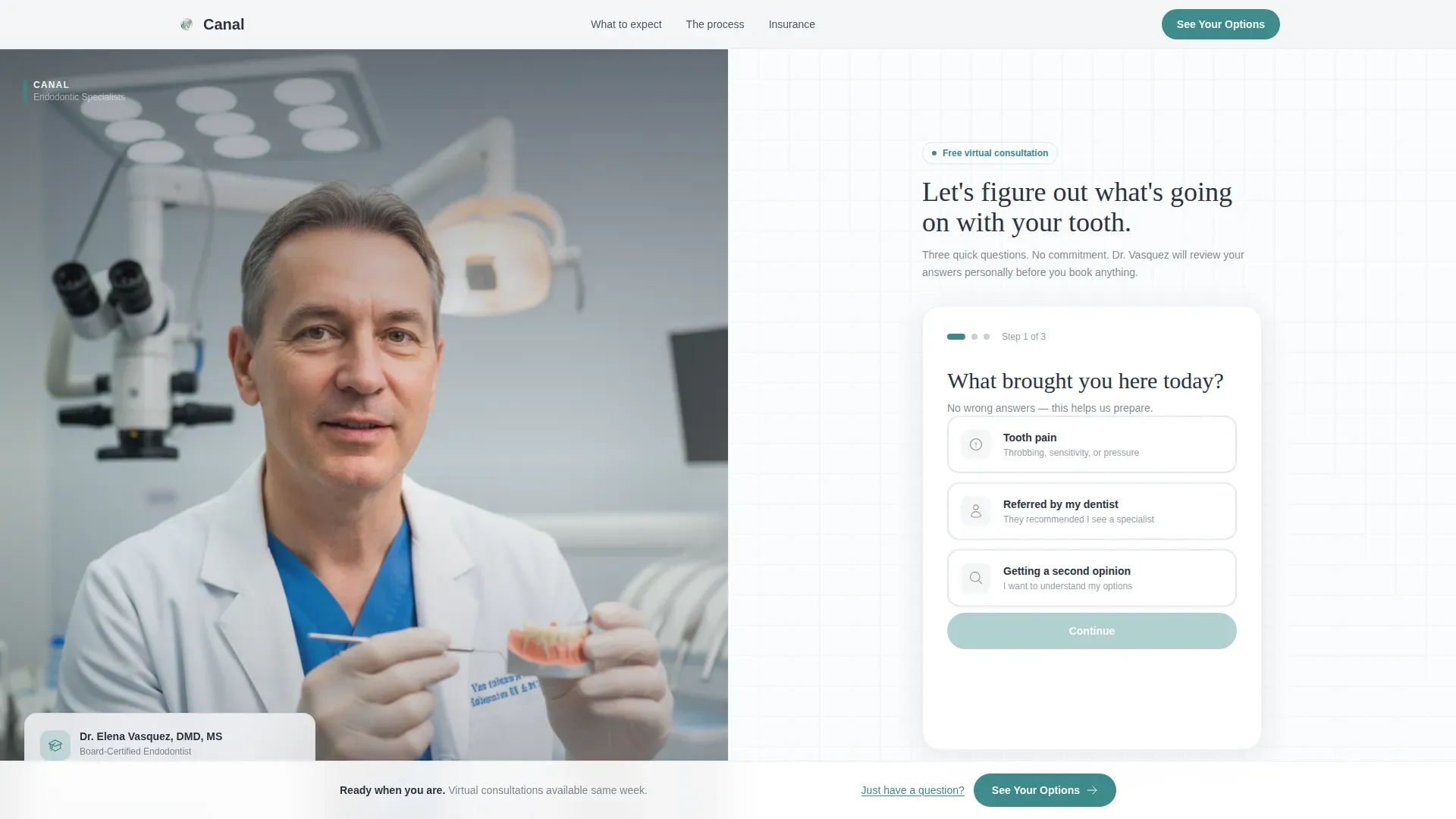
- A 50/50 split-screen hero with a doctor portrait on the left and a three-step multi-step form on the right
- Four FAQ-driven scroll sections that escalate from practical to financial to emotional concerns
- A persistent bottom call-to-action bar that activates after the third FAQ section, plus a secondary async message path
Feature list
This template includes a precise set of interactive and visual components drawn directly from the brief. Each one serves the core goal of moving an uncertain patient toward a confirmed consultation.
Three-Step Intake Form
The right half of the hero holds a guided multi-step form. Step one asks what brought the visitor here, with three illustrated options: tooth pain, dentist referral, or second opinion. Step two shows a clickable dental arch diagram for the visitor to indicate which tooth is involved. Step three allows a photo upload of any existing X-ray images.
FAQ-Driven Scroll Sections
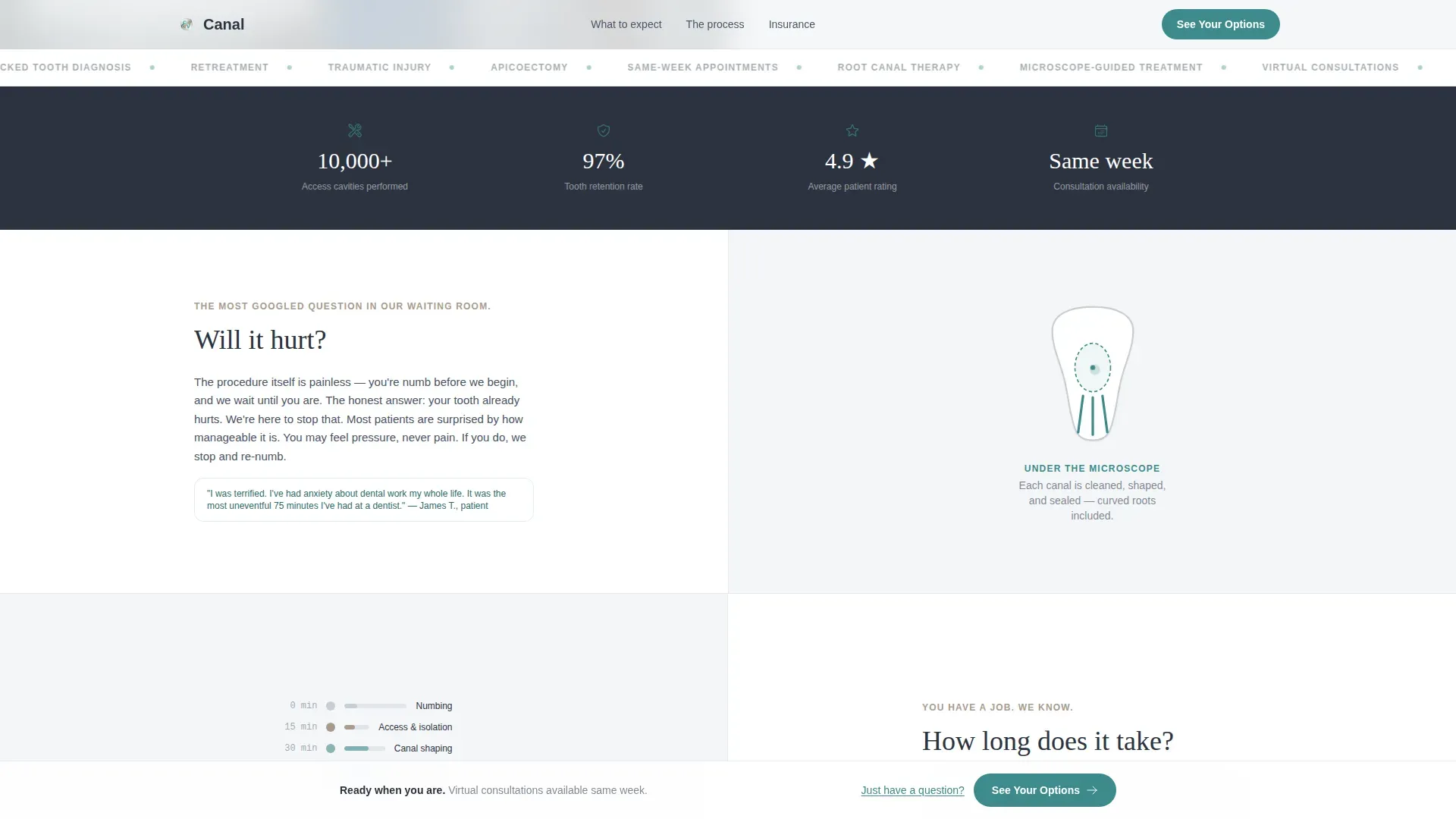
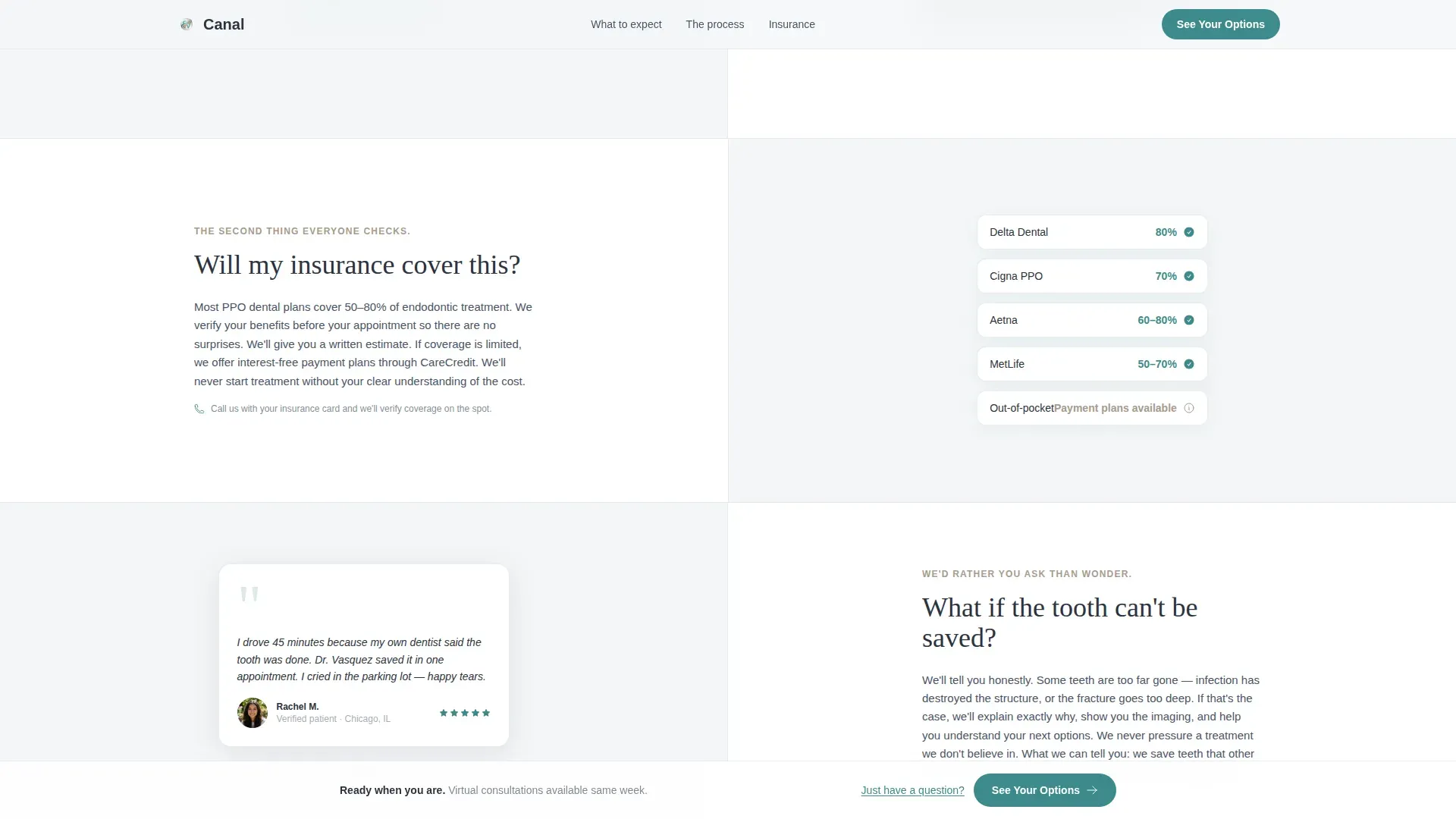
Each scroll section is a split-screen block pairing a plain-language patient question on one side with a direct answer on the other. Questions follow the real anxiety order: will it hurt, how long will it take, will insurance cover it, and what if the tooth cannot be saved. Answers are supported by procedure micro-animations, timeline visuals, financial transparency copy, and a patient video testimonial block.
Click-Through Scheduling Flow
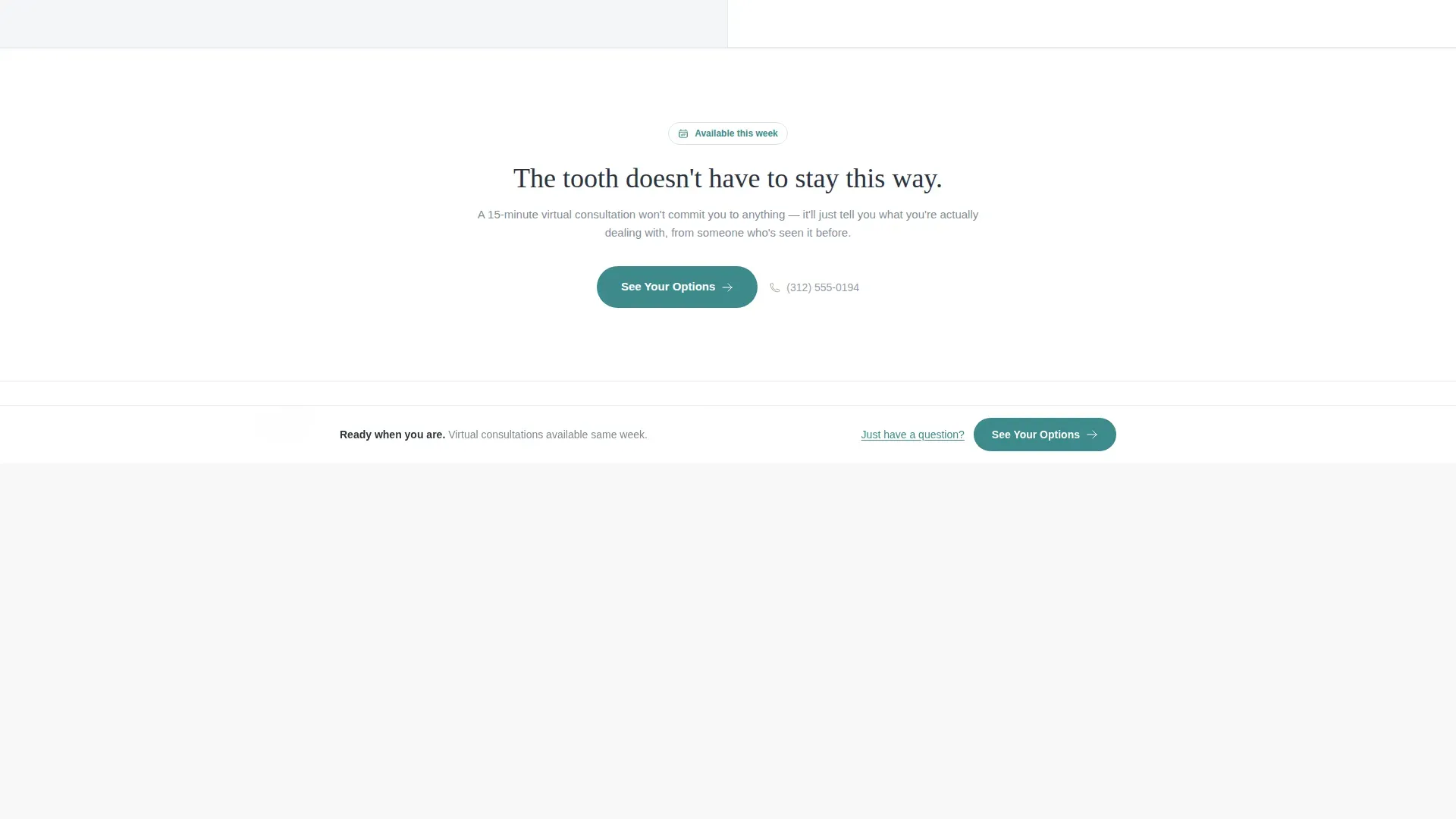
The primary call-to-action button, labeled "See Your Options," appears first at form completion and again in a persistent bottom bar after the third FAQ section. Clicking it leads to a calendar integration page that arrives pre-filled with the visitor's earlier form answers, reducing friction at the moment of commitment.
Endodontist Portrait Block
The left half of the hero is reserved for a real portrait of the endodontist mid-explanation, hands visible and eye contact direct. The microscope appears soft-focused in the background. The brief explicitly calls for authentic imagery rather than stock photography, reinforcing trust at first glance.
Secondary Async Message Path
Visitors who are not ready to book can use a "Just Have a Question?" path that opens a simple text field for asynchronous message submission. This secondary route keeps hesitant visitors engaged rather than losing them entirely.
Persistent Bottom Call-to-Action Bar
After the visitor scrolls past the third FAQ section, a fixed bottom bar remains visible for the rest of the page. It carries the primary "See Your Options" action in confident teal, ensuring the scheduling entry point is never out of reach.
Page sections overview
| Section | Purpose |
|---|---|
| Split-Screen Hero | Introduces the doctor and opens the multi-step intake form |
| FAQ Block One | Answers "Will it hurt?" with a procedure micro-animation |
| FAQ Block Two | Answers "How long does it take?" with a timeline visual |
| FAQ Block Three | Answers "Will my insurance cover this?" with financial transparency copy |
| FAQ Block Four | Answers "What if the tooth can't be saved?" with emotional reassurance and a patient video testimonial |
| Linear Footer | Closes the page with a single-row footer pattern |
Design & branding system
The visual language follows a Corporate Precision theme built on the Soft Mist color palette. The feeling is clinical calm without coldness, like a freshly prepared operatory with light diffused through frosted glass.
- Color palette: clinical fog white (#F4F6F8), sterile instrument silver (#C8CED6), warm reassurance taupe (#A89B8C), and confident teal (#3D8B8B) reserved for buttons and active states
- Typography: DM Sans for body copy and Fraunces serif for headlines, balancing precision with warmth
- Animation: scroll-triggered reveals, form step transitions, and procedure micro-animations at medium intensity
Mobile & speed optimization
The brief places mobile-first delivery at the top of the priority list. The intended visitor is often on a phone in a parking lot immediately after receiving a diagnosis, so the template is built around that context.
- Mobile-first layout ensures the split-screen hero stacks cleanly on smaller screens
- Form state is handled in React with no server-side rendering required, keeping the initial load fast
- Scroll-triggered animations activate progressively so content remains accessible as the visitor moves down the page
How this template helps you convert
Canal earns the booking click by systematically removing every objection before asking for commitment. The structure is deliberate: answer first, ask second.
- The multi-step intake form creates early investment. By the time a visitor completes step three, they have already described their situation, identified their tooth, and uploaded their X-ray. The scheduling step feels like a natural next action rather than a cold ask.
- The FAQ scroll sequence mirrors the patient's actual fear progression. Each answered question lowers resistance, so the persistent "See Your Options" call-to-action arrives when trust is at its highest point on the page.
Other information about this template
Canal is categorized under Health & Medical, specifically the Endodontist Website subcategory with a focus on the endodontist virtual consultation page niche. It is designed for United States-based practices with English-language copy, USD pricing references, and MM/DD/YYYY date formatting throughout the scheduling flow.
- The footer uses Pattern 1, a linear single-row layout, keeping the close of the page clean and uncluttered
- Social proof elements include patient video testimonials and a direct doctor voice, supporting specific outcome references rather than generic ratings
- The template intersection match score is 13, indicating a tightly aligned combination of theme, creative direction, color system, template style, and landing page direction for this exact niche
Theme
Corporate Precision
Creative direction
FAQ-Driven
Color system
Soft Mist
Style
Split Screen (50/50)
Direction
Click-Through
Page Sections
Three-step Multi-step Intake Form
Faq-driven Scroll Conversation
Persistent Bottom Call-to-action Bar
Endodontist Portrait Block
Pre-filled Calendar Flow
Async Secondary Contact Path
Related questions
Can I use this template without video testimonials?
Does the multi-step form connect to a calendar system?
Who should appear in the doctor portrait on the left side?
What happens when a visitor clicks 'Just Have a Question?'
Is the dental arch diagram in the form customizable?



