Land & Environmental Agency Directory Website Template
Canopy is a hub-and-spoke landing page template built for forest service directories and public land resource centers. It organizes fire operations, recreation permits, timber contacts, wilderness resources, and district offices into one authoritative, searchable page. The design follows an industry report aesthetic, dense with operational data and built for the professionals who depend on it in the field.
by Rocket studio
Quick summary
Canopy delivers a government-grade forest service directory as a single, anchor-navigated landing page. It surfaces district contacts, fire and aviation data, permit resources, and timber office information through filterable card grids and an interactive region map. The template is built for people who need accurate operational information fast, whether they are deploying to a fire, pulling a backcountry permit, or verifying a timber sale contact.
Who this template is for
This template serves professionals and public land users who rely on accurate, fast-to-find forest service information. It is built for the people who work in or around federal and state land operations every day.
- Wildland firefighters checking district contacts before deployment, and conservation volunteers searching for active stewardship programs
- Backcountry hikers who need a verified phone number for a remote ranger district before heading into the field
- Timber operators confirming sale administrators, researchers compiling operational data, and educators building curriculum around public land management
What problem this template solves
Federal and state forest service information is scattered across dozens of agency websites, outdated PDFs, and hard-to-find contact lists. This template solves the navigation problem by centralizing everything into one structured, searchable page that rewards depth.
- District contacts, seasonal closures, permit details, and fire status all live in one place instead of across separate agency portals
- Field professionals waste time hunting for a single phone number that actually connects to a staffed ranger station
What you get with this template
Canopy gives you a complete, ready-to-customize landing page template organized around six spoke categories linked by a persistent anchor navigation bar. Every section is self-contained yet connected, so users can jump directly to what they need or scroll through the full directory at their own pace.
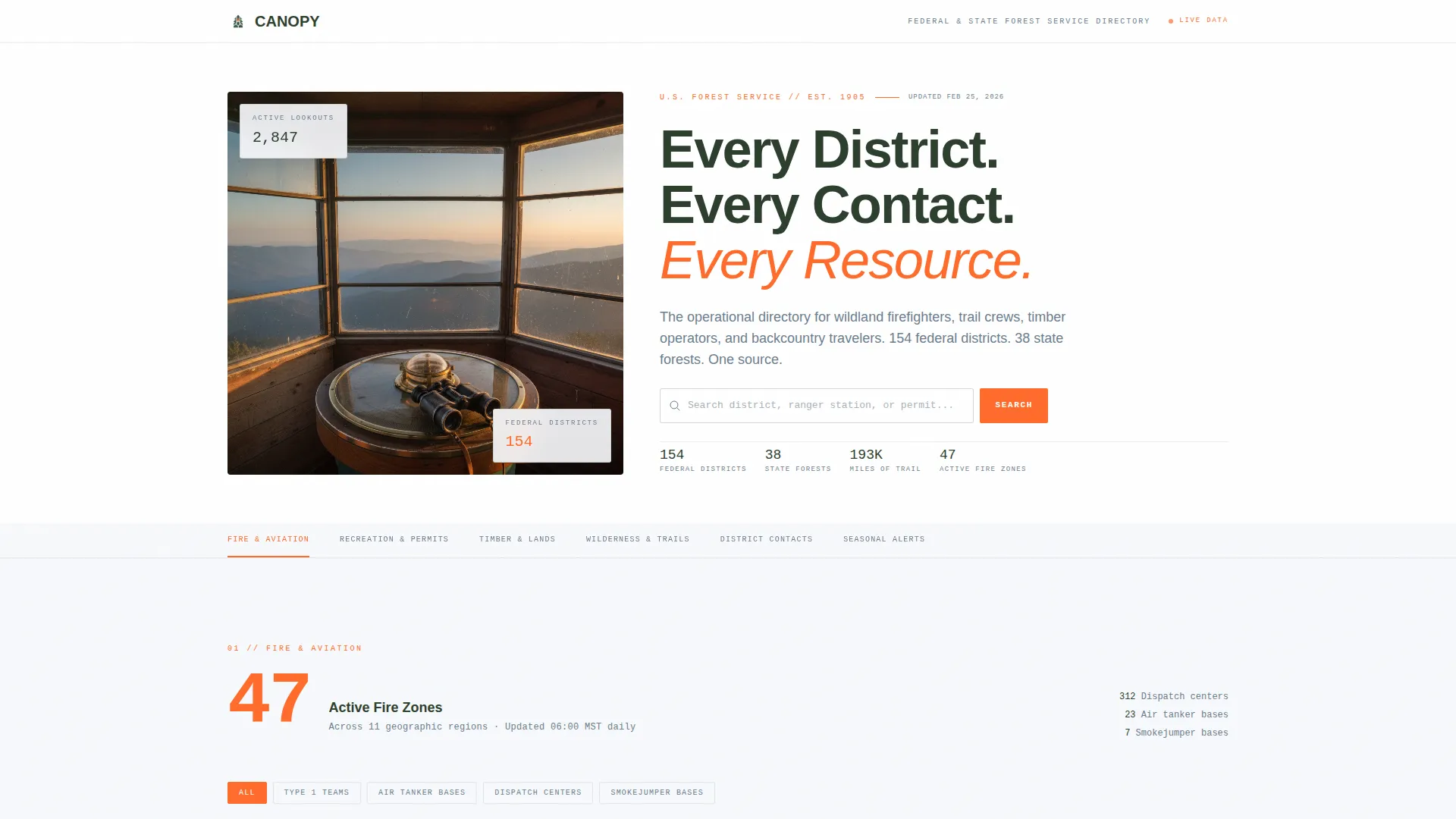
- A split-composition hero header with a half-page lookout photograph, a stacked headline, a compact search bar, and a horizontal anchor nav listing all six spoke sections
- Six fully structured content sections covering Fire and Aviation, Recreation and Permits, Timber and Lands, Wilderness and Trails, District Contacts, and Seasonal Alerts
- A "Find Your District" interactive region map, a gated Field Guide download with email capture and role selection, and a linear single-row footer
Feature list
Canopy's features are drawn directly from the operational needs of public land users and the design logic of an industry report layout.
Anchor Navigation with Scroll Tracking
A persistent horizontal anchor nav spans the top of the page and highlights the active spoke section as users scroll. This keeps orientation clear across a long, data-dense page without requiring a return to the top.
Interactive Region Map
The "Find Your District" map lets users click a geographic region to surface the corresponding district office contacts, operating hours, and seasonal closure information. It is the primary conversion element of the page.
Data Callout Openers per Section
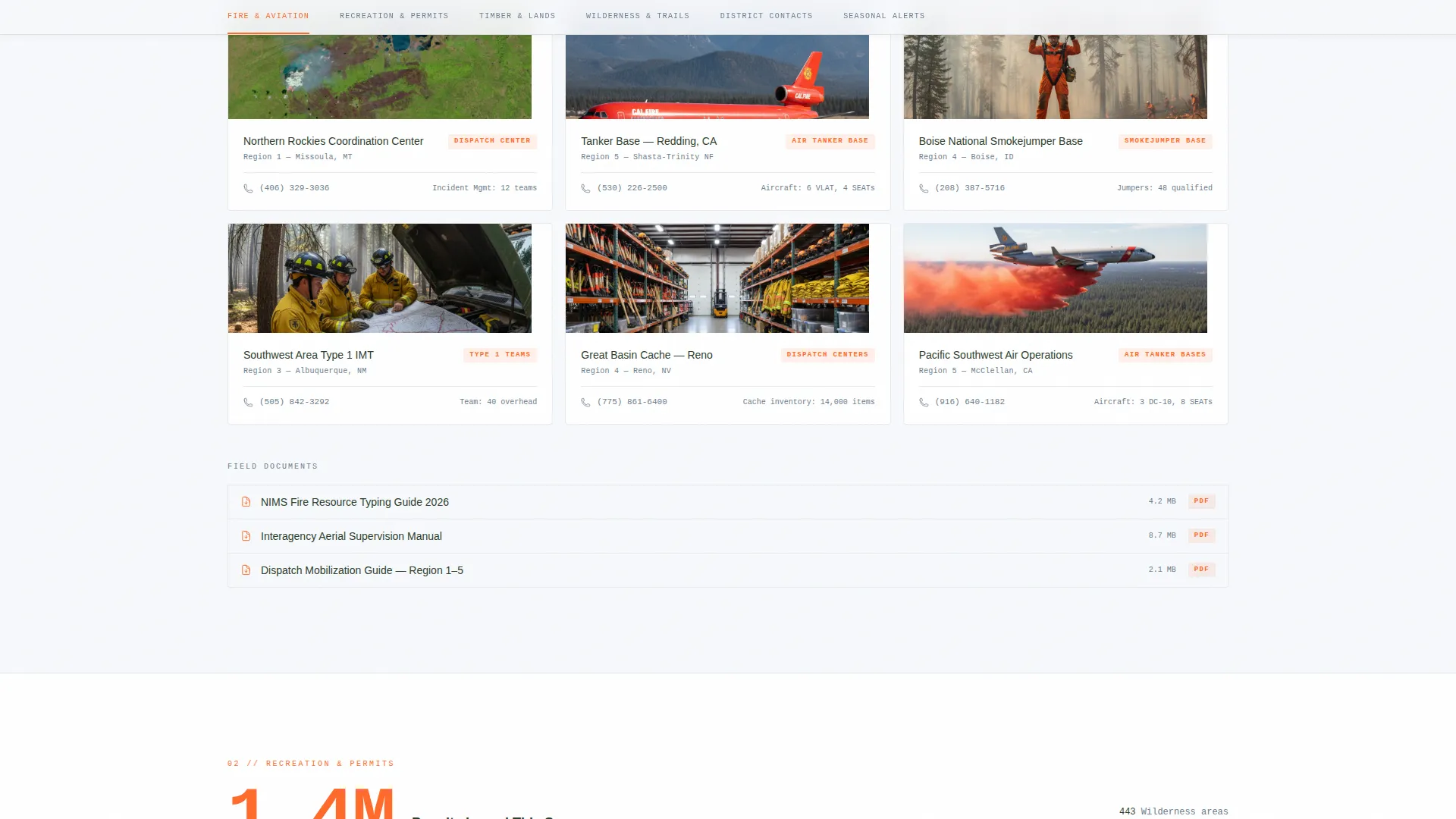
Each spoke section opens with a single large-format data callout rendered in blaze orange, such as active fire counts or miles of maintained trail. These figures ground each section in real operational context before the card grid loads.
Filterable Card Grids
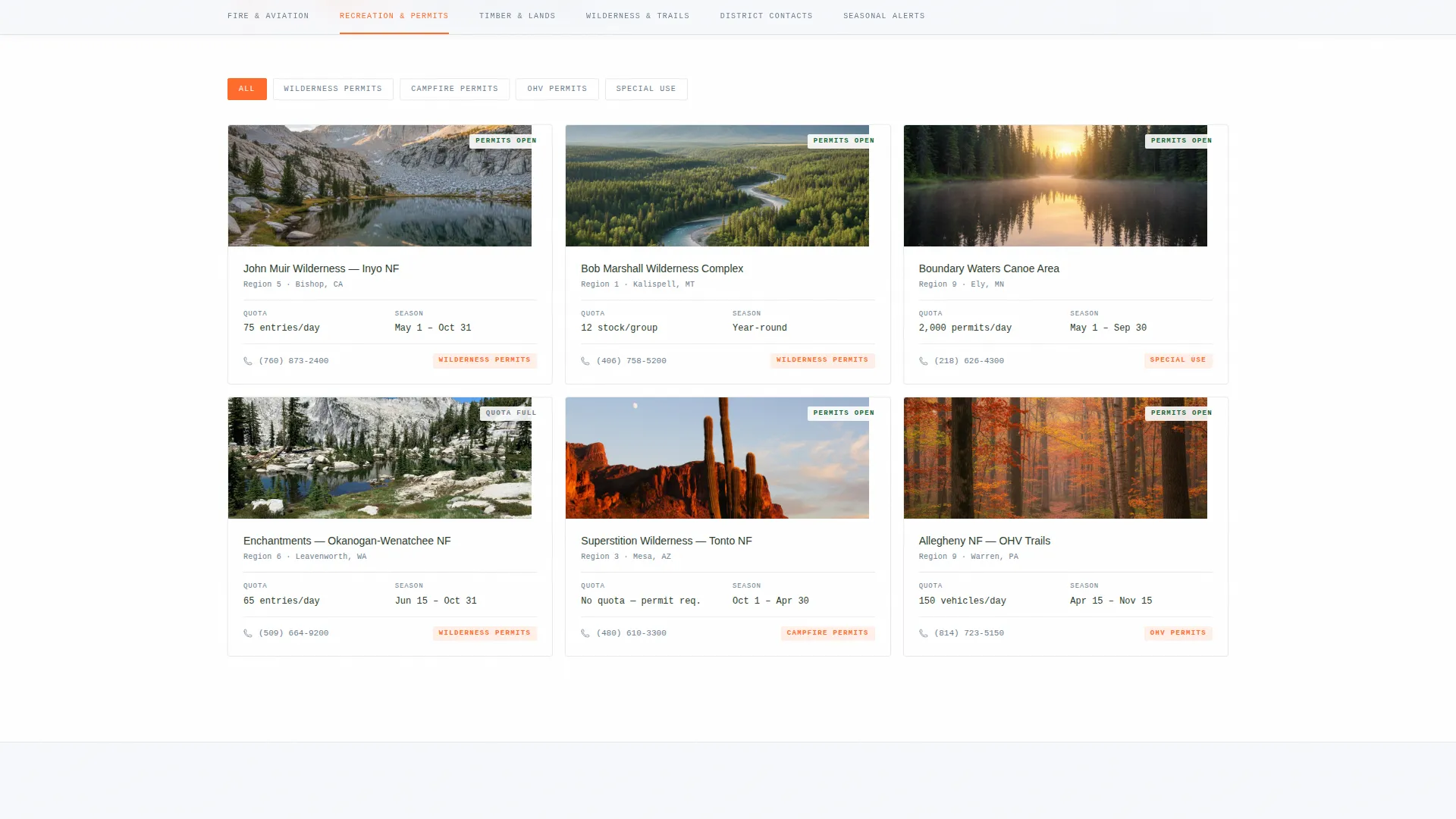
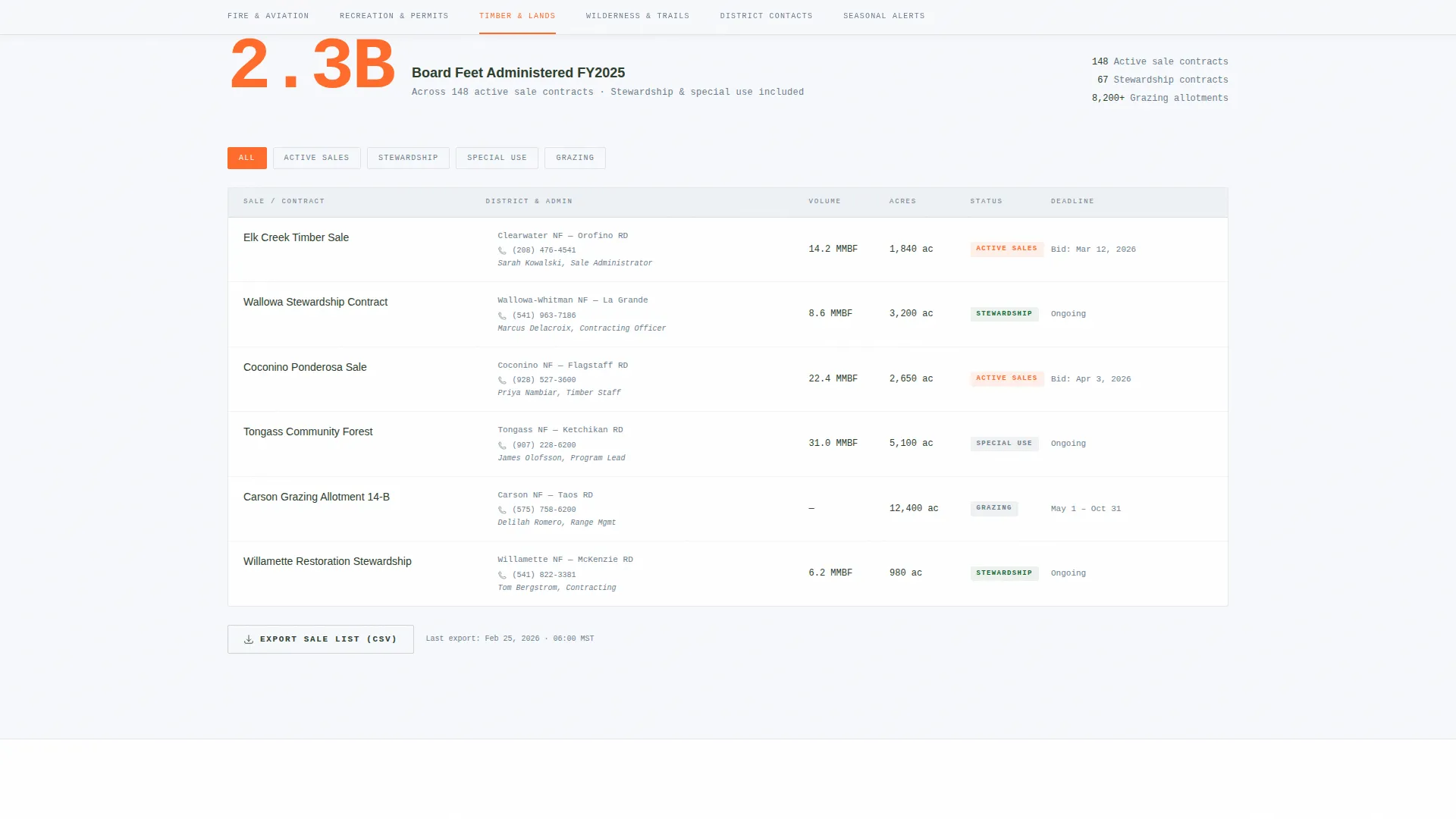
Every spoke section unfolds into a filterable grid of cards. Users can narrow results by criteria relevant to that section, making it practical to locate a specific permit office, fire crew contact, or timber sale administrator quickly.
Gated Field Guide Download
A secondary conversion element offers a downloadable field guide behind a lightweight email gate. Users select their role (firefighter, researcher, recreationist, operator, or educator) before downloading, giving the directory a practical off-page use case.
Industry Report Visual Cadence
The page is structured like an annual forest plan: each section is methodical and evidence-rich, with scroll-linked reveals and staggered card entries. The density builds trust through comprehensiveness rather than promotional pressure.
Page sections overview
| Section | Purpose |
|---|---|
| Hero Header | Lookout photo, headline, search bar, and anchor nav |
| Fire & Aviation | Active fire data callout and filterable crew contact cards |
| Recreation & Permits | Trail miles callout and permit office card grid |
| Timber & Lands | Sales administered callout and operator contact cards |
| Wilderness & Trails | Wilderness resource cards and trail condition info |
| District Contacts Map | Interactive region map for district office lookup |
| Field Guide Download | Email gate with role selection for resource download |
| Footer | Linear single-row footer with site-wide links |
Design & branding system
The visual identity follows a Directory and Discovery theme using an Arctic White color system. The palette is drawn from a January morning in a high-elevation conifer stand: white ground, dark trunks, gray sky, and one sharp accent color.
- Snowfield white (#F7F9FC) for open backgrounds, lodgepole shadow (#2C3E2D) for primary text and section headers, and glacial slate (#6B7D8D) for secondary copy and metadata labels
- Blaze orange (#FF6B2B) used exclusively for anchor nav highlights, active states, data callouts, and call-to-action elements to maintain visual hierarchy
- DM Sans for headings and body copy paired with IBM Plex Mono for data callouts and operational figures, creating a field manual feel that matches the USGS quad map aesthetic
Mobile & speed optimization
The template is designed desktop-first, reflecting the reality that field professionals access it on laptops and tablets in vehicles or at base camps. The layout is fully responsive for smaller screens.
- Desktop-first layout with responsive breakpoints ensures the dense card grids and map remain usable on tablets and mobile devices
- Static sections use server component logic while interactive elements such as the map and filterable grids are scoped as client components, keeping initial load clean and intentional
How this template helps you convert
Canopy earns conversion by proving comprehensiveness before asking for anything. Users see the full depth of the directory first, which builds the kind of trust that a well-maintained trail register builds: quietly, through evidence of consistent use.
- The "Find Your District" interactive map serves as the primary call to action, inviting users to engage with operational data immediately once they have seen the scope of the directory
- The gated Field Guide download functions as the secondary conversion, asking only for an email address and a role selection, a low-friction exchange that delivers real value to every audience segment
Other information about this template
Canopy is suited for government agencies, conservation organizations, and public land management groups that need a credible, high-information web presence.
- The template supports US federal land regions with English-language content and USD formatting where applicable
- The six spoke categories (Fire and Aviation, Recreation and Permits, Timber and Lands, Wilderness and Trails, District Contacts, and Seasonal Alerts) are designed to be renamed or reorganized to match a specific agency's operational structure
- Animation is set to a medium intensity, featuring scroll-linked section reveals and staggered card entries that feel deliberate rather than decorative
Theme
Directory & Discovery
Creative direction
Industry Report
Color system
Arctic White
Style
Hub & Spoke (Anchor Nav)
Direction
Content/Resource
Page Sections
Anchor Navigation with Scroll Tracking
Interactive District Finder Map
Data Callout Section Openers
Filterable Card Grids
Gated Field Guide Download
Industry Report Scroll Cadence
Related questions
Who is this landing page template built for?
Can I customize the six spoke categories for a different agency structure?
How does the interactive district map work in this template?
What does the Field Guide download gate ask from users?
Is Canopy a single-page template or a multi-page site?



