Certified Treeservice | Free Website Template | Rocket
Canopy is a single-page landing page template built for certified Toronto-area tree service companies targeting commercial clients. It leads with a badge-wall header, cycles through stat-driven zigzag sections, and closes with a dual-call to action conversion flow. The design feels like a compliance binder, authoritative, clean, and impossible to question.
by Rocket studio
Quick summary
Canopy is a B2B-focused landing page template for a Toronto tree service company. It opens with a credential badge wall instead of a hero photo, then builds trust section by section using large-format stats. The dual conversion path captures ready buyers and shortlist researchers alike. Every design choice signals professional reliability.
Who this template is for
This template is built for certified tree service companies operating in the Greater Toronto Area (GTA) that sell to commercial buyers, not homeowners. If your prospects need a compliance paper trail before they approve a vendor, this template speaks their language.
- Commercial property managers overseeing portfolios of fifty or more sites
- Municipal procurement officers building preferred vendor shortlists
- General contractors who need a certified subcontracting partner before site clearing begins
What problem this template solves
Most tree service websites look like they were built for weekend landscapers. Commercial buyers need something that reads like a compliance package, not a brochure. Canopy closes that gap.
- Procurement teams cannot approve a vendor without visible proof of insurance, certifications, and safety records
- Generic service pages bury credentials in footnotes, forcing buyers to dig for the information they need most
- The absence of a structured B2B conversion path pushes serious buyers toward competitors who look more organized
What you get with this template
You get a fully structured single-page layout that front-loads proof and guides B2B buyers through a logical, trust-building scroll. Every section is designed to reduce perceived risk before the call to action appears.
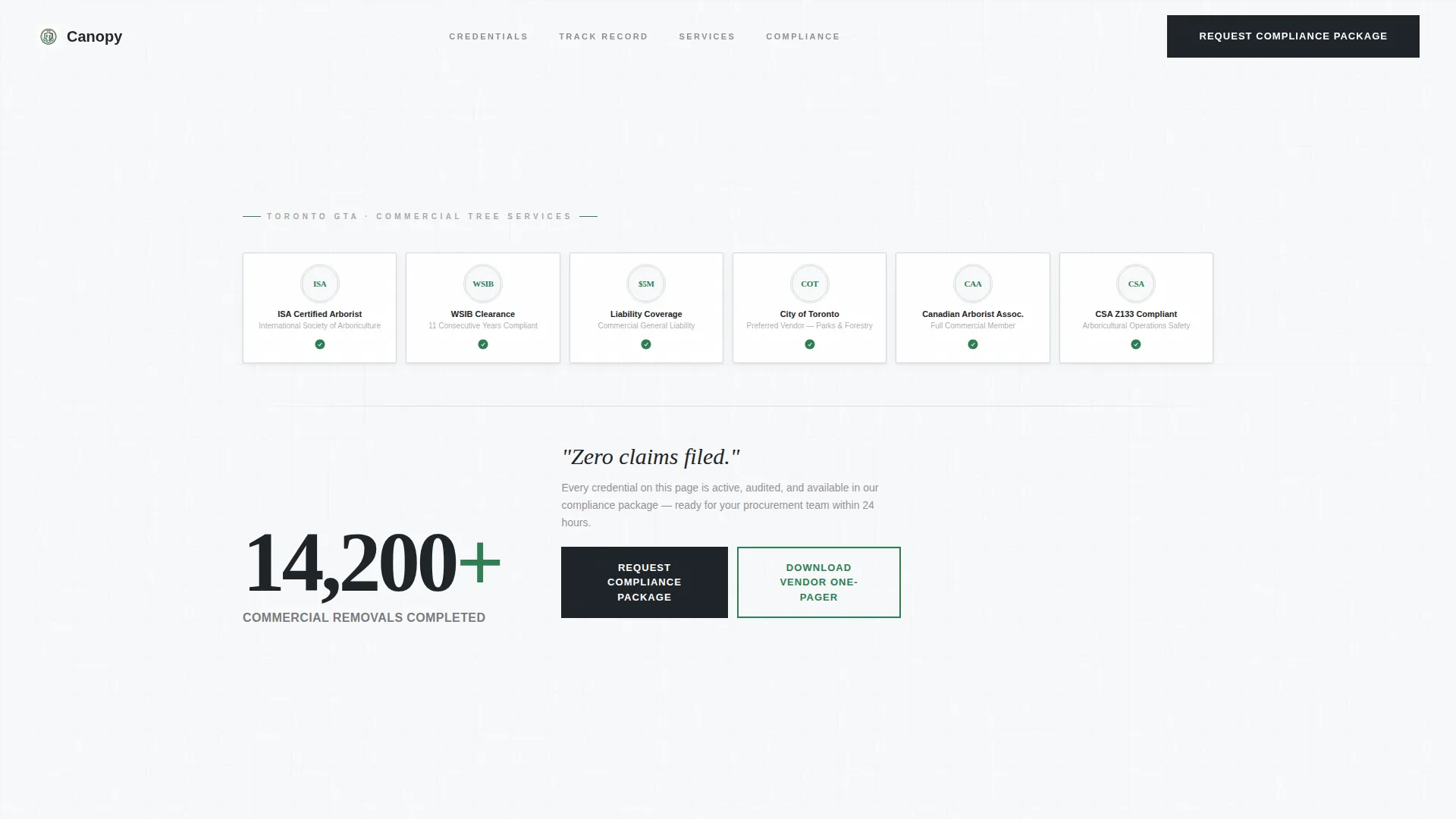
- A badge-wall header featuring ISA Certified Arborist seals, WSIB clearance certificates, five-million-dollar liability icons, and City of Toronto preferred vendor marks in a tight embossed grid
- A zigzag alternating section layout where each block leads with a large-format stat before the explanatory copy
- A dual-call to action conversion flow with a short compliance package request form and a gated vendor one-pager download
Feature list
This section describes the core template capabilities grounded in the source brief.
Badge-Wall Credential Header
The header replaces a traditional hero image with a structured grid of certification and compliance badges. ISA Certified Arborist seals, WSIB clearance certificates, liability coverage icons, and City of Toronto preferred vendor marks are arranged against stark white with subtle embossed micro-shadows. A single animated stat fades in beneath the grid to anchor the first impression.
Stats-First Zigzag Layout
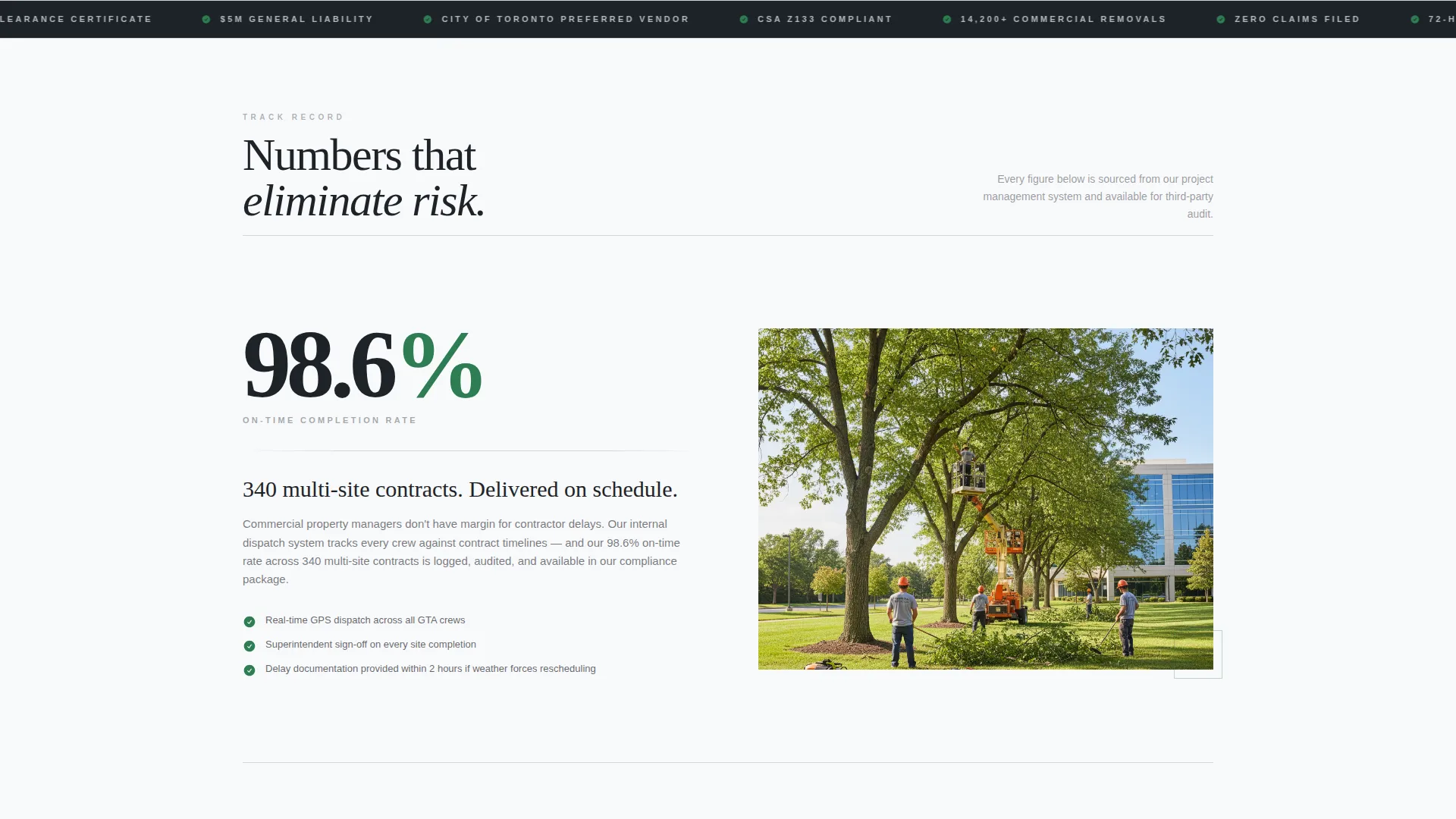
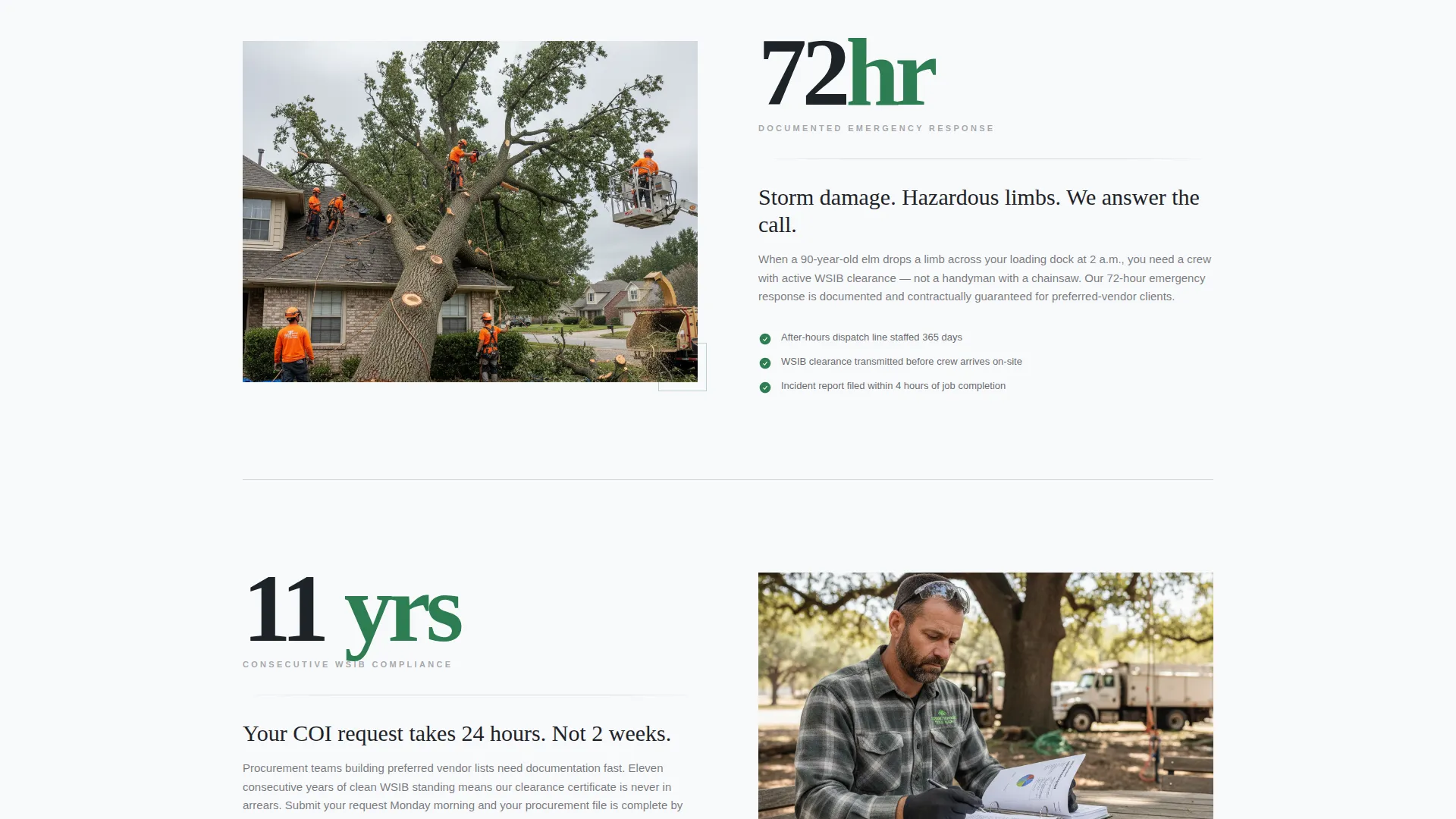
Each alternating section leads with a large-format number before any explanatory text appears. Stats such as on-time completion rates, emergency response windows, and consecutive years of compliance swing left and right across the page. This metronome rhythm creates scroll momentum driven by the desire to see the next number, not read the next paragraph.
Dual-Path Conversion Flow
The primary call to action reads "Request Our Compliance Package" and opens a short form. Fields include company name, portfolio size, service type checkboxes (removal, pruning, stump grinding, emergency, and consulting), and a corporate email field. A secondary path offers a gated "Download Our Vendor One-Pager" PDF for procurement teams who are building a shortlist but not yet ready to speak directly.
Legal Shield Visual Theme
The Arctic White color system uses clinical white, policy-paper gray, dark charcoal bark, and certification-seal green. Green appears exclusively on badges, check marks, and call-to-action borders. The result feels like a freshly printed certificate of insurance on heavy bond paper, sterile, authoritative, and built to project confidence.
Service Scope Clarity
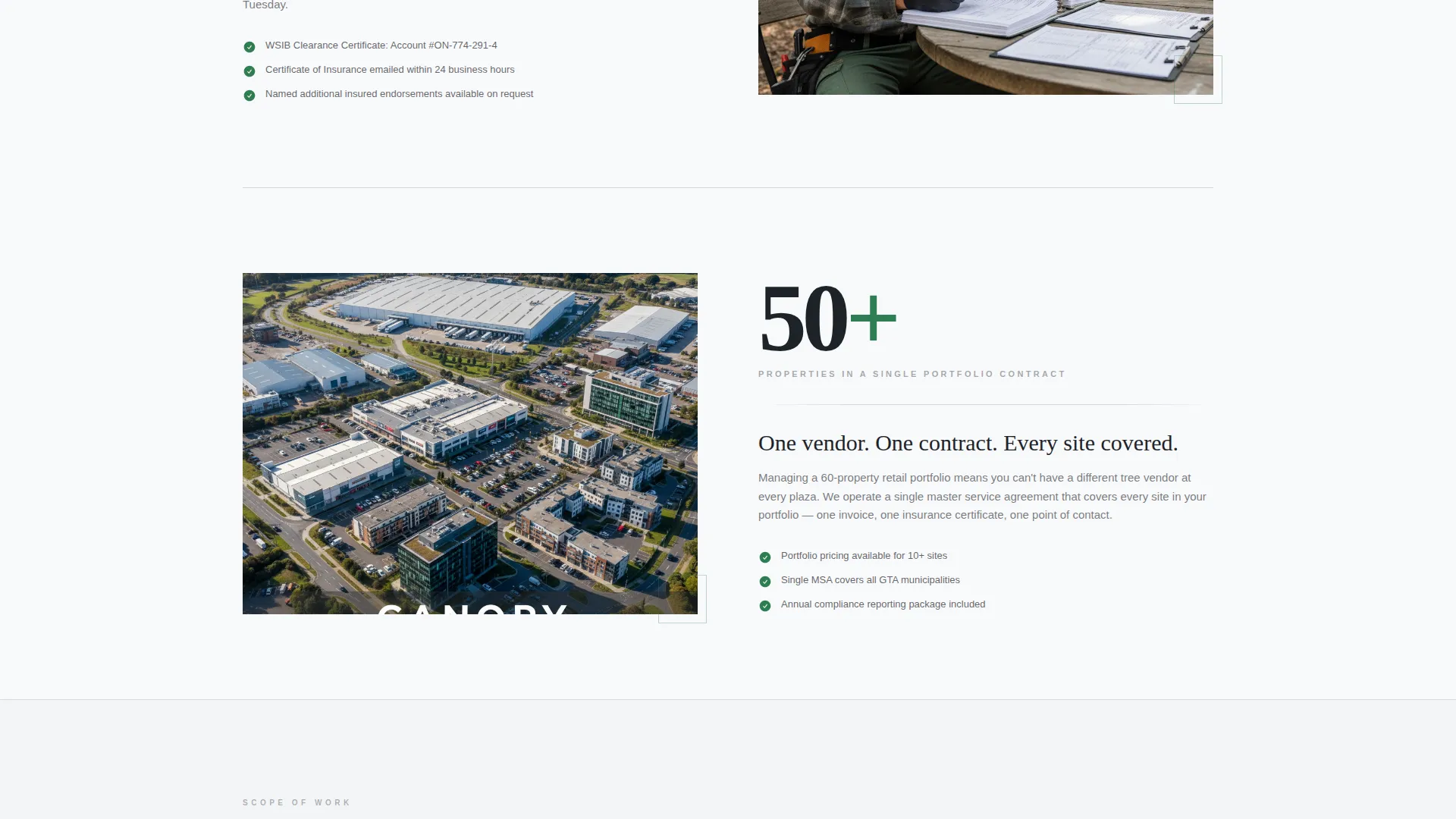
The template is structured to communicate a specific range of commercial tree services. Hazardous tree removal, stump grinding, multi-site pruning, emergency response, and consulting are each addressed as discrete service categories. Buyers can self-identify their need without wading through residential content.
Page sections overview
| Section | Purpose |
|---|---|
| Credential Badge Wall | Opens with compliance proof and a single trust stat |
| Stat Block One | Leads with on-time completion rate across multi-site contracts |
| Stat Block Two | Documents 72-hour emergency response capability |
| Stat Block Three | Highlights eleven consecutive years of WSIB compliance |
| Services Overview | Defines the commercial service scope for self-qualification |
| Compliance Package call to action | Primary form for buyers ready to engage directly |
| Vendor One-Pager Download | Secondary gated path for shortlist-stage procurement teams |
Design & branding system
The visual identity follows a Legal Shield theme built on an Arctic White color system. Every color decision reinforces authority and clinical precision rather than warmth or creativity.
- Clinical white (#F8F9FB) and policy-paper gray (#D4D8DE) form the base layer, creating a certificate-of-insurance aesthetic
- Dark charcoal bark (#1E2328) handles body text and structural contrast, keeping readability sharp against the pale background
- Certification-seal green (#2E7D52) is reserved strictly for badges, check marks, and call-to-action borders, so it carries visual weight only where trust signals live
Mobile & speed optimization
The layout is designed to translate the desktop stat-first scroll experience into a clean vertical stack on smaller screens. Commercial buyers often review vendor materials on mobile during site visits or procurement meetings.
- The badge grid collapses gracefully so individual credential seals remain legible at smaller viewport widths
- The zigzag alternating layout converts to a single-column stack without losing the large-format stat hierarchy that drives scroll engagement
How this template helps you convert
The conversion strategy is built on risk elimination, not persuasion. Every scroll interaction removes a procurement objection before the buyer reaches a call to action.
- Front-loading credentials in the header means buyers confirm compliance fit within the first few seconds, reducing bounce from the wrong audience and keeping qualified leads engaged
- The stat-driven zigzag layout builds cumulative proof across the page, so by the time a buyer reaches the "Request Our Compliance Package" form, the risk case has already been made without requiring them to read dense paragraphs
Other information about this template
This template is best suited for tree service businesses operating in competitive urban markets where commercial contracts require documented proof of credentials. It prioritizes B2B procurement signals over consumer aesthetics.
- The template is categorized under Professional Services and Toronto Local Services, making it relevant for any certified trades or specialty contractor looking to serve a commercial client base in the GTA
- The zigzag layout and stats-first creative direction are transferable to other compliance-heavy service niches such as environmental consulting, commercial landscaping, or certified electrical contracting
- The gated vendor one-pager download path is particularly useful for municipal procurement cycles, where vendor evaluation often happens over several weeks before any direct contact is made
Theme
Editorial Magazine
Creative direction
Stats-First Impact
Color system
Navy Authority
Style
Sidebar Companion
Direction
Content/Resource
Page Sections
Badge-wall Credential Header
Stats-first Zigzag Layout
Dual-path Conversion Flow
Legal Shield Visual Theme
Commercial Service Scope Structure
Related questions
Who is the Canopy template designed for?
Can I adapt the form fields in the compliance package request section?
Why does the header use badges instead of a hero photo?
What is the secondary download path used for?
Is this template suitable for a tree service outside Toronto?



