Canopy - Editorial Treeservice Landing Page Template
Canopy is an editorial-style landing page template built for Lagos tree service businesses. It leads with oversized typographic stats, presents services as magazine feature cards, and drives leads through a structured estimate form. The Cloud Canvas color palette and editorial serif typography give every section the weight and clarity of a regional shelter magazine spread.
by Rocket studio
Quick summary
Canopy is a single-page lead generation template for Lagos County tree service crews. It opens with a stats-first header wall, moves through before-and-after imagery and service cards, and closes with a pinned estimate form. The design feels editorial and grounded, built to earn trust through data before it ever asks for a call.
Who this template is for
This template is built for tree service businesses that want to look authoritative before a potential client even scrolls. It is especially effective for operators who have real numbers to show and jobs that speak for themselves.
- Tree service owners and crew operators serving residential neighborhoods in Lagos County
- Property managers and real estate agents who need a clean, credible page for urgent removal or pre-listing work
- Established tree care businesses ready to replace a generic website with something that reads like a professional publication
What problem this template solves
Most tree service pages look like clip-art brochures. They bury the trust signals, hide the phone number, and make every visitor work to understand what the crew actually does. Canopy flips that logic entirely.
- Homeowners facing cracked driveways, leaning trunks, or overgrown crowns need to feel confident fast
- Property managers with liability exposure need proof of track record before they make a call
- Real estate agents on tight timelines need a page that communicates speed and reliability at a glance
What you get with this template
You get a fully structured editorial landing page that guides every type of visitor from first impression to form submission. Every section has a clear job, and nothing is decorative without purpose.
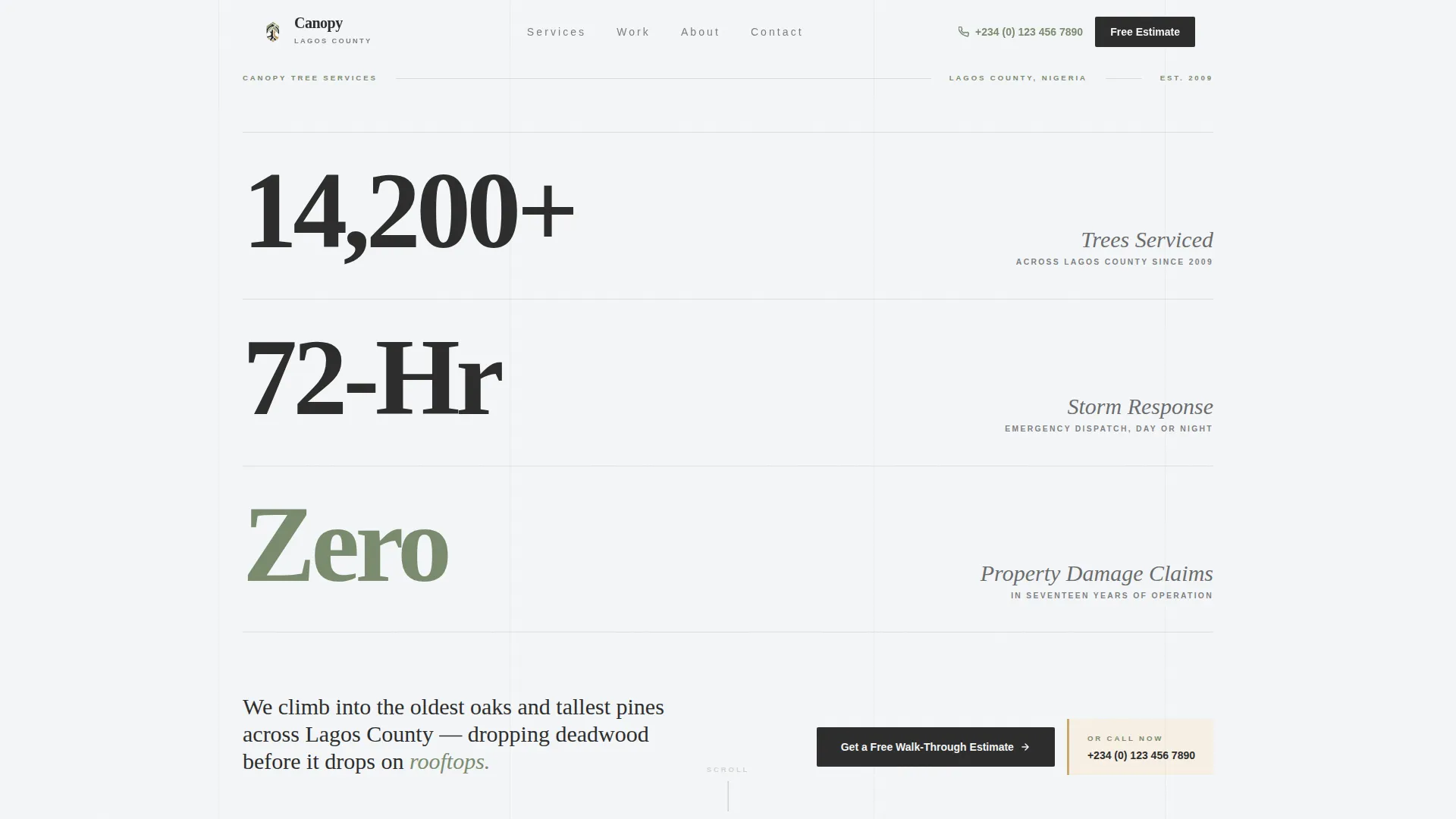
- A stats-first header with three oversized typographic figures set against an open sky white field
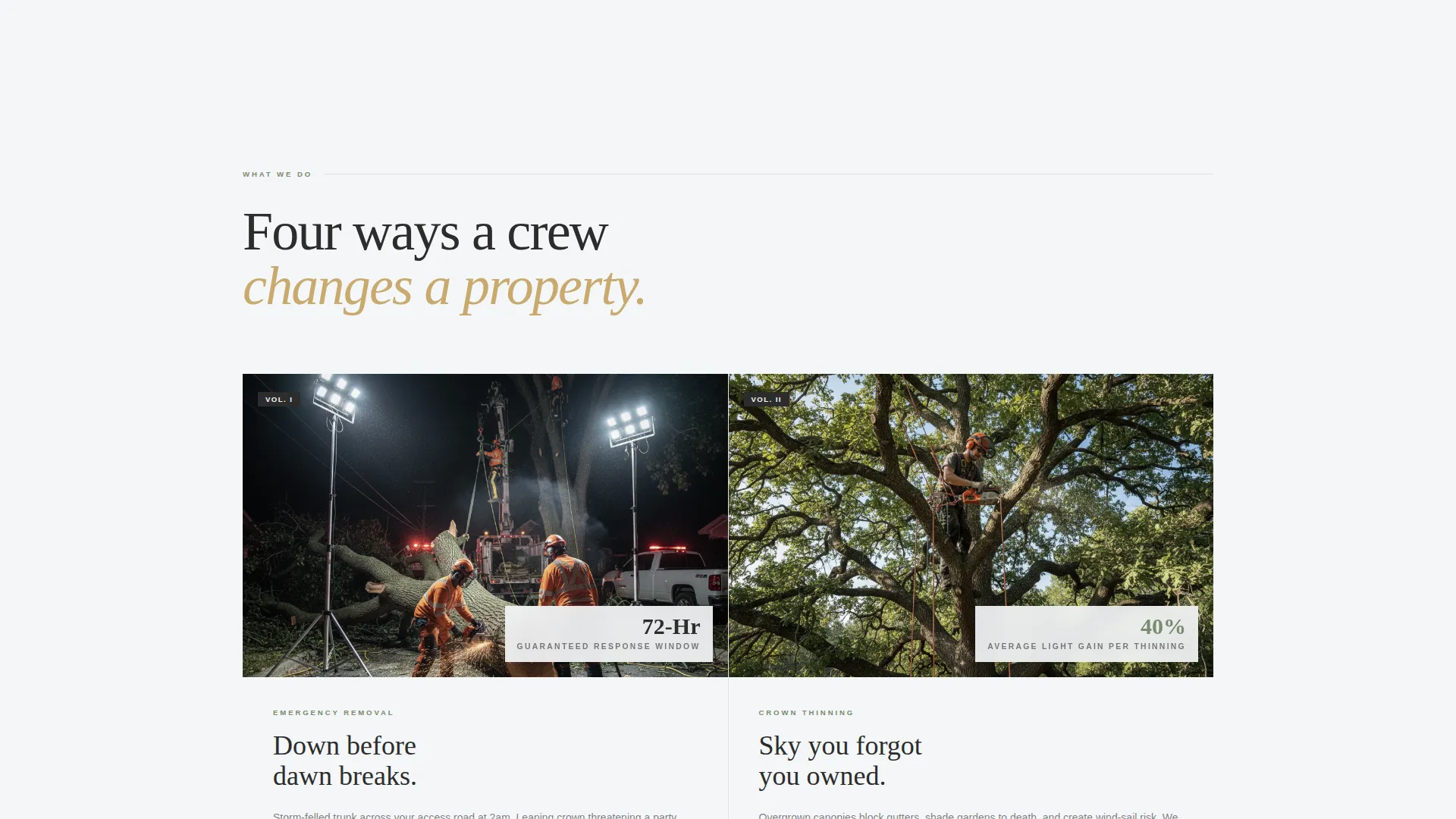
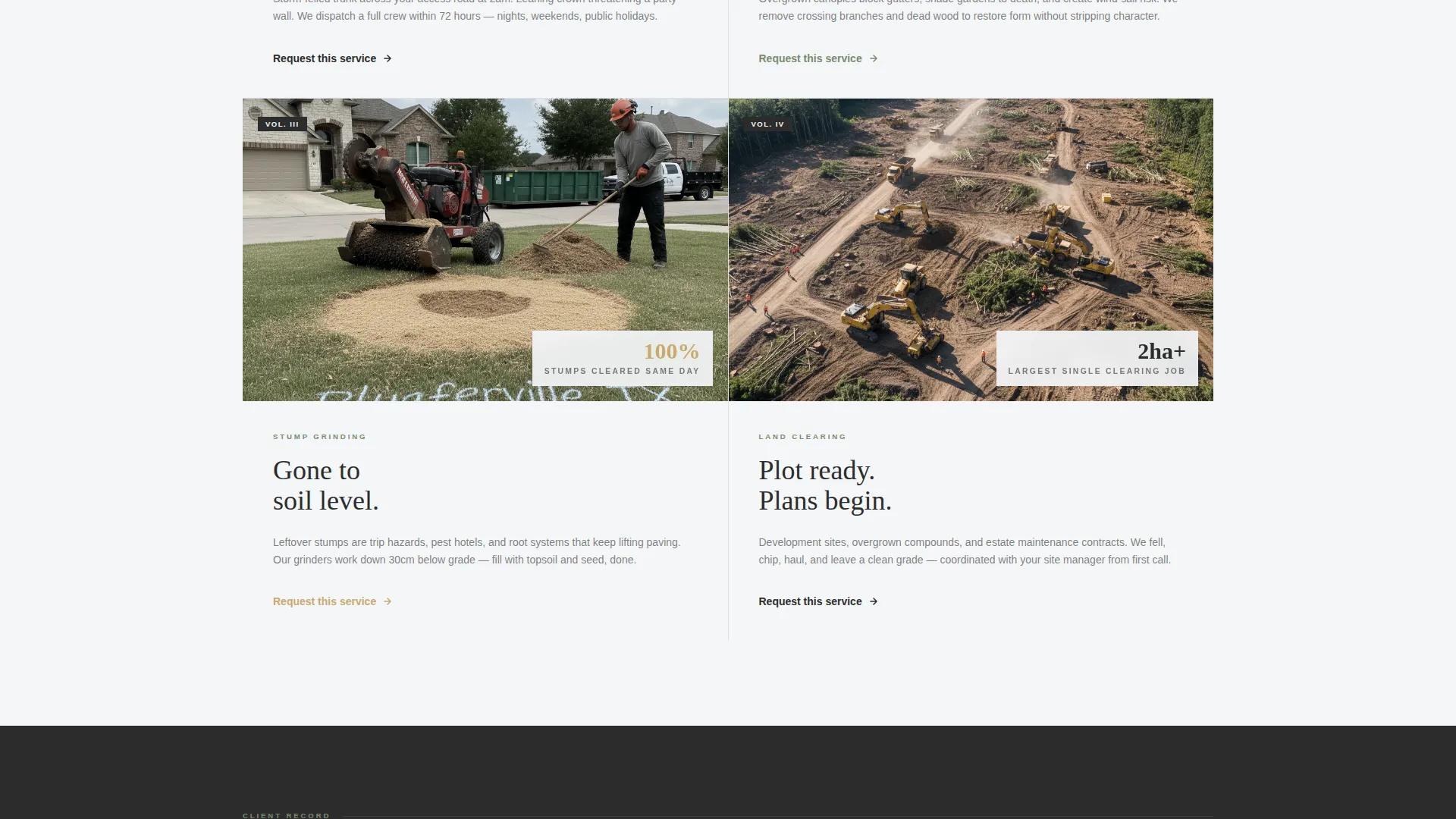
- Four service feature cards covering Emergency Removal, Crown Thinning, Stump Grinding, and Land Clearing
- A dual-path lead capture system with a detailed estimate form and a click-to-call magazine callout box
Feature list
This template is built around a deliberate editorial rhythm. Each feature earns its place by either building credibility or reducing friction for the visitor.
Stats Wall Header
Three oversized editorial figures open the page with immediate authority. The stats cover trees serviced, storm response time, and property damage claims. No hero image competes because the data carries the visual weight.
Magazine-Style Service Cards
Each of the four core services appears as a feature card with a documentary-style photo, a single supporting stat, and a clear service label. The card format makes scanning easy and keeps the page feeling like a curated editorial spread.
Before-and-After Aerial Section
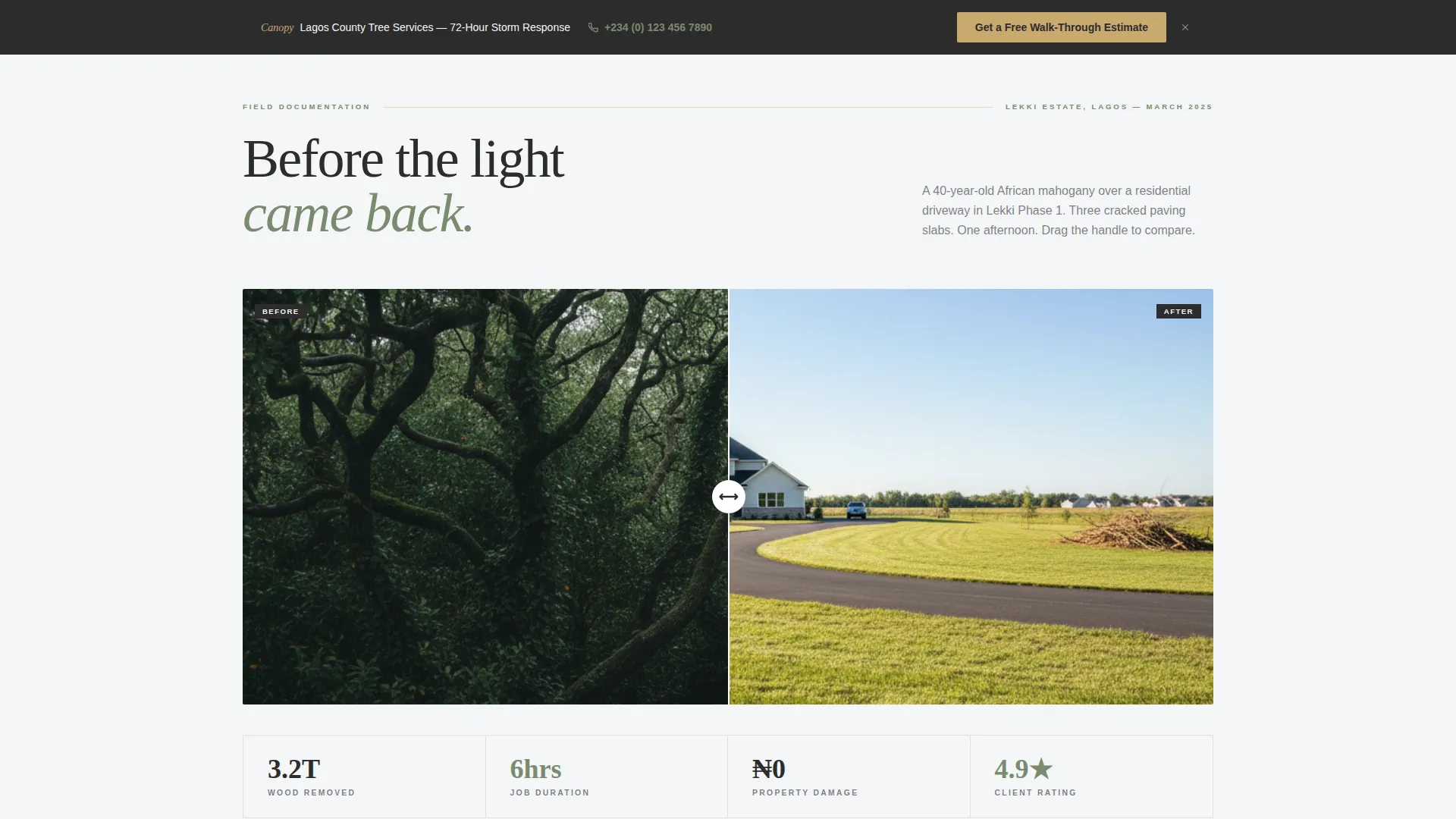
A full annotated before-and-after aerial image shows board-feet removed from a real job site. Callouts are styled like architectural diagram labels, giving the visual the credibility of a case study rather than a portfolio thumbnail.
Pull-Quote Testimonial Block
A client testimonial is typeset as a magazine pull-quote spread, with attribution and neighborhood included. This section uses lichen sage accents and generous white space to make the words land with weight.
Lead Capture Estimate Form
The primary form collects address first, then a service type dropdown, a photo upload field labeled "Show Us the Tree," and a preferred contact method selector. The form is positioned right after the stats header and again as a pinned footer element.
Click-to-Call Callout Box
A secondary conversion path presents a clickable phone number styled as a magazine callout box. It gives homeowners who prefer a live voice an immediate option without disrupting the page's editorial rhythm.
Page sections overview
| Section | Purpose |
|---|---|
| Stats Header Wall | Opens with three trust-building typographic figures |
| Company Identity Line | Names the business, county, and years in operation |
| Before and After Aerial | Shows annotated removal scope with board-feet data |
| Service Feature Cards | Presents four services with stats and documentary photos |
| Pull-Quote Testimonial | Builds social proof through a full-spread client quote |
| Estimate Request Form | Captures lead details including address, service, and photo |
| Pinned Footer call to action | Repeats the primary estimate form call-to-action |
| Phone Callout Box | Offers a direct click-to-call path for urgent inquiries |
Design & branding system
The Cloud Canvas color system grounds the page in natural materials without feeling rustic or dated. Every color choice pulls from the landscape the crew works in, and the editorial serif typography gives the whole page the authority of a well-edited publication.
- Open sky white (#F4F6F8) as the dominant background, lichen sage (#7A8B6F) on pull-quote accents and hover states, and warm heartwood tan (#C9A96E) on section dividers and secondary buttons
- Bark charcoal (#2C2C2C) for all headline type, keeping editorial hierarchy sharp and readable at every size
- Editorial serif typefaces set in oversized, tight-kerned figures for stats and display copy, with generous negative space throughout every section
Mobile & speed optimization
The layout is designed with a fact-image-fact-image rhythm that naturally adapts to vertical scrolling on smaller screens. The editorial grid structure keeps readability intact whether the visitor is on a desktop browser or a phone in the driveway.
- Oversized typographic stats and magazine-style cards reflow cleanly for single-column mobile reading
- The pinned footer call-to-action and click-to-call callout box remain accessible at every scroll depth on mobile devices
- The photo upload field and dropdown selector in the estimate form are styled for comfortable touch interaction
How this template helps you convert
Canopy is structured so every section earns the next one. By the time a visitor reaches the form, they have already seen proof of scale, service range, real job outcomes, and a client recommendation.
- The stats wall opens with hard numbers that replace skepticism with curiosity, pulling visitors into the rest of the page before they can bounce
- The service cards and before-and-after section keep adding layers of proof, so by the form section the visitor already trusts the crew
- The dual conversion path gives two types of leads a clear next step: the form for planners and the callout box phone number for anyone who needs someone on the line right now
Other information about this template
This template is a strong fit for any Lagos tree service looking to present itself with the same visual confidence as a feature story in a regional shelter or landscape publication.
- The editorial magazine theme is built around a stats-first creative direction, meaning every scroll reveals a new data point before it asks the visitor to act
- The template style supports the full service range a residential tree care business typically offers, from emergency storm response to pre-sale land clearing
- The Lagos County focus is baked into the identity line beneath the stats header, making local relevance immediately visible to every visitor
Theme
Editorial Magazine
Creative direction
Stats-First Impact
Color system
Cloud Canvas
Style
Editorial/Magazine
Direction
Lead Generation
Page Sections
Stats Wall Header with Editorial Typography
Magazine-style Service Feature Cards
Annotated Before-and-after Aerial Section
Pull-quote Testimonial Spread
Dual-path Lead Capture System
Related questions
Can I update the stats in the header to match my own business numbers?
Does this template support both a form and a phone call option?
How does the before-and-after aerial section work?
Is this template suitable for emergency tree removal services?
Can I change the service types shown in the feature cards?



