Tree Service Marketing Professional Website Template
Canopy is a single-page emergency tree service landing page built around data density and clinical clarity. It leads with oversized statistics, walks visitors through side-by-side comparison tables for four emergency scenarios, and converts through a free Storm Damage Checklist download and a persistent click-to-call utility bar. The design feels like a field report, not a brochure.
by Rocket studio
Quick summary
Canopy is a stats-first emergency tree service landing page. It opens with three massive proof statistics, moves into triage-style comparison tables, and earns conversions through a free downloadable Storm Damage Checklist. A persistent bottom utility bar keeps emergency contact and service-area confirmation within reach at every scroll point.
Who this template is for
This template is built for tree service operators who handle emergency calls around the clock. It speaks directly to the credibility gap between a panicked homeowner and a crew that already has cables on the truck.
- Emergency tree removal companies responding to storm damage calls
- Tree service businesses serving property managers and insurance adjusters
- Operators who want to convert organic and paid traffic into checklist downloads and direct calls
What problem this template solves
Most tree service pages lead with brand story and end with a generic contact form. That approach fails at 2 a.m. when someone has a split crown over their roof and needs proof of competence before they call.
- Visitors cannot quickly understand response windows, equipment, or cost ranges for their specific emergency type
- Insurance adjusters and property managers need documented evidence of expertise, not marketing copy
- Generic pages offer no secondary conversion path for visitors who are not yet ready to call
What you get with this template
This template delivers a complete, single-page layout that front-loads proof and structures every section around decision-making. Nothing is decorative. Every block earns its position by answering a real question.
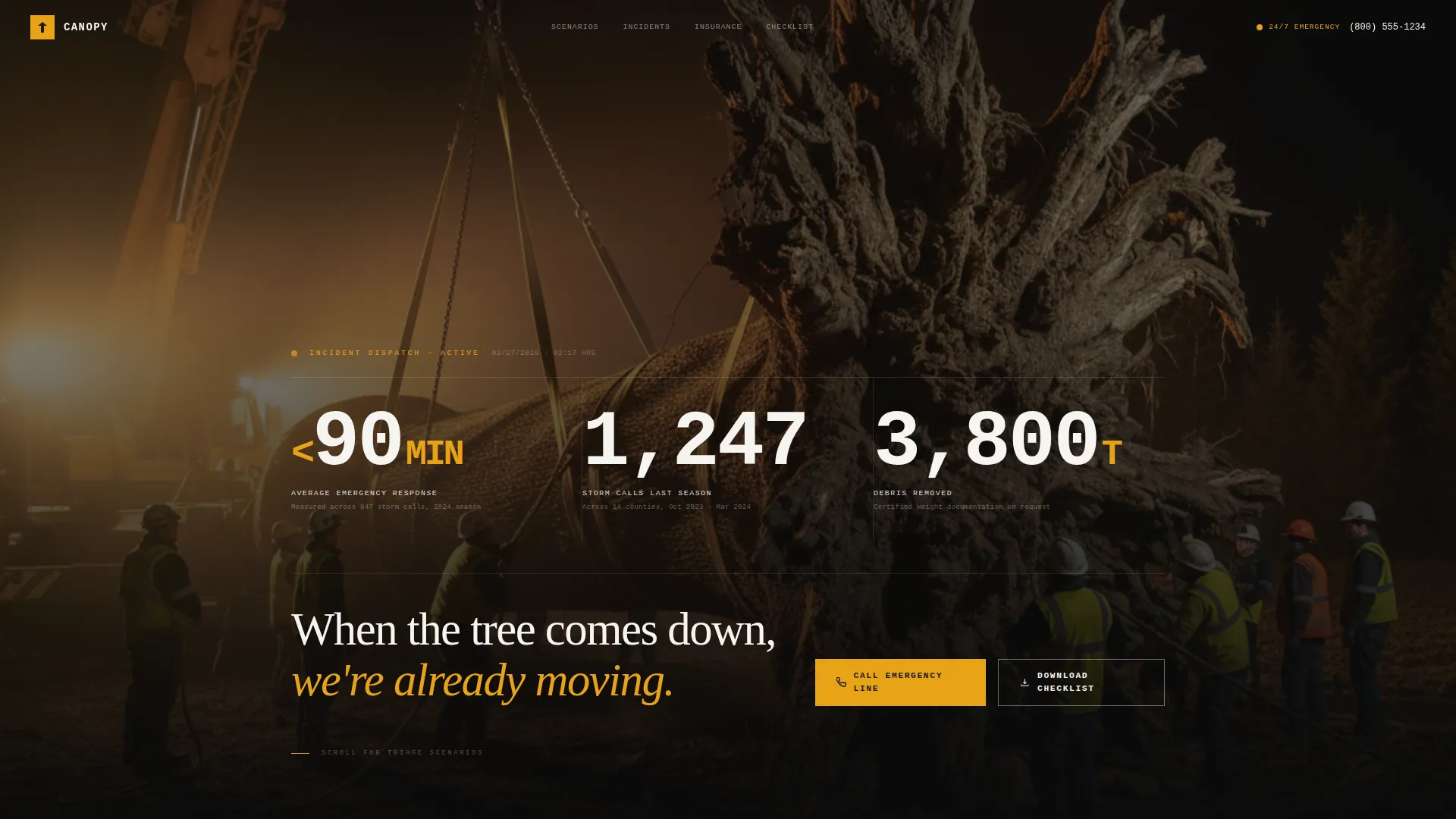
- A dark full-bleed hero section with oversized monospaced statistics and an incident-report typographic style
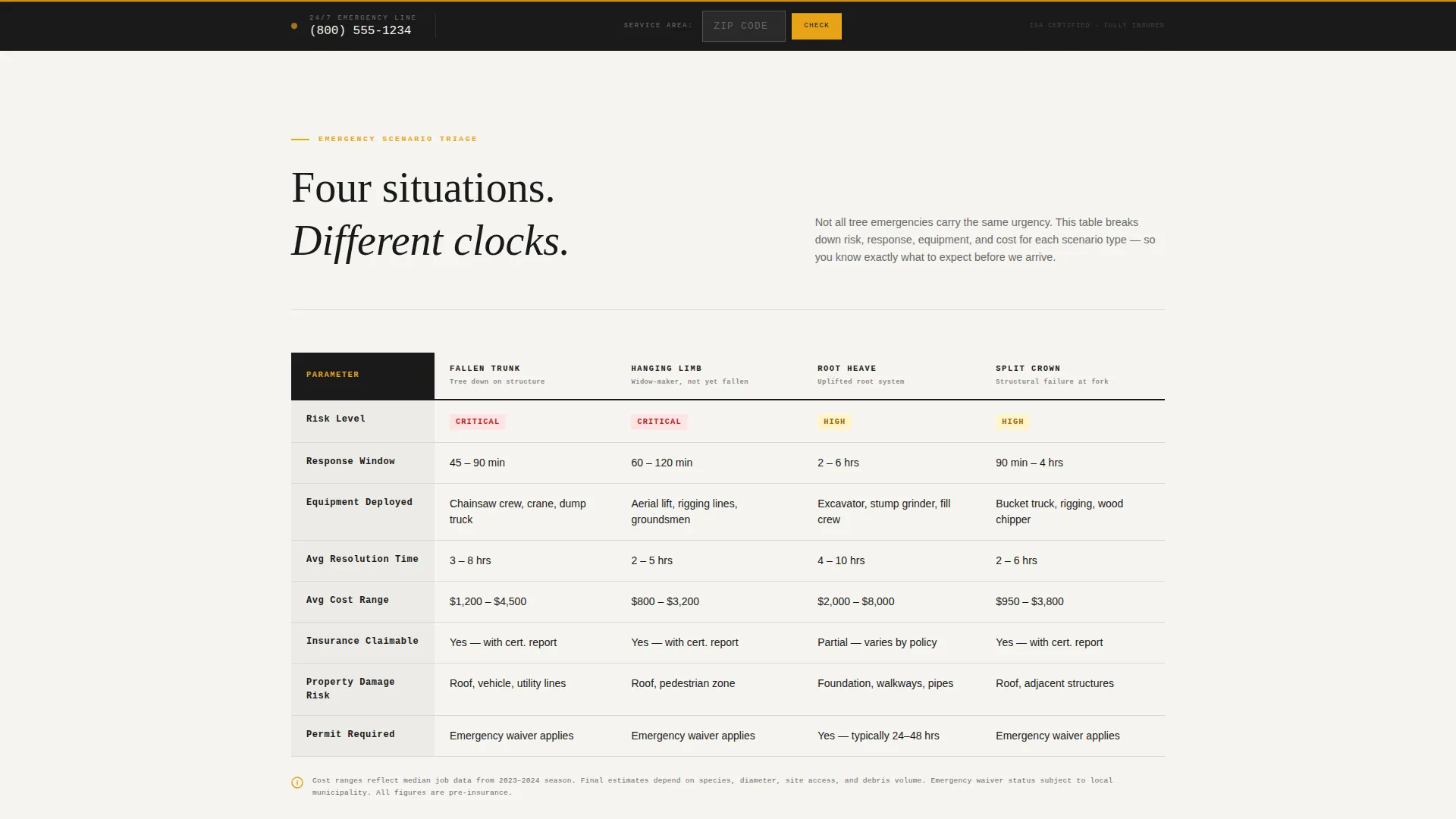
- Four-scenario comparison tables covering fallen trunk, hanging limb, root heave, and split crown emergencies
- A checklist download form with a single email field and a persistent utility bar with click-to-call and zip-code service confirmation
Feature list
This template packages several purpose-built components into one focused layout.
Stats-First Hero Section
Three oversized statistics open the page before any paragraph copy appears. Response time, jobs completed, and insurance claims supported are typeset in monospaced figures against a dark full-bleed photograph. The effect is immediate proof, not introduction.
Emergency Scenario Comparison Tables
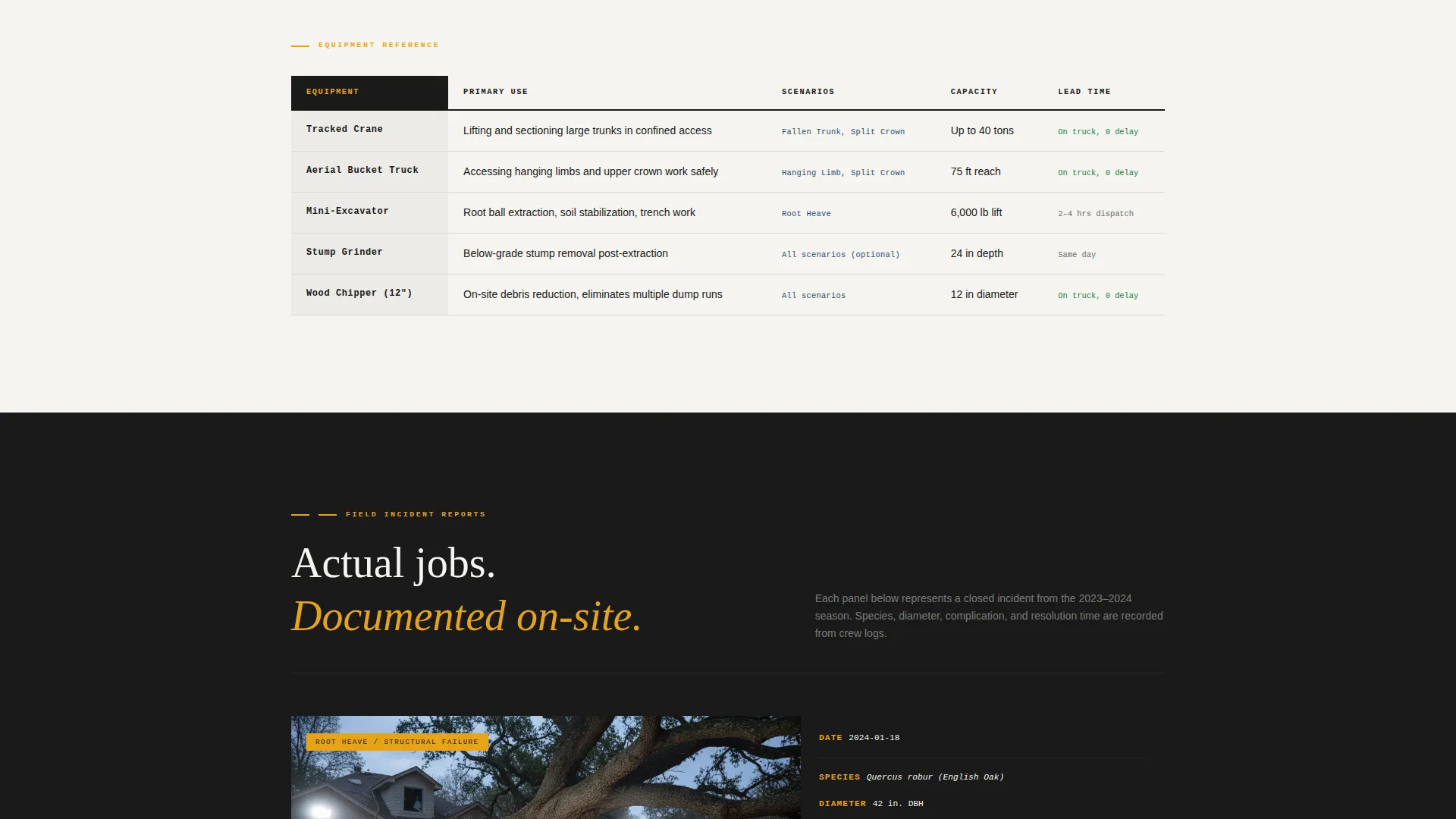
Four emergency types are laid out side by side in triage-style tables. Each row covers risk level, typical response window, equipment deployed, and average resolution cost. The format is clinical and scannable, built for visitors who are already in an emergency mindset.
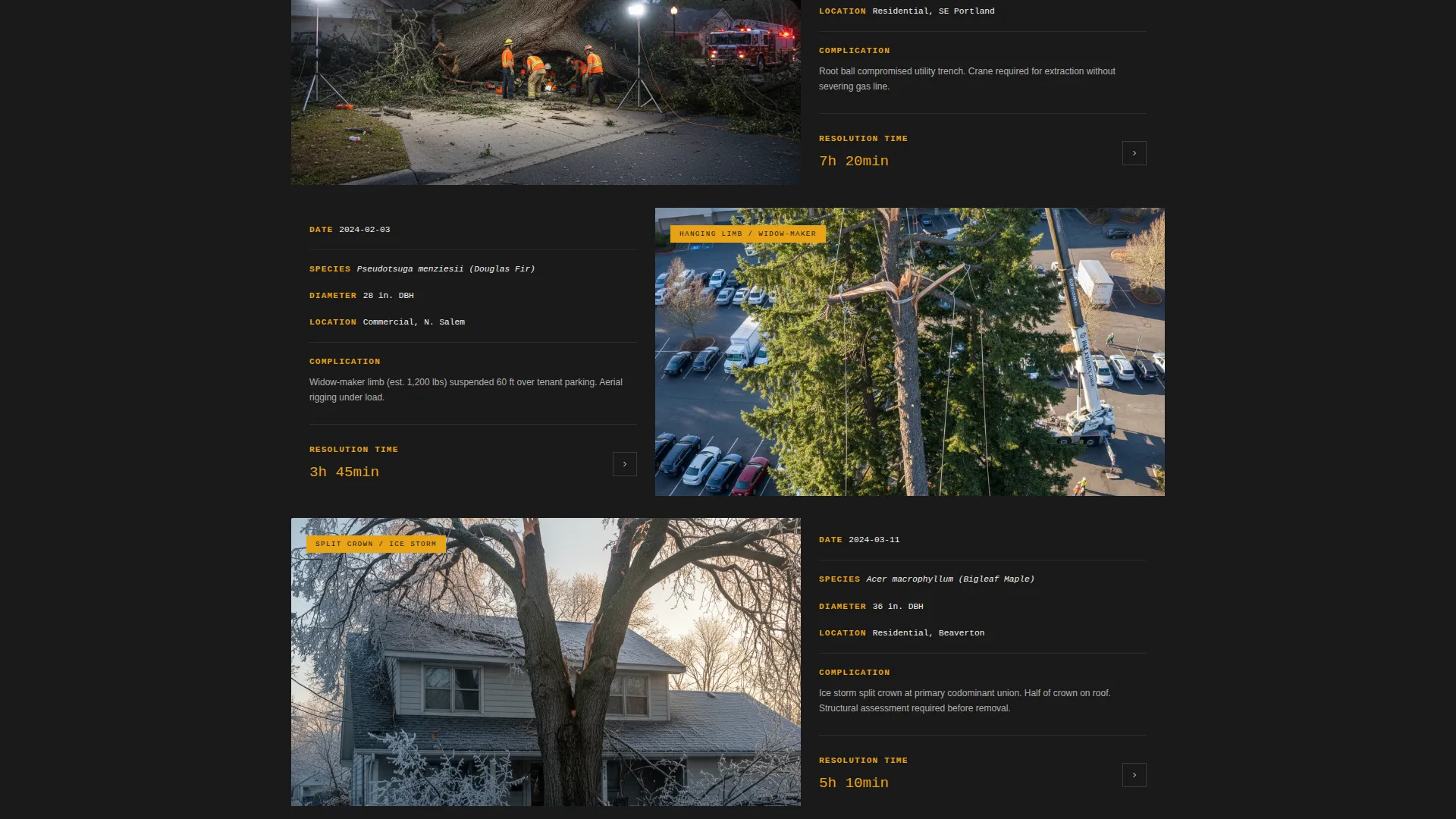
Job Site Incident Panels
Between comparison tables, single-image panels show actual job site photography with brief incident-report captions. Each caption includes date, species, diameter, complication, and resolution time. The format reinforces expertise without requiring narrative copy.
Storm Damage Checklist Download
The primary conversion path is a free PDF guide that walks homeowners through documenting storm damage for insurance claims. It sits behind a single email field and is positioned after the data-dense sections, so visitors arrive at the form already convinced of the value.
Persistent Click-to-Call Utility Bar
A utility bar stays fixed at the bottom of the viewport throughout the scroll. It carries a click-to-call button linked to the emergency service number and a zip-code input field that confirms service area instantly. Visitors never have to hunt for the contact option.
Ink and Paper Visual System
The layout uses a four-color palette built for legibility under pressure. Deep dispatch black, incident-report white, caution-tape amber, and ballpoint blue for interactive states create a clipboard-under-a-work-light feel that communicates competence before a single word is read.
Page sections overview
| Section | Purpose |
|---|---|
| Dark hero header | Display key proof statistics over a dramatic job-site photograph |
| Three-stat block | Lead with response time, jobs completed, and insurance claims supported |
| Scenario comparison tables | Break down four emergency types by risk, window, equipment, and cost |
| Job site panels | Show real incident photography with brief report-style captions |
| Checklist download form | Capture email in exchange for the free Storm Damage Checklist PDF |
| Persistent utility bar | Keep click-to-call and zip-code service confirmation always visible |
Design & branding system
The visual identity follows a Service Utility theme. Every design decision prioritizes legibility and authority over decoration.
- Color palette: deep dispatch black (#1A1A1A), incident-report white (#F5F4F0), caution-tape amber (#E8A317), and ballpoint blue (#2C4A6E) for linked text and interactive states
- Typography: monospaced figures for statistics, field-report style text blocks for body copy, stark white headlines on dark backgrounds
- Photography: single truck-mounted floodlight illuminating a job site at night, crew mid-rig, cables taut, hard hats catching amber light
Mobile & speed optimization
The layout is structured for fast scanning on any screen size. Visitors arriving from a storm-damage search at 2 a.m. are often on a phone, and every component is built with that context in mind.
- Comparison tables are designed to scroll horizontally on smaller screens without breaking the clinical, triage-style format
- The persistent utility bar remains accessible at the bottom of the viewport on mobile, keeping the click-to-call button one tap away
- Full-bleed photography and heavy statistics blocks are laid out to load and render without competing visual noise
How this template helps you convert
The page is structured so that every scroll step builds trust before asking for anything. By the time a visitor reaches a conversion element, the template has already done the persuasion work through data.
- The stats-first hero establishes immediate credibility. Visitors see proof numbers before they read a single sentence of copy, reducing the friction that causes emergency searchers to bounce.
- The comparison tables serve as a self-qualification tool. Visitors identify their scenario, understand the expected process, and arrive at the checklist form or utility bar with their question already answered.
- The dual conversion paths match two different visitor states. Someone ready to call right now uses the utility bar. Someone still gathering information downloads the checklist, providing a contact point for follow-up.
Other information about this template
This template is well suited for tree service businesses that also want to support insurance documentation workflows. The incident-report style and the Storm Damage Checklist position the operator as a trusted resource for adjusters, not just a contractor.
- The template style follows a Sidebar Companion layout direction, meaning supporting context panels sit alongside primary content columns for efficient information delivery
- The header concept uses a Half-Page Photo plus Text structure adapted into a full-bleed dark treatment as described in the creative brief
- The Transparent Process creative direction means every section shows how the work gets done, rather than asking visitors to take capability on faith
- This template is a strong fit for tree service marketing campaigns that include storm-season paid search, neighborhood outreach, and property management partnerships
Theme
Legal Shield
Creative direction
Transparent Process
Color system
Ink & Paper
Style
Sidebar Companion
Direction
Partnership/B2B
Page Sections
Stats-first Hero with Proof Numbers
Emergency Scenario Comparison Tables
Job Site Incident Report Panels
Storm Damage Checklist Download
Persistent Click-to-call Utility Bar
Ink and Paper Color System
Related questions
Who is the primary audience for this landing page template?
What is the main conversion goal of this template?
Can this template support insurance claim documentation workflows?
Does this template cover multiple types of tree emergencies?
What design style does this template use?



