Rainforest Protection Nonprofit Landing Page Template
Canopy is a single-column landing page template built for rainforest protection social enterprises. It uses people-first storytelling, a cinematic full-bleed team photo header, and scroll-driven team profiles to move visitors toward event registration. The Teal Catalyst color system and editorial naturalist design make every section feel grounded, urgent, and alive.
by Rocket studio
Quick summary
Canopy is a landing page template designed for rainforest conservation organizations that lead with people, not statistics. It opens with a full-bleed field team photograph, scrolls through intimate team profiles, and closes with an event registration form. The goal is simple: by the time a visitor reaches the sign-up section, they feel like they already know the room they are walking into.
Who this template is for
This template is built for mission-driven organizations in the conservation and nonprofit space. It works especially well for teams whose credibility lives in the field, not in a boardroom.
- Rainforest protection social enterprises running annual donor or partner briefings
- Donor-funded land trusts looking for a transparent, people-forward event registration page
- Field biology organizations, conservation educators, and school programs seeking to connect supporters with real team members
What problem this template solves
Most conservation landing pages lead with satellite maps, hectare tallies, and urgent statistics. Visitors feel informed but not moved. They understand the scale of the problem but cannot picture a single human solving it.
- Abstract mission statements that fail to build trust or emotional connection with first-time visitors
- Registration pages that feel transactional rather than inviting, leading to low sign-up rates
- A disconnect between an organization's compelling field work and the flat, generic way it is presented online
What you get with this template
This template delivers a fully structured, single-column flow landing page ready to adapt for your organization's annual field briefing or conservation event. Every section is purposeful and ordered to build familiarity before it asks for commitment.
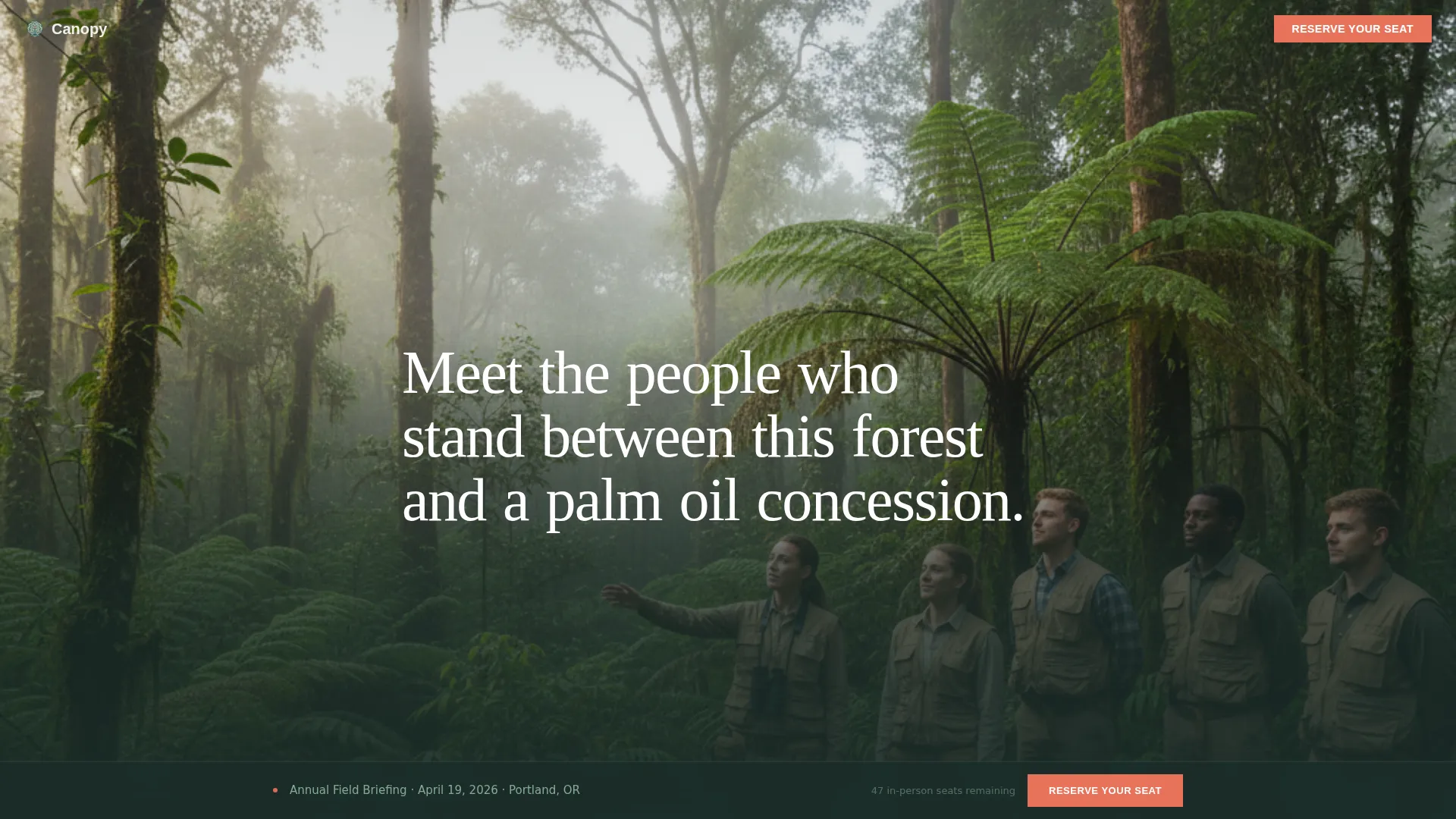
- A cinematic hero section with a full-bleed team photograph and serif headline overlay
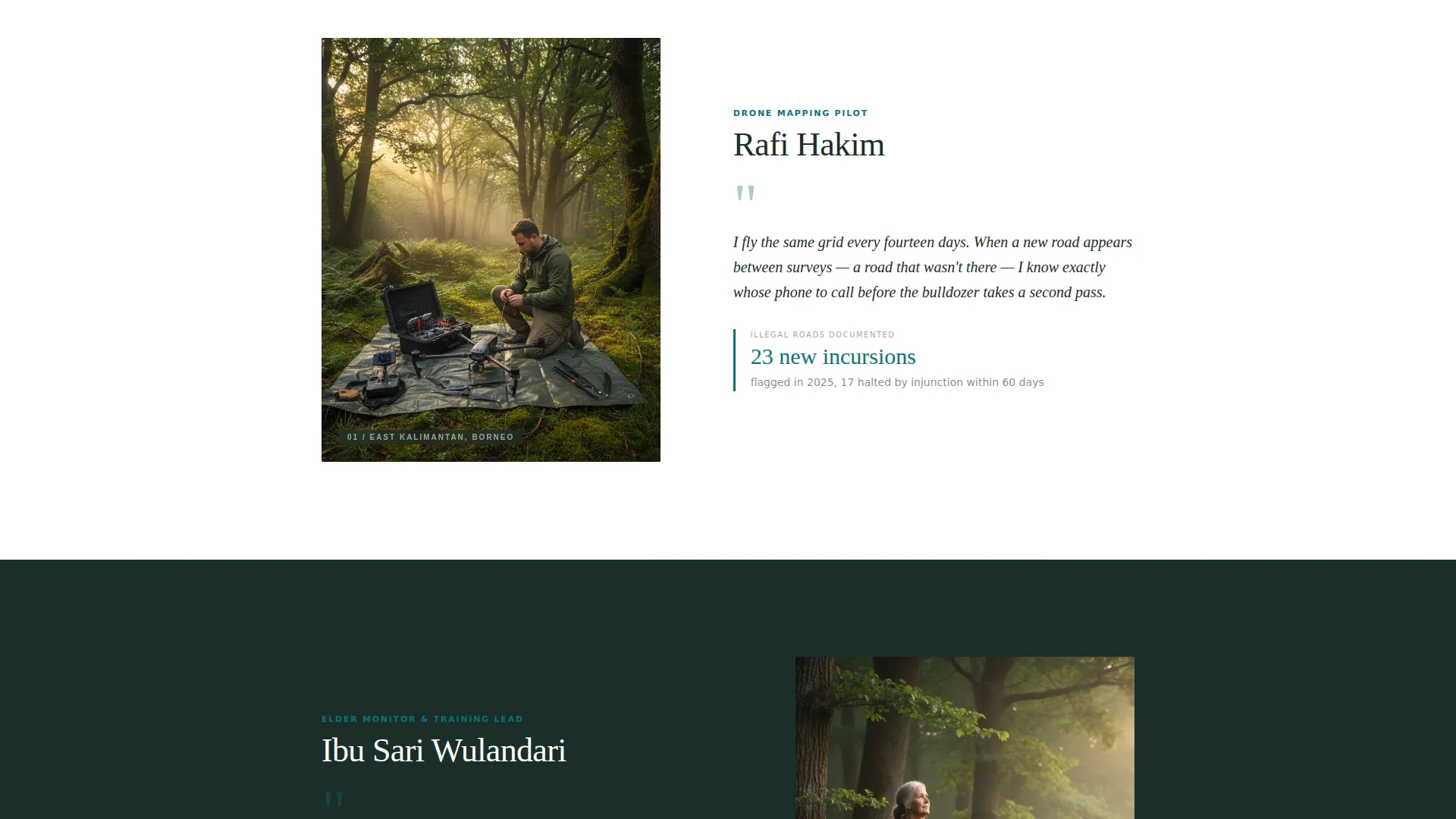
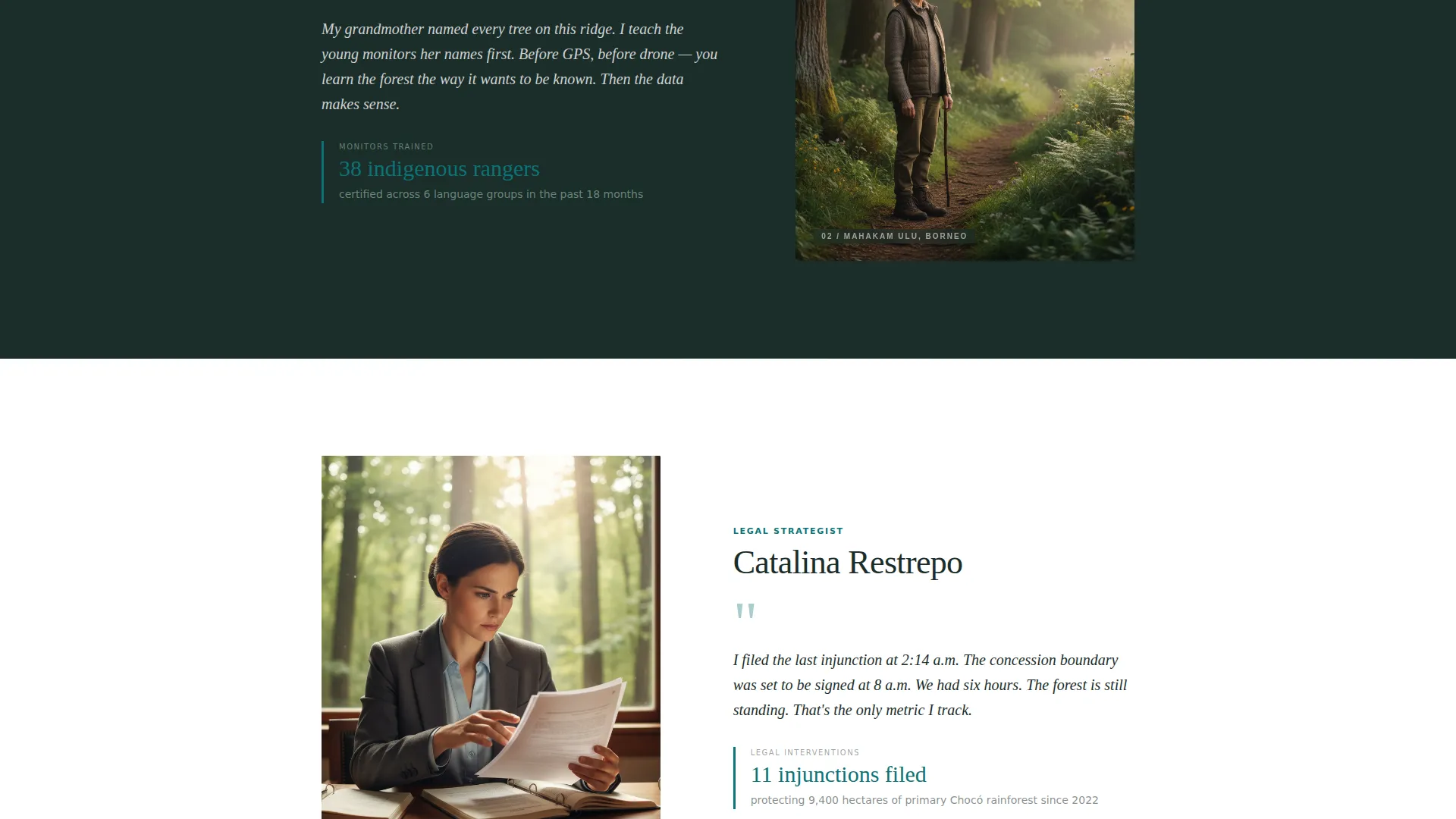
- Three asymmetric team profile blocks, each with portrait, personal quote, and one concrete data point from their work
- An event details section, a sticky "Reserve Your Seat" call-to-action button, and a registration form with a secondary donation path
Feature list
A paragraph introduces the feature set: each capability below maps directly to a section or interaction defined in the template brief, so what you see here is exactly what the template delivers.
Full-Bleed Team Photo Hero
The header uses a wide-format, unposed field photograph that bleeds edge to edge. A single serif headline sits over the lower third of the image. There is no logo above the fold, keeping the human story at the center from the first scroll.
Scroll-Driven Team Profile Sections
Three individual team member sections appear in sequence as the visitor scrolls. Each block includes a portrait, a direct quote in the team member's own voice, and one data point their work produced. The asymmetric layout gives each profile room to breathe.
Sticky Event Registration Button
After the third team profile, a coral "Reserve Your Seat" button fixes to the bottom of the screen and stays visible for the rest of the page. The button appears through a scroll-triggered animation, so it never interrupts the storytelling flow before the visitor is ready.
Event Registration Form
The registration section includes fields for name and email, plus a dropdown asking "How will you join?" with three options: in-person, livestream, or watch the recording. The form is compact and direct, reducing friction at the moment of commitment.
Secondary Donation Path
Below the registration form, a secondary text link reads "Can't attend? Fund a hectare instead." This gives visitors who cannot make the event a meaningful alternative action, keeping engagement high even outside the primary conversion path.
Teal Catalyst Color and Typography System
The design uses Fraunces serif for headlines and DM Sans for body text. The four-color palette of deep canopy teal, understory shadow, epiphyte green, and catalyst coral is applied with strict rules: coral appears only on buttons and urgent callouts, creating high visual contrast exactly where action is needed.
Page sections overview
| Section | Purpose |
|---|---|
| Hero Photo Header | Establish human credibility immediately with an unposed field team image and cinematic headline |
| Team Profile One | Introduce first team member with portrait, quote, and work data point |
| Team Profile Two | Introduce second team member with portrait, quote, and work data point |
| Team Profile Three | Introduce third team member with portrait, quote, and work data point |
| Field Briefing Details | Explain what the annual event covers, what attendees will see, and why it matters |
| Reserve Your Seat | Registration form with name, email, attendance-type dropdown, and sticky coral button |
| Footer | Linear single-row footer with essential links |
Design & branding system
The visual identity follows an Educational Guide theme with an editorial naturalist tone. The palette moves from dark and dense at the edges to suddenly alive where light breaks through, mirroring the experience of stepping into a forest clearing.
- Colors: deep canopy teal (#0D7377) for primary brand surfaces, understory shadow (#1B2D2A) for text and dark backgrounds, sunlit epiphyte green (#A8D5BA) for accent areas, and catalyst coral (#E8735A) reserved exclusively for buttons and urgent callouts
- Typography: Fraunces serif headings for editorial weight and warmth, DM Sans for clean, readable body copy across all devices
- Backgrounds alternate between the deep shadow tone and clean white, with coral used sparingly enough that every instance commands immediate attention
Mobile & speed optimization
The template is built desktop-first with a strong mobile adaptation layer. Every section reflows cleanly for smaller screens without losing the visual hierarchy that drives the conversion path.
- Scroll-reveal word animations and fade-in portraits use minimal JavaScript, keeping the interactive layer lightweight
- Server components handle static content sections, and the sticky call-to-action button adapts its position correctly on both desktop and mobile viewports
- Team profile cards include hover states on desktop and maintain tap-friendly proportions on mobile
How this template helps you convert
The conversion strategy here is not urgency, it is intimacy. Every design decision is made to make the visitor feel they already belong in the room before they are asked to register.
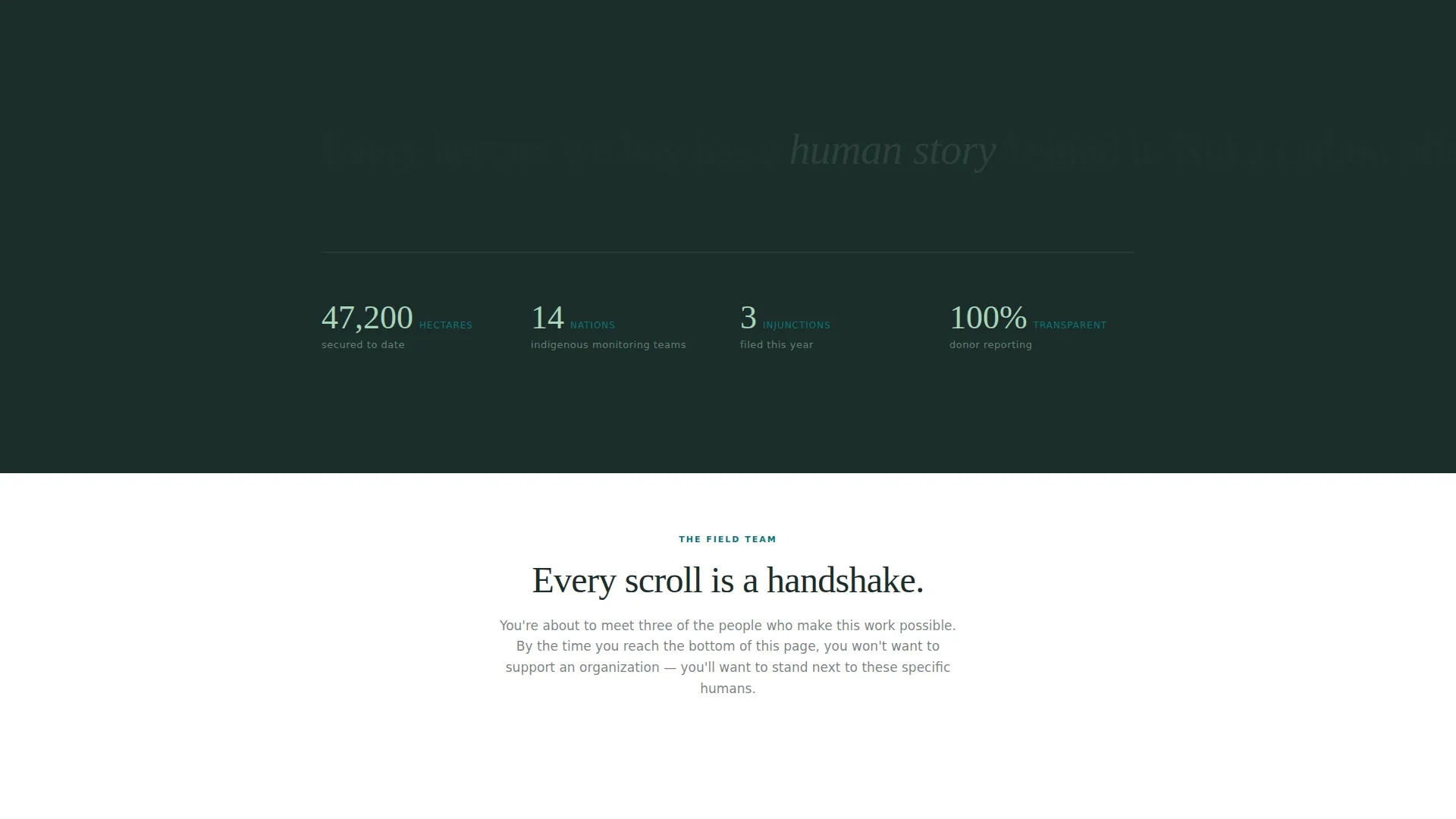
- The three team profiles build progressive familiarity. Each scroll introduces a real person with real outcomes. By the third profile, a visitor is not considering supporting an organization; they are considering standing next to specific humans.
- The sticky coral button appears only after the third profile, so the call to action arrives when emotional investment is at its highest. The button's coral color against the dark palette makes it impossible to miss without feeling aggressive.
- The secondary "Fund a hectare" path below the form captures visitors who want to engage but cannot attend, ensuring the page produces a meaningful action from nearly every motivated visitor.
Other information about this template
This template is categorized under Community and Nonprofit, with a specific focus on the Rainforest Protection Social Enterprise niche. It is a strong fit for organizations whose primary audience includes conservation philanthropists, donor-funded land trusts, field biologists, school groups, and educators who want to connect their communities to real field work.
- The template is designed as a single-column flow landing page, making it straightforward to edit section by section without disrupting the overall scroll narrative
- Localization defaults are English (United States) with date formatting in MM/DD/YYYY and no currency displayed, keeping the page neutral for international supporters
- Animation intensity is set to medium: scroll-reveal text, fade-in portraits, and the sticky button appearance are all included and can be adjusted during customization
- The footer follows a linear single-row pattern, keeping the closing of the page clean and uncluttered
Theme
Educational Guide
Creative direction
Team & People
Color system
Teal Catalyst
Style
Single Column Flow
Direction
Event Registration
Page Sections
Full-bleed Team Photo Hero
Scroll-driven Team Profile Blocks
Sticky Event Registration Button
Compact Registration Form
Secondary Hectare Donation Path
Teal Catalyst Visual Identity
Related questions
Can I replace the team member profiles with my own staff?
What information does the registration form collect?
Is this template only useful if I have an upcoming event?
Can the color system be changed to match my organization's brand?
Where does the secondary donation link point?



