Tree Service Landing Page Template for Seasonal Promos
Canopy is an editorial-style tree service landing page built for seasonal promotions. It pairs giant all-caps headline typography with a logo wall, alternating before-and-after spreads, and a sticky booking bar. The design uses arctic white, bark charcoal, and safety-vest orange to present removal quotes and pruning programs with the authority of a printed arborist report.
by Rocket studio
Quick summary
Canopy is a single-page tree service landing page designed for seasonal promotions. It leads with a bold editorial headline, builds instant credibility through a client logo wall, and moves visitors toward scheduling a free assessment. The layout alternates between full-bleed photography and tight editorial copy, making every section feel both urgent and trustworthy.
Who this template is for
This template is built for tree service businesses that need a high-authority, conversion-focused page for their seasonal removal or pruning promotions. It speaks clearly to service providers who work with property managers, homeowners, and institutional clients.
- Tree service companies running spring or pre-hurricane-season promotions
- Arborist businesses targeting property managers, homeowners, and HOA boards
- Crews offering emergency response, stump grinding, and scheduled pruning programs
What problem this template solves
Most tree service pages look like directories. They list services without urgency, lack visual proof, and give visitors no reason to act today. Canopy fixes that by front-loading credibility and pairing it with visible seasonal scarcity.
- Visitors leave without booking because the page never establishes trust quickly
- No sense of urgency means prospects delay, even when the problem is real and present
- Generic layouts fail to communicate the scale and professionalism of commercial-grade tree work
What you get with this template
You get a fully structured editorial landing page with every section mapped to a specific conversion goal. From the opening headline to the final form, each element earns its place.
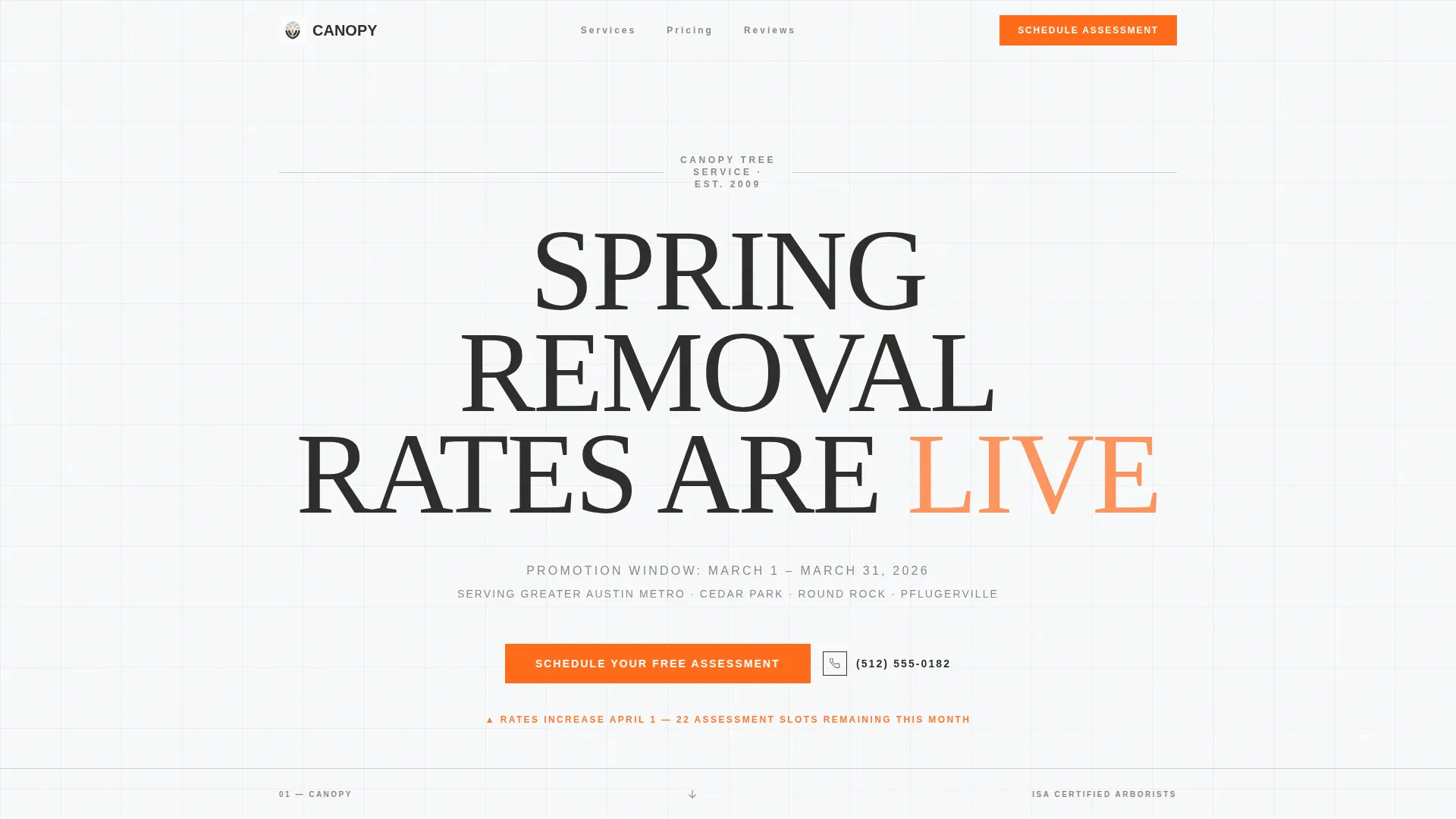
- A giant centered editorial headline section with pulsing orange accent and promotion window copy
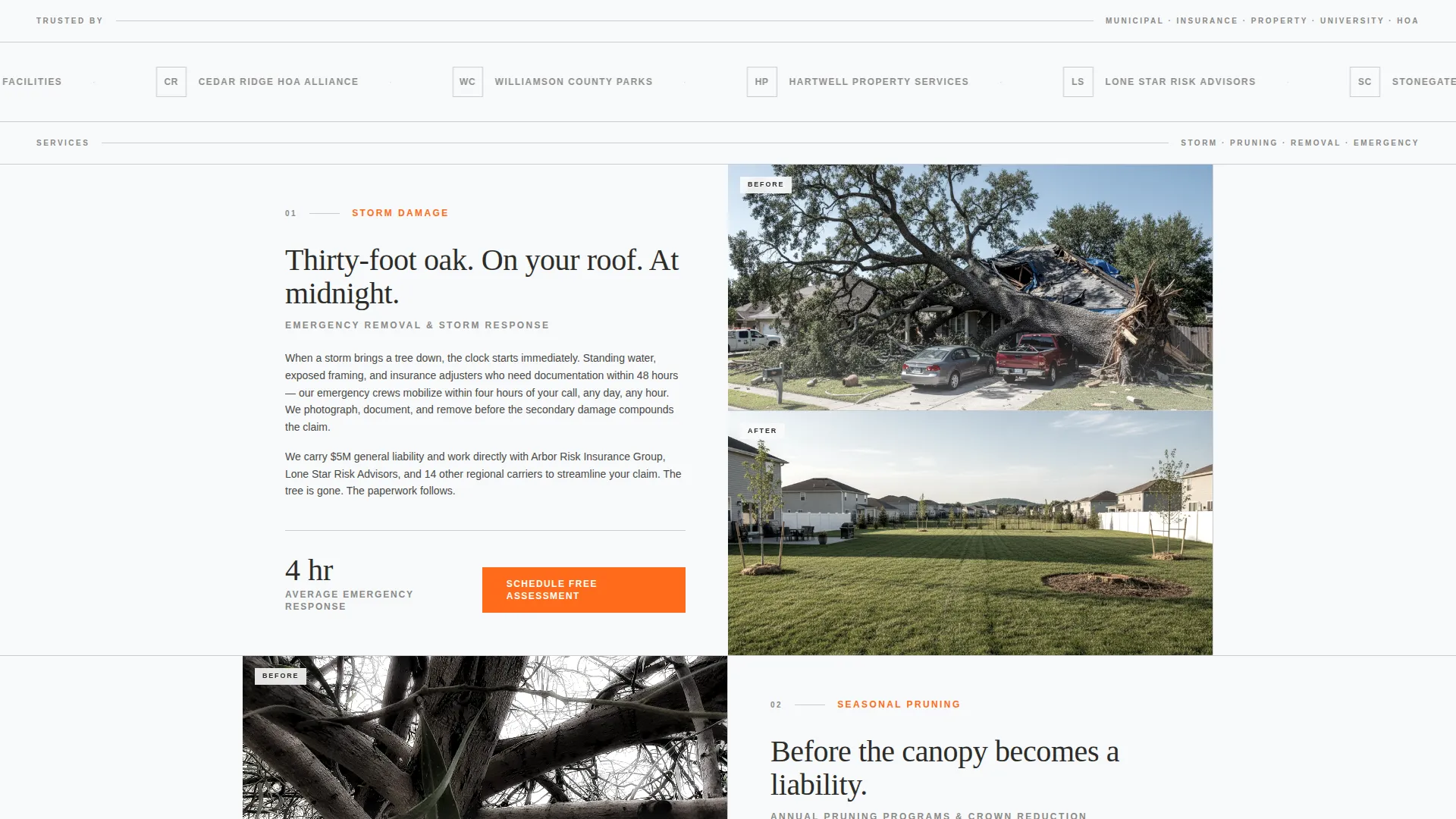
- A horizontal logo wall band for institutional client credibility display
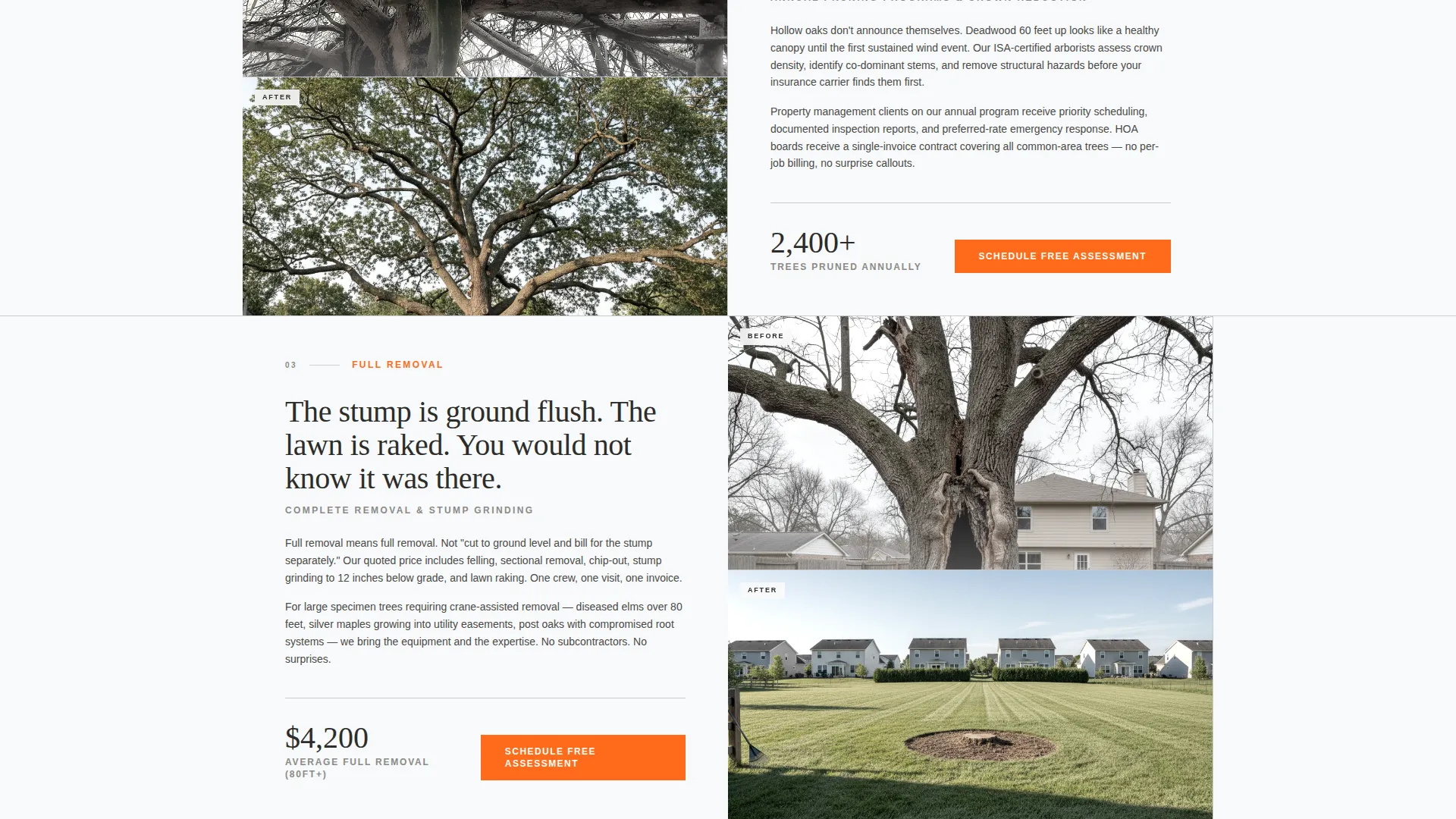
- Alternating before-and-after service spreads with magazine-column copy blocks
- A sticky booking bar and per-section scheduling form with address, tree count, urgency, and visit window fields
- A tap-to-dial secondary call-to-action styled as an editorial pull-quote
Feature list
This section covers the core built-in capabilities delivered by the Canopy template.
Giant Editorial Headline Header
The header uses massive all-caps typography centered against arctic white. A single word pulses once in safety-vest orange to signal live seasonal pricing. Below the headline, a smaller line states the promotion window and service area. No image competes with the text.
Logo Wall Authority Band
Immediately below the header, a horizontal band displays client logos including municipal seals, property management firms, insurance carriers, and university grounds departments. This section establishes institutional credibility before a single service is described.
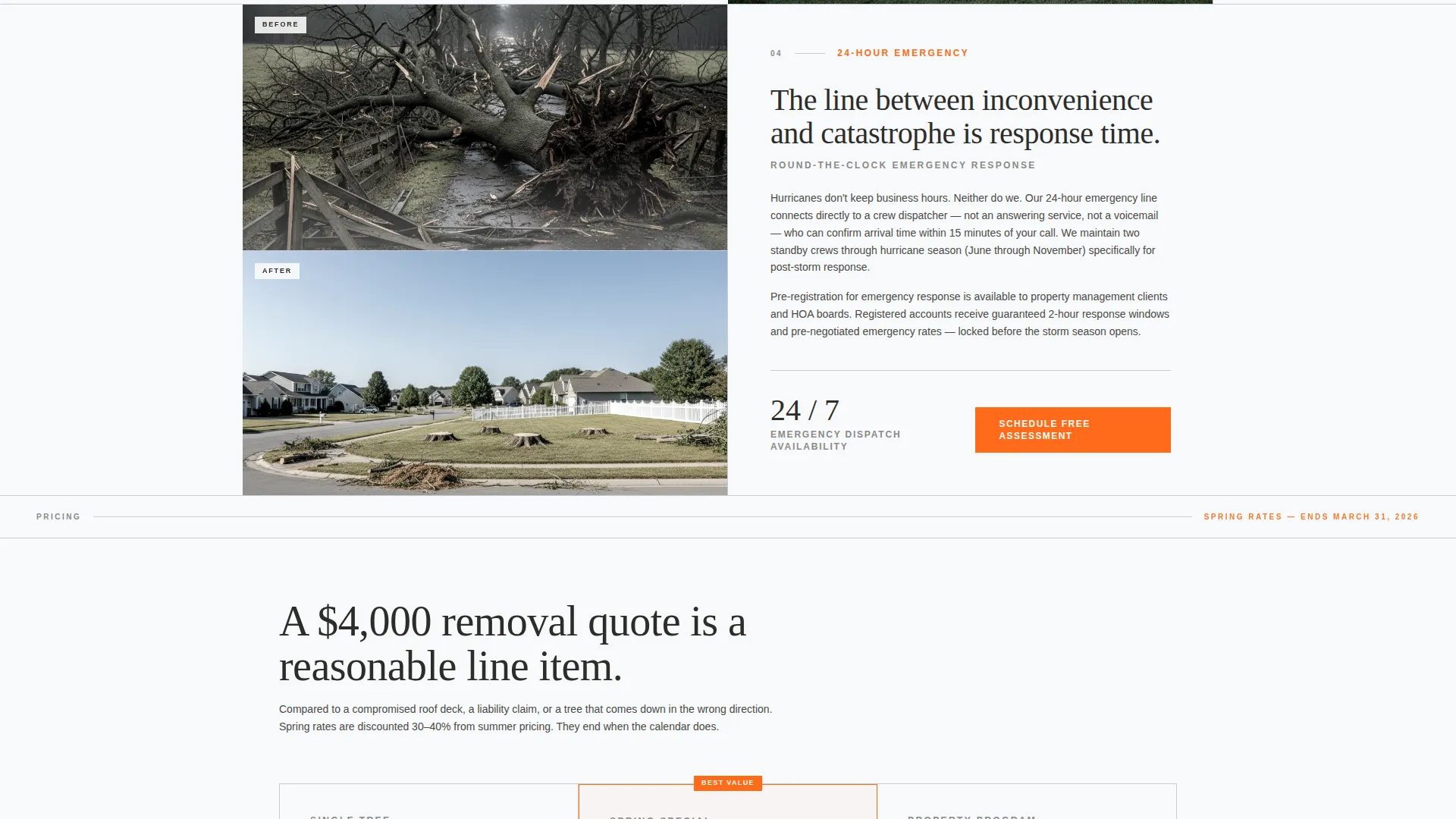
Alternating Editorial Service Spreads
Each spread pairs one dramatic before-and-after aerial photograph with tight magazine-column copy. Services covered include storm damage removal, seasonal pruning programs, stump grinding, and emergency 24-hour response. The rhythm escalates from routine maintenance to catastrophic removal.
Sticky Scheduling Bar and Per-Section Forms
A sticky booking bar appears after the logo wall and stays visible as the visitor scrolls. Each service spread also anchors its own scheduling form. The form collects address with autofill, number of trees needing attention, service urgency level, and a preferred visit window.
Seasonal Pricing Scarcity System
The promotion end date is displayed visibly in every section. This makes delay feel more costly than committing to a booking. Safety-vest orange is reserved strictly for calls to action and seasonal pricing callouts throughout the page.
Tap-to-Dial Secondary Path
A direct phone number is styled as an editorial pull-quote rather than a standard button. Visitors who prefer to call can tap directly from any mobile device without navigating away from their current section.
Page sections overview
| Section | Purpose |
|---|---|
| Editorial Headline Header | Announces live seasonal rates and promotion window |
| Logo Wall Band | Builds institutional credibility before services |
| Storm Damage Spread | Covers emergency and post-storm removal services |
| Seasonal Pruning Spread | Presents scheduled pruning program details |
| Stump Grinding Spread | Describes grinding and site cleanup services |
| Emergency Response Spread | Highlights 24-hour emergency crew availability |
| Sticky Booking Bar | Keeps scheduling access visible during scroll |
| Assessment Booking Form | Captures address, urgency, and visit preference |
| Tap-to-Dial Pull-Quote | Provides direct call path styled as editorial text |
Design & branding system
The visual identity follows a Corporate Precision theme. The palette is clinical and sharp, designed to make a large removal quote feel like a reasonable, professional line item rather than a surprise expense.
- Arctic white (#F8F9FA) as the dominant background, bark charcoal (#2D2D2A) for body text, and frost silver (#C9CCD5) for dividers and secondary elements
- Safety-vest orange (#FF6B1A) used exclusively for calls to action and seasonal pricing callouts, never for decorative purposes
- Full-bleed aerial photography alternating with dense editorial text blocks to create a magazine-spread rhythm throughout the page
Mobile & speed optimization
The Canopy template is structured with mobile visitors in mind. Property managers and homeowners often discover storm damage and search for help from a phone in their yard or driveway.
- The sticky booking bar and tap-to-dial pull-quote are both immediately accessible on small screens without extra scrolling
- Address autofill on the scheduling form reduces friction for mobile users entering their property details
- Full-bleed images and editorial text blocks are laid out to reflow cleanly at smaller viewport sizes
How this template helps you convert
Every structural decision in Canopy is pointed at one outcome: turning a seasonal visitor into a booked assessment. The page earns that click rather than demanding it.
- The logo wall appears before any service description, so trust is established at the very first scroll point rather than buried at the bottom of the page.
- The promotion end date is visible in every section, creating genuine time pressure that makes booking now feel more sensible than waiting.
- The sticky bar and per-section forms mean a visitor never has to scroll back to the top to take action, removing the most common drop-off point on service pages.
Other information about this template
Canopy is built specifically for tree service seasonal promotions and works equally well for spring rate announcements and pre-hurricane-season scheduling campaigns. It is designed for single-page deployment, so no multi-page build or complex site structure is required.
- The editorial design direction draws from Wall Street Journal-style layout principles, making the page feel authoritative rather than promotional
- The template suits tree service businesses that serve both residential and commercial or institutional client segments from one page
- The before-and-after aerial photography placeholders are sized and positioned for real crew photography, making the transition from template to live page straightforward
- The color system and typography are consistent throughout, so brand customization requires only swapping logo assets and updating copy
Theme
Legal Shield
Creative direction
Transparent Process
Color system
Ink & Paper
Style
Sidebar Companion
Direction
Partnership/B2B
Page Sections
Giant Editorial Headline Header
Logo Wall Authority Band
Alternating Editorial Service Spreads
Sticky Scheduling Bar with Smart Form
Seasonal Pricing Scarcity Display
Tap-to-dial Editorial Pull-quote
Related questions
Who is the Canopy template designed for?
What services does the page cover?
How does the booking form work?
Can this template work for both residential and commercial clients?
Does the page include a way for visitors to call directly?



