Canopy - Precision Arborist Landing Page Template
Canopy is a zigzag landing page template built for Cape Town tree service professionals. It uses a Corporate Precision design system in deep navy, charcoal, and safety orange to present arborist credentials through real case study narratives. Two conversion paths, a downloadable risk guide and a site inspection request, work together to build trust and capture qualified leads.
by Rocket studio
Quick summary
Canopy is a single-page template for professional arborists and tree service companies operating in Cape Town. It pairs a Navy Authority color system with a Case Study Narrative structure, letting completed jobs speak for the company's capability. A lead-generation guide and a footer inspection form give visitors two clear ways to take the next step.
Who this template is for
This template is designed for tree service operators who handle complex, high-stakes work and need a page that reflects that professionalism. It speaks directly to service providers who rely on certified credentials, documented results, and municipal compliance knowledge to win contracts.
- ISA-certified arborists and tree felling companies serving the Cape Peninsula
- Operators targeting estate managers, body corporates, and municipal compliance clients
- Tree service businesses that need a credible content and lead-generation hub
What problem this template solves
Many tree service businesses look identical online, generic stock photos, vague promises, and no evidence of real capability. Canopy solves the trust problem by replacing empty claims with structured case study proof. It also solves the lead-quality problem by filtering visitors through a resource download before asking for a quote.
- Visitors cannot tell one tree company from another without documented results
- Residential and commercial buyers need credential reassurance before committing to high-risk work
- Generic contact forms attract unqualified leads instead of decision-ready clients
What you get with this template
Canopy delivers a complete single-page layout that takes visitors from first impression through to conversion. Every section is purpose-built for a Cape Town arborist context, and the two-path conversion system means you capture both early-stage researchers and quote-ready buyers.
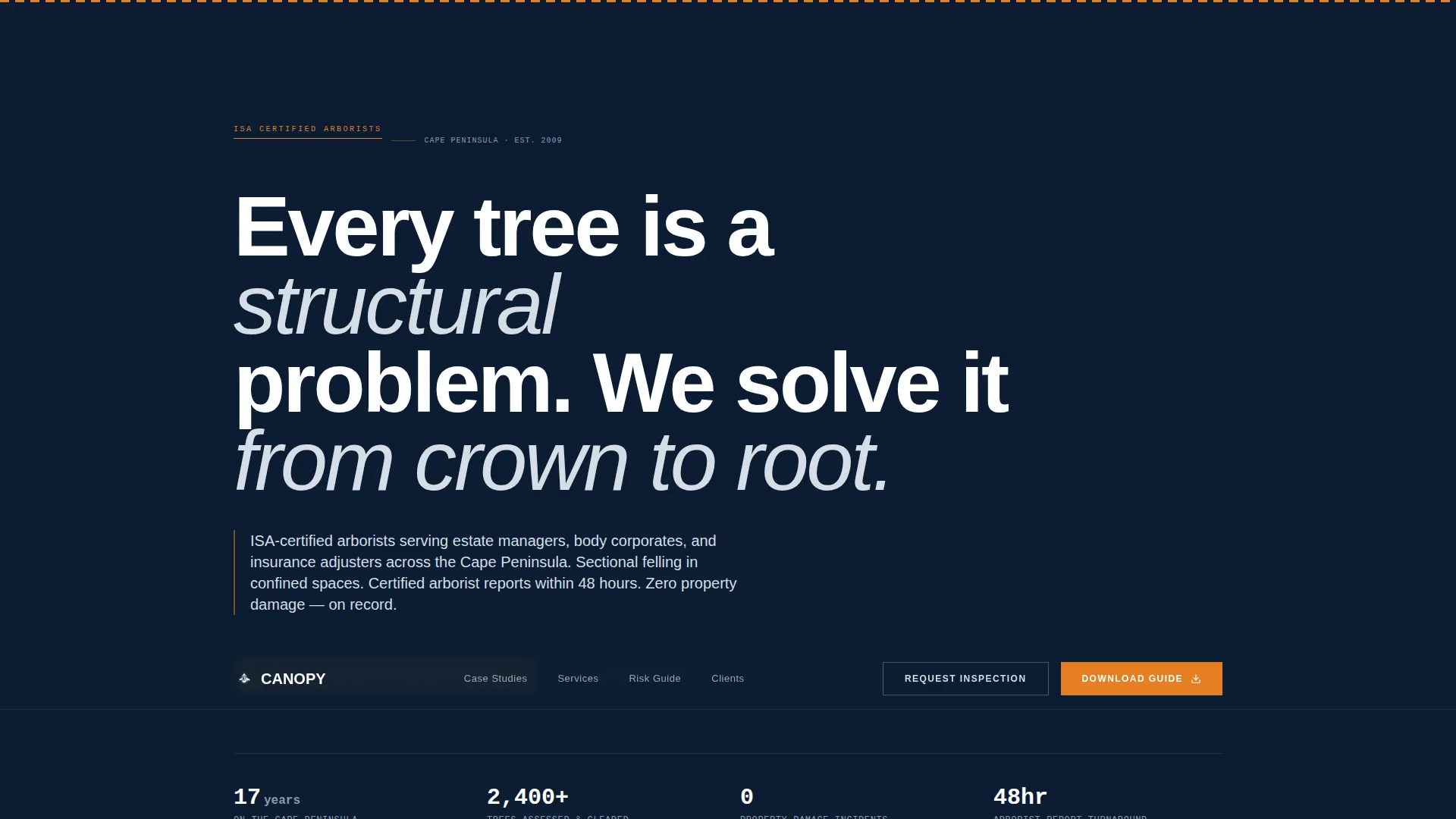
- A flat-navy hero section with a manifesto headline and no distracting imagery
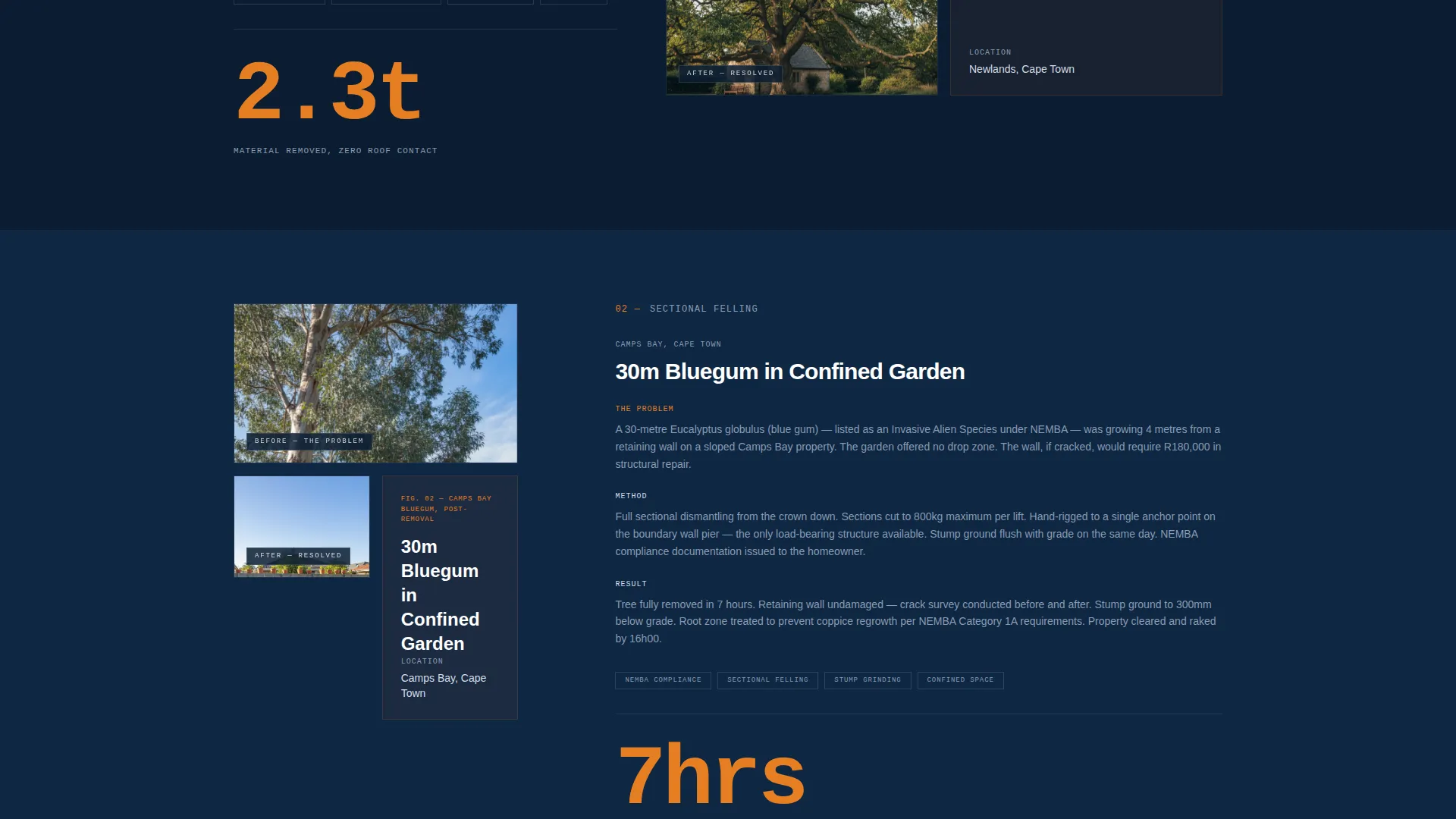
- Zigzag case study sections that escalate in job complexity as the visitor scrolls
- A mid-page downloadable guide form and a footer site-inspection booking form
Feature list
This section describes the core built-in capabilities of the Canopy template.
Manifesto Hero Header
The header is a flat navy field carrying a white-text headline and a single fynbos-silver subline. There are no stock photos or video backgrounds. The restraint communicates institutional authority from the first second on the page.
Zigzag Case Study Layout
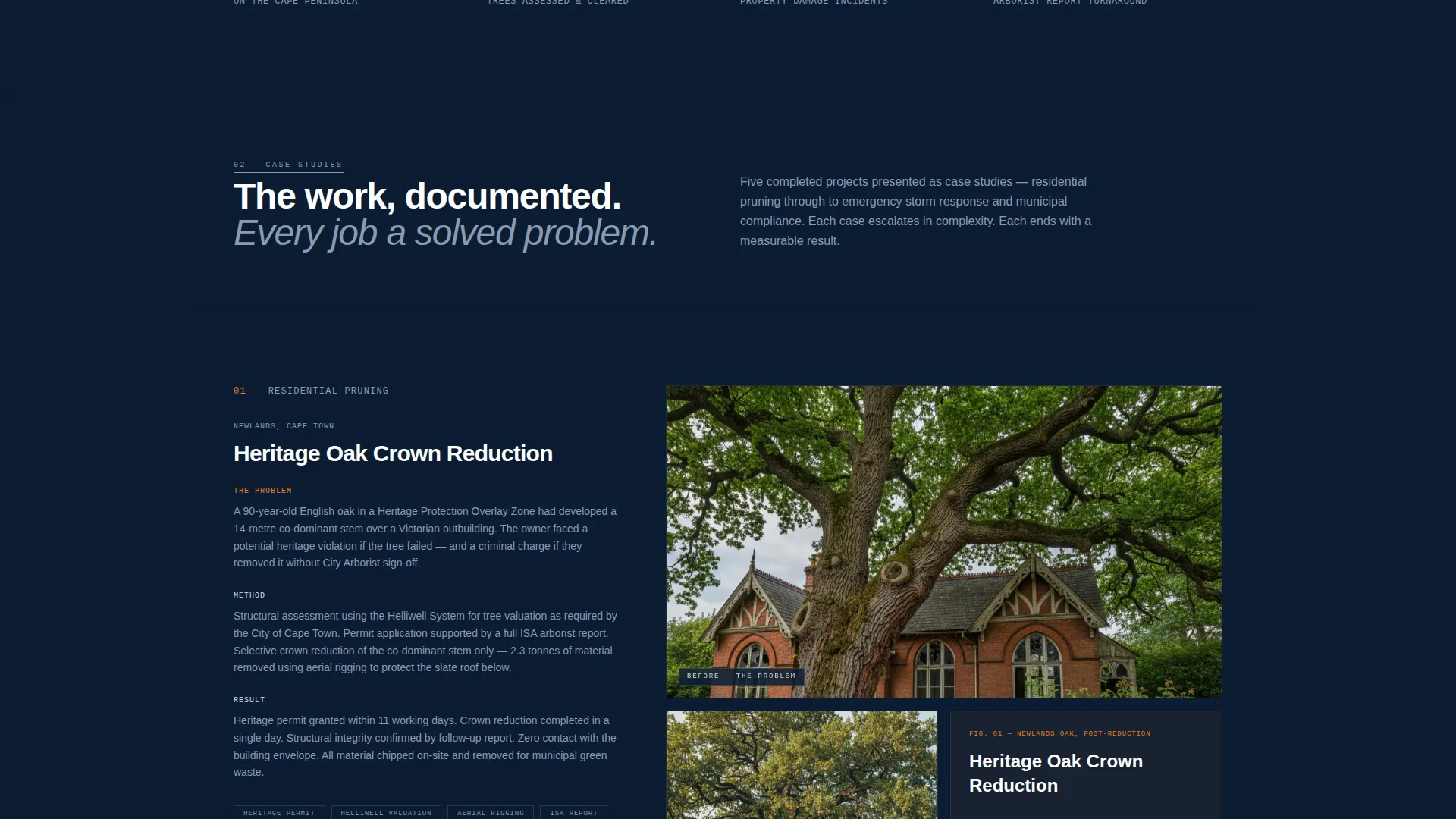
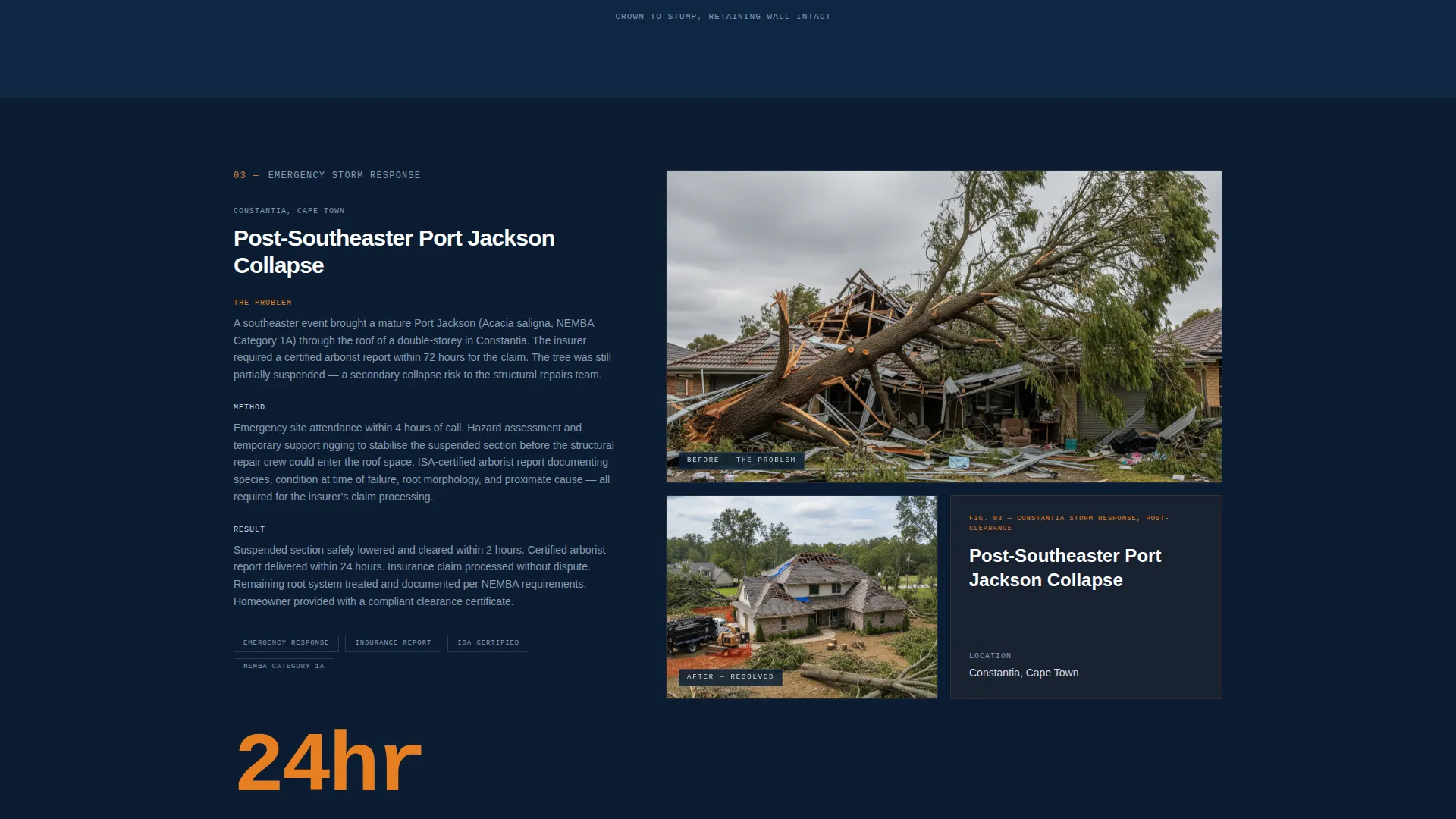
Each alternating section presents one completed job as a micro-story. A before photo sits alongside the after result and key data points. Sections escalate in complexity from residential pruning through to emergency storm response and alien vegetation clearing.
Oversized Stat Callouts
Each case study closes with a single key figure set in oversized safety-orange type. This makes the data impossible to miss and gives every section a memorable anchor point.
Primary Lead Capture Form
A download form placed after the third case study asks for name, email, and property type. Property type options cover residential, commercial, body corporate, and municipal, so the arborist receives pre-qualified context with every submission.
Footer Inspection Booking Form
A secondary conversion path in the footer lets visitors request a site inspection directly. The form includes a date picker and an address field, giving the business everything needed to schedule a visit without a follow-up call.
Branded Trust Guide Framework
The template is built around the concept of a downloadable Tree Risk Assessment Guide. The guide framework covers root failure signs, protected species regulations in the Western Cape, and guidance on when to call an arborist rather than a landscaper.
Page sections overview
| Section | Purpose |
|---|---|
| Navy Hero Header | Establishes authority with a manifesto headline and service-area credential |
| Case Study One | Presents a residential pruning or stone pine felling job with before and after |
| Case Study Two | Escalates to sectional felling in a confined space with method and result data |
| Case Study Three | Shows emergency storm response work with key performance stats |
| Case Study Four | Covers alien vegetation clearing for municipal compliance requirements |
| Guide Download Form | Captures name, email, and property type after expertise is proven |
| Footer Inspection Form | Secondary path for visitors ready to book a site visit |
Design & branding system
The Navy Authority palette is the backbone of the entire visual identity. Every color has a defined role, and that discipline is what makes the page feel controlled and credible. Safety orange appears only on calls to action and hazard-tape accents, so every button carries urgency without visual noise.
- Deep Southern Atlantic navy (#0B1D33) dominates headers and section backgrounds
- Storm-bark charcoal (#2C3E50) carries body text; fynbos silver (#D5DDE5) washes alternating content blocks
- Hi-vis safety orange (#E67E22) is reserved exclusively for call to action buttons and hazard-accent details
Mobile & speed optimization
The zigzag layout is structured so that alternating left-right blocks restack cleanly on smaller screens. The flat navy header, which carries no background image or video, keeps the page lightweight from the very first load.
- Alternating content blocks restack to a single-column flow on mobile screens
- No hero video or heavy image backgrounds in the header section
- Form fields are spaced for thumb-friendly interaction on touch devices
How this template helps you convert
Canopy is built around a two-stage conversion strategy. The page earns trust first through escalating case study evidence, then presents conversion moments at the point where trust is highest.
- The downloadable Tree Risk Assessment Guide captures early-stage researchers who are not yet ready to call, turning them into warm leads before a competitor does.
- The footer site inspection form with a date picker and address field removes friction for buyers who are already decided, letting them commit on their own timeline.
Other information about this template
Canopy was developed specifically for the Cape Town local services market, where arborist work intersects with heritage tree protection, fynbos-adjacent landscaping, and Western Cape municipal compliance. The template's content framework is grounded in real service categories used across the Cape Peninsula.
- The guide content framework references ISA (International Society of Arboriculture) certification, protected species regulations, and storm-damage assessment
- The case study structure supports job types including bluegum removal, stone pine sectional felling, Port Jackson alien clearing, and heritage oak preservation
- The template suits service areas including Constantia, Camps Bay, Century City, and wider Cape Peninsula coverage zones
Theme
Corporate Precision
Creative direction
Case Study Narrative
Color system
Navy Authority
Style
Zigzag/Alternating
Direction
Content/Resource
Page Sections
Manifesto Hero Header
Zigzag Case Study Sections
Oversized Stat Callouts
Primary Guide Download Form
Footer Inspection Booking Form
Branded Risk Guide Framework
Related questions
Can I adapt the case study sections to my own completed jobs?
Do I need to create the downloadable guide before launching the page?
Is this template suitable for body corporate and municipal clients, not just residential?
How many conversion forms does the template include?
Can the safety-orange accent color be changed to match a different brand?



