Canopy — Professional Forestry Management Landing Page Template
Canopy is a single-page landing page template built for New York City tree service companies. It pairs a bold charcoal-and-orange visual identity with a transparent, section-by-section walkthrough of how a job gets done. A persistent sidebar estimate form and a mobile click-to-call banner work together to convert both planners and homeowners in urgent situations.
by Rocket studio
Quick summary
Canopy is a focused landing page template designed for tree service businesses operating across New York City. The layout combines a commanding headline section, a step-by-step process walkthrough, and a persistent sidebar form that follows visitors as they scroll. The result is a page that builds trust through transparency and converts visitors through two clear paths: a form or a phone call.
Who this template is for
This template is built for tree service crews that work in dense urban environments where jobs are technical, permits are real, and clients are cautious about who they let near a 60-foot oak or a cracked limb over a brownstone roof.
- Tree service companies operating across the five boroughs of New York City
- Independent arborists and crews handling removal, pruning, stump grinding, and emergency storm response
- Property managers, co-op boards, and Brooklyn homeowners who need a page that earns trust before a quote is requested
What problem this template solves
Most tree service websites give visitors a phone number and a gallery. They do not explain the process, the permits, or why the crew is qualified. That silence creates doubt. Canopy removes that doubt by walking every visitor through each stage of the job before they ever submit a form.
- Visitors with urgent situations, like a split trunk blocking a driveway, need a fast call path that does not require scrolling
- Clients staring at a tree after a nor'easter need to understand what a free assessment actually involves before they commit
- Property managers facing Department of Buildings violations need to see that permits and street-closure logistics are handled, not assumed
What you get with this template
Canopy gives you a complete, ready-to-customize landing page structured around a proven lead generation flow. Every section earns the next click by answering a real question a cautious New York homeowner would ask.
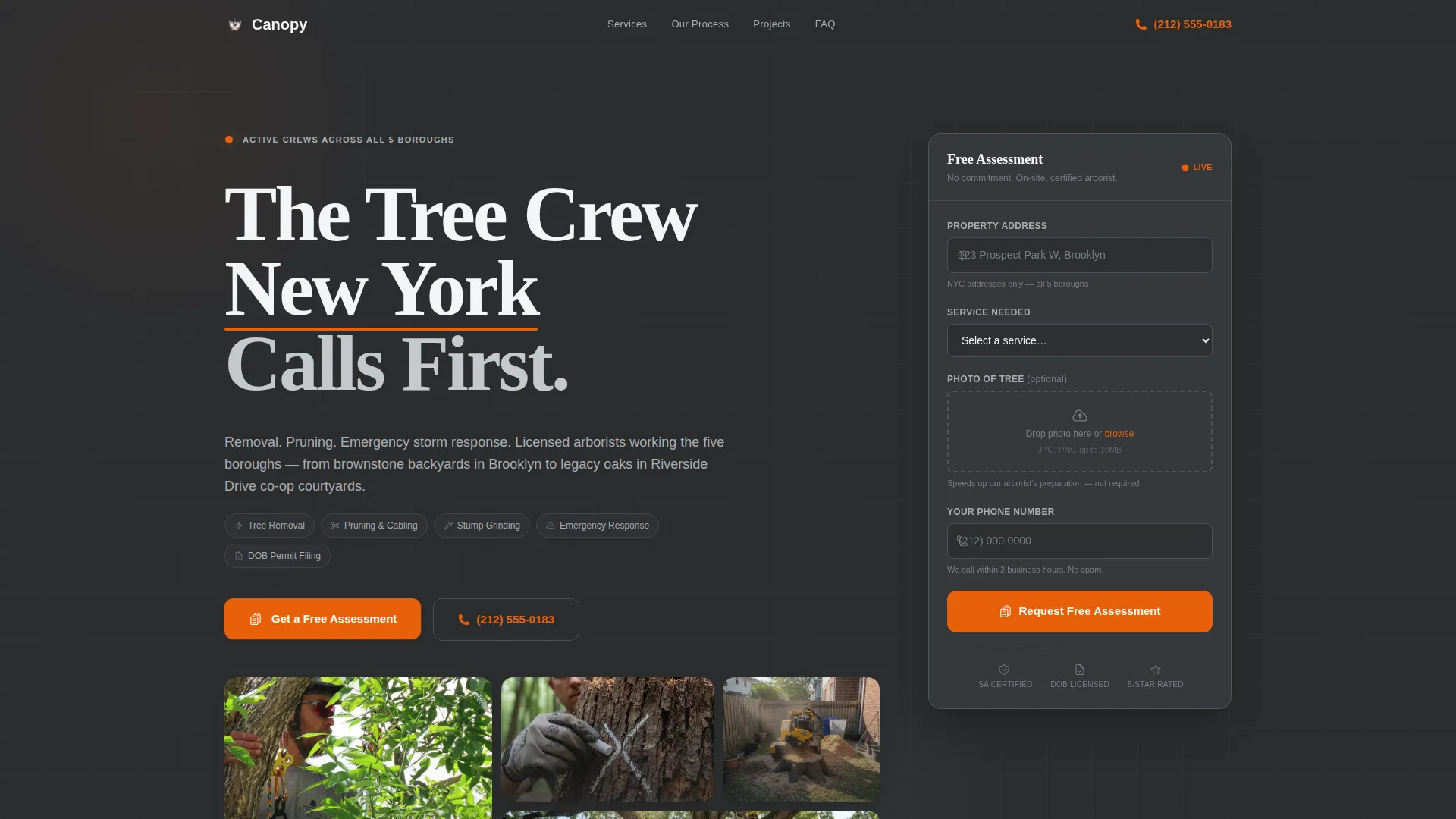
- A giant centered headline section with supporting service text and a pulsing orange call-to-action button
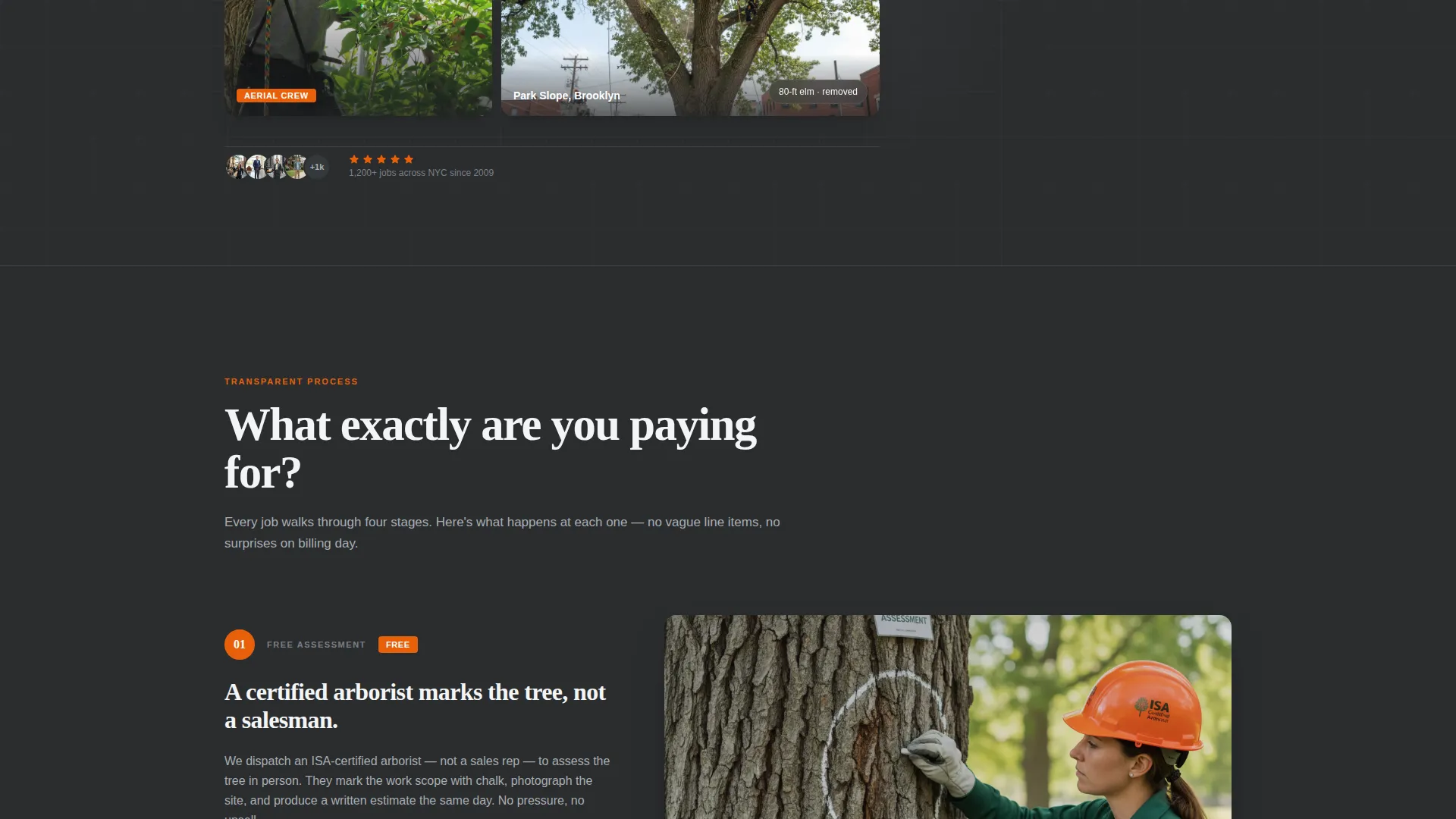
- A four-part transparent process walkthrough covering assessment, permits, crew and equipment, and cleanup
- A persistent right-rail sidebar form with fields for address, service type, photo upload, and phone number, plus a sticky mobile footer with a click-to-call banner
Feature list
The template bundles several purpose-built components that work together to move a visitor from uncertainty to contact.
Persistent Sidebar Estimate Form
The sidebar form scrolls with the visitor down the full page. It captures address first with NYC autofill, then service type, a photo upload field, and phone number last. The field order is intentional: low-commitment information comes first to reduce drop-off.
Giant Centered Headline Header
The header uses white type set large on a structural charcoal background. The headline "The Tree Crew New York Calls First." takes up the full visual weight of the section. A single supporting line names the three core services, and a pulsing orange button sits directly below.
Four-Section Transparent Process Flow
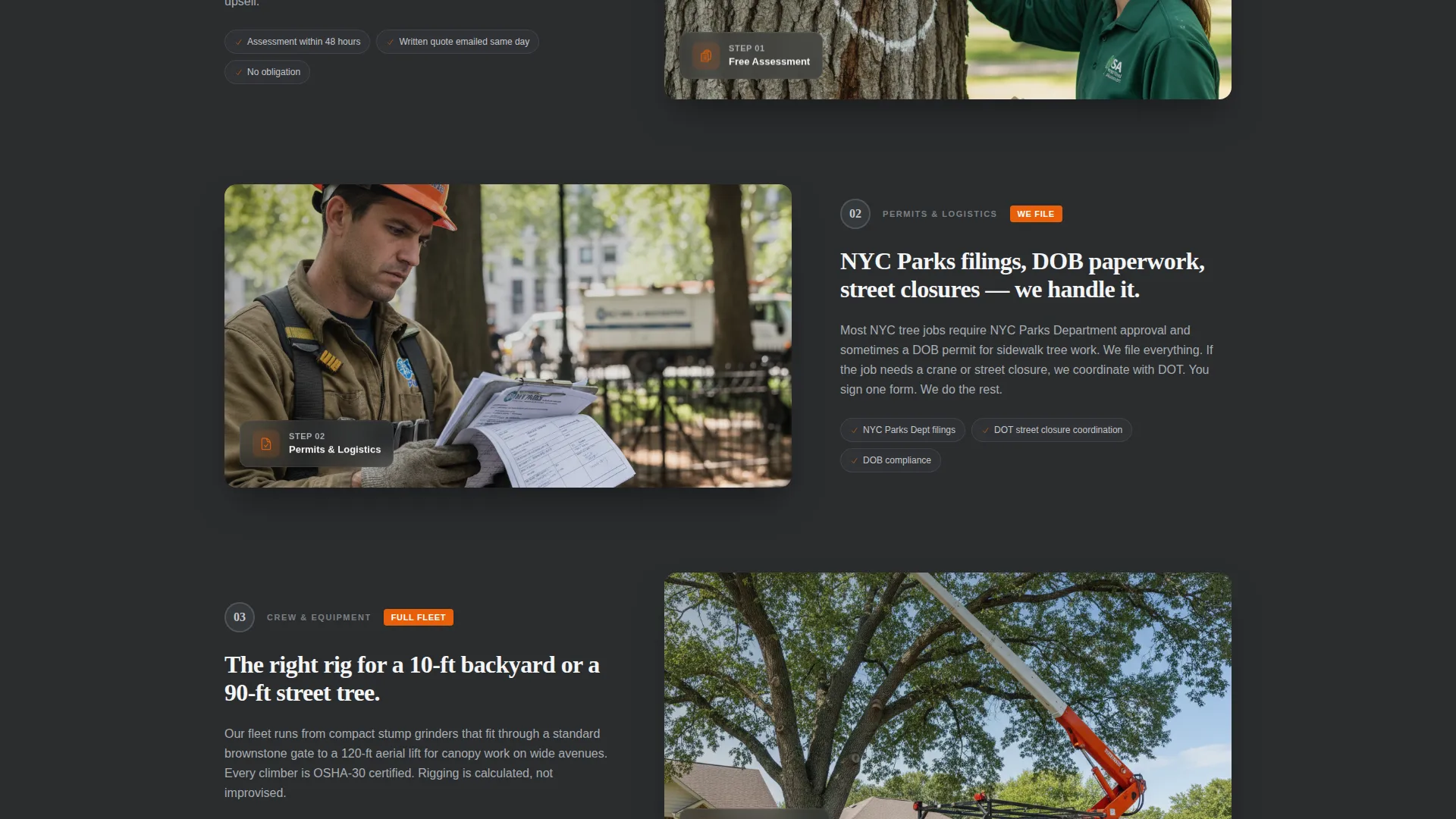
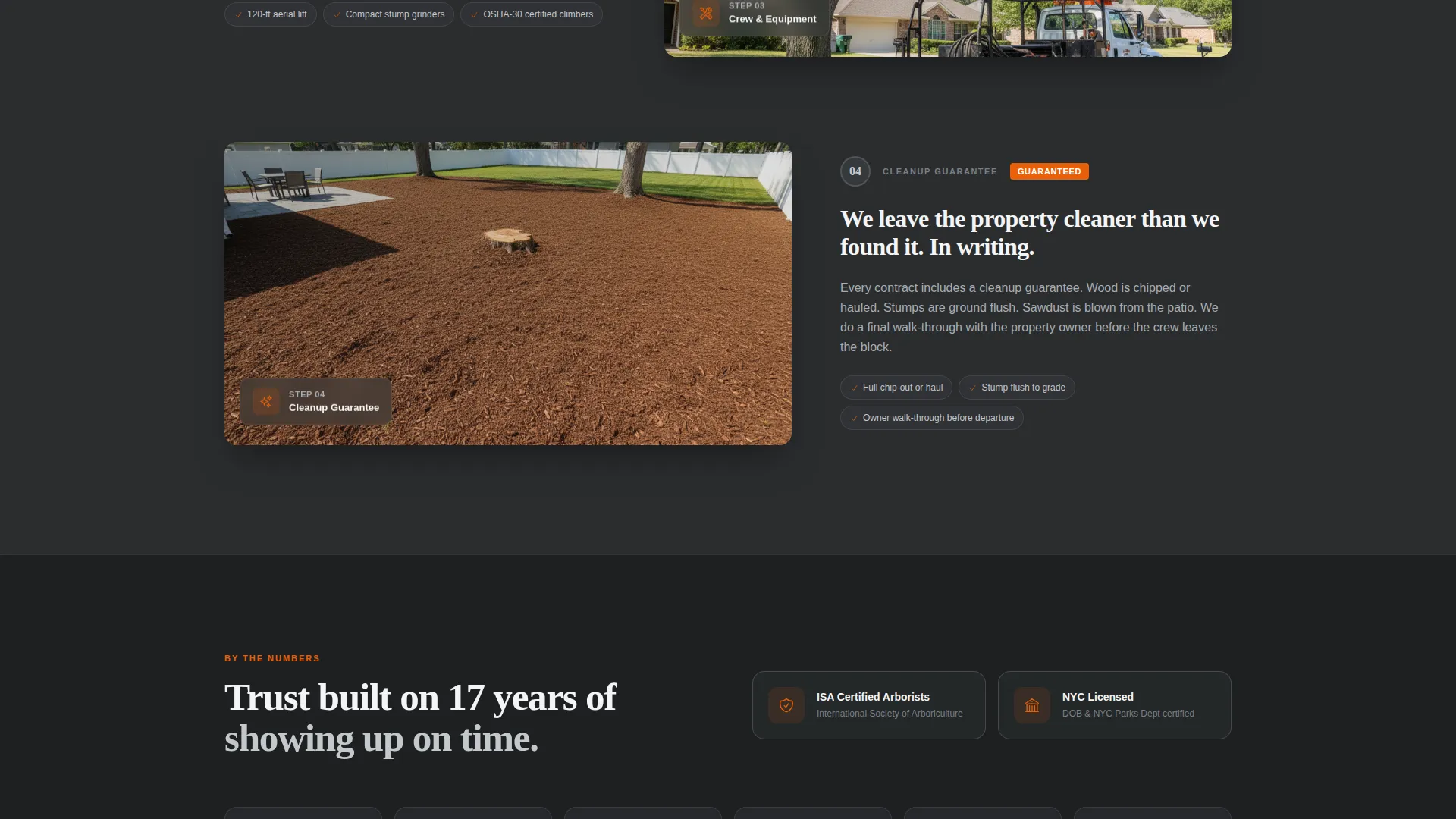
Each scroll section answers one specific question about the job. Section one covers the free assessment with an arborist marking a trunk. Section two explains permit filings and street-closure coordination. Section three details crew rigs and reach capacities. Section four shows the cleanup guarantee with before-and-after shots.
Mobile Click-to-Call Banner
A dedicated click-to-call banner fires on mobile only. It is designed for the homeowner who has an emergency at 7 a.m. and is not going to fill out a form. The banner appears as a sticky footer so it stays accessible throughout the entire scroll.
Safety-Cone Orange call to action System
All calls to action, active states, and the phone number display use safety-cone orange (#E8600A). This color appears nowhere else in the layout, so every interactive element draws the eye instantly without competing with the content.
Case Studies Section
After the process walkthrough, a case studies section reinforces the credibility already built by transparency. Because trust has been established through the process flow, the case studies land with more weight than testimonials placed at the top of a page.
Page sections overview
| Section | Purpose |
|---|---|
| Headline Hero | Opens with bold service statement and primary call to action |
| Free Assessment Panel | Explains the first job step with arborist imagery |
| Permit and Logistics Panel | Covers NYC Parks filings and street coordination |
| Crew and Equipment Panel | Details specific rigs and their reach capacities |
| Cleanup Guarantee Panel | Shows before-and-after results and quality promise |
| Case Studies Section | Builds final trust with real job examples |
| Sidebar Estimate Form | Captures leads persistently throughout the scroll |
Design & branding system
The visual identity follows a Service Utility theme built around a Monochrome Steel palette. The goal is the feeling of a freshly organized tool truck at 6 a.m.: everything is steel-gray and purposeful, with one strip of high-vis color where the eye needs to go.
- Structural charcoal (#2B2D2F) for primary backgrounds, mill-finish aluminum (#A8ADB3) for secondary surfaces and dividers, and bright zinc white (#F4F5F6) for content panels
- Safety-cone orange (#E8600A) reserved exclusively for calls to action, active states, and the phone number display
- The header uses no competing imagery, letting the oversized white headline carry the full visual load of the section
Mobile & speed optimization
The template is structured to serve two very different mobile users: the planner who scrolls carefully and the homeowner in an emergency who needs one tap to reach a human.
- The click-to-call banner is a mobile-only sticky footer that stays visible at all times during the scroll
- The sidebar form collapses appropriately for smaller screens so the core content remains readable without interruption
- The orange call to action button repeats in the mobile footer, ensuring the primary conversion action is never more than a thumb-tap away
How this template helps you convert
The conversion architecture runs two parallel paths: one for visitors who want to research before reaching out, and one for visitors who already have an urgent problem.
- The persistent sidebar form keeps the estimate request visible throughout the entire scroll, so a visitor who finishes reading the process walkthrough can submit immediately without scrolling back to the top.
- The mobile click-to-call banner removes all friction for emergency situations, giving a homeowner with a storm-damaged tree a direct line to the crew without requiring any form interaction.
Other information about this template
Canopy was built specifically for the New York City market, where tree work involves a specific set of regulatory and logistical realities that generic service templates do not address.
- The permit and logistics panel is designed to reference NYC Parks Department filings and street-closure coordination directly, which matters to property managers and co-op boards evaluating vendors
- The photo upload field in the sidebar form gives the crew useful context before the assessment visit, which can improve the quality of the first conversation
- This template fits the Professional Services category and is aligned with New York local service businesses that need to establish credibility quickly with urban property owners
- The layout can support a range of tree service specialties including hazard removal, structural cabling, stump grinding, and seasonal pruning, all named in the service type selector of the form
Theme
Legal Shield
Creative direction
Transparent Process
Color system
Charcoal & Amber
Style
Split Screen (50/50)
Direction
Content/Resource
Page Sections
Persistent Sidebar Estimate Form
Giant Centered Headline Header
Four-part Process Walkthrough
Mobile Click-to-call Banner
Safety-cone Orange Call to Action System
Case Studies Section
Related questions
Can I customize the service types listed in the sidebar form?
Does the click-to-call banner appear on desktop as well?
Can I replace the case studies with my own job examples?
Is this template suitable for a tree service outside New York City?
How does the photo upload field work in the estimate form?



