Forestry & Timber Professional Website Template
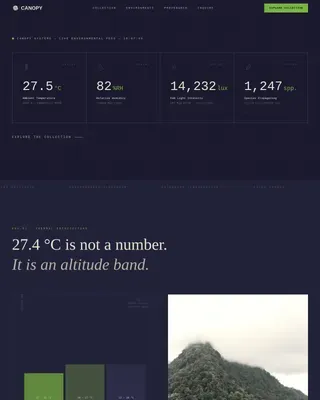
Canopy is a gallery and detail landing page template built for agroforestry consultancies. It leads with a striking half-page forest photograph and a layered scroll experience that mirrors the systems it sells. From aerial project galleries to cross-section diagrams and a gated resource download, every section earns visitor trust before making an ask.
by Rocket studio
Quick summary
Canopy is a single-page consultancy template designed for agroforestry practices. It layers project galleries, system diagrams, case studies, and a resource download into one immersive scroll. The organic editorial aesthetic, deep forest palette, and deferred call-to-action logic make it ideal for high-trust B2B and impact-sector audiences.
Who this template is for
This template is built for consultancies that need to demonstrate ecological and financial rigor before asking for a client commitment. It suits practices working at the intersection of land restoration, regenerative agriculture, and impact investment.
- Agroforestry consultancies presenting polyculture system design services to landowners and cooperatives
- Regenerative agriculture practices targeting impact investors who require feasibility data before committing capital
- Land restoration consultants offering species selection, yield modeling, and site assessment services
What problem this template solves
Most consultancy pages lead with a pitch before earning trust. For audiences like regenerative ranchers, smallholder cooperatives, and impact investors, that sequence fails. These visitors need evidence of competence, not just a headline and a contact form.
- Visitors can explore completed project details, species palettes, and yield data before any conversion ask appears
- The deferred secondary call to action appears only after a visitor opens a project detail panel, earning the ask with demonstrated depth
- A gated resource download converts engaged visitors into leads without interrupting the educational experience
What you get with this template
This template delivers a complete gallery and detail landing page structure. Every section is purposefully sequenced to move a skeptical visitor from curiosity to confidence to conversion.
- A five-section page layout covering hero, project gallery, system diagrams, case studies, and a resource floor with email capture
- Clickable project cards with slide-in detail panels showing species palette, income projections, and time-to-harvest data
- A single-field email capture that unlocks a Species Stacking Guide PDF and a four-part email series on polyculture economics
Feature list
This template includes purpose-built interactive and editorial features grounded in the specific needs of an agroforestry consultancy audience.
Layered Gallery with Slide-In Detail Panels
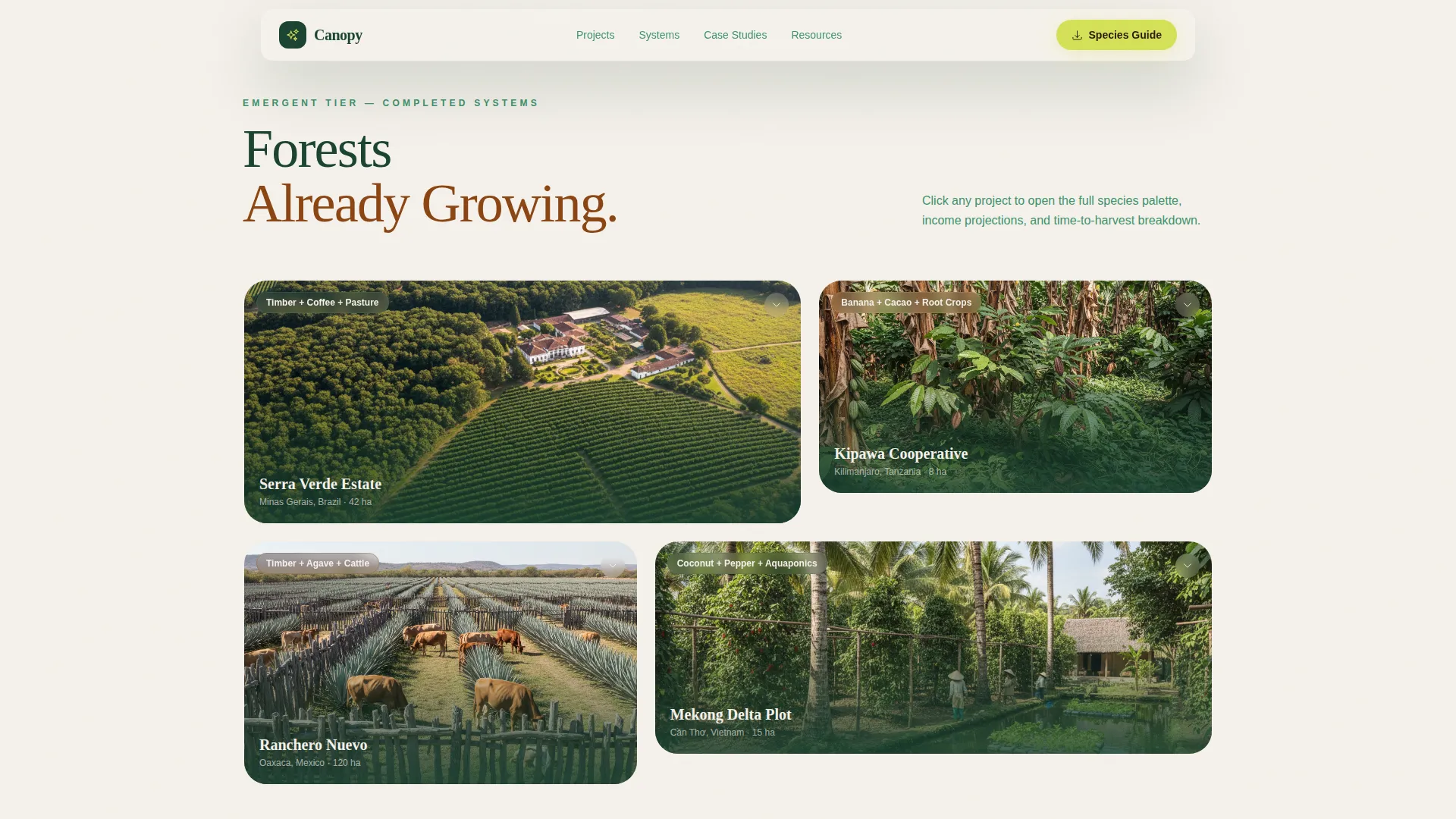
Each project card in the gallery opens a detail panel on click. The panel reveals the species palette, income projections, and time-to-harvest data for that project. This transforms a simple gallery into a portfolio of evidence.
Cross-Section System Diagrams
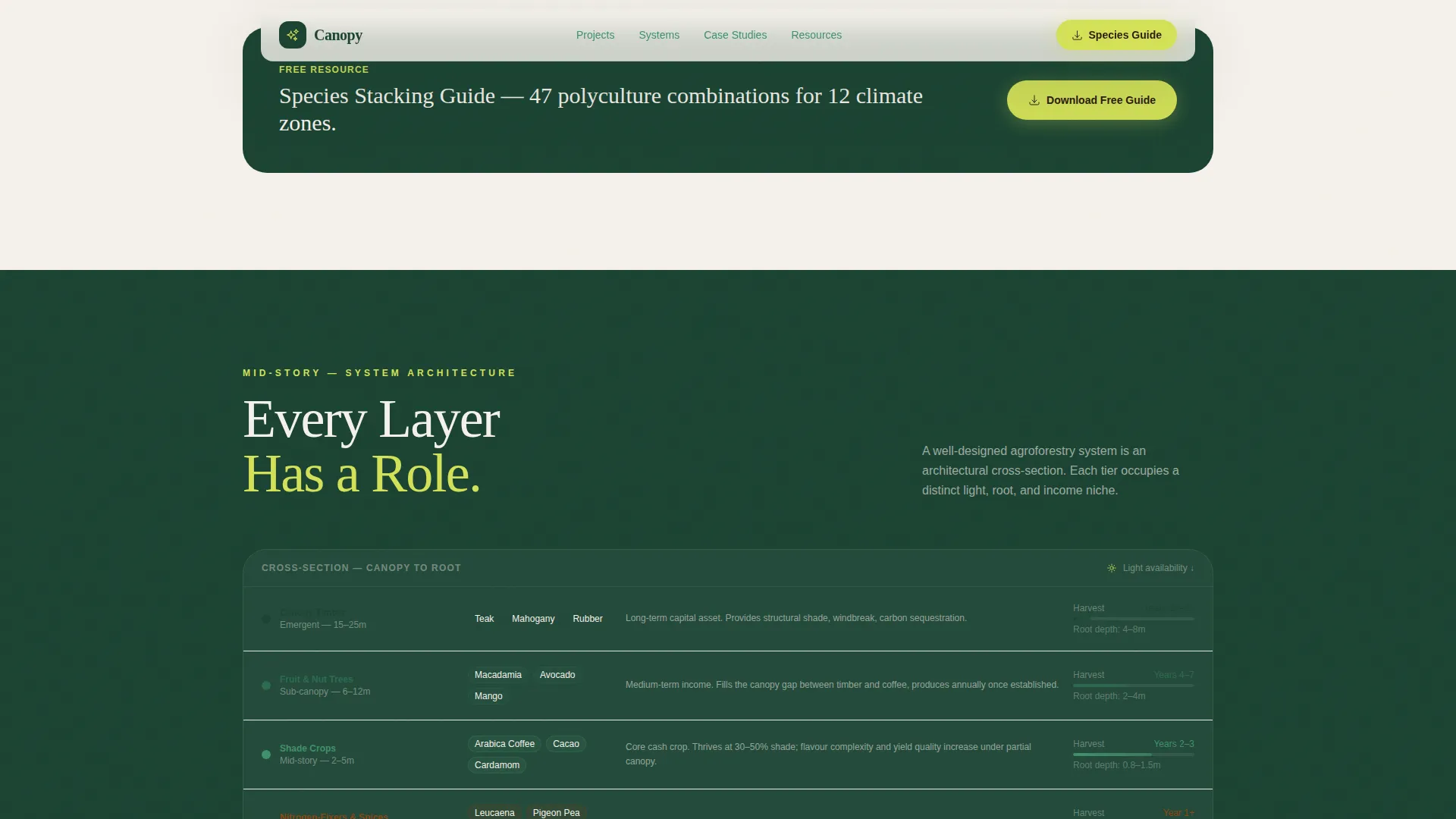
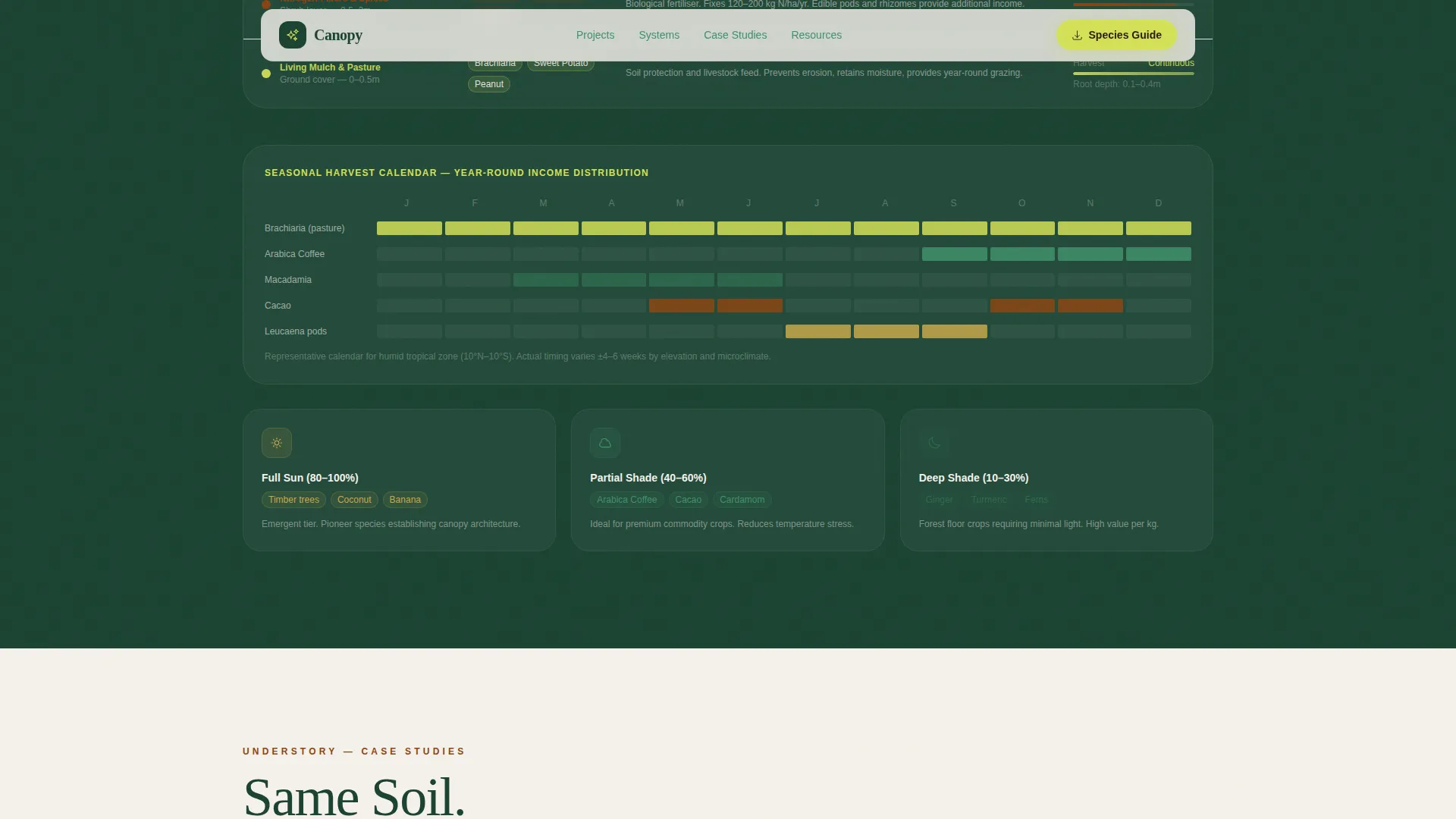
The mid-story section presents architectural cross-section views of root networks, shade tolerances, and seasonal harvest calendars. These diagrams answer the trust question that visual photography alone cannot: is this practice rigorous enough?
Before and After Case Study Section
Satellite imagery comparisons show land transformation with yield data overlays and client testimonials. Named clients and specific income multiplier data make the social proof credible rather than generic.
Gated Resource Floor with Email Capture
A single-field email capture unlocks a downloadable PDF planting matrix and a four-part email series. The gate is placed at the gallery-to-detail transition and repeated at the resource floor section for maximum coverage.
Deferred Site Assessment Call to Action
The secondary call to action, "Book a Site Assessment," appears only after a visitor has opened at least one project detail panel. This sequencing respects the visitor's decision pace and increases the relevance of the ask.
Immersive Scroll Architecture
GSAP ScrollTrigger animations drive section reveals, counter animations, and detail panel transitions. The scroll is structured to feel like descending through forest canopy layers, matching the consultancy's core systems metaphor.
Page sections overview
| Section | Purpose |
|---|---|
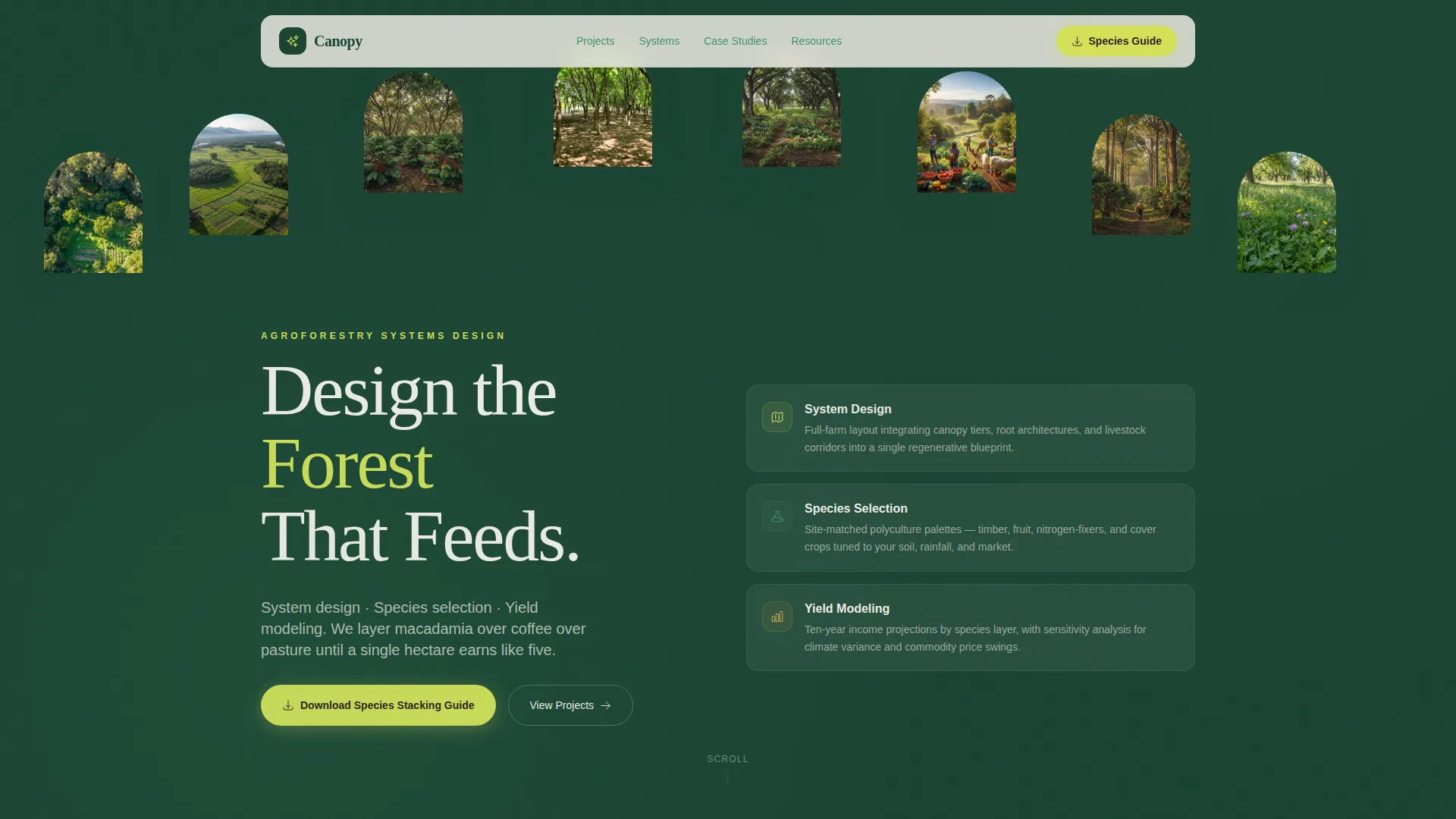
| Hero half-page | Establishes visual authority and names the three core services |
| Aerial projects gallery | Shows completed work with clickable detail panels |
| System diagram layer | Demonstrates ecological and technical rigor |
| Before and after cases | Builds trust with satellite imagery and yield overlays |
| Resource floor capture | Converts engaged visitors via gated PDF download |
| Footer split layout | Provides navigation, tagline, and social links |
Design & branding system
The visual identity uses a Rainforest color system that reads like a cross-section of tropical forest floor. Deep shade sits overhead, warm laterite earth sits underfoot, and sudden chartreuse highlights mark every interactive moment.
- Color palette: deep canopy green (#1B4332) primary, understory fern (#40916C) secondary, laterite soil (#8B4513) for earth accents, chartreuse (#D4E157) for calls to action, parchment (#F5F1EB) for alternate backgrounds, and humus brown (#2C1A0E) for body text
- Typography: Fraunces serif for display headings and DM Sans for body text and interface elements, pairing editorial weight with clean readability
- Backgrounds alternate between deep canopy green and soft parchment, evoking a well-funded field research journal
Mobile & speed optimization
The template is built desktop-first, reflecting the primary audience of impact investors reviewing feasibility studies and ranchers on tablets in the field. A mobile fallback layout is included for smaller screens.
- Images are lazy-loaded to keep the initial page load light despite the high visual content density
- Static sections are built as Server Components while interactive gallery panels and the email capture are handled as Client Components
- The desktop-first layout ensures the cross-section diagrams and aerial gallery cards render with the visual fidelity they require
How this template helps you convert
The conversion architecture is deliberate and sequenced. Visitors are never asked for anything before they have seen evidence of the consultancy's work.
- The primary call to action, "Download the Species Stacking Guide," sits at the gallery-to-detail transition and again at the resource floor, capturing visitors at peak engagement.
- The deferred "Book a Site Assessment" call to action appears only after a visitor opens a project detail panel, ensuring the ask arrives when interest is already demonstrated.
Other information about this template
This template belongs to the Garden and Growth theme family and uses the Spatial and Architectural creative direction. The scroll experience is intentionally designed to feel like descending through forest layers rather than reading a conventional page.
- The header uses a Half-Page Photo and Text composition: a wide-angle upward forest photograph on the left and the serif headline "Design the Forest That Feeds" on the right
- The footer follows a split layout with logo and tagline on the left and navigation links and social icons on the right
- The template suits English-language markets with mixed imperial and metric unit conventions, making it practical for US-centric consultancies with global project references
- The Gallery and Detail template style makes this layout reusable for any consultancy that needs to present project portfolios with supporting technical data
Theme
Garden & Growth
Creative direction
Spatial & Architectural
Color system
Rainforest
Style
Gallery + Detail
Direction
Content/Resource
Page Sections
Layered Gallery with Slide-in Detail Panels
Cross-section System Diagrams
Before and After Case Study Section
Gated Resource Floor with Email Capture
Deferred Site Assessment Call to Action
GSAP Scrolltrigger Scroll Architecture
Related questions
Can I customize the species and yield data shown in the project detail panels?
How does the gated resource download work in this template?
Is this template suitable for a consultancy that works outside the United States?
Can I use this template if I only offer one or two services instead of three?
Does the Book a Site Assessment button appear automatically after a visitor opens a detail panel?