Immersive Digital Art Gallery Landing Page Template
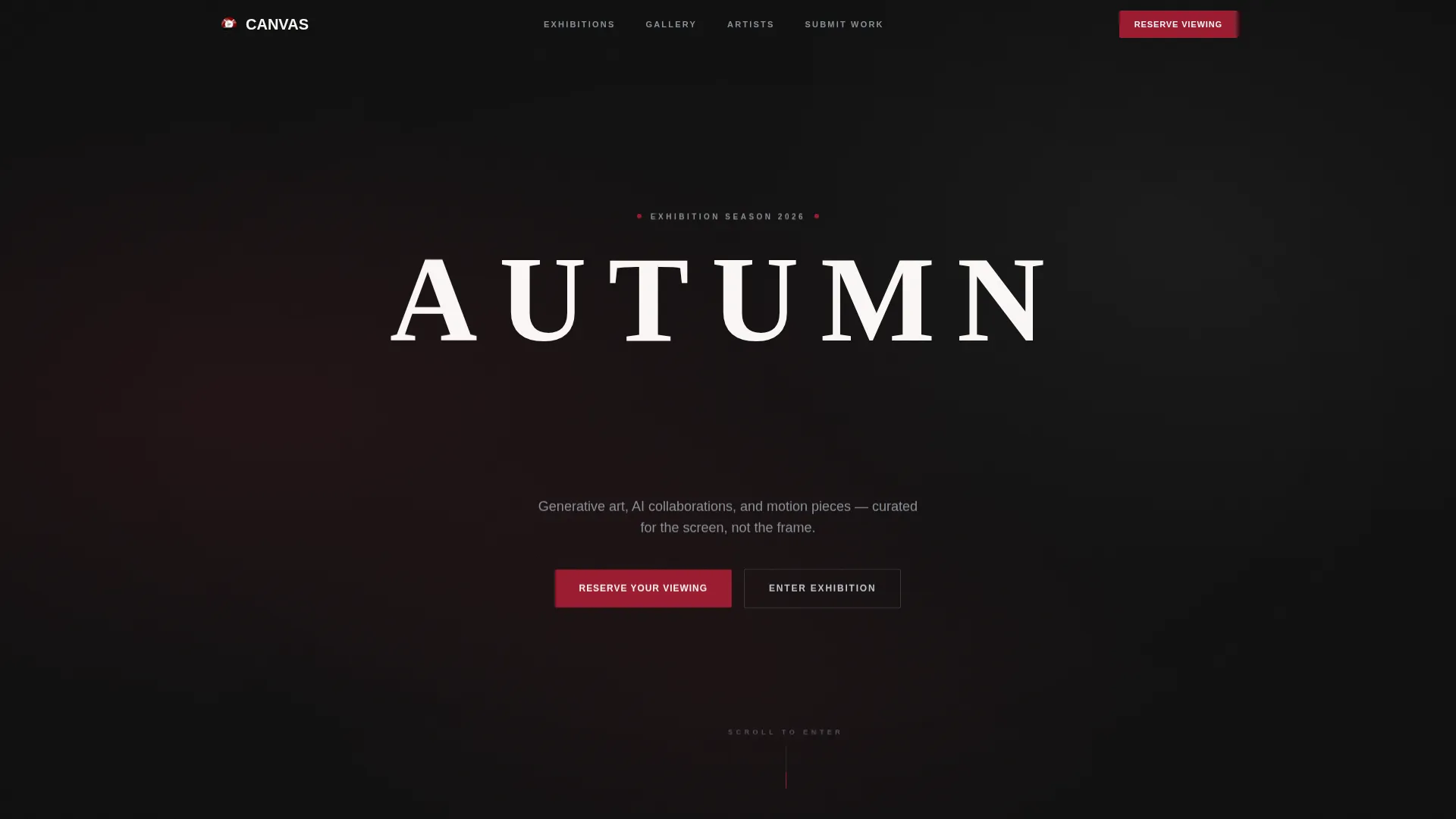
Canvas is an editorial-style digital art gallery landing page built for immersive online exhibitions. It combines a scroll-triggered cinematic video header, a staged masonry grid, and a ruby-accented registration flow to guide visitors from passive browsing to active event sign-up. The template suits galleries, curators, and artists showcasing generative art, AI collaborations, and motion pieces.
by Rocket studio
Quick summary
Canvas is a single-page digital art gallery landing page designed around cinematic scroll storytelling. It opens with a dolly-shot video header, stages artwork in three editorial acts, and closes with a focused event registration flow. The Ruby and Chrome color system gives every section the weight of a printed exhibition catalogue.
Who this template is for
This template is built for people who want their online gallery to feel as considered as the work inside it. It speaks directly to curators, emerging artists, and serious art audiences.
- Creative directors and gallerists launching an open call or seasonal exhibition online
- Collectors and art-educated visitors who expect gallery-grade curation from a digital space
- Art school graduates and independent artists who want to submit work through a polished, credible platform
What problem this template solves
Most online gallery pages present work as a flat image grid with no editorial context. That approach loses the visitor before they reach the registration button.
- Visitors bounce early because the page gives no reason to slow down and look closely
- Curators have no structured way to separate passive viewers from active registrants and artist submissions
- A generic layout fails to communicate the quality and intention behind a curated exhibition
What you get with this template
Canvas delivers a full single-page exhibition experience, from the first camera move to the final registration form. Every section is pre-structured so you can drop in your artwork and go live.
- A scroll-triggered cinematic video header with camera-synchronized large serif typography
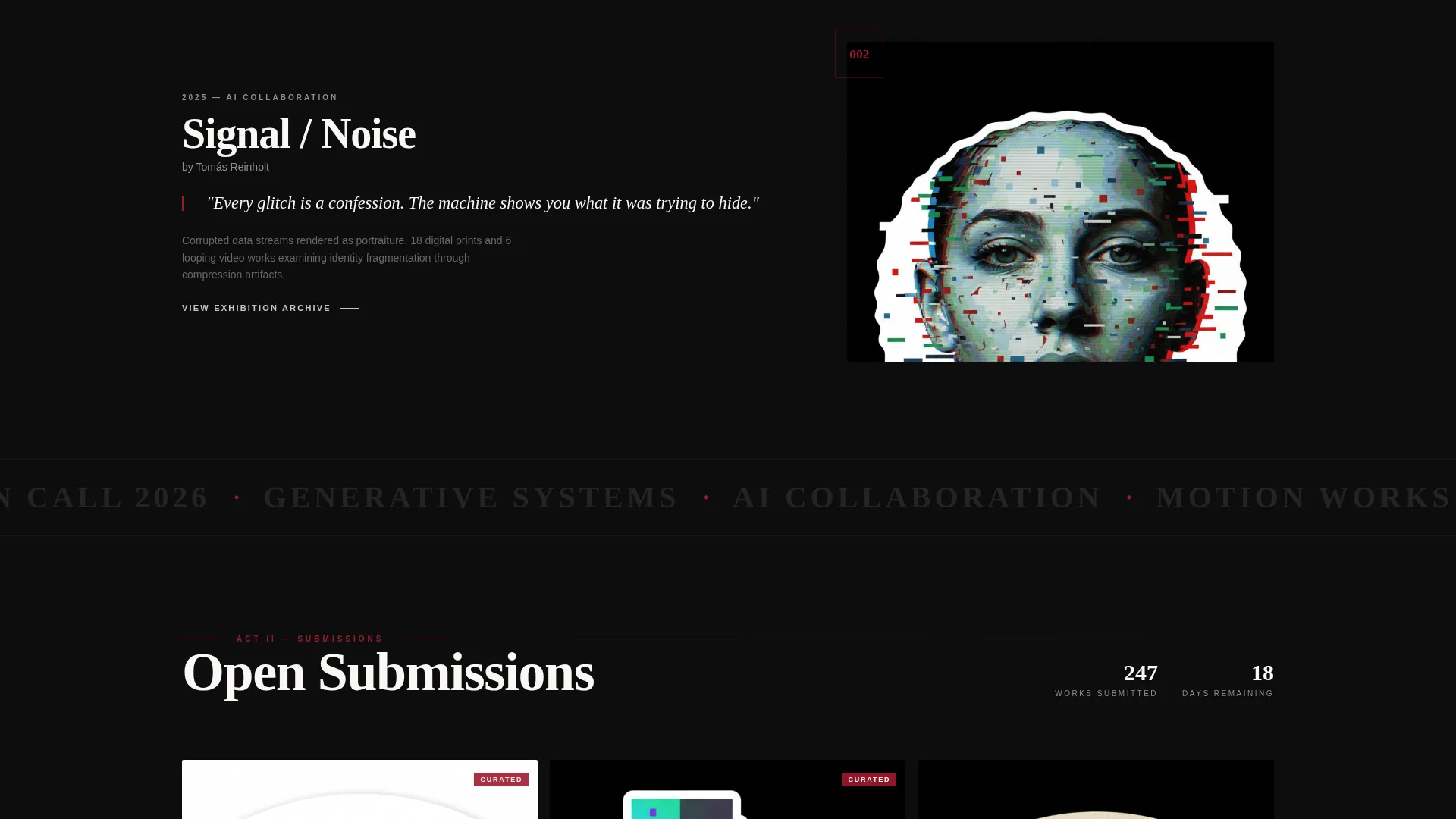
- A three-act masonry grid that stages past work, submission breadth, and a featured artist profile in sequence
- A dual-path conversion flow with separate calls to action for visitors reserving a viewing and artists submitting work
Feature list
This template is built from purpose-specific components. Each one serves the editorial pacing of the page rather than adding visual noise.
Scroll-Triggered Cinematic Video Header
The header plays a slow dolly shot through a darkened virtual gallery. Spotlights click on to illuminate floating digital canvases as the visitor scrolls. The enormous serif headline, "AUTUMN OPEN CALL," appears letter by letter in sync with camera movement.
Three-Act Masonry Grid Layout
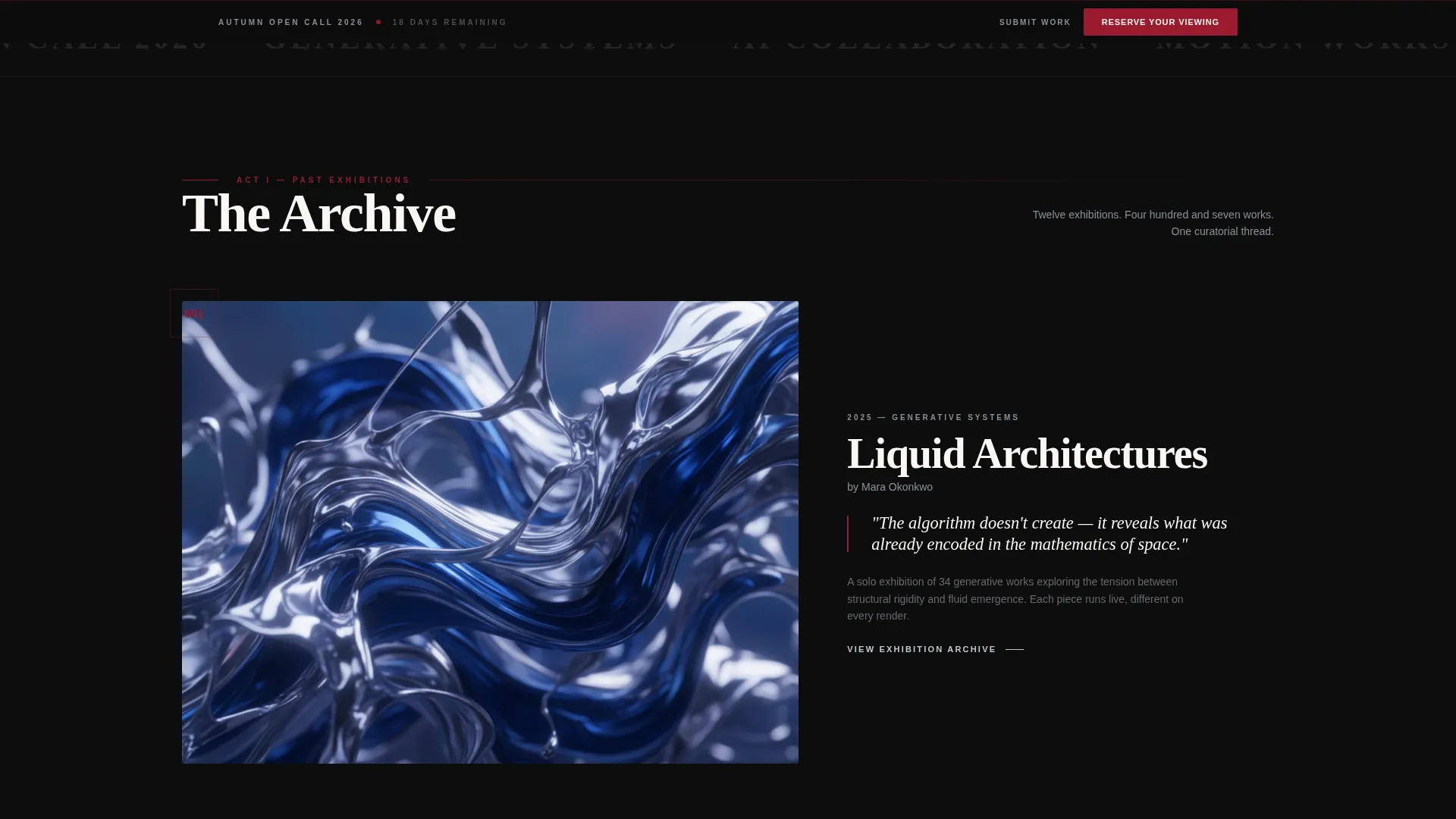
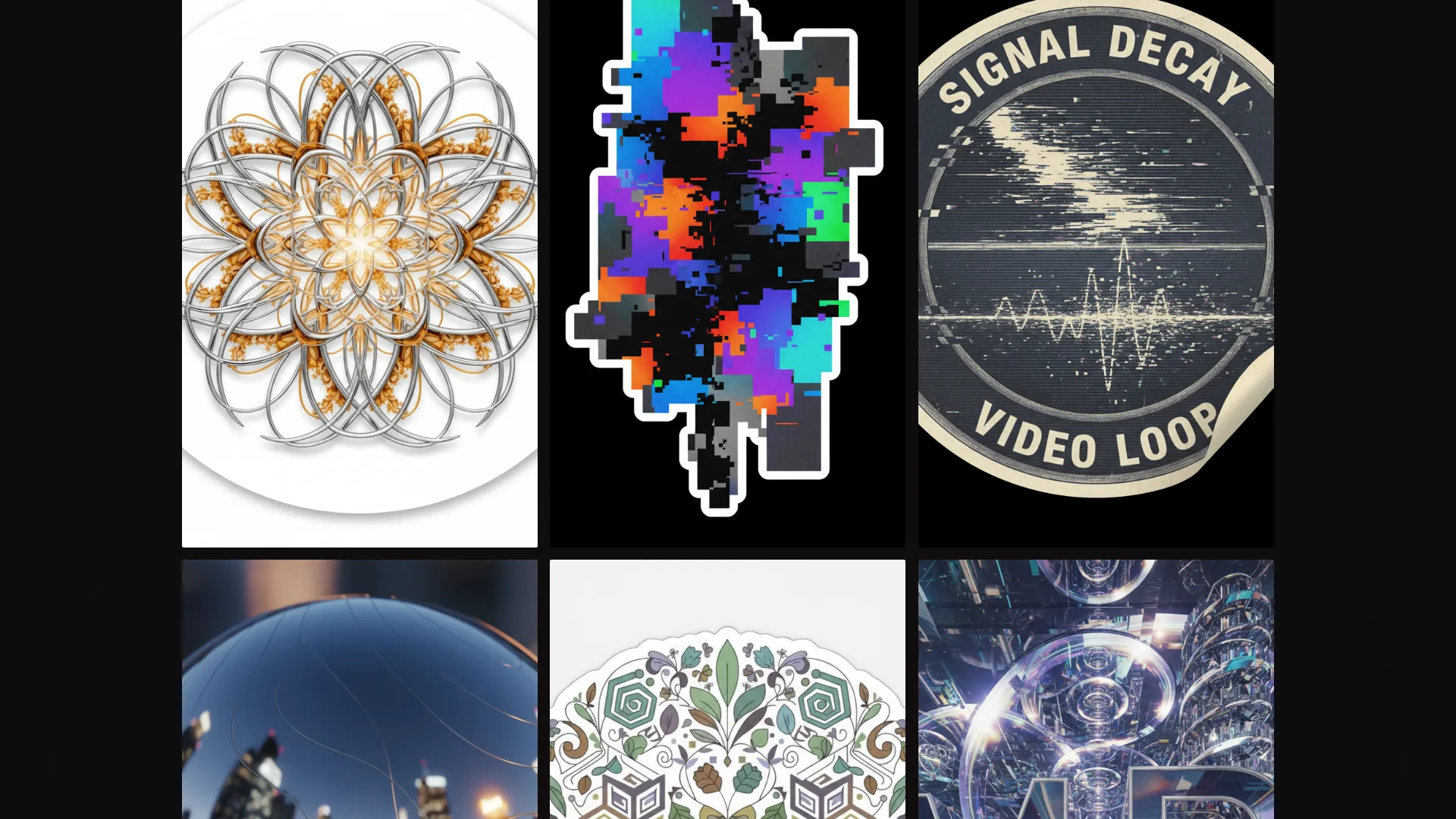
The masonry grid does not load all at once. Act one shows past exhibitions as full-bleed editorial spreads with artist pull quotes. Act two tightens the grid to display submission thumbnails. Act three gives a single featured artist a cinematic profile with a video loop, italic serif artist statement, and a close-crop algorithmic detail.
Ruby Chapter Dividers
Each act shift is marked by a ruby-red horizontal rule and a chapter number. This gives the scroll the rhythmic pacing of turning sections in a printed magazine, signaling to the visitor that more depth is ahead.
Event Registration Form with Artwork Dropdown
The registration form collects name and email alongside one distinctive field: "Which piece stopped you scrolling?" populated as a dropdown with grid thumbnails. This makes the sign-up feel like a continuation of the exhibition rather than an interruption.
Dual-Path Conversion Rail
A sticky bottom rail appears from act two onward. It holds the primary "Reserve Your Viewing" button in chrome silver on ruby, alongside a quieter "Submit Your Work" secondary path for artists. Both audiences are served without cluttering the main flow.
Editorial Ruby and Chrome Color System
The palette uses deep exhibition black (#0D0D0D), polished chrome silver (#C0C7CF), ruby accent (#9B1B30) for hover states and typographic drops, and warm gallery white (#FAF7F5) for breathing space. Together they replicate the feel of a glossy art magazine printed on heavyweight stock.
Page sections overview
| Section | Purpose |
|---|---|
| Video Header | Opens the exhibition with a scroll-driven cinematic dolly sequence |
| Serif Masthead | Displays the event title letter by letter in sync with the camera |
| Act One Grid | Presents past exhibitions as full-bleed editorial spreads with pull quotes |
| Act Two Grid | Multiplies thumbnails to show the breadth of upcoming submissions |
| Featured Artist Profile | Spotlights one artist with a video loop and large italic statement |
| Ruby Chapter Dividers | Marks act transitions with a horizontal rule and chapter number |
| Registration Form | Collects visitor details including the artwork dropdown field |
| Sticky call to action Rail | Keeps the primary and secondary calls to action visible from act two onward |
Design & branding system
The visual identity follows an Editorial Magazine theme. Every color, type weight, and spacing decision references the experience of reading a glossy art publication at close range.
- Color palette: exhibition black (#0D0D0D), chrome silver (#C0C7CF), ruby accent (#9B1B30), and gallery white (#FAF7F5) work together to suggest ink-dense print and foil-stamped cover stock
- Typography: enormous, wide-tracked serif at masthead weight carries the headline; large italic serif is reserved for artist statements in act three
- Visual rhythm: ruby horizontal rules and numbered chapter breaks divide the page into scannable acts, reinforcing the catalogue pacing throughout the scroll
Mobile & speed optimization
The template is structured so that its cinematic components translate clearly to smaller screens without losing the editorial character of the design.
- The masonry grid adapts its column density across screen sizes so artwork proportions remain readable on mobile
- The sticky call to action rail stays anchored at the bottom of the viewport on all device sizes, keeping the registration path reachable at every scroll point
- Video playback in the header is scoped to the scroll interaction, so the sequence advances at the visitor's pace rather than auto-playing without context
How this template helps you convert
Canvas earns the click by showing the art generously before asking for anything. The registration moment arrives only after the visitor has already moved through half the exhibition.
- The scroll-triggered header creates immediate investment. The visitor controls the camera, making them an active participant rather than a passive reader before any form appears.
- The three-act grid builds context and desire progressively. By the time the sticky call to action rail appears in act two, the visitor already associates the gallery with editorial quality and wants to see the full exhibition.
- The artwork dropdown in the registration form removes friction by turning a standard sign-up field into a continuation of the experience, reinforcing connection to a specific piece and increasing completion intent.
Other information about this template
Canvas sits at the intersection of digital art curation and event-driven audience building. It is designed for a niche that expects the container to match the quality of the content.
- The template is categorized under Media and Entertainment, specifically the Art Gallery and Exhibition subcategory, with a focus on digital art gallery experiences
- The masonry and Pinterest-style layout is a deliberate choice for this niche: it mirrors how collectors and creative directors already browse visual content online
- The open call structure built into the page, with the "Submit Your Work" secondary path, makes this template useful for recurring seasonal exhibitions, not only one-off events
- The page is suitable for showcasing generative art, AI art collaborations, and motion-based digital pieces that require more editorial framing than a standard portfolio grid provides
- Template style is Masonry and Pinterest layout; theme is Editorial Magazine; header concept is Scroll-Triggered Video; creative direction is Cinematic Sequence; landing page direction is Event Registration; color system is Ruby and Chrome
Theme
Editorial Magazine
Creative direction
Cinematic Sequence
Color system
Ruby & Chrome
Style
Masonry/Pinterest
Direction
Event Registration
Page Sections
Scroll-triggered Cinematic Video Header
Three-act Staged Masonry Grid
Ruby Chapter Dividers and Act Numbering
Artwork Dropdown Registration Form
Dual-path Sticky Conversion Rail
Editorial Ruby and Chrome Color System
Related questions
Can I replace the video header with my own exhibition footage?
How does the artwork dropdown in the registration form work?
Is the Submit Your Work path separate from the main registration flow?
Can I use this template for a recurring gallery rather than a single event?
Does the masonry grid support video and generative art pieces?