Art School Marketing Reviews & Social Proof Website Template
Canvas is a single-page landing page template built for art school emergency services. It uses a zigzag alternating layout, a Quote/Manifesto header, and a Testimonial Mosaic design to guide frantic students, faculty, and parents to the right protocol fast. The Slate and Sky color system keeps the page calm, clear, and immediately actionable under pressure.
by Rocket studio
Quick summary
Canvas is an art school emergency service landing page template built around one goal: getting a panicked visitor to the right protocol in seconds. A bold manifesto header sets the tone, a zigzag testimonial layout builds trust through real voices, and contextual call-to-action buttons route each visitor to the exact guide they need.
Who this template is for
This template is designed for art schools and creative institutions that need a dedicated emergency information page. It works for anyone managing student safety communications, after-hours support, or urgent academic guidance.
- MFA candidates and foundation-year students facing late-night studio crises
- Adjunct faculty and staff reporting facilities or safety incidents
- Parents and guardians looking for urgent contacts and deadline support resources
What problem this template solves
Art school emergencies do not follow office hours. A kiln overheating at 2 a.m., a printmaking press jamming mid-edition, or a studio flooding during portfolio season leaves visitors with no clear path forward. Generic contact pages fail under that kind of pressure.
- Visitors cannot quickly find the right protocol for their specific crisis
- Emergency information buried in PDFs or dense navigation causes dangerous delays
- Parents and students lose trust when a school's digital presence feels unprepared
What you get with this template
You get a complete, single-page landing page layout ready to be filled with your school's real emergency content. Every section is purposefully structured so that each visitor type finds their path without scrolling endlessly or guessing.
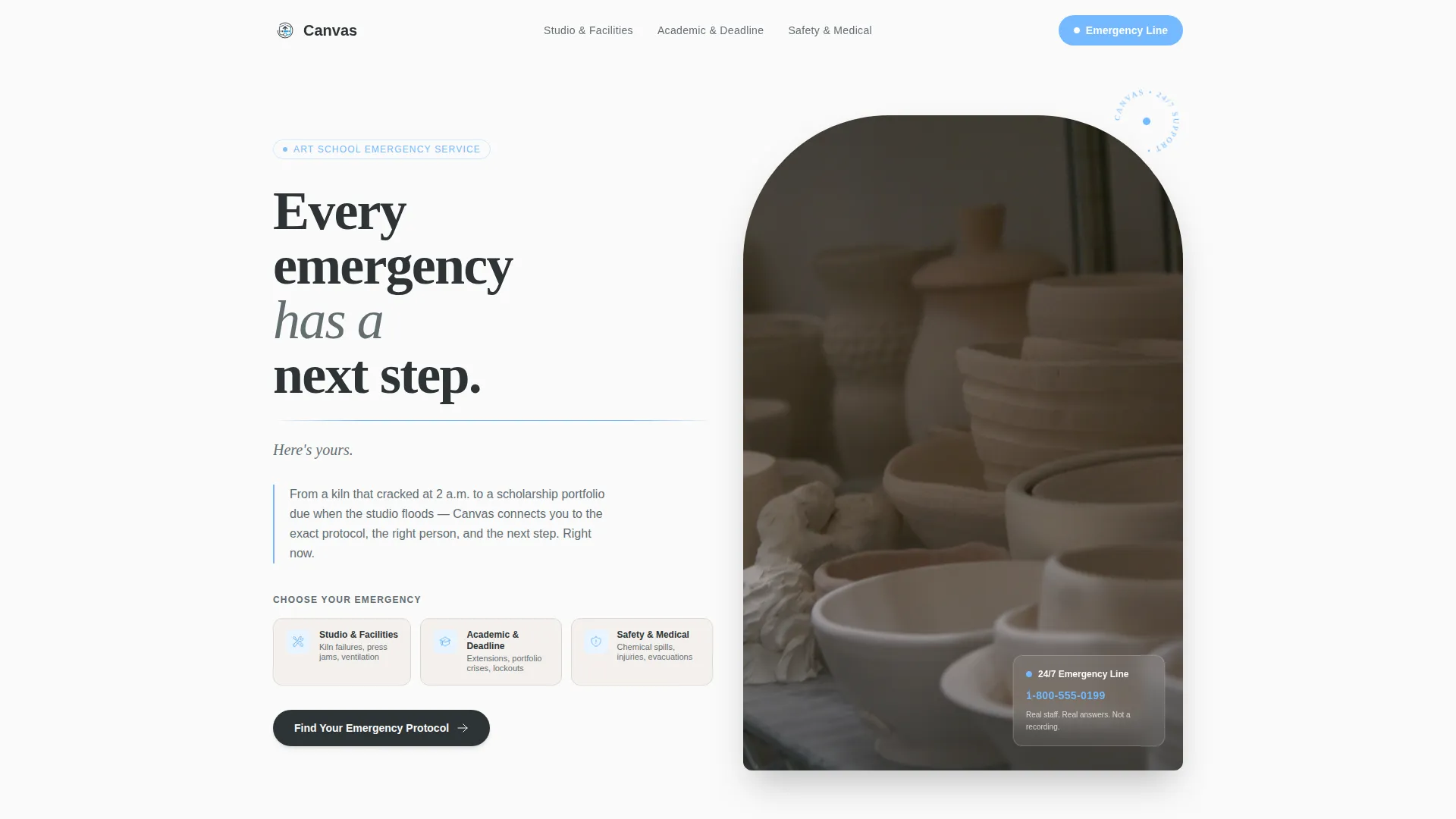
- A Quote/Manifesto header with three emergency category buttons for immediate routing
- A zigzag alternating section layout pairing student and faculty testimonials with matching protocol content
- A persistent mobile call-to-action bar and contextual section-level click-through buttons
Feature list
This template is built around a small set of high-impact design decisions, each one chosen for the specific pressures of an emergency service page.
Quote/Manifesto Header Block
The header opens with bold, stacked serif typography on a chalk-white background. The line "Every emergency has a next step. Here's yours." is set in a heavy hand-pressed serif style. A thin sky-blue rule separates the statement from three category buttons below it.
Three Emergency Category Buttons
Studio and Facilities, Academic and Deadline, and Safety and Medical buttons sit directly below the header rule. They function as primary navigation anchors, letting visitors self-select their crisis type immediately on arrival.
Zigzag Testimonial Mosaic Layout
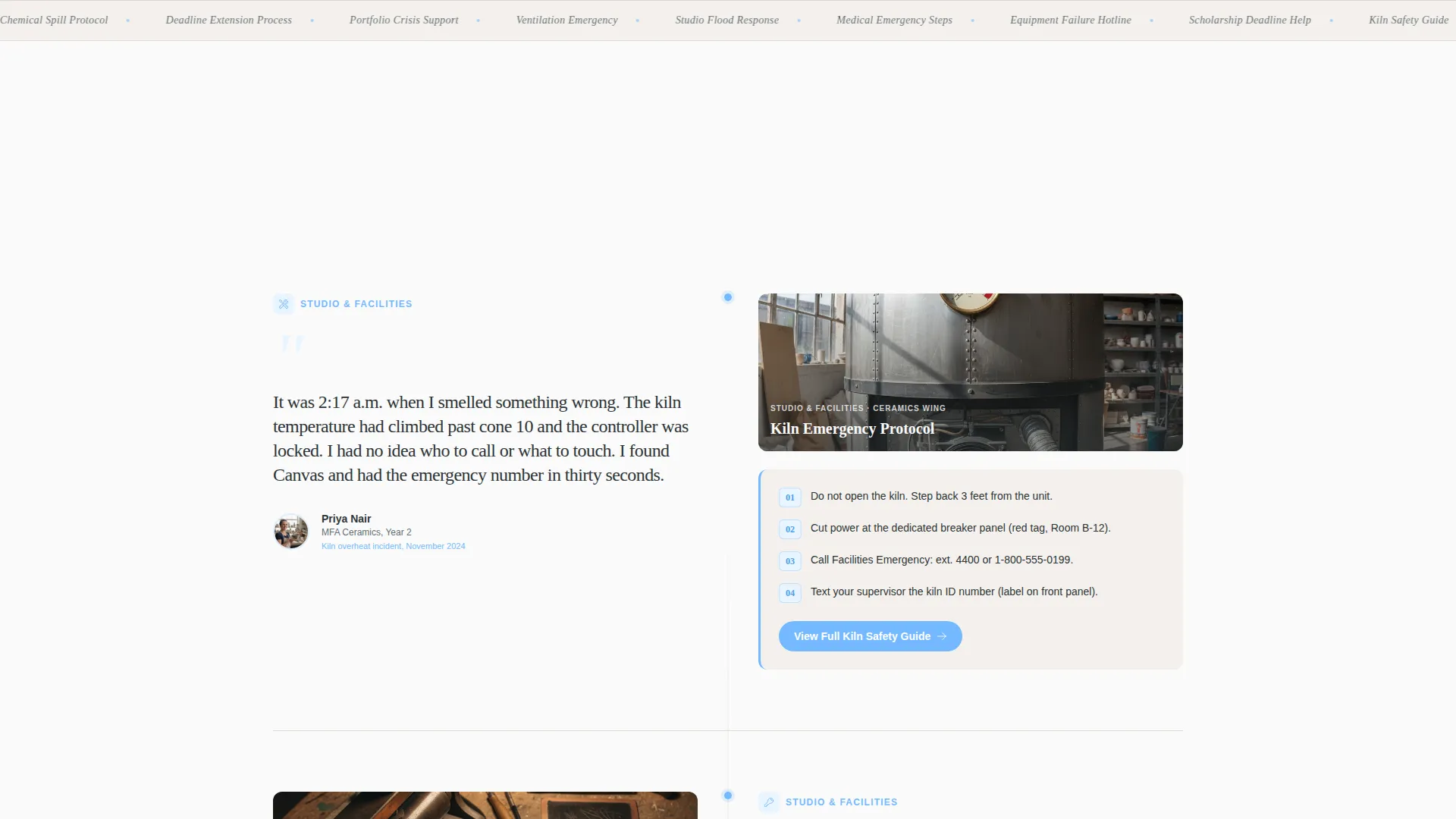
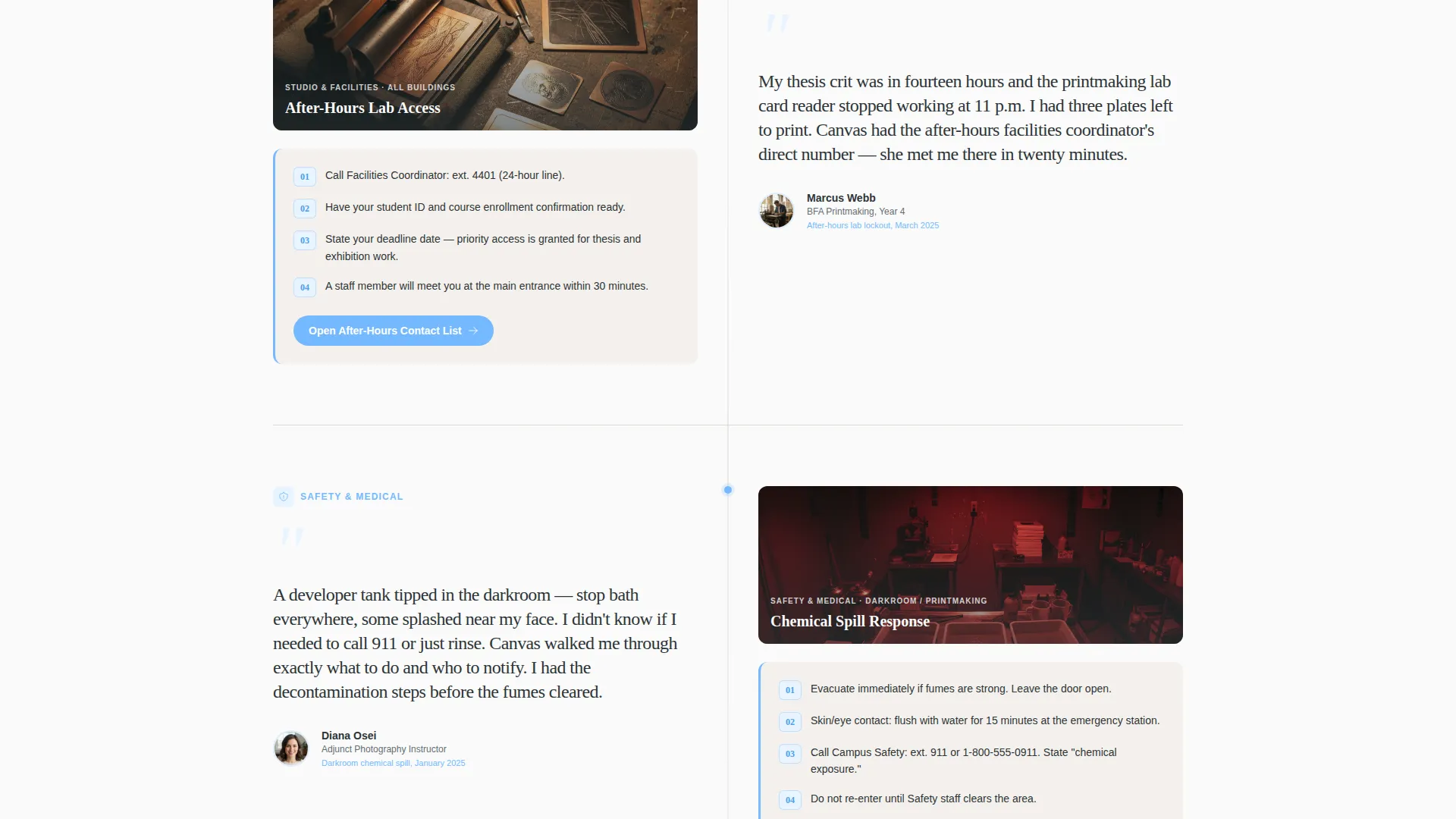
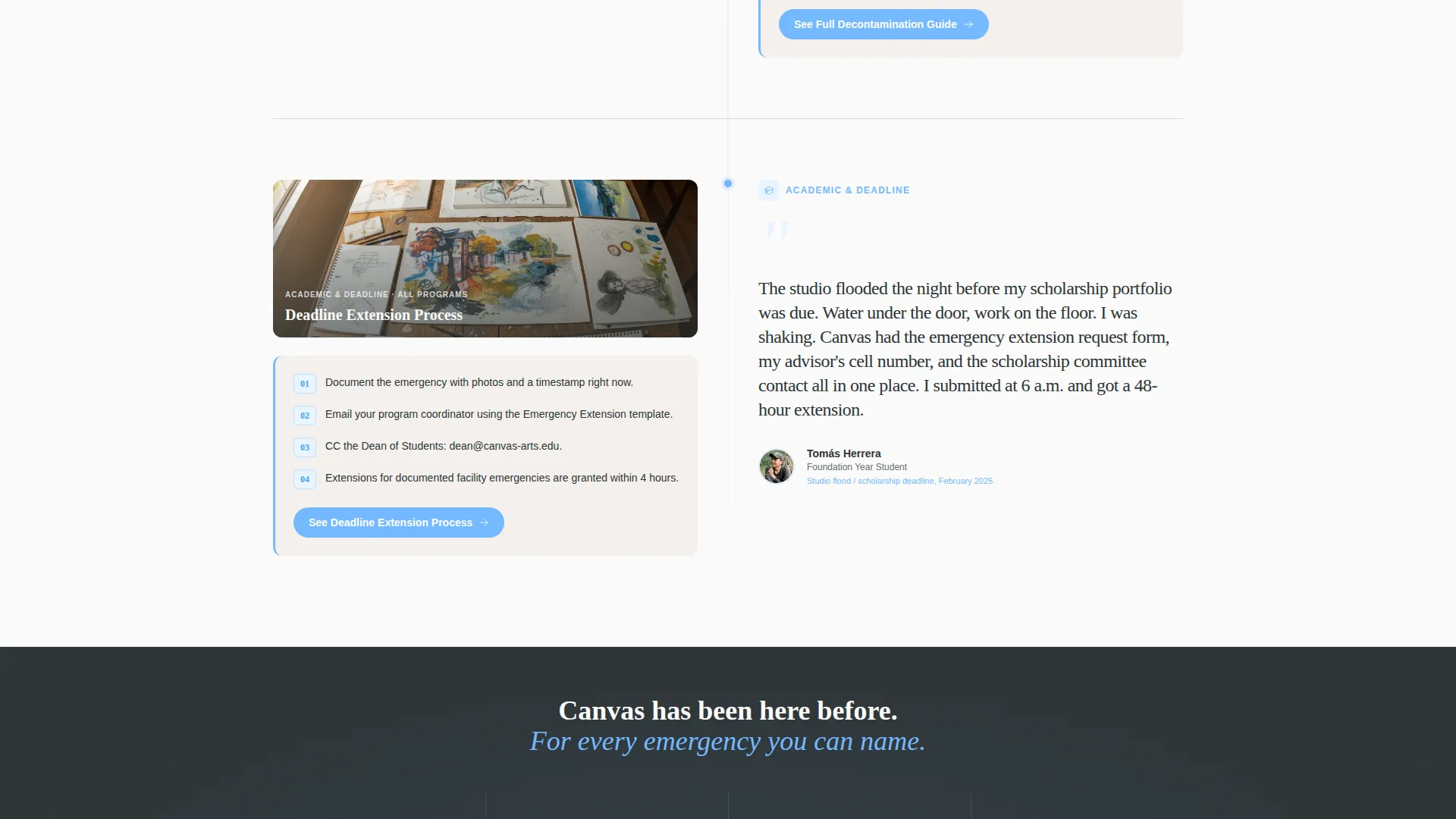
Each alternating section pairs a real student or faculty voice on one side with the specific emergency protocol it references on the other. Voices and studio photographs alternate left and right as the visitor scrolls, building trust through accumulated real-incident stories.
Contextual Section-Level Call-to-Action Buttons
Every testimonial section ends with a specific click-through such as "View Full Kiln Safety Guide" or "See Deadline Extension Process." These buttons route visitors to the exact protocol page matching their situation rather than a generic contact form.
Persistent Mobile Bottom Bar
On mobile viewports, the primary call-to-action "Find Your Emergency Protocol" appears as a fixed bottom bar. It stays visible throughout the entire scroll so a visitor never loses their way to the next step.
Slate and Sky Color System
The full color palette is built into the template layout. Deep charcoal slate is used for primary text, mid-tone graphite for secondary copy, open-sky blue for buttons and icons, and chalk-white for the background throughout.
Page sections overview
| Section | Purpose |
|---|---|
| Manifesto Header | Sets tone and routes visitors by crisis type |
| Category Button Row | Provides immediate self-selection for emergency type |
| Kiln Safety Testimonial | Pairs ceramics incident story with shut-off protocol |
| Chemical Spill Testimonial | Pairs photography lab story with decontamination steps |
| After-Hours Access Section | Addresses locked-out students with contact information |
| Scholarship Deadline Section | Guides parents and students on deadline extension process |
| Persistent Mobile Bar | Keeps primary call-to-action visible throughout scroll |
Design & branding system
The visual identity follows an Educational Guide theme. The palette is called Slate and Sky, and every color choice serves the emotional tone of a calm, authoritative guide found at the moment of crisis.
- Deep charcoal slate (#2D3436) for primary text and section anchors, mid-tone graphite (#636E72) for supporting copy
- Open-sky blue (#74B9FF) on all call-to-action buttons and emergency category icons
- Chalk-white (#FAFAFA) background throughout, with heavy serif typography styled after letterpress print work
Mobile & speed optimization
The template is designed with mobile users in mind. A student locked out of an after-hours lab or a parent calling from a parking lot is almost certainly on a phone, not a desktop.
- The persistent bottom bar keeps the primary call-to-action reachable with one thumb throughout the entire page
- The zigzag layout stacks cleanly into a single-column flow on smaller screens without losing the testimonial-to-protocol pairing
How this template helps you convert
The page earns clicks by proving the school has already solved the exact problem the visitor is facing right now. Every layout decision reduces friction between arrival and action.
- The manifesto header immediately signals authority and calm, reducing panic and increasing the likelihood that a visitor stays on the page long enough to find their protocol.
- The Testimonial Mosaic format shows real incidents already resolved, making visitors confident that clicking through will actually lead to a working solution rather than a dead end.
Other information about this template
Canvas was built as a purpose-specific layout within the art school marketing category. It is a strong starting point for institutions looking to build trust with prospective students, current enrollees, and faculty through transparent emergency preparedness content.
- The template style is Zigzag/Alternating, making it straightforward to add or reorder emergency categories as your institution's needs grow
- The Educational Guide theme keeps the visual tone professional without feeling cold or bureaucratic
- This layout is well-suited for art school emergency service pages where trust, clarity, and speed of information access are the primary design goals
Theme
Educational Guide
Creative direction
Testimonial Mosaic
Color system
Slate & Sky
Style
Zigzag/Alternating
Direction
Click-Through
Page Sections
Quote/manifesto Header Block
Three Emergency Category Buttons
Zigzag Testimonial Mosaic Layout
Contextual Section-level Calls to Action
Persistent Mobile Bottom Bar
Slate and Sky Color System
Related questions
Can I add more emergency categories beyond the three included?
Is this template suitable for a school with multiple campuses?
How do the contextual call-to-action buttons work?
Does the persistent mobile bottom bar appear on all devices?



