Logistics Consulting Blog & Content Website Template
Freight is an editorial landing page template built for logistics strategy consultants. It opens with a scroll-triggered cost infographic, unfolds through a question-led content structure, and closes with a diagnostic request form. The Slate & Sky color system and heavy-serif editorial typography give the page the authority of a financial journal feature.
by Rocket studio
Quick summary
Freight is a single-page editorial template for logistics strategy consultants. It leads with animated data storytelling, guides visitors through a question-driven content flow, and converts them through two distinct paths: a supply chain diagnostic request and a gated benchmark PDF download. The design feels like a heavyweight business journal, not a software product page.
Who this template is for
This template was built for a specific kind of consultant: one whose clients already know they have a problem and need to be convinced this firm can solve it at a strategic level.
- Logistics strategy consultants serving mid-market manufacturers, regional third-party logistics operators, and direct-to-consumer brands
- Consultants whose buyers are VP-level logistics heads and chief financial officers, not junior procurement staff
- Firms that compete on analytical depth and want a page that reflects that without relying on stock photography or generic service copy
What problem this template solves
Generic consulting pages look the same. A logistics consultancy with a genuine point of view loses credibility the moment its website feels like a template built for a landscaping company. Freight solves that mismatch directly.
- Prospective clients arrive with real operational pain points, such as rising per-unit freight costs and eroding last-mile margins, and leave before a generic page can earn their attention
- The page has no natural escalation of stakes, so visitors who are already analytically engaged have no reason to scroll further
- A single call to action placed too early captures only the most ready buyers, missing earlier-stage prospects who need more context before committing to a call
What you get with this template
You get a fully structured editorial landing page with a clear hierarchy, two conversion paths, and a visual system that reinforces consultant credibility at every scroll position.
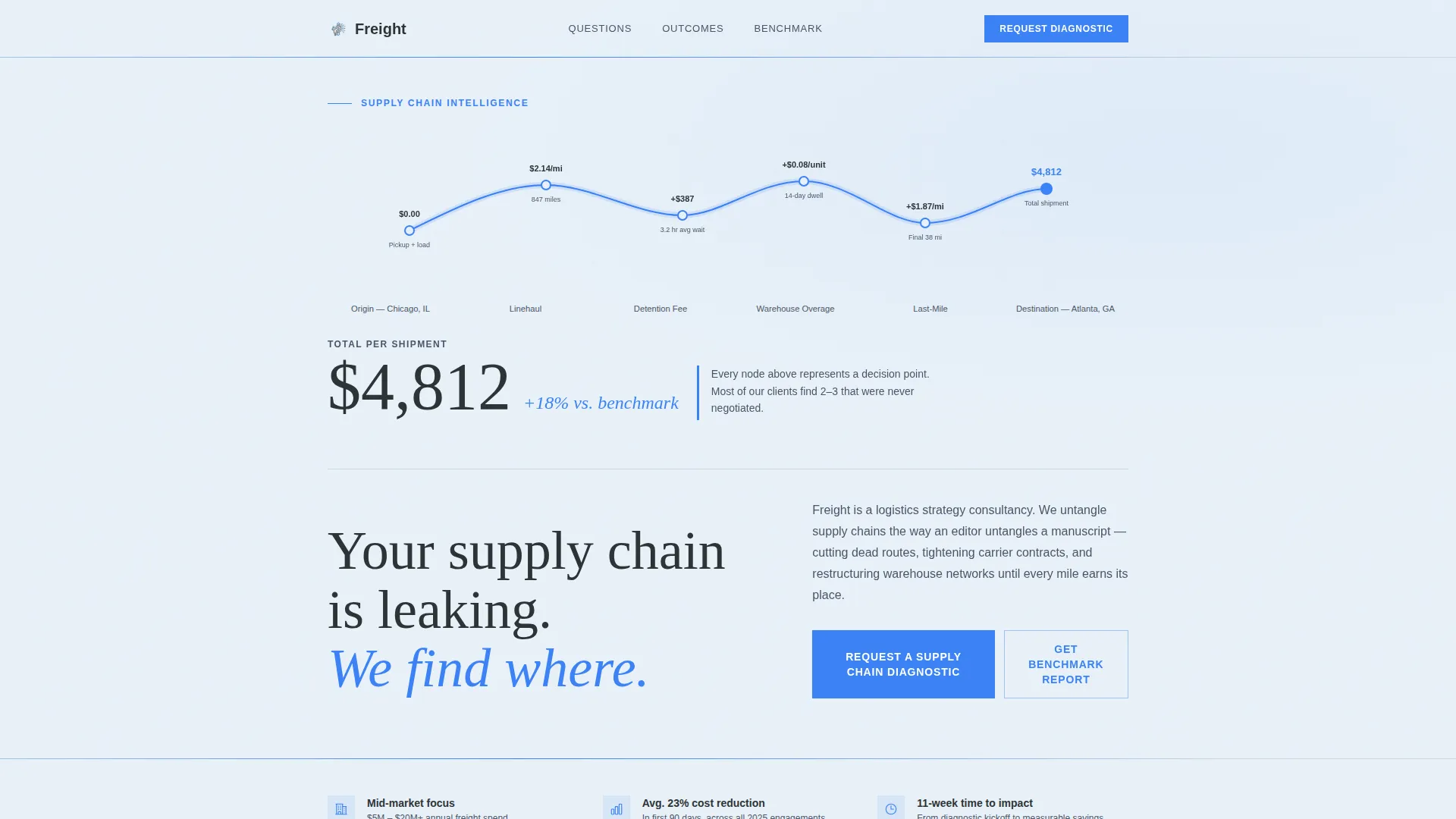
- A scroll-triggered animated cost infographic in the header, drawing a shipment route with real dollar figures at each node
- A question-anchored content structure with space for editorial columns, supporting charts, and annotated diagrams across each FAQ section
- A diagnostic request form with a freight spend dropdown and a multi-select pain point field, plus a secondary email-gated PDF download path
Feature list
This section covers the core built-in capabilities of the Freight template as described in the source brief.
Scroll-Triggered Cost Infographic Header
The header replaces a hero image with a full-width animated infographic. On scroll entry, a thin blue line traces a shipment from origin to destination, pausing at each cost node to display figures such as linehaul rate, detention fees, and warehousing overage. The total cost appears in oversized editorial serif type once the animation completes, followed by a single provocative headline.
FAQ-Driven Section Architecture
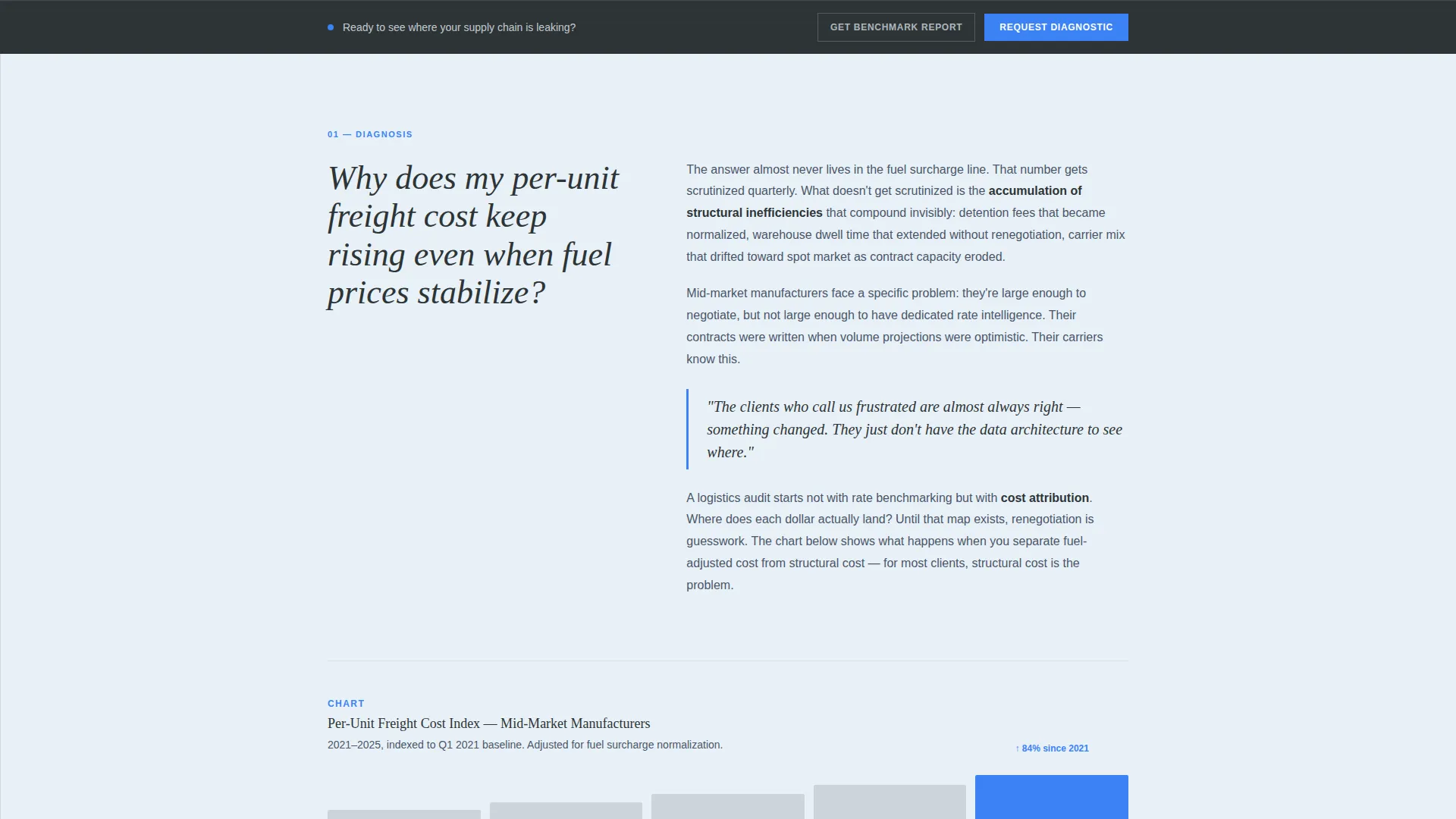
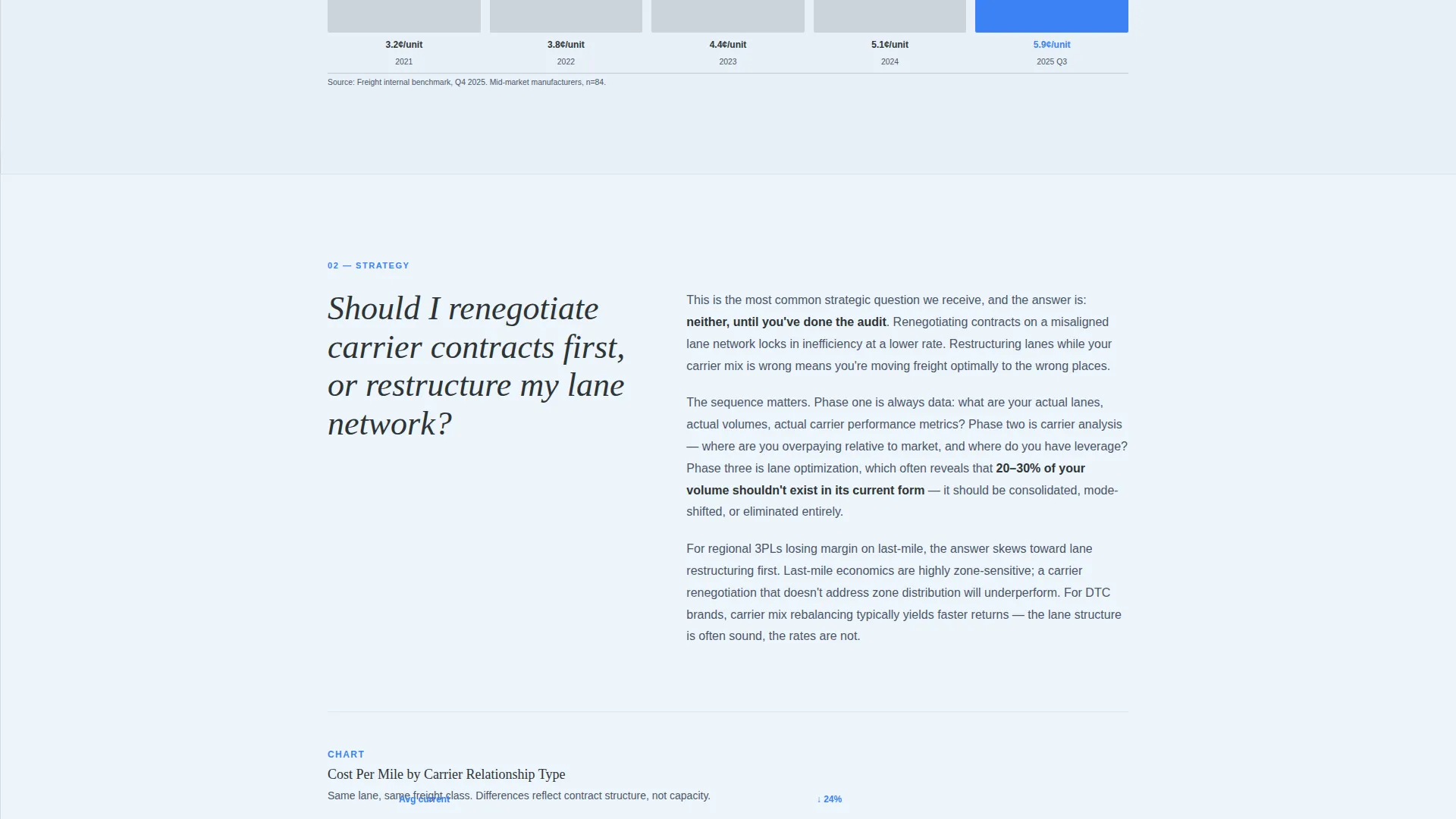
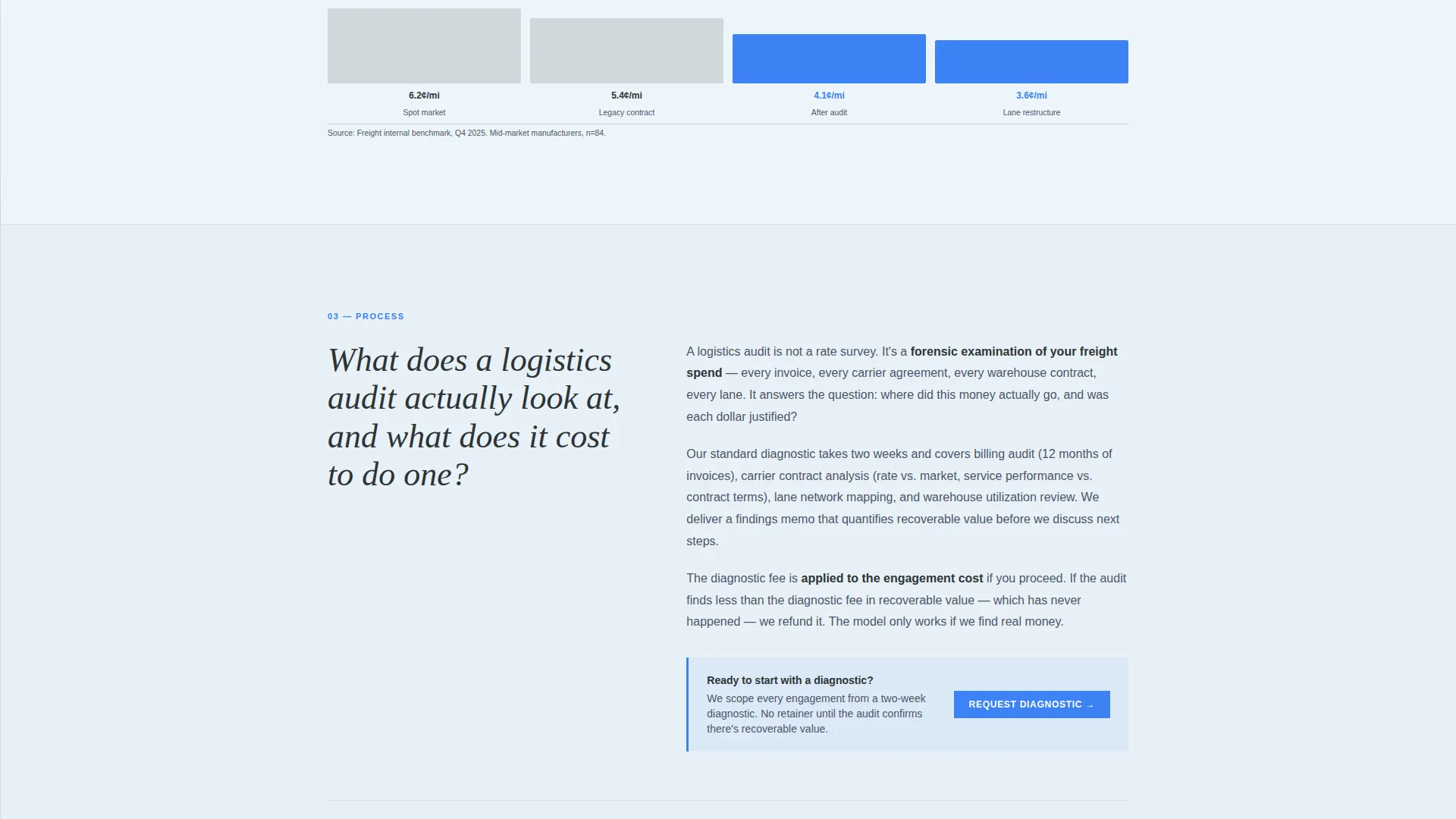
Each scroll section is anchored by a large serif question, styled the way a magazine uses pull quotes to break a long feature. The answer unfolds as a short editorial column of two to three paragraphs, accompanied by a single supporting chart or annotated diagram. Stakes escalate from diagnostic questions to strategic ones, keeping analytical readers engaged through the full page.
Dual Conversion Path System
The primary conversion path is a "Request a Supply Chain Diagnostic" form collecting company name, annual freight spend range, primary pain point, and work email. A secondary path offers a downloadable benchmark PDF gated behind email only, designed to capture earlier-stage prospects who are not yet ready for a direct conversation.
Fixed Bottom call to action Bar
After the third FAQ section, the primary call to action first appears as an inline text link. On continued scroll, a fixed bottom bar carries the same call to action persistently across the remainder of the page, ensuring the diagnostic request is always one tap away without interrupting the reading flow.
Editorial Slate & Sky Color System
Signal blue is reserved exclusively for hyperlinks, data highlights, and call-to-action buttons. Deep editorial slate handles body text and section dividers. Cloud-washed sky serves as the primary background. This restrained palette keeps visual hierarchy clear and lets data figures and calls to action command attention without decorative noise.
No-Photography Data-First Visual Direction
The page contains no stock photography and no hero images. All visual interest comes from the animated infographic, supporting charts, and annotated diagrams. This is a deliberate design choice that reinforces analytical authority and differentiates the page from competitor sites that rely on warehouse photography.
Page sections overview
| Section | Purpose |
|---|---|
| Animated Cost Header | Opens with scroll-triggered shipment cost infographic and headline |
| FAQ Section One | Addresses rising per-unit freight costs with editorial column and chart |
| FAQ Section Two | Explores carrier contract renegotiation versus lane restructuring |
| FAQ Section Three | Explains what a logistics audit examines with annotated diagram |
| Inline call to action Link | Introduces the diagnostic request after the third FAQ section |
| Diagnostic Request Form | Captures company name, freight spend, pain points, and work email |
| PDF Download Gate | Offers benchmark report gated behind email for earlier-stage prospects |
| Fixed Bottom Bar | Persists the primary call to action across all remaining scroll positions |
Design & branding system
The Freight template uses the Slate & Sky color system, a palette that reads like a broadsheet financial page against a clear morning sky. Typography leans on editorial serif faces for headlines and pull-quote questions, grounding the page in the visual language of a serious business publication.
- Deep editorial slate (#2D3436) for body text and section dividers, tactical charcoal (#4A5568) for secondary type and pull-quote rules, and cloud-washed sky (#E8F1F8) as the primary background
- Signal blue (#3B82F6) used exclusively for hyperlinks, data figure highlights, and call-to-action buttons, functioning the way a single underlined figure catches the eye in a dense earnings report
- No stock photography anywhere on the page; all visual weight comes from the animated infographic, charts, and annotated diagrams
Mobile & speed optimization
The editorial layout and data-first visual direction are structured to remain clear and readable at smaller viewport sizes. The absence of large photography files and decorative assets keeps the page lean by design.
- The animated infographic header and chart components are sized and spaced for readability on mobile screens, preserving the cost-node detail that makes the opening impactful
- The fixed bottom call to action bar is a natural fit for mobile interaction, keeping the diagnostic request accessible without requiring the visitor to scroll back to a form
How this template helps you convert
Freight is built around the reality that a VP of logistics or a chief financial officer will not fill out a form until the page has earned their trust. The conversion architecture reflects that.
- The scroll-triggered cost infographic creates immediate recognition. Visitors see their own operational reality reflected in the dollar figures before reading a single word of copy, which makes them more receptive to the questions that follow.
- The escalating FAQ structure does the qualification work before the form appears. By the time the inline call to action link surfaces after the third FAQ section, the visitor has already worked through the diagnostic framing and is self-selecting as a serious prospect.
- The secondary PDF download path captures the analytical reader who is not yet ready for a call. Gating it behind email only keeps friction low while building a list of engaged, pre-qualified prospects for follow-up.
Other information about this template
Freight is categorized under Professional Services as a Logistics Consulting template. It is purpose-built for the logistics strategy consultant niche and draws its authority from editorial design choices rather than from generic professional services conventions.
- The template style is Editorial Magazine, and the creative direction is FAQ-Driven, meaning the content structure is the conversion mechanism, not a separate sales layer added on top
- The header concept is Data Storytelling, which means the page opens by showing a prospective client their problem in numbers before naming a solution
- The landing page direction is Partnership and Business-to-Business engagement, reflected in the form fields that qualify spend level and pain point rather than simply collecting a name and email
Theme
Editorial Magazine
Creative direction
FAQ-Driven
Color system
Slate & Sky
Style
Editorial/Magazine
Direction
Partnership/B2B
Page Sections
Scroll-triggered Cost Infographic
Faq-driven Content Architecture
Dual Conversion Path Design
Fixed Bottom Call to Action Bar
Data-first, No-photography Visual Direction
Related questions
Who is this template designed for?
Can I use this template without chart or diagram assets ready?
What are the two conversion paths on this page?
Does the page use any stock photography?
How does the fixed bottom bar work?



