Architectural Technology Professional Website Template
Capture is a Bold Brutalist landing page template built for precision 3D scanning and surveying firms. It uses an asymmetric 60/40 grid and a Creator Spotlight layout to profile scanning specialists alongside their project data. The template is designed to drive gated PDF case file downloads and email subscriptions from heritage architects, civil engineers, and forensic investigators.
by Rocket studio
Quick summary
Capture is a single-page landing page template for precision 3D scanning and surveying professionals. It pairs deep case narratives with gated deliverables using an asymmetric 60/40 grid. The Bold Brutalist design and Cloud Canvas color system make technical authority feel immediate and human at the same time.
Who this template is for
This template is built for specialist firms whose work demands more than a standard portfolio page. It suits organizations that need to demonstrate method, precision, and credibility to a technical buying audience.
- Heritage conservation architects and civil engineers evaluating scanning vendors
- Forensic investigation teams needing evidence-grade spatial documentation
- Project managers and procurement leads comparing 3D scanning and surveying providers
What problem this template solves
Most professional services pages flatten complex technical work into vague capability lists. Buyers who need millimeter-accurate digital twins want proof, not promises. This template closes that gap with a narrative-first structure that shows methodology, project outcomes, and downloadable deliverables in one scroll.
- Generic portfolio layouts bury accuracy metrics and gear specs where buyers cannot find them
- Lead capture forms feel intrusive when the value exchange is unclear
- Scanning firms lose credibility when their page does not match the precision of their work
What you get with this template
The template delivers a complete, fully structured landing page ready for a 3D scanning and surveying firm to customize. Every section serves a specific conversion or trust-building role.
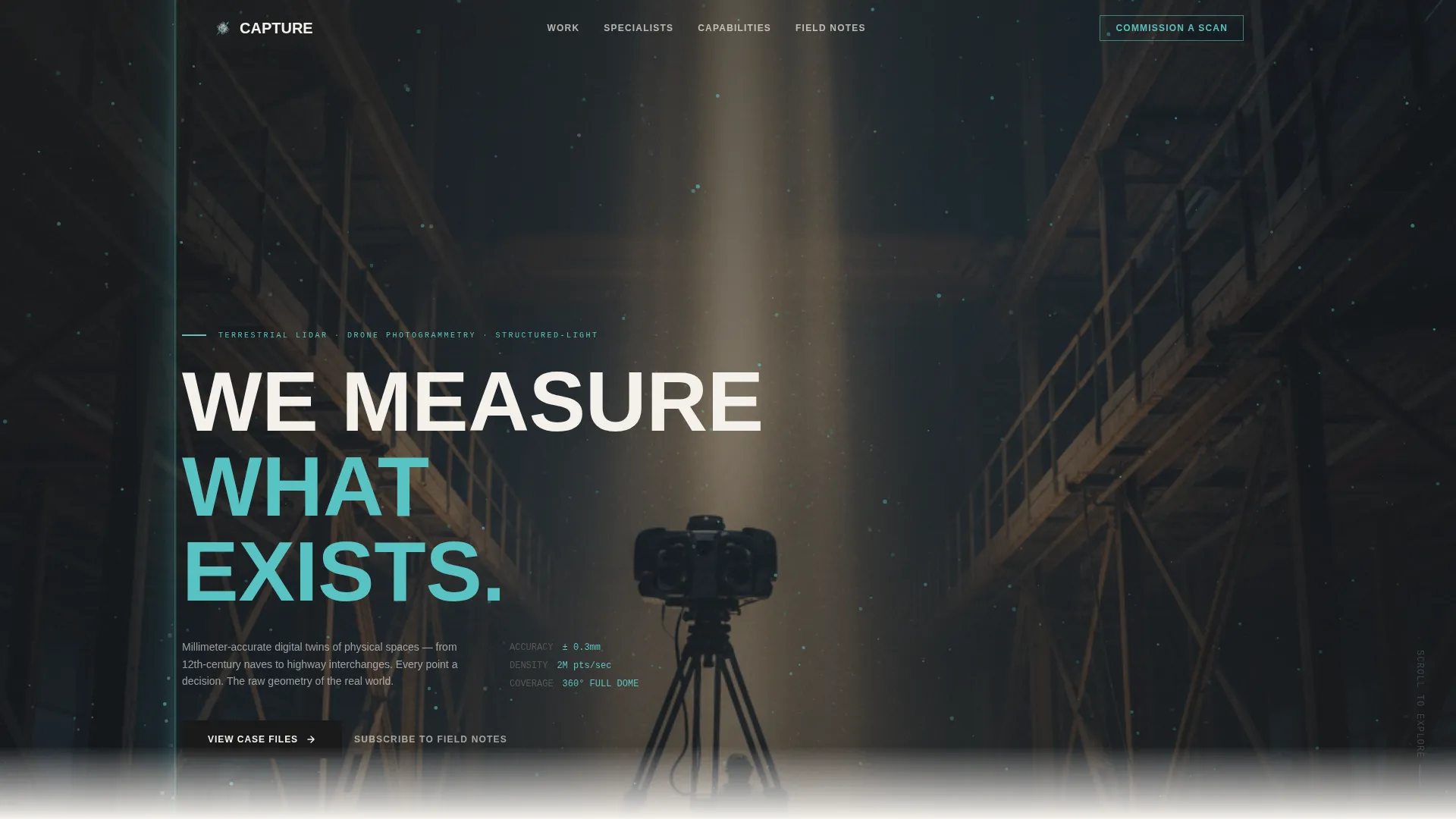
- A full-bleed hero section with brutalist all-caps typography and a viewport-filling photo layout
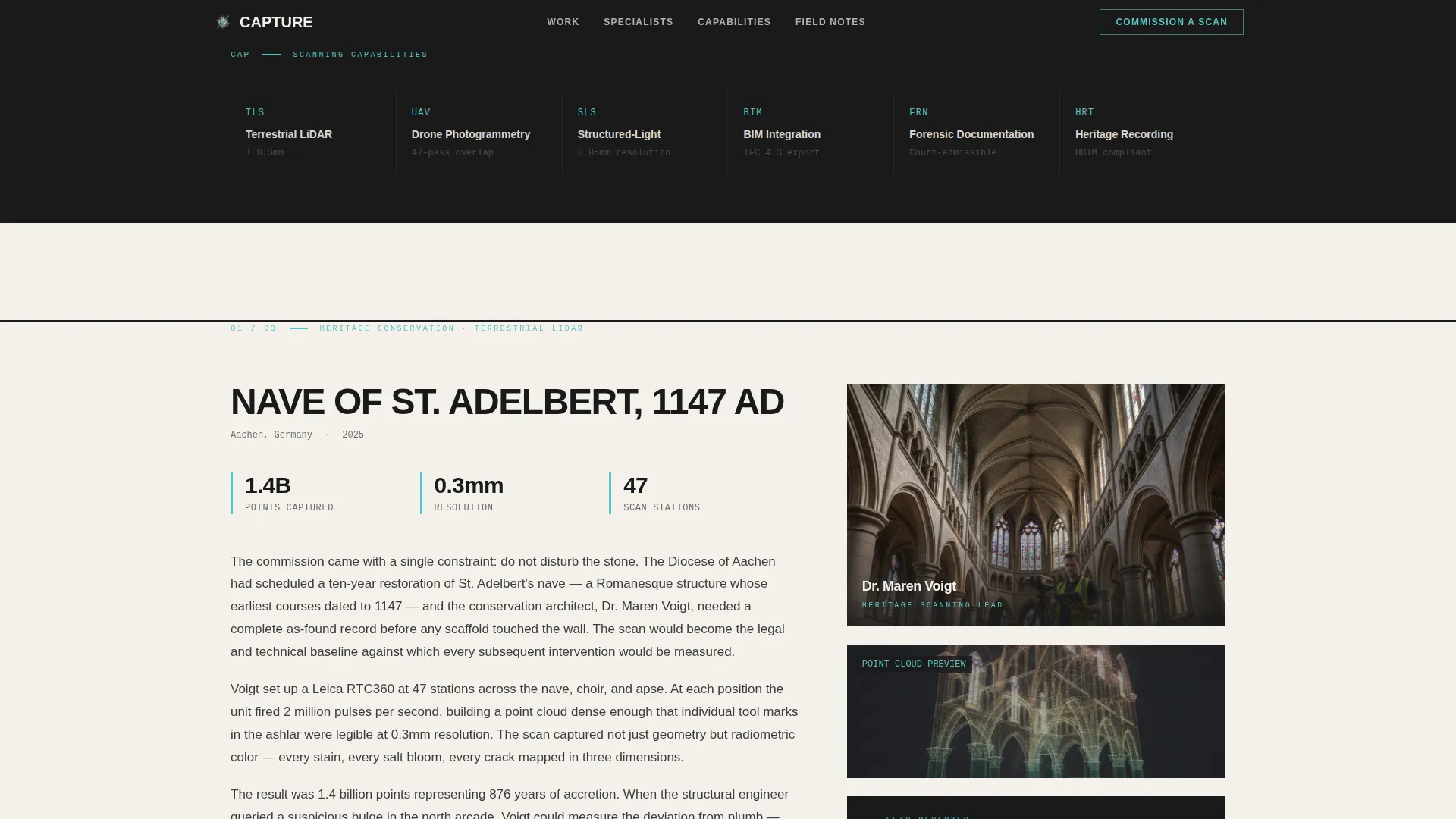
- Three asymmetric Creator Spotlight sections alternating between narrative and data columns
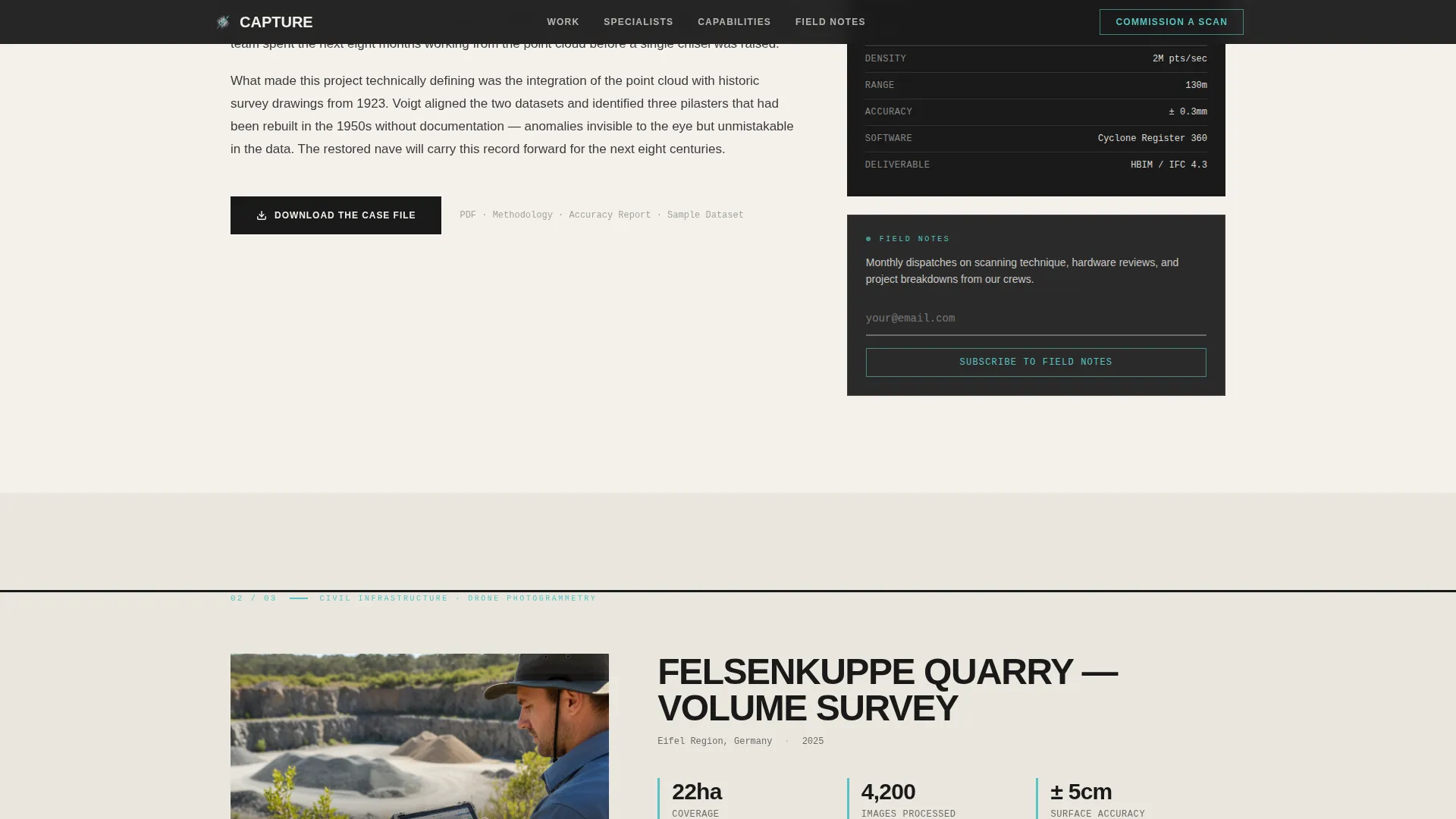
- A Field Notes call-to-action section with a subscribe prompt and a persistent sidebar element
Feature list
This template is built around a focused set of components that reflect how precision scanning firms actually earn trust and generate qualified leads.
Asymmetric 60/40 Grid Layout
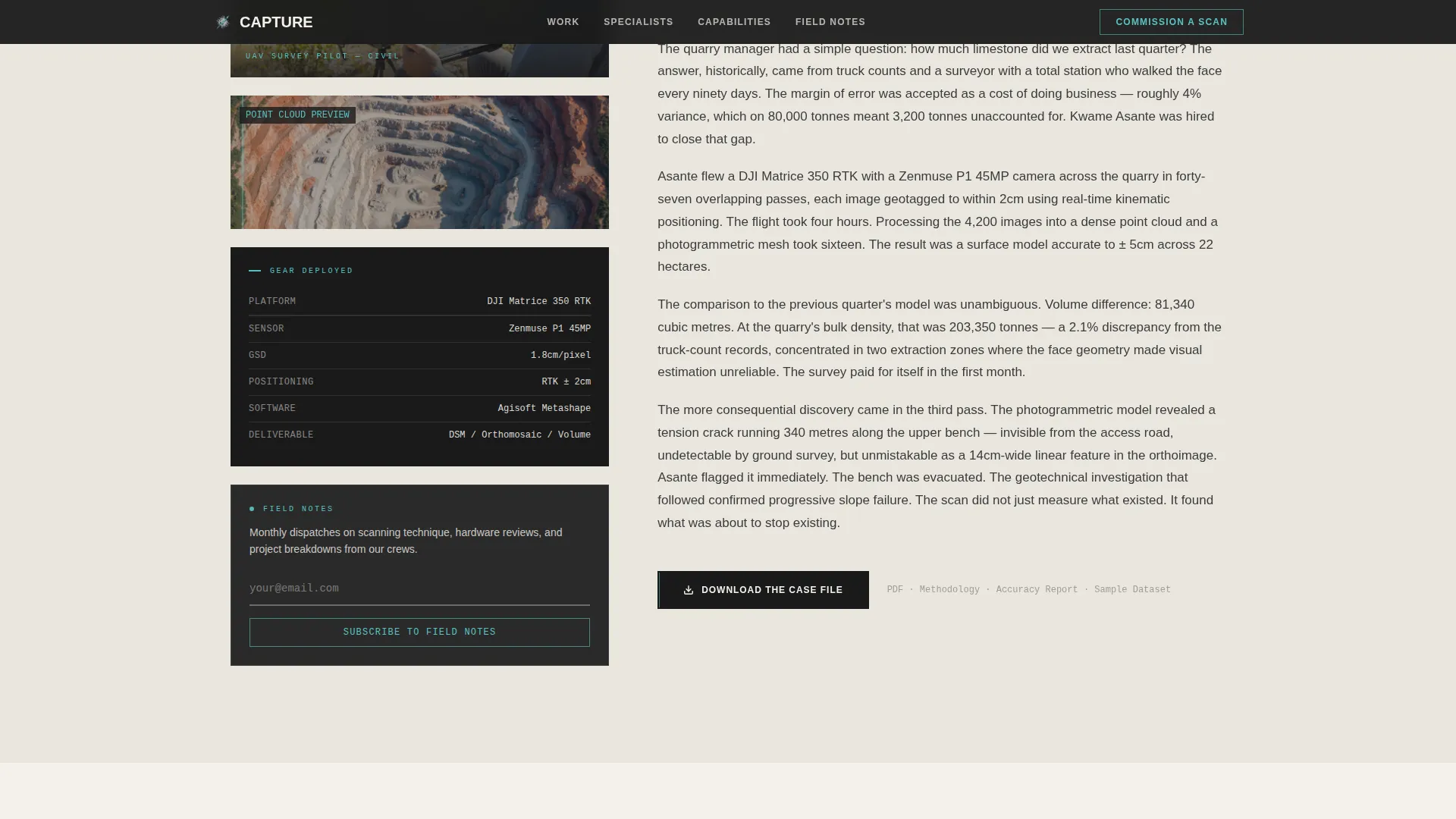
Each Creator Spotlight section splits into a 60-column narrative side and a 40-column data side. The wider column carries the case story. The narrower column holds the specialist portrait, gear specifications, scan previews, and downloadable deliverables. The rhythm alternates between the two.
Full-Bleed Hero Section
The hero fills the entire viewport with a wide-angle photo composition. Brutalist slab type in massive all-caps punches through the lower-left third of the frame. The layout is intentionally off-center to emphasize scale between the human figure and the architecture being scanned.
Gated PDF Case File Downloads
Each Creator Spotlight closes with a "Download the Case File" call-to-action. The download gates a PDF bundle containing the full scan methodology, hardware specifications, accuracy reports, and sample point-cloud datasets. The narrative gives away the majority of the insight first, so the download feels like a professional tool rather than a forced form.
Persistent Field Notes Subscribe Prompt
A persistent sidebar element on the 40-column side offers a secondary conversion path. Visitors can subscribe to a monthly email digest of scanning techniques and project breakdowns with only an email address. It stays visible as the user scrolls through the spotlight sections.
Floating Point Cloud Particle Canvas
A canvas-based particle system renders floating point cloud particles across the page background. A scan-line sweep activates on hover states and interactive highlights. Staggered scroll-reveal animations introduce each section as the user moves down the page.
Monospace Data Readouts
Technical specifications, accuracy figures, and project stats are displayed in monospace typography. This gives gear specs and scan metrics the visual weight of a data terminal rather than standard body text, reinforcing the precision identity of the firm.
Page sections overview
| Section | Purpose |
|---|---|
| Hero Full-Bleed | Establish firm identity and scale with all-caps brutalist headline and viewport photo |
| Creator Spotlight 1 | Profile heritage architect with 12th-century nave scan narrative and downloadable case file |
| Creator Spotlight 2 | Profile drone pilot with quarry face photogrammetry project and gear specs |
| Creator Spotlight 3 | Profile forensic technician with courtroom point cloud case and deliverables |
| Field Notes call to action | Capture email subscriptions with a low-friction subscribe prompt and persistent sidebar |
| Footer Linear Row | Close with single-row footer pattern carrying firm links and contact reference |
Design & branding system
The visual identity follows a Bold Brutalist theme using the Cloud Canvas color system. The palette draws on the atmosphere of a concrete observation tower on a foggy survey morning: blunt, utilitarian, and quietly striking.
- Background uses #F4F1EC (cloud canvas white), structural type in #3B3B3B (poured-concrete charcoal), and #1A1A1A (deep graphite) for headers and footer mass
- Interactive highlights, hover states, and scan-line animations pulse in #59C3C3 (scan-line cyan)
- Typography is set in Cabinet Grotesk and DM Sans, with massive all-caps slab headlines and monospace data readout styles throughout
Mobile & speed optimization
The template is built desktop-first, reflecting the professional B2B audience who typically review technical case files on large screens. The layout is responsive and scales down for mobile viewing.
- Static content sections are structured as Server Components to keep initial load lean
- The canvas particle system runs client-only, so it does not block the critical rendering path of the static sections
- The asymmetric grid collapses cleanly for smaller viewports without losing the narrative-to-data column relationship
How this template helps you convert
The conversion architecture is layered so that every section earns the next click rather than demanding it upfront.
- The hero establishes authority immediately with a full-bleed photo and a single declarative headline, giving technically minded visitors a reason to keep reading.
- Each Creator Spotlight builds proof progressively, moving from personal story to project data to a specific gated deliverable, so the "Download the Case File" click arrives after trust is already established.
- The persistent Field Notes sidebar captures visitors who are not ready to download yet, offering a low-commitment email subscription as a secondary path that keeps the firm in contact with potential clients over time.
Other information about this template
This template is localized for English-language markets using United States date formats and USD currency references where applicable. It is well suited for firms in the architecture and design space, particularly those operating within the architectural technology and spatial data sectors.
- Animation intensity is set to high: the page includes parallax hero scrolling, cursor-reactive scan-line effects, and staggered section reveals
- The footer uses a Pattern 1 Linear Single-Row layout, keeping the close of the page clean and uncluttered
- The template is designed for professional services and business-to-business contexts where the buyer is technically literate and evaluating vendors carefully
Theme
Bold Brutalist
Creative direction
Creator Spotlight
Color system
Cloud Canvas
Style
Asymmetric Grid (60/40)
Direction
Content/Resource
Page Sections
Asymmetric 60/40 Grid Layout
Full-bleed Hero with Brutalist Type
Gated PDF Case File Downloads
Persistent Field Notes Subscribe Sidebar
Point Cloud Particle Canvas and Hover Effects
Monospace Data Readout Typography
Related questions
Who is this landing page template designed for?
What are the two conversion paths in this template?
Can I adapt the Creator Spotlight sections for different specialists?
What makes the gated download approach effective here?
Does the template include animation and interactive elements?