Specialist Tool & Die Making Professional Website Template
Carbide is a modular card-grid landing page template built for CNC tooling manufacturers. It opens with a full-width exploded end-mill infographic, then walks visitors through a decade-by-decade timeline of cutting tool evolution. A sticky email-capture bar and ungated PDF spec sheets work together to earn trust and convert serious buyers.
by Rocket studio
Quick summary
Carbide is a content-rich, single-page landing page template for precision CNC tooling manufacturers. It combines a technical infographic header, a timeline-driven card grid, and a gated resource download to turn shop-floor buyers into qualified leads. The charcoal and amber color system signals industrial authority from the first scroll.
Who this template is for
This template is built for manufacturers and suppliers who sell into machine shops and production environments. It speaks directly to the people making purchasing decisions at odd hours and under real operational pressure.
- Machine shop owners sourcing end mills, drills, and insert grades for ongoing production runs
- Production engineers evaluating cutting tool specifications for tight-tolerance aerospace or industrial contracts
- Maintenance leads who need quick access to feeds-and-speeds data before the next shift starts
What problem this template solves
Generic product pages fail precision buyers. A machinist evaluating a carbide end mill needs substrate data, coating thickness, helix angle, and recommended surface footage, not stock photography and a tagline. This template is structured to prove technical credibility before it ever asks for anything.
- Buyers arrive without context and leave without converting because the page offers no real technical depth
- Distributors and generic catalogs flood the market, making it hard for a focused manufacturer to stand out
- Trust is lost when a page looks polished but contains no actual machining data
What you get with this template
You get a fully structured landing page layout that leads with engineering authority and earns the lead before the form appears. Every section has a defined job, and the card grid scales cleanly to hold your full tool catalog.
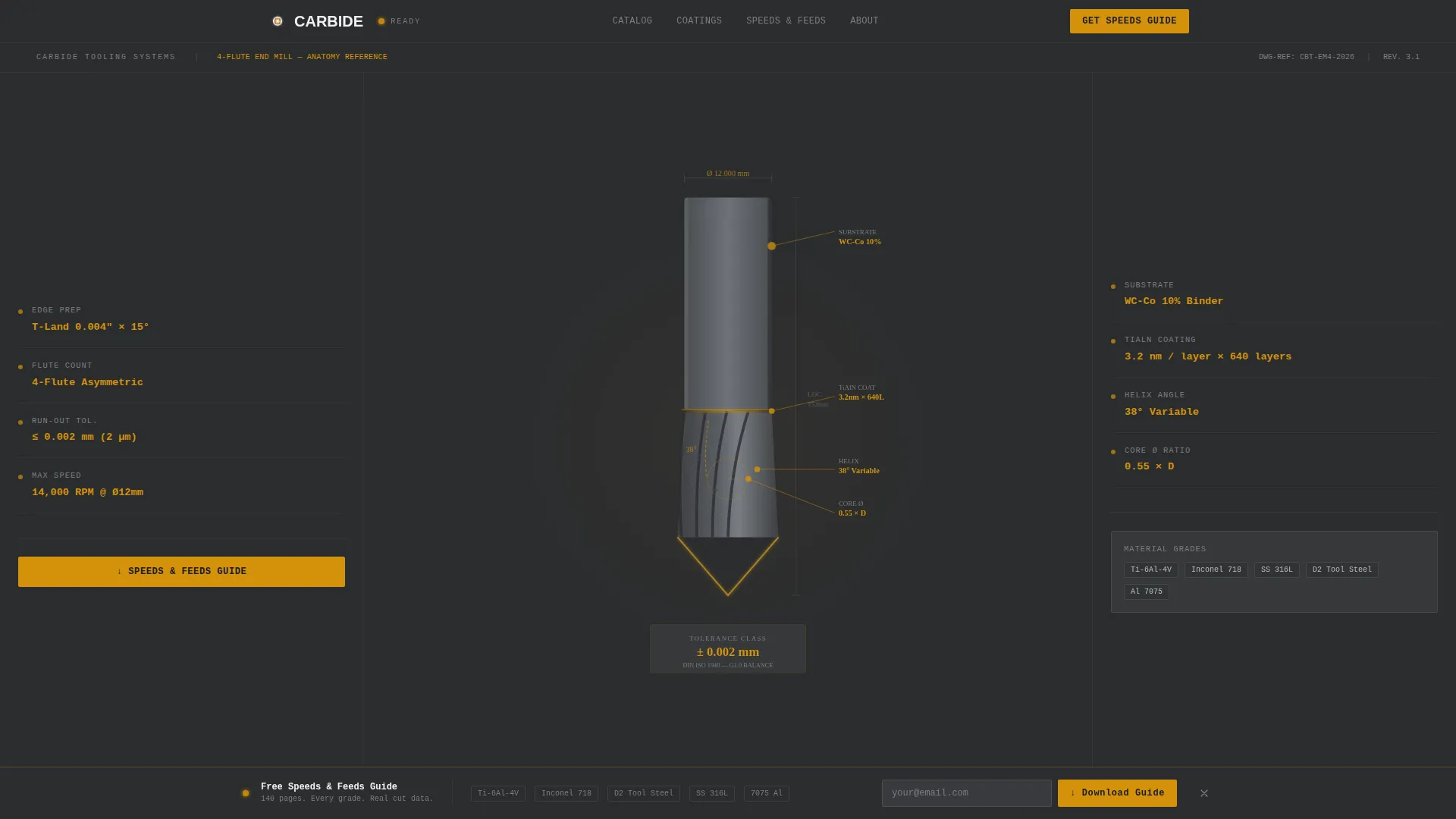
- A full-width exploded end-mill infographic header with labeled callouts for substrate, coating layers, helix angle, core diameter ratio, and edge preparation geometry
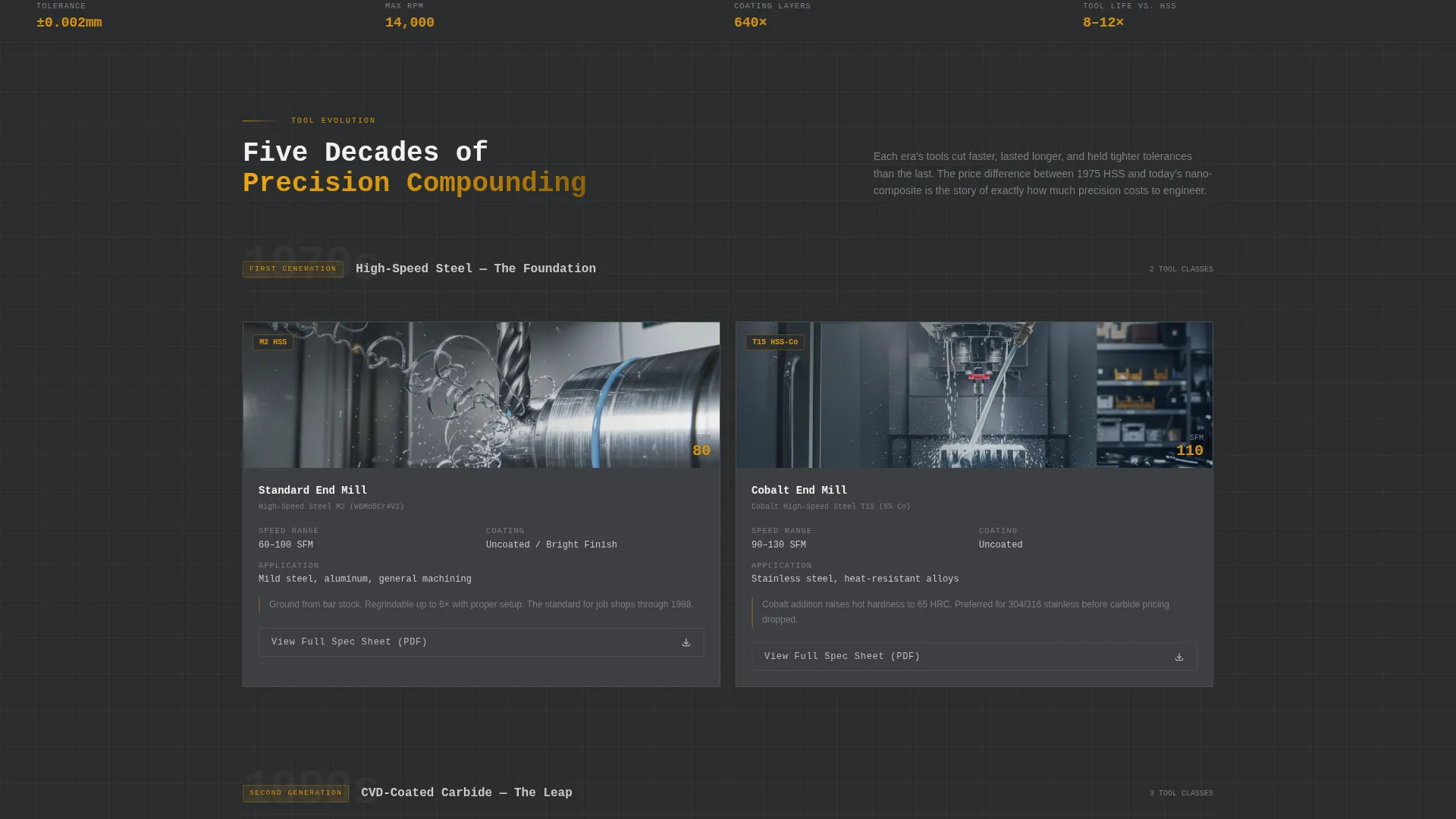
- A modular card grid organized as a timeline, with each card row representing a decade of cutting tool evolution from high-speed steel through nano-composite carbide geometries
- A sticky email-capture bar that appears after 40 percent scroll depth, offering a gated speeds-and-feeds guide, plus ungated PDF spec sheet links on every individual tool card
Feature list
This section covers the core functional components built into the Carbide landing page template.
Exploded Infographic Header
The full-width header illustrates a four-flute end mill broken into its anatomical components. Callouts are typeset in monospaced numerals against graphite panels, with amber connector lines linking data points to the tool cross-section. It reads like a spec sheet turned into a poster.
Timeline Card Grid
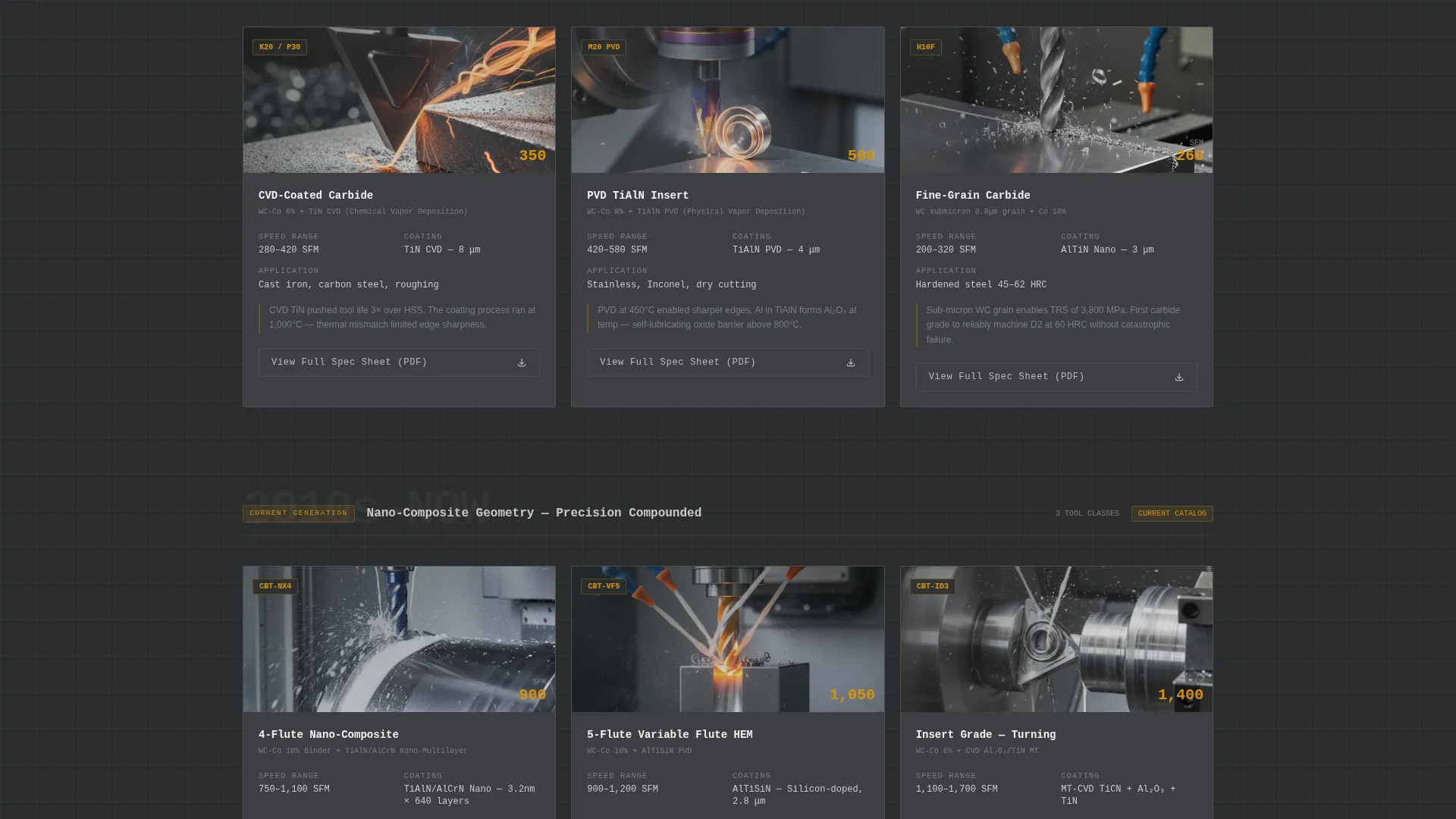
Each card row represents a distinct decade in cutting tool history, from uncoated high-speed steel in the 1970s through chemical vapor deposition (CVD)-coated carbide in the 1990s to today's nano-composite geometries. Cards grow more technically dense as the visitor scrolls, reinforcing the value of modern tooling through historical contrast.
Per-Card Spec Sheet Links
Every tool card carries a secondary call-to-action linking to a downloadable PDF spec sheet. These links are ungated, so buyers can pull real data without friction. This builds the credibility that makes the gated guide feel worth trading an email for.
Sticky Email Capture Bar
After a visitor reaches 40 percent scroll depth, a sticky bar appears at the bottom of the viewport. It offers the speeds-and-feeds guide behind a single email field. The bar is unobtrusive enough to allow continued reading but persistent enough to convert engaged visitors.
Charcoal and Amber Visual System
The color palette uses shop-floor charcoal, machined graphite, coolant-mist silver, and safety amber. Amber is reserved for calls-to-action, data highlights, and hover states. The result is a visual system that feels native to a tool crib rather than a generic product website.
Modular Card Layout
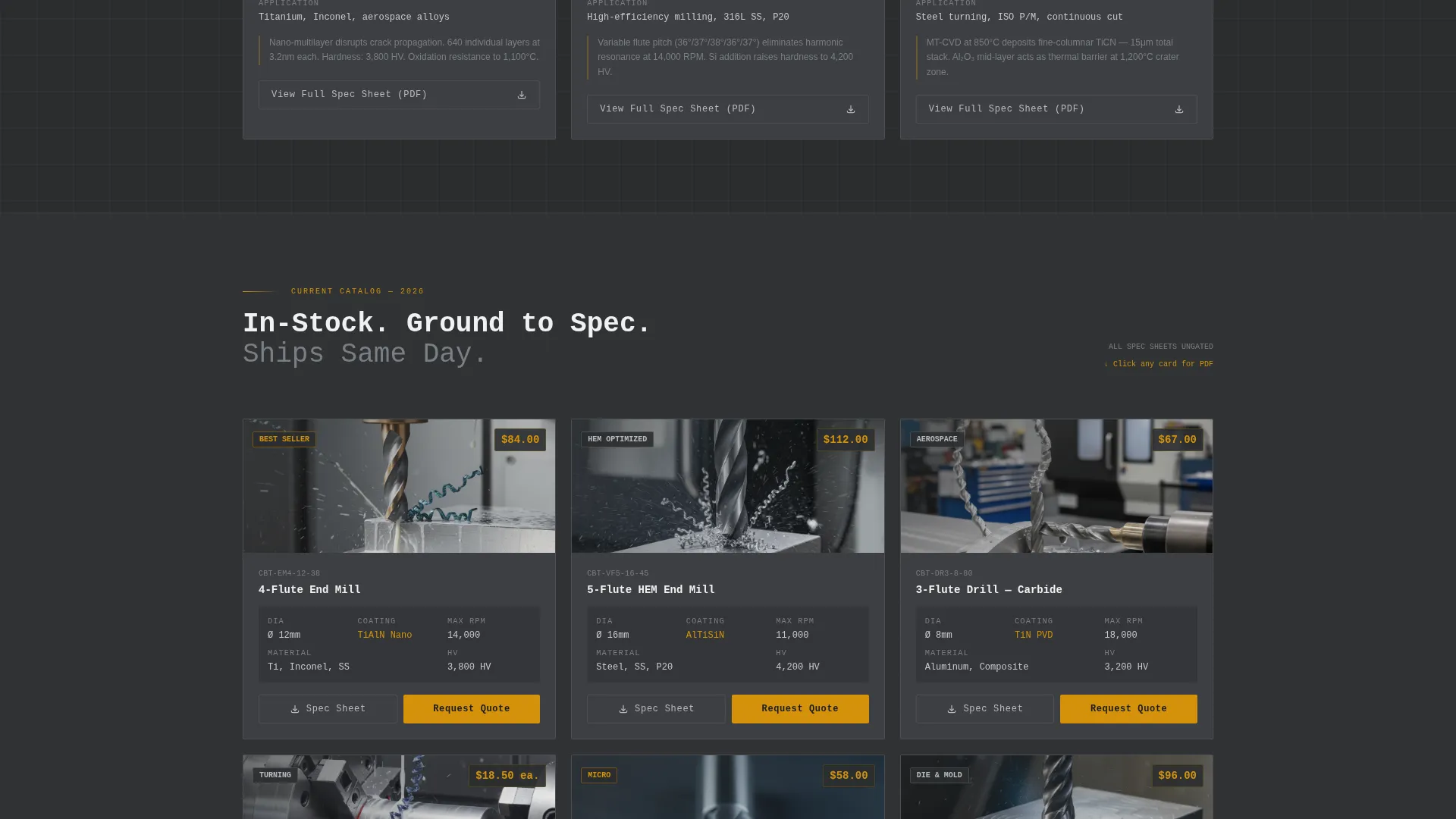
The card grid is built in a modular format, meaning individual tool cards can be added, removed, or reordered without breaking the layout. Each card holds a material grade label, recommended surface footage, an application photo showing chips mid-cut, and a link to the downloadable spec sheet.
Page sections overview
| Section | Purpose |
|---|---|
| Infographic Header | Displays exploded end-mill anatomy with labeled technical callouts |
| 1970s Tool Cards | Introduces uncoated high-speed steel era with material grades and footage data |
| 1980s Tool Cards | Covers early coated tooling with application photos and spec links |
| 1990s CVD Cards | Presents CVD-coated carbide grades, recommended cuts, and PDF downloads |
| Modern Nano-Composite Cards | Showcases current nano-composite geometries for high-efficiency milling |
| Sticky Capture Bar | Offers gated speeds-and-feeds guide after 40 percent scroll depth |
Design & branding system
The Carbide template uses an Industrial Raw visual theme anchored in a four-color charcoal and amber palette. Typography relies on monospaced numerals for technical data, reinforcing precision without decorative distraction.
- Core colors: shop-floor charcoal (#2B2D2F), machined graphite (#3D3F42), coolant-mist silver (#B8BCC2), and safety amber (#D4920B)
- Amber is used exclusively for calls-to-action, data point highlights, and hover states to guide the eye without diluting its signal value
- The overall aesthetic references a tool crib at shift change: dark steel surfaces, dense technical labels, and a single indicator light telling you the machine is ready
Mobile & speed optimization
The modular card grid adapts across screen sizes so buyers can pull spec data from a phone between jobs. The layout prioritizes legibility of technical figures at every viewport width.
- Card rows reflow to single-column stacks on smaller screens, keeping material grade and surface footage data readable without pinching or zooming
- The sticky capture bar is designed to remain visible without blocking card content on mobile viewports
- Monospaced numeral typography retains its precision character at reduced sizes, so callout figures in the infographic header stay clear on handheld devices
How this template helps you convert
Carbide earns the conversion by leading with real engineering data. By the time the email capture appears, the visitor already trusts the manufacturer enough to hand over their contact details.
- The infographic header immediately signals technical depth, filtering in serious buyers and filtering out casual browsers before the first card row loads
- The ungated PDF spec sheets on each tool card remove friction and demonstrate confidence in the product data, which builds the credibility that makes the gated guide feel genuinely valuable
- The sticky bar appears only after 40 percent scroll depth, meaning the visitor has already consumed a meaningful portion of the timeline before being asked for anything
Other information about this template
The Carbide template is specifically designed for the CNC tooling manufacturer niche within the broader manufacturing and industrial category. It is suited to tool-and-die makers and precision cutting tool suppliers who compete on technical specification rather than price alone.
- The template style is a card grid (modular), making it straightforward to expand the catalog as new tool classes are released
- Creative direction follows a timeline progression, giving the page an editorial structure that rewards extended reading rather than quick scanning
- The landing page direction is content and resource focused, meaning the primary conversion mechanism is a downloadable guide rather than a direct purchase flow
- The header concept is an infographic, which is particularly effective for buyers who already speak the language of substrate grades, coating thickness measured in nanometers, and helix angles
Theme
Industrial Raw
Creative direction
Timeline Progression
Color system
Charcoal & Amber
Style
Card Grid (Modular)
Direction
Content/Resource
Page Sections
Exploded End-mill Infographic Header
Decade-by-decade Timeline Card Grid
Ungated PDF Spec Sheet Links
Sticky Speeds-and-feeds Capture Bar
Industrial Charcoal and Amber Color System
Modular Card Architecture
Related questions
Can I add more tool cards without breaking the layout?
How does the email capture work on this template?
Is this template suitable for a manufacturer that sells only one tool category?
What kind of imagery works best with this template?
Can the infographic header be updated with my own tool specifications?



