Stonemason Business Booking Website Template
Chisel is a single-page stonemason landing page built for craftspeople who work with limestone, granite, and marble. It opens with an evidence-first stats wall, locks a persistent booking sidebar into place, and guides homeowners, architects, and estate managers toward a free site survey through a low-friction scheduling panel. The whole page feels as solid and deliberate as dressed ashlar.
by Rocket studio
Quick summary
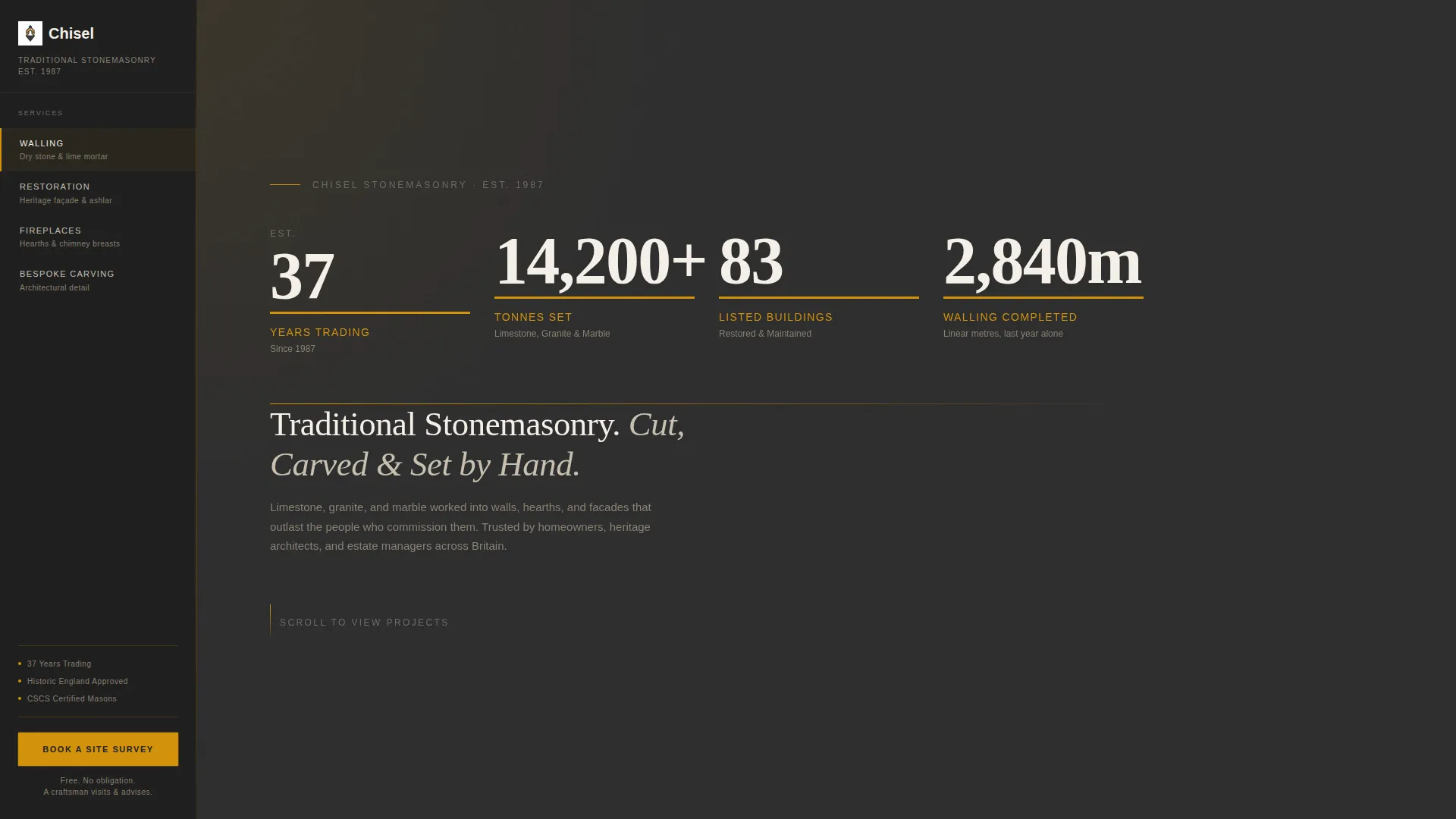
Chisel is a stonemason landing page template that leads with raw numbers before it asks for anything. Four oversized counter-animated figures set the authority baseline immediately. A persistent sidebar carries a fixed booking button throughout the scroll. The result is a page that earns trust through evidence and converts through simplicity.
Who this template is for
This template is built for stonemasons and natural stone specialists whose work speaks through longevity and craft. It suits practices that serve discerning clients on substantial projects.
- Stonemasons restoring period homes, listed buildings, or heritage structures
- Architects and estate managers specifying natural stone for conservation projects
- Stone workshops handling walling, fireplaces, facades, and bespoke carved pieces
What problem this template solves
Most service landing pages lead with a headline and a stock photograph. For a stonemason, that approach undersells decades of accumulated expertise. Clients commissioning heritage restoration need proof, not promises.
- Visitors leave before trusting the craftsperson because the page offers no immediate evidence
- Booking friction is too high when enquiry forms feel like formal commitments
- Project work is hard to communicate without a structured rhythm of data and imagery
What you get with this template
You get a fully structured single-page layout built around a stats-first design philosophy. Every section is ordered to move a visitor from sceptic to scheduled appointment.
- A Stats/Metrics header wall with four animated counter figures
- A persistent left-rail sidebar with navigation anchors and a fixed booking button
- A scrollable right panel of project case studies, each introduced by a stat line before its photograph
- A slim scheduling panel with property type, project category, calendar picker, and access notes field
Feature list
This template includes the following purpose-built features grounded in the source brief.
Stats-First Header Wall
Four oversized figures land on screen with staggered counter animations. Each number is set in a heavy serif typeface at display scale against a quarry charcoal background. Amber underlines draw the eye across the sequence. A single line below the figures names the craft.
Persistent Sidebar with Fixed Booking Button
The sidebar rail locks into position and stays visible throughout the entire scroll. It carries four navigation anchors mapped to the core service areas. The fixed "Book a Site Survey" button sits in amber on charcoal and remains accessible at every scroll position.
Scheduling Panel with Low-Friction Form
Clicking the booking button opens a slim scheduling panel. It asks for property type, project category, a preferred survey date via calendar picker, and a single textarea for access notes. The form is short because the site survey is free, keeping commitment feel low.
Case Study Scroll with Stat-Led Rhythm
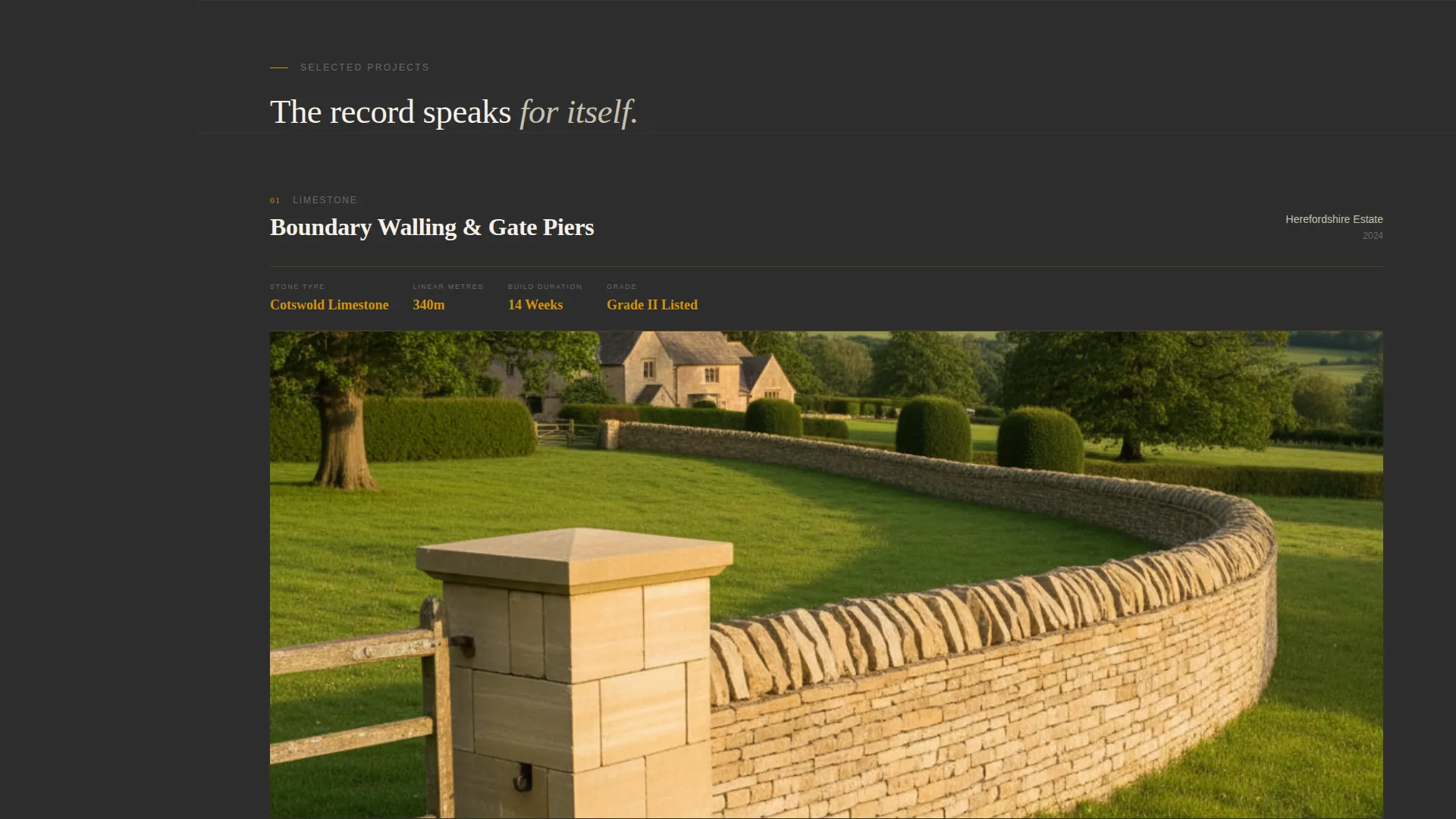
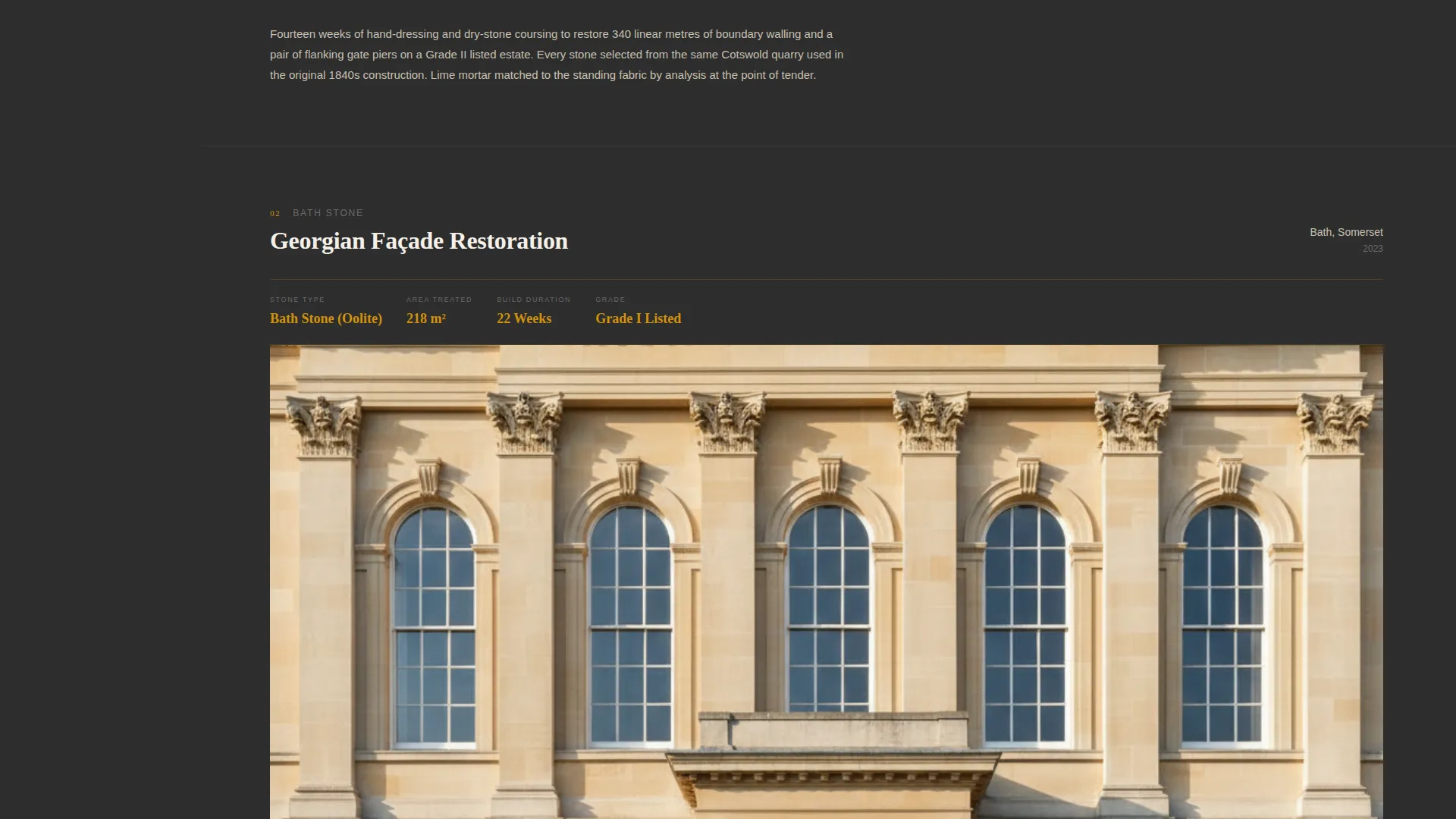
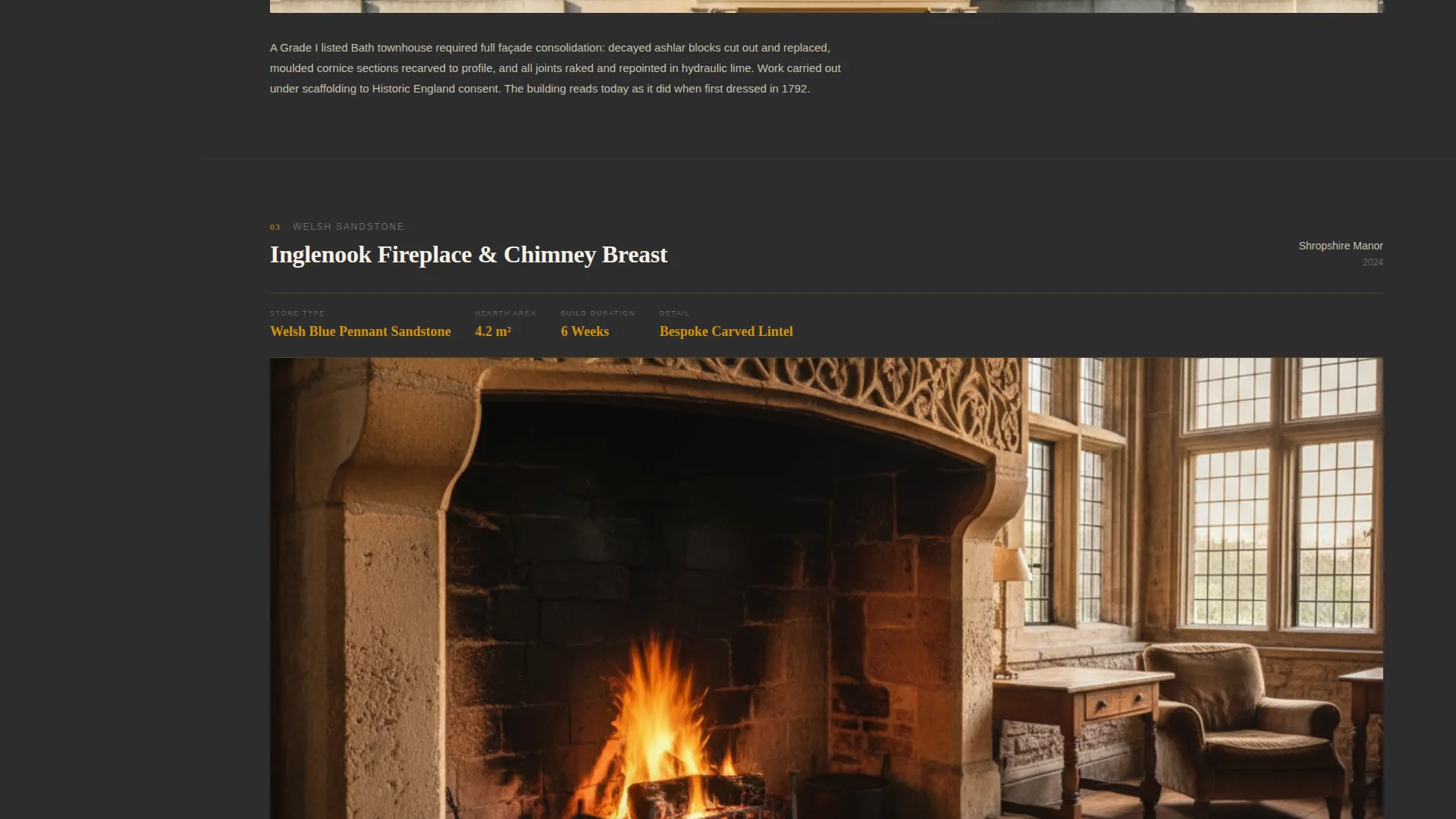
The right panel presents project case studies in a deliberate number-image sequence. Each case study opens with its own stat line covering stone type, square metres, and build duration before revealing a full-width photograph. The rhythm validates the craft with data before showing the result.
Charcoal and Amber Visual Identity
The color system uses quarry charcoal as the primary background, dressed stone gray for secondary surfaces, raw amber for every interactive element, and lime mortar white for body text. The palette feels authoritative and warm without relying on decorative imagery.
Page sections overview
| Section | Purpose |
|---|---|
| Stats Header Wall | Opens with four animated figures establishing years, tonnage, listed buildings, and linear metres |
| Craft Identity Line | Names the service in a single line of lime-white text below the stats |
| Persistent Left Sidebar | Holds navigation anchors and the fixed site survey booking button |
| Case Study Rail | Scrollable right panel cycling through stat lines and full-width project photographs |
| Scheduling Panel | Slim overlay form capturing property type, project category, date, and access notes |
Design & branding system
The Executive Suite theme uses a Charcoal and Amber color system that feels like a banker's study with a fossil on the mantelpiece. Every color choice has a functional role as well as an aesthetic one.
- Quarry charcoal (#2D2D2D) as the primary background, dressed stone gray (#6B6B6B) for secondary surfaces
- Raw amber (#D4920B) reserved for interactive elements, data highlights, and the booking button
- Lime mortar white (#F5F0E8) for body text and breathing space, a heavy serif at display scale for all counter figures
Mobile & speed optimization
The layout is structured around a sidebar-plus-scroll-panel model that adapts to narrower viewports. The design avoids heavy decorative assets that would slow the initial load.
- Single full-width photographs appear one at a time within the case study scroll, avoiding simultaneous image loading across a grid
- The scheduling panel opens as a slim overlay rather than a separate page, keeping the visitor in context
- Counter animations are triggered on scroll entry, so they fire when visible rather than on first paint
How this template helps you convert
The entire page is sequenced to move a visitor from arrival to booked appointment with minimal resistance.
- The stats wall delivers instant credibility in the first viewport, giving a sceptical visitor a reason to keep scrolling before a single service claim is made.
- The persistent sidebar means the "Book a Site Survey" button is never more than a glance away, removing the need to scroll back to find a call to action.
- The short scheduling form frames the survey as an invitation rather than a commitment, lowering the perceived barrier for high-value clients who are still comparing options.
Other information about this template
This template was designed specifically for the stonemason business category within professional services. It suits independent workshops and small specialist practices that work across residential, commercial, and listed building projects.
- The four service anchors (Walling, Restoration, Fireplaces, Bespoke Carving) map directly to the navigation rail and the scheduling panel's project category selector
- The template is built as a sidebar companion landing page, meaning it is intended to sit alongside a broader service website rather than replace it
- Established practices trading since the mid-to-late twentieth century will find the "est. year" counter format a natural fit for communicating heritage and longevity
- The tone and visual weight of the template are calibrated for clients commissioning high-value, long-duration stonework rather than quick-turnaround decorative projects
Theme
Educational Guide
Creative direction
Testimonial Mosaic
Color system
Plum Executive
Style
Comparison Table
Direction
Booking/Scheduling
Page Sections
Stats-first Animated Header
Persistent Sidebar with Fixed Call to Action
Low-friction Scheduling Panel
Stat-led Case Study Scroll
Charcoal and Amber Color System
Related questions
What kind of stonemason business suits this template?
Can the four service anchors be changed to match different specialisms?
How does the scheduling panel work?
Is this a full website or a companion page?
Why does the template lead with statistics instead of a hero image?



