Powerful Healthcare RPO | Free Website Template | Rocket
Catalyst is a sidebar companion landing page template built for healthcare Recruitment Process Outsourcing (RPO) providers. It opens with a multi-step form that projects agency spend savings in real time, then walks visitors through a five-phase RPO engagement timeline. Every section is designed to earn trust from VP-level talent acquisition leaders, Chief Nursing Officers, and CFOs before asking for contact details.
by Rocket studio
Quick summary
Catalyst is a single-page RPO landing page template built for healthcare staffing providers. It leads with a multi-step form and a locked sidebar that updates live as visitors answer questions. The design speaks directly to VP Talent Acquisition leaders, Chief Nursing Officers (CNOs), and CFOs who need permanent clinical hires and want to see projected savings before they talk to anyone.
Who this template is for
This template is built for healthcare RPO providers selling to senior decision-makers at regional health systems. It assumes a consultative, high-stakes sales conversation where proof of value must come before a request for contact details.
- VP Talent Acquisition leaders managing large volumes of unfilled clinical requisitions
- Chief Financial Officers tracking traveler and agency spend that has exceeded budget
- Chief Nursing Officers running understaffed units who need permanent hire pipelines now
What problem this template solves
Hospital talent acquisition teams often face a trust gap with new RPO vendors. A generic contact form does not demonstrate value. This template replaces that generic form with a live projection experience that shows savings math before asking for an email address.
- Unfilled nursing and clinical roles create operating pressure that generic pages cannot address with credibility
- Agency dependency and high traveler spend demand an ROI justification before any vendor conversation
- Standard landing pages fail VP and CFO buyers who need data, not promises
What you get with this template
You get a structured, single-page layout built around a multi-step intake form and a persistent sidebar companion. The page uses scroll-linked sidebar updates to mirror a real RPO engagement timeline, creating a sense of forward momentum from the first question to the final call to action.
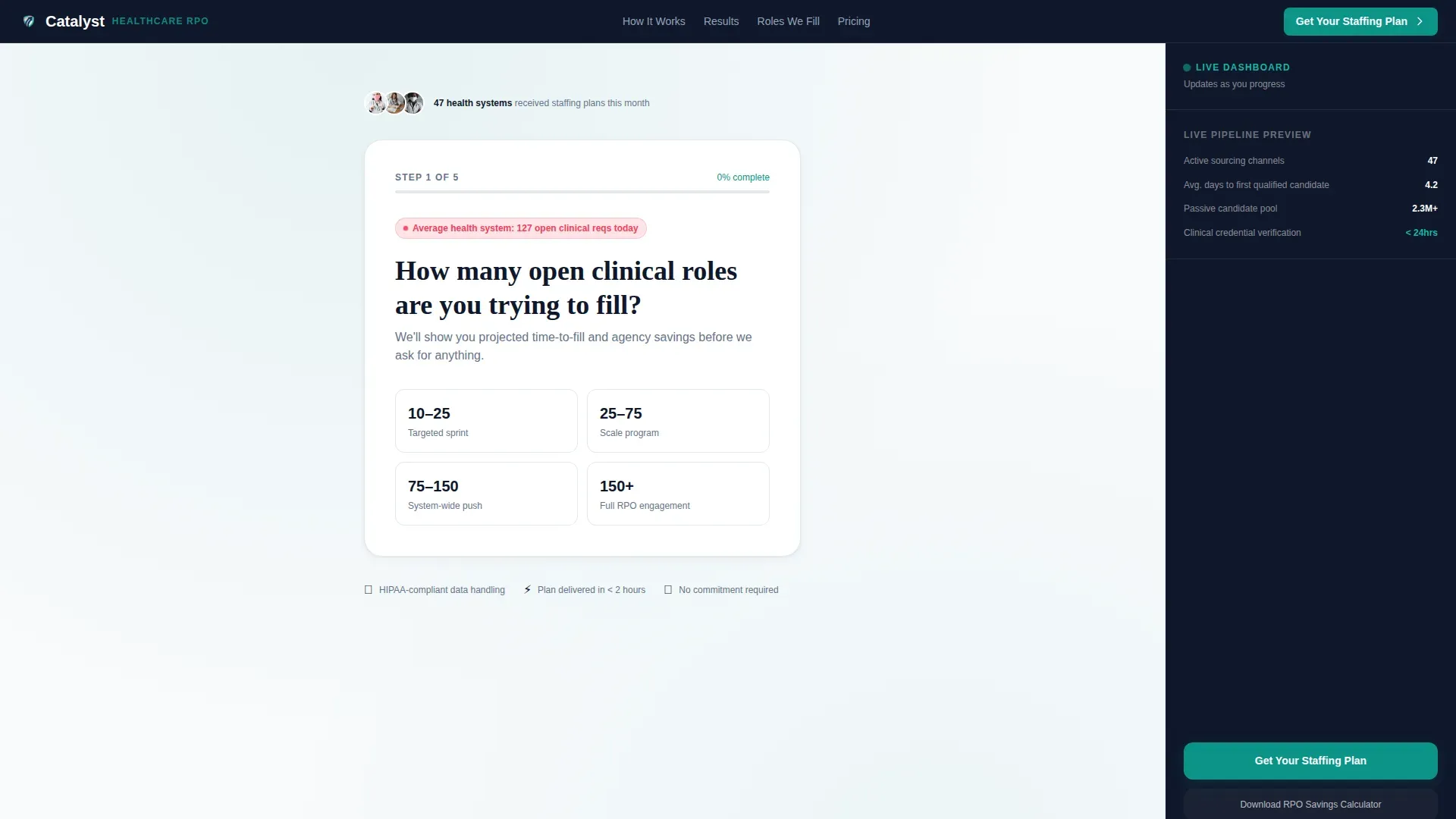
- A five-step intake form collecting role volume, facility type, hardest-to-fill roles, agency spend range, and work email
- A locked sidebar that updates contextually as visitors scroll through each engagement phase
- A secondary call to action offering a downloadable RPO Savings Calculator for visitors not yet ready to speak with a rep
Feature list
Every capability below is drawn directly from the template brief. No speculative functionality is included.
Multi-Step Intake Form with Live Projection
The form opens immediately as the page loads. Step one asks how many open clinical roles the visitor is trying to fill, with preset range buttons: 10 to 25, 25 to 75, 75 to 150, and 150 or more. Each subsequent step collects facility type, hardest-to-fill roles via checkbox, current agency spend range, and a work email. The form is designed to feel like the product demonstration itself.
Scroll-Linked Sidebar Companion
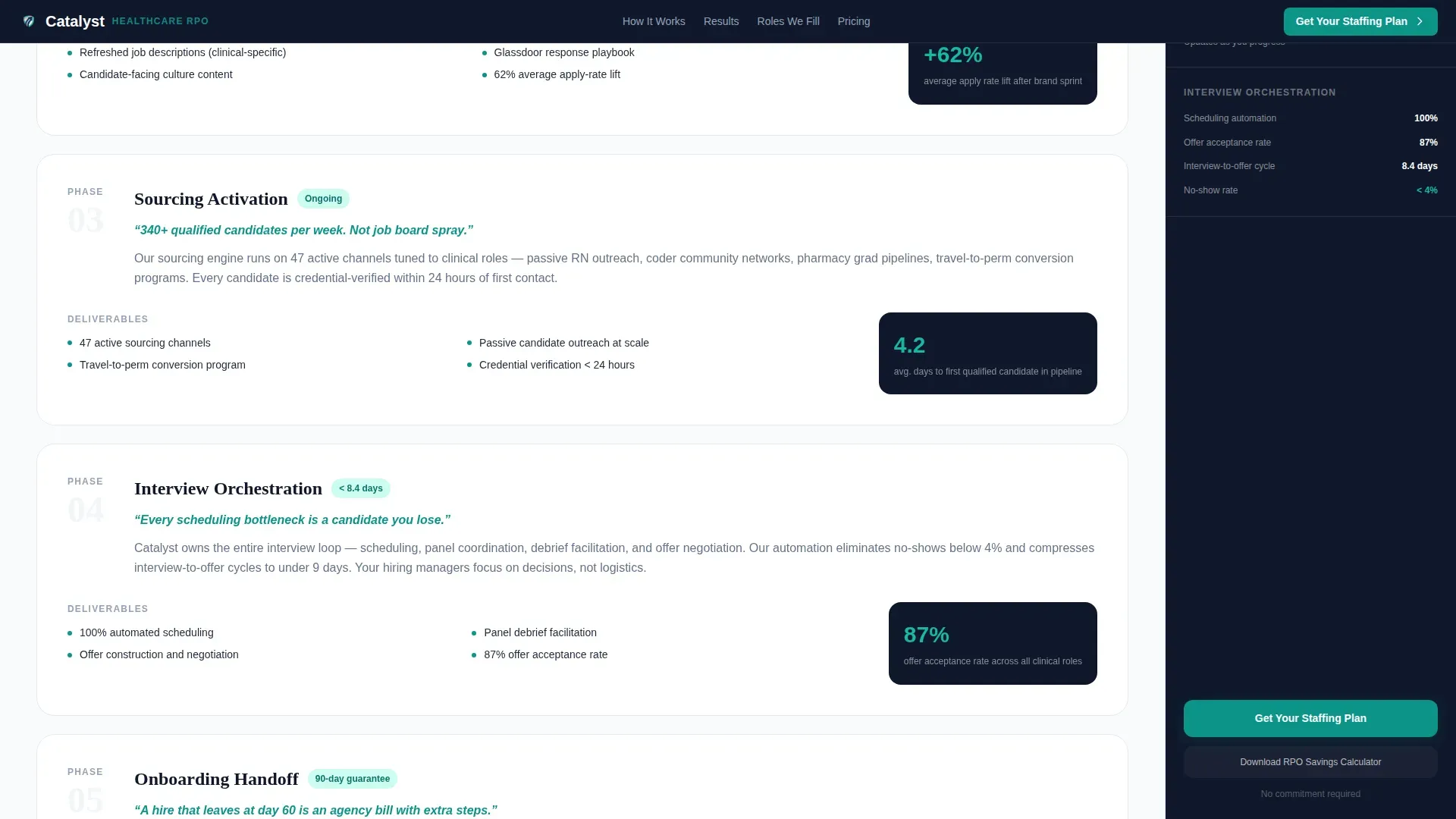
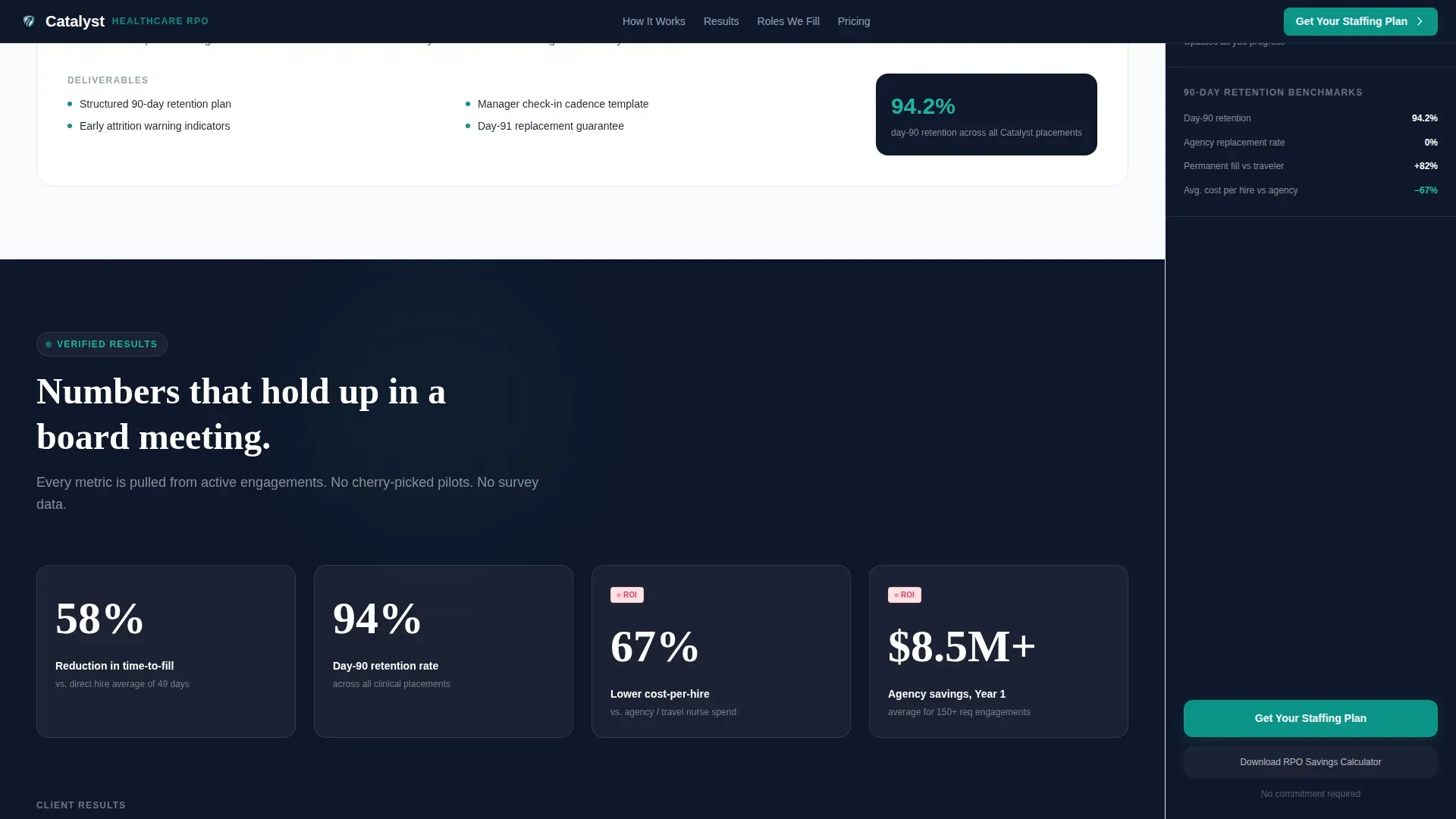
The sidebar locks into position beside the main content and updates its display as visitors scroll through the five engagement phases. When a visitor reads about sourcing, the sidebar shows a sample candidate pipeline. When they reach the onboarding phase, it displays ninety-day retention benchmarks. This behavior makes the page feel like a live implementation walkthrough.
Five-Phase RPO Engagement Timeline
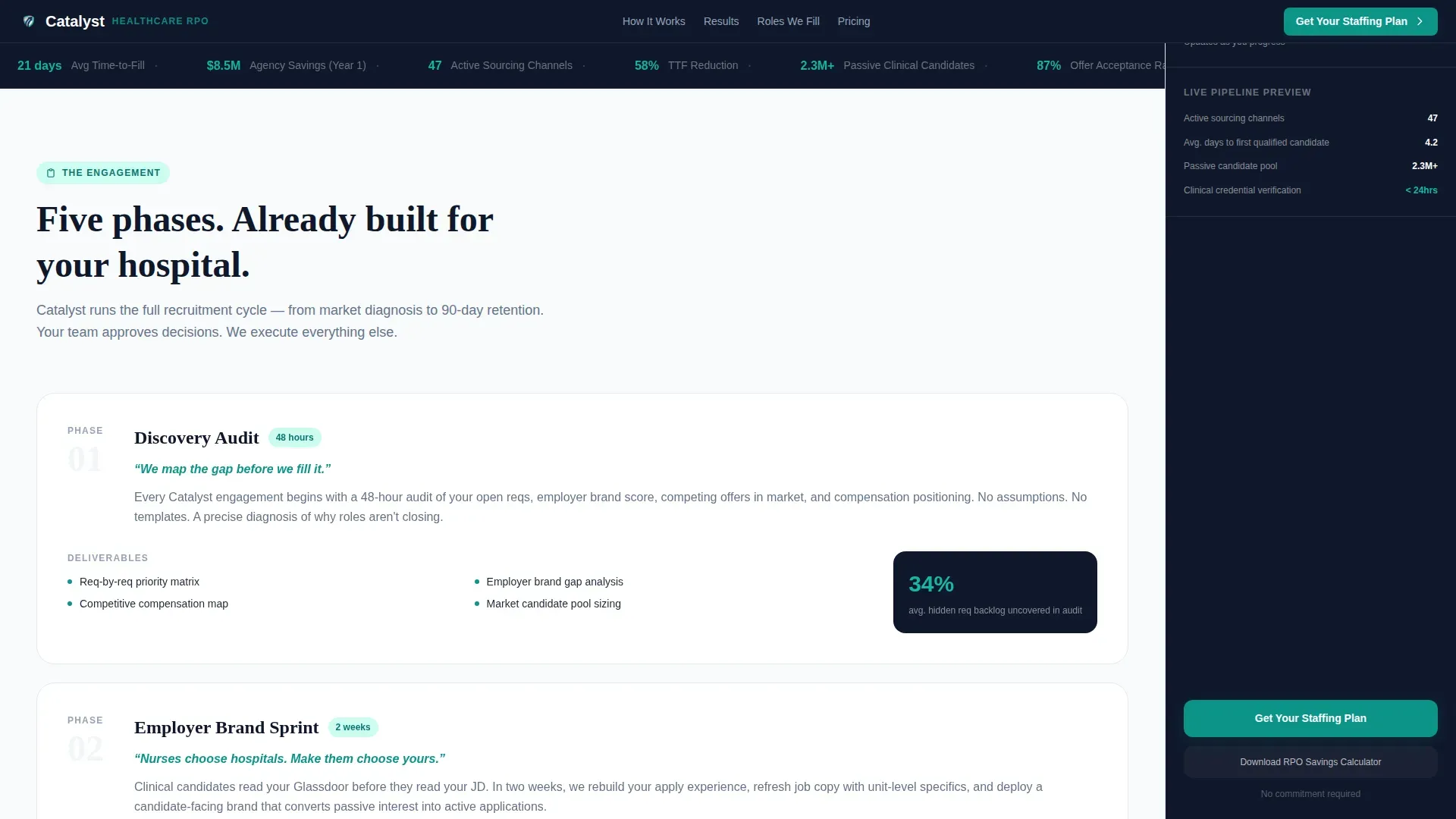
The main scroll journey maps to five named phases: Discovery Audit, Employer Brand Sprint, Sourcing Activation, Interview Orchestration, and Onboarding Handoff. Each phase is a distinct scroll section with its own content block and a corresponding sidebar state. Visitors experience the RPO process rather than just reading about it.
Live Savings Projection Display
The sidebar shows an estimated time-to-fill reduction and projected agency spend savings that update as the visitor advances through form steps. This approach delivers value before the visitor is asked to share contact details, reducing friction at the conversion point.
Secondary RPO Savings Calculator Path
Visitors not ready to request a staffing plan can choose to download an RPO Savings Calculator. This secondary call to action captures email and system size, providing a lower-commitment entry point while still qualifying the lead by spend context.
Clinical Role Specialization Grid
A dedicated section displays a role-specific grid covering registered nurses (RNs), medical-surgical technicians, clinical coders, pharmacy staff, and behavioral health professionals. This depth signals specialization and builds credibility with buyers who have tried generalist RPO vendors before.
Page sections overview
| Section | Purpose |
|---|---|
| Multi-Step Form Hero | Capture role volume, facility type, roles, spend, and email with live sidebar projection |
| Engagement Phase Timeline | Walk visitors through all five RPO phases with contextual sidebar updates |
| Proof Metrics Block | Display time-to-fill benchmarks, retention rates, and agency spend reduction figures |
| Clinical Role Grid | Show specialization depth across RN, coder, pharmacy, and behavioral health roles |
| Savings Calculator call to action | Offer a secondary download path for visitors not ready to request a staffing plan |
| Footer Row | Provide a single linear row of navigation and contact links |
Design & branding system
The visual identity channels a clinical dashboard aesthetic. Every color has a defined purpose, and no decorative elements dilute the sense of authority and urgency the page needs to project to senior buyers.
- Clinical teal (#0D9488) is the primary action color used for buttons, progress indicators, and active sidebar states
- Midnight scrub navy (#0F172A) anchors the persistent sidebar and all major headings, providing depth and seriousness
- Stat-alert coral (#F43F5E) is reserved strictly for urgency indicators such as open requisition counters and time-to-fill metrics
Mobile & speed optimization
The template is designed desktop-first, reflecting the reality that VP, CFO, and CNO buyers typically evaluate vendor pages from a desktop or laptop. The sidebar companion layout and multi-step form are optimized for that context.
- Static content sections are structured as server components to keep initial load fast
- Interactive elements including the multi-step form and scroll-linked sidebar are client-rendered
- Typography uses DM Sans for body readability and Fraunces for display headings, creating a premium clinical tone without legacy visual weight
How this template helps you convert
This template is engineered around a single principle: demonstrate value before requesting contact details. Every structural decision supports that goal.
- The multi-step form delivers a live agency spend savings projection before asking for an email address, removing the main friction point for CFO and VP buyers who need ROI justification upfront
- The scroll-linked sidebar and five-phase timeline make the RPO engagement feel tangible and already in progress, reducing the perceived risk of starting a vendor conversation
- The dual call-to-action path captures both high-intent buyers requesting a staffing plan and lower-intent visitors downloading the savings calculator, widening the lead funnel without diluting quality
Other information about this template
This template is built for the healthcare RPO provider category, specifically targeting the intersection of healthcare and hospital human resources (HR) and recruitment process outsourcing. It is categorized under HR and Hiring with a subcategory focus on Healthcare and Hospital HR.
- The theme follows a Startup Velocity style with a Teal Catalyst color system that feels like a modern electronic medical record (EMR) dashboard interface
- The creative direction follows a Step-by-Step Guide structure where each scroll section corresponds to a named RPO engagement phase
- The header concept is a Multi-Step Form that replaces a traditional hero image and begins qualifying leads from the first page interaction
- Localization is set for the United States market using USD currency and healthcare-specific terminology throughout
- Animation intensity is set to medium, with scroll-linked sidebar transitions, form step animations, and number count-up effects on metric displays
Theme
Startup Velocity
Creative direction
Step-by-Step Guide
Color system
Teal Catalyst
Style
Sidebar Companion
Direction
Recruitment/Hiring
Page Sections
Multi-step Intake Form with Live Projection
Scroll-linked Sidebar Companion
Five-phase RPO Engagement Timeline
Live Agency Spend Savings Display
Secondary Savings Calculator Path
Clinical Role Specialization Grid
Related questions
Who is this landing page template designed for?
Does the sidebar really update as visitors scroll?
What does the multi-step form collect?
Is there a lower-commitment path for visitors not ready to request a plan?
Can this template support facility types beyond inpatient hospitals?



