Congressional Campaign Landing Page Template
Caucus is a modular card-grid landing page built for congressional and senate campaigns that run on community presence, not political theater. It combines an event registration flow, a fundraising transparency panel, and flip-card policy positions inside a clean Civic Service visual system. Volunteers, donors, and undecided voters all find a clear next step from the first scroll.
by Rocket studio
Quick summary
Caucus is a single-page congressional campaign landing page template designed around radical transparency and ground-level action. It greets every visitor with a real candidate photo, a district-specific headline, and an event finder that filters by zip code. The layout earns trust before it asks for anything, making it the right starting point for a campaign built on showing up.
Who this template is for
This template is built for campaigns that measure success in doors knocked and folding chairs filled, not cable news hits. It speaks directly to the people who power a district-level race.
- Precinct captains and field organizers looking to recruit canvassers and manage event sign-ups
- Retirees and community members who want to host living-room fundraisers or phone banks
- Young staffers seeking their first field job, and undecided voters arriving from a yard sign or a neighbor's recommendation
What problem this template solves
Most political campaign pages feel like brochures: polished, vague, and hard to act on. A visitor lands, reads a slogan, and leaves without knowing where to show up or why the campaign deserves their time. Caucus fixes that gap directly.
- Visitors cannot find nearby events quickly, so they leave before converting into volunteers or attendees
- Campaign fundraising feels opaque, which makes potential small donors hesitant to contribute
- Policy positions read like talking points rather than real commitments backed by bill text or vote records
What you get with this template
Caucus delivers a fully structured, section-led landing page ready for a congressional or senate campaign. Every section serves a specific conversion purpose, and nothing is decorative without also being functional.
- A modular card grid layout with five distinct content sections, from the hero to the footer
- Interactive components including flip cards, a two-step zip-code event finder, and live donation data tiles
- A Monochrome Steel design system with four locked colors and three matched typefaces applied consistently throughout
Feature list
Caucus ships with a focused set of built-in capabilities drawn directly from the campaign brief. Each feature below reflects a real component in the template.
Logo Bar Header
A narrow 64-pixel charcoal rail holds the candidate logotype, state seal, and campaign URL in a clean sans-serif layout. It stays compact so the hero image loads immediately below the fold line.
Full-Width Hero Section
A single edge-to-edge candidate photograph sits below the header with a translucent charcoal overlay. A two-line headline fades in over the image, showing the candidate's name and a district-specific line such as "Fighting for Iowa's 3rd, One Town Hall at a Time."
Zip-Code Event Finder
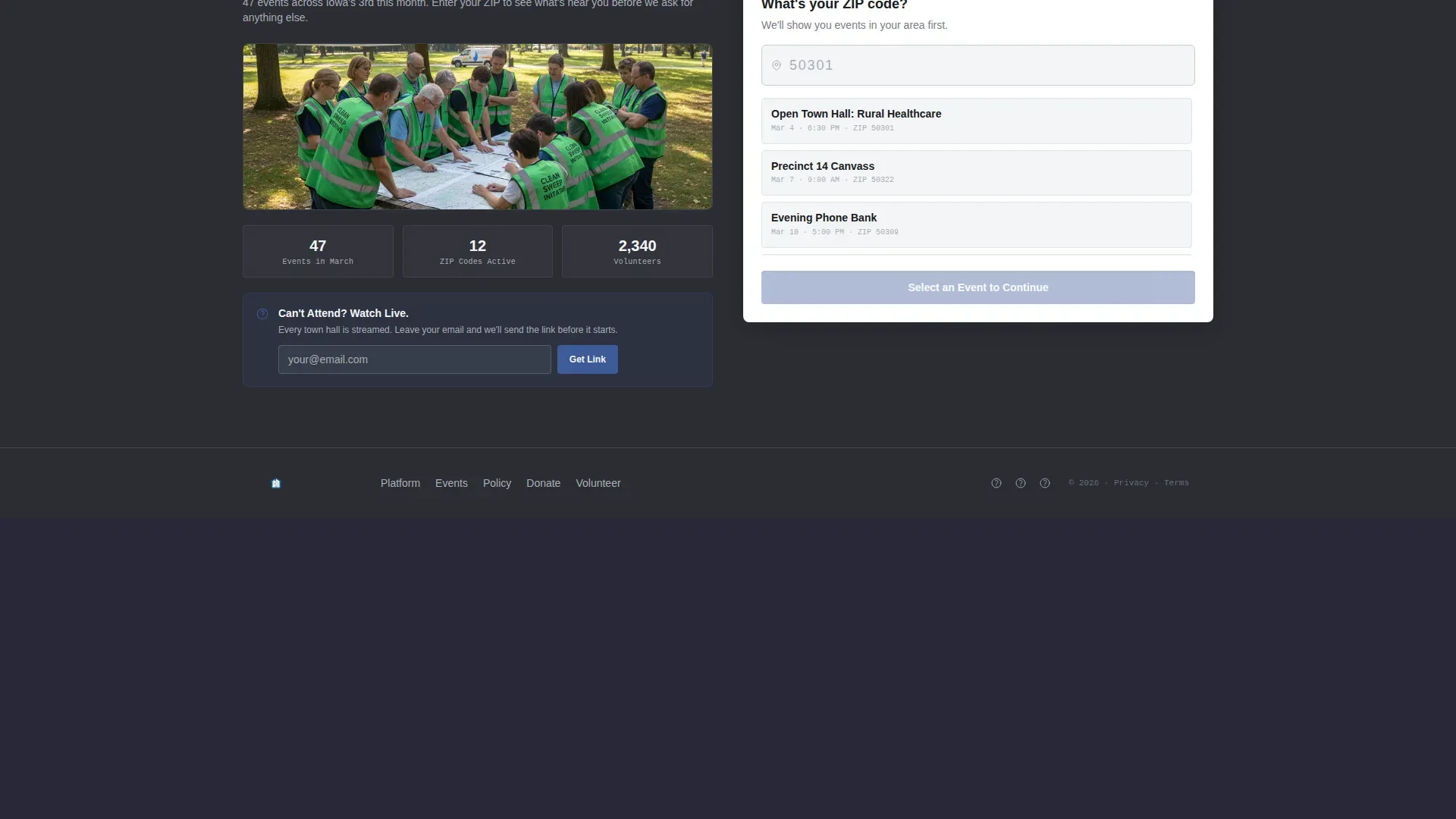
The primary call to action is a two-step form. Step one accepts a zip code and filters the event card grid in real time. Step two collects first name, email, and phone, with an optional checkbox for "I can bring a neighbor."
Flip-Card Policy Positions
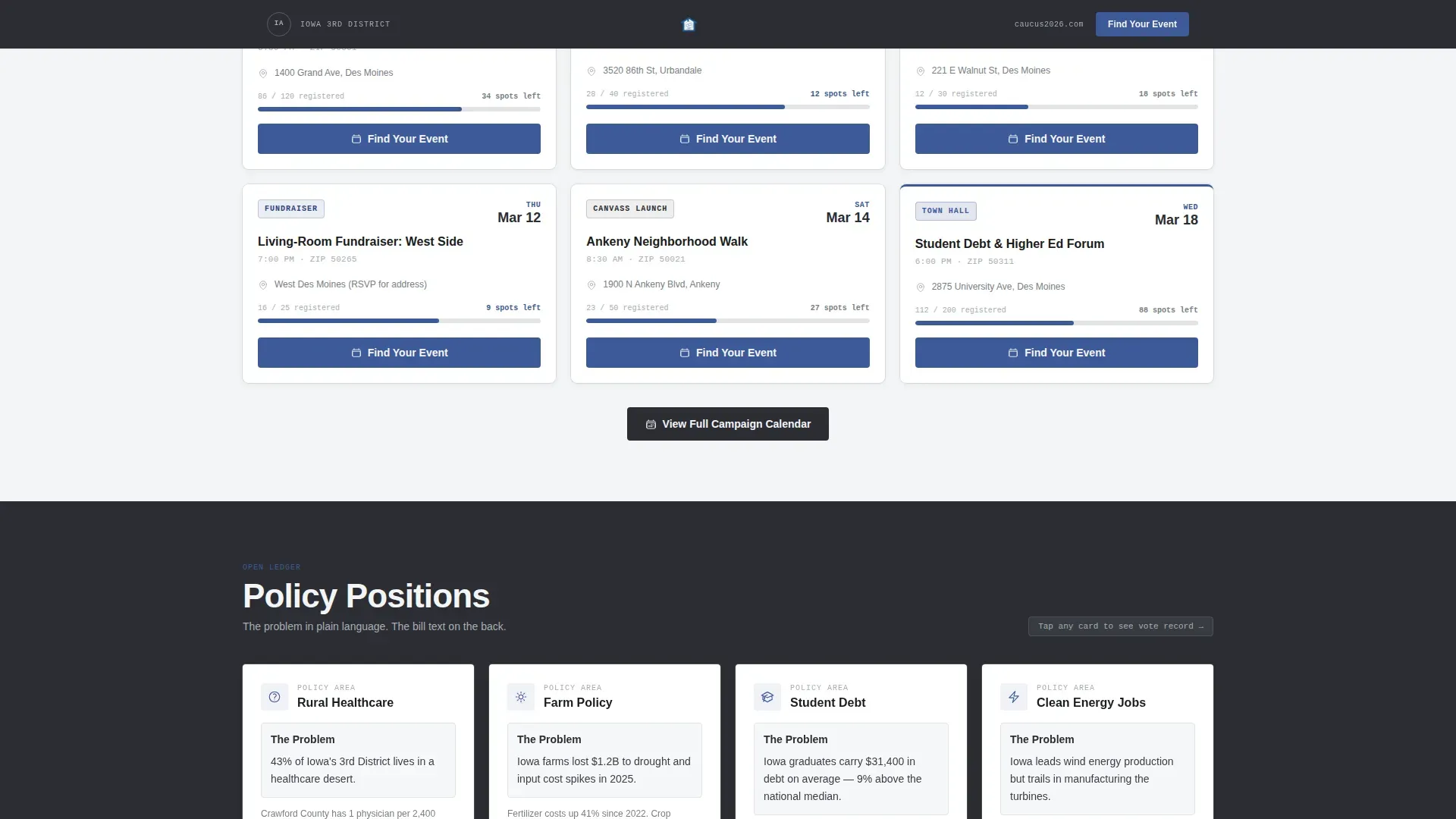
Each policy card shows a plain-language problem statement on the front. Flipping the card reveals the proposed bill text or vote record on the back. The flip interaction is built with CSS only, requiring no extra scripts.
Fundraising Transparency Tiles
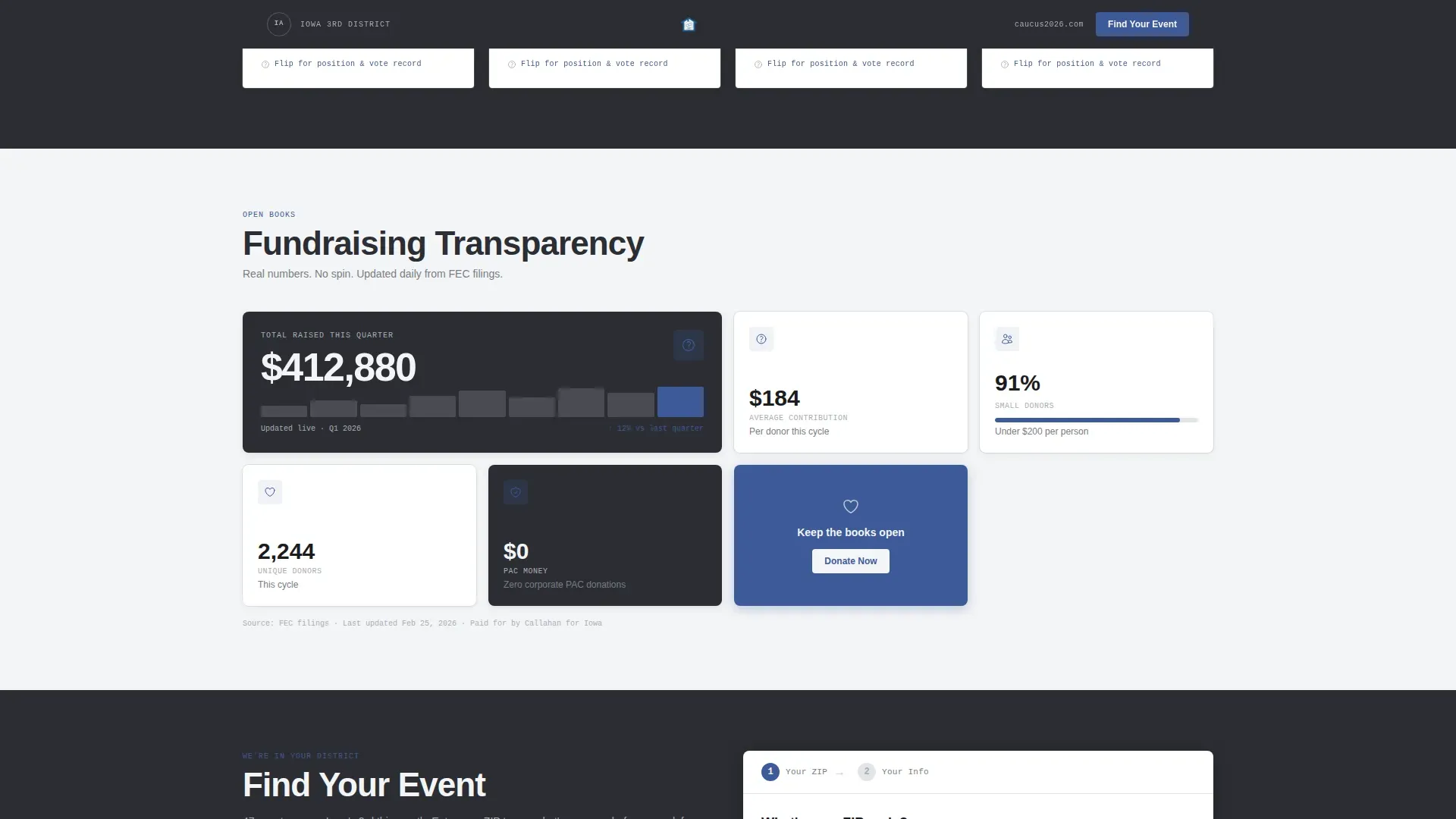
A dedicated row of live data tiles displays the real-time donation counter, average contribution size, and percentage of funds from small donors. These figures render as legible data labels using the IBM Plex Mono typeface.
"Can't Attend? Watch Live" Secondary Path
A secondary conversion path below the event finder captures email addresses for livestream links. It gives geographically distant supporters a way to stay connected without attending in person.
Page sections overview
| Section | Purpose |
|---|---|
| Logo Bar Header | Establishes candidate identity and campaign URL at a glance |
| Hero with Headline | Anchors district context and delivers the primary call to action |
| Upcoming Events Grid | Shows stamped event cards filterable by zip code |
| Policy Flip Cards | Reveals plain-language positions backed by bill text |
| Fundraising Data Tiles | Displays real-time donation figures to build donor trust |
| Join the Campaign | Houses the two-step event finder and livestream opt-in |
| Footer | Single linear row with essential campaign links |
Design & branding system
The Monochrome Steel color system is built to communicate institutional honesty. Blue only appears where something is clickable, so visitors learn the visual language of the page within seconds.
- Four locked palette values: charcoal (#2B2D33) for dark backgrounds, brushed aluminum (#A8ADB5) for card borders and surfaces, civic white (#F4F5F7) for light section backgrounds, and ballot-box blue (#3D5A99) reserved exclusively for calls to action and interactive elements
- Three typefaces with distinct roles: DM Sans for headings, IBM Plex Mono for data labels and event stamps, and Manrope for body text
Mobile & speed optimization
The template is built mobile-first, with the primary call to action pinned to the bottom of the mobile viewport so it stays reachable at every scroll depth. The hero loads a static image rather than a video or animation to keep initial load weight low.
- The "Find Your Event" button stays pinned to the mobile bottom bar and repeats inside every event card for consistent access
- Card flip interactions use CSS only, avoiding additional JavaScript payloads for the policy positions section
How this template helps you convert
Caucus is structured so visitors see proof of community presence before they are asked to share any personal information. The sequence is deliberate and trust-building.
- The event map and stamped event cards appear first, showing visitors that the campaign physically exists in their community before the form asks for a zip code.
- The fundraising transparency tiles and small-donor percentage figures signal that contributions are used honestly, which lowers hesitation for first-time donors.
- The secondary "Can't Attend? Watch Live" path ensures that visitors who cannot attend in person still convert to an email list, capturing a supporter who would otherwise leave without engaging.
Other information about this template
Caucus is part of the Government and Public category, sitting within the Political Campaign subcategory and built specifically for the Congressional and Senate Campaign niche. A few additional details worth knowing before you use this template:
- The template style is a Card Grid layout, also described as a modular or bento-style grid, which makes it straightforward to reorder or swap content rows
- The creative direction is Transparent Process, meaning each section is designed to peel back a layer of campaign operations rather than present a polished front
- Scroll reveal animations are set to medium intensity, keeping the page lively without distracting from the content
- The footer follows a Linear Single-Row pattern, keeping navigation minimal and the focus on conversion sections above it
- Localization defaults are set for the United States, with date formatting in MM/DD/YYYY, currency in USD, and contextual copy referencing the Iowa 3rd Congressional District as a placeholder

Theme
Civic Service
Creative direction
Transparent Process
Color system
Monochrome Steel
Style
Card Grid (Modular)
Direction
Event Registration
Page Sections
Zip-code Event Finder with Two-step Form
Flip-card Policy Positions
Fundraising Transparency Data Tiles
Modular Event Card Grid
Full-width Hero with District Headline
Secondary Livestream Opt-in Path
Related questions
Can I adapt this template for a state senate or local district race, not just a congressional campaign?
How does the zip-code event finder work in the template?
Is the fundraising data section connected to a live payment processor?
Can someone use this template without a design background?
What happens if a visitor cannot attend any of the listed events?



