Tool & Die Making Professional Website Template
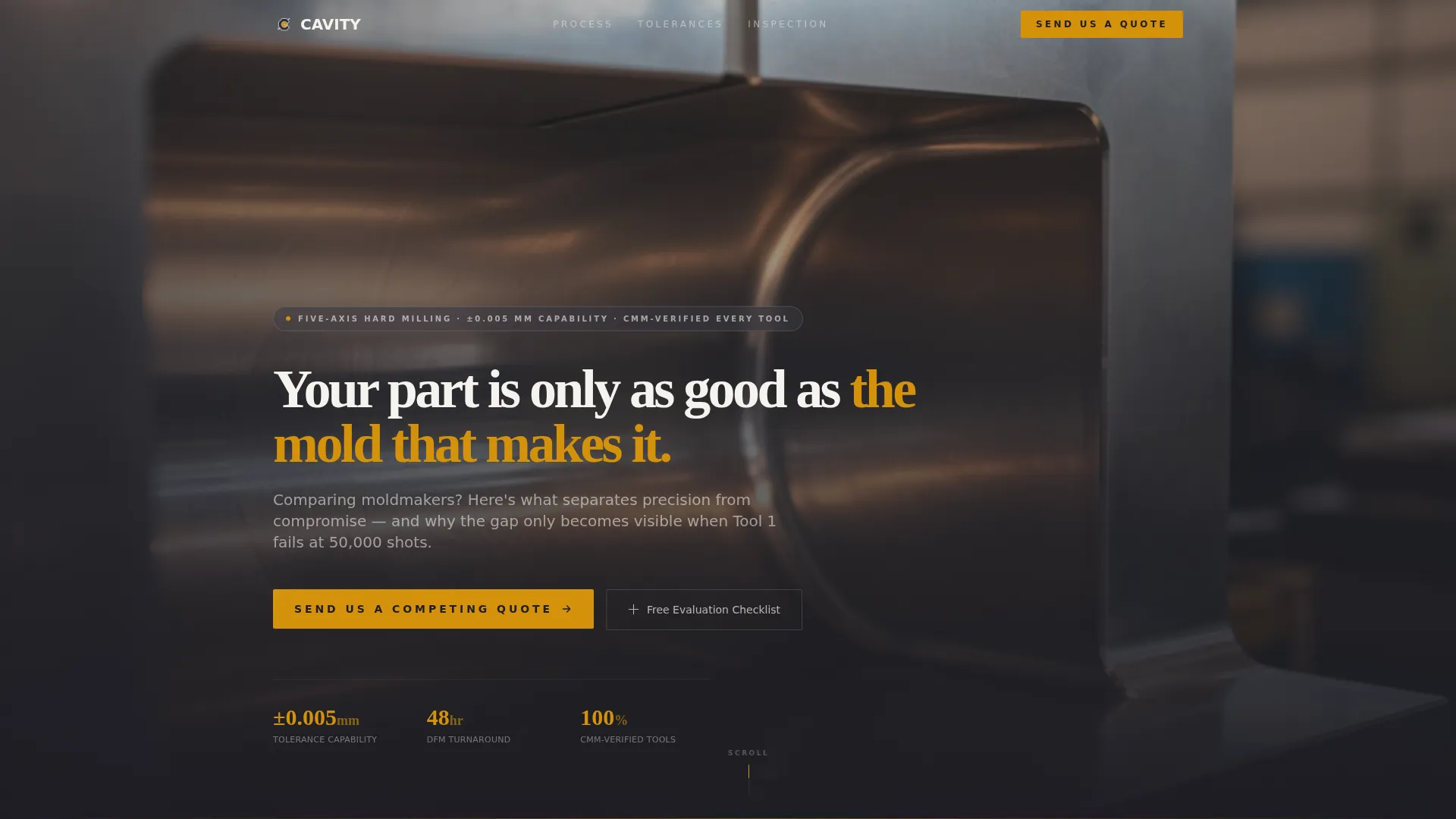
Cavity is a single-column landing page template built for precision injection moldmaking facilities. It uses a Charcoal and Amber color system, a full-bleed macro photo header, and a spatial scroll structure that walks visitors through three comparison-driven sections. The page is designed to convert engineers, procurement managers, and founders who are actively evaluating moldmakers against competing quotes.
by Rocket studio
Quick summary
Cavity is a Corporate Precision landing page template for injection moldmaking shops. It guides technically minded visitors through three side-by-side comparison sections before presenting a primary call to action. Every design choice, from the full-bleed steel photo header to the amber tolerance callouts, reinforces shop-floor credibility and encourages qualified buyers to submit a competing quote.
Who this template is for
This template is built for injection moldmaking facilities that compete on precision, not price. It speaks directly to buyers who already understand tooling and need evidence to make a confident decision.
- Product engineers at consumer electronics firms working against tooling deadlines
- Procurement managers at automotive Tier 1 suppliers qualifying a second-source moldmaker
- Startup founders holding a prototype who need to understand how to scale to high-volume production
What problem this template solves
Most moldmaking websites look identical. They list equipment, mention tolerances, and ask visitors to "request a quote" before building any case for why this shop is different. That approach loses buyers who are already comparing multiple suppliers.
- Visitors leave without understanding the real gap between precision shops and average ones
- Decision-makers feel no urgency because no page has shown them what a missed tolerance costs
- The comparison-driven argument that closes deals never gets made
What you get with this template
You get a fully structured single-column landing page that walks buyers through a disciplined, evidence-first sales argument. Every section earns the next scroll before asking for anything.
- A full-bleed macro photo header with a fade-in headline and stakes-setting subline
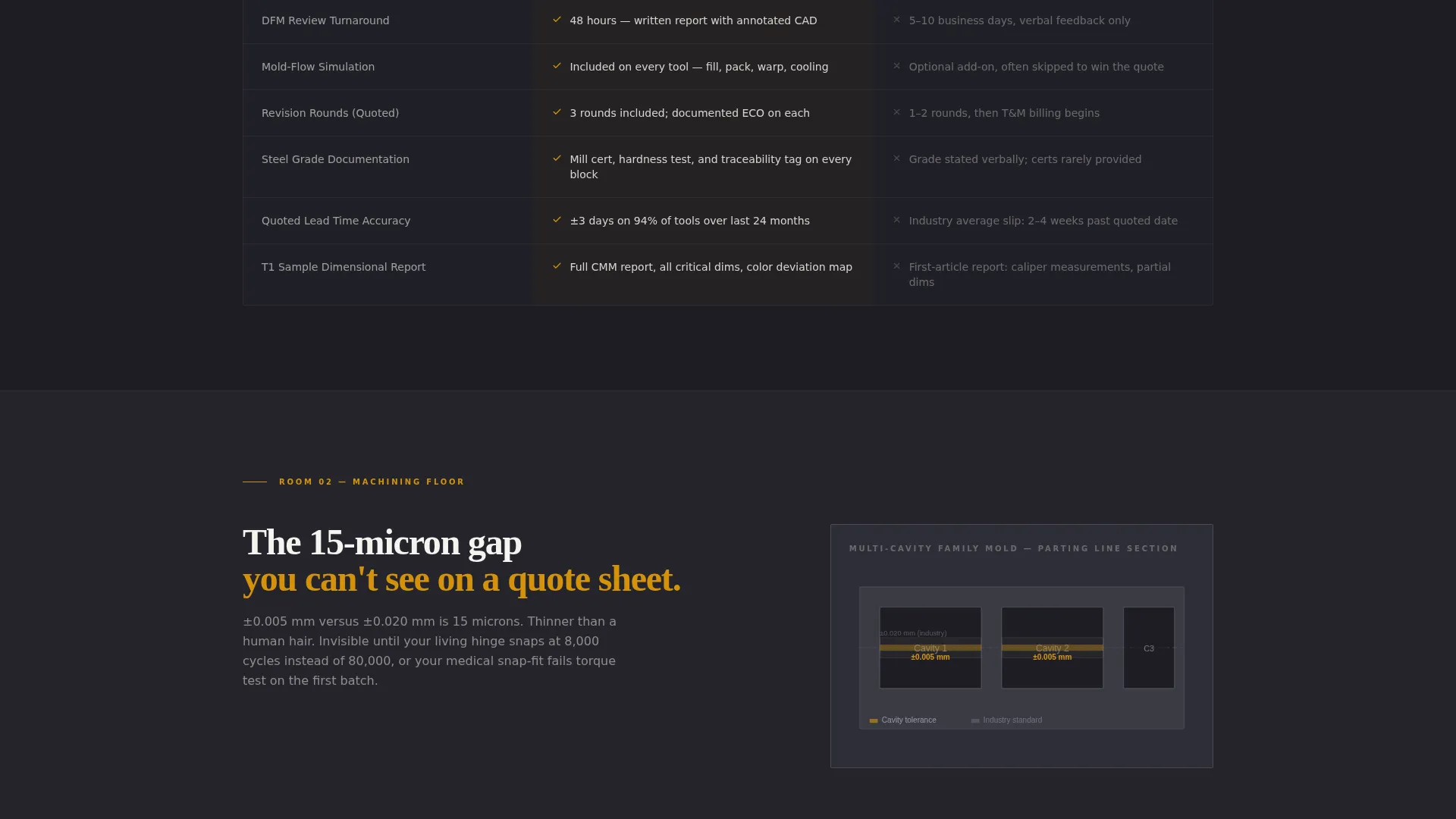
- Three comparison sections covering design for manufacturability review, machining tolerance, and metrology inspection
- Two conversion paths: a gated checklist download and a primary quote-comparison form with file upload
Feature list
This section covers the core built-in components that define the Cavity template.
Full-Bleed Macro Photo Header
The header opens with a macro shot looking up through polished steel mold walls. A headline fades in after a deliberate beat. A subline immediately names what is at stake for the buyer comparing moldmakers.
Three-Room Comparison Structure
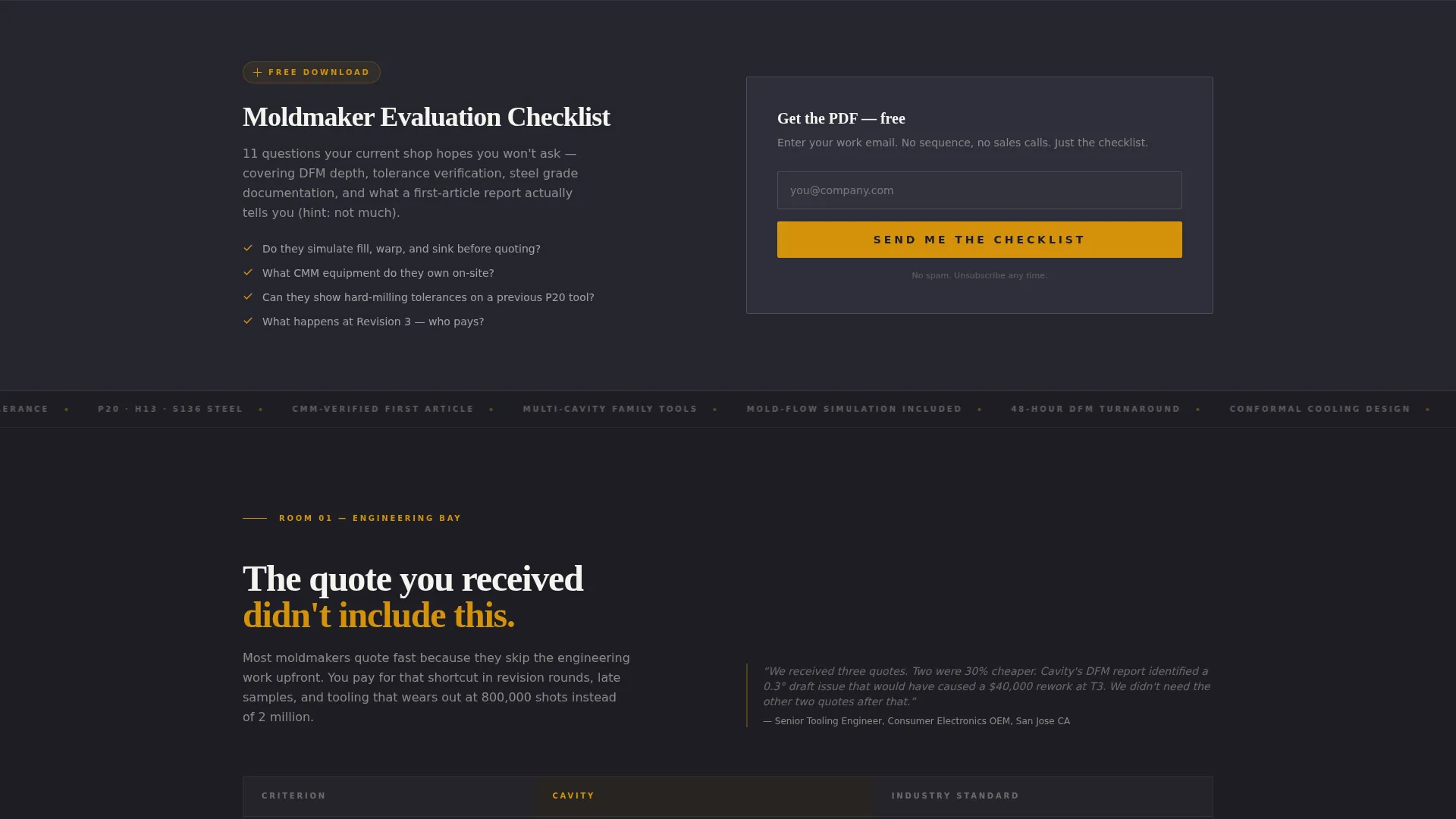
The scroll is architected as three distinct "rooms": an engineering bay, a machining floor, and a metrology lab. Each room presents a direct side-by-side or versus comparison. The structure builds a cumulative evidence case before any call to action appears.
Tolerance Versus Column
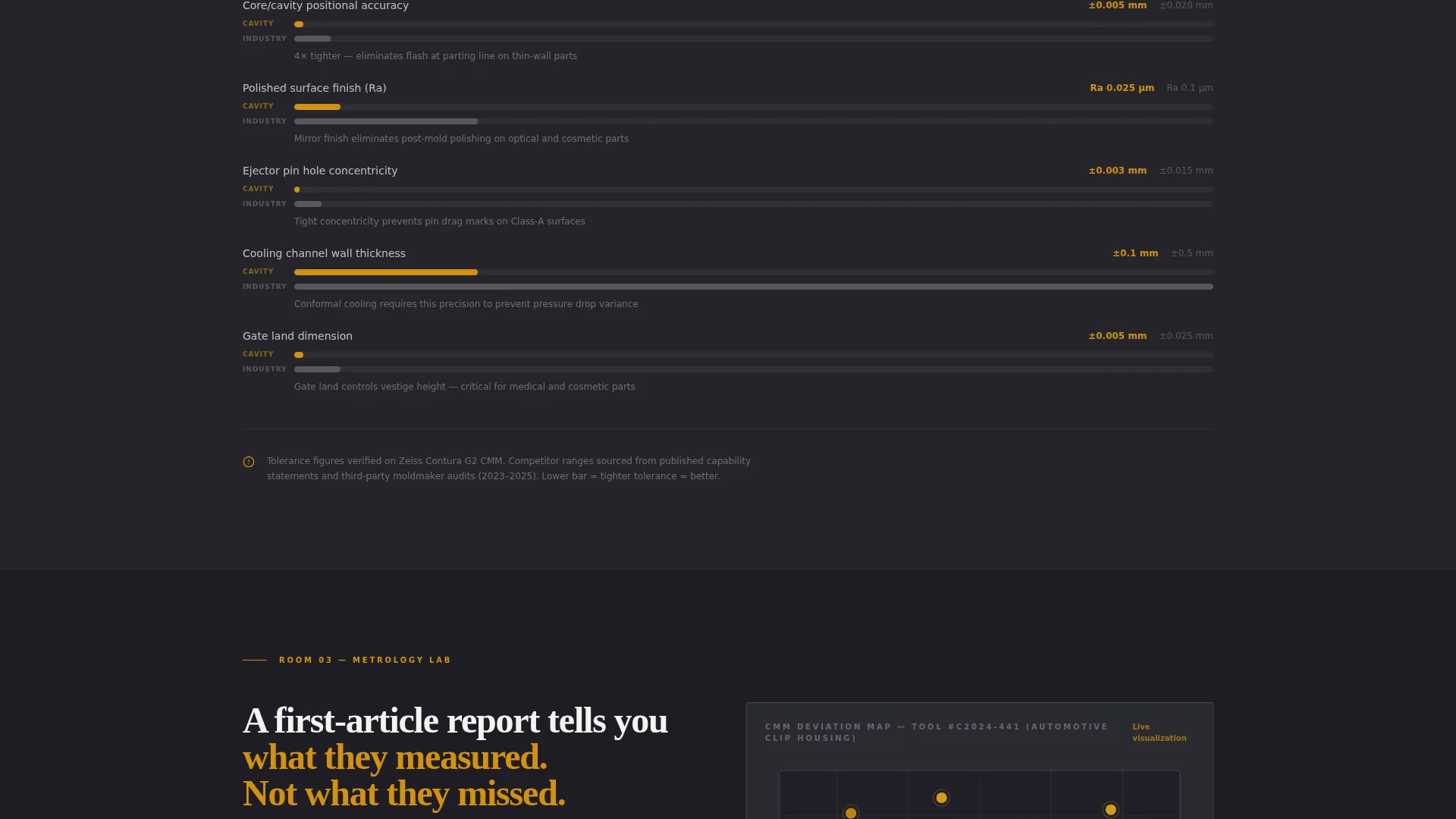
The machining floor section presents five-axis hard milling capability at plus or minus 0.005 mm directly against a competitor typical figure of plus or minus 0.02 mm. A cross-section render shows where that difference lives inside a multi-cavity family mold.
Gated Checklist Download
A secondary conversion path sits early in the page flow. Visitors can download a PDF titled "Moldmaker Evaluation Checklist: 11 Questions Your Current Shop Hopes You Won't Ask" by entering their email address only. No full form required at this stage.
Primary Quote Comparison Form
The main call-to-action form appears after the third comparison section. It collects name, company, part application via a dropdown (automotive, medical, consumer, industrial), and an upload field for an existing quote or part drawing.
Charcoal and Amber Color System
Charcoal dominates section backgrounds. Gunmetal carries body text and secondary panels. Amber activates only on calls to action, data callouts, and tolerance figures. Clean-room white opens breathing space between dense technical sections.
Page sections overview
| Section | Purpose |
|---|---|
| Full-Bleed Header | Sets stakes with macro steel photo and fade-in headline |
| DFM Comparison Table | Contrasts this shop's review process against industry-standard quoting |
| Tolerance Versus Column | Shows five-axis capability gap with cross-section render |
| Metrology Lab Section | Compares CMM deviation maps against first-article-only inspection |
| Checklist Download Gate | Captures early email via a high-value PDF offer |
| Quote Comparison Form | Collects project details and file upload for primary conversion |
Design & branding system
The template uses a Corporate Precision visual theme inspired by a precision gauge on a granite surface plate under halogen light. The palette is industrial without being crude, and warm without being soft.
- Deep charcoal (#1E1E24) for main backgrounds, tool-steel gunmetal (#3A3A44) for body panels, warm amber (#D4920B) for calls to action and tolerance figures, and clean-room white (#F4F3EF) for breathing space
- Amber is used sparingly and intentionally, appearing only where the eye needs to land on a number or a next step
- The spatial and architectural creative direction treats each section as a separate room in the facility, giving the scroll a physical rhythm
Mobile & speed optimization
The single-column flow adapts naturally to narrower viewports without restructuring the comparison arguments or losing the visual rhythm of the color system.
- The full-bleed header photo and side-by-side comparison layouts are built to reflow cleanly on small screens
- The gated download and quote form remain accessible and functional at mobile screen widths
How this template helps you convert
The page is structured around a Comparison and Versus conversion strategy. It earns trust section by section before ever asking for a commitment.
- The gated checklist download converts curious visitors early, using a low-friction email-only gate to deliver immediate value and begin a relationship before the visitor has finished reading the page.
- The primary "Send Us a Competing Quote" call to action appears only after three comparison sections have made the evidence case, so visitors arrive at the form already convinced of the gap between precision shops and average ones.
Other information about this template
Cavity is part of a Manufacturing and Industrial template category, sitting within the Tool and Die Making subcategory with a specific focus on injection mold making. It is designed as a single-column flow layout using a Spatial and Architectural creative direction.
- The template is matched to facilities where tolerance is treated as a core operational value, not just a specification on a drawing
- The intersection match score for this template is 13, reflecting strong alignment between the niche, the conversion direction, and the chosen design system
- This template suits shops producing multi-cavity family molds, hard milling complex core and cavity geometry, or offering in-house CMM inspection with documented deviation reporting
Theme
Corporate Precision
Creative direction
Spatial & Architectural
Color system
Charcoal & Amber
Style
Single Column Flow
Direction
Comparison/Versus
Page Sections
Full-bleed Macro Photo Header
Three-room Comparison Structure
Tolerance Versus Column with Render
Gated Checklist Download Path
Quote Comparison Form with File Upload
Charcoal and Amber Color System
Related questions
Who is this landing page template designed for?
Can I update the comparison table with my own shop's data?
What does the gated checklist download require from visitors?
Does the primary form support file uploads?
Is this template suitable for a shop serving multiple industries?



