Digital Government FAQ Website Template
Censushub is a hub-and-spoke landing page template built for census and survey portals. It opens with a live stats dashboard, guides visitors through FAQ-driven spoke sections, and closes with a briefing registration form. Designed for residents, researchers, and government coordinators, it turns civic uncertainty into confident participation through calm authority and clear visual structure.
by Rocket studio
Quick summary
Censushub is a single-page census and survey portal template. A living stats dashboard anchors the hero, three ticking counters show real enumeration progress, and an anchor navigation bar links visitors directly to FAQ-led spoke sections. Every section answers one citizen question in order, building trust until the only step left is to register for a briefing.
Who this template is for
This template is built for teams and individuals who need to present census or survey operations clearly and professionally online. It is especially suited for civic-facing digital projects where multiple audiences arrive with very different questions.
- Local government coordinators managing enumerator scheduling and public communication
- Graduate researchers looking for survey schedules, phase timelines, or microdata access guidance
- Residents who are uncertain about participation requirements, visit timing, or data privacy
What problem this template solves
Census portals often scatter critical information across separate pages, PDF attachments, and unlinked forms. Visitors arrive confused and leave without acting. This template solves that fragmentation problem by organizing every key question into one anchored, scrollable flow.
- Residents cannot find clear answers about legal requirements or enumerator visit timing
- Coordinators have no single page to point the public toward for consistent, authoritative information
- Researchers spend time hunting for schedule documents that should be one click away
What you get with this template
You get a fully structured hub-and-spoke landing page that functions as a public-facing census information center. The layout is opinionated and ready to customize, with every section serving a specific purpose in the visitor journey.
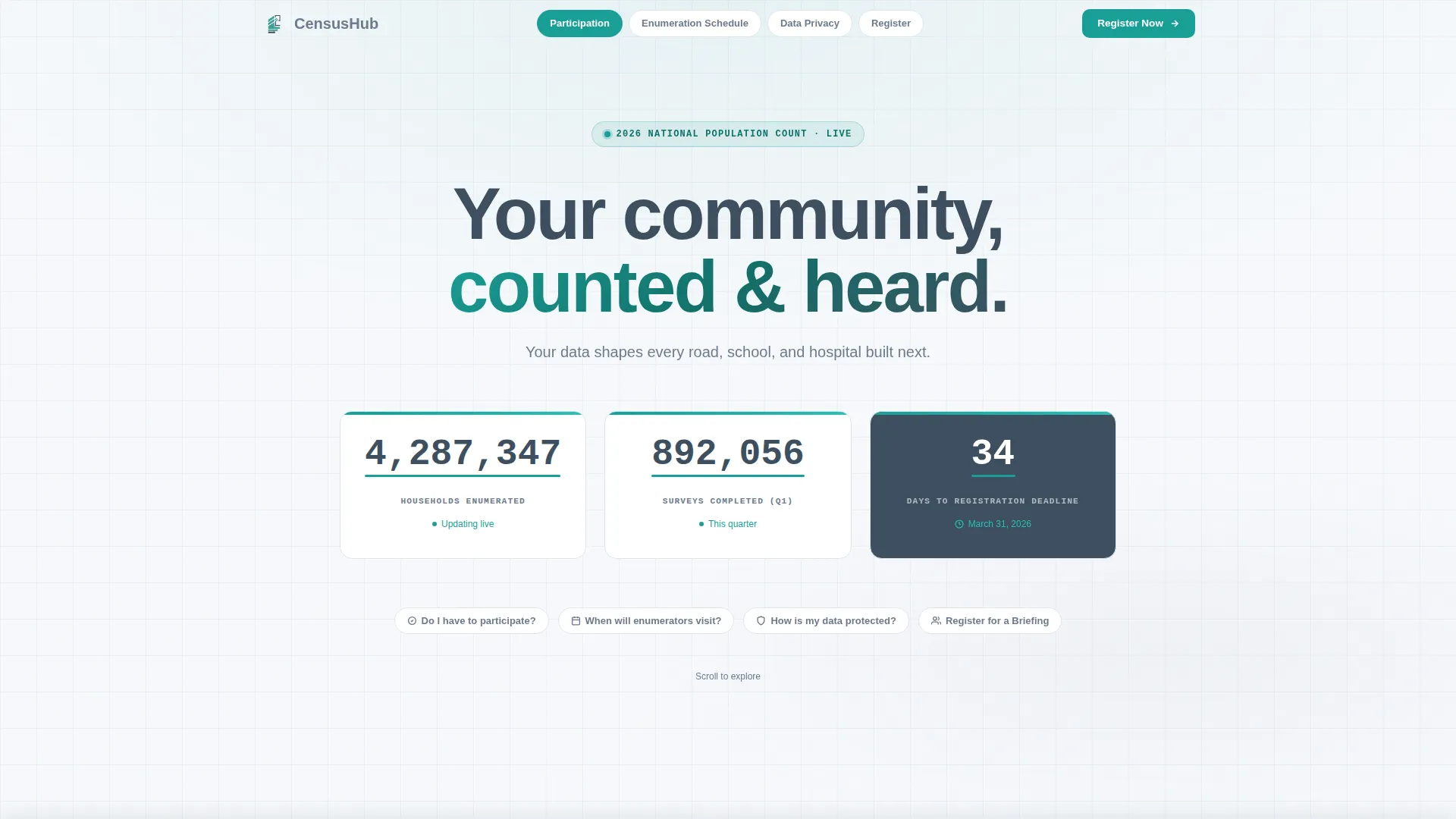
- A hero section with three animated counters, a countdown timer, and an anchor navigation bar
- Three FAQ-driven spoke sections covering participation requirements, enumerator visit schedules, and data protection
- A registration section with a briefing sign-up form, calendar date picker, and a secondary PDF download path
Feature list
Each feature below is built directly into the template structure as described in the source brief.
Living Stats Dashboard Header
Three oversized counters display total households enumerated, surveys completed this quarter, and days until the next registration deadline. The numbers tick upward using tabular-lining figures set in JetBrains Mono. A subtle census teal pulse underline animates beneath each metric, giving the header a sense of active, real-time civic activity.
FAQ-Driven Anchor Navigation
The anchor navigation bar sits at the top of the page and mirrors each spoke section heading as a jump link. Section headings are phrased as direct citizen questions. Scrolling through the page feels like a knowledgeable clerk answering concerns in order, dissolving doubt one layer at a time.
Participation and Legal Overview Section
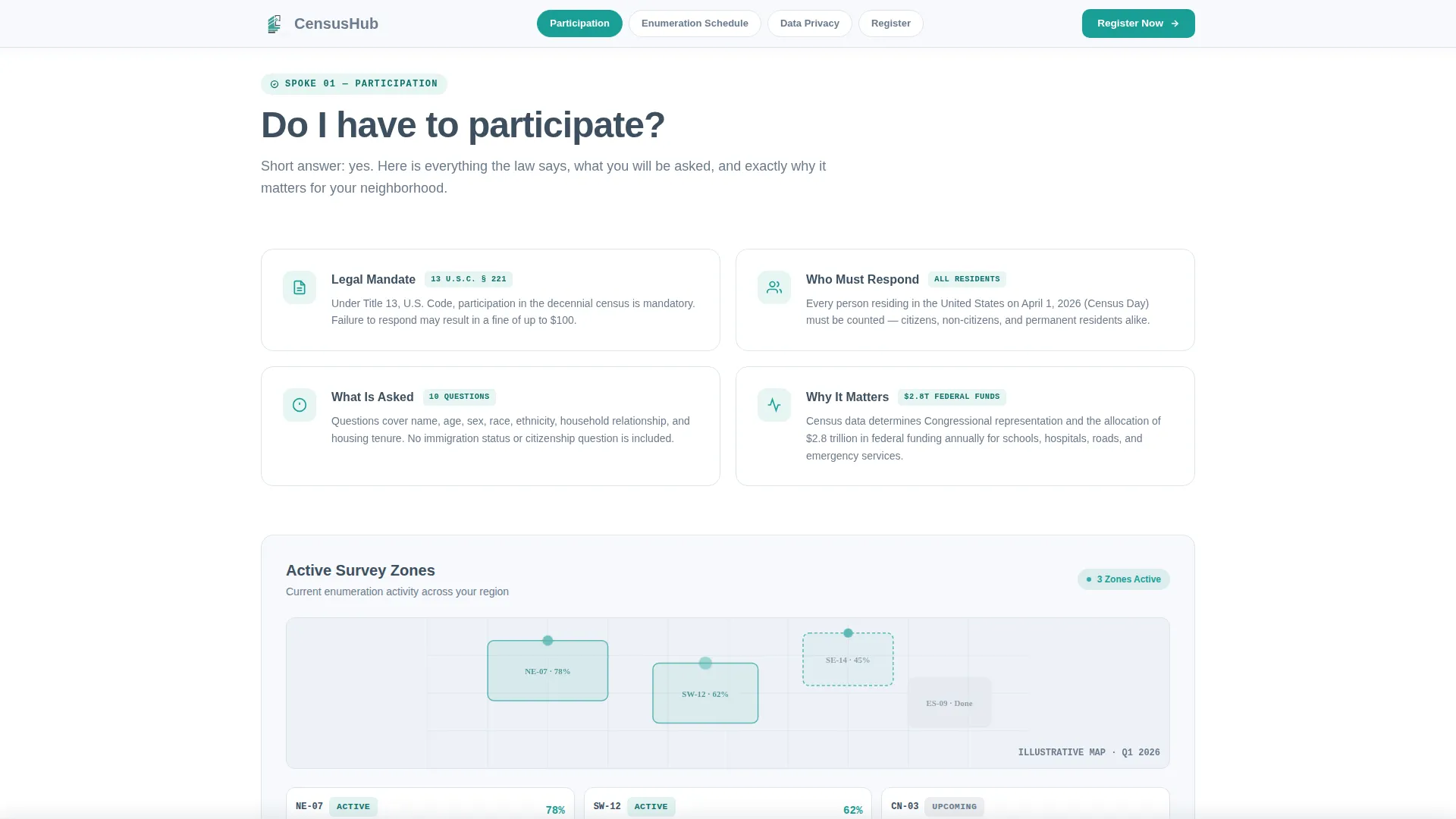
The first spoke answers the question "Do I have to participate?" with a clear legal authority summary and participation overview. It gives residents the plain-language answer they need while signaling official credibility to coordinators and researchers who scan for procedural accuracy.
Enumerator Visit Timeline and Zone Maps
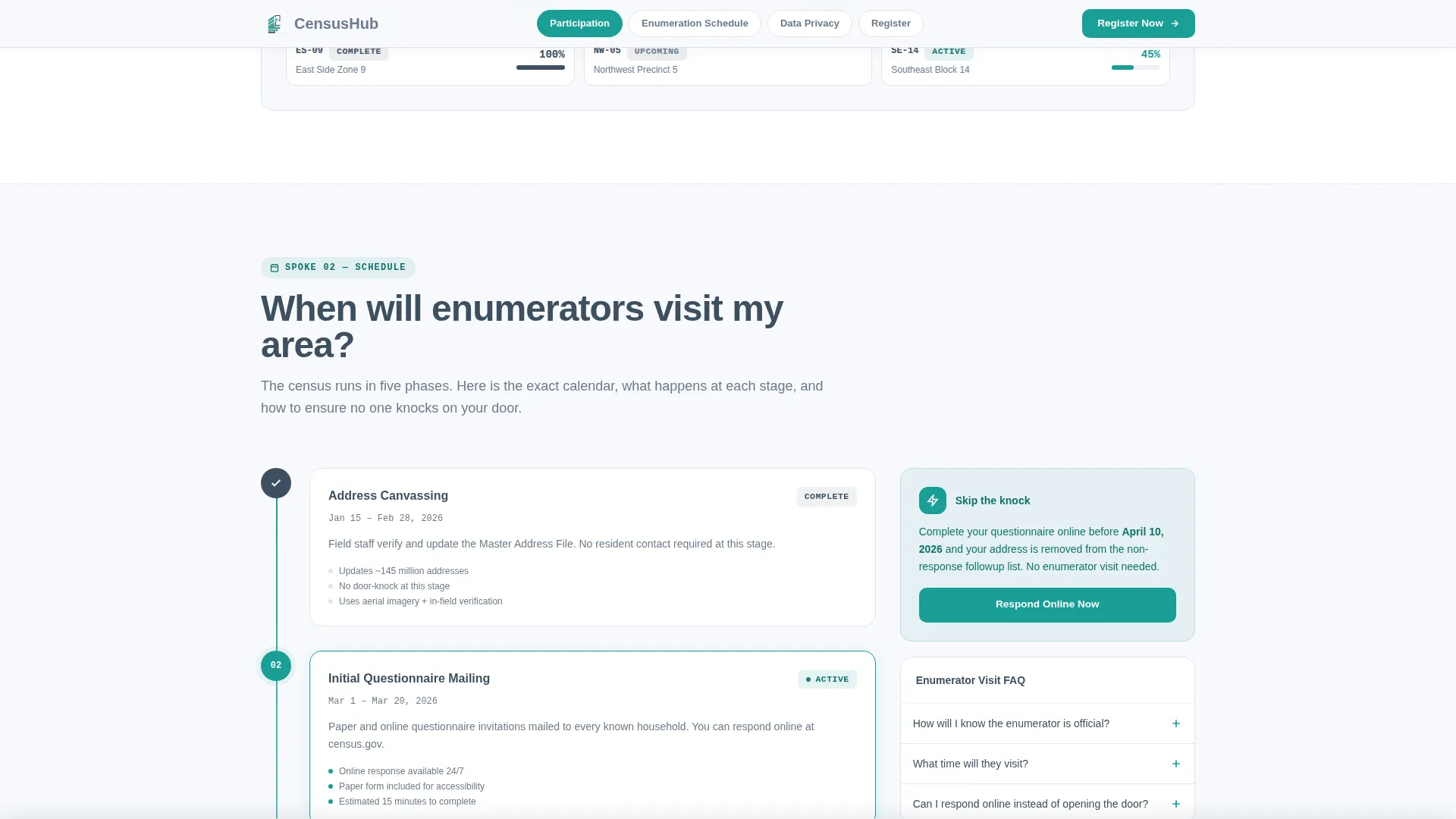
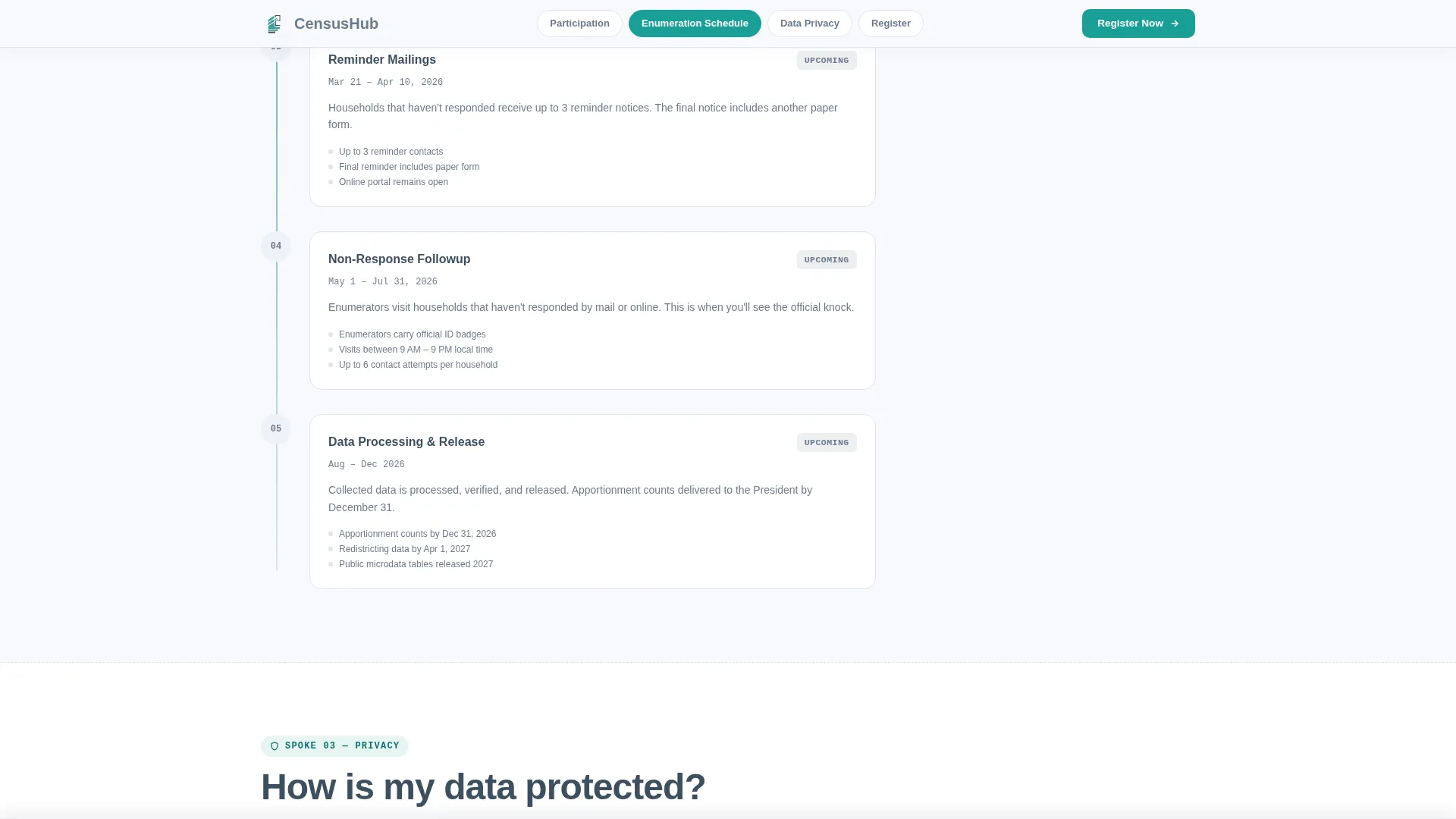
The second spoke answers "When will enumerators visit my area?" using a phase timeline and active survey zone maps. Visitors can see exactly where collection is happening and what stage their area is in, reducing uncertainty and inbound support requests.
Privacy Accordion with Legal Citations
The third spoke answers "How is my data protected?" through an accordion panel layout. Each panel can hold a specific legal citation or procedural explanation, letting visitors expand only the details they need. This structure keeps the section clean while providing full transparency on demand.
Sticky Briefing Registration Bar
After the visitor scrolls past the second spoke section, a sticky bar appears at the top of the viewport. It carries the primary call to action: "Register for the Next Census Briefing." The registration form collects name, municipality or district, role, and a preferred briefing date via a calendar picker.
Page sections overview
| Section | Purpose |
|---|---|
| Hero Stats Dashboard | Display live enumeration counters, countdown timer, and anchor nav |
| Participation Requirements Spoke | Answer legal participation question with authority overview |
| Enumerator Visit Timeline | Show phase schedule and active survey zone maps |
| Data Protection Spoke | Explain privacy policy through accordion panels and legal citations |
| Briefing Registration Section | Capture sign-ups via form and secondary PDF download path |
| Footer | Provide compact two-row navigation and supporting links |
Design & branding system
The visual identity follows a Directory and Discovery theme. The palette is drawn from the Cloud Canvas color system, referencing the clean, trustworthy feel of a freshly printed government report laid on a clear desk.
- Open-sky white (#F7F9FC) for backgrounds, civil-service slate (#3D4F5F) for headings, and soft graphite (#6B7B8D) for body text
- Census teal (#1A9E96) applied to all interactive anchors, hover states, counter underlines, and the sticky call-to-action bar
- DM Sans for headings, Manrope for body text, and JetBrains Mono for counter and data display figures
Mobile & speed optimization
The template is built desktop-first, with a strong mobile fallback designed for public kiosk use cases. The layout prioritizes static rendering for core sections while delegating animated interactions to client-side components.
- Static-first layout using server components for structure, keeping initial load lean and predictable
- Client components handle counter tick-up animations, scroll-fade reveals, accordion panels, and the sticky registration bar
- The anchor navigation collapses cleanly on smaller screens so jump links remain usable on mobile and kiosk displays
How this template helps you convert
The page is structured around a single conversion goal: briefing registrations. Every design and content decision moves visitors toward that action without pressure or noise.
- The sticky registration bar appears automatically after the second spoke section is scrolled, catching visitors at their highest point of informed intent
- The secondary path, a PDF schedule download with email capture, ensures that visitors who are not ready to register still leave something of value behind
Other information about this template
This template sits at the intersection of civic communication design and event registration strategy. It is suited for any government or public-sector team that needs a polished, organized digital presence for a population survey or data collection program.
- The template style is Hub and Spoke with Anchor Navigation, a proven structure for portals where multiple audiences arrive with different questions
- The creative direction is FAQ-Driven, meaning every spoke heading is a real citizen question and every answer builds toward a single action
- The header concept is Stats and Metrics, using live counters as social proof that the program is active and progressing
- The landing page direction is Event Registration, with the form, calendar picker, and sticky bar all aligned to one conversion goal
- Localization is set for English with US date format (MM/DD/YYYY), suitable for municipal and federal census programs in the United States
- The footer uses a Stripe Two-Row Compact pattern, keeping the bottom of the page organized without visual clutter
Theme
Directory & Discovery
Creative direction
FAQ-Driven
Color system
Cloud Canvas
Style
Hub & Spoke (Anchor Nav)
Direction
Event Registration
Page Sections
Living Stats Dashboard with Animated Counters
Faq-driven Anchor Navigation Hub
Enumerator Phase Timeline and Zone Maps
Privacy Accordion with Legal Citations
Sticky Briefing Registration Bar
Dual Conversion Path with PDF Download
Related questions
What kind of organizations is this template designed for?
Can different audience types use the same page comfortably?
What information does the registration form collect?
When does the sticky registration bar appear?
Can the accordion panels hold legal or regulatory detail?