Education Department Professional Website Template
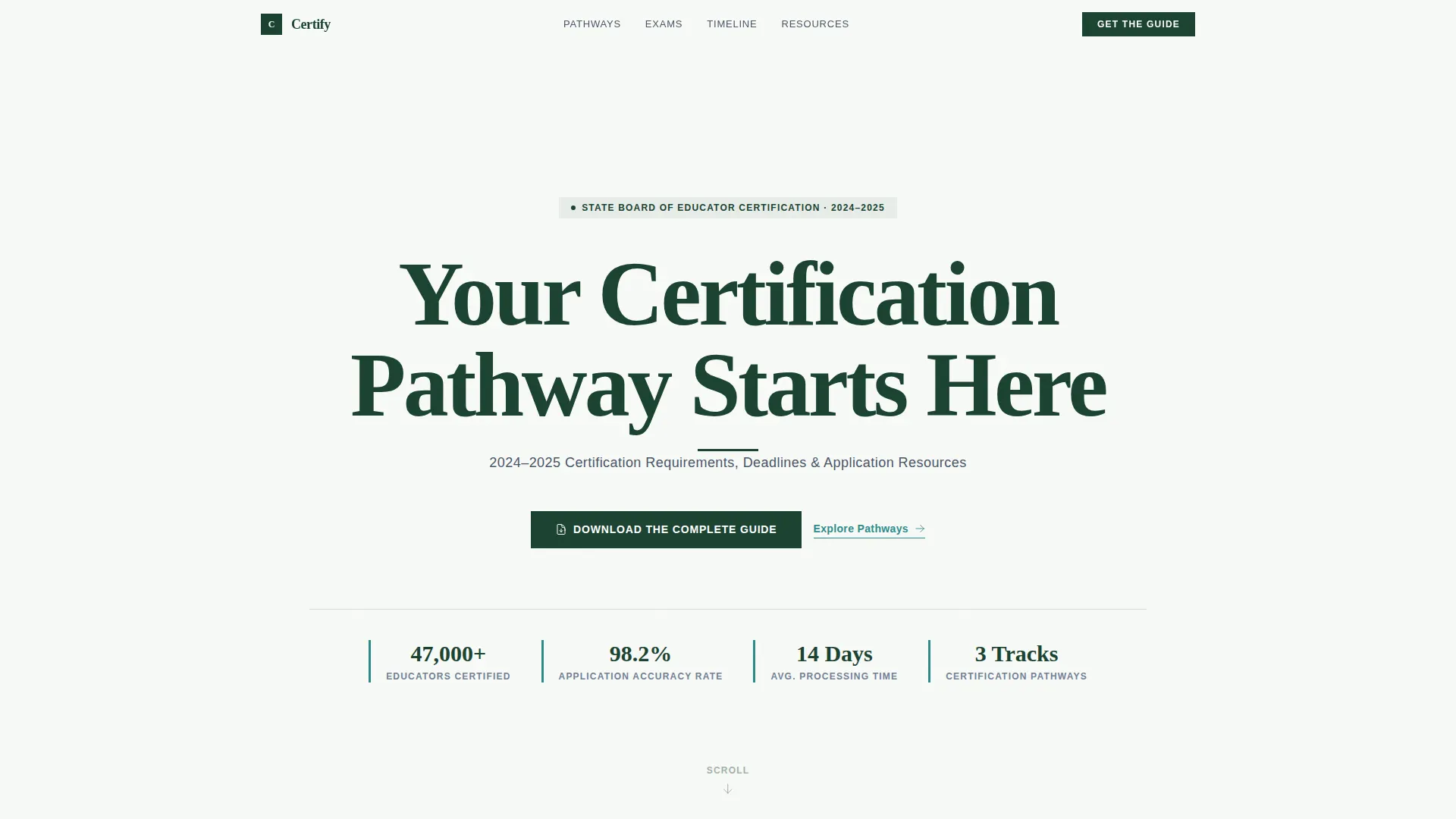
Certify is an institutional-authority landing page template built for teacher certification boards. It uses a zigzag alternating layout to walk applicants through certification pathways, examination requirements, application timelines, and document checklists. A gated guide download form serves as the primary conversion point, while ungated quick-reference PDFs deliver immediate value at every scroll section.
by Rocket studio
Quick summary
Certify is a single-page template designed for government education bodies that issue teacher credentials. It organizes three certification tracks, exam score requirements, a milestone timeline, and document checklists into one authoritative scroll. The primary call to action gates a complete certification guide behind a short form, and ungated PDFs appear at every zigzag section to reward visitors before asking for their email.
Who this template is for
This template serves official teacher certification boards and state education departments that need a clear, trustworthy resource hub for applicants. It is built to speak directly to people who are navigating a process that feels bureaucratically overwhelming.
- Career-changers moving from other industries into the classroom for the first time
- Newly graduated education majors who need to confirm exam scores and next steps
- Out-of-state educators seeking reciprocity recognition before the start of a new school year
What problem this template solves
Applicants routinely spend hours piecing together certification requirements from scattered government web pages, outdated PDFs, and phone calls to department offices. That friction creates doubt and delays enrollment. This template consolidates the entire process into a single, organized scroll.
- Replaces confusing multi-page department sites with one clean, sequential resource
- Reduces applicant drop-off by surfacing deadlines, checklists, and fee information without a search
- Gives the certification board a professional digital front that matches the authority of the credential it issues
What you get with this template
The template ships as a fully structured landing page with five distinct content sections plus a footer. Every section is pre-organized to match the real decision journey an applicant takes from first research to final submission.
- A typographically strong hero section, three-track pathway breakdown, exam requirements block, application timeline, and document checklist section
- A gated form collecting name, email, role, and target certification area, positioned alongside the document checklist section
- Ungated quick-reference PDF download nodes at each zigzag section, including a deadline calendar, document checklist, and fee schedule
Feature list
This section describes the functional and design capabilities built into the Certify template.
Three-Track Certification Pathway Layout
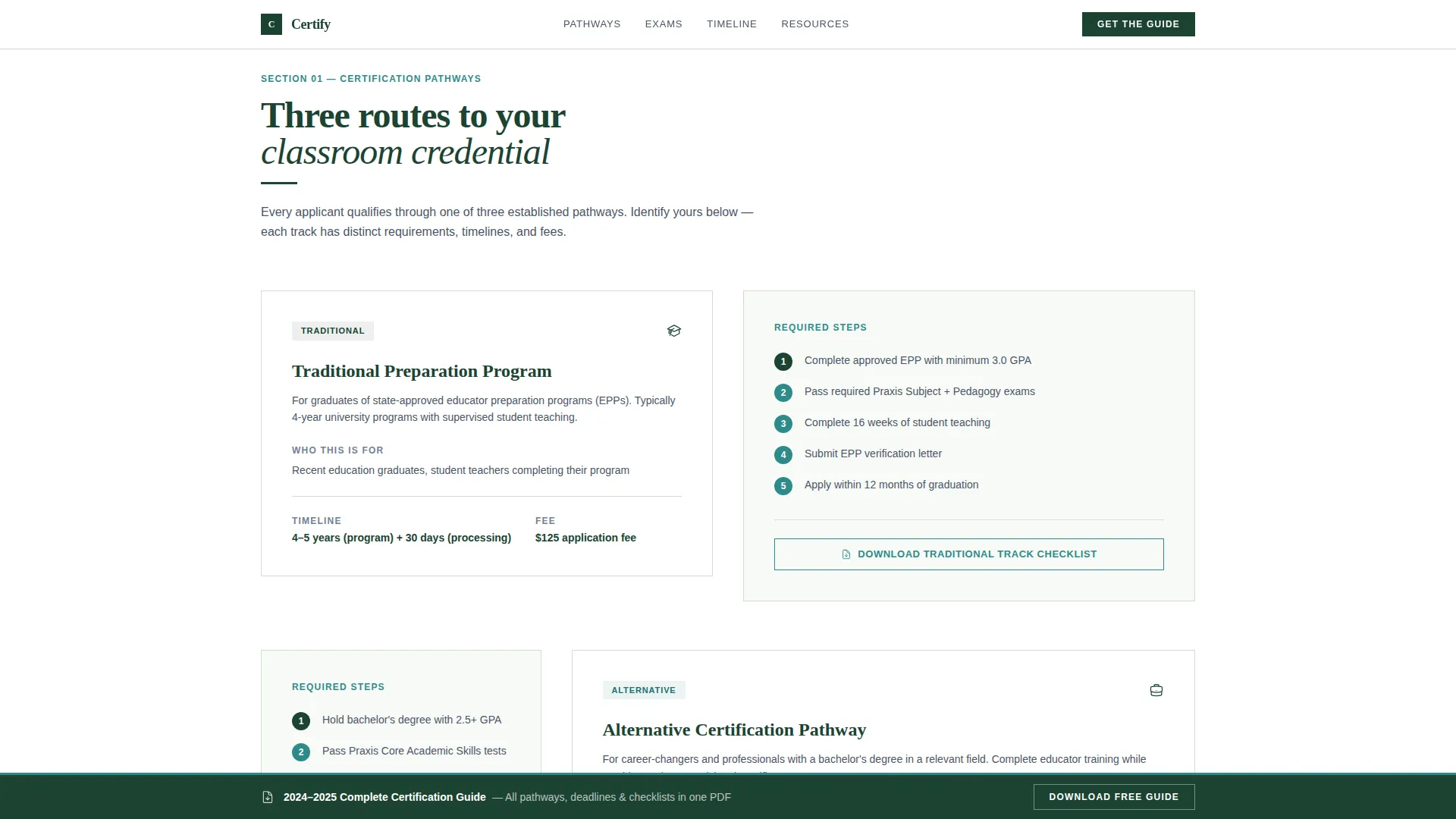
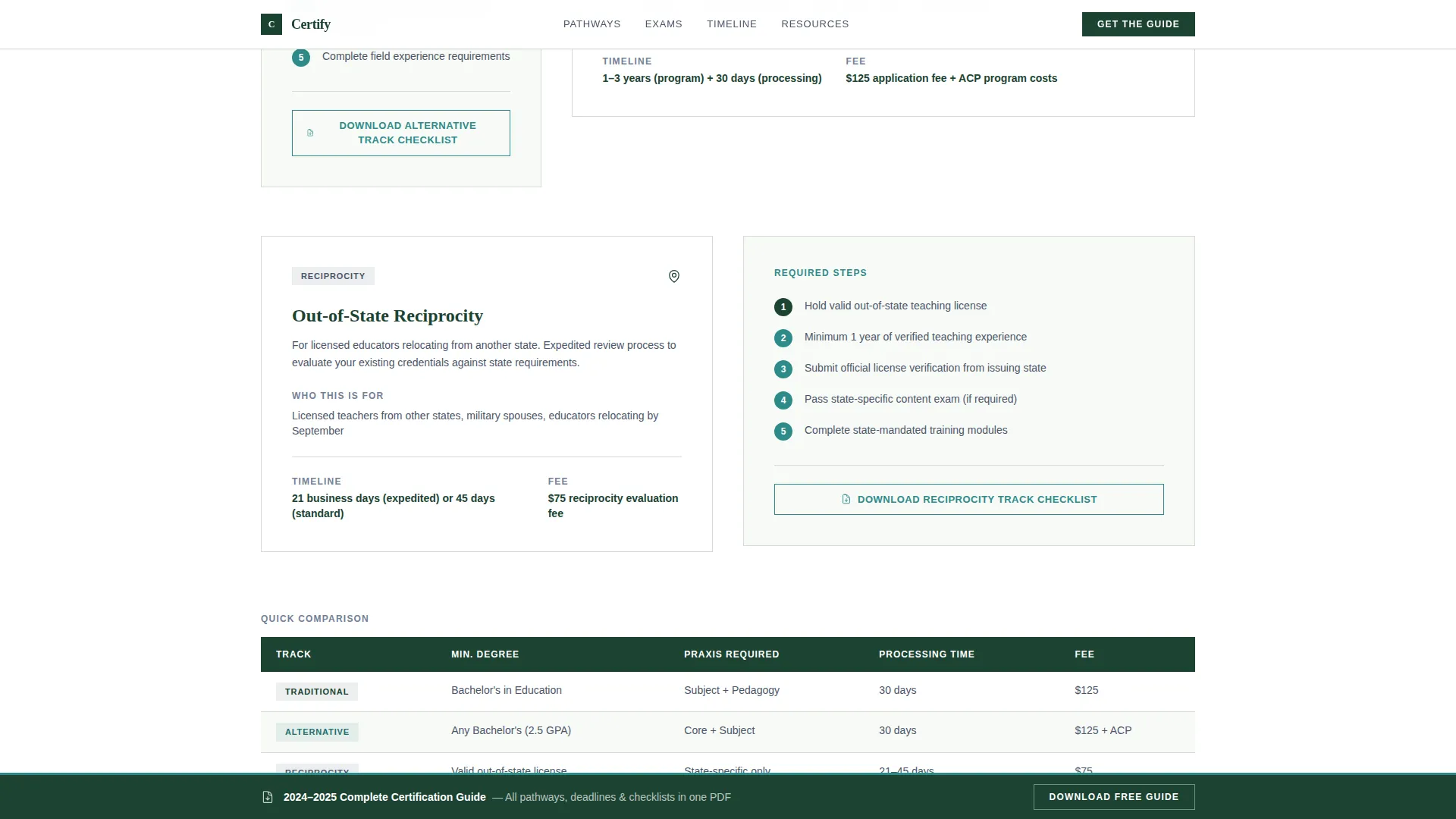
A dedicated zigzag section breaks certification into three clearly labeled tracks: Traditional, Alternative, and Reciprocity. Each track is presented as a distinct content block set against a supporting visual comparison, so applicants can identify their path at a glance.
Gated Guide Download Form
The primary conversion component is a short form that requests name, email, current role via a dropdown, and target certification area. The completed guide downloads only after the form is submitted, qualifying leads while delivering genuine value to the applicant.
Ungated PDF Download Nodes
At each alternating section, a downloadable quick-reference PDF appears without requiring a form submission. These include a deadline calendar, a document checklist, and a fee schedule. Visitors receive immediate, practical value at every scroll point.
Sticky Persistent Call-to-Action Bar
After the visitor passes the second scroll section, a sticky bar enters the viewport and remains visible during continued scrolling. It carries the guide download call to action so the conversion offer is always within reach without interrupting the reading flow.
Vertical Application Milestone Graphic
The application timeline section renders hard deadlines as a vertical milestone graphic. This visual format communicates sequencing and urgency more clearly than a flat list, helping applicants understand exactly when each step must be completed.
Accordion-Style Document Checklist
The document checklist component uses an accordion interaction pattern. Applicants expand individual checklist items to see the specific documents required for each step, keeping the section compact while still providing the full detail needed for submission preparation.
Page sections overview
| Section | Purpose |
|---|---|
| Hero Header | Establishes institutional authority with a heavy serif headline and single descriptor line |
| Certification Pathways | Presents Traditional, Alternative, and Reciprocity tracks with a visual track comparison |
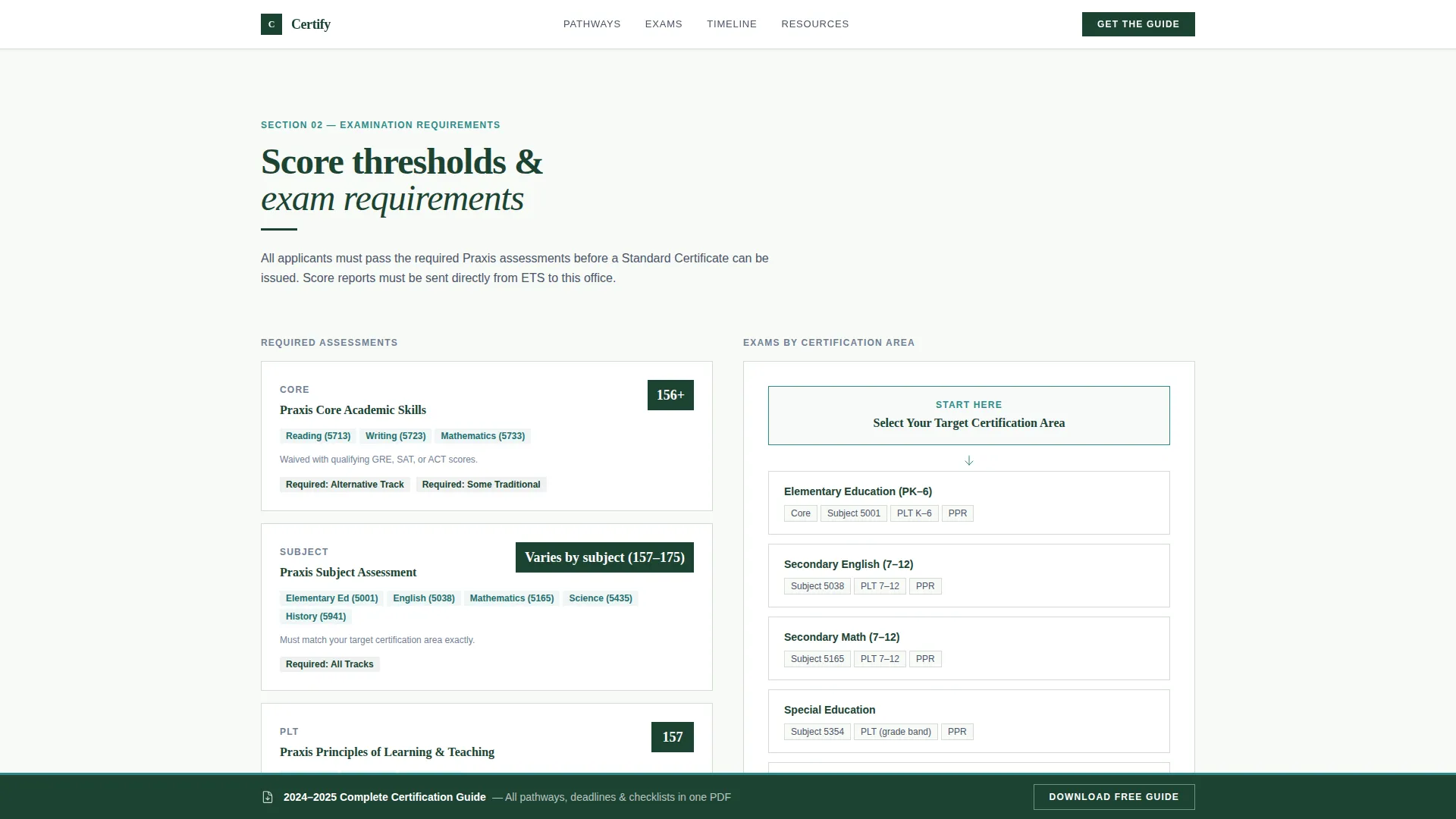
| Examination Requirements | Displays score thresholds table alongside a subject area flowchart |
| Application Timeline | Shows hard deadlines as a vertical milestone graphic with a quick-download calendar |
| Document Checklist + Guide Download | Pairs accordion checklist blocks with the gated guide download form |
| Footer | Single-row linear footer with institutional links and contact references |
Design & branding system
The visual identity follows an Institutional Authority theme. Every color, type choice, and spacing decision is calibrated to feel like a credible government resource rather than a marketing page. The result is a design that earns trust before the visitor reads a single word of body copy.
- Color palette: deep evergreen (#1B4332) for headers and navigation, glacier white (#F8FAF7) for content block backgrounds, slate ridge (#4A5568) for body text, and alpine stream blue (#2E8B8A) for interactive elements and PDF download links
- Typography: Fraunces serif at heavy weight for all headlines, DM Sans for body text, with the hero headline set at 120px to deliver typographic gravity without any supporting imagery
- Visual structure: alternating zigzag sections pair dense content blocks with supporting visuals including flowcharts, timeline graphics, and comparison tables, following an Industry Report creative direction
Mobile & speed optimization
The template is designed desktop-first to serve the government and institutional resource hub context, where applicants typically research on larger screens. Full mobile support is included so the experience holds up on any device.
- Scroll-triggered section reveals and staggered fade-up animations load progressively, keeping the page feeling responsive as content enters the viewport
- Static content sections use server-rendered components, with client-side interactivity limited to the form gate, sticky bar, and accordion checklist
- The sticky bar entrance is handled as a lightweight client component so it does not affect the rendering of the surrounding static content
How this template helps you convert
Every structural decision in Certify is made to reduce hesitation and build the applicant's confidence before asking for their information.
- Ungated PDF downloads at each scroll section deliver real value immediately, establishing credibility so the visitor trusts the gated guide offer when they reach it.
- The sticky bar keeps the primary call to action visible after the second section, reducing the chance that an engaged visitor loses the conversion path during a long scroll.
- The short, role-specific form lowers the perceived cost of the guide download by asking only for information the applicant already knows, making completion feel quick and purposeful.
Other information about this template
The Certify template is suited for any official body that issues educator credentials and needs a single authoritative digital resource to replace scattered departmental web pages. It is equally useful as an annual update vehicle: swap out deadline dates, fee schedules, and score thresholds each certification cycle without redesigning the page.
- The hero section carries no images or illustrations; all authority comes from typographic weight and white space, which means the section stays current without photography updates
- Institutional social proof elements such as total educators certified, years in operation, and pass rate statistics can be placed above or below the main zigzag sections to reinforce credibility
- The template is localized for United States usage with English copy, USD fee references, and MM/DD/YYYY date formatting throughout
Theme
Institutional Authority
Creative direction
Industry Report
Color system
Alpine Fresh
Style
Zigzag/Alternating
Direction
Content/Resource
Page Sections
Three-track Certification Pathway Layout
Gated Guide Download Form
Ungated Quick-reference PDF Nodes
Sticky Persistent Call-to-action Bar
Vertical Application Milestone Graphic
Accordion-style Document Checklist
Related questions
Who is this template built for?
How does the gated guide download work?
What quick-reference PDFs are included in the template?
Can this template be updated each certification cycle?
Does the template support all three educator applicant types?



