Escalator Technician Business Privacy Policy Website Template
Certify is a single-column landing page template built for licensed escalator technician businesses. It leads with a bold credential header, walks visitors through each service phase like numbered contract clauses, and drives quote requests through a structured site assessment form. The design uses a Legal Shield visual identity that makes compliance confidence the central selling point.
by Rocket studio
Quick summary
Certify is a compliance-first landing page template for escalator technician businesses. It opens with a row of certification badges, builds trust through a Transparent Process layout, and closes with a detailed scheduling form. The entire flow is designed to turn facility managers and property teams into booked assessment requests.
Who this template is for
This template is built for licensed escalator service professionals who work with high-stakes clients. It speaks directly to businesses where documentation and credentials carry more weight than photography or lifestyle imagery.
- Licensed escalator technicians and maintenance contractors serving malls, airports, and transit hubs
- Escalator service companies that handle compliance inspections, diagnostic reporting, and re-certification filings
- Professional trades businesses needing a credibility-first landing page that converts facility managers into scheduled appointments
What problem this template solves
Facility managers and property operators do not respond to generic service pages. They respond to proof. Most trades templates lead with stock photography and vague value statements, which fail completely in compliance-driven markets.
- Visitors like municipal transit authorities and property management firms need to see credentials, process detail, and liability language before they trust a vendor
- Without a structured layout, inspection businesses lose inquiries to competitors whose pages feel more authoritative and documented
- Generic booking forms do not capture the right context, leaving technicians without the information needed to quote accurately
What you get with this template
You get a complete single-column landing page designed around earned authority. Every section is pre-built and purposeful, so setup focuses on customization rather than construction.
- A credential-first header with award badge row, headline, and floating call-to-action button pinned after the header scrolls out of view
- Four structured process sections that walk visitors through site assessment, diagnostic reporting, repair scope, and post-service documentation
- A detailed quote request form capturing building type, unit count, last inspection date, and preferred scheduling window, plus an emergency service secondary path with direct-dial phone link
Feature list
This template is organized around one goal: making your credentials do the selling before a single word of marketing copy appears.
Award Badge Header Row
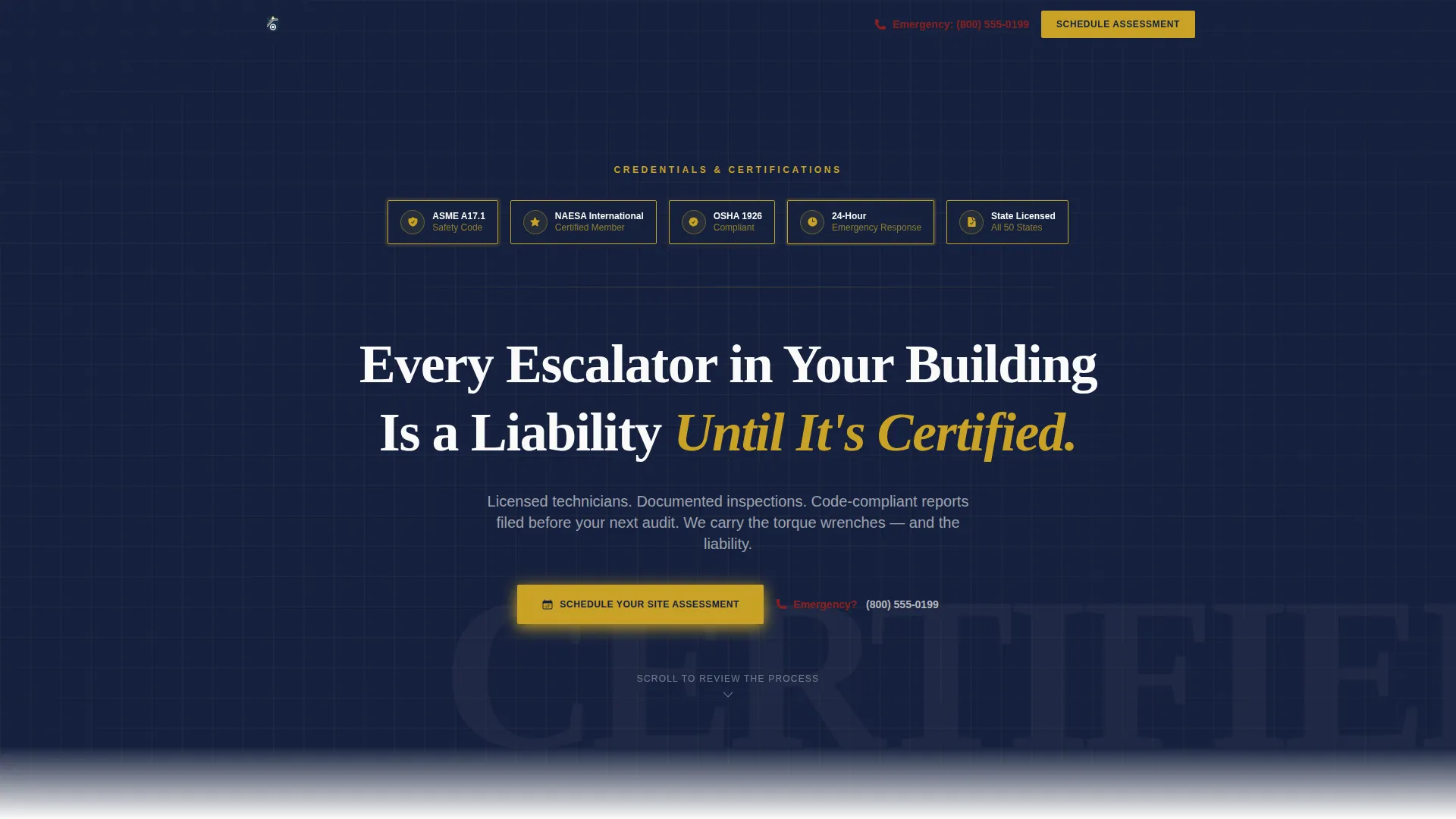
The header opens with a horizontal row of certification and compliance badges rendered in stamped-approval gold on notary-seal navy. State licensing seals, NAESA International certification marks, OSHA compliance icons, and a "24-Hour Emergency Response" shield are arranged side by side like medals on a dress uniform. Credentials appear before the visitor scrolls a single pixel.
Oversized Serif Headline Block
Below the badge row, a single headline appears in oversized serif type: "Every Escalator in Your Building Is a Liability Until It's Certified." There is no hero image or stock photography. The credentials and the headline together form the visual anchor of the page.
Transparent Process Section Flow
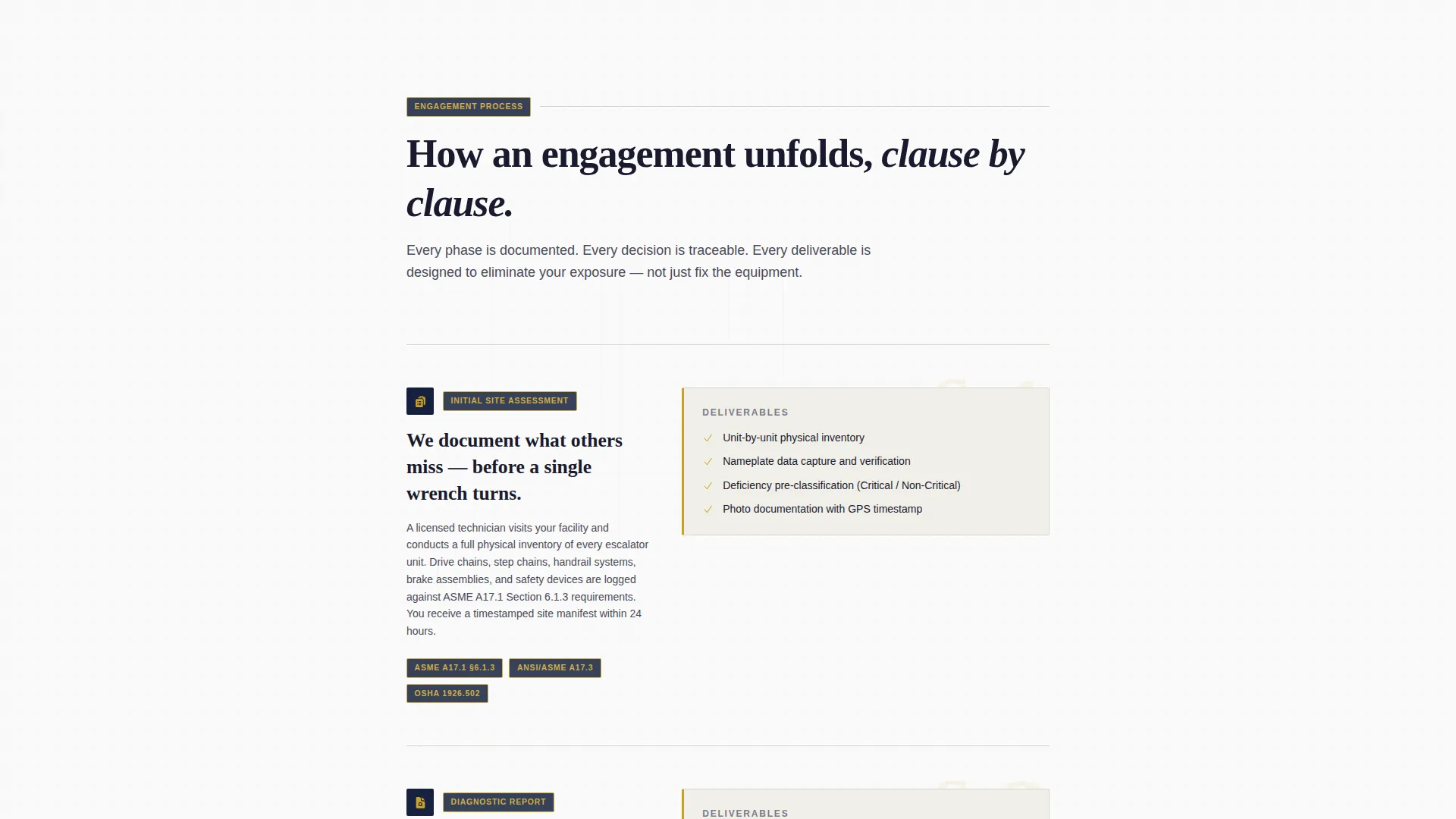
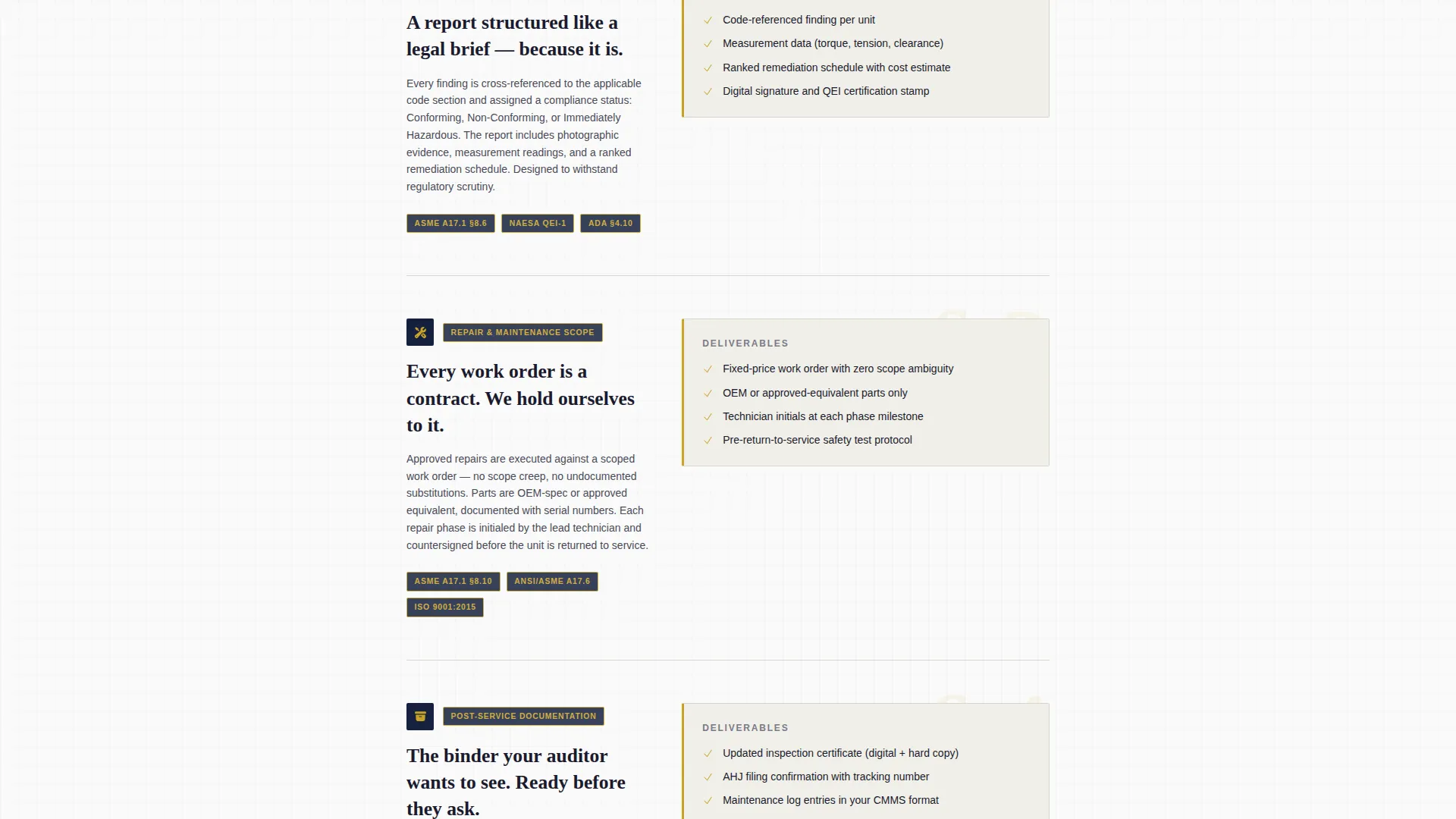
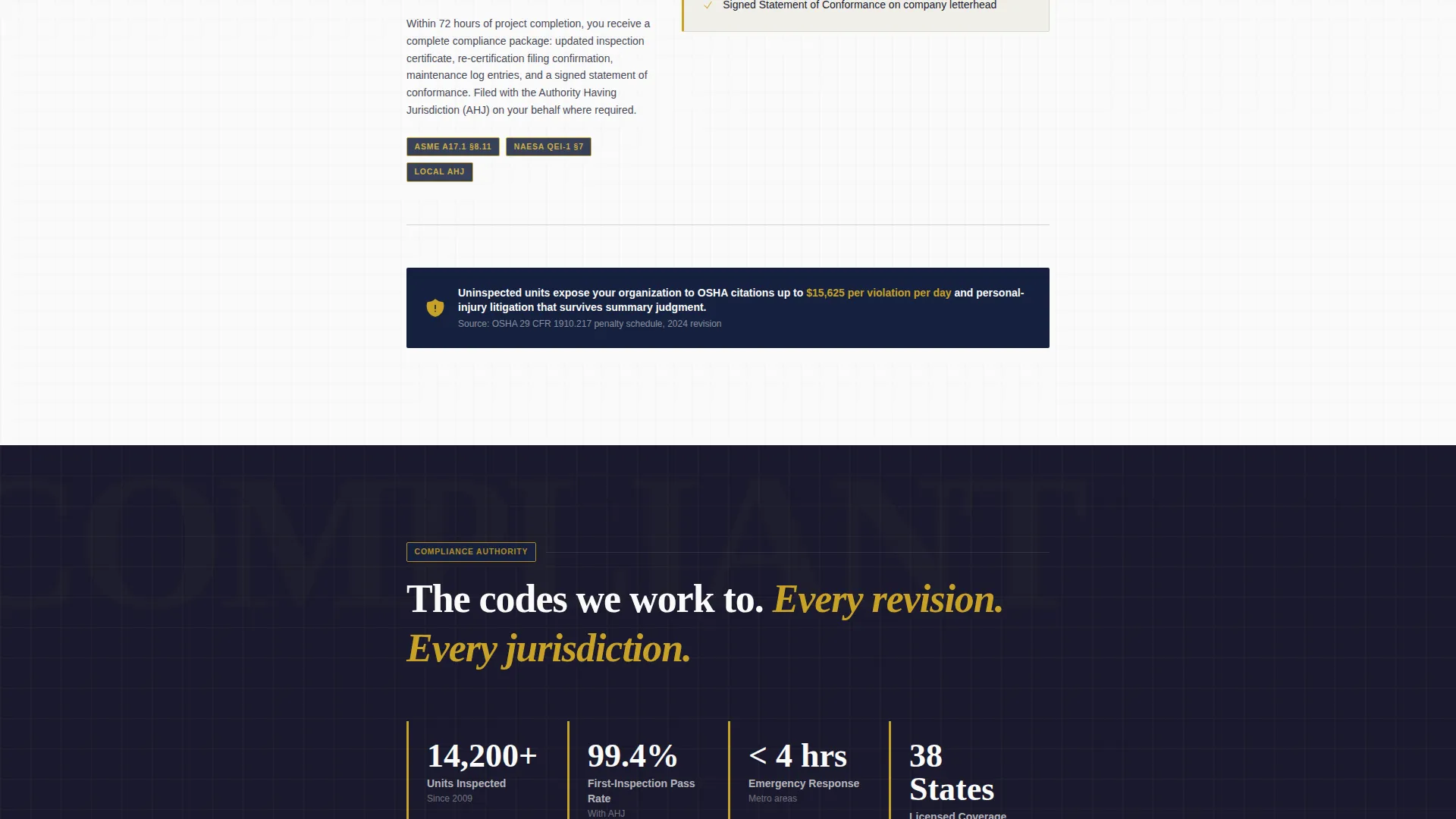
Four numbered sections unfold like contract clauses as the visitor scrolls. Each section covers one phase: initial site assessment, diagnostic report structure, repair or maintenance scope with a sample redacted work order as a background element, and post-service documentation with re-certification filing. Every section is designed to quietly reduce perceived liability as the visitor reads.
Floating Scheduling call to action Button
A "Schedule Your Site Assessment" button in stamped-approval gold on notary-seal navy is pinned as a floating element once the badge header scrolls out of view. It remains accessible throughout the visitor's scroll without interrupting the reading flow.
Structured Quote Request Form
The booking form collects the specific context an escalator technician needs. Fields include building type (mall, airport, transit, office, or other), number of escalator units, last inspection date with a "Not Sure / Never" option that subtly raises urgency, and a preferred assessment window via calendar picker.
Emergency Service Secondary Path
A secondary call-to-action reads "Need Emergency Service?" and links to a direct-dial phone number. This path serves clients with stopped units or urgent compliance deadlines who cannot wait for a scheduled assessment window.
Page sections overview
| Section | Purpose |
|---|---|
| Badge Credential Header | Establish authority and certifications before the visitor scrolls |
| Serif Headline Block | Deliver the core liability message in a single oversized line |
| Site Assessment Phase | Explain what happens during the initial on-site evaluation |
| Diagnostic Report Phase | Describe report structure and the code references it includes |
| Repair Scope Phase | Outline maintenance and repair scope with redacted work order element |
| Post-Service Documentation | Cover re-certification filing and final documentation delivery |
| Quote Request Form | Capture building details, unit count, inspection history, and schedule |
| Emergency Service Link | Provide a direct-dial path for urgent or stopped-unit situations |
Design & branding system
The template uses an Ink & Paper color system that evokes a stack of certified inspection reports fresh from a laser printer. Every color choice reinforces authority and seriousness.
- Core palette: deep document black (#1A1A2E) for body, notary-seal navy (#16213E) for section backgrounds, clean bond-paper white (#FAFAF9) for content surfaces, and stamped-approval gold (#C9A227) reserved for badge borders, button fills, and accent elements
- Typography: oversized serif type for the headline block, structured body copy for the process sections, giving the page a legal document register throughout
- Visual style: no stock photography or hero images; the badge row and structured text layout carry all visual weight, consistent with the Legal Shield theme
Mobile & speed optimization
The single-column layout is inherently well-suited to mobile viewing. Every section stacks cleanly without requiring a grid reflow.
- The floating scheduling button remains accessible on smaller screens, keeping the primary call-to-action reachable at any scroll depth
- The four process sections are designed as self-contained blocks, so they read clearly on narrow viewports without visual clutter
- The quote request form uses clearly labeled fields and a calendar picker that this template supports for comfortable mobile input
How this template helps you convert
The page is built around a single psychological principle: making inaction feel riskier than taking the next step. Every design and copy choice reinforces that idea.
- The badge header front-loads credibility so visitors evaluate the technician as a licensed professional before reading a single marketing claim, lowering the initial trust barrier immediately
- The Transparent Process sections build confidence clause by clause, showing exactly what happens at each engagement phase so facility managers feel informed rather than pressured
- The "Not Sure / Never" inspection date option in the form quietly signals compliance risk, creating natural urgency that moves hesitant visitors toward submitting a request
Other information about this template
This template is part of a broader category of professional services landing pages built for compliance-driven trades. It is particularly well-suited to businesses operating under regulated inspection frameworks.
- The Legal Shield theme and Ink & Paper color system are designed to signal document-grade authority rather than visual flair, making the page appropriate for procurement-level decision makers
- The redacted work order background element in the repair scope section is a visual device included in the template to reinforce process transparency without disclosing sensitive client data
- The template supports the ASME A17.1 safety code context referenced in the process sections, giving technically literate clients like municipal transit authorities the language they recognize
- This is a single-page template with a single-column flow; it does not include multi-page navigation or a separate inner-page system
Theme
Legal Shield
Creative direction
Transparent Process
Color system
Ink & Paper
Style
Single Column Flow
Direction
Booking/Scheduling
Page Sections
Award Badge Credential Header
Transparent Process Section Flow
Floating Scheduling Call to Action Button
Structured Quote Request Form
Emergency Service Secondary Path
Legal Shield Visual Identity
Related questions
Who is this landing page template designed for?
Can I customize the badge header with my own certifications?
What information does the quote request form collect?
Does this template support emergency service inquiries?
Is this template suitable for a single service or multiple service lines?



