AS9100 Aerospace Machining Supplier Website Template
Certify is a precision aerospace landing page template built for AS9100-certified machine shops that supply flight-critical parts to aerospace primes. It leads with audit credentials, walks procurement engineers through a six-step production process, and drives formal RFQ submissions through a fixed amber call-to-action that repeats at every section close.
by Rocket studio
Quick summary
Certify is a hub-and-spoke landing page template for aerospace OEM suppliers. It opens with a certification logo bar and a fixed anchor navigation, then walks visitors through capabilities, production process, certifications, quality systems, and an RFQ form. Every section is built to earn trust through process evidence rather than promotional copy.
Who this template is for
This template is built for precision machine shops that supply flight-critical components to aerospace primes. It speaks directly to the buyers and evaluators those shops need to convince.
- Procurement engineers at aerospace primes who need supplier qualification evidence before issuing an RFQ
- Program managers tracking delivery milestones who want capacity and lead-time signals upfront
- Quality directors who require documented corrective action capability, coordinate measuring machine (CMM) evidence, and non-destructive testing (NDT) proof
What problem this template solves
Most industrial supplier pages lead with marketing language that procurement engineers immediately distrust. A buyer evaluating a new machining supplier needs documentation, not design flair. They are looking for certification status, process controls, and traceability before they commit to a single conversation.
- There is no structured way to front-load audit credentials, process artifacts, and quality data without building a custom page from scratch
- Generic templates lack the inspection-report aesthetic and technical vocabulary that signals credibility to aerospace buyers
What you get with this template
Certify delivers a fully structured single-page layout organized around the exact evidence trail a procurement engineer follows during supplier qualification. Each section surfaces a specific type of proof.
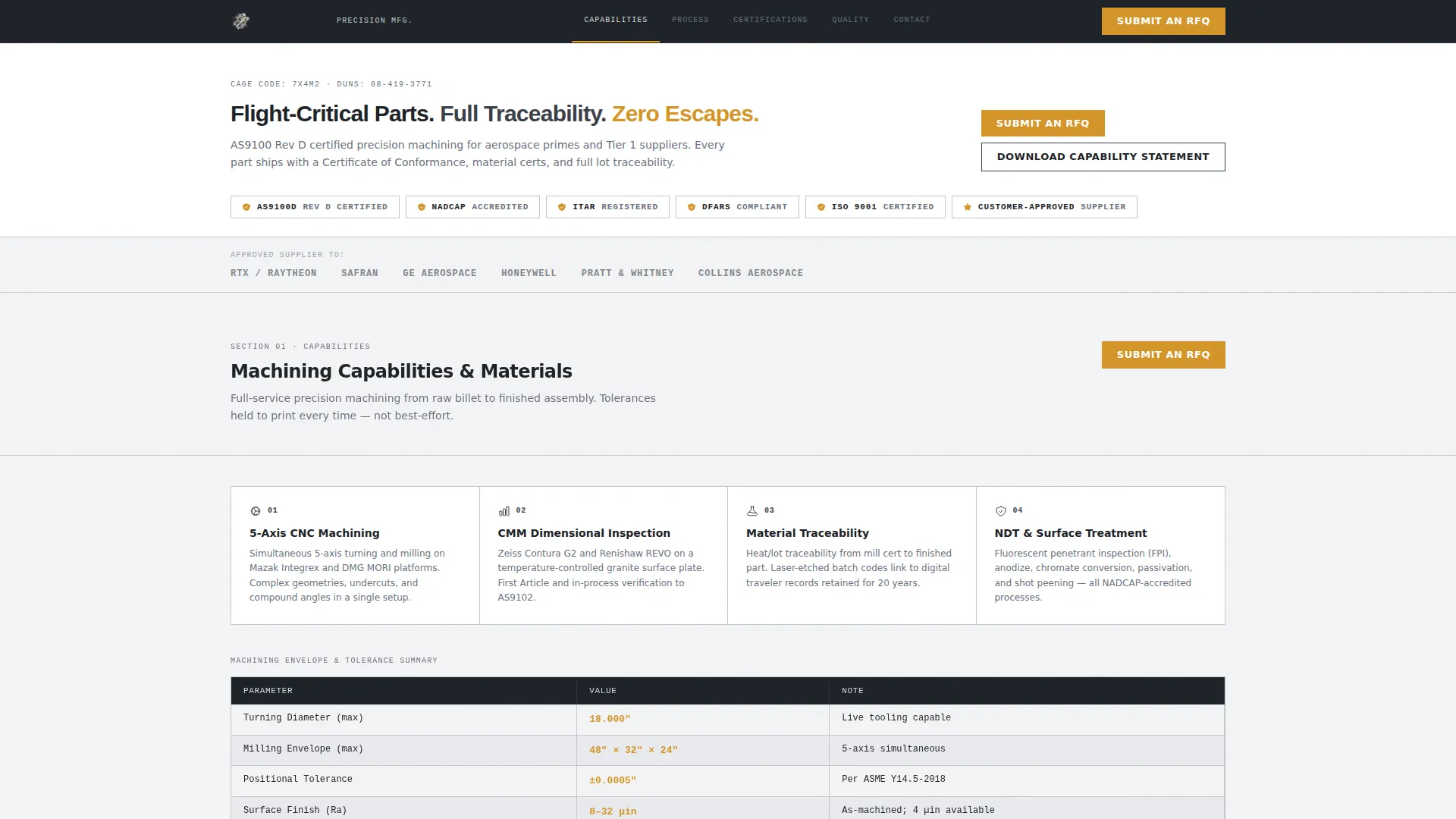
- A certification logo bar with NADCAP, AS9100 Rev D, ITAR-registered, and customer-approved badges displayed above a fixed anchor navigation
- Six spoke sections covering capabilities, production process, certifications, quality systems, and an RFQ contact form, each closing with a repeated amber "Submit an RFQ" button
- A secondary email-capture path for a downloadable capability statement, targeting engineers still in the supplier long-list phase
Feature list
This section covers the core built-in components that make Certify work for aerospace supplier qualification.
Certification Logo Bar Header
The header opens with a horizontal row of prime contractor and certification logos. A single-line headline sits above the logo bar. No hero image, no animation. The restraint communicates that this supplier leads with credentials, not stock photography.
Fixed Anchor Navigation
A persistent navigation bar stays visible as visitors scroll. It links directly to Capabilities, Process, Certifications, Quality, and Contact sections. Each label functions like a tab in a technical data package, letting procurement engineers jump to exactly what they need.
Six-Step Transparent Process Section
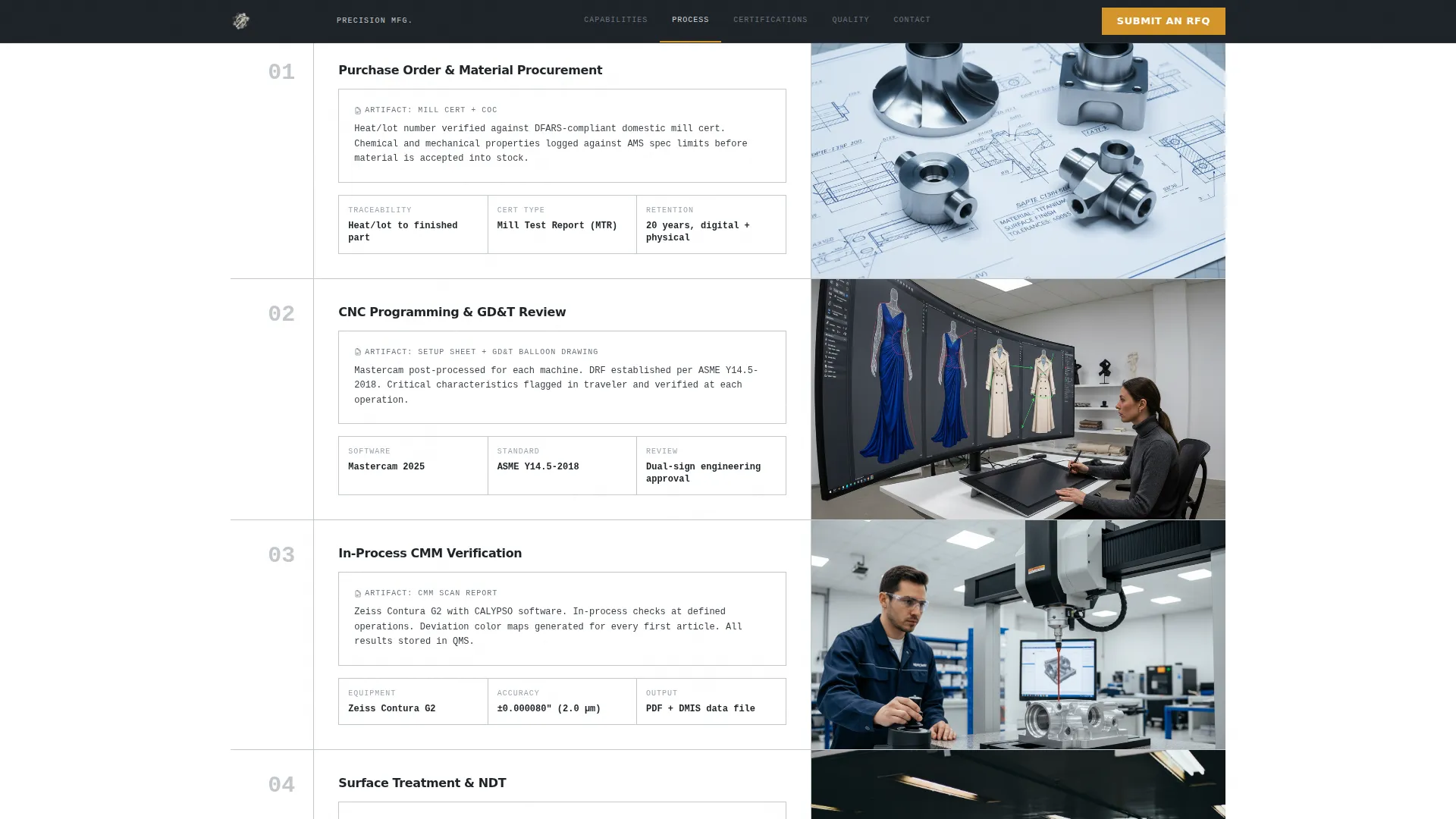
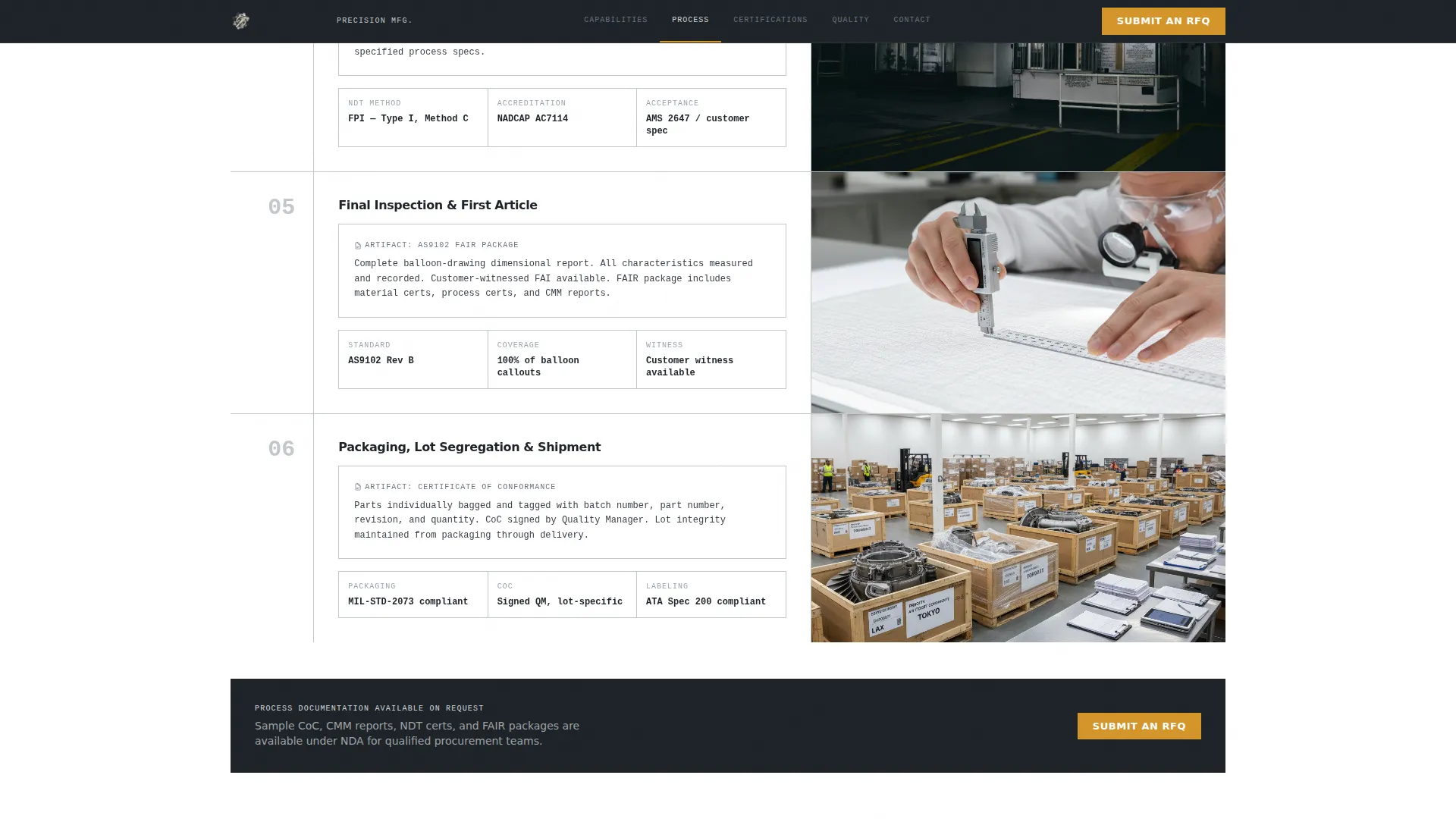
The Process spoke walks visitors through every stage from purchase order to shipment. Stages include raw material certificates and incoming inspection, computer numerical control (CNC) programming with geometric dimensioning and tolerancing (GD&T) callouts, in-process CMM verification, surface treatment and NDT, final inspection with balloon drawings, and lot-segregated crating. Each stage references a specific production artifact such as a certificate of conformance (CoC), a CMM scan overlay, or a process flow diagram.
Repeating RFQ Call-to-Action
An amber "Submit an RFQ" button appears in the fixed navigation and again at the close of every spoke section. Clicking it routes to a dedicated RFQ page with fields for part number, annual volume, material specification, and drawing upload. The repetition ensures the conversion path is always one click away regardless of where a visitor is on the page.
Capability Statement Email Capture
A secondary conversion path offers a downloadable capability statement in exchange for an email address. This captures engineers who are still comparing suppliers and not yet ready to submit a formal RFQ, keeping them in the qualification pipeline.
Monochrome Steel Visual System
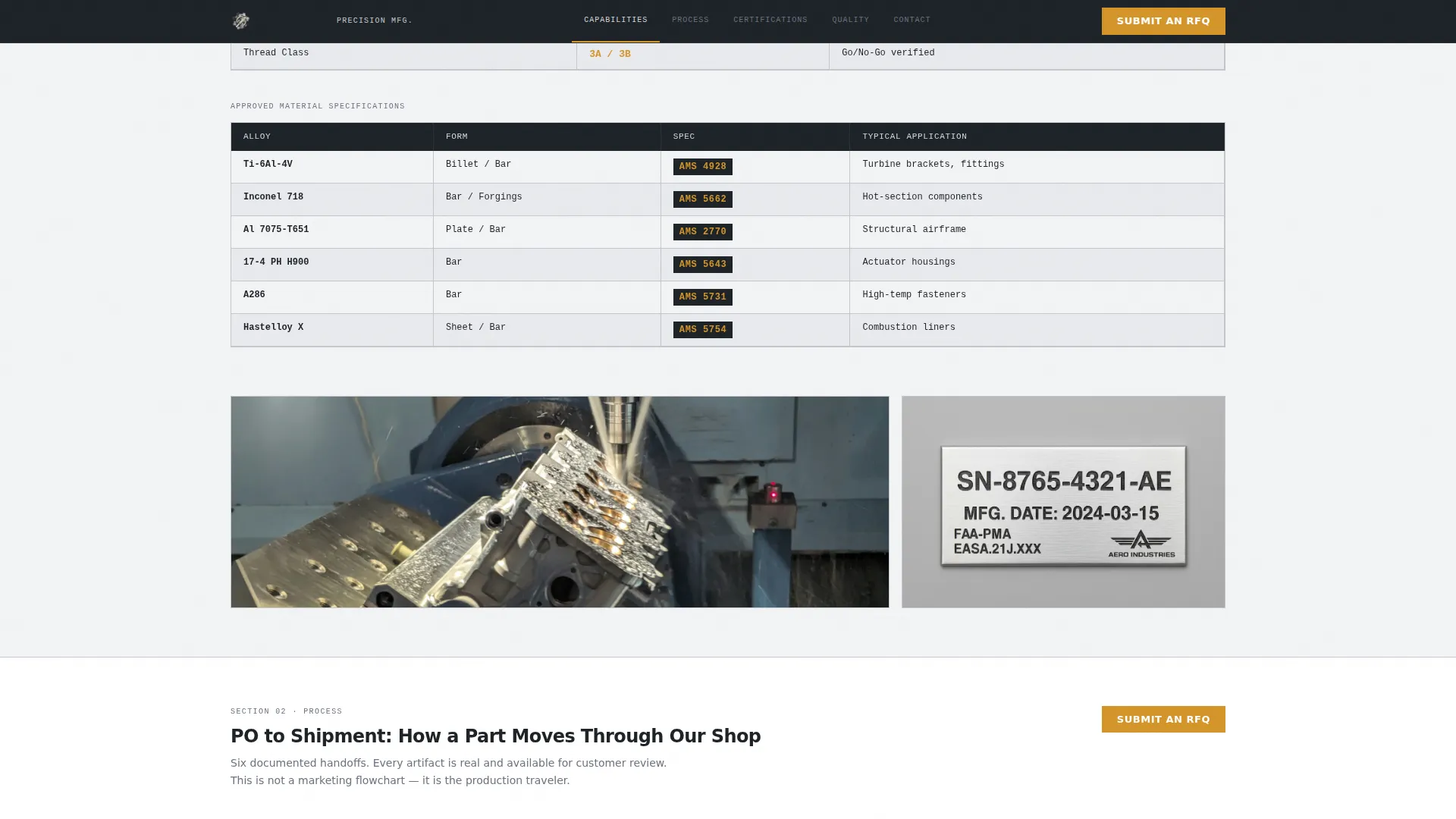
The color system uses mill-finish aluminum (#D4D7DC) as the background, machined surface dark (#1E2328) as the primary tone, and inspection-stamp charcoal (#3B4048) as the secondary tone. Tolerance-callout amber (#D4952A) is reserved exclusively for calls to action and critical data points, so every amber element on the page carries intentional weight.
Page sections overview
| Section | Purpose |
|---|---|
| Header Logo Bar | Displays certification badges and the primary headline |
| Fixed Anchor Nav | Provides persistent section navigation throughout scroll |
| Capabilities Section | Lists CNC specs, materials, tolerances, and part families |
| Process Section | Reveals the six-step production flow with real artifacts |
| Certifications Section | Presents AS9100 Rev D, NADCAP, ITAR, and customer approvals |
| Quality Section | Covers CMM, NDT, first article, and corrective action process |
| RFQ Contact Form | Collects part number, volume, material spec, and drawing upload |
| Footer | Single-row linear footer with standard contact and legal links |
Design & branding system
The visual identity follows a Service Utility theme built around an inspection-report aesthetic. Every design decision reinforces the idea that this supplier measures first and decorates never.
- Typography uses DM Sans for body and navigation copy, and JetBrains Mono for specifications, callouts, and data points, giving technical values a monospaced precision feel
- Scroll reveals are the only motion on the page; there is no decorative animation, so the restraint itself becomes part of the brand statement
Mobile & speed optimization
Certify is designed desktop-first, reflecting the reality that procurement engineers typically review technical packages on workstations with multi-monitor setups. The layout prioritizes dense, scannable information over touch-optimized interaction patterns.
- Static-first rendering with server-side rendering (SSR) support keeps initial load fast and content visible to search engines
- Low animation settings mean the page relies on scroll reveals only, reducing rendering overhead and keeping the experience clean on all screen sizes
How this template helps you convert
Certify structures the page so that every section removes one remaining objection before the visitor reaches the RFQ form. The conversion logic is sequential and deliberate.
- The certification logo bar and headline establish credibility in the first viewport, so procurement engineers know immediately that this supplier holds the required approvals
- The six-step process section with real artifacts (CoC samples, CMM overlays, process diagrams) replaces vague quality claims with visible proof, so by the time a visitor reaches the RFQ form the only remaining question is lead time
Other information about this template
Certify is suited to any precision machining business supplying aerospace, defense, or space-adjacent programs where formal qualification is required before a purchase order is issued. It is especially effective for shops pursuing or maintaining AS9100 Rev D registration.
- The template uses Imperial measurements (inches and thousandths) and USD pricing conventions, matching the working language of domestic aerospace procurement
- The hub-and-spoke anchor navigation structure makes the page easy to share as a single URL that functions like a supplier data package
- The downloadable capability statement flow supports multi-stakeholder buying cycles where one engineer researches and another approves
- This template is built for English-language markets and is optimized for USA-based aerospace supplier qualification workflows
Theme
Service Utility
Creative direction
Transparent Process
Color system
Monochrome Steel
Style
Hub & Spoke (Anchor Nav)
Direction
Click-Through
Page Sections
Certification Logo Bar Header
Fixed Anchor Navigation
Six-step Transparent Process Section
Repeating RFQ Call-to-action
Capability Statement Email Capture
Monochrome Steel Color System
Related questions
Who is the primary audience for this template?
What certifications does the template display in the header?
Can the template capture leads from engineers not ready to submit an RFQ?
What information does the RFQ form collect?
Is this template suitable for suppliers outside the aerospace industry?



