Aerospace Testing & Quality Laboratory Website Template
Certify is a modular card-grid landing page built for aerospace quality testing labs. It presents testing capabilities, tensile, fatigue, hardness, radiographic, corrosion, and dimensional, as specification tiles with accreditation badges, test standards, and turnaround data. The design follows an Industrial Raw aesthetic in a Warm Stone palette, driving leads through a persistent "Request a Test Quote" call to action.
by Rocket studio
Quick summary
Certify is a single-page, card-grid landing page designed for aerospace quality testing laboratories. It front-loads accreditation credentials, equipment details, and turnaround data so procurement engineers trust the lab before the lead-capture form even appears. The Industrial Raw visual theme and Warm Stone color system make every section feel like a precision test certificate.
Who this template is for
This template is built for aerospace and defense testing laboratories that need to convert technically sophisticated visitors into qualified leads. The target audience already knows what test standards they require, so the page must earn trust through data, not marketing language.
- Procurement engineers at tier-one aerospace suppliers reviewing test capability and accreditation scope
- Quality directors at maintenance, repair, and overhaul (MRO) facilities preparing first-article inspection reports
- Program managers at prime contractors who need verified test data to protect delivery milestones
What problem this template solves
Generic laboratory websites bury accreditation details in PDFs and force qualified buyers to hunt for turnaround times. That friction costs real business. Certify replaces narrative-heavy pages with a data-first layout that answers an engineer's core questions immediately.
- Visitors cannot quickly verify which test standards and material types a lab covers
- Accreditation badges and equipment specifics are rarely visible above the fold, eroding trust early
- Lead-capture forms appear before the lab has proven its scope, resulting in low-quality or abandoned submissions
What you get with this template
Certify delivers a complete, conversion-ready landing page structured around verifiable capability data. Every section is designed to move a technically demanding buyer from first impression to form submission.
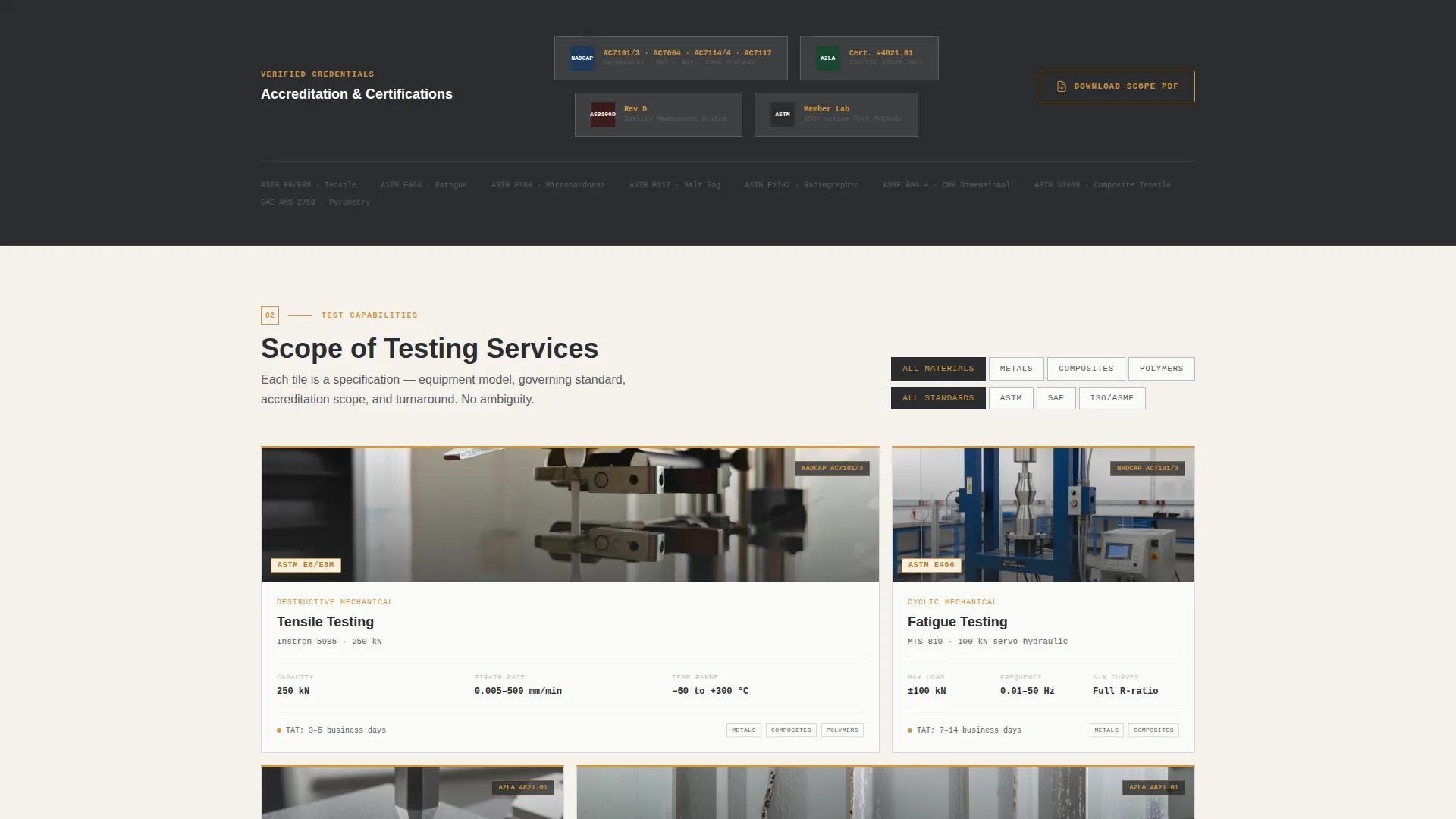
- A modular capability card grid with filterable tiles covering metals, composites, and polymers across ASTM, SAE, and ISO standard bodies
- Two lead-generation paths: a detailed test-quote request form and a gated scope-of-accreditation PDF download
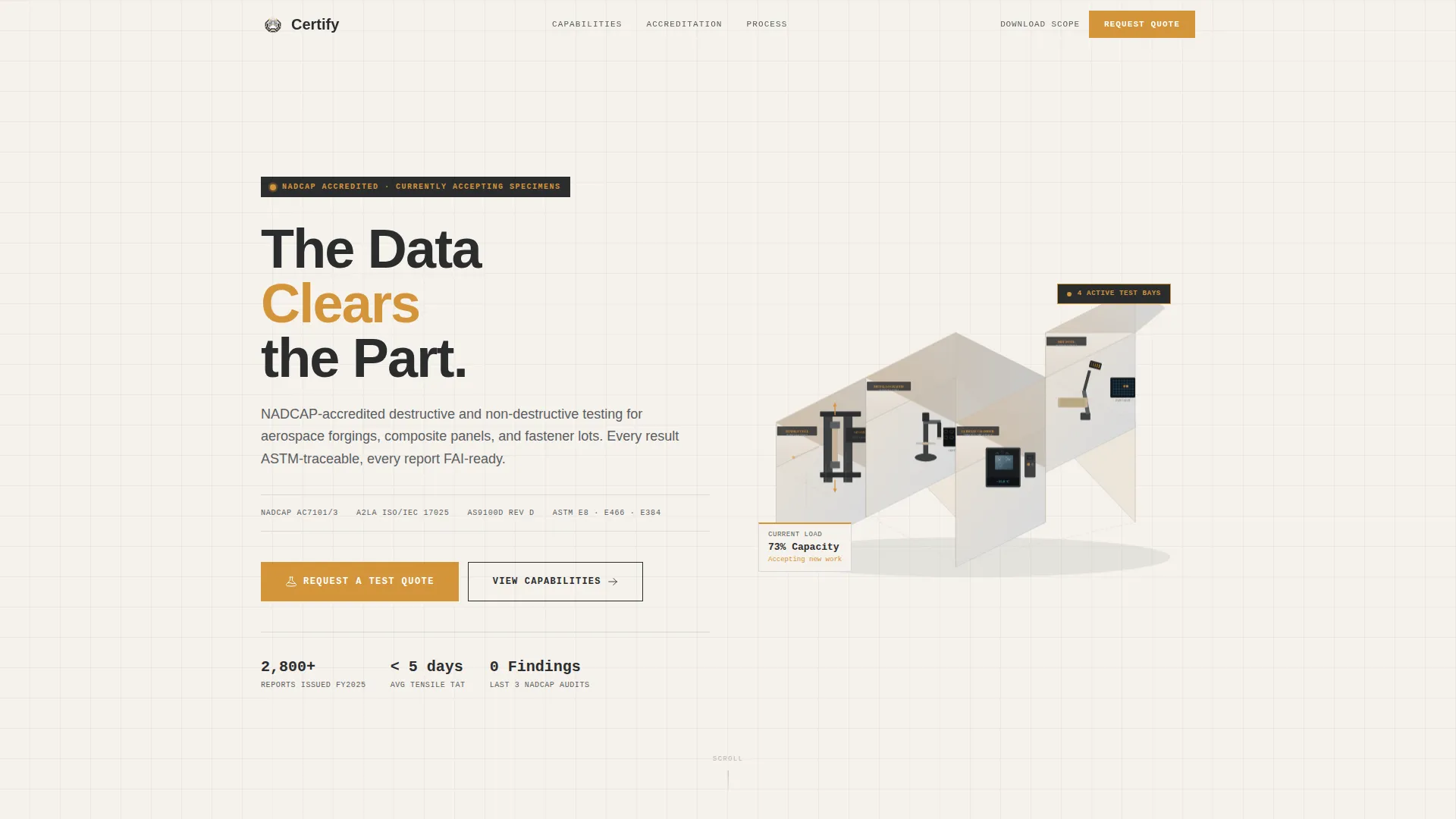
- An isometric vector header illustration showing interlocking lab bays labeled with their accreditation scope codes, plus a persistent amber call-to-action bar that appears after the second card row
Feature list
This section describes the core components built into the Certify template.
Isometric Lab Header Illustration
The header features a clean vector isometric cutaway of the laboratory, showing four interlocking bays: a tensile testing cell, a metallography room, a climate chamber mid-cycle, and a non-destructive testing (NDT) suite. Each bay is labeled with its accreditation scope code. The illustration rotates gently on load, giving visitors the impression of peering into a transparent building.
Modular Capability Card Grid
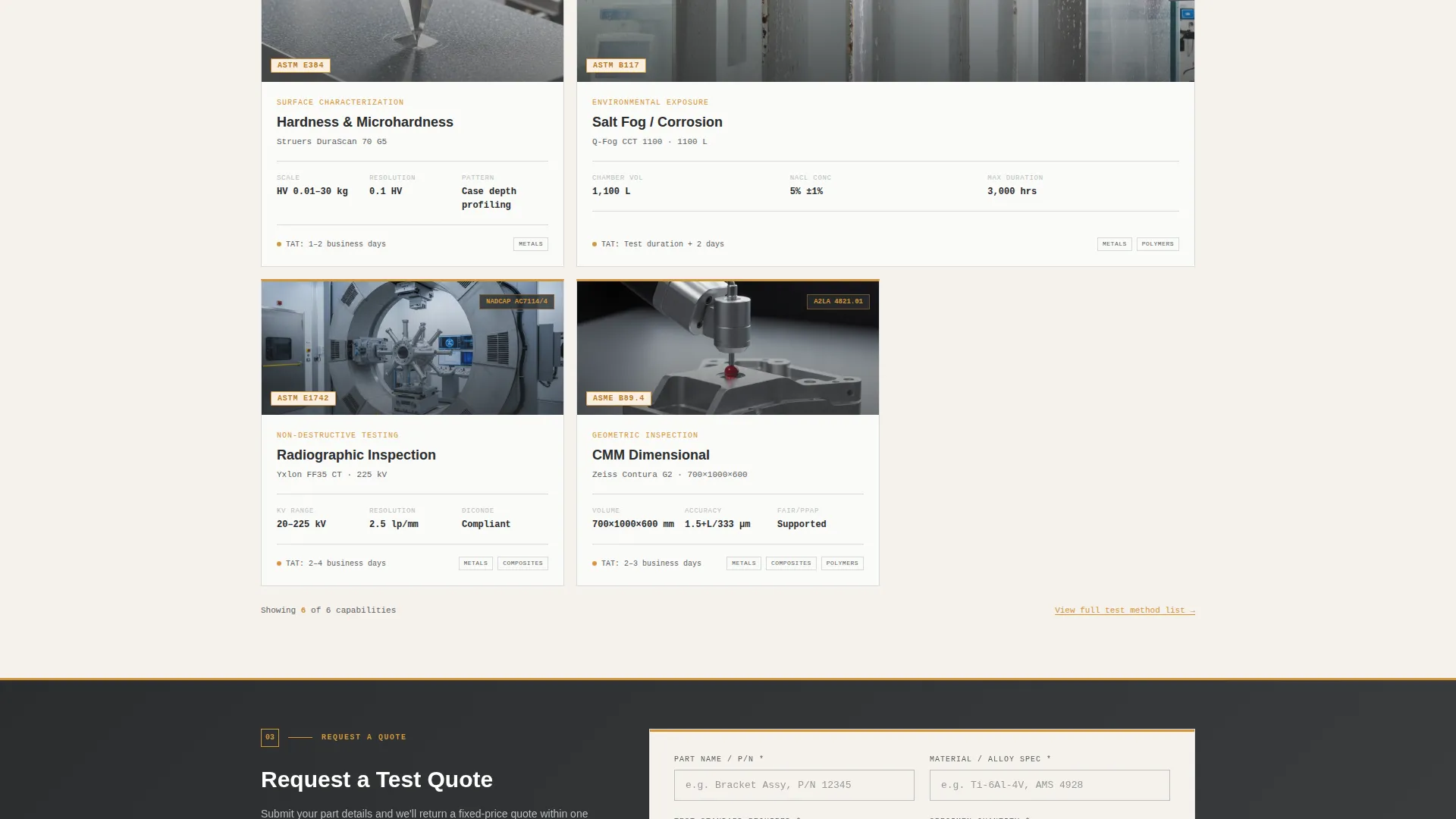
Each card in the grid represents one testing discipline: tensile, fatigue, hardness, corrosion, radiographic inspection, and dimensional coordinate measuring machine (CMM) inspection. Cards display the applicable test standard (such as ASTM E8 or ASTM B117), an accreditation badge, turnaround range, and a hero image of the actual equipment. The grid is filterable by material type and by standard body.
Persistent Amber Call-to-Action Bar
A slim amber bar containing the "Request a Test Quote" call to action appears after the second row of capability cards. It stays visible as the visitor scrolls, ensuring the primary conversion path is always one click away without interrupting the data-browsing experience.
Test Quote Request Form
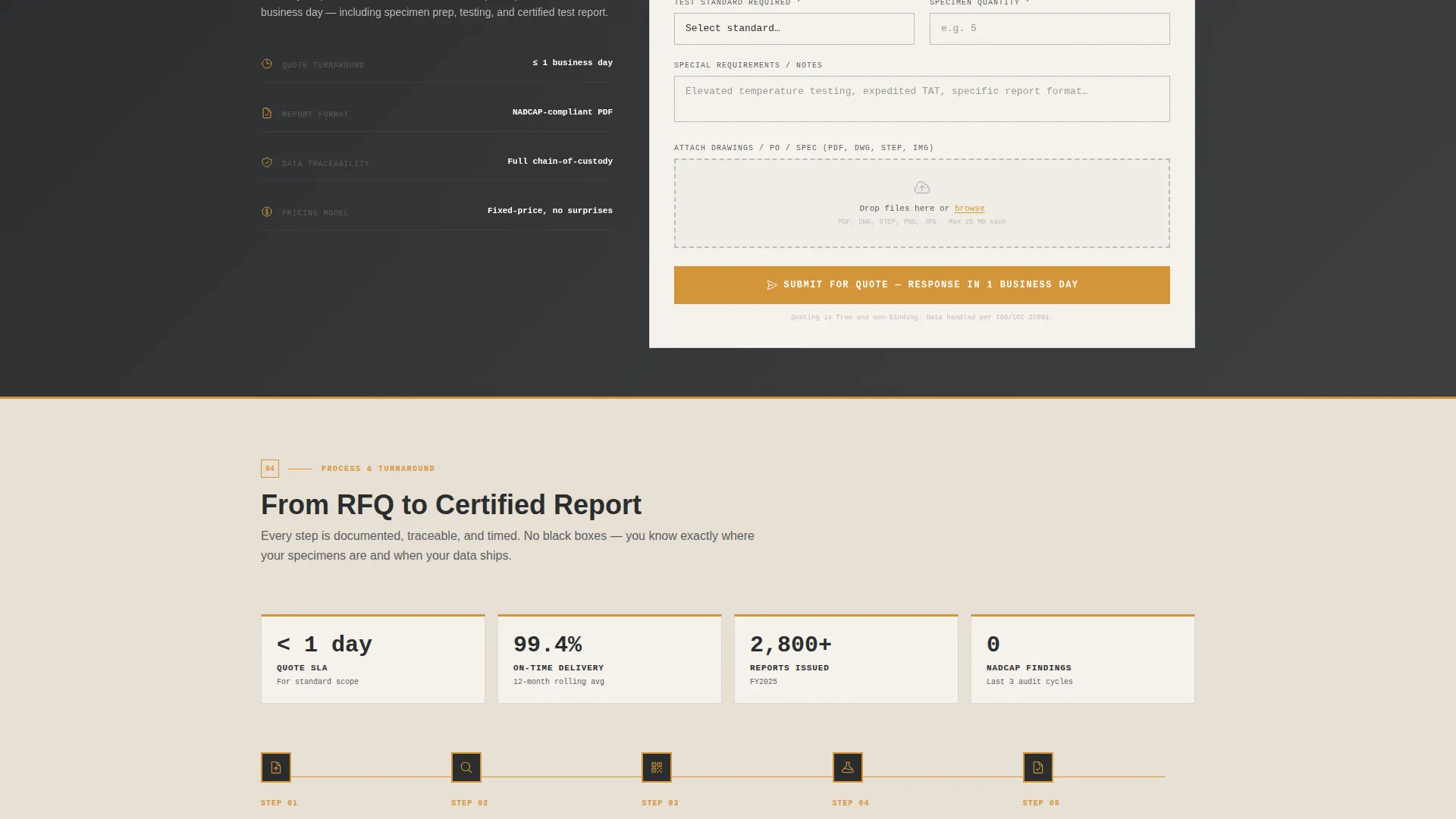
The primary lead-capture form collects part name, material alloy or specification, required test standard, specimen quantity, and an attached drawing or purchase-order PDF via a drag-and-drop upload field. This gives the lab team everything needed to prepare an accurate quotation from the first contact.
Gated Scope of Accreditation Download
A secondary conversion path lets earlier-stage visitors download the lab's full scope-of-accreditation PDF. The gate requires only an email address and company name, capturing leads who are still writing their test plan and are not yet ready to request a quote.
Spec Sheet Creative Direction
Every scroll increment delivers data rather than narrative. Cards are formatted as specification tiles, and the overall page structure mirrors the visual language of a printed test certificate: sharp data columns, tolerance values, and credential markers. This builds confidence one verifiable credential at a time.
Page sections overview
| Section | Purpose |
|---|---|
| Isometric Header Bay | Establish lab identity and scope with an animated vector illustration |
| Accreditation Logos Row | Front-load credentials so trust is built before cards appear |
| Capability Card Grid | Present each testing discipline as a filterable specification tile |
| Persistent Quote Bar | Keep the primary call to action visible throughout scrolling |
| Test Quote Form | Capture detailed lead data for accurate quotation |
| Scope Download Gate | Convert earlier-stage leads with a lightweight PDF gate |
Design & branding system
The Certify template uses an Industrial Raw theme expressed through a Warm Stone color system. The palette is utilitarian and authoritative, referencing the physical environment of a testing bay without relying on stock photography.
- Core colors: quarry sandstone (#C4B097) for backgrounds, machined aluminum (#D6D9DC) for card surfaces, and deep hangar shadow (#2B2D2E) for body text
- Accent application: inspection-stamp amber (#D4943A) is reserved strictly for call-to-action elements, status badges, and hover states, including the thin amber rule along the top edge of each capability card
- Visual language: no stock photography or people; all imagery is equipment-focused, with the isometric header illustration setting the tone for precision drafting throughout
Mobile & speed optimization
The modular card grid and section-led layout are structured to adapt cleanly across screen sizes. The template is built for field-accessible viewing, since procurement engineers and quality directors often review supplier capabilities on mobile devices between facility visits.
- The card grid reflows from a multi-column desktop layout to a single-column mobile view without losing the specification-tile structure
- The persistent amber call-to-action bar remains anchored and accessible on smaller screens so the quote request path is never buried
- The drag-and-drop file upload field in the quote form is designed to function on touch devices for easy drawing or PDF attachment
How this template helps you convert
Certify is structured to earn lead submissions from technically demanding buyers who distrust marketing claims. Every layout decision serves that conversion goal.
- Accreditation logos and equipment model numbers appear before the lead-capture form, so visitors verify the lab's scope before they are asked for contact details, reducing form abandonment.
- Two distinct conversion paths match two distinct buyer readiness levels: the test-quote form serves ready-to-procure engineers, while the scope-of-accreditation download captures earlier-stage leads still building their test plan.
Other information about this template
Certify is categorized under Manufacturing and Industrial, with a specific focus on the Aerospace Manufacturing subcategory and the Aerospace Quality Testing Lab niche. It is well-suited for labs pursuing or maintaining NADCAP (National Aerospace and Defense Contractors Accreditation Program) accreditation, where communicating scope and credentials to procurement teams is a regular business requirement.
- The template style is a Card Grid (Modular) layout, making it straightforward to add or remove testing disciplines as a lab's accreditation scope grows
- The Spec Sheet creative direction means the visual hierarchy prioritizes data density over storytelling, which aligns with how aerospace procurement engineers evaluate suppliers
- The header concept is Isometric, a drafting-influenced illustration style that signals technical precision without requiring custom photography
Theme
Industrial Raw
Creative direction
Spec Sheet
Color system
Warm Stone
Style
Card Grid (Modular)
Direction
Lead Generation
Page Sections
Isometric Vector Lab Header
Filterable Capability Card Grid
Persistent Quote Call-to-action Bar
Detailed Test Quote Request Form
Gated Accreditation PDF Download
Spec Sheet Visual Direction
Related questions
Who is the Certify template designed for?
Can the capability cards be customized for different test disciplines?
What information does the lead-capture form collect?
Is the isometric lab illustration included with the template?
Does the template support labs that cover multiple material types?



