Education Department Education Website Template
Certify is a single-column landing page template designed for government-accredited vocational education boards. It maps the full certification journey, from application to certificate dispatch, in a transparent, section-by-section layout. Built for ITI graduates, workshop supervisors, and training institutes, the template converts visitor uncertainty into confident application clicks.
by Rocket studio
Quick summary
Certify is a structured, single-column landing page template for vocational certification boards. It presents the entire examination process as a transparent, step-by-step flow. Each section removes one layer of uncertainty, covering documents, fees, examination centers, sample papers, and results, so that applying feels like the obvious next step.
Who this template is for
This template serves government-accredited trade examination boards and vocational education departments. It works equally well for individual candidates and for organizations registering groups.
- ITI graduates and trade professionals seeking nationally recognized certification in fields like welding, electrical work, or diesel mechanics
- Workshop supervisors formalizing years of hands-on experience through a structured examination pathway
- Private training institutes bulk-registering candidate cohorts ahead of an examination window
What problem this template solves
Vocational certification pages often bury critical information behind vague language, hidden fees, or confusing navigation. Candidates arrive unsure of what documents to bring, what the fee is, or what happens after they submit. That uncertainty kills applications.
- No clear process map means candidates abandon the page before they understand what to do next
- Scattered fee details and document lists create doubt and delay, especially for first-time applicants
- Training institutes need structured information quickly and cannot afford to dig through cluttered pages
What you get with this template
The template delivers a single, well-organized page that mirrors how candidates actually think through the certification process. Every section follows logically from the one before it.
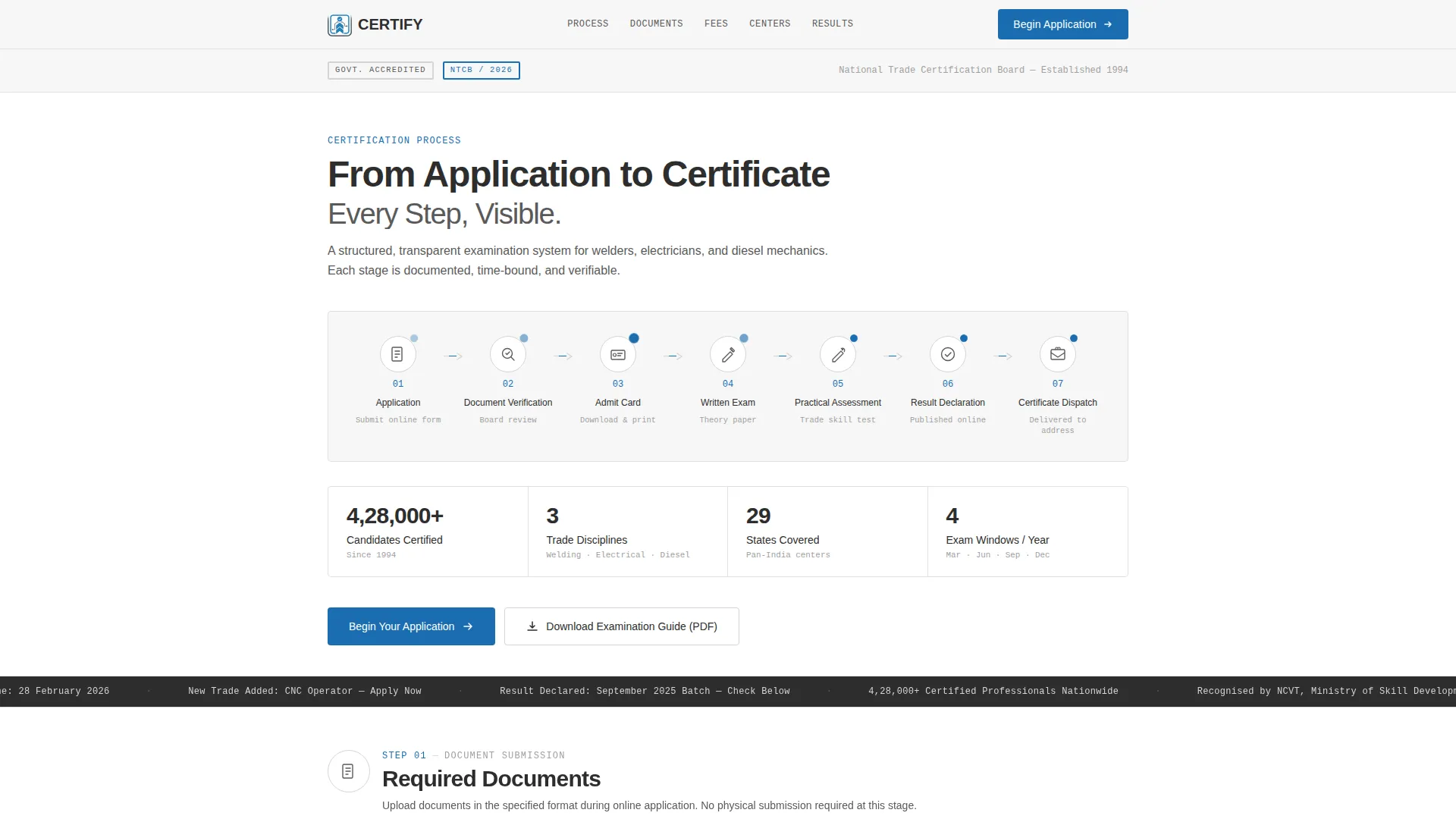
- A full-width, seven-node animated flowchart header mapping every stage from Application through to Certificate Dispatch
- Dedicated content sections for required documents, fee structure, examination center locations, sample papers, and a result-checking module
- A persistent "Begin Your Application" call-to-action bar that stays visible after the visitor scrolls past the fee section, plus a mid-page PDF guide download button
Feature list
This template is built around one idea: show the full process before asking for any action. Every feature supports that goal directly.
Seven-Node Animated Process Flowchart
The header section displays all seven certification stages in a horizontal flowchart. A subtle animated pulse travels from node to node, giving the page energy while reinforcing the idea that the process moves forward in a clear sequence.
Section-by-Section Process Expansion
Each flowchart node expands into its own full content section as the visitor scrolls. The matching icon from the header appears enlarged at the top of each section, so the candidate always knows which stage they are reading about.
Structured Document and Fee Tables
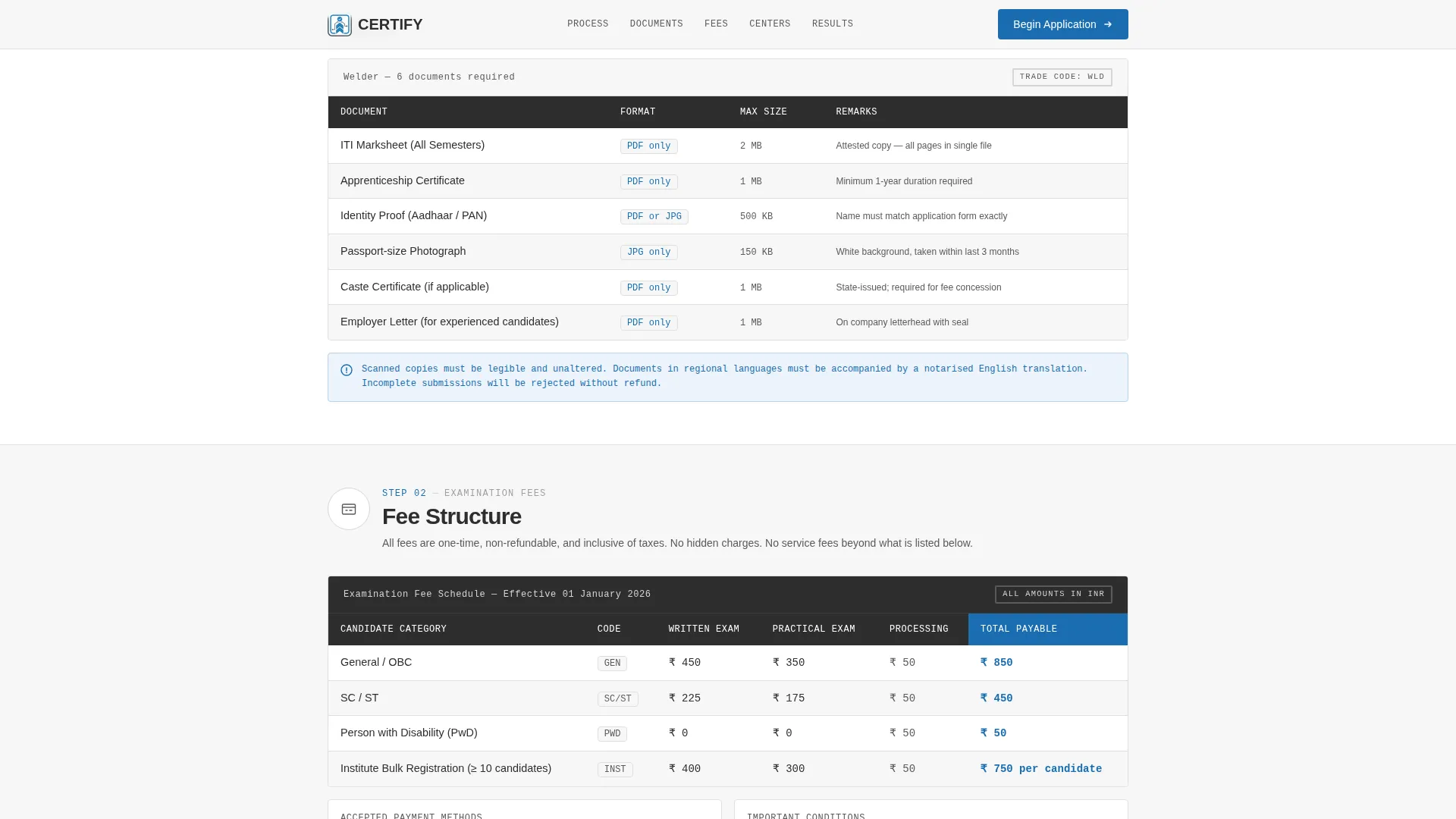
Required documents are listed with exact file formats and size limits. The fee table breaks down costs by candidate category with no hidden conditions or asterisked footnotes, every figure is visible and direct.
Examination Center Locator
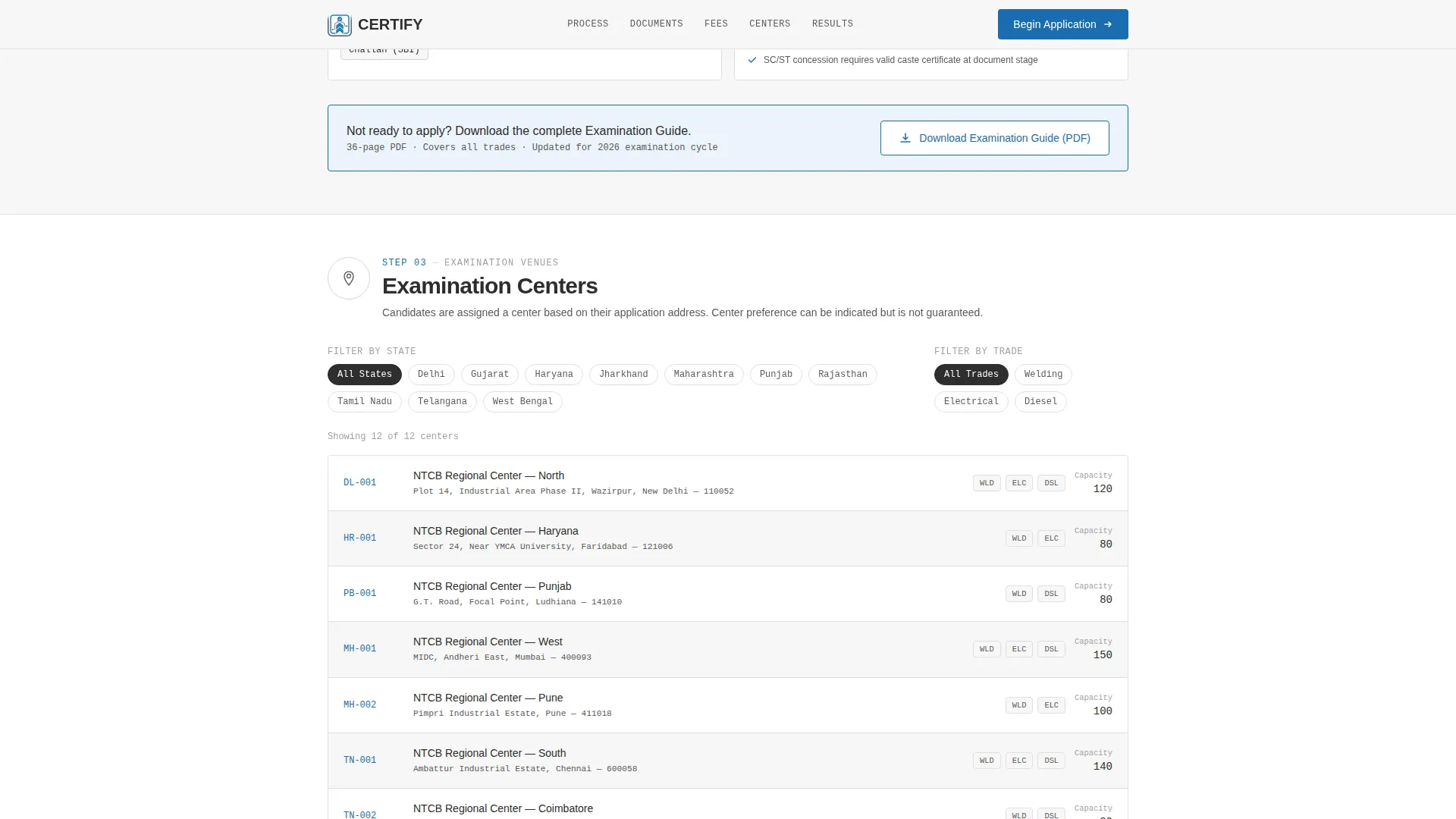
Centers are presented in a sortable list organized by state and district. Icon-based markers make scanning fast, and the layout supports the mobile-first audience who need this information quickly on a phone.
Sample Papers and Result Checker
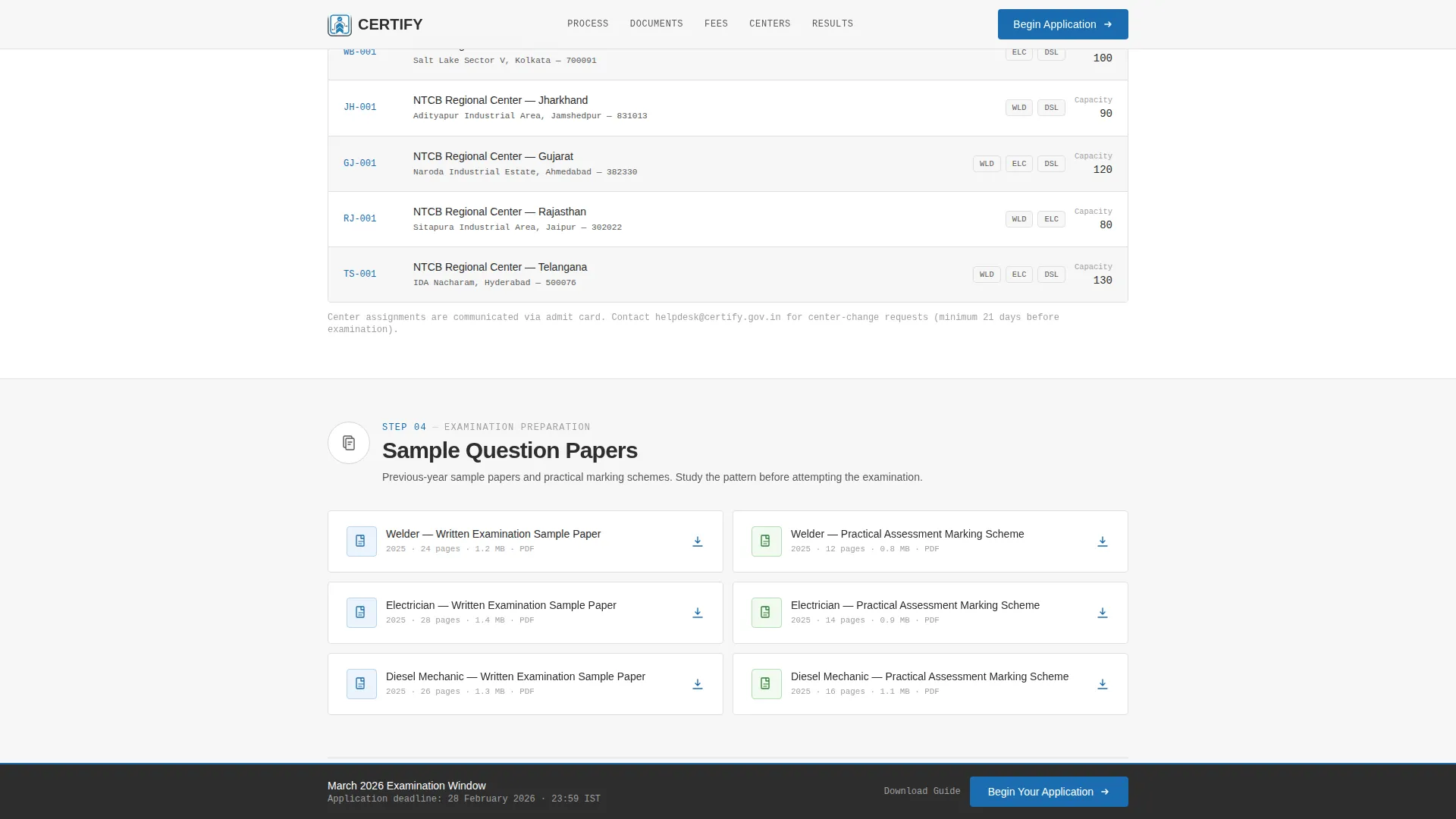
Downloadable sample question papers are embedded as PDF links. A registration-number input field lets candidates check their result directly on the page without navigating elsewhere.
Persistent Call-to-Action Bar
After the visitor scrolls past the fee structure section, a fixed bottom bar appears carrying the primary "Begin Your Application" button. It stays present without interrupting the reading experience, keeping the action step always within reach.
Page sections overview
| Section | Purpose |
|---|---|
| Hero Flowchart Header | Maps all seven certification stages with animated node-to-node pulse |
| Documents Required | Lists accepted file types and size limits per certification stage |
| Fee Structure Table | Shows category-wise fees with no hidden conditions |
| Examination Centers | Sortable state and district list with location icons |
| Sample Papers + Results | PDF downloads and registration-number result lookup |
| Footer | Minimal single-row institutional footer with essential links |
Design & branding system
The visual identity follows an Educational Guide theme built on a Monochrome Steel color system. The aesthetic is deliberately institutional, it feels like a well-printed government gazette rather than a commercial product page.
- Structural charcoal (#2D2D2D) for primary headings, machined gunmetal (#5A5A5A) for body text, mill-finish silver (#D4D4D4) for dividers and background bands, and institutional white (#F7F7F7) as the base canvas
- Certification blue (#1A6DB0) is used exclusively for links, buttons, and progress indicators, a single functional accent that carries all interactive meaning
- Typography pairs DM Sans for headings with IBM Plex Mono for labels and reference codes, reinforcing the official, print-document feel
Mobile & speed optimization
The template is built mobile-first, reflecting the reality that many ITI graduates and individual candidates access certification information on a phone. The layout adapts cleanly from a narrow mobile screen to a wider desktop view.
- The single-column flow means no complex grid rearrangements on smaller screens, content stacks naturally and stays readable
- Animations use lightweight SVG circuit-pulse effects and scroll-reveal stagger transitions, keeping motion purposeful without heavy resource demands
- The static-first build approach with minimal JavaScript keeps the page responsive even on lower-bandwidth connections common in semi-urban and rural candidate locations
How this template helps you convert
The template is designed around a Transparent Process creative direction. It earns the application click by answering every question before the visitor reaches the bottom of the page.
- The header flowchart immediately signals that this page has structure and answers, candidates understand the full journey in the first scroll, which builds trust before a single word of body copy is read
- The sequential section layout removes doubt progressively, documents, fees, centers, and results each handled in order, so that by the time the candidate sees the "Begin Your Application" button, applying feels like a natural continuation rather than a leap of faith
- The secondary "Download Examination Guide (PDF)" call to action captures candidates who are not yet ready to apply, keeping them engaged and connected to the board rather than losing them entirely
Other information about this template
Certify suits any vocational education board or trade examination authority that needs a credible, process-forward digital presence. A few additional points worth knowing before you use it.
- The template is localized for Indian contexts with INR currency formatting, DD/MM/YYYY date display, Indian state names in the examination center section, and standard Indian phone number formatting
- Social proof elements such as candidate count metrics, total certifications issued, and institute partnership figures are included as placeholder blocks, ready to be filled with real board statistics
- The FAQ accordion component is built into the page for inline candidate queries, reducing the need for candidates to contact support before applying
- The footer follows a minimal Pattern 1 linear single-row layout consistent with government portal design conventions
Theme
Educational Guide
Creative direction
Transparent Process
Color system
Monochrome Steel
Style
Single Column Flow
Direction
Click-Through
Page Sections
Seven-node Animated Flowchart Header
Progressive Section Expansion Per Stage
Document and Fee Transparency Blocks
State and District Examination Center List
Sample Papers and Result Checker Module
Persistent Application Call-to-action Bar
Related questions
What types of organizations is this template designed for?
Does the template include a form for candidate applications?
Can training institutes use this template for bulk candidate registrations?
How does the result-checking module work in this template?
Can the color system and typography be adjusted to match a specific board's identity?