Dental Appointment Booking with Oral Health Audit Website Template
Chairside is a single-column dental appointment booking landing page built for practices that want to convert hesitant patients before they scroll away. An interactive oral-health audit widget diagnoses visit needs in three questions, pre-fills the appointment type, and presents a persistent "Reserve My Chair" call to action. The design follows a clinical Corporate Precision theme in Slate and Sky tones.
by Rocket studio
Quick summary
Chairside is a single-column booking landing page for dental practices. A three-question oral-health audit widget opens the page, delivers a personalized visit recommendation, and feeds directly into a three-step inline scheduler. The design is clinical and precise: charcoal text, sky-blue accents, and sterilization-white backgrounds keep the focus entirely on booking.
Who this template is for
This template is built for dental practices that need to turn passive website visitors into confirmed appointments. It works especially well for practices serving a mixed patient base with different scheduling motivations.
- Mid-career professionals aged roughly 28 to 50 who are overdue for care and know it
- New-to-town families comparing local options late at night on their phones
- Office managers booking group cleanings against a benefits year-end deadline
What problem this template solves
Most dental booking pages ask for commitment before earning it. A visitor lands, sees a generic "Book Now" button, and leaves without acting. This template flips that sequence.
- Patients are unsure which appointment type they actually need
- Visitors worry whether their insurance is accepted before they commit to a time slot
- Practices lose bookings because the path from interest to confirmed chair time has too many steps
What you get with this template
You get a complete, conversion-focused dental booking landing page with every section pre-structured and ready to customize. The layout follows a numbered audit flow that guides visitors from self-diagnosis to confirmed appointment without friction.
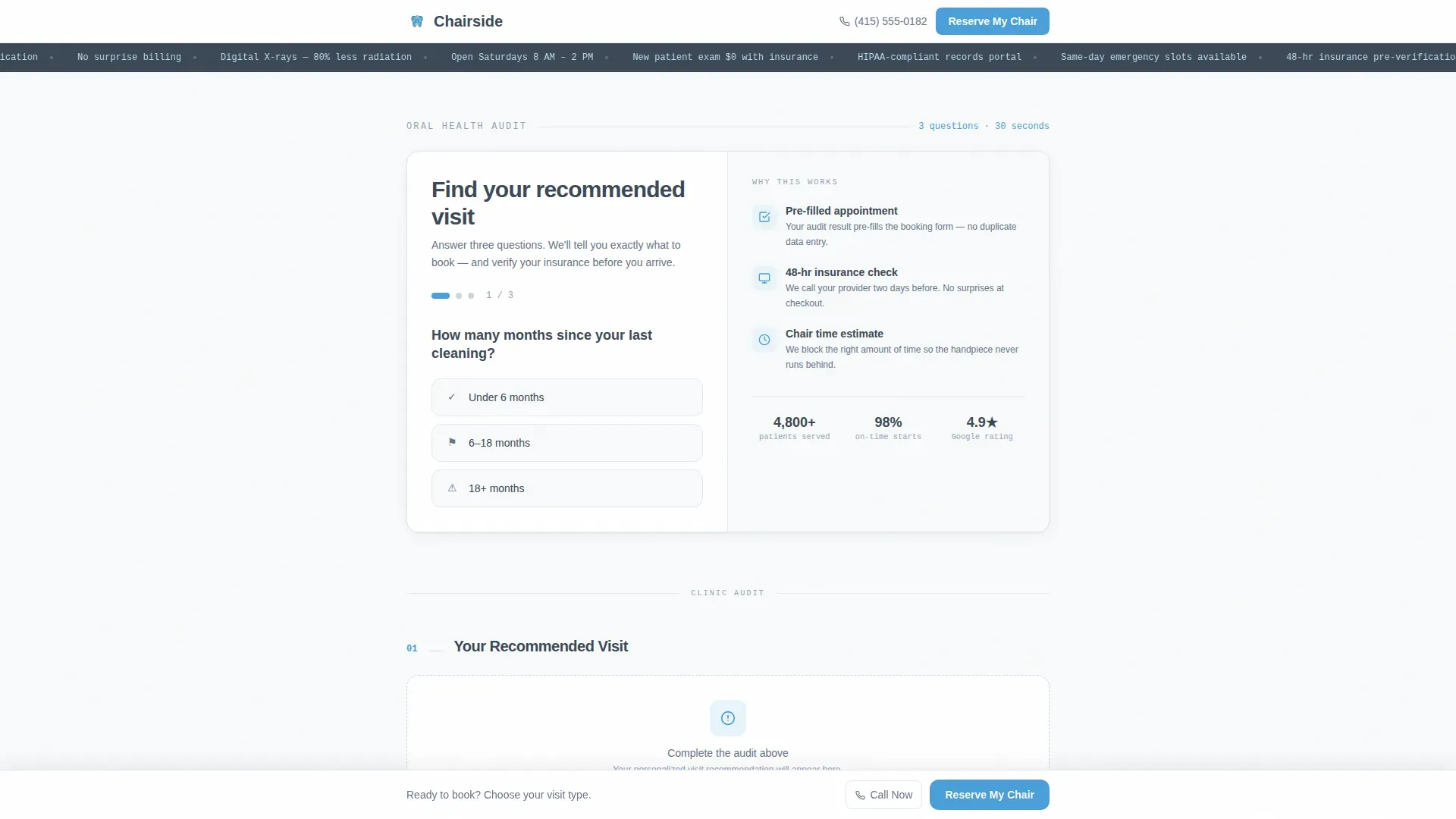
- An interactive oral-health estimator in the hero section with real-time recommendation cards
- Four numbered audit sections covering visit recommendations, diagnostic screening, insurance lookup, and staff credentials
- A three-step inline scheduler with visit type pre-selection, date and time grid, and contact entry
Feature list
A focused set of interactive and visual components makes this template distinctive among dental booking layouts.
Three-Question Oral-Health Audit Widget
The hero section opens with a three-question estimator. Visitors answer how long since their last cleaning, whether they have current pain, and whether they hold dental insurance. Each answer triggers a live recommendation card beside the question, producing a personalized visit summary with an estimated chair time before the visitor scrolls once.
Real-Time Insurance Provider Lookup
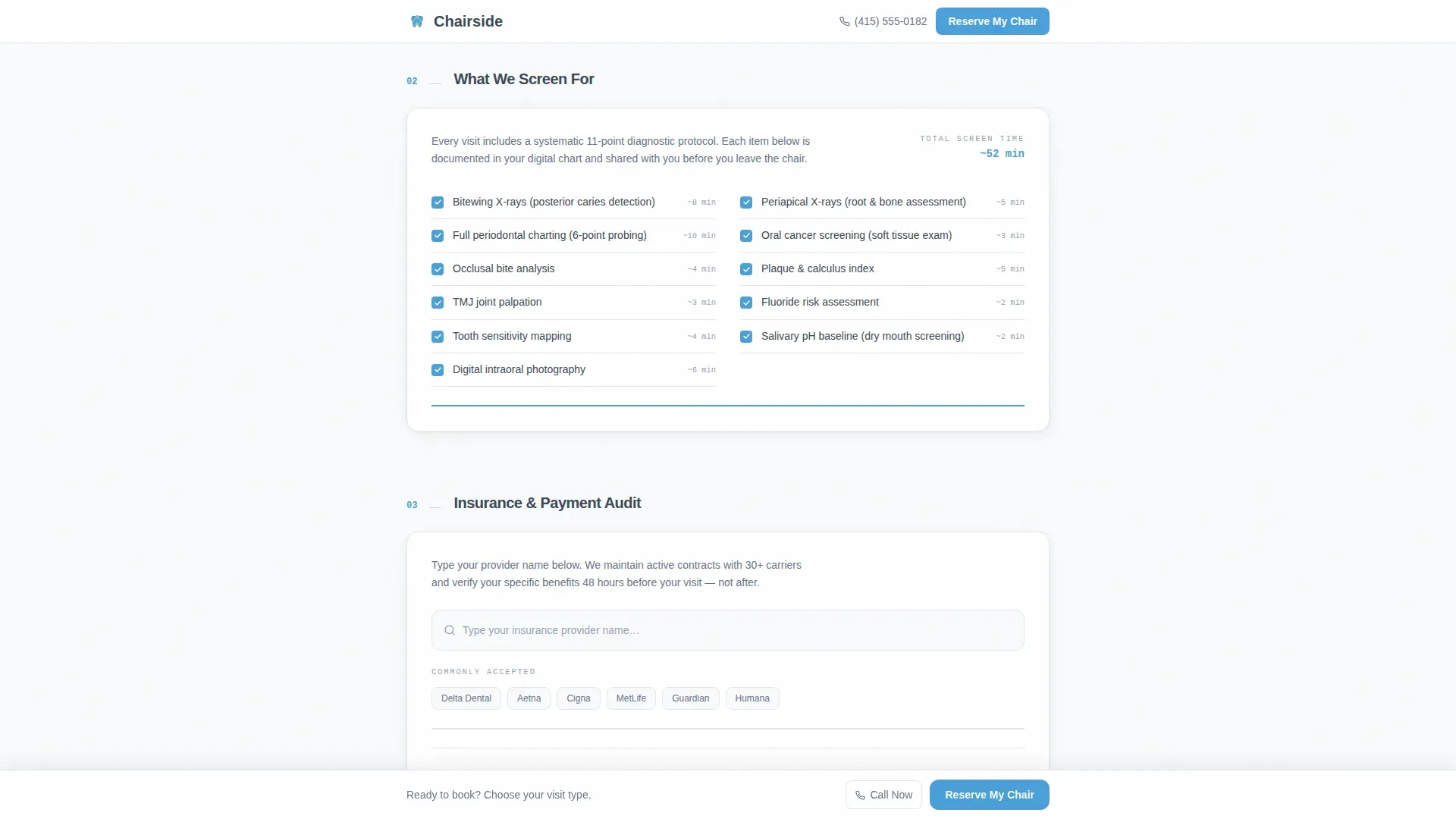
Section 03 of the audit flow includes a live insurance lookup field. Visitors type their provider name and receive an instant accepted or not-accepted badge. This removes a common hesitation point before the visitor reaches the booking step.
Persistent "Reserve My Chair" Booking Bar
After the second scroll section, a sticky bottom bar appears with the primary "Reserve My Chair" call to action alongside a tap-to-dial "Call Us Now" link. The bar stays visible throughout the rest of the page so the booking prompt is always within reach.
Three-Step Inline Scheduler
Clicking the booking call to action opens an inline three-step scheduler: select visit type (pre-filled from the audit result), choose a date and time from a morning and afternoon availability grid, then enter name, phone, and optional insurance identification. The flow stays on-page rather than redirecting visitors.
Scroll-Triggered Diagnostic Checklist
Section 02 presents eleven diagnostic items, from bitewing X-rays to oral cancer screening. Small slate checkmarks tick on as the visitor scrolls, giving a visible sense of thoroughness without requiring any interaction.
Hygienist Credential Cards
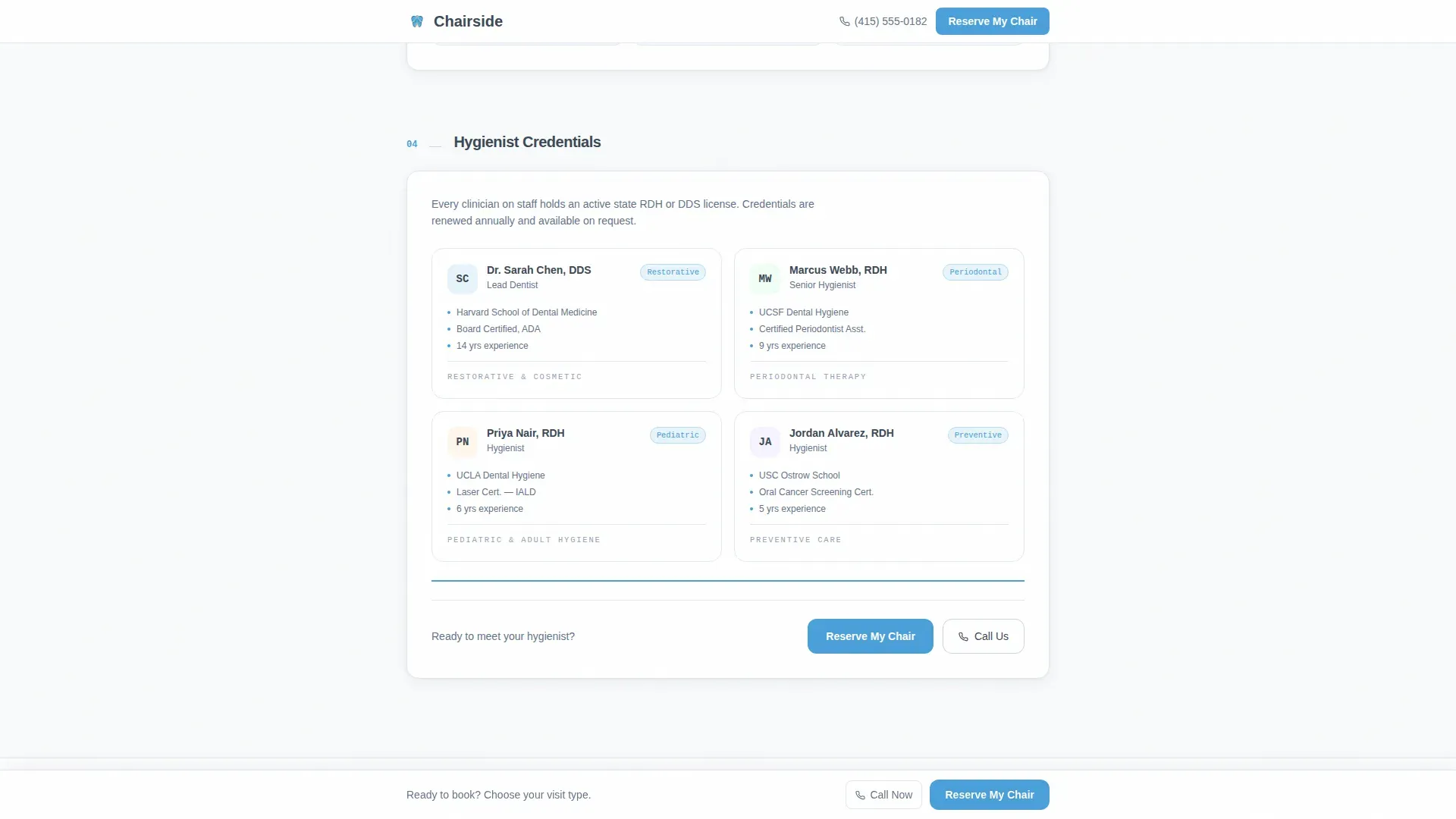
Section 04 presents staff as compact credential cards rather than portrait-style bios. The format communicates professional qualifications at a glance and reinforces trust at exactly the point before the final booking step.
Page sections overview
| Section | Purpose |
|---|---|
| Hero Audit Widget | Three-question oral-health estimator with live recommendation cards and primary booking call to action |
| 01 Your Recommended Visit | Personalized visit result with estimated chair time detail |
| 02 What We Screen For | Eleven-item diagnostic checklist with scroll-triggered checkmark animations |
| 03 Insurance & Payment Audit | Live provider name lookup returning accepted or not-accepted status badge |
| 04 Hygienist Credentials | Compact staff credential cards replacing traditional portrait bios |
| Inline Booking Scheduler | Three-step appointment flow: visit type, date and time grid, contact info entry |
| Footer | Linear single-row footer pattern |
Design & branding system
The visual identity follows a Corporate Precision theme. Every color and type choice references a clinical environment: clean, precise, and free of decorative distraction.
- Clinical charcoal (#3B4856) for primary text and section dividers, polished slate (#64748B) for secondary copy and icon strokes, open-sky blue (#4A9FD9) for all interactive elements and progress indicators, and sterilization white (#F8FAFB) across all backgrounds
- DM Sans handles body and heading text for clean readability; JetBrains Mono is used for widget labels, audit numbers, and credential tags to reinforce a data-precise feel
- Sky-blue progress lines fill left to right at the bottom of each audit section, giving visitors a visible sense of moving through a structured examination
Mobile & speed optimization
The template is designed mobile-first, reflecting the reality that a significant share of patients book late at night on a phone. Every interactive element is touch-friendly and readable at small screen sizes.
- The audit widget, insurance lookup field, and inline scheduler are each built as isolated client-side components so they do not block the static page from loading
- The persistent bottom booking bar is formatted for thumb-reach on mobile, keeping "Reserve My Chair" and "Call Us Now" accessible without scrolling back to the top
- Scroll-reveal animations and checklist tick-ons are designed at a medium intensity, keeping motion purposeful without slowing perceived load
How this template helps you convert
The booking sequence is built around earning commitment through diagnosis rather than demanding it upfront. Each layout decision reduces a specific friction point in the dental booking journey.
- The audit widget personalizes the visit before asking for anything, making the "Reserve My Chair" action feel like a logical next step the visitor already decided on
- The insurance lookup in section 03 resolves the single most common pre-booking hesitation, so visitors arrive at the scheduler already confident their coverage is accepted
- The persistent bottom bar and dual call-to-action pairing (online booking plus tap-to-dial) keep the conversion path open for both digital-first and voice-first visitors throughout the entire page
Other information about this template
This template is categorized under Health and Medical, Dentist Website, and is specifically scoped for a dentist appointment booking page use case. It is built as a single-column flow with no multi-page navigation.
- The audit flow follows a numbered checklist pattern (01 through 04) that mirrors a patient intake clipboard, reinforcing a sense of structured, unhurried professionalism
- The inline scheduler keeps the entire booking journey on a single page, with no redirects to external scheduling tools required by the template structure
- The footer uses a linear single-row pattern to keep the page exit clean and minimal, consistent with the clinical minimalism of the overall design
- The template supports English language, United States date formatting (MM/DD/YYYY), and USD currency display for insurance and payment context

Theme
Corporate Precision
Creative direction
Checklist & Audit
Color system
Slate & Sky
Style
Single Column Flow
Direction
Booking/Scheduling
Page Sections
Oral-health Audit Widget
Live Insurance Provider Lookup
Persistent Bottom Booking Bar
Three-step Inline Scheduler
Scroll-triggered Diagnostic Checklist
Hygienist Credential Cards
Related questions
Who is this landing page template designed for?
Can the audit widget recommendation be customized for different visit types?
How does the insurance lookup section work?
How does the three-step scheduler work?
Is this template suitable for practices that prefer phone bookings?



