On-Demand Business Booking Website Template
Folio is a single-page landing page template built for curated, on-demand bookstores. It combines an overlap-layered scroll, a Before/After header slider, countdown timers, and edition-count cards to create a sense of scarcity and craft. The result is a page that feels like a rare bookshop visit, deliberate, tactile, and designed to move first-edition bundles before the week's collection closes.
by Rocket studio
Quick summary
Folio is a landing page template for curated, on-demand book delivery services. Its layered, stacked-page scroll, Before/After header slider, and vermillion countdown timers work together to communicate scarcity, quality, and craft. Every visual choice, from deckled-edge imagery to sold-out archive stamps, earns the click before the call-to-action button is ever reached.
Who this template is for
This template is built for independent and boutique bookstores that want to sell curated weekly bundles rather than an open catalog. It suits operators who value editorial curation and physical presentation as much as the books themselves.
- Curated bookstore owners selling hand-selected, limited-edition weekly collections
- Gift-box or subscription book services that prioritize packaging, presentation, and personal touch
- Independent booksellers or collectors offering first printings and rare editions to discerning buyers
What problem this template solves
Most retail landing pages look like warehouses: search bars, filters, and grids. For a bookstore built on curation and scarcity, that presentation undercuts the entire value proposition. Folio solves the trust and urgency gap that generic e-commerce templates create for boutique book services.
- Visitors see no clear signal of scarcity, so they leave without buying
- Generic layouts fail to communicate the tactile, editorial quality of a hand-curated service
- Standard checkout flows don't frame a weekly bundle as a finite, time-sensitive offer
What you get with this template
Folio delivers a fully structured single-page layout with every section and component described in the design brief. Nothing here is filler, each element directly supports the curated bookstore experience.
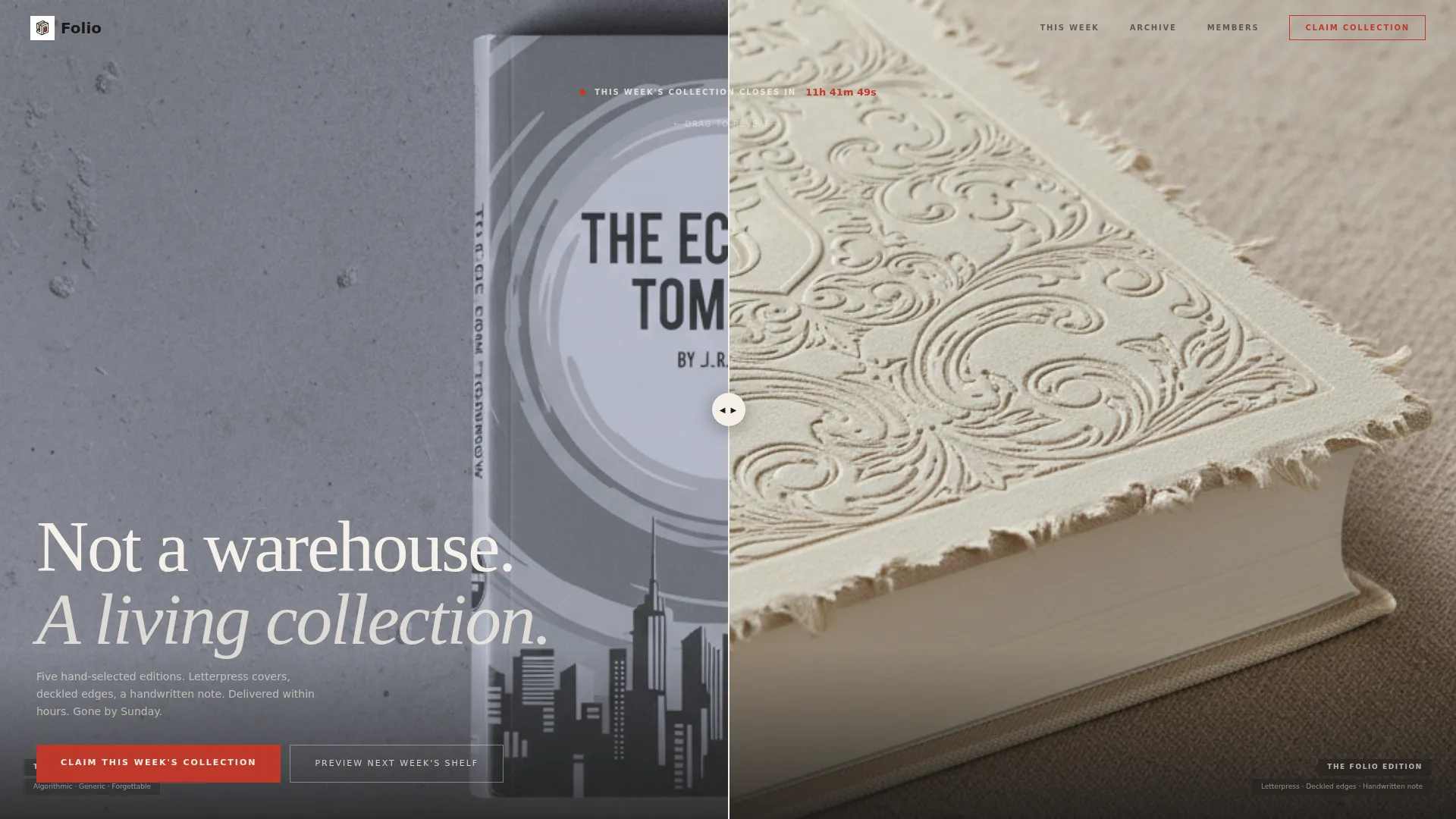
- A Before/After header slider contrasting a mass-market paperback with the Folio edition on a linen surface
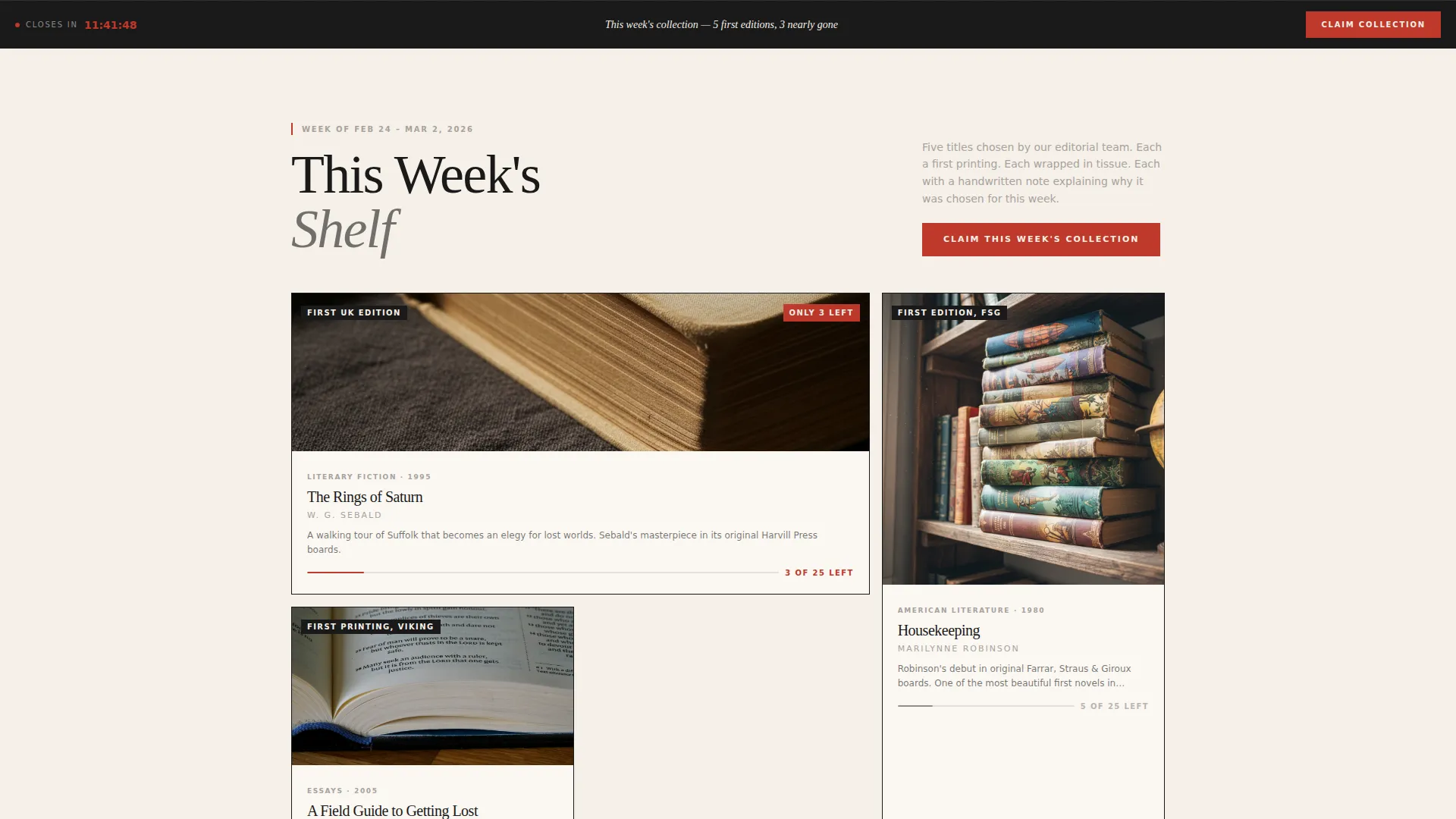
- Five collection cards with individual hover states showing remaining edition counts per title
- A persistent bottom call-to-action bar, a sold-out archive section, a testimonial section, and an email capture field for early access
Feature list
Folio ships with purpose-built components that support a scarcity-driven, design-led on-demand bookstore landing page.
Before/After Header Slider
The header splits two states of the same book side by side. Visitors drag the slider to watch a forgettable mass-market paperback transform into the Folio edition, letterpressed cover, deckled edges, handwritten note included. The contrast makes the product's value immediately visible.
Countdown Timer with Vermillion Accent
A pulsing countdown timer sits above the fold, displaying the hours and minutes remaining before this week's collection closes. The timer uses the library stamp vermillion accent color exclusively, so urgency is always visually distinct from the rest of the page.
Layered Overlap Scroll Layout
Each section overlaps the one above it like pages in a physical stack. Subtle shadows cast downward between sections to create physical depth. Scrolling through the page feels like lifting one page at a time from a curated pile.
Edition-Count Collection Cards
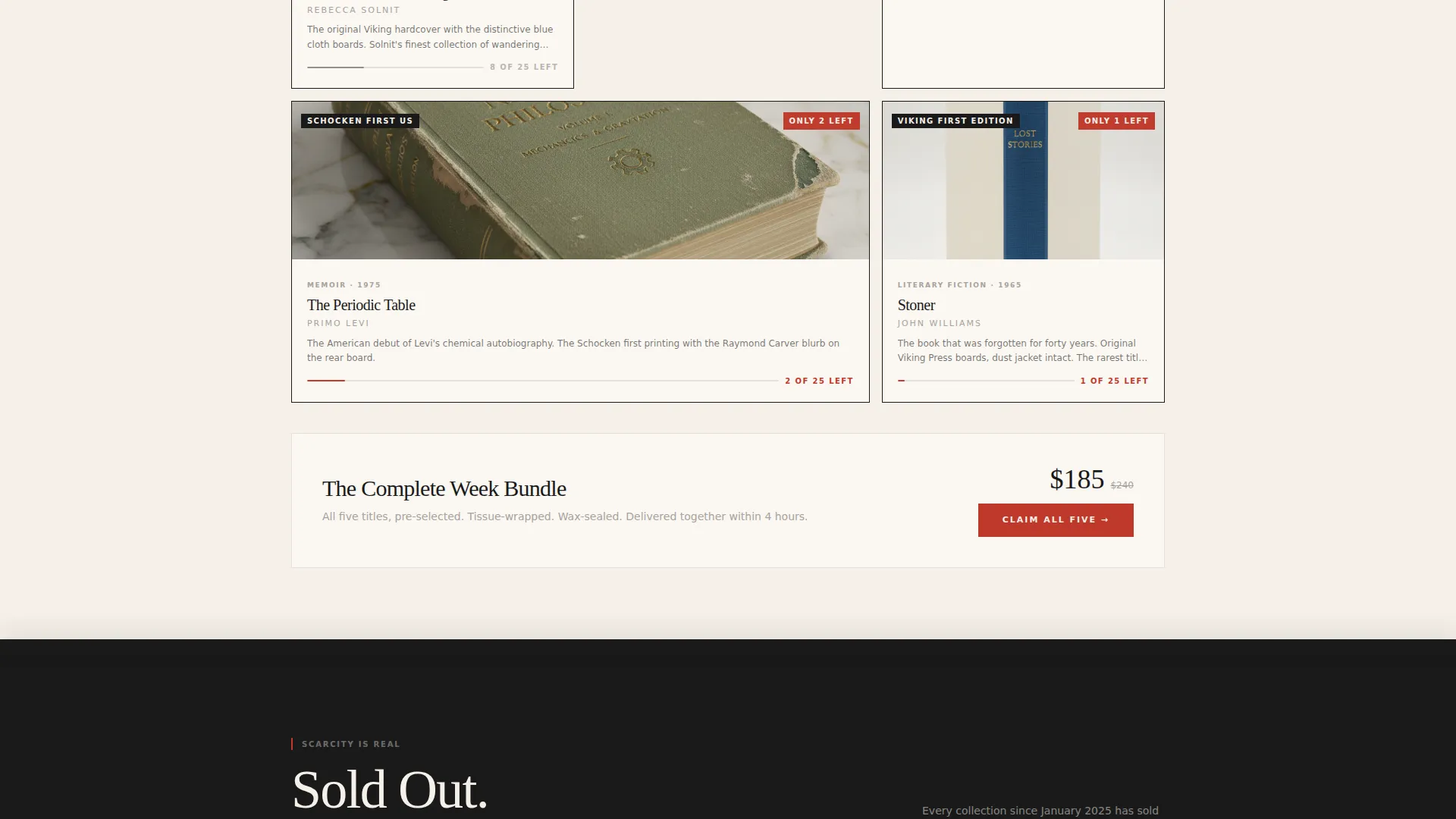
Five title cards represent the current week's curated picks. Each card lifts on hover to reveal the edition count remaining, for example "3 of 25 left." The finite number compounds the sense of scarcity naturally as the visitor browses.
Sold-Out Archive Section
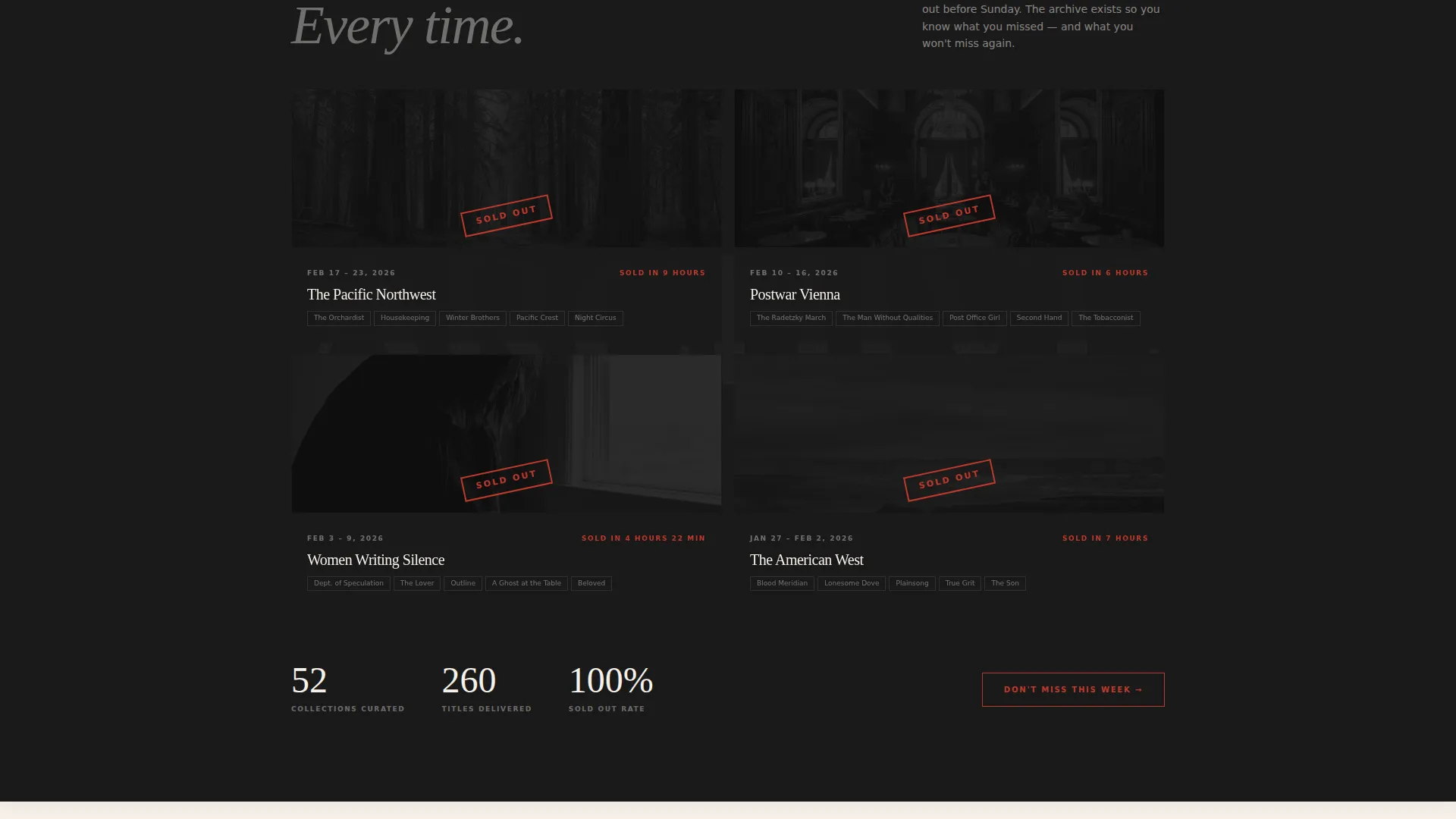
A dedicated archive section shows past collections marked as sold out. This section makes scarcity credible rather than manufactured. Visitors see proof that editions genuinely disappear before they reach the primary call-to-action.
Dual Conversion Paths
The primary call-to-action, "Claim This Week's Collection," routes to a pre-loaded bundle checkout. A secondary path, "Preview Next Week's Shelf," captures a single email address for early access. Both paths reduce friction while serving different levels of buyer readiness.
Page sections overview
| Section | Purpose |
|---|---|
| Header Slider | Contrast commodity versus. craft edition |
| Countdown Timer | Signal collection closing deadline |
| Weekly Collection Cards | Show five curated titles with edition counts |
| Sold-Out Archive | Prove scarcity with past collections |
| Member Testimonials | Build trust through delivery photographs |
| Email Capture | Collect early-access sign-ups |
| Persistent call to action Bar | Keep primary action visible on scroll |
Design & branding system
Folio follows a Luxe Minimal theme built around an Ink and Paper color system. Every color serves a specific role, nothing is decorative for its own sake. The palette feels like the endpaper of a first edition: matte, restrained, and tactile even on screen.
- Deep manuscript black (#1A1A1A) handles all primary typography at confident weights; uncoated stock cream (#F5F0E8) dominates backgrounds with generous whitespace; marginalia gray (#A8A29E) softens secondary text and divider lines
- Library stamp vermillion (#C0392B) appears only on countdown timers and call-to-action elements, so every instance of red reads as urgency
- Section overlaps cast subtle shadows to simulate physical paper depth, reinforcing the tactile, print-inspired visual language throughout the scroll
Mobile & speed optimization
The overlap-layered layout and hover-state cards are designed to translate clearly from desktop to smaller screens. The stacked-page metaphor works naturally in a vertical mobile scroll, where one section lifts into view over the next.
- Edition-count cards and the Before/After slider are structured to be navigable on touch devices without losing visual impact
- The persistent bottom call-to-action bar is especially effective on mobile, keeping the primary conversion action within thumb reach at all times
- Generous whitespace and high-contrast typography ensure the page remains readable across screen sizes without relying on decorative complexity
How this template helps you convert
Folio is engineered so that the page does the persuading before the visitor reaches the button. Every scroll step compounds the buyer's motivation.
- The countdown timer and edition counts create layered urgency from the first second on the page, giving visitors a clear reason to act now rather than later.
- The sold-out archive section validates that scarcity is real, which removes skepticism and increases trust in the limited-availability framing used throughout.
- Two conversion paths serve different buyer stages: the primary bundle checkout captures ready buyers, while the email capture holds hesitant visitors in the funnel for the following week's collection.
Other information about this template
Folio sits at the intersection of on-demand retail and editorial curation. It is designed for a specific type of bookstore experience rather than a general-purpose e-commerce layout.
- The template is built for a single-page, section-led landing page flow, not a multi-page storefront
- The five-title weekly bundle structure is baked into the layout; operators can update title cards and edition counts each week without redesigning the page
- The wax-seal and tissue-wrapping presentation details from the brief inform the visual tone throughout, making the page feel consistent with a premium physical unboxing experience
- This template suits on-demand book delivery businesses that operate on a weekly or rotating curation model, where closing dates and limited quantities are central to the offer
Theme
Luxe Minimal
Creative direction
Limited Time
Color system
Dopamine Pop
Style
Bento Grid
Direction
Quiz/Assessment
Page Sections
Before/after Header Slider
Countdown Timer with Urgency Accent
Layered Overlap Scroll
Edition-count Collection Cards
Sold-out Archive Section
Dual Conversion Path Design
Related questions
Can I update the collection cards each week without rebuilding the page?
Does the countdown timer reset automatically for each new collection?
Is the Before/After slider suitable for showing physical book details clearly?
Can the email capture field connect to my mailing list?
Is this template suitable for a single weekly drop or an ongoing catalog?



