EV Charger Installation Landing Page Template
Charger is a card-grid landing page template built for electric vehicle charger installation companies. It walks visitors through every step of the install process, from site survey to activation, in a numbered card layout that replaces guesswork with clarity. Two lead capture paths serve both ready-to-book clients and early-stage cost shoppers.
by Rocket studio
Quick summary
Charger is a single-page, modular card-grid template designed for EV charger installation crews. It uses a transparent, step-by-step layout to show homeowners, property managers, and fleet operators exactly what happens during an installation, building confidence before asking for a booking.
Who this template is for
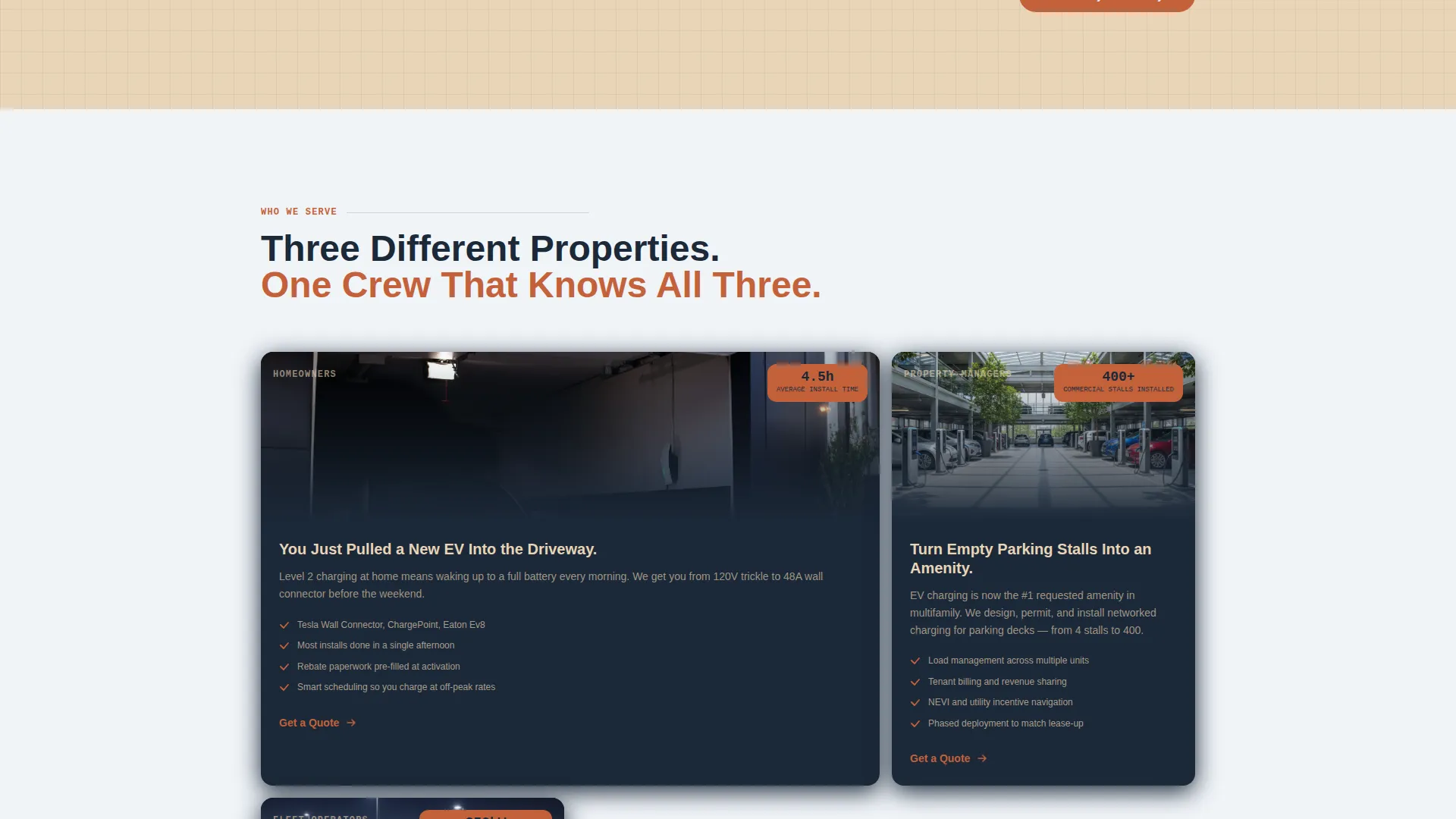
This template is built for electrical service companies that install Level 2 and DC fast chargers. It serves businesses targeting a mixed client base across residential, commercial, and fleet contexts.
- Residential electricians helping homeowners get 240-volt home charging set up quickly
- Property managers adding EV charging as an amenity to tenant parking structures
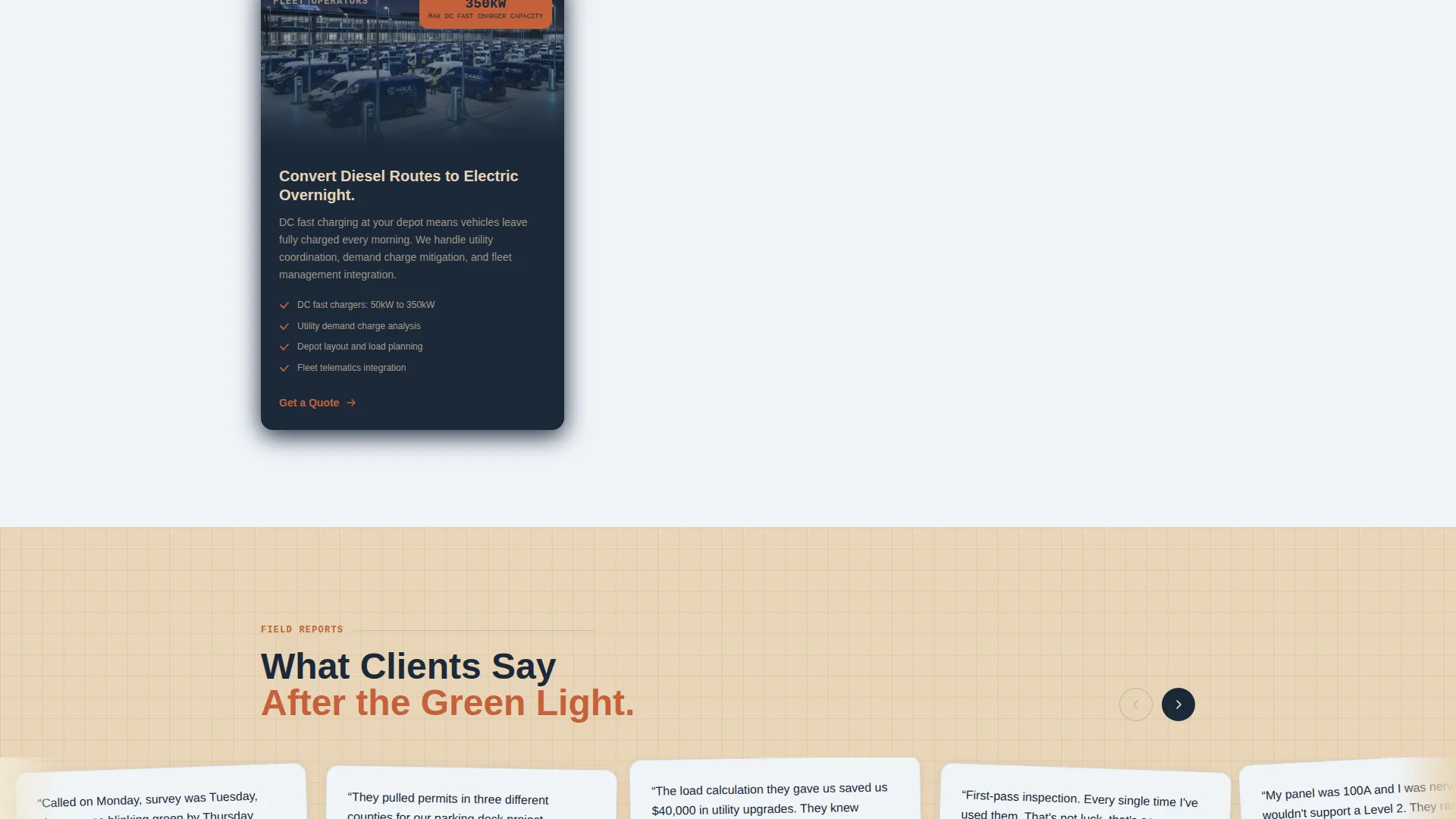
- Fleet operators converting diesel vehicle routes to electric and needing commercial charger installs
What problem this template solves
Most visitors landing on an electrical service page feel anxious. They do not understand conduit runs, permit filing, or panel load calculations. That uncertainty slows decisions and kills leads.
- Visitors leave without booking because the process feels opaque and intimidating
- Cost-shoppers bounce before they ever reach a contact form
- Service pages that hide the process force visitors to call just to understand what they are buying
What you get with this template
You get a complete, ready-to-customize landing page that does the heavy lifting of building trust before the form ever appears. The layout is structured around clarity and conversion.
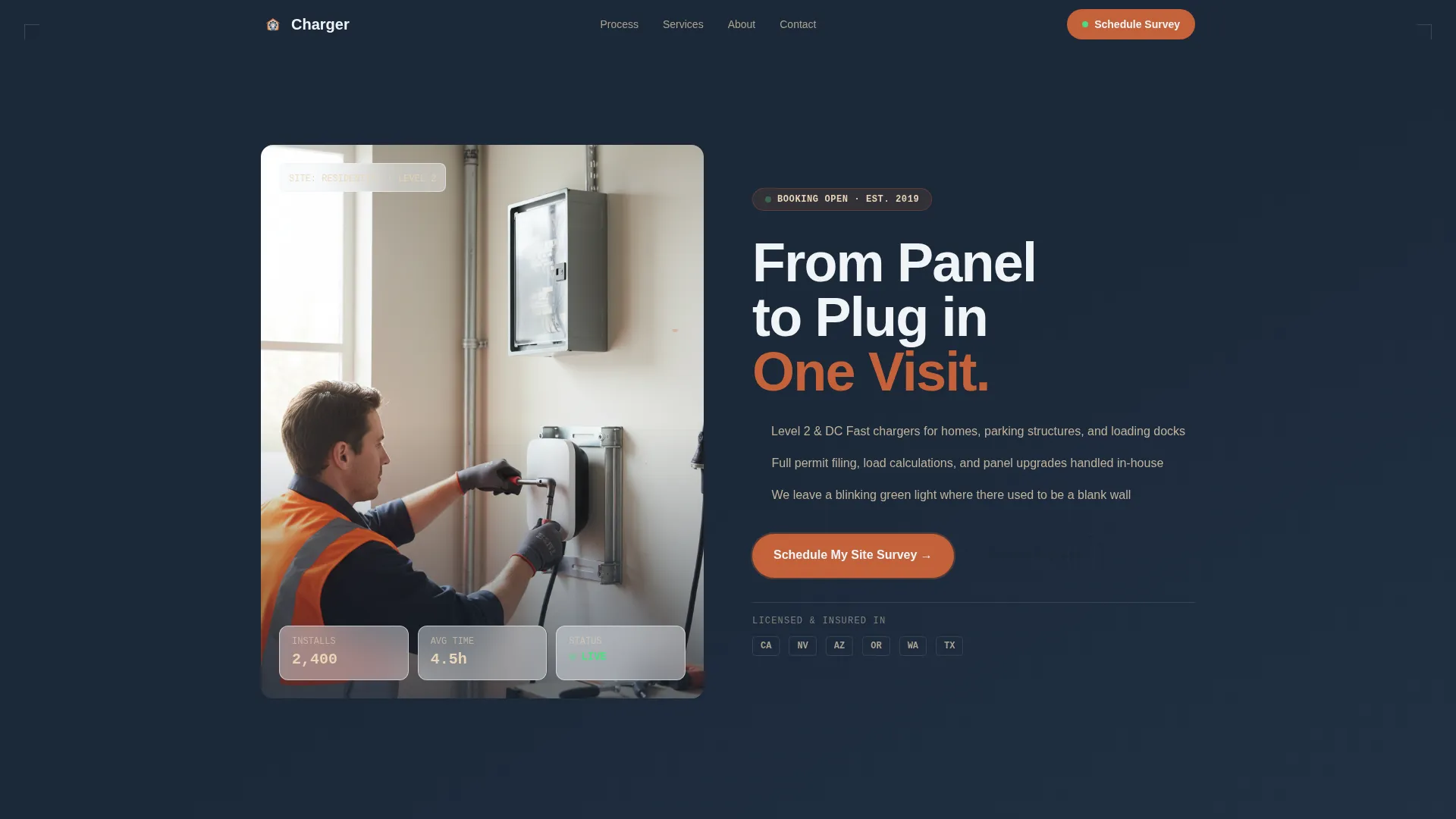
- A half-page hero section with a real-job photograph and a bold, direct headline
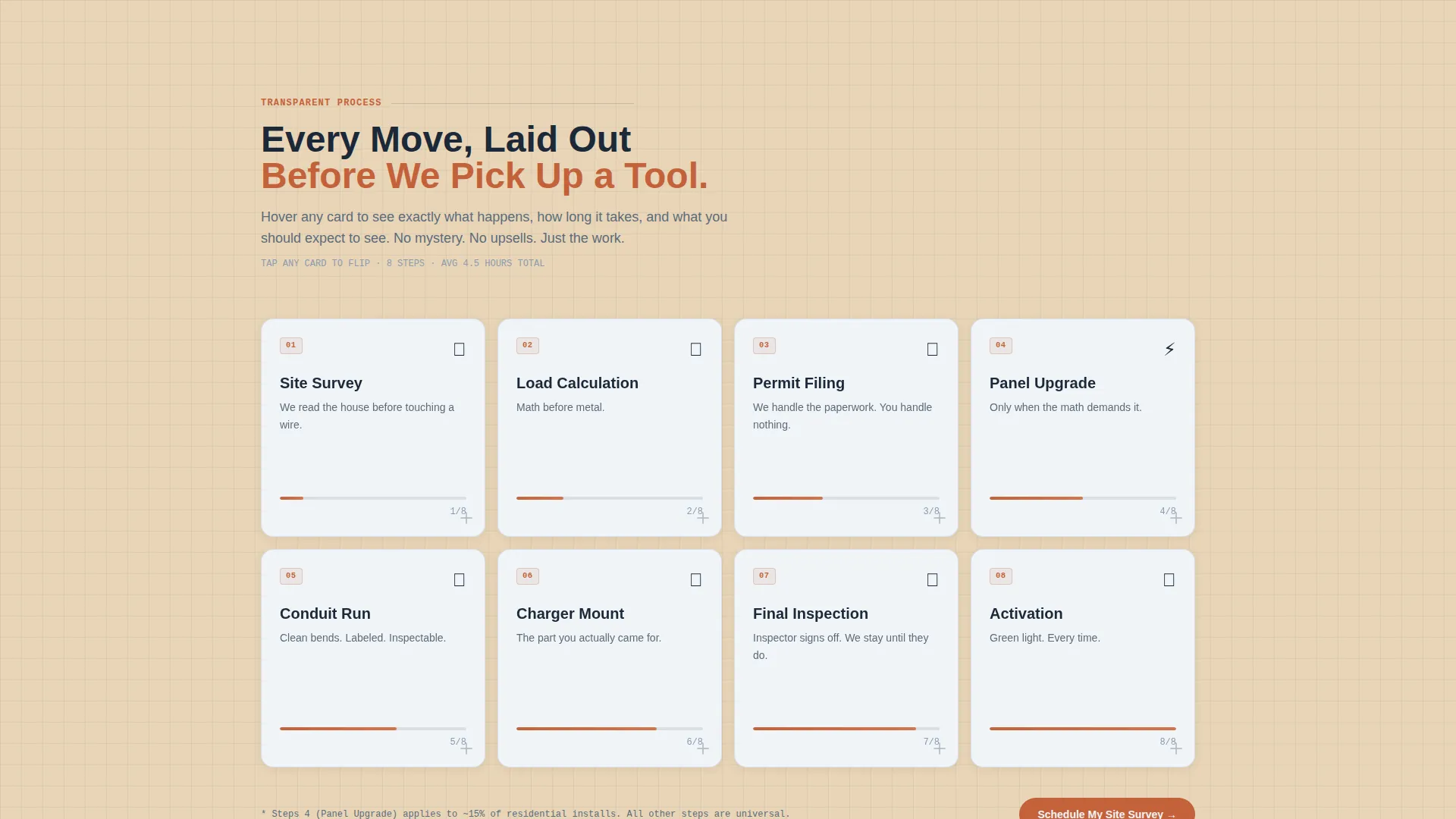
- A numbered, eight-step card grid that walks visitors through the full installation process
- Two lead capture paths: one for ready-to-book clients and one for rebate-curious cost shoppers
Feature list
This template is built from purpose-driven components. Each one earns its place by solving a specific problem for the visitor or the business.
Half-Page Hero with Split Layout
The header divides into two zones. The left side holds a knee-height garage photograph showing a technician mounting a wall connector with conduit running to a sub-panel. The right side carries the headline "From Panel to Plug in One Visit" with a three-line scope statement and a single terracotta call-to-action button.
Eight-Step Numbered Card Grid
Eight modular cards map the full installation journey: Site Survey, Load Calculation, Permit Filing, Panel Upgrade (if needed), Conduit Run, Charger Mount, Final Inspection, and Activation. Each card flips on hover to reveal what happens, how long the step takes, and what the client should expect to see on their wall or panel.
Primary Lead Capture Form
The booking form collects address, charger preference (home or commercial, Level 2 or DC fast), current panel amperage with a reassuring "not sure" option, and preferred install window. This set of fields gives the crew everything needed to prepare before the first visit.
Secondary Rebate Capture Path
A second, lower-commitment call-to-action reads "See If Your Utility Offers Rebates." It collects only a zip code and email address, qualifying cost-conscious leads who are researching pricing but are not yet ready to schedule.
Engineering Blueprint Visual Theme
The page uses a Sunset Mesa color system: deep drafting-table navy, sunbaked terracotta, desert sandstone, and chalky blueprint white. The palette signals technical precision while keeping the page warm and approachable. Every color zone has a defined role across headers, card backgrounds, buttons, and footers.
Modular Card Architecture
The card grid is built as independent, reusable blocks. Each card stands alone, so the layout can be adjusted, reordered, or expanded without disrupting the overall page structure.
Page sections overview
| Section | Purpose |
|---|---|
| Hero Split Header | Establishes credibility with a real job photo and a direct headline |
| Scope Statement Block | Summarizes the service offer in three concise lines |
| Primary call to action Button | Drives clicks toward the site survey booking form |
| Step Card Grid | Walks visitors through all eight installation steps |
| Hover Flip Detail | Reveals timing, process notes, and expectations per step |
| Primary Lead Form | Captures address, charger type, panel info, and schedule preference |
| Rebate Capture Path | Collects zip code and email for cost-shopping visitors |
| Footer Zone | Closes the page with navy anchor and supporting details |
Design & branding system
The visual identity follows an Engineering Blueprint theme using the Sunset Mesa color system. The palette references the feel of an engineer's field notebook left open on a truck dashboard at golden hour, precise and warm at the same time.
- Navy (#1B2838) anchors the header and footer; sandstone (#E8D5B7) washes behind card grid sections; terracotta (#C4623A) fires every button and progress indicator; blueprint white (#F0F4F8) keeps card interiors open and readable
- Typography and layout follow a technical-precision logic: labeled sections, clear hierarchy, and nothing left unaccounted for
- The overall effect is a page that feels like a freshly organized electrical panel, every element has a purpose and a place
Mobile & speed optimization
The card grid layout is built modular, which means it adapts cleanly across screen sizes. Visitors on a phone get the same step-by-step clarity as desktop users.
- Cards stack vertically on smaller screens so the numbered sequence remains readable and unbroken
- The split hero collapses into a stacked photograph-over-text layout on mobile, keeping the headline and call-to-action prominent
- Form fields are spaced for easy tap interaction without pinching or zooming
How this template helps you convert
The page earns the form submission before the form appears. Visitors arrive with questions; the card grid answers them one step at a time.
- The eight-step card grid dismantles anxiety by showing every move the crew makes, from the first site survey through final activation, so visitors feel informed rather than sold to.
- The dual lead capture system meets visitors wherever they are: ready-to-book clients go straight to the scheduling form, while rebate shoppers enter through the low-friction zip code path, keeping both audiences moving forward.
Other information about this template
This template is categorized under Construction and Home, specifically within the Electrical Service niche, with a focus on EV charger installation. It is a strong fit for companies offering both residential and commercial charging solutions.
- The template style is Card Grid (Modular), making it straightforward to expand or reorganize sections as a business grows its service offerings
- The creative direction is Transparent Process, meaning the design philosophy prioritizes showing work rather than selling with vague promises
- The header concept is a Half-Page Photo and Text split, designed to lead with a real installation photograph rather than stock imagery
- The landing page direction is Lead Generation, with two distinct capture paths built into the layout from the start
Theme
Engineering Blueprint
Creative direction
Transparent Process
Color system
Sunset Mesa
Style
Card Grid (Modular)
Direction
Lead Generation
Page Sections
Half-page Hero with Split Layout
Eight-step Numbered Card Grid
Primary Lead Capture Form
Secondary Rebate Capture Path
Engineering Blueprint Visual Theme
Modular Card Architecture
Related questions
Can I customize the eight installation steps shown in the card grid?
Does the template support both residential and commercial charger installations?
What information does the primary booking form collect?
Is the rebate capture path separate from the main booking form?



