Fishing Charter Booking Website Template
Charter is a single-column landing page template built for fishing charter booking platforms. It connects anglers with captains through a frictionless search flow, real catch data, and captain profile cards. The Fire and Earth color system and panoramic coastal header set the scene immediately. Every scroll section earns visitor trust before asking for a single click.
by Rocket studio
Quick summary
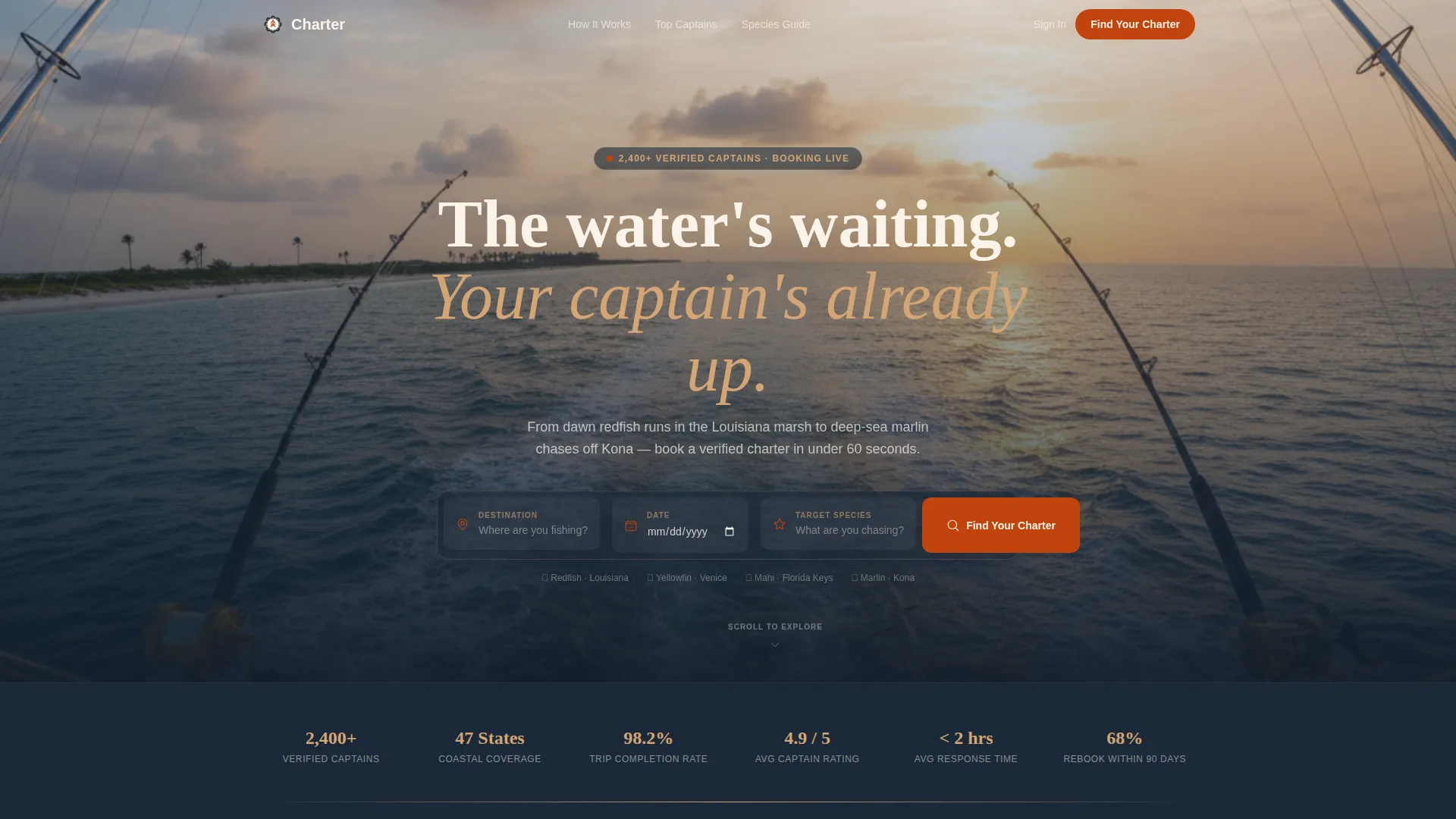
Charter is a click-through landing page template for fishing charter booking platforms. It opens with a panoramic golden-hour coastal header and a centered three-field search bar. Case study narrative sections guide visitors from real trip stories to filtered booking results. The Fire and Earth palette keeps the experience focused and the path to booking clear.
Who this template is for
This template suits anyone running or launching a fishing charter booking platform. It works equally well for solo operators and multi-boat fleet coordinators who need to present real catches and build trust fast.
- Charter booking platform owners who need a high-impact first impression
- Independent fishing guides wanting a professional single-page presence
- Platform developers building a marketplace that connects anglers with captains
What problem this template solves
Most fishing charter pages lose visitors before the first scroll. They lead with generic hero images, bury the booking entry point, and offer no social proof. Charter fixes that by putting the search bar front and center and backing every section with real trip data.
- Visitors leave when there is no immediate path to search or browse
- Lack of real catch evidence makes potential customers hesitant to commit
- Complex multi-step flows create friction before a booking ever starts
What you get with this template
You get a fully structured single-column landing page built around a click-through booking flow. The layout moves visitors naturally from inspiration to search results without asking for an account or filling out a form.
- A panoramic coastal header with a centered three-field search bar covering destination, date, and species target
- Case study narrative scroll sections showing real trip stories, captain profile cards, catch logs, and data visualizations
- Dual call-to-action paths: a primary "Find Your Charter" button and a secondary "Browse Top Captains" option
Feature list
A paragraph introducing the feature set helps set context. Each component below is drawn directly from the template brief and reflects what the layout actually delivers.
Panoramic Golden-Hour Header
The header stretches edge to edge with a flybridge coastal panorama. A centered three-field search bar sits over the image, ready for destination, date, and species input with no surrounding clutter.
Case Study Narrative Sections
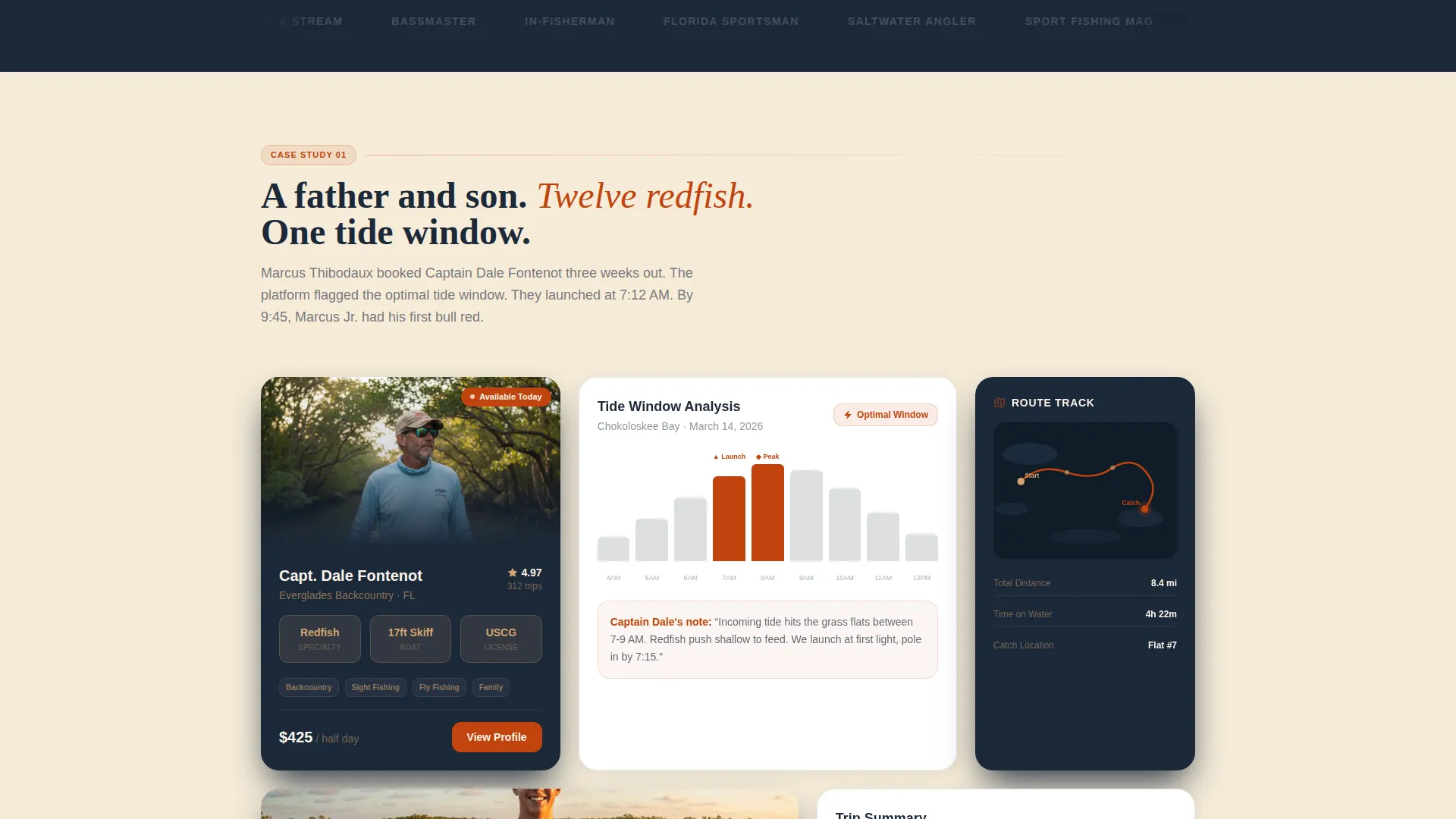
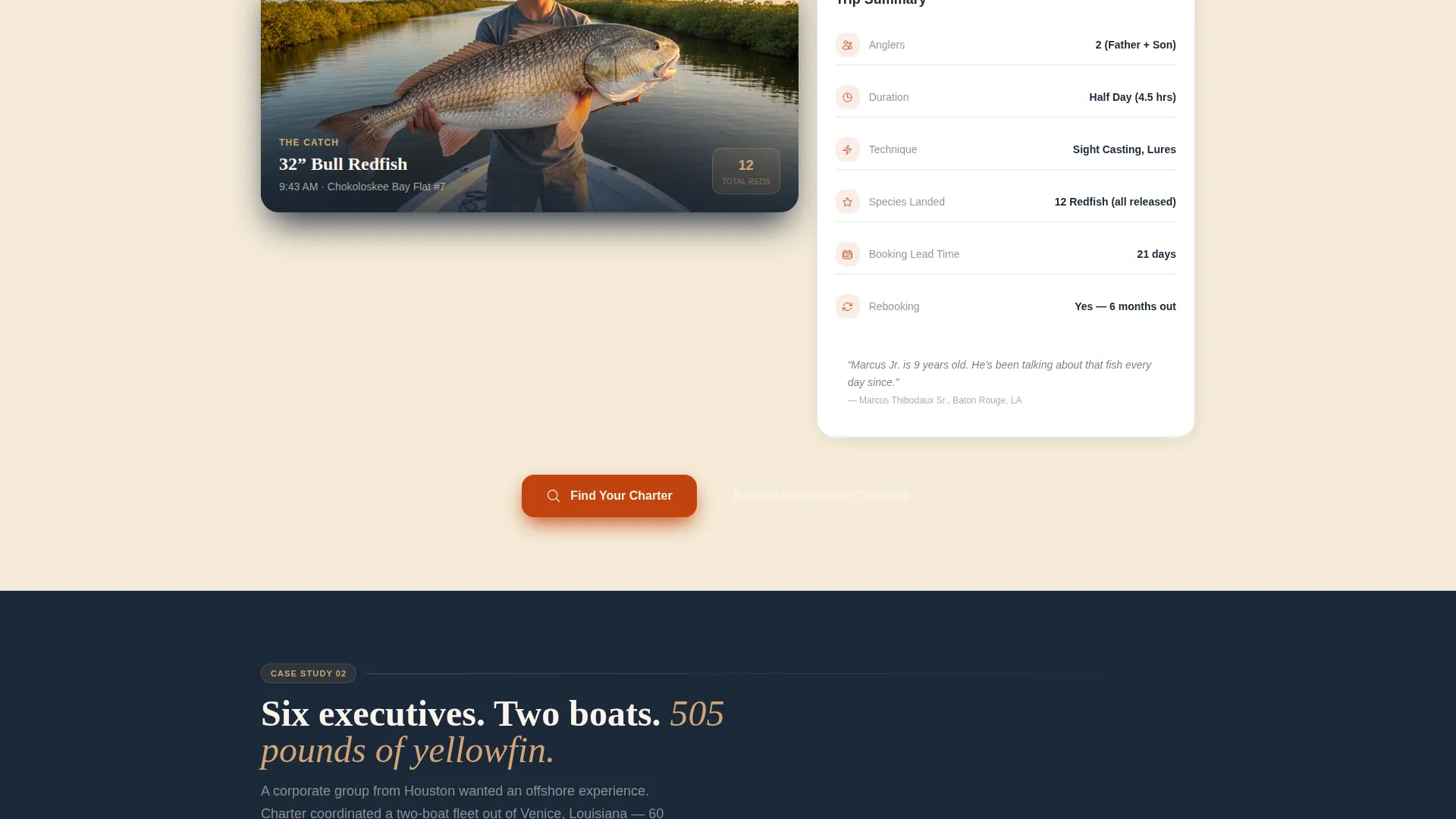
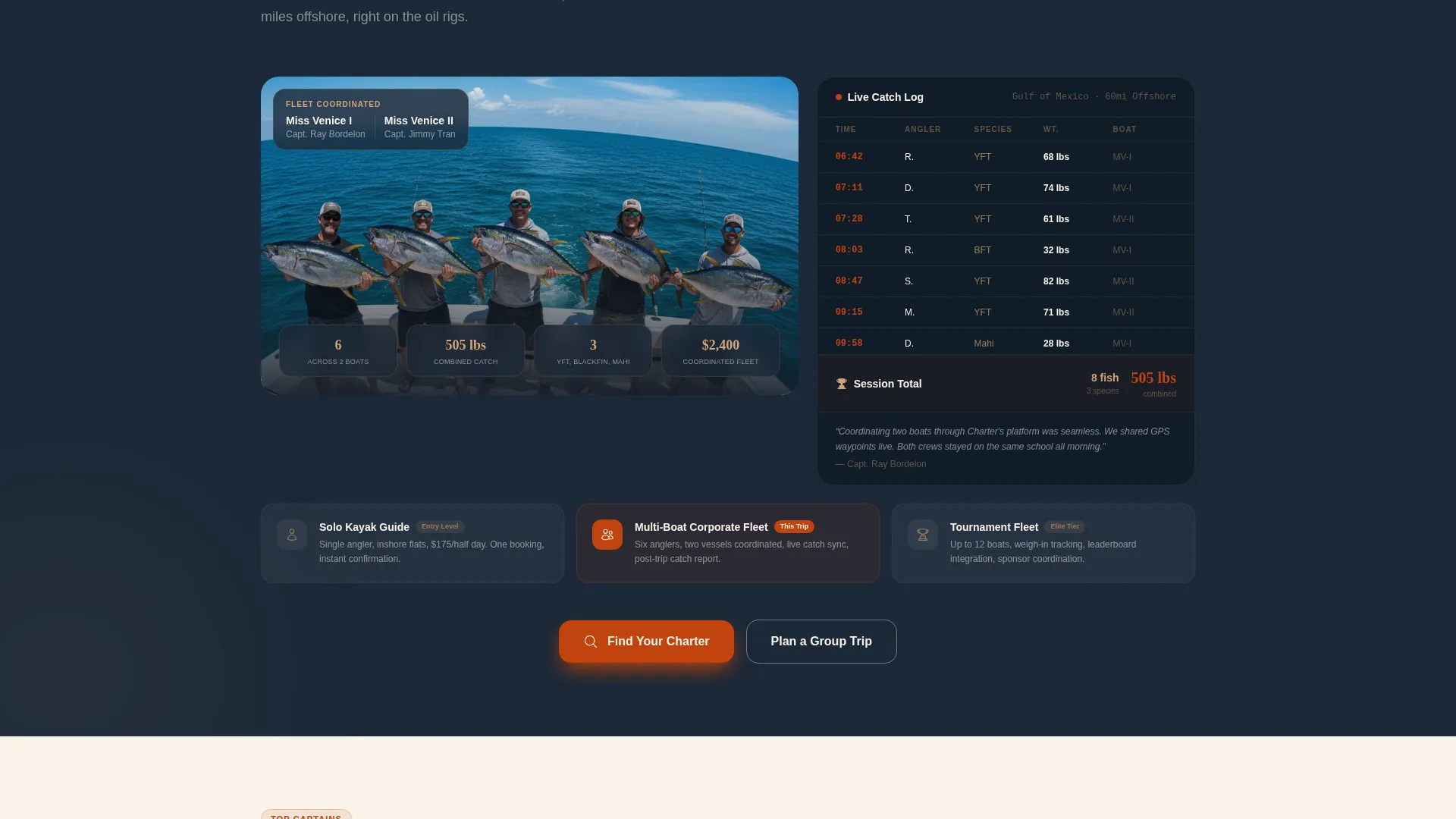
Each scroll section tells one complete charter story from booking to catch. Stories include a father-son redfish trip in Everglades backcountry and a corporate yellowfin group out of Venice, Louisiana, proving the platform handles solo guides and multi-boat fleets alike.
Captain Profile Cards
Each case study surfaces a dedicated captain profile card. Visitors see the guide's identity and context before they ever reach a search result, building trust through familiarity rather than through claims.
Live-Style Catch Log Display
The corporate group story presents a catch log formatted like a dashboard readout. Species, weight, and timestamps are displayed in a structured data layout that reinforces platform credibility.
Embedded Data Visualizations
Catch rates by season, captain response times, and rebooking percentages are woven between story sections. These data points act as proof between promises rather than isolated statistics.
Dual Call-to-Action Flow
Every case study closes with a "Find Your Charter" button that returns visitors to the three-field search bar. A secondary "Browse Top Captains" path serves research-first visitors who want to explore profiles before committing.
Page sections overview
| Section | Purpose |
|---|---|
| Panoramic Header | Launch the search bar over a coastal panorama |
| Three-Field Search | Capture destination, date, and species input |
| Father-Son Story | Show a backcountry redfish case study with captain card |
| Tide and GPS Data | Display route track and launch window context |
| Grip-and-Grin Hero | Close the first story with the catch photo |
| Find Your Charter call to action | Return visitors to the search flow |
| Corporate Group Story | Show a six-angler yellowfin multi-boat case study |
| Catch Log Dashboard | Present species, weight, and timestamp readout |
| Data Visualizations | Prove platform reliability with seasonal stats |
| Browse Top Captains | Offer a secondary path for profile explorers |
| Final Search call to action | Drive the last conversion push to booking |
Design & branding system
The Fire and Earth color system gives Charter the feel of a weathered captain's console. Deep hull navy anchors backgrounds, sun-scorched terra cotta drives every button and data highlight, wet sand tan softens section transitions, and salt-bleached white opens breathing room between content blocks.
- Navy (#1B2838) for background anchoring, terra cotta (#C1440E) for all primary buttons and highlights
- Tan (#D4A574) as a transitional tone between sections, white (#FAF3EB) for open reading space
- Dashboard Pro theme aesthetic: dark instrument panels lit by amber accents, functional over decorative
Mobile & speed optimization
The single-column flow is naturally suited to mobile viewing. Vertical stacking keeps the reading order intact on any screen width, and the search bar remains the focal point whether a visitor is on a phone at the marina or a desktop at home.
- Single-column layout stacks cleanly across all device sizes without reordering content
- Minimal decorative elements reduce layout complexity and keep the page feeling fast
- Touch-friendly call-to-action buttons sized for easy tapping on mobile screens
How this template helps you convert
The entire page is engineered as a click-through path. Every section builds confidence and then returns visitors to the same frictionless entry point.
- The panoramic header and search bar create immediate intent: visitors arrive and see exactly where to start, with no account creation and no form standing between them and results.
- Case study narratives with real data, captain cards, and catch logs build the trust needed for a first booking, so that when "Find Your Charter" appears after each story, the click feels earned rather than forced.
Other information about this template
Charter is built on the Dashboard Pro theme and uses the Fire and Earth color system as defined in the matched intersection context. The template style is Single Column Flow, designed for maximum scroll clarity. The creative direction is Case Study Narrative, which means the layout earns trust through story and data rather than through marketing language alone.
- Template style: Single Column Flow on the Dashboard Pro theme
- Creative direction: Case Study Narrative with embedded proof data
- Header concept: Panoramic wide-shot coastal image with an overlay search bar
- Landing page direction: Click-Through optimized with a friction-free path to booking results
Theme
Dashboard Pro
Creative direction
Case Study Narrative
Color system
Fire & Earth
Style
Single Column Flow
Direction
Click-Through
Page Sections
Panoramic Coastal Header with Search Bar
Case Study Narrative Scroll Sections
Captain Profile Cards
Dashboard-style Catch Log Display
Embedded Data Visualizations
Dual Call-to-action Path
Related questions
Can this template support both solo fishing guides and multi-boat charter fleets?
Does a visitor need to create an account before searching for a charter?
What fields does the three-field search bar include?
How many call-to-action options does the template provide?
What types of data visualizations are included in the template layout?