Chlorine - Precision Poolservice Landing Page Template
Chlorine is a precision-built landing page template for Miami commercial pool service companies. It targets HOA boards, hotel operators, and property managers who need to see operational credibility fast. The layout follows an FAQ-driven scroll structure, a Navy Authority color palette, and a B2B conversion flow anchored by a portfolio assessment request form and a gated PDF download.
by Rocket studio
Quick summary
Chlorine is an editorial-style landing page template built for commercial pool service providers in competitive markets like Miami-Dade. It opens with a testimonial from a named property director, then walks buyers through a FAQ-driven scroll that answers real objections with documented systems. The primary call to action is a portfolio assessment request form designed for multi-property accounts.
Who this template is for
This template is built for pool service companies that sell to institutional clients, not individual homeowners. It speaks directly to buyers who manage multiple properties and need proof of process before signing a contract.
- HOA management companies overseeing multi-pool residential communities
- Boutique hotel operators and resort property teams with reputation-sensitive maintenance needs
- Commercial property managers handling service contracts across dozens of assets
What problem this template solves
Most pool service websites look residential. They feature smiling homeowners, generic pricing tables, and stock photos of backyard pools. That approach loses commercial accounts immediately. Institutional buyers need to see documentation workflows, dispatch protocols, and proof that the company runs like a managed operation, not a solo route.
- Property managers vet vendors like they vet contractors: they want systems, not testimonials alone
- HOA boards and hotel operators can't afford a service failure that shows up in a guest review or a board meeting
- Generic pool service pages give no reason for a multi-property account to call
What you get with this template
This template gives you a complete, structured landing page designed to earn trust from commercial buyers at every scroll position. Each section is built around a real question a property manager or HOA board member asks during a sales conversation.
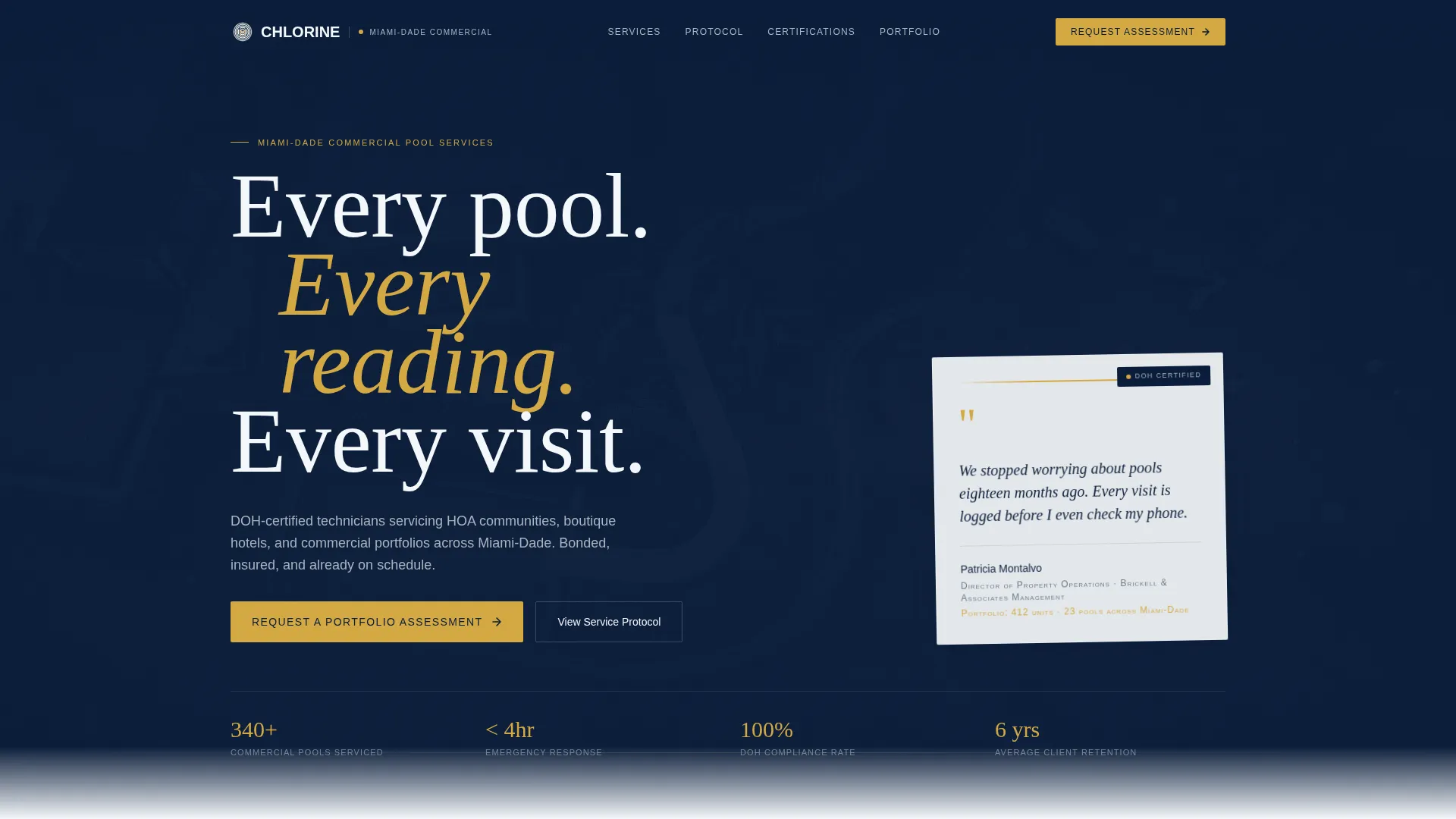
- A header testimonial card floating over an aerial Miami pool complex photograph, featuring a named director quote with title and portfolio size
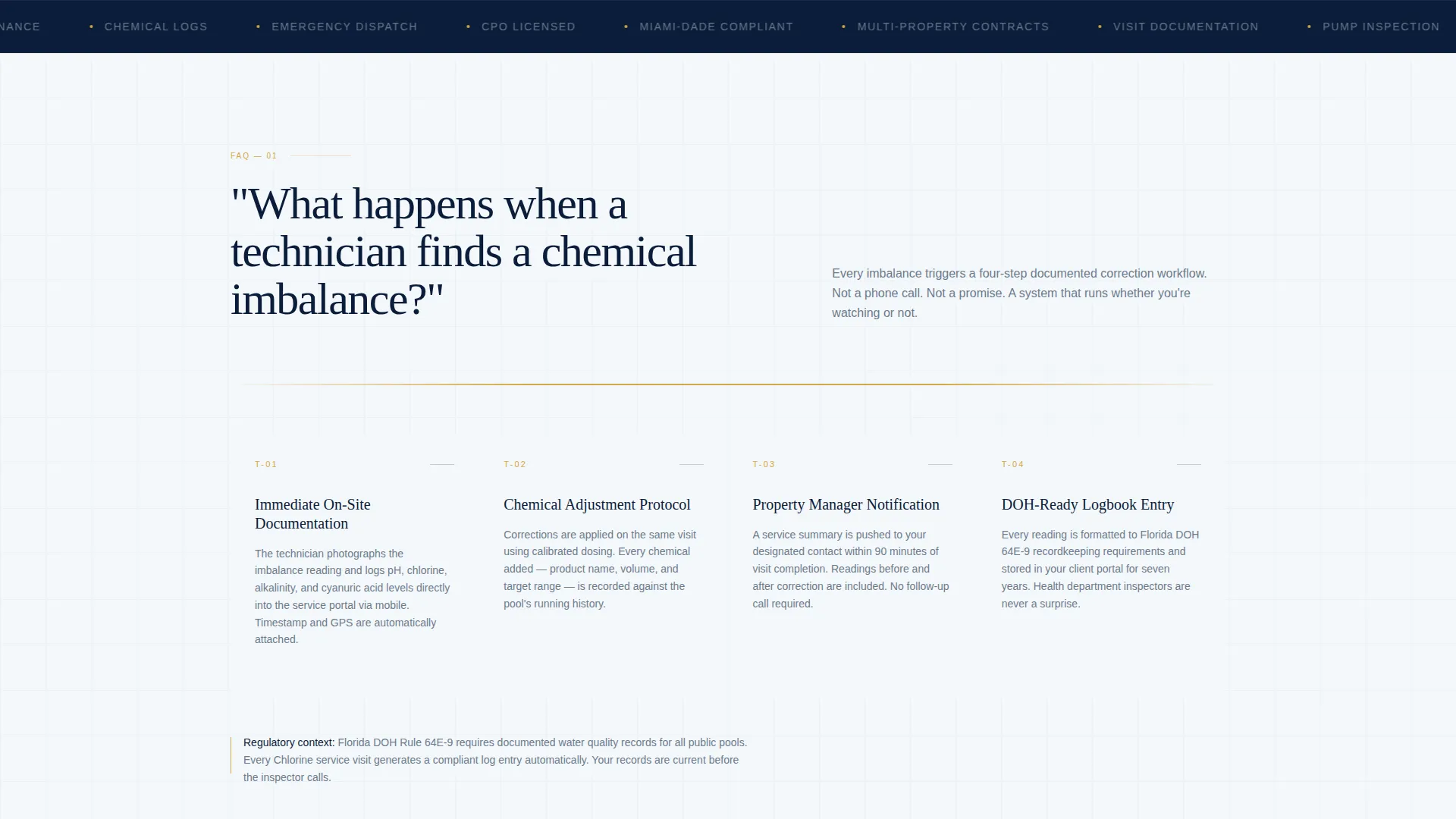
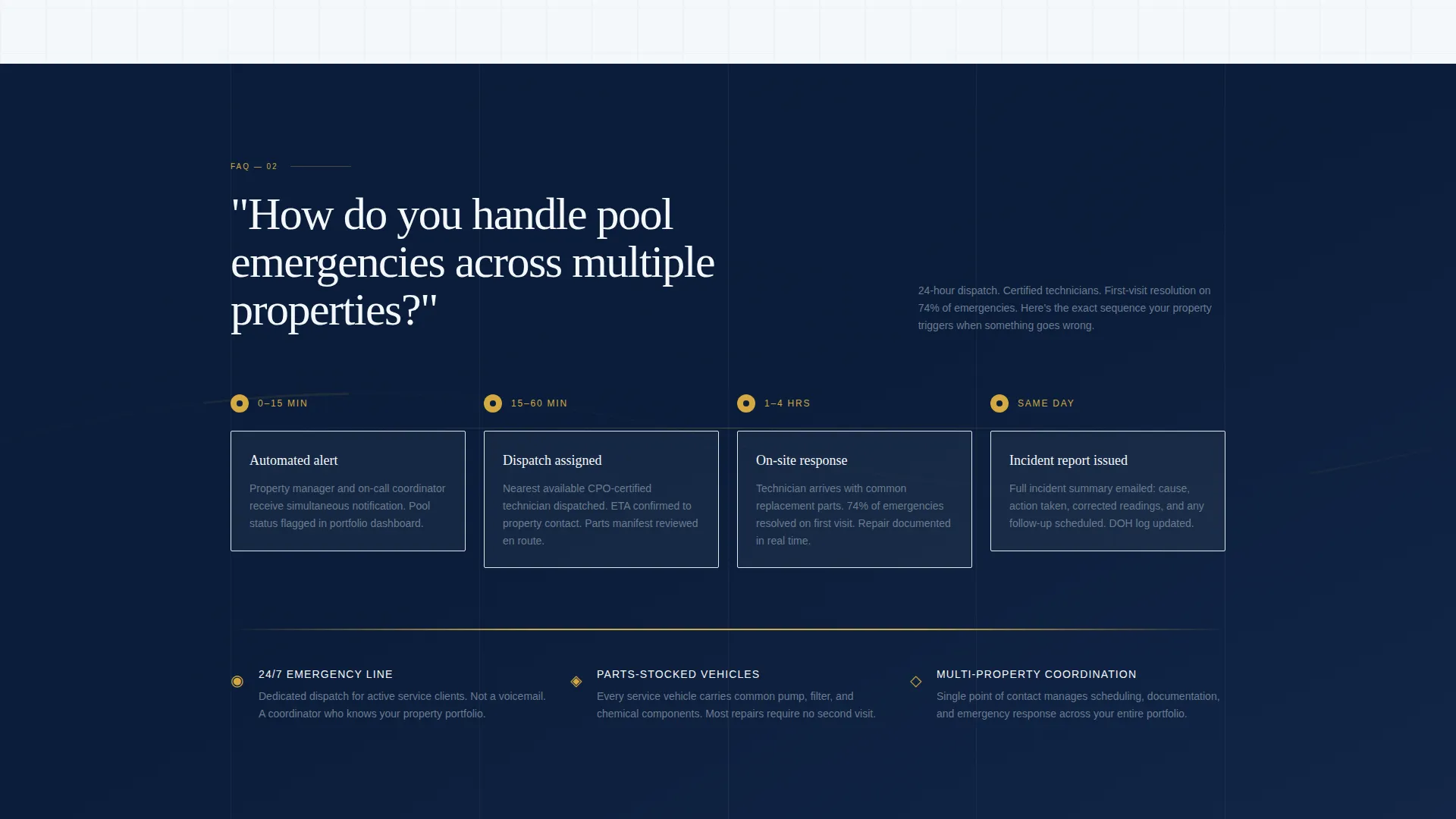
- An FAQ-driven scroll layout where each section opens with a buyer question and answers it with a documented system
- A dual conversion path: a portfolio assessment request form and a gated PDF download for leads who aren't ready to call
Feature list
This section outlines what the template delivers by design and structure.
Testimonial-Led Header Card
The header opens with a crisp white card layered over a muted aerial photograph of a Miami resort pool complex at dawn. The card carries a two-line quote from a named property director, including their title and the size of their portfolio in small caps. No stock photography faces, just quiet institutional authority.
FAQ-Driven Scroll Architecture
Each scroll section is anchored by a real question from a sales conversation. Questions like "What happens when a technician finds a chemical imbalance?" open into documented workflow sections. The format makes every objection feel anticipated and resolved before the buyer finishes reading.
Dual Conversion Path
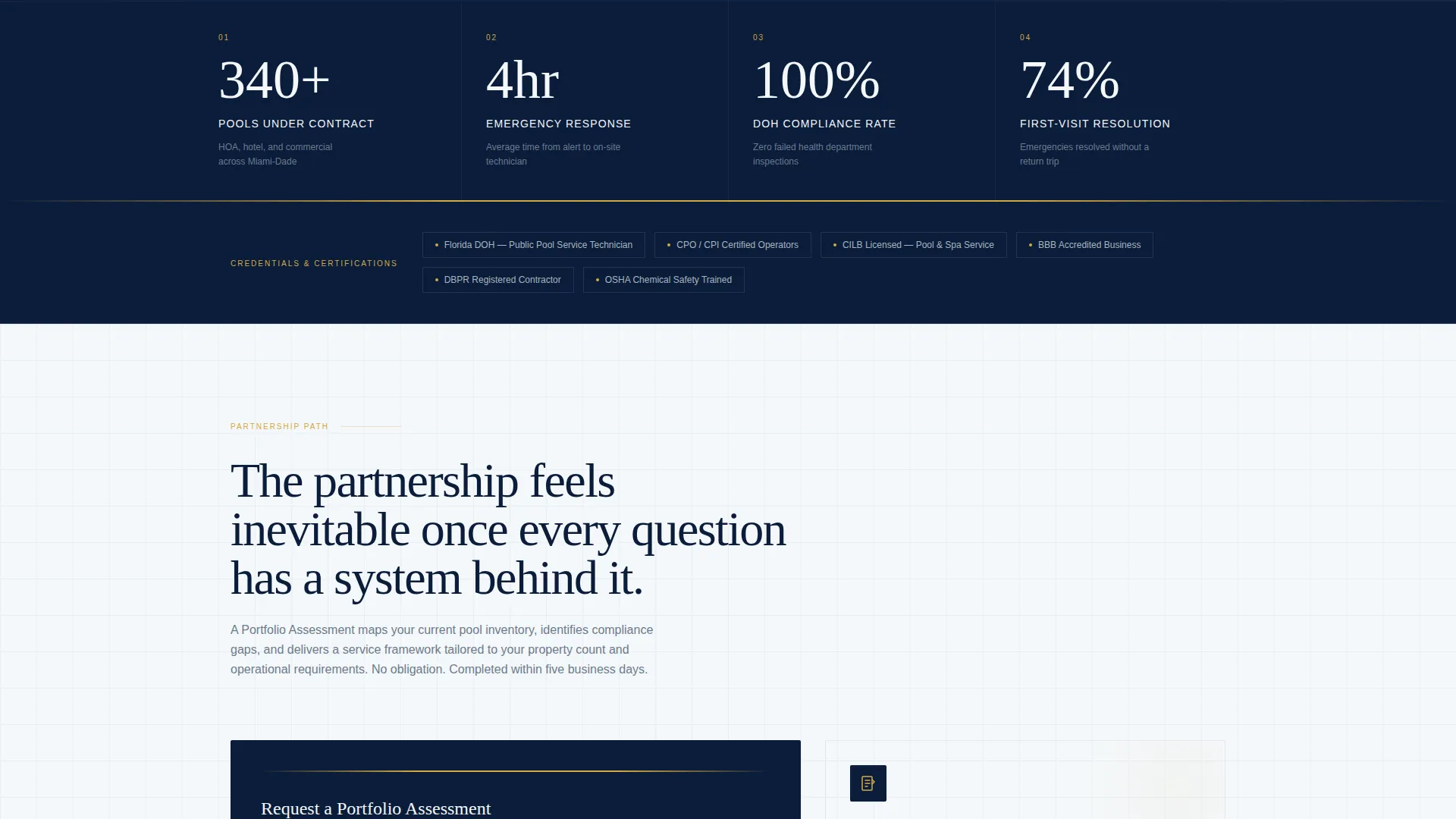
The primary call to action, "Request a Portfolio Assessment," appears after the third FAQ section once operational credibility is established. A secondary path offers a downloadable PDF, "Download Our Multi-Property Service Framework," gated behind a business email for leads who are comparing vendors but not yet ready to call.
B2B-Optimized Lead Capture Form
The portfolio assessment form captures four fields: property company name, total number of pools managed, current service provider (marked optional), and preferred contact method. This form is purpose-built for commercial accounts, not homeowner inquiries.
Navy Authority Visual System
The color palette uses deep command navy, chlorine-clear white, stainless instrument gray, and a single chemical-indicator gold accent reserved for calls to action and data highlights. The result feels like a pressed uniform and a laminated inspection clipboard, institutional and precise.
Editorial Section Framing
Every section is structured like a tab in a well-organized service binder. Each FAQ answer builds on the last, creating a due-diligence conversation that makes the service partnership feel inevitable by the final call to action.
Page sections overview
| Section | Purpose |
|---|---|
| Header Testimonial Card | Opens with named authority quote over aerial pool photo |
| FAQ Section One | Addresses chemical imbalance documentation workflow |
| FAQ Section Two | Explains multi-property dispatch and emergency response |
| FAQ Section Three | Builds final operational credibility before primary call to action |
| Portfolio Assessment Form | Captures B2B leads with four targeted form fields |
| PDF Gated Download | Converts research-stage leads with business email gate |
Design & branding system
The visual identity follows a Corporate Precision theme. Every color choice reinforces institutional trust rather than lifestyle appeal. The palette is tight and deliberate, with no decorative gradients or casual photography.
- Deep command navy (#0B1D3A) and chlorine-clear white (#F4F7FA) form the base, supported by stainless instrument gray (#6B7B8D) for secondary text and structural elements
- Chemical-indicator gold (#D4A843) appears only on calls to action and data highlights, keeping the accent meaningful and visible
- Typography and layout follow an editorial magazine style: labeled sections, documented reads, and a scroll rhythm that feels like a service binder rather than a brochure
Mobile & speed optimization
The template is designed for readability and structural clarity on any screen size. Commercial buyers often review vendor pages on mobile during site visits or between meetings, so the layout prioritizes legible text and accessible form fields at every viewport.
- The FAQ scroll structure works naturally on vertical mobile screens, with each section loading as a self-contained answer
- The testimonial card and form fields are sized for thumb-friendly interaction without sacrificing the editorial visual weight
How this template helps you convert
The conversion strategy is layered. It earns trust progressively and then offers two different entry points depending on where the buyer is in their decision process.
- The FAQ-driven scroll resolves real objections in sequence, so buyers arrive at the call to action already convinced of operational credibility rather than still weighing it
- The dual conversion path captures both decision-ready buyers through the portfolio assessment form and research-stage leads through the gated PDF download, covering a wider range of the B2B sales cycle
Other information about this template
This template was designed specifically for the Miami-Dade commercial pool service market, where the client base includes some of the highest-volume multi-property accounts in the country. The editorial framing and institutional color system make it equally suitable for pool service companies operating in other major metro markets with dense commercial property portfolios.
- The template fits within a Professional Services and Miami Local Services category context, making it relevant for any service business that sells on process credibility to property management clients
- The gated PDF conversion path follows a content-resource landing-page direction, suited to vendors who use educational materials as part of their sales process
- The split-screen layout concept and testimonial-mosaic creative direction referenced in the design brief support a visually authoritative first impression that aligns with how institutional buyers evaluate vendors
Theme
Legal Shield
Creative direction
Testimonial Mosaic
Color system
Charcoal & Amber
Style
Split Screen (50/50)
Direction
Content/Resource
Page Sections
Testimonial-led Header Card
Faq-driven Scroll Layout
Dual B2B Conversion Path
Commercial Lead Capture Form
Navy Authority Color System
Editorial Section Framing
Related questions
Who is this template designed for?
Can I customize the FAQ sections with my own buyer questions?
What does the portfolio assessment form collect?
Is the gated PDF download section already included in the template?
Does the template work for pool service companies outside of Miami?



