Complete Music School Marketing Appointment Booking Website Template
Chord is a split-screen landing page template built for brick-and-mortar music schools running Google Ads campaigns. It leads with social proof, pairs instructor credentials with student results, and drives visitors toward a single action: booking a trial lesson. The warm Cloud Canvas palette and confident serif typography make the school feel established, serious, and worth the investment.
by Rocket studio
Quick summary
Chord is a click-through landing page template designed for music schools advertising on Google Ads. It uses a split-screen layout, a trust-first content rhythm, and a single gold call-to-action repeated throughout the page. The goal is simple: turn warm ad traffic into trial lesson bookings without asking visitors to fill out a form.
Who this template is for
This template is built for music school owners and marketing managers who need a high-converting landing page fast. It suits schools that teach multiple instruments, serve students of all ages, and want to make a strong first impression on paid traffic visitors.
- Independent music schools running Google Ads campaigns
- Schools that teach a wide range of instruments, from violin and piano to drums and voice
- Admissions teams who want a polished, credible page without custom development
What problem this template solves
Most music school websites try to do everything at once. They overwhelm visitors with menus, pricing tables, and biography pages before earning any trust. Paid ad traffic is warm but impatient. If the page does not immediately answer "why this school?", the visitor closes the tab.
- Visitors arriving from ads need proof before they commit, and most school pages bury that proof
- A generic school homepage sends paid clicks to a cluttered experience with too many exits
- Parents and adult learners want to feel confident before booking, not just informed
What you get with this template
You get a fully structured, single-page layout that walks visitors through a deliberate trust-building journey. Every section is designed to answer a specific doubt before the next section makes its offer.
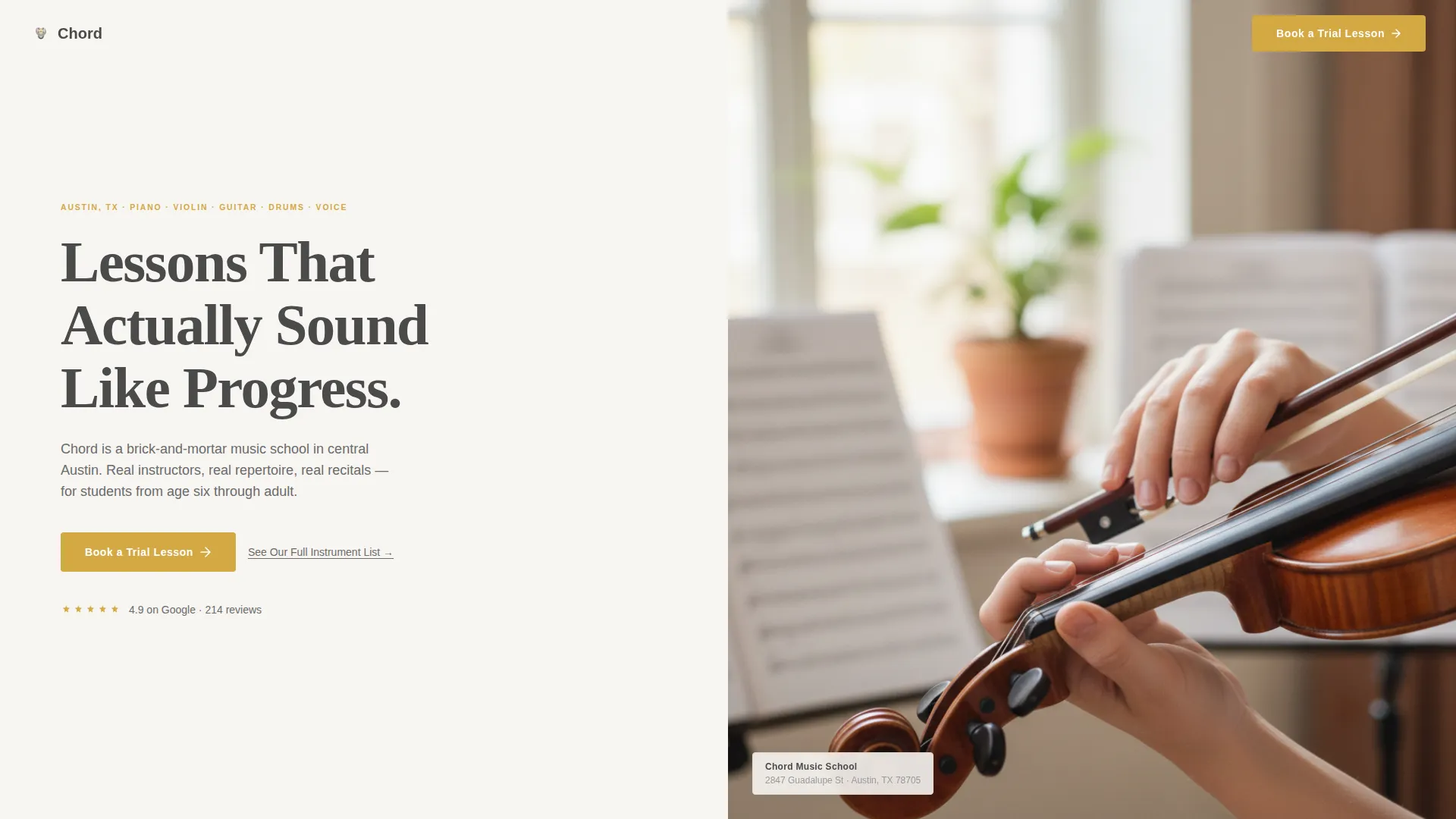
- A split-screen header with a bold serif headline and an editorial instructor photograph
- A logo wall authority band, alternating proof-and-offer section pairs, and a sticky mobile call-to-action bar
- A click-through flow that sends visitors directly to a scheduling tool, pre-filtered by instrument
Feature list
This template includes six core feature areas derived directly from the design brief. Each one serves a specific conversion role within the page.
Split-Screen Header Layout
The header divides cleanly into two equal halves. The left side holds a large, confident serif headline with supporting city and instrument-range copy. The right side holds an editorial photograph showing an instructor adjusting a student's bow grip. The tuning-fork gold call-to-action button sits beneath the headline, impossible to miss.
Logo Wall Authority Band
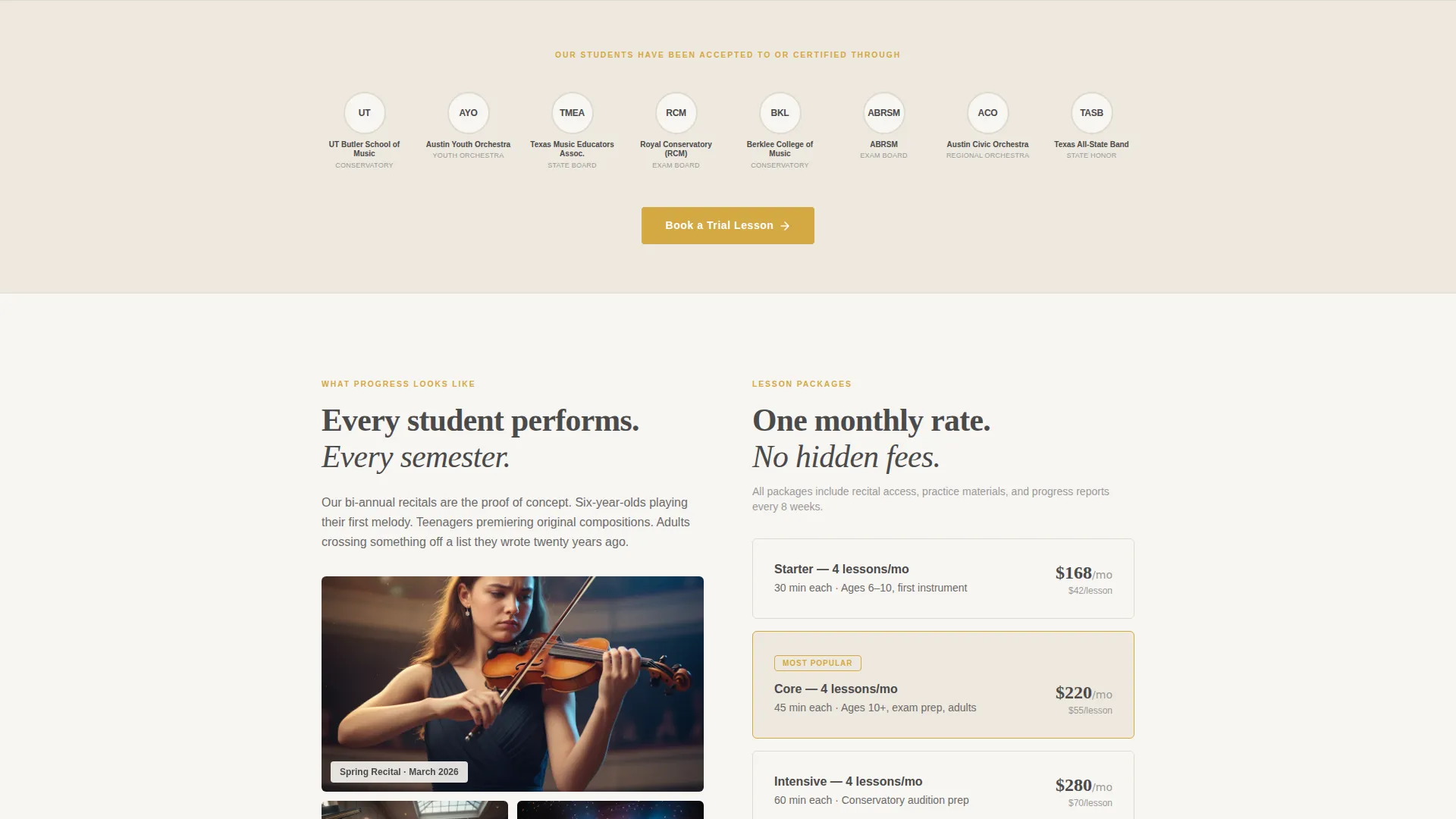
Immediately below the fold, a horizontal band displays logos and crests from local schools, youth orchestras, and music exam boards. These are the institutions the school's students have been accepted to or certified through. This band establishes credibility before the visitor reads a single marketing claim.
Alternating Proof-and-Offer Sections
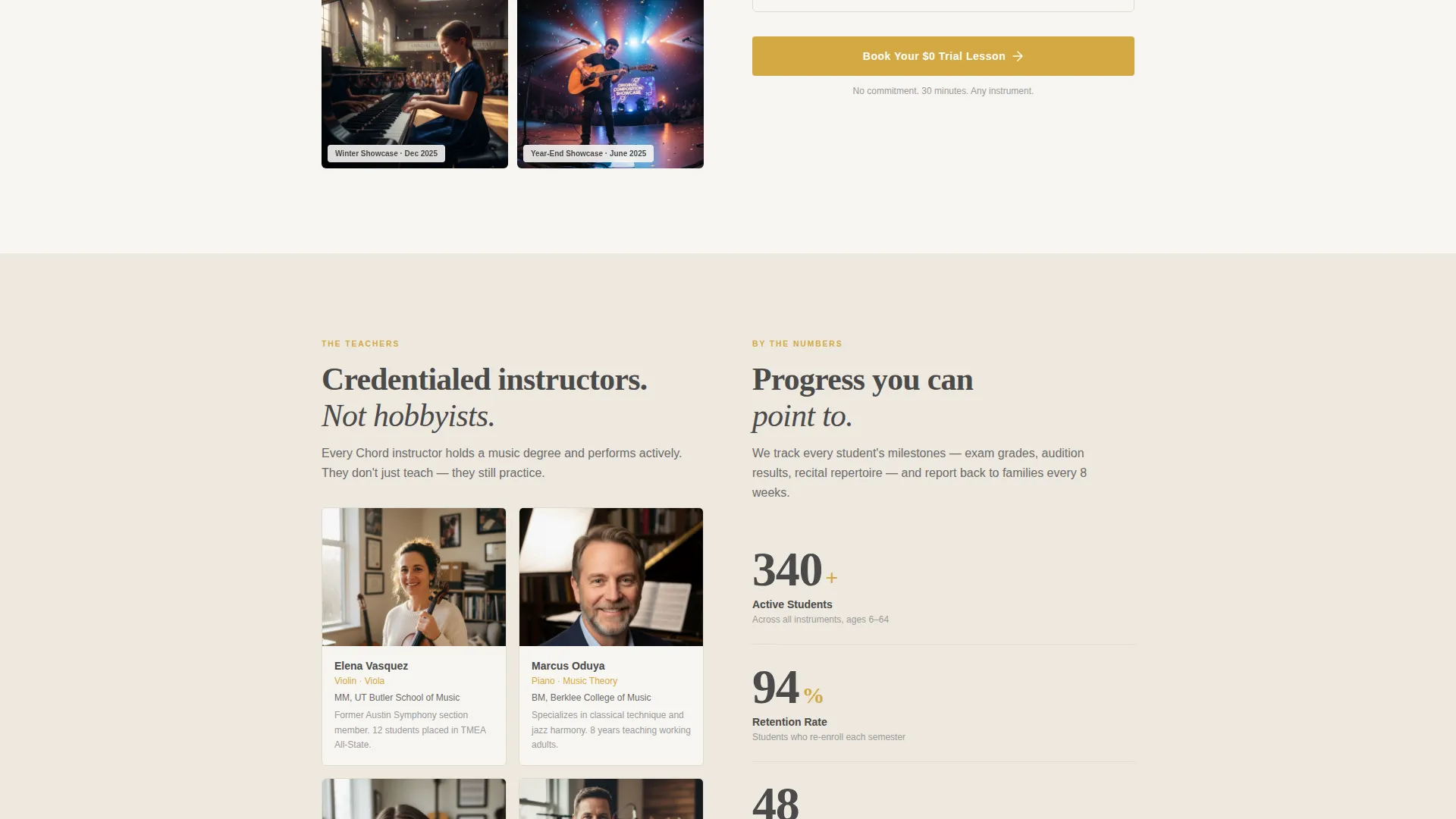
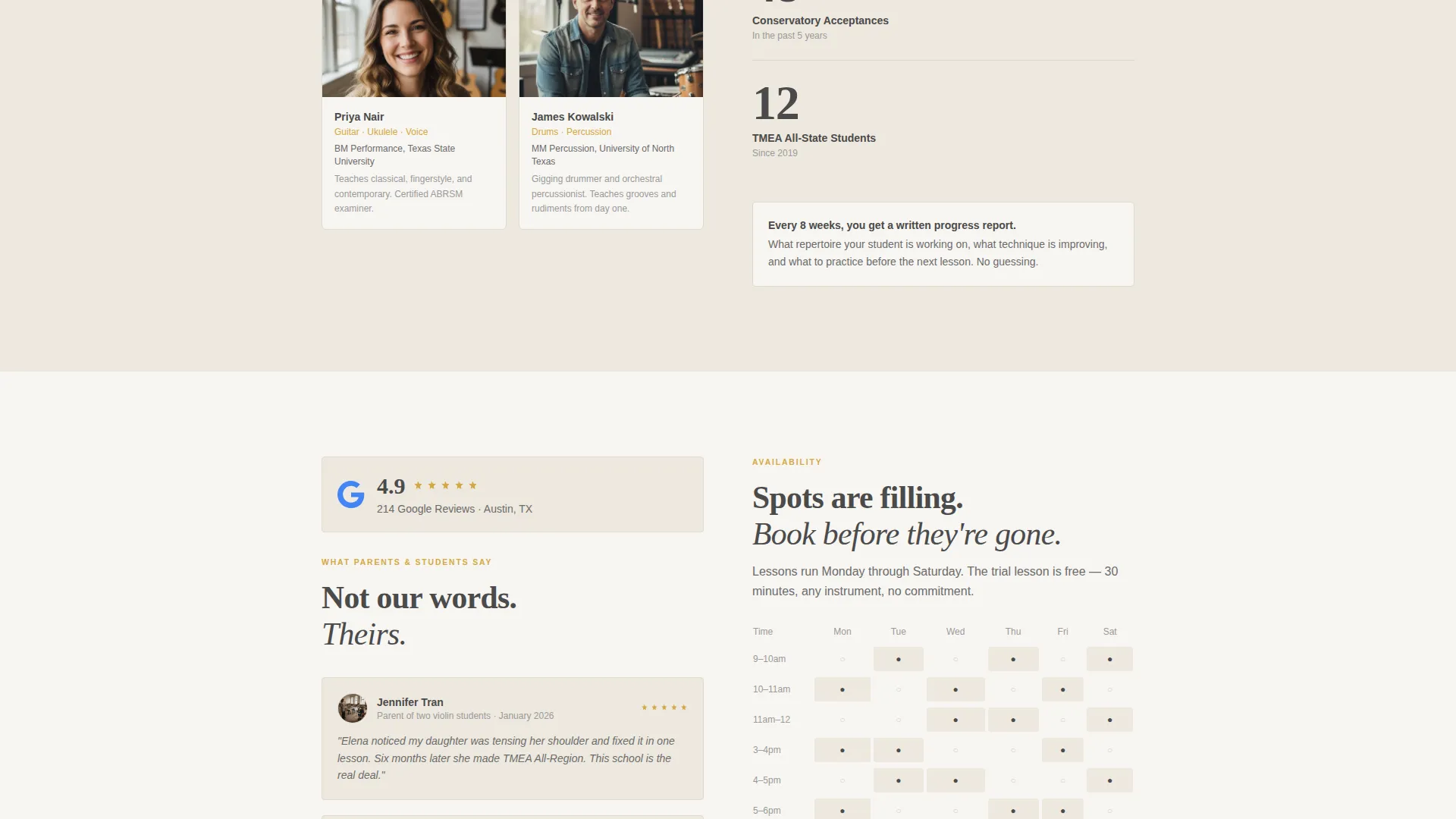
Each content section below the logo wall pairs evidence with an offer. Recital video stills sit opposite lesson package descriptions. Instructor credentials sit opposite student milestone statistics. A Google Reviews aggregate score sits opposite a simple schedule grid. The rhythm builds a cumulative case for the school.
Repeated Gold Call-to-Action
The primary "Book a Trial Lesson" button appears in tuning-fork gold at the header, after the logo wall, and as a sticky bottom bar on mobile. Repetition removes friction by ensuring the action is always visible, wherever the visitor decides they are ready.
Secondary Browsing Link
A plain text link reading "See Our Full Instrument List" sits near the primary call-to-action. It catches visitors who are still comparing options and keeps them engaged with the school rather than sending them back to a search results page.
Cloud Canvas Color System
The palette uses soft warm white, pencil graphite, sheet music cream, and a single accent of tuning-fork gold. Backgrounds alternate between warm white and cream. Text stays in graphite throughout. Gold appears only on buttons and interactive highlights, so the eye always knows where to act.
Page sections overview
| Section | Purpose |
|---|---|
| Split-Screen Header | Headline, photo, and primary call-to-action |
| Logo Wall Band | Establish third-party authority and credibility |
| Recital and Packages | Pair video proof with lesson package offers |
| Credentials and Stats | Match instructor bios with student milestone data |
| Reviews and Schedule | Show social proof beside a simple schedule grid |
| Sticky Mobile Bar | Keep the booking action visible while scrolling |
Design & branding system
The visual identity follows a Service Utility theme. The palette feels like an open notebook resting on a piano lid: warm, unhurried, and serious without being formal to the point of coldness.
- Soft warm white (#F7F5F2) and sheet music cream (#EDE8DF) alternate as section backgrounds
- Pencil graphite (#4A4A4A) is used for all body and headline text, keeping contrast clean and readable
- Tuning-fork gold (#D4A843) appears exclusively on buttons and interactive highlights, so every call-to-action stands out clearly
Mobile & speed optimization
The template is built with mobile visitors in mind. Google Ads traffic includes a high share of mobile users, and the layout adapts cleanly to smaller screens without losing the trust-building structure.
- The sticky bottom bar keeps "Book a Trial Lesson" visible at all times on mobile devices
- The split-screen header stacks gracefully on smaller viewports, preserving the headline and photograph hierarchy
- Section pairs reflow vertically on mobile so proof and offer elements remain in logical reading order
How this template helps you convert
Chord is structured around one conversion principle: earn trust before asking for action. Every layout decision serves that principle.
- The page front-loads social proof, starting with the logo wall authority band immediately below the header, so visitors feel confident before they read a single offer
- The alternating proof-and-offer rhythm means every ask is preceded by evidence, making the trial lesson feel low-risk and the school feel inevitable
- The click-through model removes form friction entirely; the call-to-action sends visitors to a scheduling tool pre-filtered by instrument, shortening the path to commitment
Other information about this template
This template is categorized under Professional Services and Music School Marketing. It is designed for single-page, click-through campaigns rather than multi-page website builds.
- The template style follows a focused single-column flow within each section, keeping the visitor's reading path linear and distraction-free
- The landing page direction is optimized for lead generation from paid search, making it suitable for schools with an active Google Ads budget
- The header concept is built around data storytelling: real acceptance logos, aggregate review scores, and student milestone stats replace generic marketing language
- The creative direction follows an expert panel structure, positioning instructors as credible professionals rather than friendly faces
- This template works well alongside a separate scheduling or booking tool; the click-through flow assumes that tool is already set up and handles the actual appointment logic
Theme
Corporate Precision
Creative direction
Expert Panel
Color system
Charcoal & Amber
Style
Single Column Flow
Direction
Lead Generation
Page Sections
Split-screen Header with Editorial Photo
Logo Wall Authority Band
Alternating Proof-and-offer Layout
Repeated Click-through Call-to-action
Secondary Instrument Browse Link
Cloud Canvas Color System
Related questions
Does this template include a contact form?
Can I use this template for a school that teaches multiple instruments?
How many times does the primary call-to-action appear?
Who is this landing page template designed for?
Can I replace the instructor and student content with my own?



