Technology Museum Landing Page Template
Chronicle is a masonry-style landing page template built for technology museums. It blends an editorial magazine aesthetic with an Electric Indigo color system to guide visitors through computing history. A full-bleed mainframe corridor header, era-scrolling masonry grid, floating registration button, and stepped event booking form work together to turn curious visitors into confirmed guests.
by Rocket studio
Quick summary
Chronicle is a single-page, masonry-layout template designed for technology museums. It uses an editorial magazine visual identity, an Electric Indigo color palette, and a chronological origin-story scroll to immerse visitors in computing history. The page is built around event registration, with a floating call-to-action button, a stepped booking form, and a secondary email-capture path for visitors who want to explore before committing.
Who this template is for
Chronicle is built for technology museums and cultural institutions that want a landing page as compelling as the artifacts they house. If your exhibits need a presentation worthy of their historical weight, this template delivers that presence.
- Homeschool educators planning semester field trips around computing history
- Retired engineers and tech enthusiasts who connect personally with the collection
- Corporate event coordinators looking for a unique inspiration retreat venue
What problem this template solves
Most museum landing pages feel static and institutional. They fail to communicate the living, tactile energy of a hands-on collection. Chronicle solves this by turning the page itself into an experience.
- Visitors have no clear sense of the collection's scope before arriving
- Standard registration flows feel cold and disconnected from the museum's identity
- Email leads from undecided visitors are lost without a nurture path
What you get with this template
Chronicle delivers a fully structured, single-page layout that carries visitors from first impression through to confirmed registration. Every section is purposeful and visually distinct.
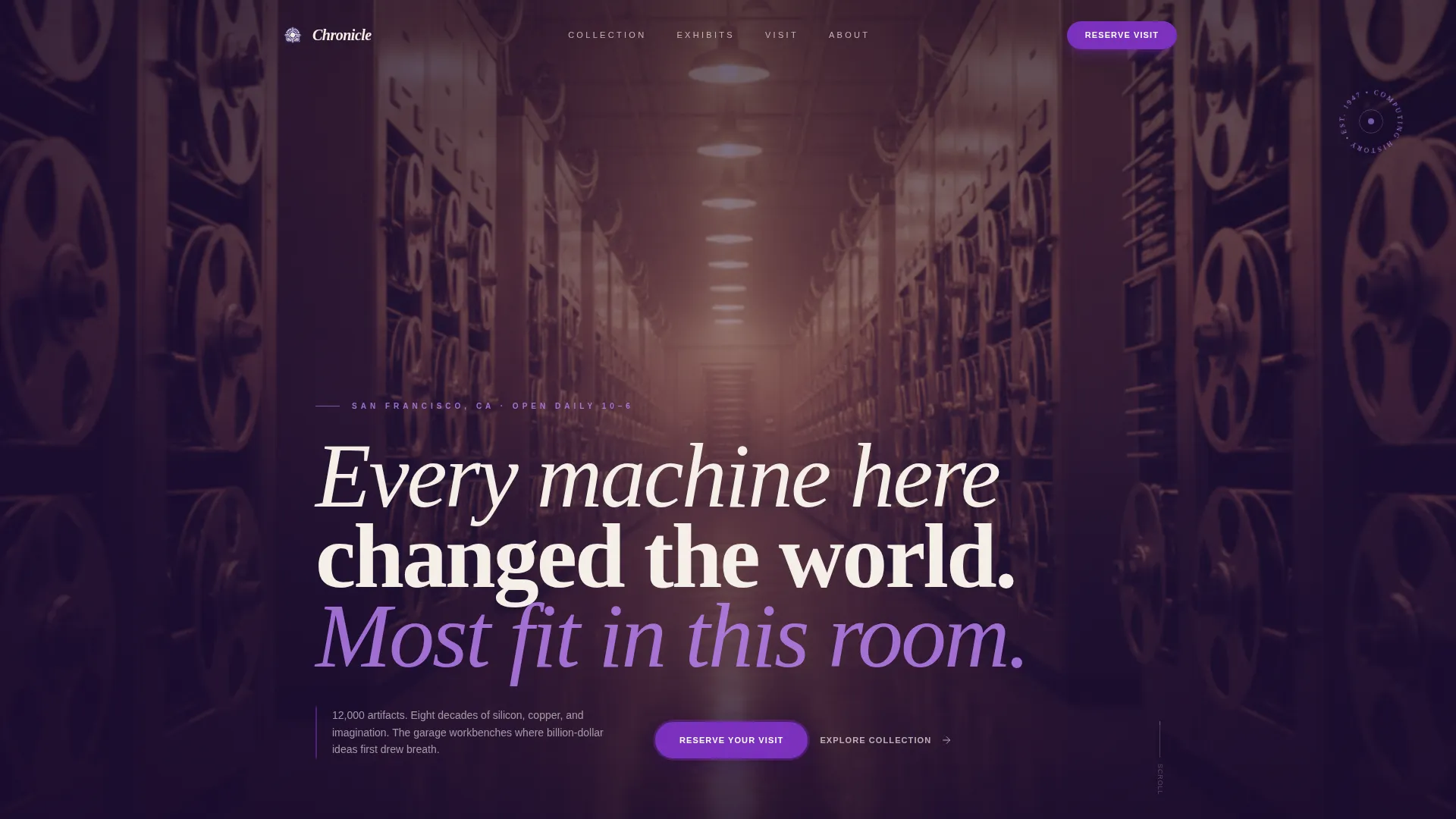
- A full-bleed header with editorial headline typography set against the mainframe corridor photograph
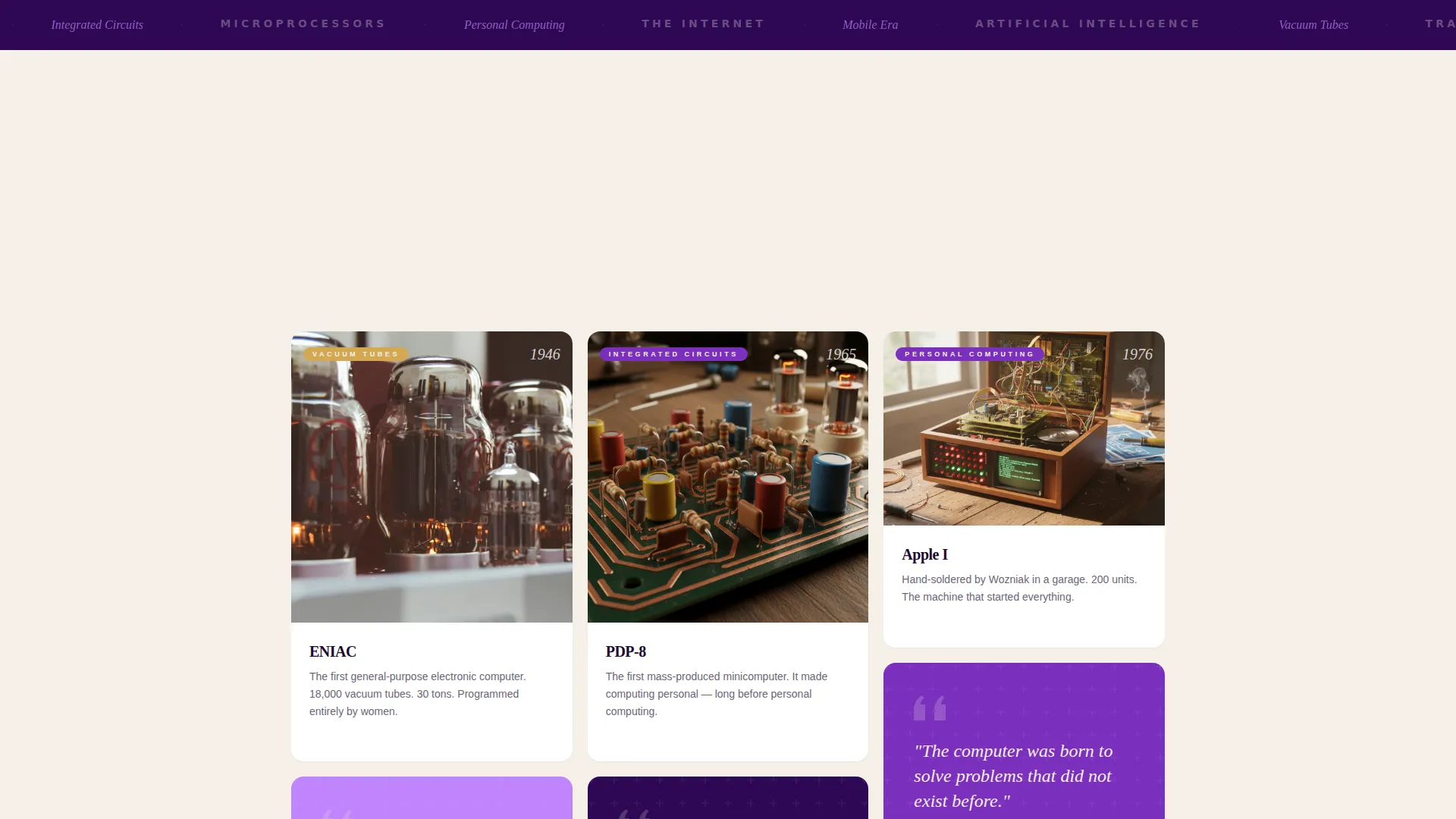
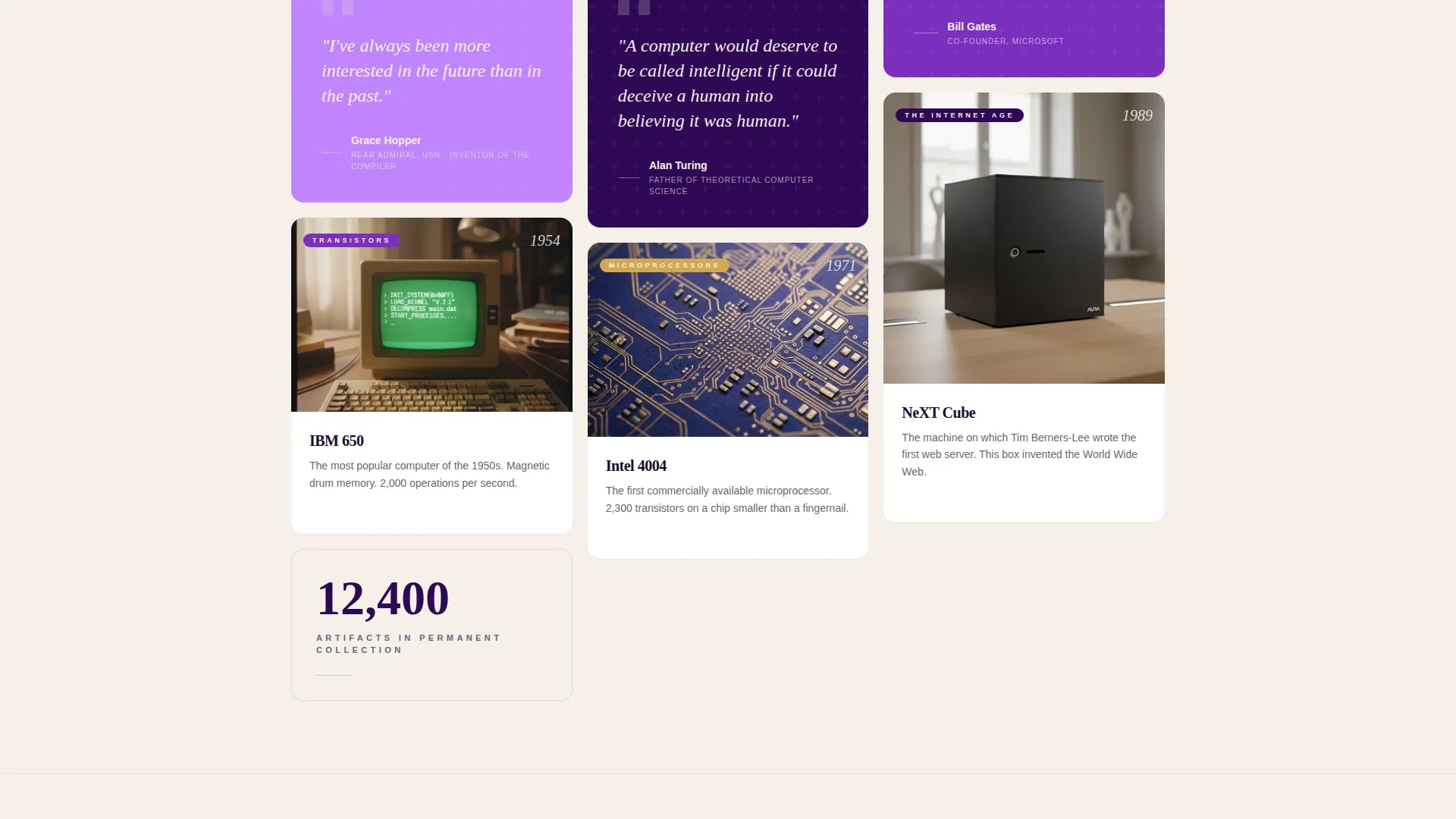
- A masonry grid that scrolls chronologically through computing eras, interrupted by typographic pull-quotes
- A stepped event registration form with date selection, ticket type, and optional add-ons
Feature list
Chronicle is built around six core capabilities drawn directly from the template brief. Each one serves the specific context of a technology museum landing page.
Full-Bleed Mainframe Header
The header opens with a perspective shot taken inside the museum's mainframe corridor. Towering IBM 7094 cabinets recede into the background under amber tungsten lighting. A single visitor stands mid-frame, hand reaching toward a blinking panel. The editorial serif headline fades in over the image, setting the tone immediately.
Chronological Masonry Grid
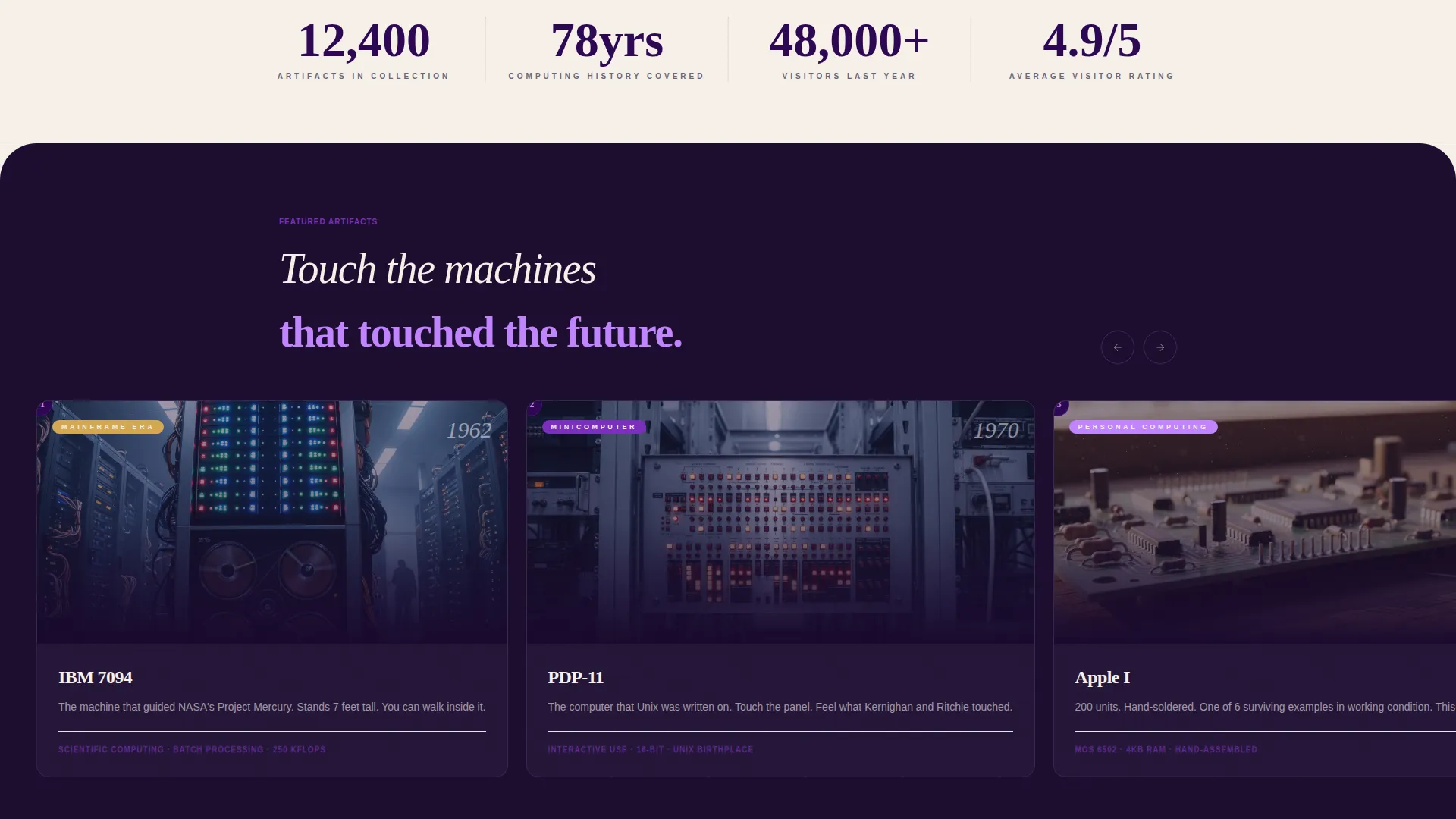
The masonry grid is the heart of the page. Each card represents a different era, from vacuum tubes and telegraph keys through transistors and early personal computers. Cards grow larger and more vivid as decades compress. Typographic pull-quotes from figures like Hopper, Turing, and Wozniak interrupt the grid like magazine callouts, adding editorial rhythm.
Floating Registration Button
A phosphor violet "Reserve Your Visit" button stays pinned as visitors scroll. It pulses gently when scrolling pauses, drawing attention without interrupting the reading experience. The button is always one tap away from the booking flow.
Stepped Event Booking Form
Clicking the registration button opens a three-step form. Step one is a visual calendar with capacity heat-mapping. Step two covers ticket type: individual, family, school group, or corporate. Step three offers optional add-ons including guided docent tours and hands-on lab sessions.
Digital Lookbook Email Capture
A secondary conversion path invites visitors to preview the exhibits through a digital lookbook. Access is granted in exchange for an email address. This path captures leads from visitors who are interested but not yet ready to select a visit date.
Upcoming Exhibit Announcement Card
The masonry grid closes with a single full-width card dedicated to the museum's next exhibit. The date and time are displayed prominently in future tense, creating anticipation and giving returning visitors a reason to come back.
Page sections overview
| Section | Purpose |
|---|---|
| Full-Bleed Header | Opens with the mainframe corridor photo and editorial headline |
| Masonry Era Grid | Scrolls through computing history era by era |
| Pull-Quote Interrupts | Adds editorial rhythm with historical founder quotes |
| Floating call to action Button | Keeps "Reserve Your Visit" accessible throughout scroll |
| Stepped Registration Form | Guides visitors through date, ticket type, and add-ons |
| Digital Lookbook Gate | Captures email from visitors exploring before booking |
| Upcoming Exhibit Card | Closes the page with the next scheduled exhibit |
Design & branding system
Chronicle's visual identity is built on the Editorial Magazine theme with an Electric Indigo color system. The palette feels like a print spread shot under ultraviolet gallery lighting: intellectual, charged, and distinctly non-generic.
- Deep cathode indigo (#2E0854) and phosphor-screen violet (#7B2FBE) form the primary brand range, with warm newsprint cream (#F5F0E8) and signal white (#FFFFFF) used for card surfaces
- Hot electric lilac (#C084FC) is reserved for hover states and the registration button, giving interactive elements a distinct visual signal
- Typography uses a tight editorial serif for headlines and pull-quotes, reinforcing the collector's magazine aesthetic throughout the scroll
Mobile & speed optimization
The masonry layout reflows naturally for smaller screens, keeping the chronological story intact without sacrificing visual impact. The stepped registration form is structured to work smoothly on touch devices.
- Masonry grid columns collapse cleanly on mobile, preserving card hierarchy and pull-quote placement
- The floating registration button remains accessible on all screen sizes without obscuring content
- The visual calendar in the booking form is designed to be navigable on touch interfaces
How this template helps you convert
Chronicle is built around two conversion goals: confirmed reservations and email leads from undecided visitors. Every design and layout decision supports one of these two outcomes.
- The floating "Reserve Your Visit" button with its gentle pulse keeps the primary action visible at all times, reducing the effort required to start the booking process.
- The digital lookbook gate offers a low-commitment entry point for visitors who need more context before booking, capturing their email for follow-up.
Other information about this template
Chronicle was designed specifically for the intersection of media, entertainment, and cultural institution presentation. It is well-suited to technology museums that want a landing page with the editorial presence of a curated print publication.
- The template style is Masonry/Pinterest, making it visually flexible for collections of varying depth and artifact types
- The origin-story creative direction is what gives the scroll its narrative momentum, turning a simple page visit into a guided journey through computing history
- The Electric Indigo color system was chosen to evoke both the physicality of vintage electronics and the intellectual energy of a museum environment
- This template fits naturally within the Media and Entertainment category, specifically the Museum and Cultural Institution subcategory, and is tuned for technology museum use cases
Theme
Editorial Magazine
Creative direction
Origin Story
Color system
Electric Indigo
Style
Masonry/Pinterest
Direction
Event Registration
Page Sections
Full-bleed Mainframe Corridor Header
Chronological Masonry Era Grid
Floating Reserve Your Visit Button
Three-step Event Registration Form
Digital Lookbook Email Capture
Next Exhibit Announcement Card
Related questions
Can this template handle multiple ticket types?
What is the digital lookbook and how does it work?
Is the registration form a single step or multiple steps?
Who is this landing page template best suited for?
Can the masonry grid be updated to reflect new exhibits?