Historic Home Photography Landing Page Template
Chronicle is a dark, immersive landing page template built for historic home photography services. It opens with an interactive pricing estimator, flows through modular case study cards presented as short narratives, and closes with emotionally resonant lead capture forms. The design uses deep gallery black, aged emerald, and tarnished gold to evoke the atmosphere of a private preservation archive.
by Rocket studio
Quick summary
Chronicle is a single-page landing page template designed for historic home photography services. It combines an interactive cost estimator, a modular case study narrative grid, and two lead generation paths into one atmospheric, scroll-driven experience. The dark emerald and tarnished gold palette signals authority and reverence for irreplaceable architecture from the first second a visitor lands.
Who this template is for
This template is built for photographers and visual storytellers who specialize in century-old homes and the clients who care most about documenting them properly. It fits professionals working at the intersection of fine art photography and historic property.
- Historic home photographers serving preservation societies, luxury real estate agents, and private homeowners
- Photographers building a premium portfolio and wanting a booking-focused web presence
- Service providers who need two distinct lead paths: direct session booking and a nurture download offer
What problem this template solves
Many photography service pages look generic. They rely on a simple gallery and a contact form. That approach fails when the subject matter is irreplaceable Victorian millwork or a 150-year-old fireplace surround. Clients in this niche expect the page itself to demonstrate an understanding of historic architecture.
- Generic templates cannot convey the emotional weight of preservation photography
- Standard booking pages give no room for case study storytelling that builds trust with high-value clients
- A single contact form does not serve both the ready-to-book client and the lead who is still researching
What you get with this template
Chronicle delivers a structured, section-led landing page with distinct zones for estimation, storytelling, and conversion. Every component is purposeful and tied directly to the needs of a historic home photography practice.
- An interactive estimator header that lets visitors configure scope and see a real-time cost estimate
- A modular case study card grid where each completed project unfolds as a three-act narrative
- Two conversion paths: a primary session booking form and a secondary email-gated guide download
Feature list
This section covers the core built-in components and interaction patterns included in the Chronicle template.
Real-Time Pricing Estimator
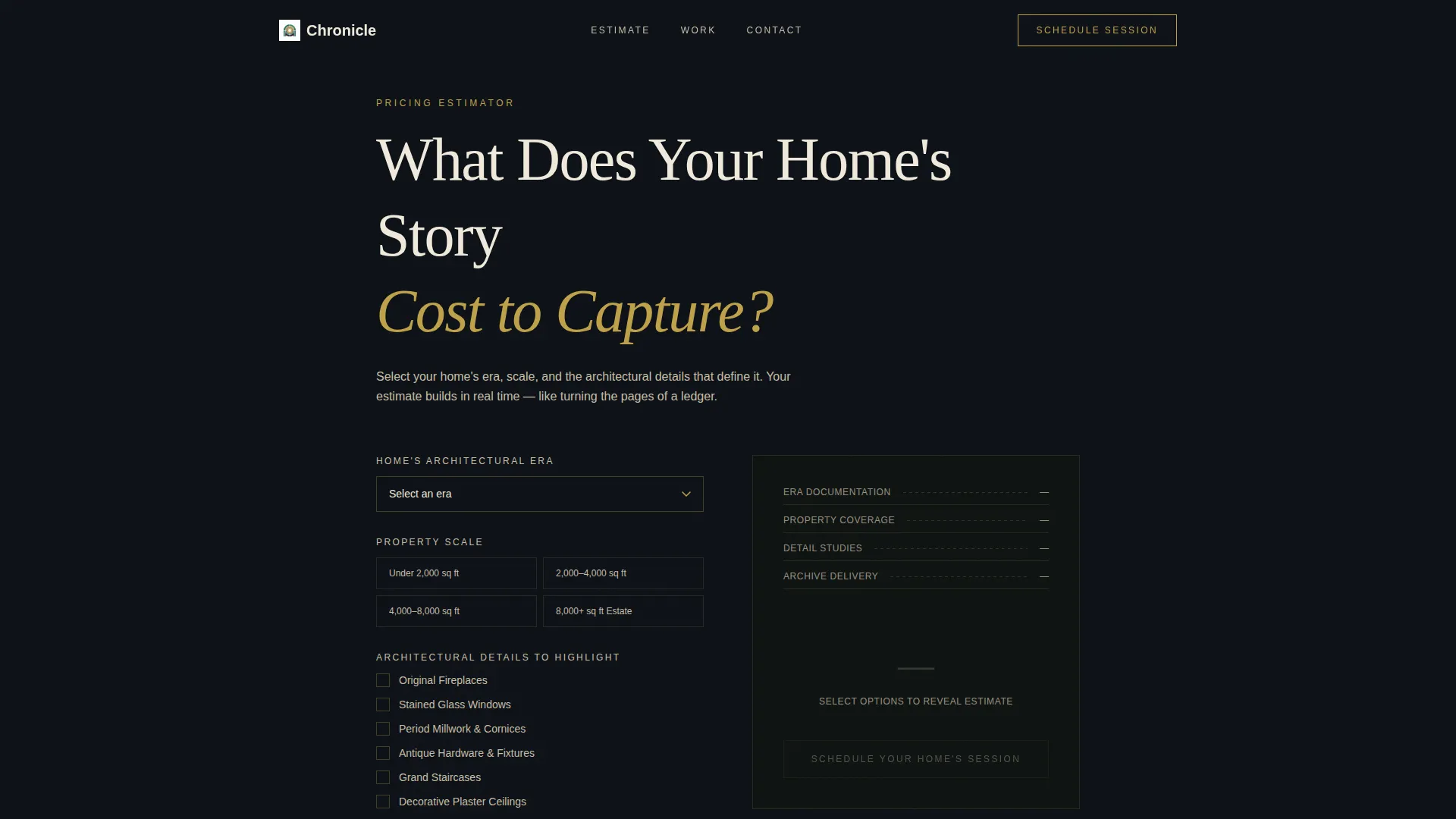
The header opens with an elegant interactive tool titled "What Does Your Home's Story Cost to Capture?" Visitors select their home's era, square footage range, and the number of architectural details to highlight. As each choice is made, a sample photograph from that era fades in behind the form at low opacity, and the cost estimate builds in real time displayed in tarnished gold numerals.
Modular Case Study Card Grid
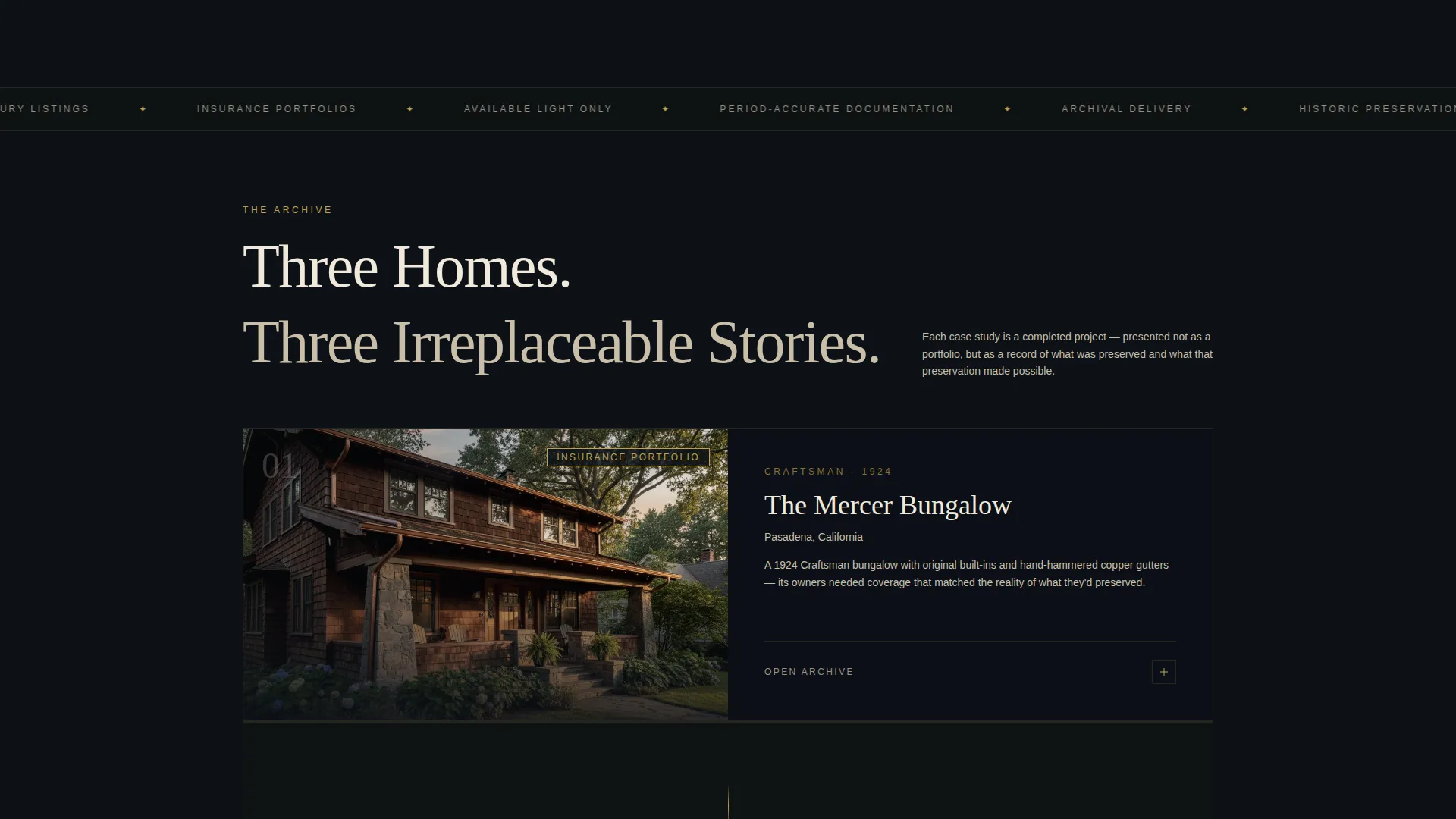
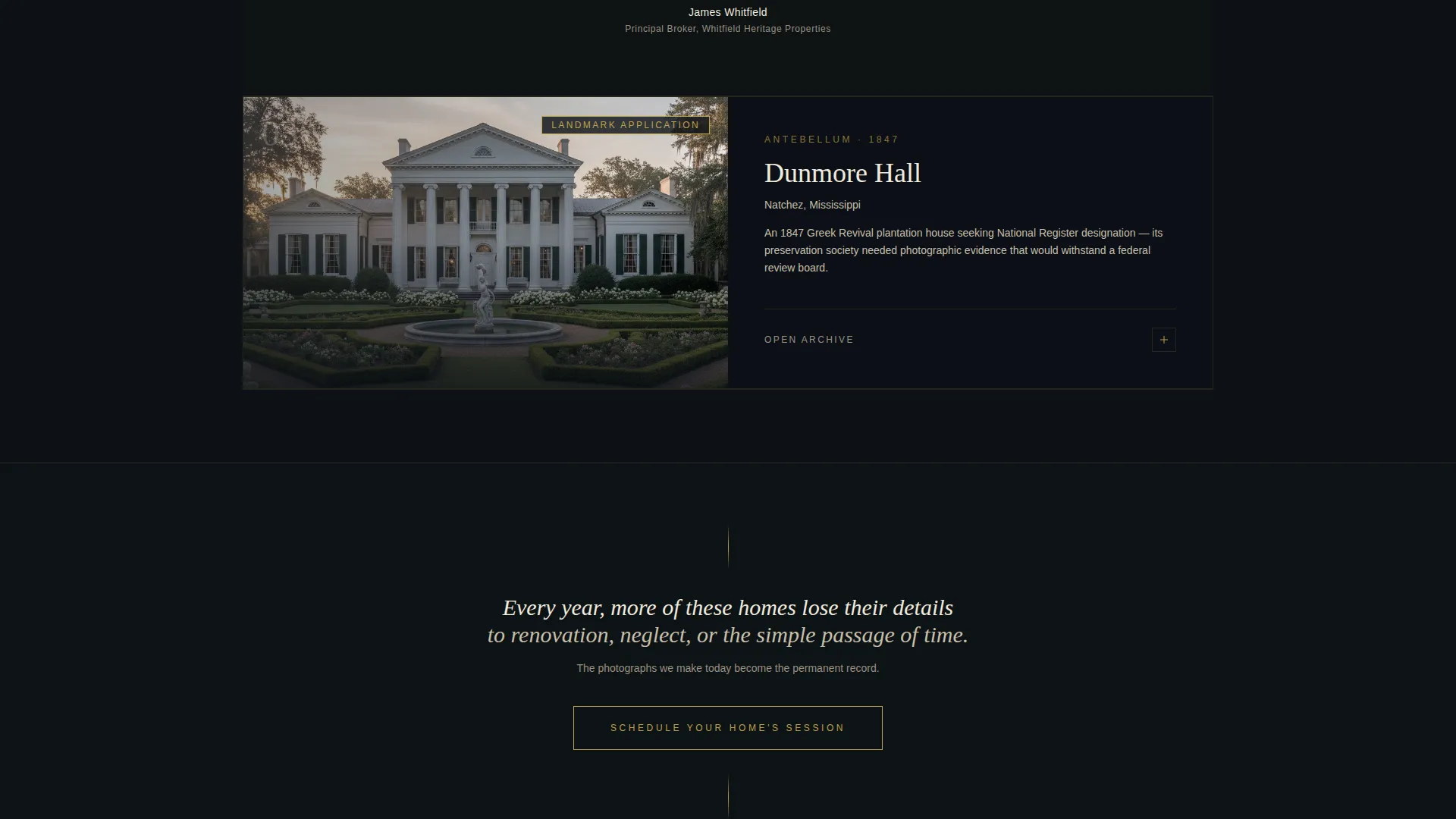
Each card in the grid presents a completed project as a short story. The first view shows a moody exterior hero shot. Clicking or scrolling expands the card into a three-act structure: the home's history, the photographic approach used, and the documented outcome. Cases escalate from a 1920s bungalow to a full antebellum estate, building emotional stakes across the page.
Pull Quote Interstitials
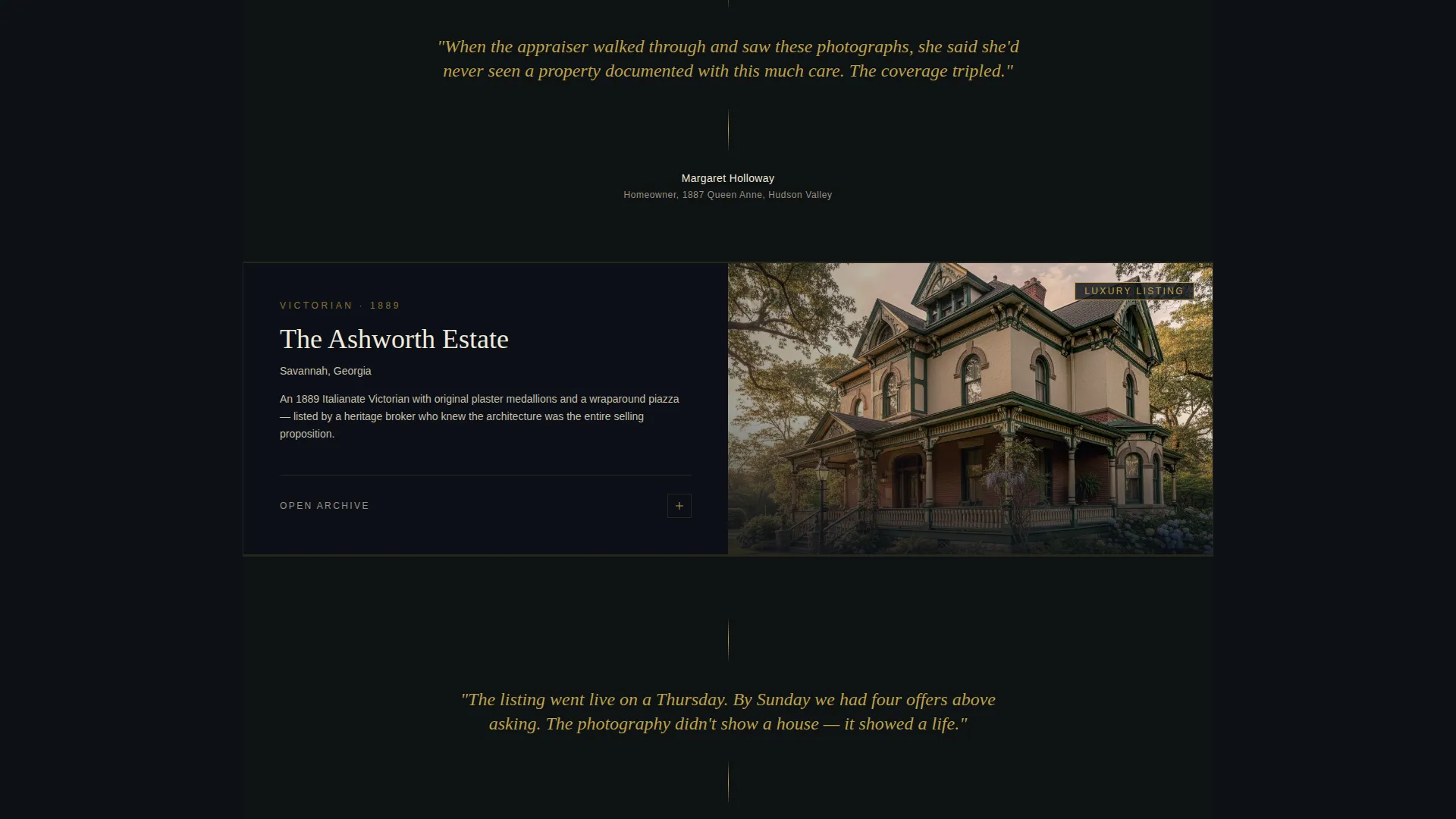
Between case study cards, single pull quotes from homeowners appear in gold italic text on a near-black background. These testimonial moments act as breathing room between narratives. They reinforce trust without interrupting the scroll rhythm, reading like quiet, whispered endorsements from satisfied clients.
Primary Session Booking Form
The main call-to-action form appears at the estimator result and again as a persistent button after the third case study card. The form collects the home's year built, architectural style via a dropdown, address, and a free-text field asking "What makes your home irreplaceable?" This emotionally qualifies each lead while giving the photographer useful creative context before the first conversation.
Secondary Lead Nurture Path
A second conversion option offers visitors the chance to download a Preservation Photography Guide. This resource is gated behind a simple email capture form. It serves visitors who are not yet ready to book a session but are already deeply engaged with the subject matter and exploring their options.
Dark Immersive Visual Theme
The entire template is built around a dark, richly layered visual identity. Deep gallery black forms the base, aged emerald anchors section backgrounds and hover states, tarnished gold marks interactive elements and pull quotes, and parchment white carries body text. The black itself carries a faint green undertone, evoking lacquered wood under low light rather than flat digital darkness.
Page sections overview
| Section | Purpose |
|---|---|
| Estimator Header | Interactive pricing tool with era selection, real-time cost display, and fading photographic previews |
| Case Study Card One | Opening project narrative: 1920s bungalow, exterior hero shot expanding into three-act story |
| Pull Quote Interstitial | Homeowner testimonial in gold italic between first and second case study cards |
| Case Study Card Two | Mid-complexity project narrative escalating emotional and architectural stakes |
| Pull Quote Interstitial | Second homeowner testimonial break before the final case study |
| Case Study Card Three | Full antebellum estate story, highest complexity, followed by persistent booking call-to-action |
| Session Booking Form | Primary lead capture: year built, style dropdown, address, and open-ended qualifier field |
| Guide Download Offer | Secondary email-gated nurture path for visitors not yet ready to book |
Design & branding system
The Chronicle visual identity is built around a Dark Immersive theme. Every color choice references materials found in a private historic archive: green banker's lamps, gold-stamped leather spines, and dark wood paneling that seems to absorb sound.
- Color palette: deep gallery black (#0D1117) as base, aged emerald (#2D6A4F) for section backgrounds and hover states, tarnished gold leaf (#BFA14A) for interactive elements and pull quotes, parchment white (#F0EADC) for body text and borders
- The black carries a faint green undertone, making backgrounds feel warm and material rather than flat
- Typography and decorative borders in parchment white maintain legibility against the dark layers, reinforcing the sense of reading from aged paper in low light
Mobile & speed optimization
The modular card grid layout is designed to reflow cleanly across screen sizes. Each case study card functions as a self-contained unit, making it straightforward to stack vertically on smaller viewports without losing narrative structure.
- The estimator fields and dropdown selectors are sized for comfortable touch interaction on mobile devices
- Card expansion behavior and pull quote interstitials maintain their visual hierarchy when viewed on narrow screens
- The two-form structure (booking and download) is kept lightweight, avoiding heavy third-party scripts that would slow the page
How this template helps you convert
Chronicle is built around two proven conversion mechanics. Every design and copy decision on the page serves one of these two goals: direct booking or lead nurture.
- The estimator creates investment and ownership early. By the time a visitor reaches the booking form, they have already configured their own project scope and seen a personalized cost estimate, making the decision to submit feel like a natural next step rather than a cold commitment.
- The case study narrative grid builds deep trust before any ask is made. Reading three escalating project stories with real outcomes (a listing sold in four days, a landmark application approved, an insurance appraisal tripled) gives even a skeptical visitor concrete proof of the service's value before they ever see a form.
Other information about this template
Chronicle is well suited to photographers who work with luxury real estate agents listing Victorians and Colonials, historic preservation societies preparing landmark status documentation, and homeowners building insurance portfolios for properties with irreplaceable architectural features. The template's structure supports a booking and scheduling workflow natively, with the primary form collecting all the pre-session context a photographer needs. The card grid is modular, meaning individual case study cards can be updated as new projects are completed without redesigning the page. The secondary nurture path makes Chronicle useful beyond immediate conversions, growing an email list of highly engaged prospects over time.
- Suited for Federal, Victorian, Craftsman, Colonial Revival, and Mid-Century property photography practices
- The open-ended qualifier field ("What makes your home irreplaceable?") doubles as a creative brief starter, reducing back-and-forth before the first session
- The template's atmosphere and structure make it equally effective for historic home appraisal adjacent services that rely on detailed visual documentation
Theme
Luxe Minimal
Creative direction
Case Study Narrative
Color system
Warm Stone
Style
Split Screen (50/50)
Direction
Booking/Scheduling
Page Sections
Real-time Pricing Estimator
Modular Case Study Card Grid
Gold Pull Quote Interstitials
Primary Session Booking Form
Email-gated Guide Download
Dark Immersive Visual Identity
Related questions
Can I update the case study cards as I complete new projects?
Does the estimator require a developer to configure the pricing logic?
Can I remove the secondary email download form and use only the booking form?
Is Chronicle suitable for photographers who also serve commercial historic properties?



