Religious & Cultural Architecture Blog Website Template
Nave is a church architecture landing page template built for sacred space design practices. It pairs an animated ink-drawn church facade with a 60/40 asymmetric grid, an interactive site-plan explorer, and a gated planning guide download. The Ink and Paper visual identity, deep indigo palette, and sketchbook editorial style help architects earn trust before asking for anything in return.
by Rocket studio
Quick summary
Nave is a single-page landing page template designed for church architecture practices. It combines a hand-drawn animated header, a 60/40 content explorer, a horizontal pattern library, and a gated lead-capture form. Every section follows an Ink and Paper editorial aesthetic, giving building committees and diocesan planners a resource-rich experience before they ever reach a call to action.
Who this template is for
This template is built for architecture practices that specialize in sacred space design. It speaks directly to professionals who work with faith communities at every stage of a building project, from a pastor sketching a first layout to a diocese commissioning a full restoration study.
- Church architects and sacred space design studios seeking planning-phase leads
- Building committees and congregational planners researching design partners
- Diocesan offices managing restoration studies or new construction commissions
What problem this template solves
Most architecture firm pages lead with portfolio images and a contact form. That approach puts the ask before the relationship. Faith community clients, in particular, need to feel understood before they reach out. They are often volunteer-led committees with limited construction experience, and they need a resource partner, not just a vendor.
- Generic portfolio sites fail to communicate liturgical knowledge or denominational sensitivity
- Early-phase clients (dreaming, fundraising) have no reason to fill out a form without receiving value first
- There is no guided way to connect content about acoustics, materials, or typology to the visitor's specific project phase
What you get with this template
This template delivers a complete landing page structure with high interactivity and editorial depth. Every section is purpose-built for the church architecture context, from the opening animation to the footer arc split.
- An animated SVG hero that constructs a church facade stroke by stroke on page load
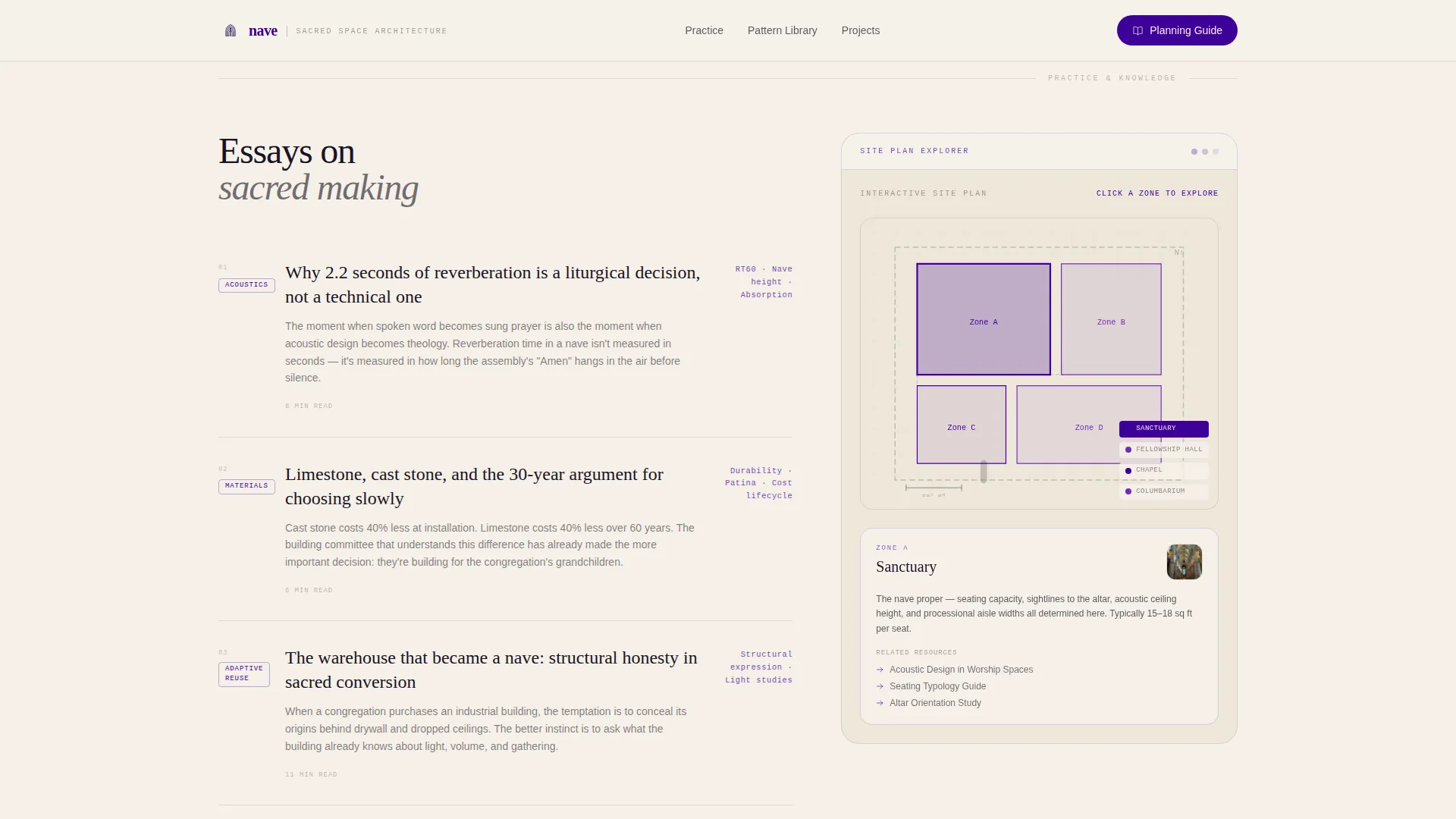
- A 60/40 interactive explorer pairing long-form essays with a clickable site-plan zone tool
- A horizontal snap-scroll pattern library, a credentials section, and a gated planning guide form
Feature list
This template is built around six purpose-matched features that work together to move a visitor from curious reader to qualified lead.
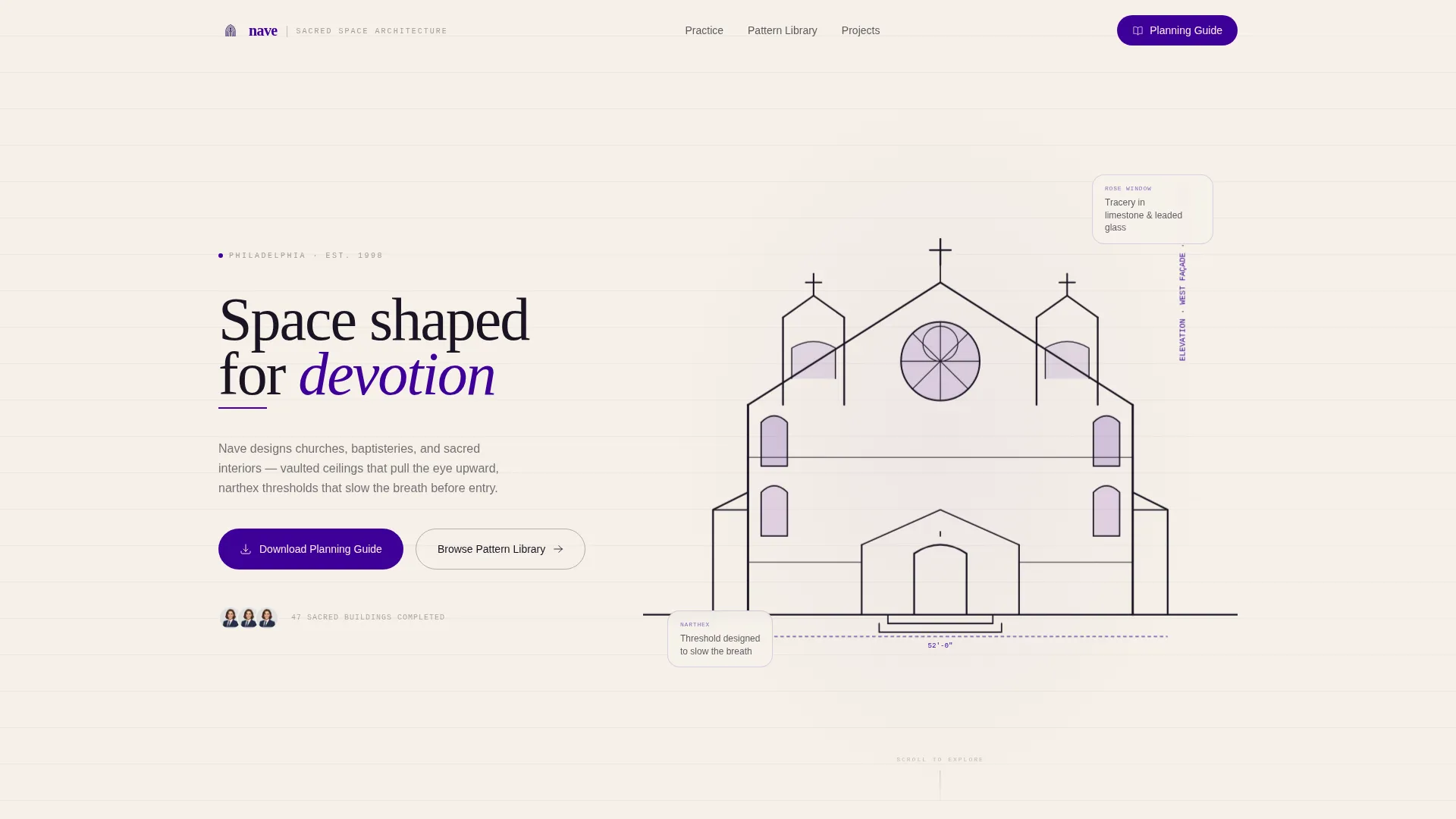
Animated SVG Church Facade Header
The hero draws a full ink elevation of a church facade as the page loads. Buttresses rise, a rose window spirals outward, and the bell tower cross finial completes last. The animation uses SVG stroke-dashoffset draw-on technique, giving the impression of a hand in motion. Electric Indigo washes into the window openings like stained-glass light.
60/40 Asymmetric Content Explorer
The wider 60-column carries long-form editorial content: essays on acoustics in worship spaces, case studies of adaptive reuse, and material comparison guides for limestone versus cast stone. The narrower 40-column holds an interactive site-plan explorer where visitors click building zones to surface relevant resources and precedent images.
Scroll-Triggered Diagram Animations
As the visitor scrolls, diagrams animate into view. Margin annotations slide in from the right. Translucent vellum overlay panels layer on top of drawings, mimicking trace sheets on a drafting table. Each section shift maintains the sketchbook metaphor throughout.
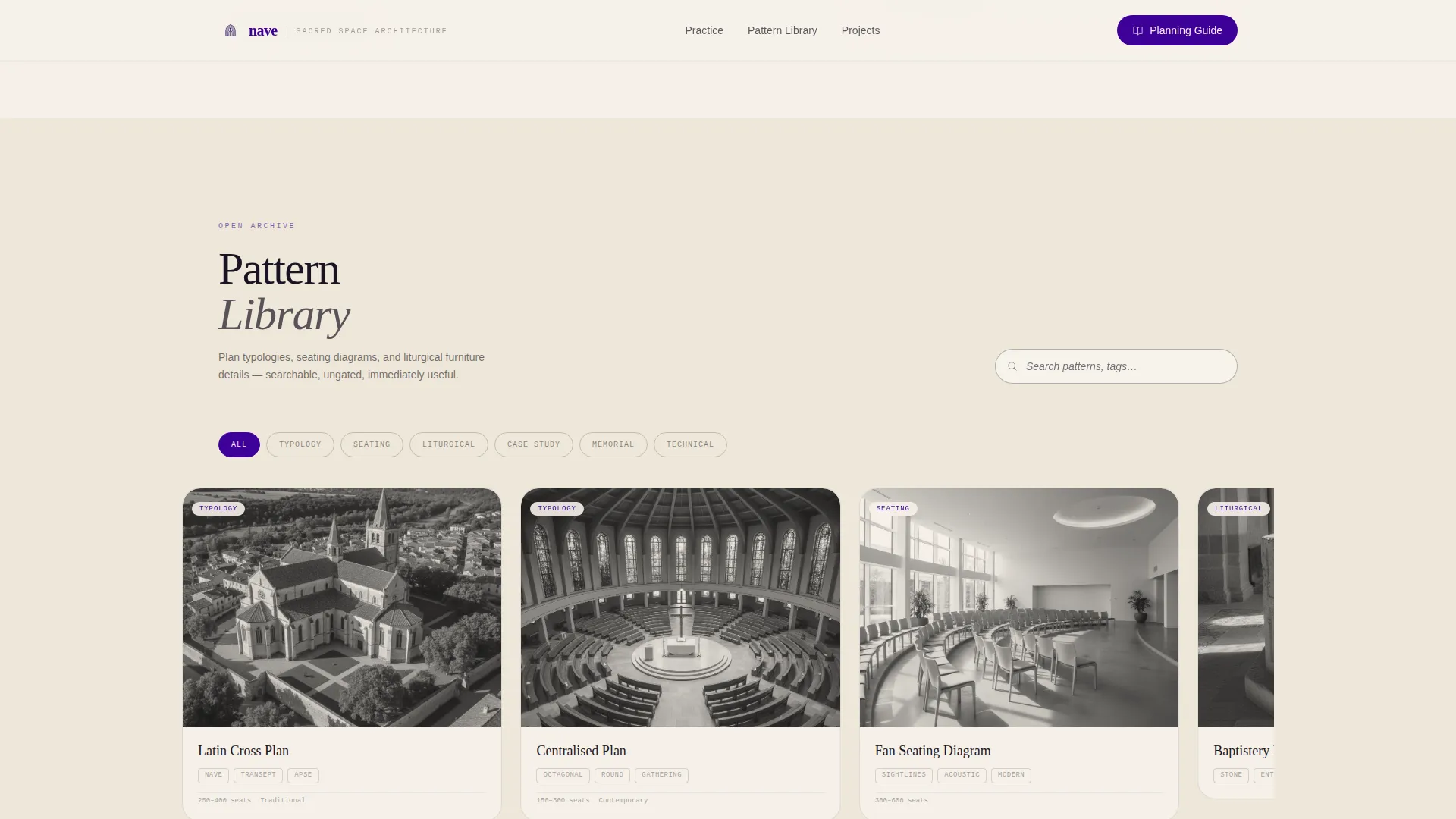
Horizontal Snap-Scroll Pattern Library
A searchable, ungated archive of plan typologies, seating diagrams, and liturgical furniture details sits in a horizontal snap-scroll section. Visitors can browse immediately without submitting any information, creating genuine goodwill before the guide download offer appears.
Gated Sacred Space Planning Guide Form
A short lead-capture form requests congregation name, project phase, and email address. The form gates the downloadable Sacred Space Planning Guide. Offering the pattern library freely before this form makes the download feel like a natural next step rather than an entry barrier.
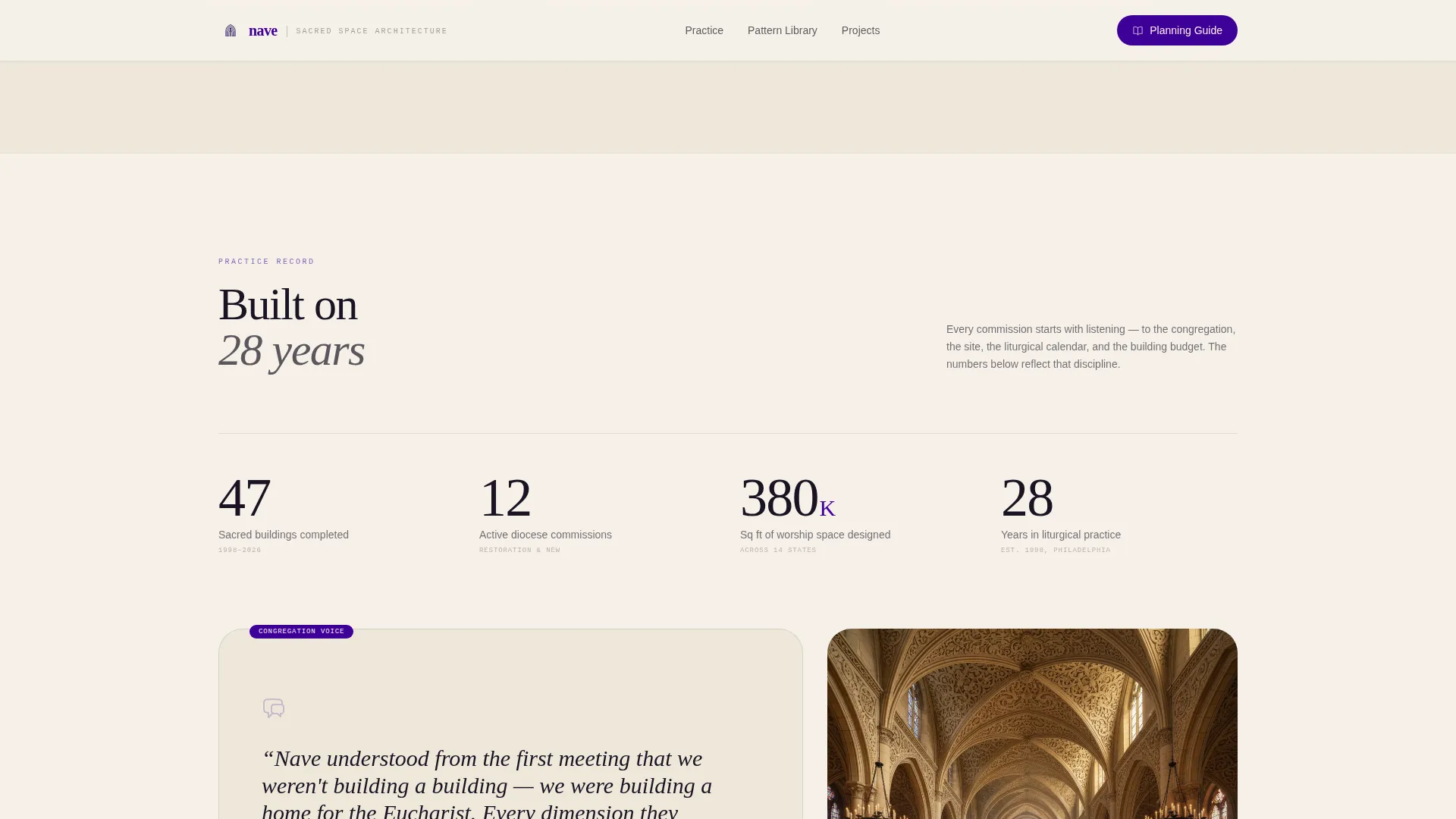
Asymmetric Credentials and Testimonial Section
A stats grid displays project count, years of practice, and diocese commissions in an asymmetric layout. A congregation testimonial sits alongside the numbers, giving social proof grounded in real project relationships rather than generic brand statements.
Page sections overview
| Section | Purpose |
|---|---|
| Hero with Animation | Launches the ink facade draw-on and presents both primary and secondary calls to action |
| 60/40 Content Explorer | Pairs editorial essays with an interactive site-plan zone explorer |
| Pattern Library Archive | Lets visitors browse plan typologies and liturgical details without a form |
| Credentials Stats Grid | Shows project count, years of practice, and diocese commissions alongside a testimonial |
| Guide Download Form | Captures congregation name, project phase, and email for the planning guide |
| Footer Arc Split | Divides logo and tagline from navigation links in an arc-style layout |
Design & branding system
The visual language of this template is rooted in the Ink and Paper theme. Every color, typeface, and motion choice is designed to feel like a hand-drawn architectural elevation drying on cream cotton rag paper. The palette is liturgical in tone and editorial in execution.
- Color system: warm parchment (#F5F0E8) background, deep liturgical indigo (#3D0099) for headlines and navigation, charged violet (#6F2DBD) for hover states and interactive hotspots, and iron-gall black (#1A1423) for body text and line drawings
- Typography: DM Serif Display for headlines, IBM Plex Sans for body text, and IBM Plex Mono for margin annotations and diagram labels
- Motion and texture: SVG draw-on animations, scroll-triggered reveals, and translucent vellum overlay transitions reinforce the sketchbook and drafting table metaphor throughout
Mobile & speed optimization
The template is designed desktop-first, reflecting the real-world behavior of building committees who review design presentations on larger screens. The layout is fully responsive for mobile and tablet visitors.
- Static sections use server components for faster initial load, while the interactive explorer uses client components only where needed
- The asymmetric 60/40 grid reflows cleanly for narrower viewports without losing the editorial structure
- Animation complexity is scoped to the draw-on hero and scroll-triggered reveals, keeping motion purposeful rather than decorative
How this template helps you convert
Trust is built before any form appears. The template follows a content-first conversion path that mirrors how faith community clients actually make decisions.
- The ungated pattern library gives immediate value, encouraging visitors to spend time exploring before any ask is made
- The guide download form appears after the visitor has moved through the content explorer and credentials section, making the request feel earned rather than forced
- The short form fields (congregation name, project phase, and email) reduce friction by asking only for information relevant to the planning conversation
Other information about this template
This template is part of the Architecture and Design category, with a specific focus on the Religious and Cultural Architecture subcategory and Church Architecture niche. It is designed for USA-based practices, with English language, United States dollar currency, and MM/DD/YYYY date formatting built into the layout context.
- The Ink and Paper theme and Electric Indigo color system make this template visually distinct from generic professional services pages
- The Interactive Explorer creative direction and Content/Resource landing-page direction work together to position the practice as a knowledge partner, not just a service vendor
- The Animated Illustration header concept is unique within the niche and functions as a credential in itself, demonstrating draftsmanship before a single project photo appears
Theme
Ink & Paper
Creative direction
Interactive Explorer
Color system
Electric Indigo
Style
Asymmetric Grid (60/40)
Direction
Content/Resource
Page Sections
Animated SVG Church Facade Header
60/40 Asymmetric Content Explorer
Scroll-triggered Diagram Reveals
Horizontal Snap-scroll Pattern Library
Gated Planning Guide Download Form
Credentials and Testimonial Section
Related questions
Who is this landing page template designed for?
Can I use this template without a completed planning guide ready?
What makes the 60/40 layout different from a standard portfolio page?
Is this template suitable for practices that handle both restoration and new construction?
What does the guide download form ask visitors to provide?