Kids Robotics Instructor Directory Landing Page
Circuit is a masonry-style kids robotics instructor directory landing page built for families ready to book hands-on STEM lessons. A photo-grid mosaic hero, leaf-fall filter animations, flippable instructor cards, and an inline booking calendar make finding and reserving a trial lesson feel as engaging as the classes themselves.
by Rocket studio
Quick summary
Circuit is a single-page directory landing page designed to connect families with verified, hands-on robotics instructors for kids. It combines a parallax photo mosaic header, interactive masonry filtering, animated instructor cards, and a streamlined booking flow into one cohesive experience that turns curious parents into confirmed bookings.
Who this template is for
This template is built for anyone who needs to present a curated roster of kids robotics instructors to families actively searching for enrichment. The design speaks directly to motivated parents and program organizers.
- Parents of curious 8 to 14 year olds looking for hands-on robotics or coding classes near them
- Homeschool co-op organizers planning a structured STEM semester and comparing instructor specialties
- After-school program directors who need to vet and book multiple instructors quickly
What problem this template solves
Finding a qualified robotics instructor for a child is genuinely difficult. Most directories feel cold, generic, and hard to trust. Circuit solves the trust deficit and the search friction at once.
- Families cannot easily filter instructors by age group, lesson format, or specialty on typical directory pages
- Parents hesitate to book without seeing reviews, credentials, and real availability before committing
- Program organizers need a browsable, filterable grid rather than a flat list to compare multiple instructors at a glance
What you get with this template
Circuit delivers a fully structured, single-page layout with high interactivity built in from the first section to the footer. Every component is designed around one conversion goal: booking a trial lesson.
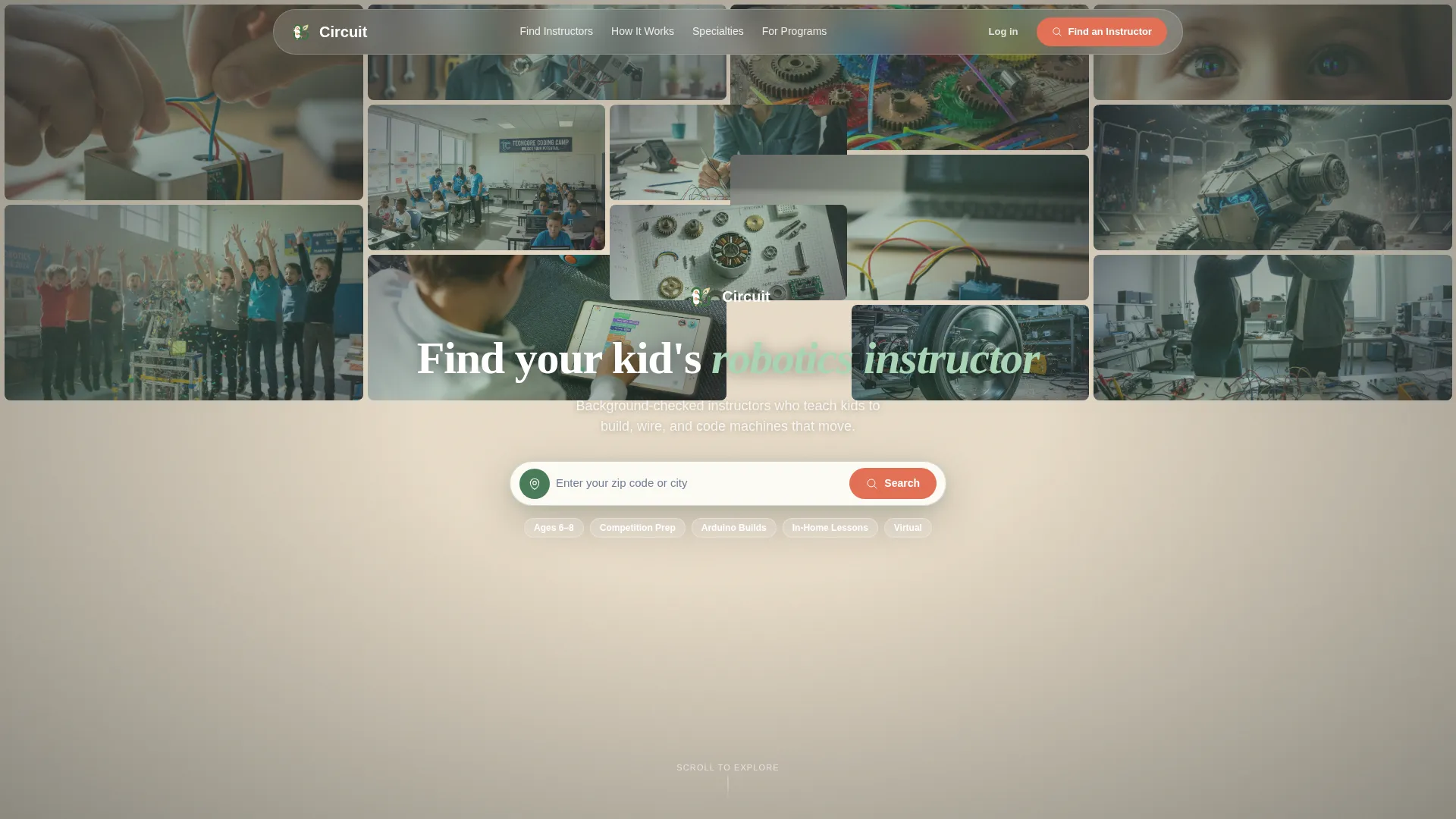
- A Photo Grid Mosaic hero with cursor parallax, a floating zip-code search bar, and real workshop imagery
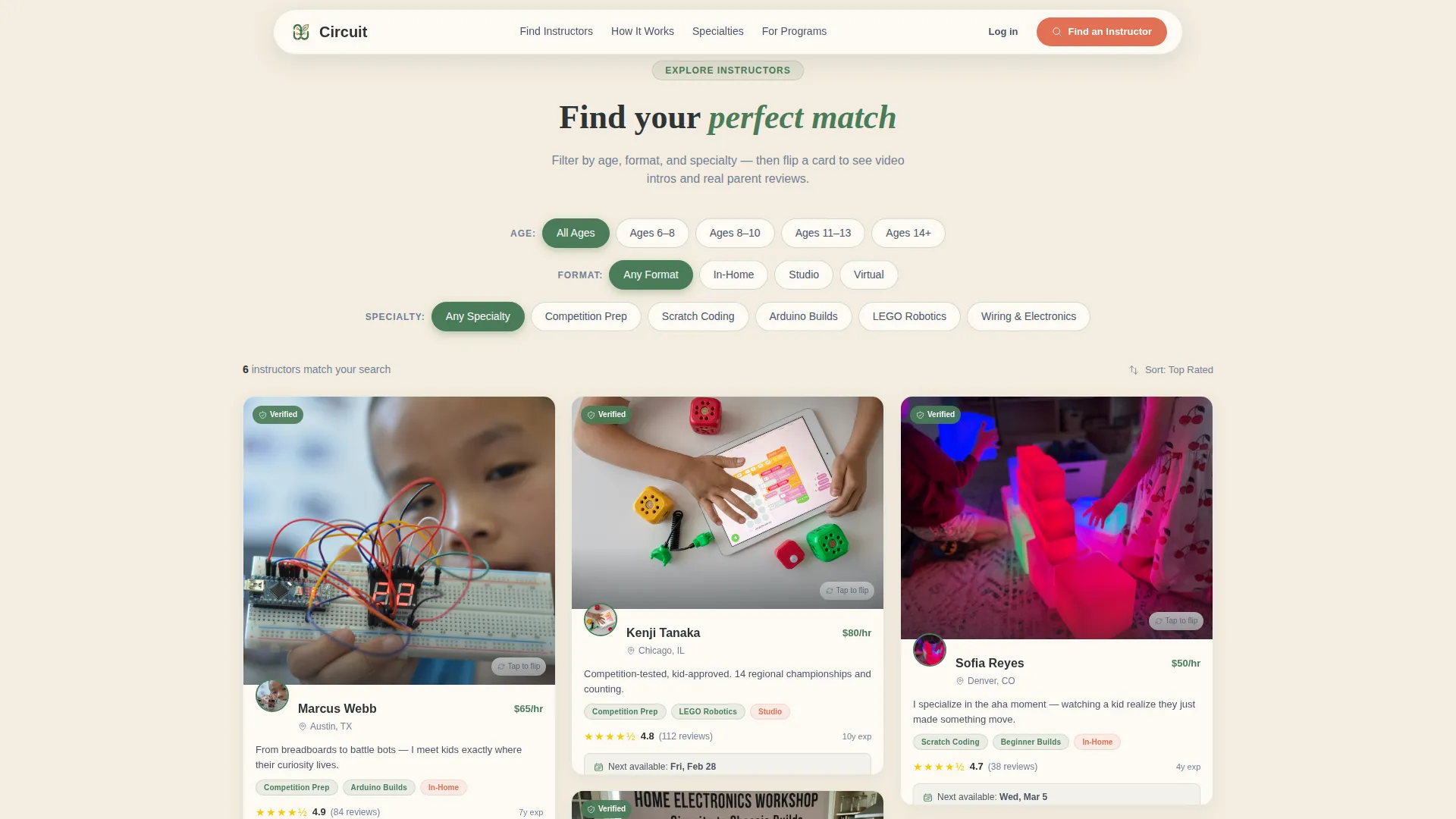
- A Filter Explorer section with age, format, and specialty filters driving a masonry instructor card grid with leaf-fall animation
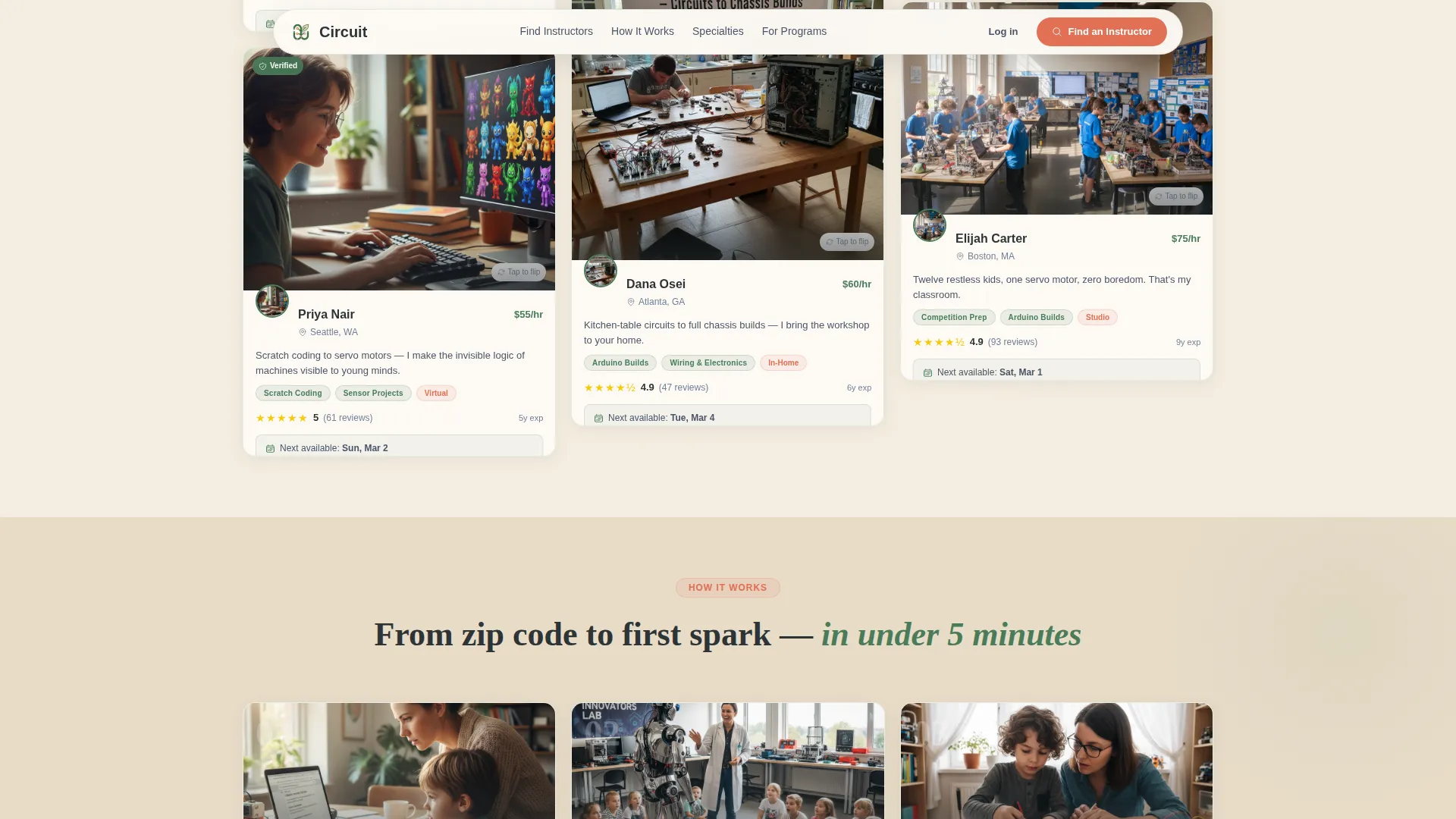
- Flippable instructor cards that reveal video intros, verified parent reviews, and available time slots
- An inline booking calendar modal with a short intake flow collecting child name, age, and experience level
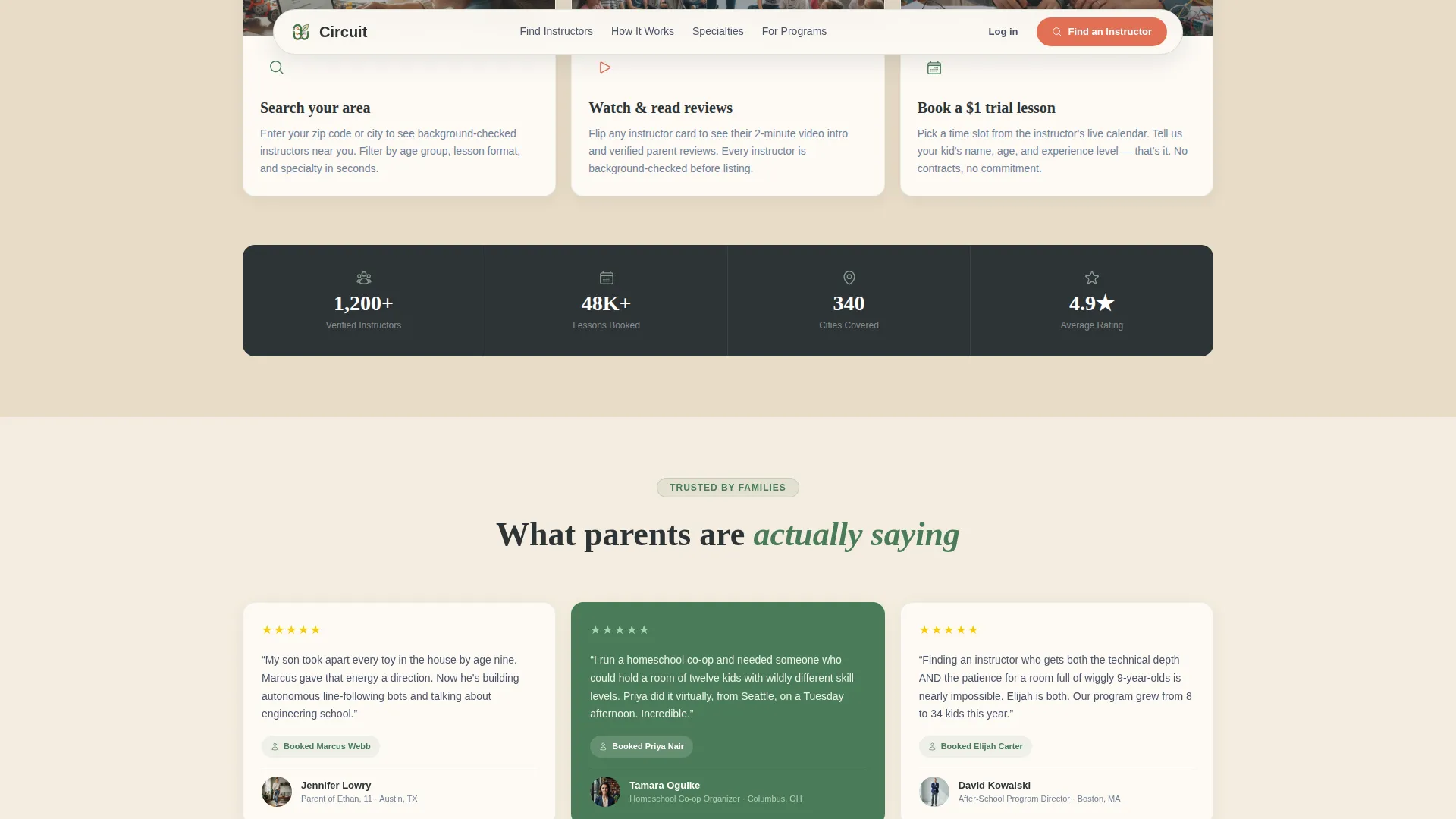
- A How It Works bento block, a trust and social proof stats ribbon, a horizontal specialty showcase, and a single-row footer
Feature list
This template is built around five core capabilities that work together to guide a parent from first glance to confirmed booking.
Parallax Photo Grid Mosaic Header
The hero fills the viewport with an asymmetric grid of real workshop moments. The grid gently shifts as the cursor moves, creating a sense of depth and energy without a single dominant image. A floating search bar with ghost text reading "Enter your zip code or city" anchors the call to action immediately.
Masonry Filter Explorer with Leaf-Fall Animation
Visitors filter the instructor grid by age group, lesson format (in-home, studio, or virtual), and specialty such as competition prep, Scratch coding, or Arduino builds. Each filter tap reshuffles the masonry grid with a botanical leaf-fall animation, keeping the browsing experience tactile and engaging.
Flippable Instructor Cards with Booking Entry
Each card in the grid flips on tap to reveal a short video introduction, verified parent review excerpts, and available time slots. The primary action on every card reads "Book a Trial Lesson," and a secondary "Message This Instructor" link gives hesitant parents a lower-commitment first step.
Inline Booking Calendar Modal
Tapping "Book a Trial Lesson" opens an inline calendar showing the instructor's real availability. The flow collects the child's first name, age, and experience level before confirming a slot. The three experience options (never touched a robot, built a kit or two, ready for competition) keep the intake form short and parent-friendly.
Trust and Social Proof Layer
Every instructor card displays a verified review count and a background-check badge. A "parents also booked" recommendation row appears below each card to make choosing feel communal. A stats ribbon in the Trust section surfaces aggregate numbers such as total instructors, lessons delivered, and cities covered.
Page sections overview
| Section | Purpose |
|---|---|
| Hero Mosaic Header | Showcase workshop energy and surface the zip-code search bar |
| Filter Explorer Grid | Let visitors filter instructors by age, format, and specialty |
| How It Works | Walk parents through the three-step booking flow |
| Trust and Social Proof | Display testimonials, review stats, and aggregate directory numbers |
| Featured Specialties | Highlight instructor categories in a horizontal scroll showcase |
| Single-Row Footer | Provide essential links in a clean, minimal linear layout |
Design & branding system
Circuit uses an Educational Guide theme with a Botanical color system that feels like a science notebook left open in a greenhouse. Every color choice serves a functional role in directing attention and building confidence.
- Chlorophyll green (#4A7C59) anchors instructor cards and category tags; terrarium sand (#E8DCC8) warms the background canvas; pressed-leaf charcoal (#2D3436) grounds all body text
- Pollinator orange (#E17055) is reserved exclusively for buttons, badges, and hover states to pull the eye toward every actionable element
- Typography pairs DM Sans for interface elements and labels with Fraunces display headlines, giving the page both editorial warmth and clean readability
Mobile & speed optimization
Circuit is designed mobile-first because most parents search for local enrichment classes on their phones. The layout adapts from a multi-column desktop masonry grid to a single-column card stack on smaller screens without losing any interactive functionality.
- Lazy-loading images keep the photo-heavy mosaic header from slowing the initial render on mobile connections
- CSS GPU-accelerated animations power the card flip, leaf-fall filter reshuffle, and parallax effect, keeping motion smooth without heavy JavaScript overhead
- IntersectionObserver-based scroll reveals trigger section animations only when elements enter the viewport, reducing unnecessary processing on page load
How this template helps you convert
Circuit is built around a single conversion goal and every design decision supports it. The layout earns trust incrementally so that by the time a parent taps "Book a Trial Lesson," the decision already feels made.
- The mosaic header and search bar create immediate context and a clear first action, pulling parents into the filter explorer before they have a chance to bounce.
- Verified review counts, background-check badges, and the "parents also booked" row reduce booking anxiety at the card level, right before the commitment moment.
- The inline calendar with a short intake form removes friction at the final step, letting parents confirm a trial lesson in under a minute without leaving the page.
Other information about this template
Circuit is a strong fit for EdTech marketplace builders and local-services directory projects in the kids enrichment space. A few additional details worth noting before you build.
- The template supports English-language content, United States geography, USD pricing display, and MM/DD/YYYY date formatting throughout the booking flow
- The masonry grid layout is designed for a Masonry/Pinterest template style, making it reusable for other local-services or instructor directory use cases beyond robotics
- The Interactive Explorer creative direction means the scroll experience is intentionally progressive: results feel more specific the deeper a visitor navigates
- The booking modal intake flow uses three clearly worded experience levels, making it accessible to parents regardless of how much they already know about robotics
Theme
Educational Guide
Creative direction
Interactive Explorer
Color system
Botanical
Style
Masonry/Pinterest
Direction
Booking/Scheduling
Page Sections
Parallax Photo Grid Mosaic Header
Masonry Filter Explorer with Leaf-fall Animation
Flippable Instructor Cards
Inline Booking Calendar Modal
Trust and Social Proof Layer
Horizontal Specialty Showcase
Related questions
What kinds of instructors does this directory template showcase?
Can parents book a lesson directly from the page?
Is there a way for parents to contact an instructor before booking?
Does the template work for homeschool co-ops and after-school programs?
How does the template build trust with first-time visitors?



