Electrician Team Service Area Website Template
Circuit is a split-screen landing page template built for licensed electrician teams. It pairs a bold manifesto header with crew-based service area mapping, a sticky booking bar, and a three-step scheduling form. The design uses a Monochrome Steel palette to project the quiet authority of a team that shows up prepared, permitted, and ready to work.
by Rocket studio
Quick summary
Circuit is a single-page electrician landing page template designed around crew credibility and service area coverage. It opens with a bold split-screen manifesto, moves through a team roster tied to interactive zone maps, and closes with a sticky booking bar and a three-step scheduling form. Every section is built to turn a hesitant visitor into a confirmed appointment.
Who this template is for
This template was built for established electrician businesses that want their website to match the professionalism they bring to every job site. It suits teams with named, licensed crew members and defined service zones.
- Licensed electrician contractors serving multiple zip codes or neighborhoods
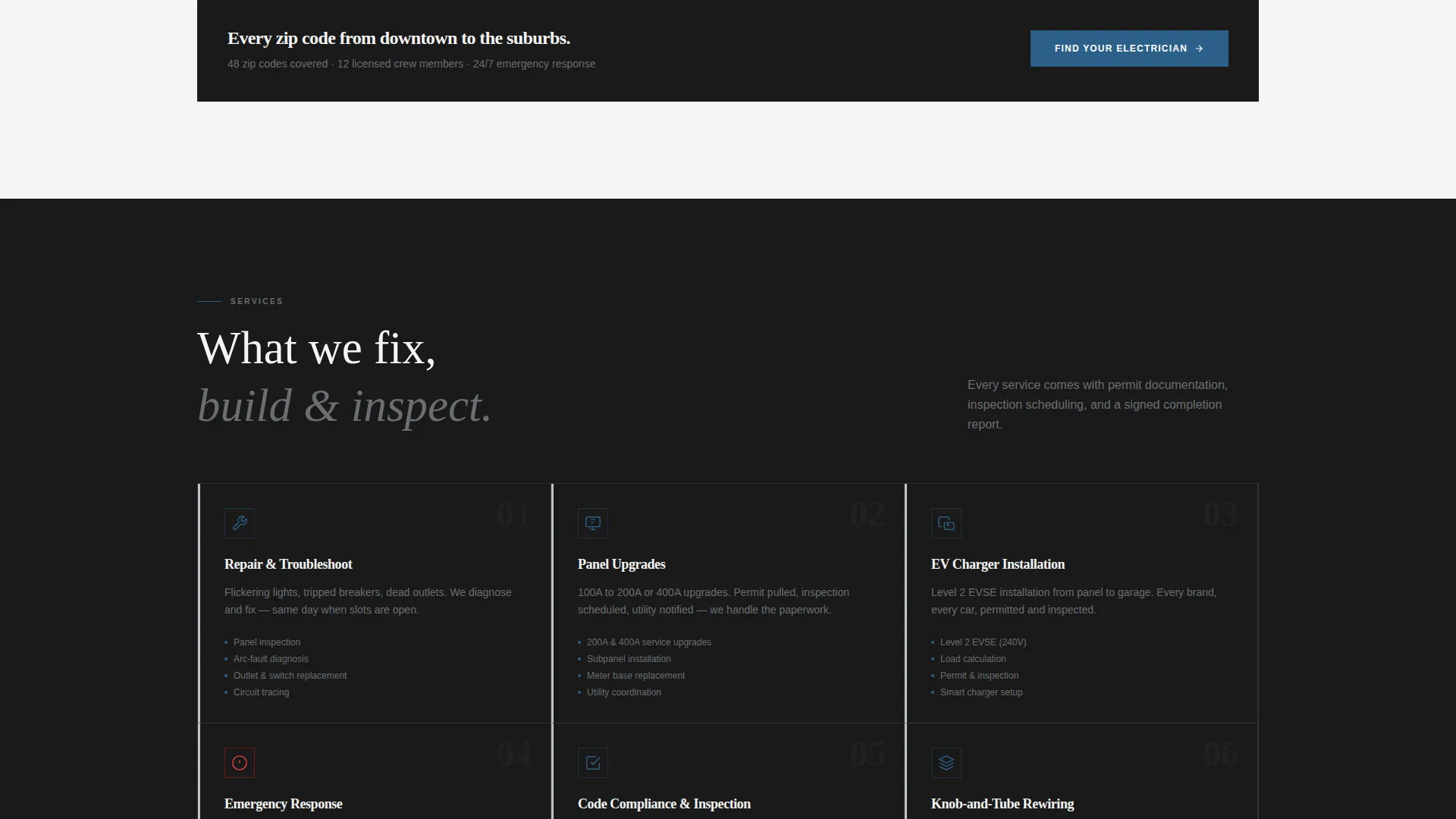
- Electrical businesses offering repair, inspection, installation, and emergency services
- Teams looking to replace a generic service page with a credentialed, crew-forward landing page
What problem this template solves
Most electrician pages look like they were built in an afternoon and feel about as trustworthy. Visitors arrive anxious, and a wall of stock photos and vague promises sends them straight to a competitor. Circuit fixes that by leading with real faces, real license numbers, and a real map.
- Visitors cannot tell which crew member will show up or whether they cover the right area
- Generic booking forms create friction and lose customers who need help urgently
- No sense of crew depth or service territory leaves potential clients guessing
What you get with this template
You get a fully structured, single-page layout that moves visitors from first impression to booked appointment without a single detour. The sections are ordered deliberately, and every design decision earns trust before asking for a commitment.
- A split-screen manifesto header with bold typographic treatment and a real-work portrait panel
- An interactive crew roster section pairing team members with their mapped service territories
- A sticky booking bar, a three-step scheduling form, and a click-to-call emergency bypass button
Feature list
This section details the core built-in capabilities that make Circuit work as a conversion-focused electrician landing page.
Split-Screen Manifesto Header
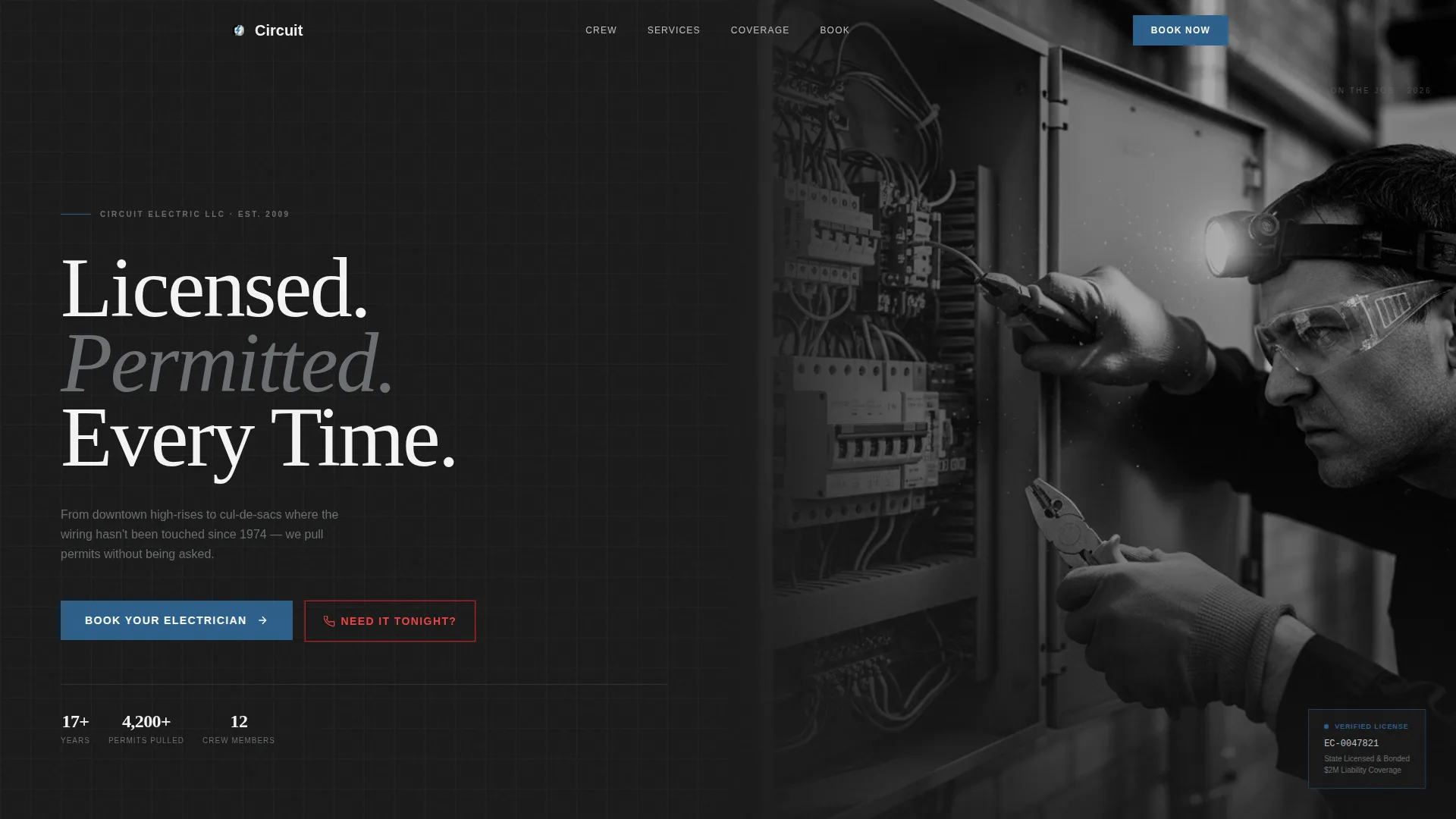
The header divides the viewport evenly. The left panel displays the statement "Licensed. Permitted. Every Time." in heavy condensed sans-serif against forge-black, with each line appearing like an inspection checklist item. The right panel holds a high-contrast black-and-white portrait of the lead electrician at work, headlamp on, gloved hands in an open panel.
Crew Roster with Territory Maps
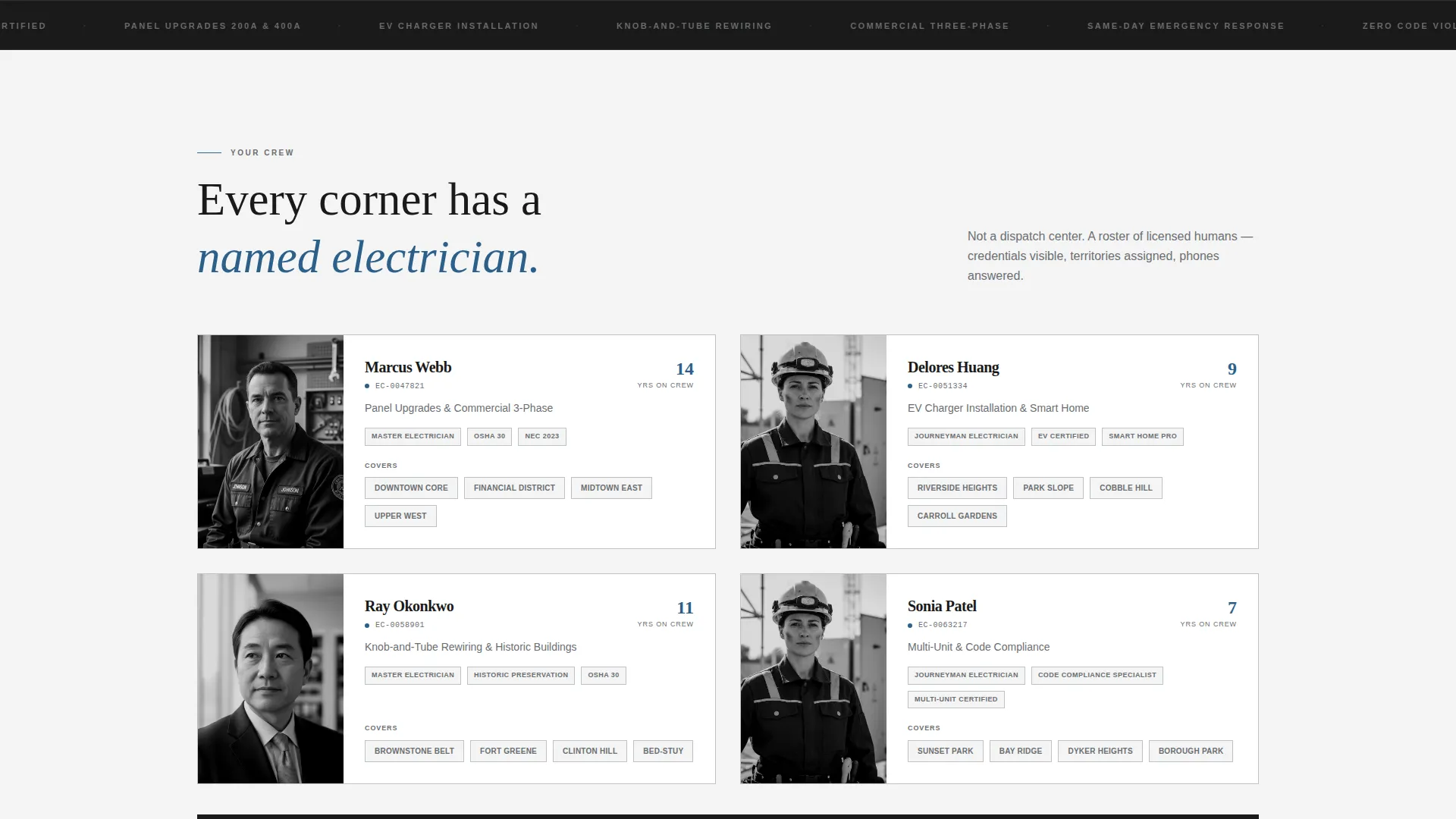
Each scroll step introduces a crew member alongside their service zone. The left panel shows a portrait, name, license number, years on the team, and specialty such as EV charger installation, knob-and-tube rewiring, or commercial three-phase work. The right panel highlights that crew member's coverage area in permit-stamp blue on a clean vector map.
Sticky Booking Bar
After the first scroll, a persistent booking bar follows the visitor down the page. The primary call to action reads "Book Your Electrician" and stays visible at all times, so the path to scheduling is never more than one click away regardless of where the visitor is on the page.
Three-Step Scheduling Form
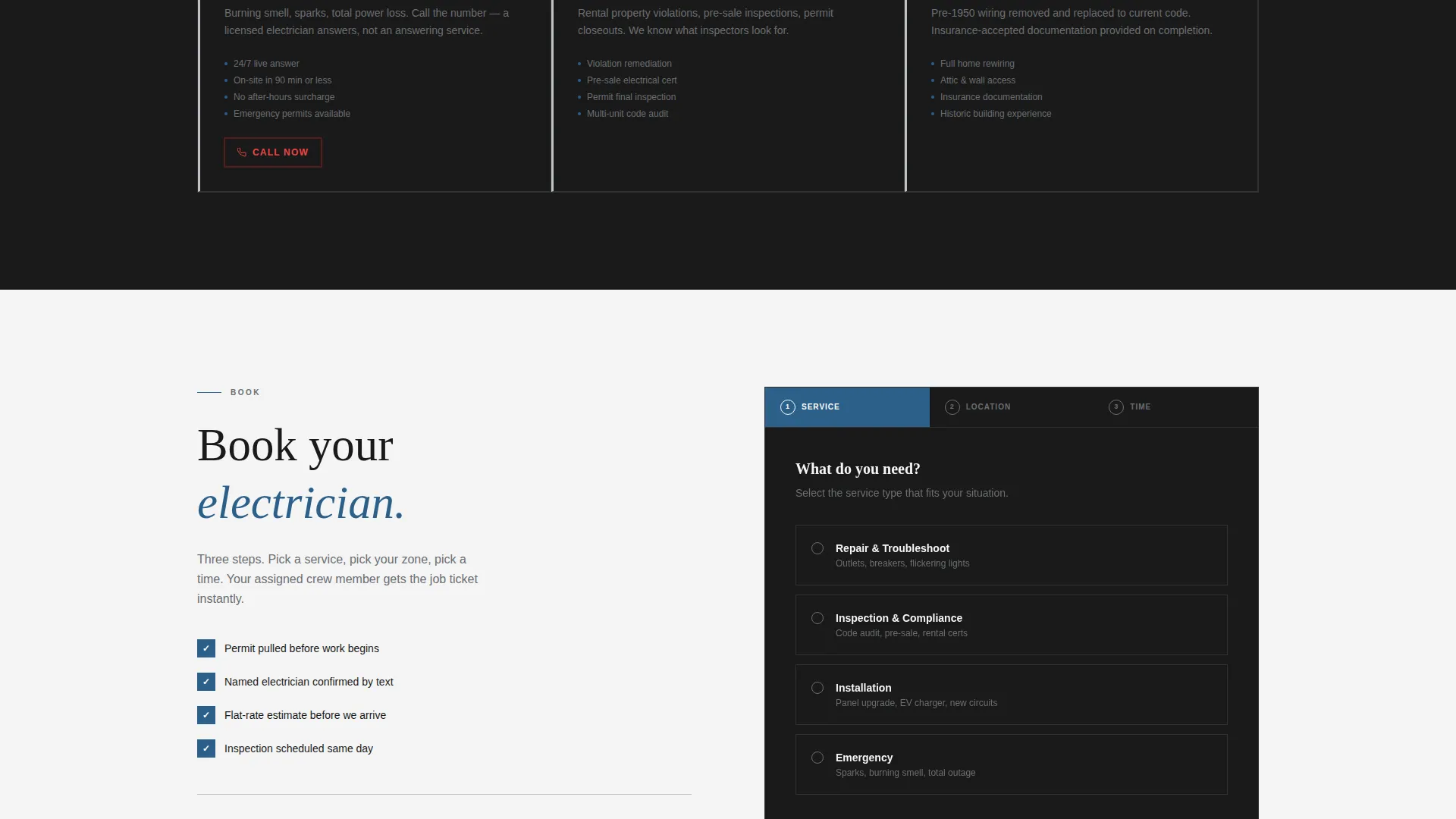
Clicking the booking bar opens a focused three-step form. Step one selects service type. Step two picks a location from the mapped zones, which auto-assigns the relevant crew member. Step three presents the next three available time slots from a calendar view.
Emergency Click-to-Call Bypass
A secondary path labeled "Need It Tonight?" bypasses the scheduling form entirely. It triggers a direct click-to-call button for visitors who cannot wait for an appointment and need to speak to someone immediately.
Legal Shield Theme Treatment
The Legal Shield visual theme applies matte steel tones and precise typographic structure to communicate compliance, credibility, and reliability. Trust badges and calls to action use permit-stamp blue to draw the eye without disrupting the controlled palette.
Page sections overview
| Section | Purpose |
|---|---|
| Split-Screen Header | Opens with manifesto statement and lead electrician portrait |
| Crew Roster | Introduces team members with credentials and service specialties |
| Territory Map Panel | Maps each crew member's coverage area by neighborhood zone |
| Sticky Booking Bar | Keeps the primary call to action visible during scroll |
| Three-Step Form | Guides visitors through service type, location, and time slot |
| Emergency Call Path | Offers a direct click-to-call option for urgent requests |
Design & branding system
The design language feels like opening a freshly installed breaker panel: matte steel surfaces, clean labeling, and every element torqued to spec. The Monochrome Steel color system uses restraint deliberately, saving the one accent color for the moments that matter most.
- Forge-black (#1A1A1A), brushed conduit gray (#6B6E72), panel-box silver (#BFC2C7), and safety-white (#F4F4F4) form the base palette
- Permit-stamp blue (#2C5F8A) is reserved exclusively for calls to action and trust badges
- Heavy condensed sans-serif typography projects authority; the portrait panel uses real-grain photography to signal authenticity over polish
Mobile & speed optimization
The 50/50 split-screen layout adapts for smaller screens without losing its structural clarity. The crew roster and map panels restack vertically so credentials and coverage areas remain readable on any device.
- Portrait and map panels reflow to a single-column layout on mobile viewports
- The sticky booking bar and click-to-call button remain accessible at all scroll positions on touch devices
- The three-step form is designed for thumb-friendly interaction with clear step indicators
How this template helps you convert
Circuit earns trust before it asks for anything. By the time a visitor reaches the booking form, they have already seen a named person, a license number, and the exact neighborhood that person covers.
- The manifesto header sets immediate authority, and the crew roster builds layered credibility section by section as the visitor scrolls.
- The sticky booking bar removes hesitation by keeping the call to action visible at every point in the page without interrupting the reading flow.
- The emergency bypass button captures high-intent visitors who need immediate help and would otherwise leave to find a phone number elsewhere.
Other information about this template
Circuit fits within the broader category of professional services landing pages for trade contractors. It is particularly well-suited for electrician businesses that want to establish a service area presence and connect each zone to a specific, credentialed team member.
- The template is categorized under Electrician Online Presence within the Professional Services niche
- It is optimized for the Electrician Service Area and Location Page use case, making it practical for multi-zone coverage marketing
- The Legal Shield theme and Monochrome Steel color system are paired intersection choices that reinforce the compliance-forward positioning of licensed electrical contractors
- The Team and People creative direction and Quote/Manifesto header concept work together to differentiate this page from generic contractor templates
Theme
Legal Shield
Creative direction
Team & People
Color system
Monochrome Steel
Style
Split Screen (50/50)
Direction
Booking/Scheduling
Page Sections
Split-screen Manifesto Header
Crew Roster with Territory Maps
Sticky Booking Bar
Three-step Scheduling Form
Emergency Click-to-call Bypass
Legal Shield Visual Theme
Related questions
Who is this template best suited for?
Can I customize the crew roster and service zones?
What happens when a visitor clicks 'Book Your Electrician'?
How does the emergency contact path work?
Is this a single-page layout or a multi-page site?



