Soil & Water Conservation Reviews Website Template
Cistern is a single-column landing page template built for rainwater harvesting installers. It walks visitors through a full installation journey, from site survey to first harvest, using a timeline progression layout with real gallon and dollar figures. A built-in catchment calculator and PDF guide preview turn curious visitors into qualified leads.
by Rocket studio
Quick summary
Cistern is a single-column flow landing page template for rainwater harvesting installers. It leads visitors through a Day 1 to Day 7 installation timeline, delivers real capture and savings numbers throughout, and earns the lead with a catchment calculator download. The design blends engineering precision with a botanical color palette for a confident, grounded feel.
Who this template is for
This template is purpose-built for specialty contractors who install underground cistern and rainwater collection systems. It speaks directly to the concerns of water-conscious property owners and small-scale farmers, making it easy to qualify visitors before they ever pick up the phone.
- Rainwater harvesting installers targeting exurban homeowners with costly private wells
- Contractors serving hobby farmers managing rising county water bills
- Off-grid builders and installers whose clients want to avoid municipal water connections entirely
What problem this template solves
Most contractor pages tell visitors what a service is, but not why it matters or how it works. Potential clients arrive unsure whether a cistern system is worth the investment. This template solves that gap by showing the build process step by step, with real numbers attached.
- Visitors leave before committing because they do not understand the installation scope or the return on investment
- Generic lead forms feel like a gate, not a gift, so visitors skip them
- Prospects cannot picture the finished result, making it hard to justify the project cost
What you get with this template
You get a fully structured single-column landing page designed around a content-first lead generation flow. Every section earns the next one, so by the time a visitor reaches the calculator form, they already trust the numbers behind it.
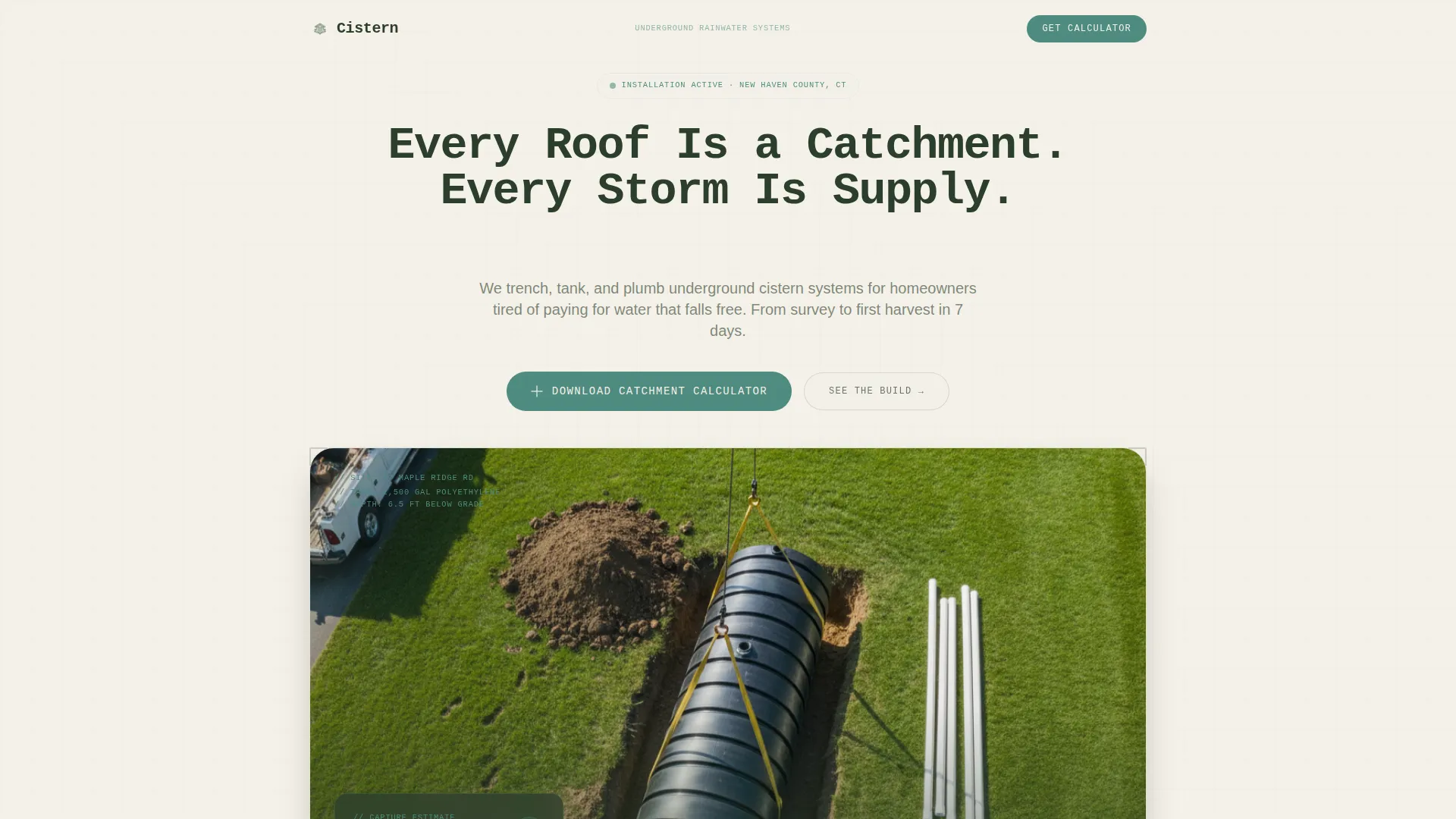
- A cinematic hero section with a drone job-site photo, a typewriter-effect headline, and a floating stats card
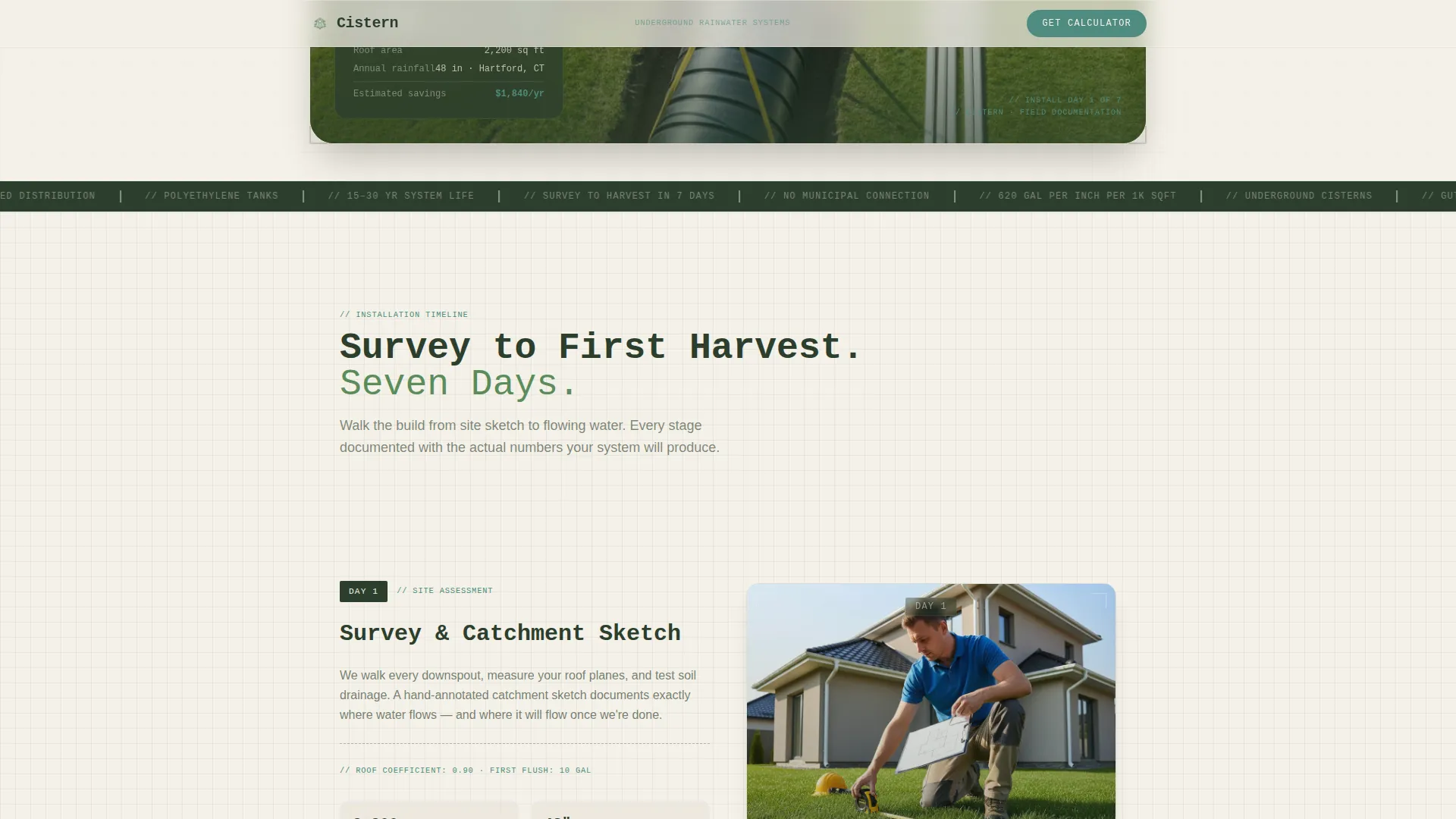
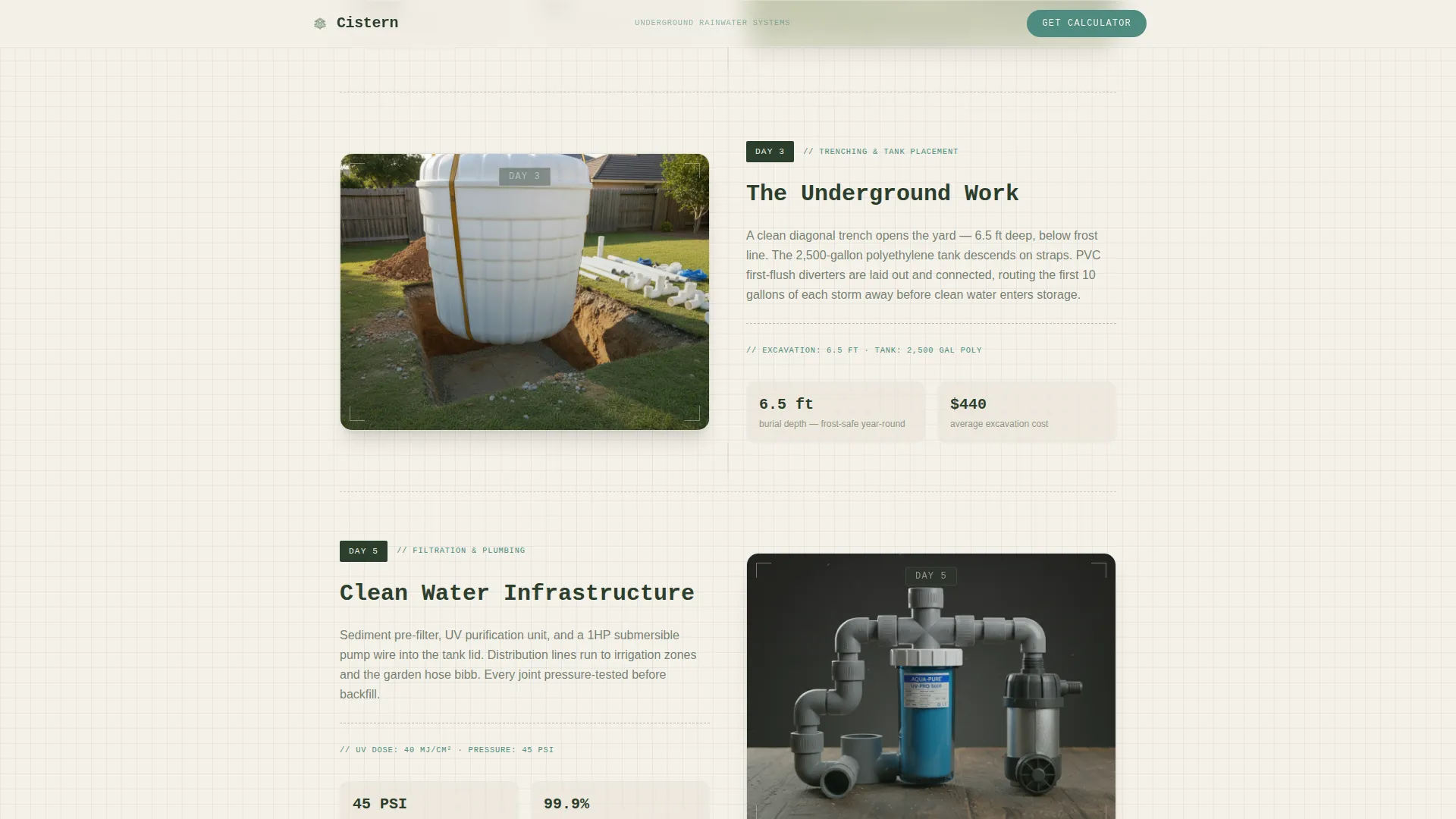
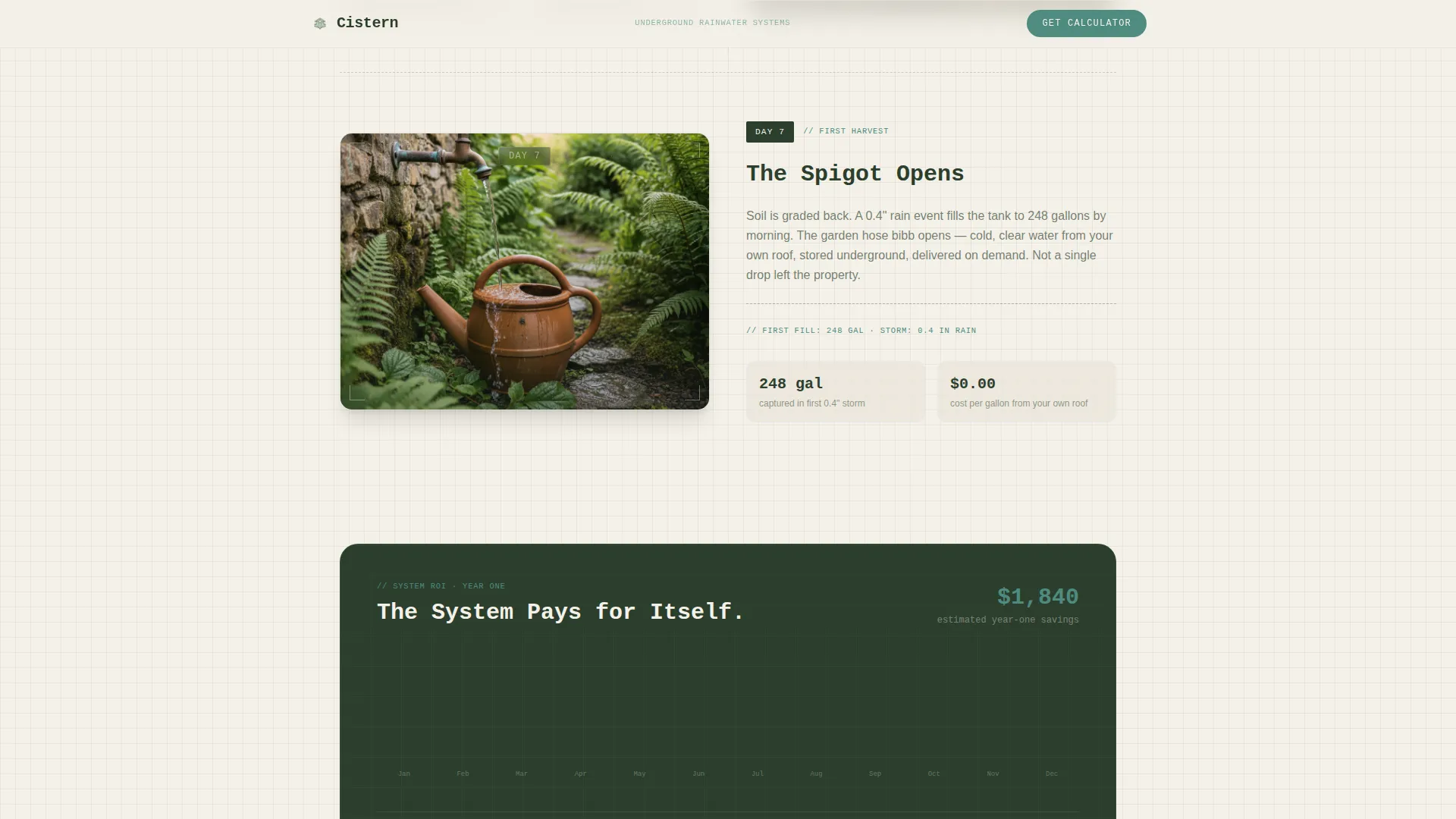
- A Day 1 / Day 3 / Day 7 installation timeline with embedded gallon and dollar data
- A catchment calculator form that collects zip code, roof square footage, and email with live inline number preview
- A scrollable PDF guide preview for the free resource titled "Your Roof, Your Water"
- Three testimonial cards from a homeowner, a farmer, and an off-grid builder with specific outcomes
Feature list
This template is built around five purposeful sections and a set of interactive components that work together to inform, persuade, and convert.
Cinematic Hero with Typewriter Headline
The hero opens on a wide overhead drone shot of a mid-install job site. A 2,500-gallon polyethylene tank is half-lowered into a freshly dug trench. The headline types itself onto the screen in monospaced font, styled like a spec annotation. A floating stats card anchors key numbers above the fold.
Day-by-Day Installation Timeline
The scroll walks visitors through the full installation from survey to first harvest. Each stage carries a day count, a short description of the work completed, and real figures: gallons of annual capture, estimated dollar savings, and irrigation days covered. Visitors live through the build rather than just reading about it.
Catchment Calculator Lead Form
The primary call to action is a three-step form: zip code first to pull local rainfall context, then roof square footage, then email address. The form shows inline number previews as visitors enter their data, making the calculator feel like a useful tool rather than a contact gate.
Scrollable PDF Guide Preview
The "Your Roof, Your Water" guide is embedded as a scrollable preview panel. Visitors can read actual content before deciding to download. This approach builds trust and reduces friction by letting the resource speak for itself before asking for an email address.
Outcome-Specific Testimonial Cards
Three testimonial blocks feature real-scenario clients: an exurban homeowner, a hobby farmer, and an off-grid builder. Each card cites a specific outcome such as gallons captured per year or dollars saved on water bills, making the social proof concrete and credible.
Page sections overview
| Section | Purpose |
|---|---|
| Hero drone shot | Open with job-site credibility and a bold catchment headline |
| Installation day timeline | Walk visitors through the full build with real data at each stage |
| Rainfall calculator form | Capture zip code, roof area, and email with live number feedback |
| PDF guide preview | Let visitors sample "Your Roof, Your Water" before downloading |
| Client testimonial cards | Reinforce outcomes with specific gallons-saved and cost figures |
| Footer linear row | Provide navigation and contact links in a clean single-row layout |
Design & branding system
The visual identity pairs Engineering Blueprint structure with a Botanical color palette. The result feels like a technical drawing left on a potting bench overnight: precise, functional, and softened by living green.
- Color palette: deep wet earth (#2C3E2D) as the primary background tone, rain-washed fern (#5B8C5A) for accents, blueprint vellum (#F4F1E8) for content backgrounds, and copper patina (#4E8B7F) for interactive highlights
- Typography: JetBrains Mono for headlines and spec-style annotations, DM Sans for body copy and form labels
- Animation layer: typewriter headline effect, GSAP scroll reveals on timeline sections, and a parallax-scrolling hero image
Mobile & speed optimization
The template is designed desktop-first to honor the cinematic drone hero, but every section is fully responsive. Layout stacks and type scales are built to hold up on smaller screens without losing the timeline's narrative momentum.
- Single-column flow adapts cleanly to tablet and mobile viewports without restructuring content order
- Static sections use server-rendered components to reduce page load overhead on repeat visits
- Images are optimized to support fast initial paint on the hero without sacrificing visual quality
How this template helps you convert
The entire page is structured as a trust-building sequence. Each section earns the next, so the calculator form arrives at the moment visitors are most ready to act.
- The timeline sections deliver real capture figures and savings numbers early, so visitors arrive at the calculator already believing the system pays for itself.
- The scrollable PDF preview lets visitors taste the guide content before submitting their email, reducing the perceived risk of sharing contact information.
- The three-step calculator form collects zip code first and roof area second, making the email request feel like a natural final step rather than the opening ask.
Other information about this template
This template is categorized under Agriculture and Environment, specifically within the Soil and Water Conservation subcategory. It is built for the rainwater harvesting installer niche and follows a content and resource delivery landing page direction. The single-column flow format and Timeline Progression creative direction make it well-suited for contractors who want to educate before they sell.
- Template style: Single Column Flow with high animation and interactivity settings
- Theme: Engineering Blueprint crossed with a Botanical color system
- Header concept: Behind-the-Scenes drone job-site photography
- Footer pattern: Linear Single-Row layout
- Localization: United States market, USD pricing references, imperial measurements throughout
Theme
Engineering Blueprint
Creative direction
Timeline Progression
Color system
Botanical
Style
Single Column Flow
Direction
Content/Resource
Page Sections
Cinematic Drone Hero Section
Day-by-day Installation Timeline
Live Catchment Calculator Form
Scrollable PDF Guide Preview
Outcome-specific Testimonial Cards
Related questions
Can I edit the timeline day counts and data figures?
Do I need a developer to set up the calculator form?
Is the PDF guide preview content included in the template?
Can I change the color palette to match my brand?
Is this template suitable for a rainwater harvesting business outside the United States?