Political Campaign FAQ Website Template
Ballot is a civic-themed, FAQ-driven local election landing page template built on a 50/50 split-screen layout. It guides skeptical residents through real questions about infrastructure, schools, and public safety before presenting a single click-through call to action. Clean Arctic White branding, ballot-box navy headlines, and civic red buttons make every word feel printed, purposeful, and earned.
by Rocket studio
Quick summary
Ballot is a single-page local election campaign template designed to convert skeptical residents into engaged voters. It uses a FAQ-driven scroll that mirrors a real doorstep conversation. Each question-and-answer pair builds trust before any action is requested. The page closes with one clear click-through invitation, never a donation form.
Who this template is for
This template is built for candidates, campaign teams, and civic organizers who want to run honest, question-first campaigns at the local level. It fits people who believe that residents deserve direct answers before they are asked to do anything.
- Local candidates running for city council, school board, or county office who want a page that feels like a neighbor, not a press release.
- Campaign volunteers and organizers who need a fast, credible page that can address real community concerns without requiring a developer.
- Civic groups and community development organizations supporting voter education efforts at the town and county level.
What problem this template solves
Most local campaign pages lead with a donation button before they have said anything worth believing. Residents arrive skeptical. They have watched city council vote on plans that never solved the flooding on their street. They have read ballot measures they did not fully understand. They leave without clicking anything because nothing on the page answered the question they actually had.
This template solves that problem by putting the answer first.
- Residents who are tired of political rhetoric get a page that opens with their own question in large type and answers it in plain language, with a local reference they can verify.
- First-time voters and returning citizens who want to understand ballot measures, land use decisions, and city plans before they vote get the context they need to make informed decisions.
- Campaigns that want voters to click through to a full platform page, rather than bounce after three seconds, get a scroll rhythm that earns that click by the time it appears.
What you get with this template
You get a complete, ready-to-customize landing page that feels like a civic document and reads like a real conversation. Every section is structured around the way residents actually think about local elections, from infrastructure accountability to personal motivation.
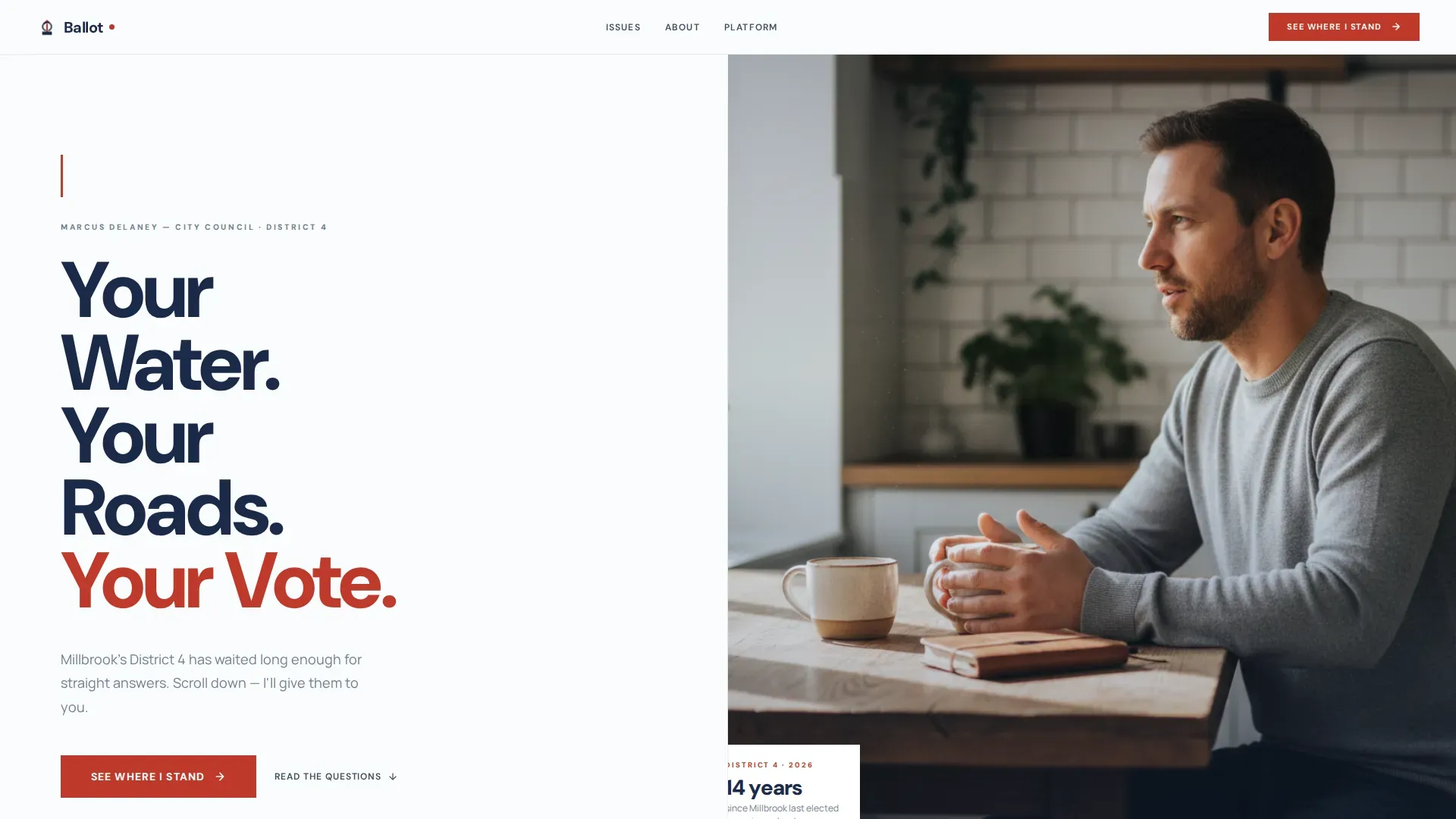
- A 50/50 split-screen hero with a bold navy headline on the left and a candid candidate photograph on the right, built to communicate approachability before a single word is read.
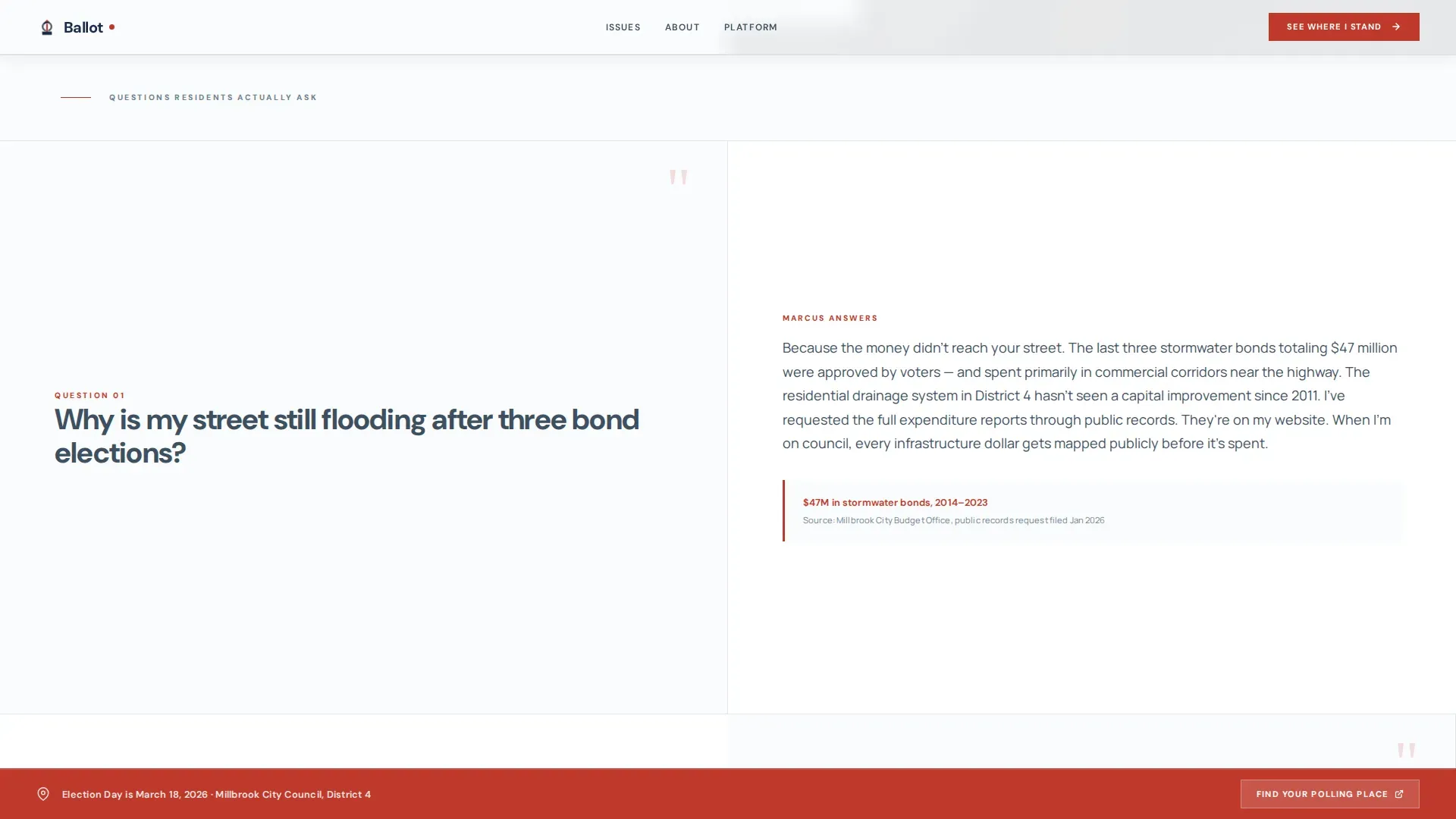
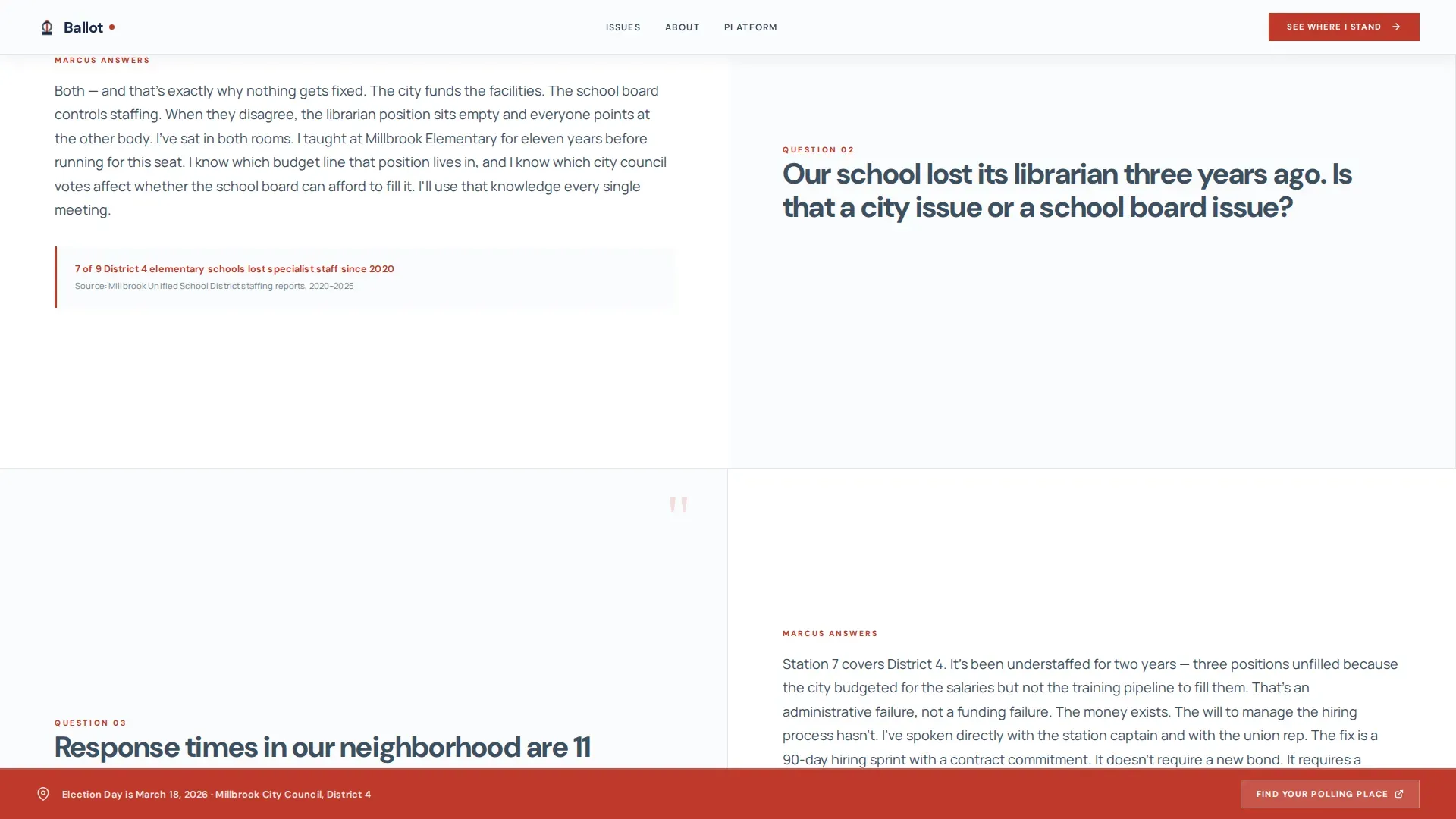
- A full FAQ-driven scroll where each section pairs a large resident question on the left panel with a first-person, plain-language answer on the right, moving from infrastructure to schools to public safety to a personal close.
- A persistent bottom bar carrying a civic red "Find Your Polling Place" call to action, visible on every scroll position without interrupting the reading flow.
Feature list
This template includes a focused set of built-in design and layout features grounded in the source brief. Each one serves the core goal: answer questions, build trust, earn the click.
50/50 Split-Screen Hero Layout
The hero section divides the viewport into two equal halves. The left side holds a giant, oversized sans-serif headline set in deep ballot-box navy, large enough that each phrase earns its own visual weight. The right side displays a candid candidate photograph, shot at a kitchen table with natural window light and no staged props. This composition signals neighbor rather than politician before a single line of body copy is read. The layout stacks responsively on mobile so voters on any device see the headline first.
FAQ-Driven Question and Answer Scroll
Below the hero, the page builds its case through real questions that residents actually ask. Each FAQ pair places the question in large slate pencil gray type on the left panel and the candidate's answer on the right, written in first person with at least one supporting local data point or neighborhood reference. The questions progress in a deliberate order: infrastructure and flooding first, then schools, then public safety, then a personal close on why the candidate is running. This rhythm mirrors a real doorstep conversation where skepticism slowly becomes curiosity. Voters who engage with this scroll are better prepared to make informed decisions about the candidate before they ever reach a call to action.
Strategically Placed Primary Call to Action
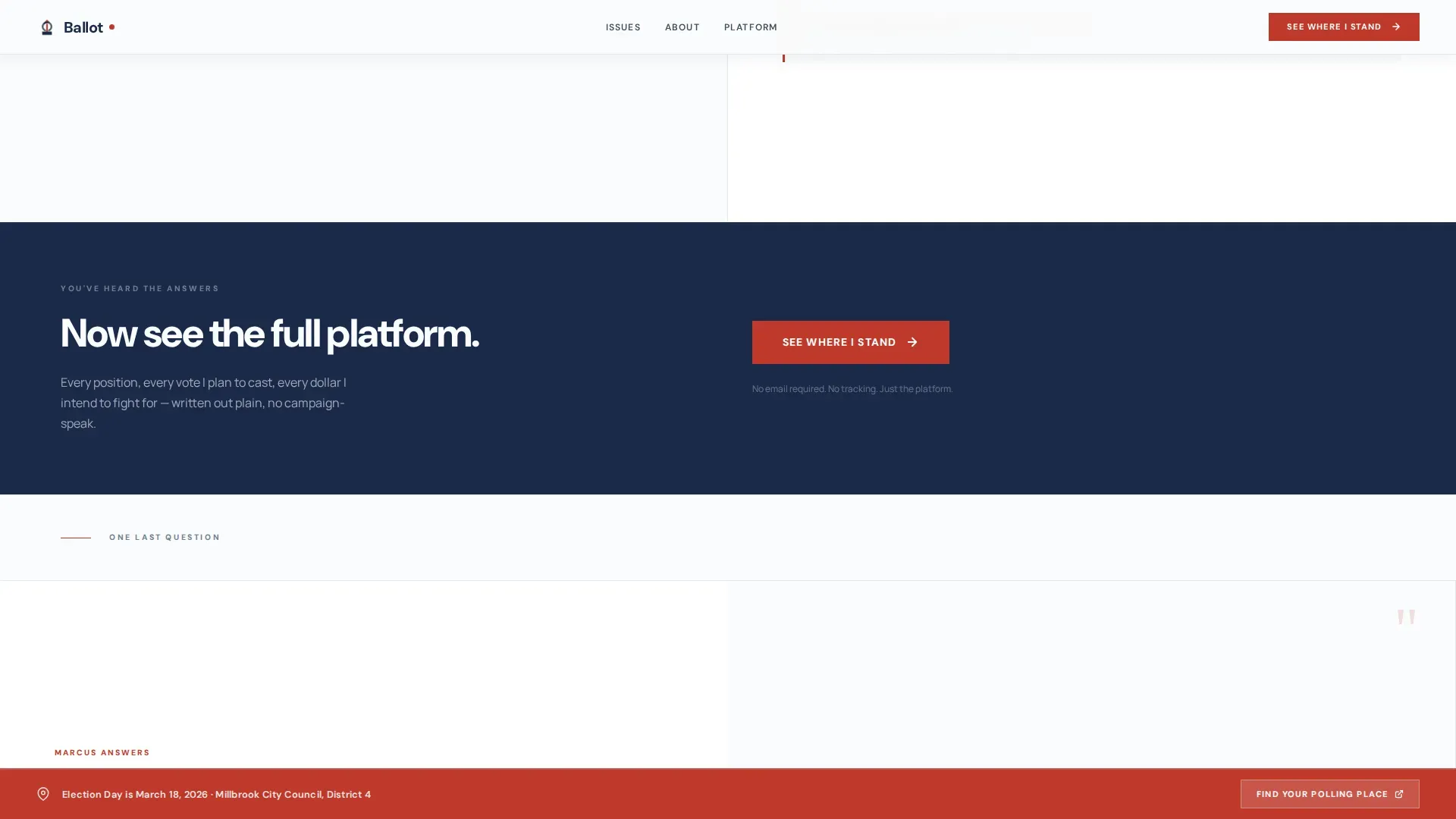
The "See Where I Stand" button appears after the third FAQ pair, not at the top of the page. This placement reflects the core conversion philosophy: trust is earned before anything is asked. The button links to a full platform page where voters can explore the candidate's complete positions on land use, city services, county plans, and more. By the time voters reach this call to action, they have already engaged with the most pressing local concerns. The click feels natural rather than pressured.
Persistent Civic Red Bottom Bar
A fixed bottom bar stays visible throughout the entire scroll. It carries the secondary call to action, "Find Your Polling Place," set in civic red against the Arctic White palette. This bar gives voters an immediate path to action at any moment without pulling focus away from the FAQ content above. It is especially useful for voters who arrive on election day or in the days just before, when finding polling places is the most urgent practical need.
Scroll-Triggered Reveal Animations
The template includes medium-intensity scroll-triggered reveal animations. FAQ answer panels appear as the resident's question comes into view, reinforcing the conversational rhythm of the page. The candidate photograph on the right side of the hero includes a subtle parallax effect and cursor-reactive behavior. Hover states on buttons and interactive elements provide clear visual feedback. These animations are purposeful rather than decorative, keeping the reading experience focused and the page feeling alive without distracting from the content.
Civic Service Visual System
The entire page is built around a printed-ballot aesthetic. Arctic White (#FAFBFC) serves as the dominant background, giving every element breathing room. Deep ballot-box navy (#1B2A4A) anchors headlines and structural elements. Slate pencil gray (#3D4F5F) carries body text and structural lines. Civic red (#C0392B) appears only on buttons and urgent callouts. DM Sans is used for headlines and Manrope for body text. Together these choices create a visual identity that feels stark, legible, and trustworthy, nothing hiding behind decoration.
Page sections overview
| Section | Purpose |
|---|---|
| Hero Split Screen | Introduces the candidate with an oversized navy headline and a candid kitchen-table photograph |
| FAQ Pair One | Addresses infrastructure and flooding credibility questions first |
| FAQ Pair Two | Covers schools and public safety to deepen resident trust |
| Primary call to action Block | Places the "See Where I Stand" button after trust has been established |
| FAQ Pair Three | Closes personally with the candidate answering why they are running |
| Footer Block | Minimal superhuman-style footer with essential page details |
| Persistent Bottom Bar | Fixed civic red bar with "Find Your Polling Place" always visible |
Design & branding system
The design system is built around the idea of a freshly printed ballot. Every color choice and typographic decision serves legibility and trust above everything else. There is no gradient, no background image competing with body text, and no decorative flourish that obscures meaning.
- Color palette: Arctic White (#FAFBFC) as the dominant ground, ballot-box navy (#1B2A4A) for headlines and anchors, slate pencil gray (#3D4F5F) for body text and lines, and civic red (#C0392B) reserved exclusively for buttons and urgent callouts. The four-color system keeps the page visually disciplined and immediately readable.
- Typography: DM Sans for all headlines, delivering a bold, modern sans-serif weight that commands attention without feeling aggressive. Manrope for body text, chosen for its open letterforms and readability at paragraph sizes. Both typefaces work together to maintain the civic, printed-document feel across the full page.
- Photography direction: candid and unstaged. The hero image shows the candidate mid-conversation at a kitchen table with coffee mugs visible and natural window light coming in from the side. No podium, no flag pin, no formal backdrop. The image is treated with cursor-reactive behavior and subtle parallax on scroll to give it presence without making it feel like a production.
Mobile & speed optimization
The template is designed desktop-first, with the 50/50 split-screen hero intended to display at full viewport width on larger screens. On mobile, the layout stacks responsively. The headline appears above the photograph, the FAQ pairs stack vertically with the question above the answer, and the persistent bottom bar remains fixed at the bottom of the viewport.
- Responsive stacking: all split-screen columns collapse to a single-column flow on smaller screens, preserving the question-and-answer rhythm without horizontal scrolling or layout breaks.
- Minimal JavaScript footprint: the template uses server components for all static content sections. Interactive elements such as FAQ answer reveals, scroll-triggered animations, and the cursor-reactive photograph are handled with minimal JavaScript to keep the page loading quickly across connection types.
- Persistent bottom bar on mobile: the civic red "Find Your Polling Place" bar remains fixed at the bottom of mobile screens as well as desktop, giving voters a consistent path to locate their polling places regardless of device.
How this template helps you convert
This template is built entirely around a single conversion goal: earning the click to the full platform page. There is no donation form on this page, no email capture, and no multi-step flow. The commitment the page asks for is small but meaningful.
- The FAQ scroll earns trust before it asks for anything. Residents read real questions about city council decisions, land use plans, county property issues, and local infrastructure. They read answers in plain language. By the time the "See Where I Stand" button appears after the third FAQ pair, voters have already invested several minutes in the candidate's perspective. The click is the natural next step, not a cold ask.
- The persistent bottom bar captures intent at every scroll position. A voter who arrives already knowing they want to find their polling place does not need to scroll to the bottom or navigate away to a county website. The bar gives them immediate access to that information at any point, reducing friction and keeping voters engaged with the page rather than bouncing to find what they need elsewhere.
Other information about this template
This template sits at the intersection of civic design and practical campaign strategy. The notes below cover additional context about the broader landscape this template operates in, the resources it can support, and the voter information topics it is built to address.
- Ballot measures and voter approval: Ballot measures fall into three categories: citizen-initiated measures, legislatively-referred measures, and constitutional amendments. Citizen-led initiatives often require a certain number of signatures from registered voters to qualify for the ballot. Legislatively-referred measures are proposed by the legislature and placed on the ballot for voter approval. Understanding the process helps candidates address ballot measures clearly on their campaign pages and helps voters make informed decisions about each item on their ballot.
- Voting rights and election resources: Voting rights protections vary by state law and county. Election officials and election offices are responsible for maintaining accurate voter rolls, processing absentee ballot requests, and ensuring that polling places are accessible to all citizens. Voter registration forms are available through most county websites and election offices. Residents can also request a mail in ballot if they are unable to vote in person. A sample ballot is typically available from your county election office before election day so voters can review every race and ballot measure before they arrive.
- Voter registration and identification: To register to vote or update a registration record, most states require a physical address, a mailing address if different, a date of birth, and a driver's license number or the last four digits of a social security number. Some states allow online registration through the county website or state portal. Note that state law governs registration deadlines and acceptable forms of identification. Residents with further questions about their registration status should contact their local election offices directly.
- Absentee and mail in ballot process: Voters who cannot vote in person can submit absentee ballot requests by mail or through an online form available from their county election office. The form typically requires the voter's name, registered address, date of birth, and either a driver's license number or another identifying detail specified by state law. Some counties allow absentee ballot requests to be submitted by money order for associated fees, while others process them at no cost. Completed ballots must be returned by the date specified by election officials to be included in the final results.
- Land use, property, and city planning context: Many local elections center on land use decisions, new construction proposals, zoning changes, and city plans that directly affect residents' daily lives. Property disputes involving property lines, personal property assessments, and fair market value appraisals often come before a city council or county board. When a property owner believes their assessed value does not reflect fair market, they typically have the right to appeal through a formal court or administrative process. Community development projects, parks improvements, and main street revitalization plans are common initiative topics that candidates address at every council meeting and public forum.
- Community engagement and public input: Public input shapes local elections more than many voters realize. In-person events, community feedback sessions, and town hall forums allow citizens to raise concerns directly with candidates and election officials. Collaboration with local businesses and civic organizations can amplify outreach efforts. Engaging diverse community voices, including women voters, young voters, and first-time voters, leads to more representative outcomes. Digital tools and voter assistance portals help voters check their registration status, register to vote, and receive election reminders, making civic engagement more accessible for every person in the community.
- Civic technology and voter assistance portals: Civic technology platforms help voters find information quickly. Voter assistance portals guide voters through the registration and vote-by-mail processes step by step. Tools available through platforms like Vote.org and Rock the Vote serve as one-stop shops for answering common voter questions, locating polling places, and reviewing ballot measures before election day. Digital voter guides can simplify the voting process for students and first-time voters by providing tailored information about registration requirements, polling place location, and voting rights protections in their state.
- Using this template on a no-code platform: This ballot civic faq driven local election landing page template is designed to work on a no-code platform, making it accessible for non-technical campaign teams and civic organizations. Users can customize candidate answers, update FAQ content, swap in local data points, and replace the hero photograph without writing a single line of code. AI-powered content tools can assist in drafting FAQ answers based on user prompts, helping campaigns complete their pages faster. The hiring process for a campaign web team can be significantly shortened when a strong template is already in place.
- Additional information for campaign teams: Campaigns should plan to include a brief description of the candidate's background and community connection near the personal FAQ close. Providing additional information about each initiative the candidate supports, including successful completion milestones for past community projects, helps voters evaluate the candidate's record. Note that the page is intentionally free of voter registration forms and donation asks so that it can serve purely as a trust-building entry point before voters are directed elsewhere.
Theme
Civic Service
Creative direction
FAQ-Driven
Color system
Arctic White
Style
Split Screen (50/50)
Direction
Click-Through
Page Sections
50/50 Split-screen Hero Layout
Faq-driven Question and Answer Scroll
Strategically Placed Primary Call to Action
Persistent Civic Red Bottom Bar
Scroll-triggered Reveal Animations
Civic Service Visual and Typography System
Related questions
Does this template include a voter registration form or donation form?
Can I customize the FAQ questions and candidate answers?
How does the persistent bottom bar work?
Is the split-screen layout usable on mobile devices?
Who is the primary audience for this landing page template?



